September Release - v4.78
Catering & Delivery
Nash DSP Integration
PAR Ordering now supports Nash as a delivery service provider within the dispatch service, expanding catering delivery capabilities.
See the following article(s) for more details:
Dispatch Delivery Overview in Management Center
Brands can now monitor deliveries from a centralized view in the Management Center. Operators can quickly access delivery status, provider delivery IDs, estimated and actual timing, and cancellation details, providing greater visibility for troubleshooting delivery issues and investigating potential disputes.
See the following article(s) for more details:
Enhanced Delivery Management from the PAR Ordering Tablet
Store teams can now manage more delivery activities directly from the PAR Ordering tablet. New capabilities include contacting guests and drivers, tracking deliveries, accessing delivery provider support, and re-requesting delivery services, helping teams resolve delivery issues without switching between multiple systems.
See the following article(s) for more details:
Catering Quote PDFs
Catering Managers can now download standardized quote PDFs directly from the Management Center. The same PDF is also included when a quote is emailed to a customer, making it easier for customers to review, save, and share quotes with internal decision-makers.
See the following article(s) for more details:
Customer Comments on Catering Prep Sheets
Catering prep sheets now include customer comments for individual items, giving kitchen teams better visibility into important preparation instructions such as special requests or item-specific preferences.
See the following article(s) for more details:
Ordering & Guest Experience
Loyalty Account History
Users can now view their Punchh loyalty activity directly within supported Ordering web and mobile experiences. This gives loyalty members greater visibility into their account activity without leaving the ordering experience.
See the following article(s) for more details:
Group Ordering
Users can now build an order together through supported brand ordering channels. Multiple participants can add items to a shared cart, while the host manages the combined order and completes a single checkout—creating a simpler ordering experience for families, friends, and coworkers.
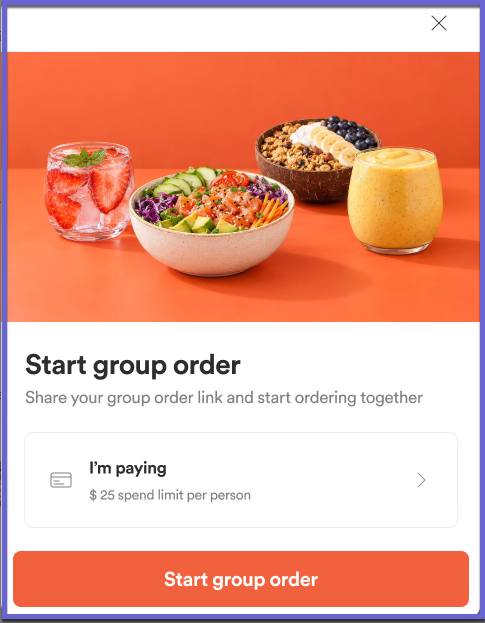
See the following article(s) for more details:
Cleaner Cart Experience
Brands can now hide ingredient-level details from the cart, providing guests with a cleaner, more streamlined summary of their selected items.
Menu & Product Management
Product-Specific Cross-Sell
Brands can now configure cross-sell recommendations for individual products, creating more relevant product suggestions based on what a guest is ordering. Product-specific cross-sell and upsell recommendations can be configured independently, giving brands greater flexibility over their merchandising strategy.
See the following article(s) for more details:
Included Ingredients for Products
Brands can now present ingredients that are included with a product together in a dedicated section during customization. This makes it easier for guests to understand what's included with their selection and provides a clearer, more intuitive ordering experience.
This feature will be fully rolled out to brands in the week following this release. Contact your PAR representative with questions.
See the following article(s) for more details:
Flexible Product Preselection
Brands can now customize which options are preselected for an individual product while continuing to use shared Product Group defaults. This provides greater merchandising flexibility without requiring separate Product Groups or changing the default selections for other products.
See the following article(s) for more details:
Product-Level Serving Times
Brands can now define recurring serving times for individual products, controlling when specific items are available by day of the week and time. This makes it possible to offer time-specific products without creating and maintaining separate menus.
See the following article(s) for more details:
Product Group-Level Swaps
Brands can now configure product swaps once at the Product Group level and apply them across products that share the group. Individual products can still use their own configuration when needed, reducing repetitive setup while preserving product-level flexibility.
See the following article(s) for more details:
Product Group-Level Half & Half
Half & Half options can now be configured at the Product Group level and applied across products that share the group. This reduces repetitive setup and makes it easier to maintain consistent Half & Half configurations across the menu.
See the following article(s) for more details:
Store & Brand Management
Improved Brand Pulse Check
We've enhanced Pulse Check to provide a clearer, more comprehensive view of store configuration and order readiness. The updated experience consolidates key information and makes it easier for operators to identify configuration issues that may require attention.
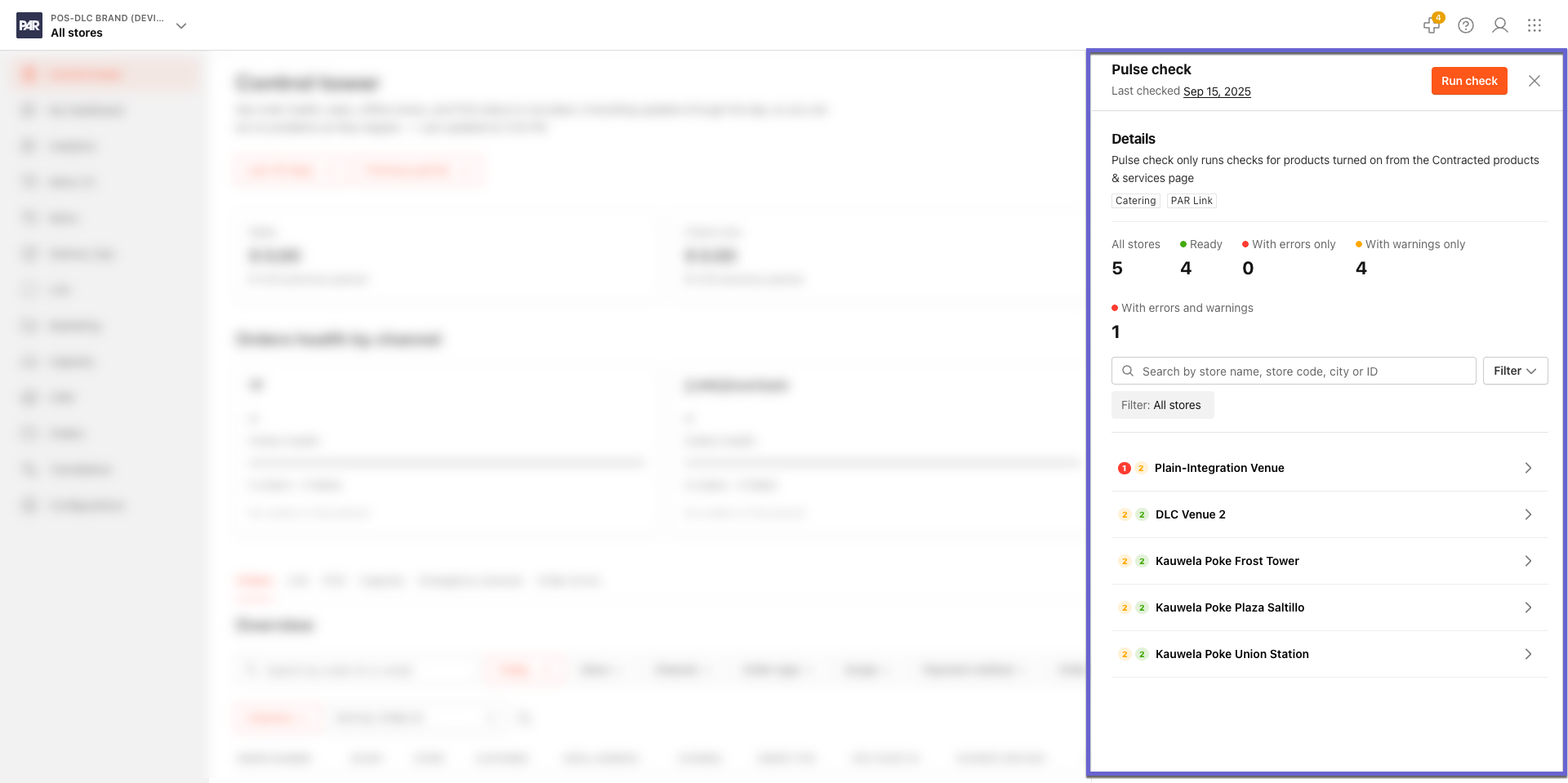
See the following article(s) for more details:
Emergency Store Closure
Brand and Store Managers can now quickly close a location during unexpected events such as severe weather, power outages, staffing issues, or equipment failures. Stores can be closed directly from the Control Tower or store settings, with customer-facing messaging to explain the closure. Scheduled closures can also automatically reopen when the configured closure period ends.
See the following article(s) for more details:
POS & Integrations
Basket Testing: Self-Serve Menu-to-POS Validation
Operators can now test menu items, modifiers, and prices against their POS directly from the Management Center without placing a real order. Clear pass/fail results help identify mapping and pricing discrepancies before going live, making menu validation faster and reducing configuration issues.
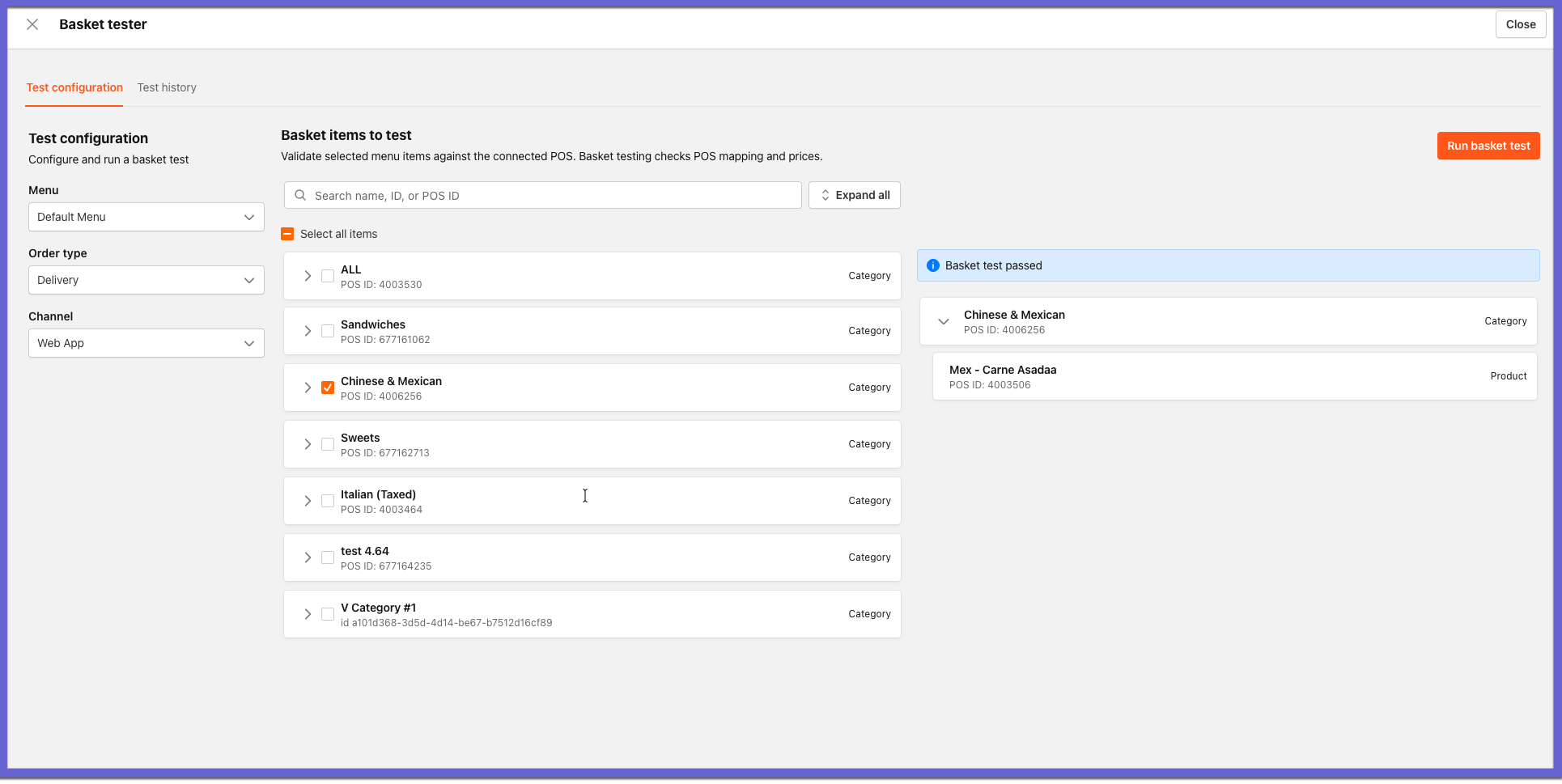
See the following article(s) for more details:
POS Sync Changelog
Operators can now see exactly what changed during recent POS menu syncs. The Management Center provides visibility into product price and availability changes, including before-and-after values, making it easier to identify unexpected menu changes and troubleshoot synchronization issues.
See the following article(s) for more details:
POS Tax Rate Visibility
Operators can now view POS tax rates and the menu items associated with them directly in the Management Center. This provides greater visibility for onboarding and troubleshooting while keeping tax configuration managed through the POS.
See the following article(s) for more details:
POS Next – Qu POS Integration
PAR Ordering now supports Qu POS through the existing POS Next middleware.
Improved Marketplace Customer Identification
We've improved marketplace order handling when customer email addresses are missing, masked, or provided as placeholders. PAR Link now generates a unique email identifier for these orders, helping support more consistent downstream order processing.
Stay tuned for more updates as we continue to enhance our products and services!
