November Release - v4.80
Cart Abandonment Tracking and Recovery
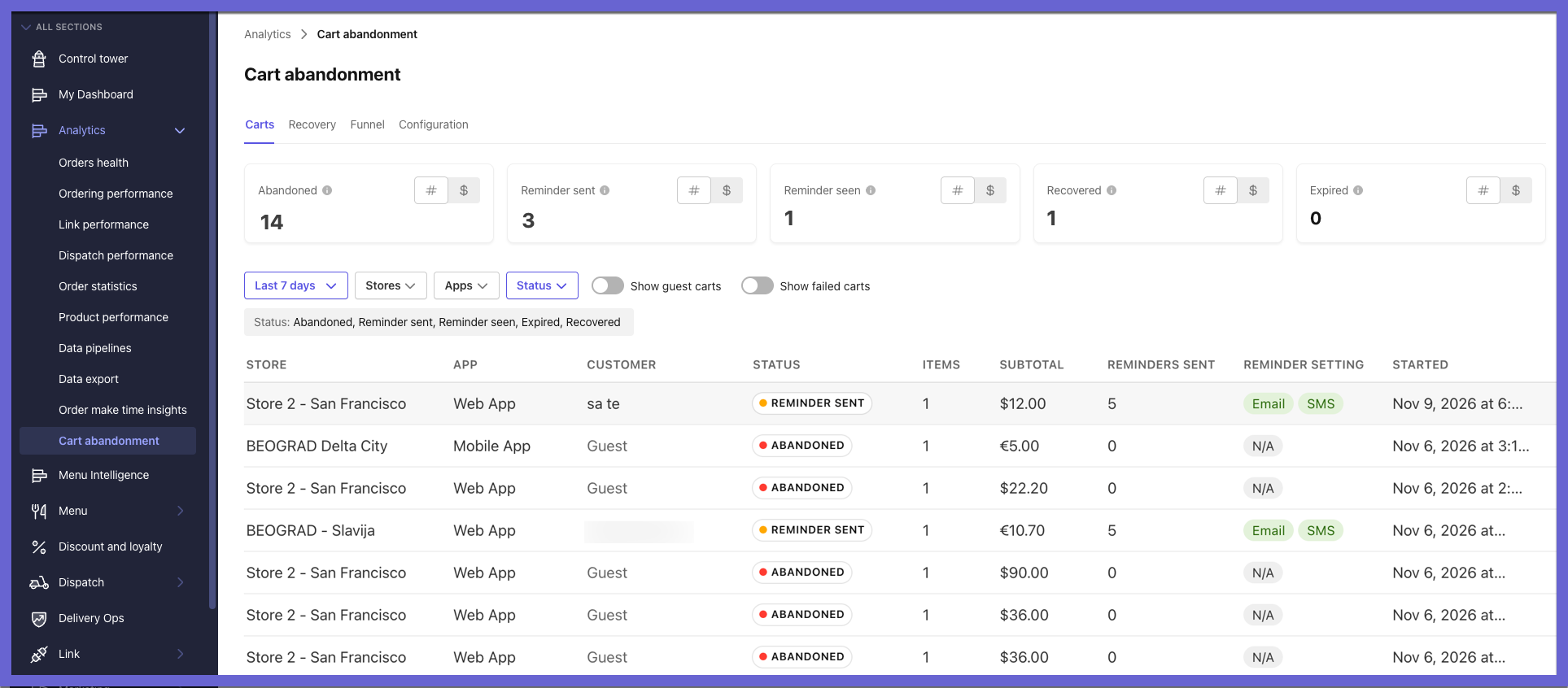
Introduced cart abandonment tracking and recovery capabilities across supported Ordering channels. The platform now tracks cart activity, abandonment, checkout failures, and recovery outcomes, with automated email, SMS, and push reminders available for eligible registered customers based on brand configuration and customer notification preferences. A new Cart Abandonment section under Management Center Analytics provides cart-level reporting, configurable recovery settings, and analytics covering abandoned carts, reminder engagement, recovery rates, and recovered revenue.
See the following article(s) for more details:
New Ordering Checkout Layout Option
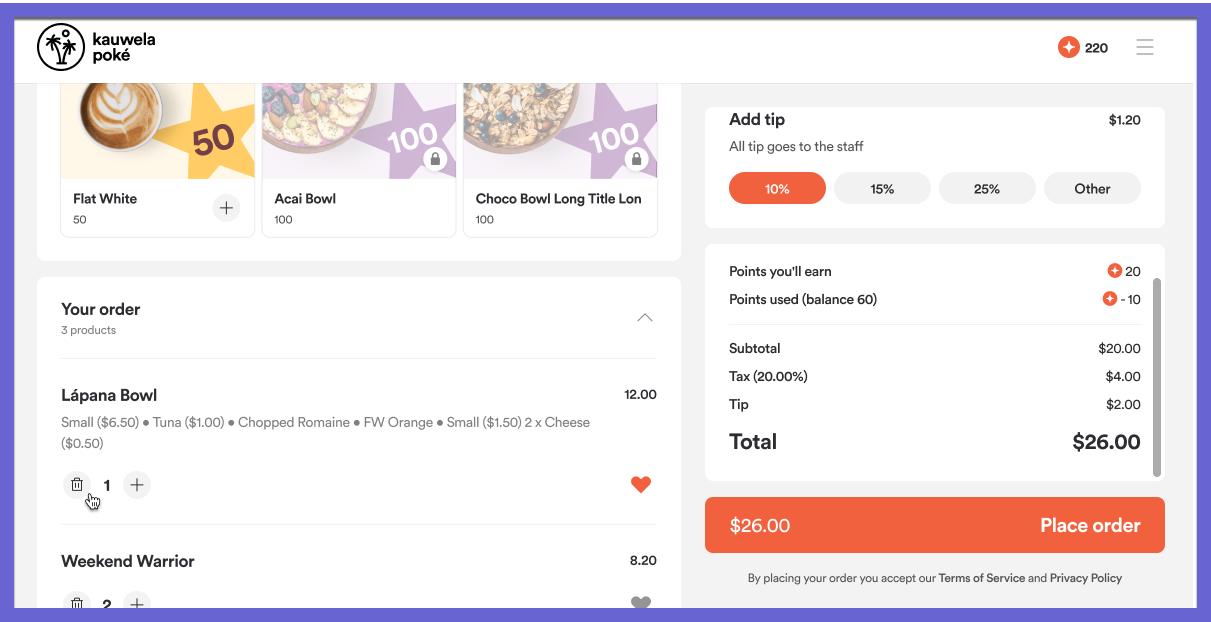
We’re introducing a more streamlined checkout layout, closer to what you see on modern e-commerce sites. You'll be able to opt into it from Customization Center, the same way you already choose between menu and product page layouts. Your current checkout keeps working exactly as it does today unless you turn it on.
See the following article(s) for more details:
Radar Integration – Geofencing
Integrated Radar geofencing capabilities with the existing order arrival and ETA workflows to support pickup, curbside, takeout, and drive-thru orders. The integration uses venue-based geofences to detect when customers are approaching or have arrived, associating location events with active orders and updating arrival status and estimated arrival times. The solution supports location tracking through compatible third-party and PAR Hybrid applications with customer permission.
See the following article(s) for more details:
Multi Language Menu Support
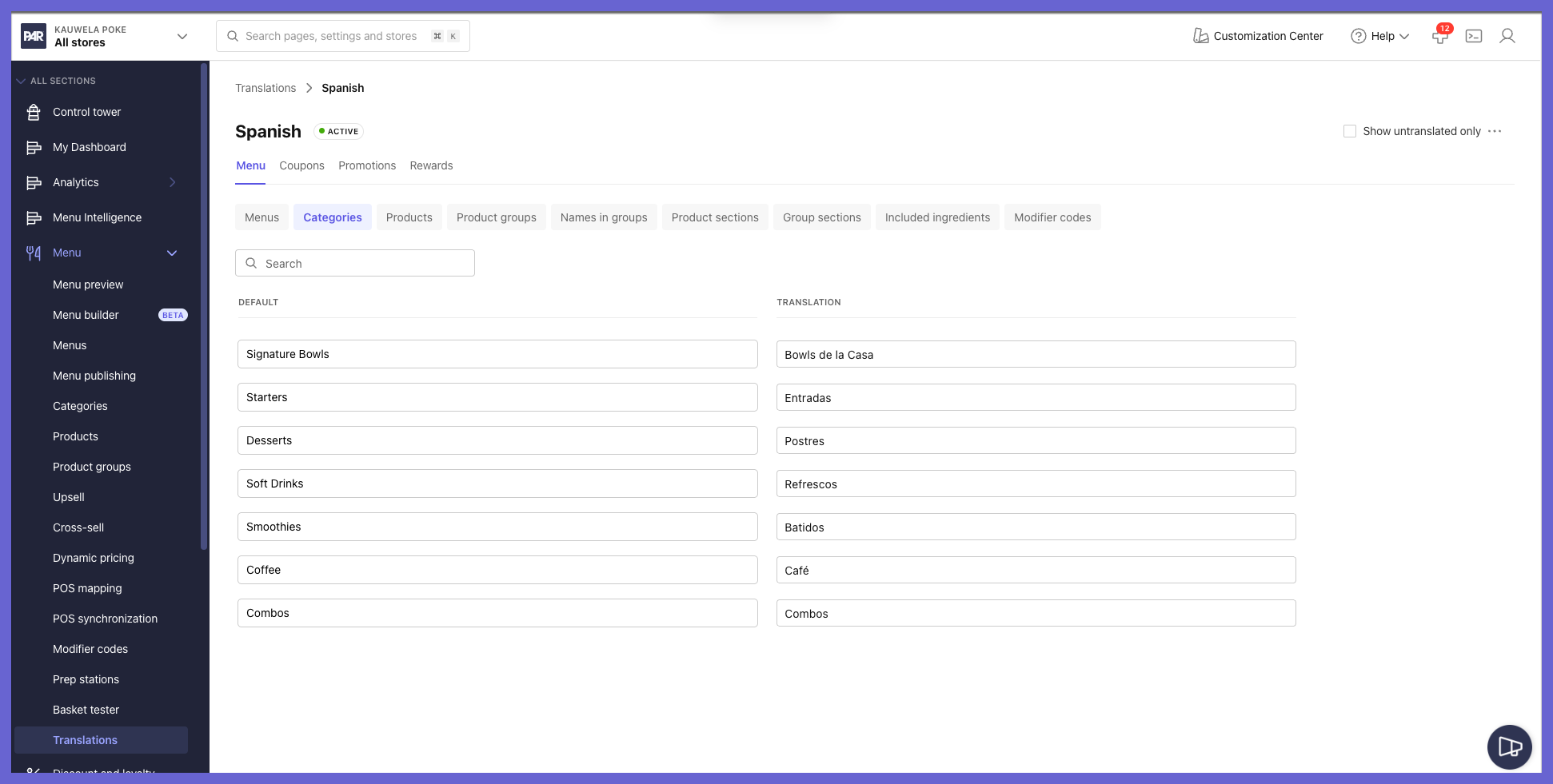
Introduced multi-language menu support, allowing brands to display customer-facing menus in different languages. Menu content can now be presented in the selected language, providing a more localized ordering experience while preserving existing menu functionality and configuration behavior.
See the following article(s) for more details:
Web App – Quick Add to Cart
Introduced a configurable Quick Add option under Management Center > Configurations > Menus, allowing guests to add products directly to their cart without opening the product details modal. When enabled, products with no required selections, including those with only optional modifiers, can be added immediately from the menu. Products requiring sizes, modifiers, or other mandatory configurations continue to use the existing customization flow. Standard cart quantity updates and confirmation behavior remain unchanged.
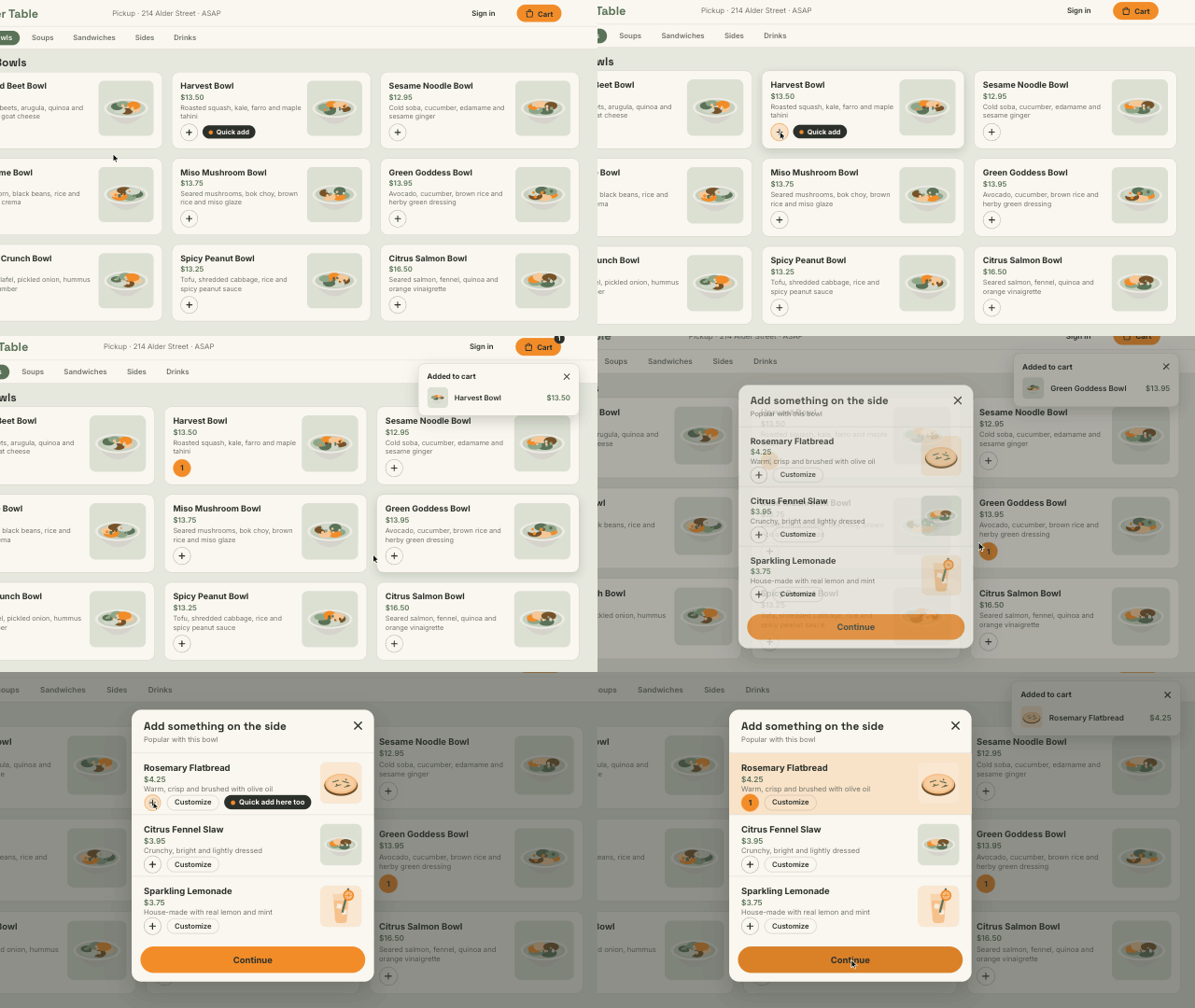
Example only. Your menu appearance may vary.
See the following article(s) for more details:
SMS Payment Links – Web App Payment Flow
Updated SMS payment links to redirect customers to the Ordering web app receipt page instead of the payment processor's dedicated payment page. Customers can now complete payments through the same experience used for email payment links, including when the original payment session has expired. For brands without a configured web app, SMS links continue to redirect to the payment processor.
See the following article(s) for more details:
Store Level Product Serving Times
Expanded Product Serving Times configuration to support store-level overrides of brand-defined availability schedules. Operators can now customize individual product serving hours for specific locations without duplicating products or changing the brand-wide configuration, providing greater flexibility for stores with different operating hours.
See the following article(s) for more details:
PAR Link – Included Ingredients and Product Level Preselection
Expanded PAR Link to support Included Ingredients and per-product preselection on marketplace menus. POS-included modifiers are now published at zero price, while included ingredients remain within their original Product Groups. Each parent product retains its own preselected modifier configuration, and changes to Included Ingredients or product-level preselections automatically trigger menu republishing to keep marketplace configurations synchronized.
See the following article(s) for more details:
My Dashboard Improvements
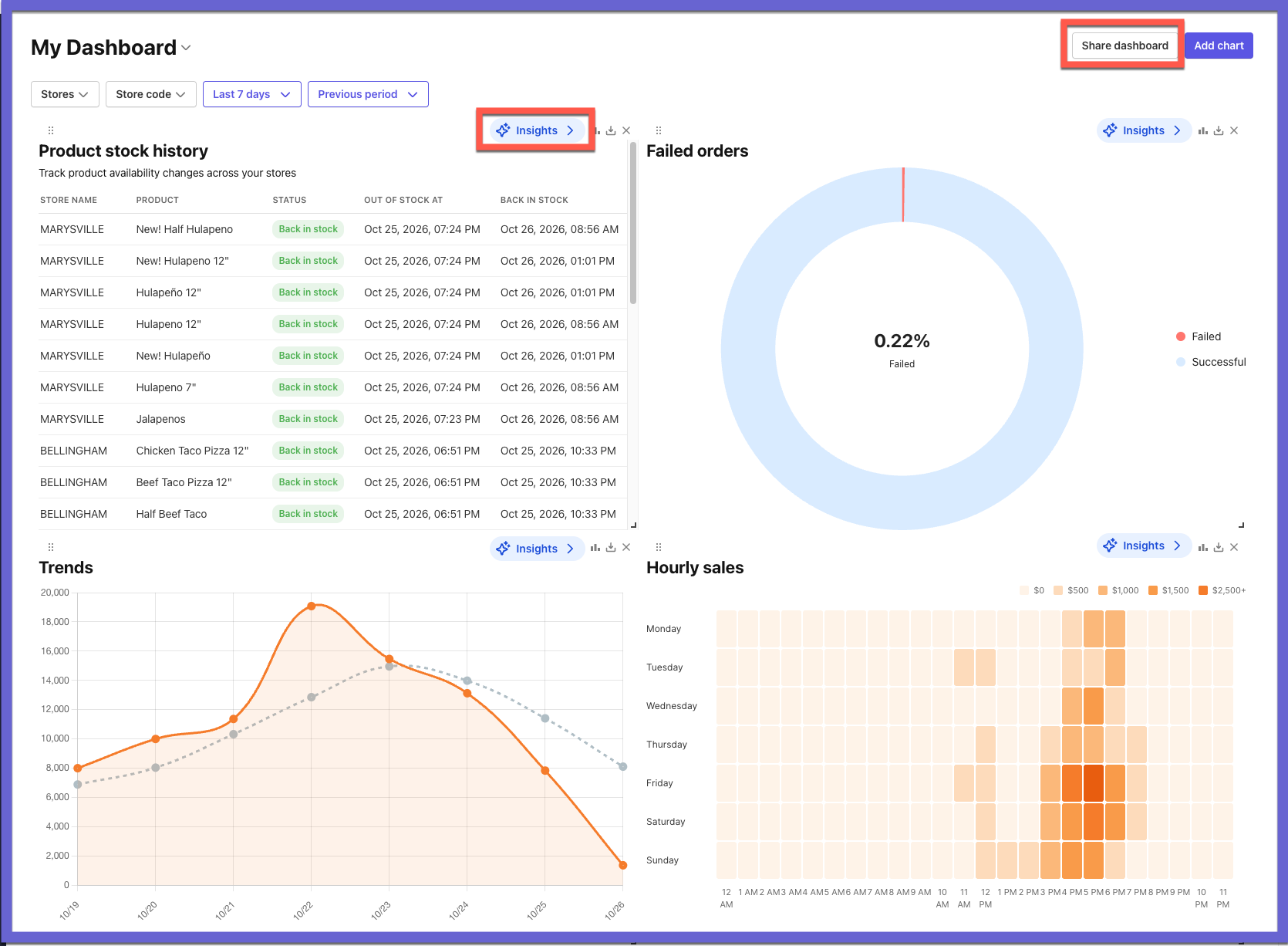
Enhanced My Dashboard with read-only sharing links for stakeholders without MC access, support for admin-created dynamic charts, and improved chart usability. Updates include larger chart action icons, a new AI Insights banner to highlight AI-powered insights, and a layout fix for the oversized Canceled Orders chart in Dispatch Performance.
See the following article(s) for more details:
Management Center – Configuration and Usability Improvements
Enhanced Management Center configuration and navigation to improve clarity and access control. Updates include clearer labeling of product enablement settings, improved visibility into available products and upsell opportunities, refined permissions for AI features, and easier access to Hours AI. Outdated or restricted settings have also been removed or hidden to simplify configuration and prevent unauthorized changes.
See the following article(s) for more details:
Order Error Messages – Management Improvements
Enhanced the Error Messages management interface with new Needs Review and Status column filters, an updated subtitle, and support for V2 error message placeholders. Added Owner, Needs Review, and Status fields to bulk edit exports, along with a new Archived status option.
See the following article(s) for more details:
Basket Tester – Modifier Validation Improvements
Updated Basket Tester validation to account for preselected modifier quantities when evaluating Product Group minimum and maximum selection requirements. This ensures validation considers both manually selected modifiers and automatically preselected quantities. Also improved Product Group validation to clarify how Included Modifiers contribute to maximum selection limits. This addresses confusing validation results when automatically included modifiers affect the permitted selection count, providing more accurate and understandable feedback during basket testing.
See the following article(s) for more details:
Web/Mobile - Products not displaying “More Info” option
Fixed an issue that would cause the “More Info” option to not appear on products with a description when a product does not have a price or a calorie count attributed to it.
Kiosk - Support for virtual products/containers
Added support for virtual upsell and other non-POS product types to Kiosk. Previously, products configured as virtual upsells (container products) could display as "Out of stock" on Kiosk when their size options (such as Regular and Large) were hidden in the category, even though the same setup worked in the Web App. Kiosk now handles these products consistently with the Web App, including items with two levels of virtual upsells. Selected sizes are retained when adding the item to the cart or editing it from the cart.
Out of Stock Default Duration
Updated the default out-of-stock duration in the Management Center to Until End of Day when a store product is marked unavailable. Products automatically return to an in-stock status at the end of the store's day unless another duration is selected. Existing options, including Indefinitely, 1 Hour, and 4 Hours, remain available.
See the following article(s) for more details: