Favorite Products
Context
The favorite products feature enables you to mark meals or items as favorite for quick and convenient future ordering. This feature enhances the ordering experience by allowing frequent diners to save time and personalize their ordering process.
The feature is available on all ordering channels to brands using Menu v2.
How does it work?
Management Center (Brand Level)
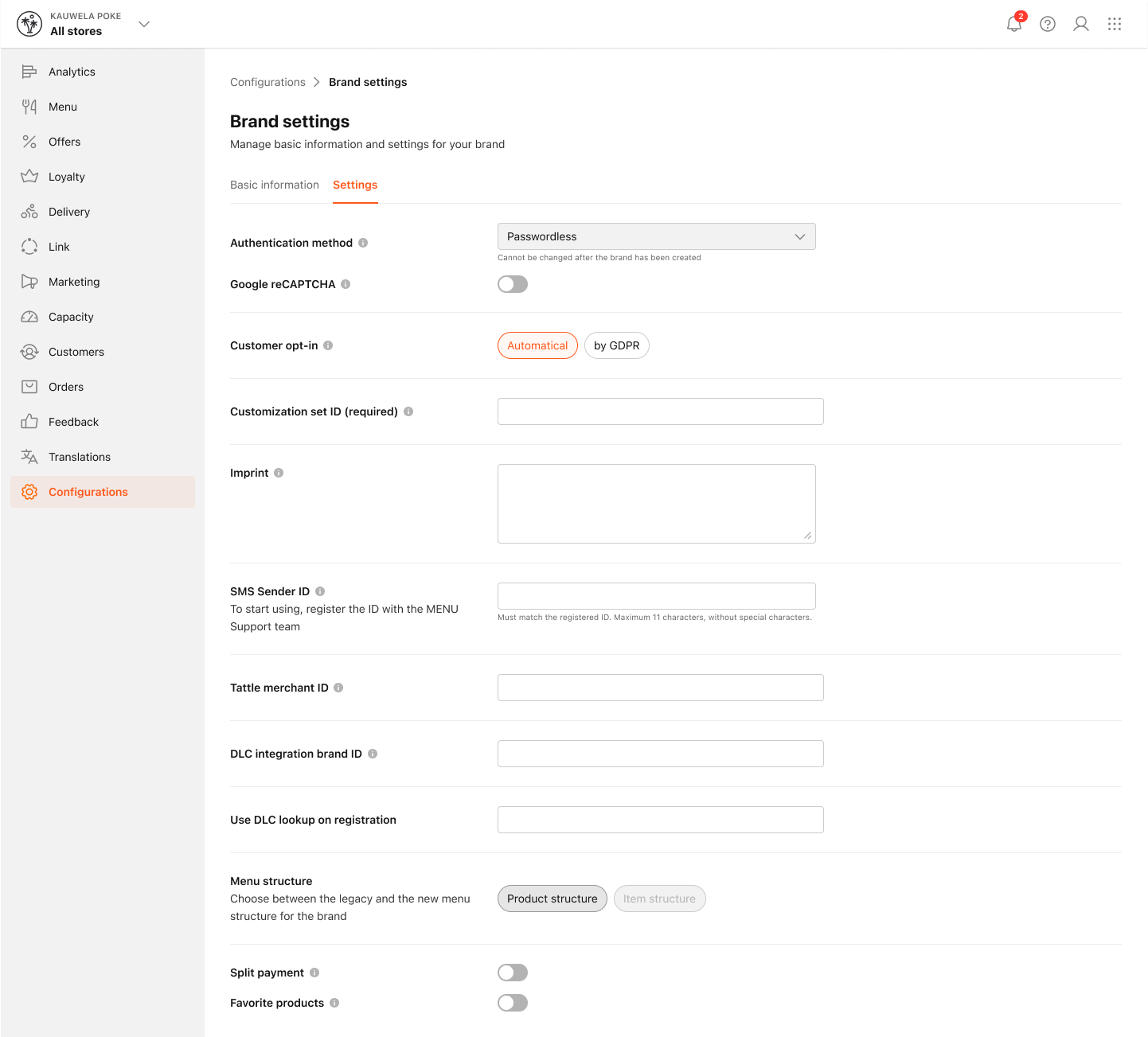
Brand managers can enable the Favorite Products feature within the configuration settings on the Management Center. Follow these steps:
-
Access Favorite Products Settings
- Navigate to the Brand Level of the dashboard.
- Go to Configuration > Brand Settings > Settings tab.
-
Enable the Feature
- By default, the favorite products is disabled.
- Toggle the button to enable the feature.
-
Save Settings
- After configuring the settings, click Save to apply the changes.
Once activated, customers can start using the feature within the ordering apps.
User Experience
When enabled, the feature introduces multiple new user interface elements:
Favorite product home screen carousel and user profile page
-
When you're logged in, you'll see a carousel of your active favorite products
-
The favorites page on the user profile lists all favorite products, regardless of availability
- Favorite products with the Limited Time Offer tag are automatically hidden from the list in case the product is no longer available
- If a product has been deleted from the brand-level menu, it will automatically be removed from the favorites list
Ordering from favorites home screen carousel and user profile page
- You can start your order directly from the home page by selecting a previously favorite product from either the carousel or the profile page
- Each favorite item card shows a + Add to order button. Tapping it adds the item to your cart immediately. The button briefly shows a checkmark to confirm the add, then returns to + Add to order. If the item requires changes (such as a required modifier), the product card opens so you can complete your selection before adding.
- After selecting an order type, the store finder automatically filters and displays locations where said product is currently available
Marking a product as favorite
- Any available product can be marked as favorite
- If a product has customization options available, the favorite version of a product will reflect those currently selected
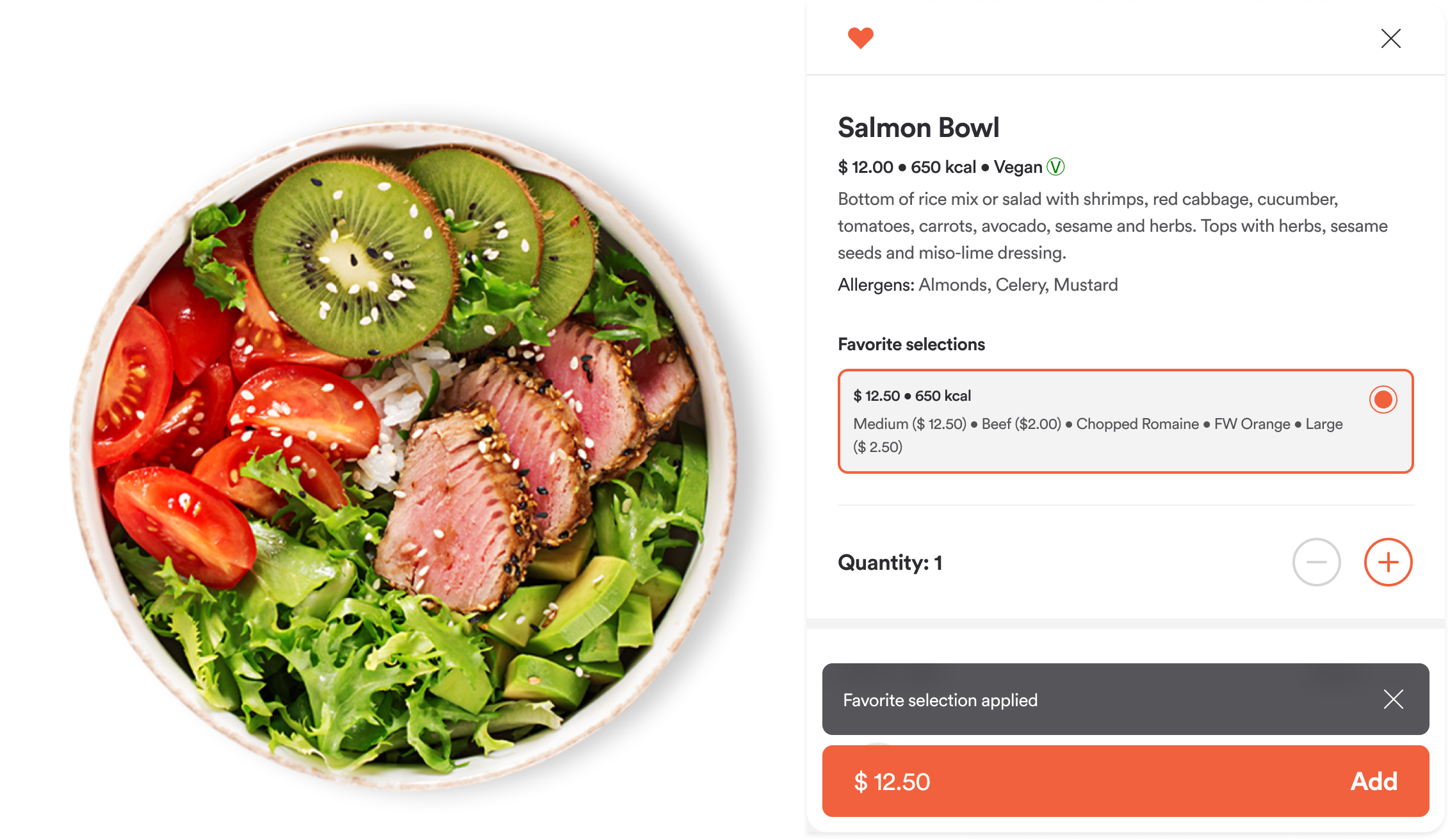
- Selecting a product with existing favorites will display all available options for that product and apply them to a product when selected
This functionality is only available when you're logged in. If you're not logged in, you can see the feature but won't be able to use it until you log in.