How to Remove Serving Times?
| User Role | Store Groups | Store |
|---|---|---|
| Brand Manager | ❌ | ✅ |
| Area Manager | ❌ | ✅ |
| Store Manager | ❌ | ✅ |
Context
You can remove enabled Serving Times when selecting a Subcategory, on a Store level.
To remove Serving Times:
- Select Store List in the top navigation bar
- Select the Store with the Subcategory that you want to add the Serving Times
- Click Overview from the Menu on the side navigation bar
- Select the Subcategory for which you want to change the Serving Times
- Click on the X next to the Serving Time
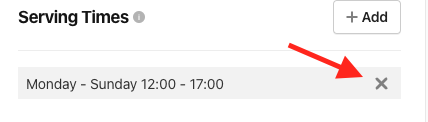
- You've successfully removed the Serving Time from the Subcategory
