October Release - v4.79
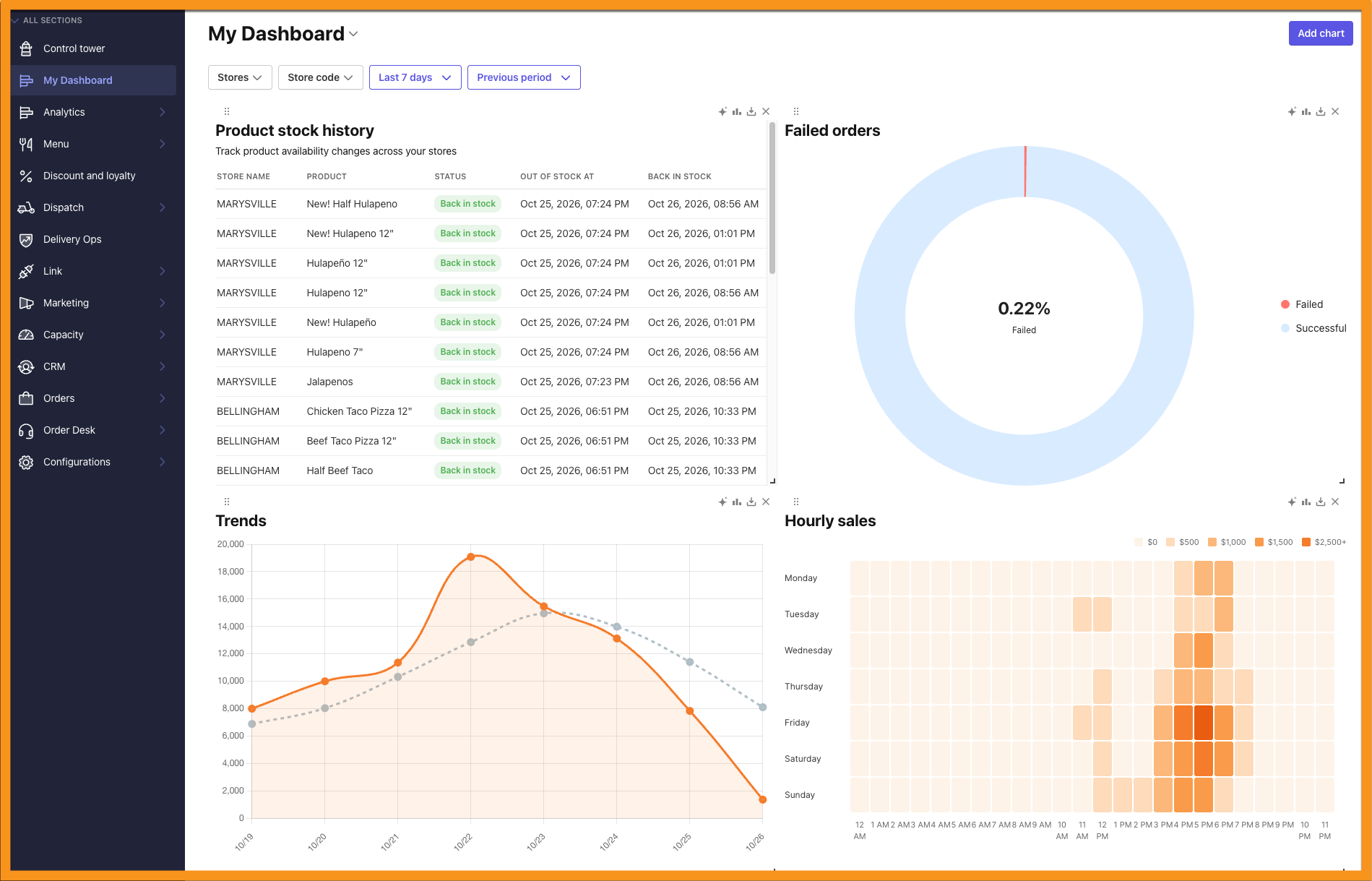
My Dashboard in Analytics
Build an analytics view that works the way you do. With My Dashboard in the Management Center, you can pin the charts that matter most, personalize your KPI views, and create shareable dashboard links for stakeholders who don't have Management Center access.
See the following article(s) for more details:
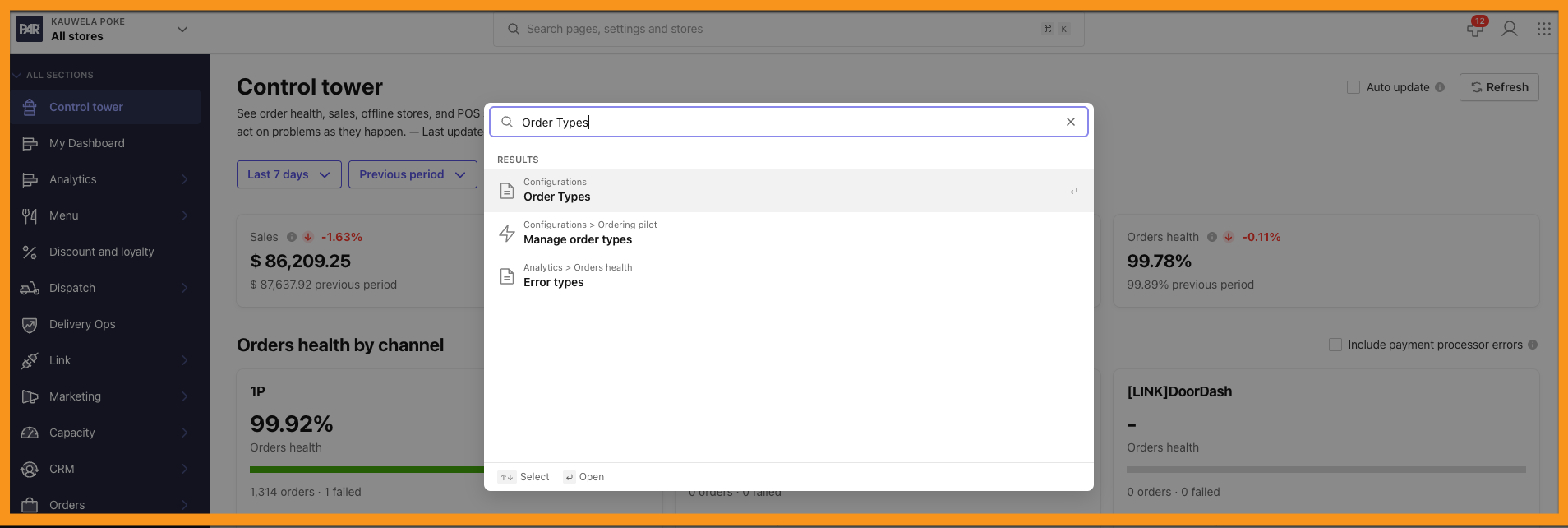
Global Search in the Management Center
Find what you need in seconds. From the brand-level All Stores view, you can now search across Management Center pages, settings, and content, then jump straight to the right configuration.
Smart Products and Linked Products
Build more complex menus with less effort. Smart Products supports nested product selections and modifier-specific options across POS Product Groups, Virtual Products, and Virtual Product Groups. With Linked Products, you can link Virtual Product Groups to existing POS Product Groups in combo configurations, and the Management Center resolves them to the correct POS product options, including size variants. Built-in validation helps prevent invalid group relationships, broken references, and circular dependencies.
See the following article(s) for more details:
PAR POS Pricing Support
PAR Ordering now handles more of your PAR POS pricing setups automatically:
- Price Levels: When an item in PAR POS gets its price from a Price Level, PAR Ordering syncs that price. Price changes appear after your next menu sync.
- Dynamic pricing as surcharges: Turn on Send dynamic pricing as surcharge in the POS configuration tab and map a POS surcharge to each tax rate. Orders reach your POS at regular item prices, with the markup sent as surcharge lines. See PAR POS: Dynamic Pricing Surcharges.
- Combo rollup pricing: Checkout now correctly handles combos whether component prices are included in the main combo line or reported separately, which prevents incorrect price mismatch errors on valid orders. See POS Synchronization and How to Change a Combo Item Price.
Send and Re-send Order Receipts
Need to get a receipt to a guest? Operators can now send or re-send a receipt for first-party orders from the Management Center, controlled by a per-role permission. Guests can also request a receipt themselves from their order history.
See the following article(s) for more details:
Catering Kitchen Prep Reports
Catering prep just got easier with three new reports:
- Banquet Event Order (BEO): Event and delivery details, guest counts, utensils, house account information, and itemized orders with modifiers.
- Kitchen Sheet: A kitchen-focused view with abbreviated item names and highlighted allergy information, and no pricing.
- Aggregated Prep List: Demand for a production day in one place, including package components, allergy details, and quantities grouped by category or station.
See the following article(s) for more details:
House Account Invoice Reporting
Keep a closer eye on outstanding balances. Authorized users can now view, search, and filter house account invoices, including unpaid, partially paid, and overdue balances. New 30/60/90-day aging reports include account-level receivable summaries and invoice-level drilldowns, and you can export results as CSV or PDF.
See the following article(s) for more details:
Catering Customer Account Editing
Authorized Catering Managers can now update customer account details, such as names, email addresses, and phone numbers, directly in the Management Center CRM. Updates are validated, logged for auditing, and synced with Punchh to keep customer records consistent. Existing catering orders, account associations, and customer history are not affected.
See the following article(s) for more details:
Native App Analytics with Firebase and GA4
See your iOS and Android app traffic in Google Analytics 4 where it belongs. PAR Ordering hybrid apps now send analytics events through Firebase to your GA4 property, so native app activity appears in dedicated iOS and Android app data streams, separate from your web stream. Events match your web stream, and collection stays off until the guest accepts the cookie consent prompt. This feature requires setup by the PAR team, so contact your PAR representative to enable it for your brand.
See the following article(s) for more details:
Order catering from your AI assistant
Your team can now connect an AI assistant, such as Claude, ChatGPT, Muse and even Slack, to PAR catering. Guests can browse menus, build an order and place it, and the order is billed to the organization's house account.
See the following article(s) for more details:
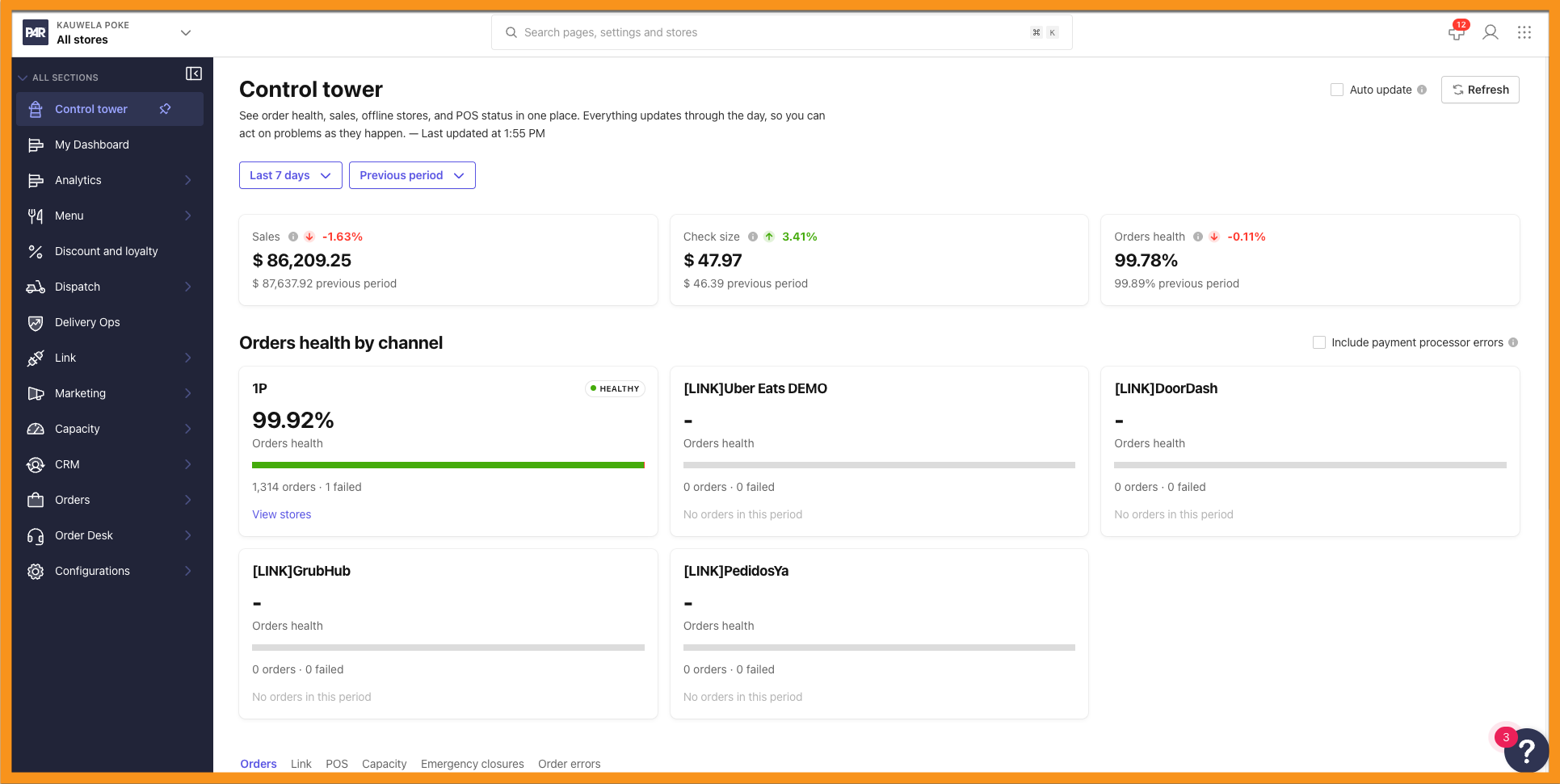
Management Center Look and Navigation
The Management Center has a fresh look and is easier to get around. Updated colors, styling, and layout align with PAR's broader brand identity, without changing how features work. A collapsible sidebar and account-level pinned tabs give you more workspace and quick access to the modules you use most. The Management Center is also now responsive on non-desktop devices, so you can navigate, view content, and complete actions on tablets and phones. And when you have unsaved changes, you can now save with a keyboard shortcut.
Pulse Check Upgrades
Pulse Check is now easier to use and easier to read:
- Background checks: Readiness checks keep running after you close the Pulse Check drawer. You can keep working within the same brand and reopen the drawer to track progress.
- Scheduled checks: Store configurations can be evaluated automatically, so you no longer need to select Run Check each time.
- Simplified store details: Successful checks are hidden so you can focus on issues that need attention.
- Direct store navigation: Store names are now links that open the store's configuration page in a new browser tab.
- Clearer statuses: The Offline status is now With Errors, and Online is now Ready. An informational tooltip on the With Errors status explains what it means.
- Ignored stores filter: Filter for ignored stores to review which locations are excluded from readiness monitoring.
See the following article(s) for more details:
Select All in Store Groups
Setting up a store group just got quicker. In the Manage Stores interface, select all available stores with one action, or select the option again to deselect them.
Direct Product and Category Image Uploads
Update images without opening each edit page. Authorized users can upload product and category images right from the brand-level list views, with upload progress, immediate thumbnail updates, and validation feedback. Existing permissions and file restrictions still apply.
Disabled Product Filter in Menu Preview
Menu Preview is now less cluttered. Disabled products are hidden by default, which is especially helpful for menus that use Virtual Containers. When you need to see them, show them with the new filter. Your underlying configuration and availability aren't affected.
See the following article(s) for more details:
Direct Web App Links in Menu Preview
Go from preview to the real thing in one click. Brand-level Menu Preview links open your web app homepage, and store-level links open that store's live ordering page.
See the following article(s) for more details:
Redesigned POS Integration Settings
POS integration settings are now organized into tabs at both the brand and store levels: General Settings, Order Types, Fees, Order Settings, and External Channels. External Channels now lives in the same interface, you can save changes across multiple tabs in one action, and your bookmarked links keep working. This update also includes fixes for unsaved-change detection, configuration saving, permission enforcement, and visual consistency.
Included Modifier Import and Ingredient Sync for PAR POS
Getting your PAR POS menu into PAR Ordering is now more automatic. POS Sync retrieves included modifiers from PAR POS, and POS Import and Menu Builder use that data to populate Included Ingredients and preselection settings for your products. Existing brands can use a dedicated sync option to update included ingredients across the entire menu or for individual products, with no full menu reimport required.
See the following article(s) for more details:
Suppress Partial Variants for Predefined Half-and-Half Products
Keep predefined half-and-half products simple. When a product's halves are already set, turn on Suppress partial variants to remove the Left / Whole / Right selector from its modifiers. Guests can still customize the product, and all changes apply to the whole item. Your existing left and right mappings are kept, and build-your-own half-and-half products are unaffected.
See the following article(s) for more details:
Modifier Code Lookup for PAR POS
Say goodbye to typing IDs by hand. When you add or edit a modifier code, search and select it from the active codes configured in your POS. This helps prevent typos and mismatches between the Management Center and your POS.
See the following article(s) for more details:
Replay Failed Checkouts in Basket Tester
Troubleshoot failed orders without leaving the page. On the brand-level Active order failures page, select Replay in Basket tester to rerun a failed checkout cart against the store's current POS and menu setup and see the result right there.
See the following article(s) for more details:
Pickup Time Placement on PAR POS Receipts and KDS Tickets
When Send Pickup Time as Line Item is enabled, the promise or pickup time now always prints as the last line item on the PAR POS receipt and KDS ticket, no matter what else is on the order. The text, format, and price of the line don't change, only where it appears. This applies automatically to any brand that already has the feature turned on.
Special Dates for Catering Delivery
Special Dates now supports Catering Delivery in the Management Center. Using the existing serving-times framework, you can manage date-specific availability and closures for catering delivery orders. These restrictions apply to supported customer-facing availability flows, which helps prevent catering orders from being scheduled on unavailable dates. Existing Delivery functionality is unchanged.
See the following article(s) for more details:
Product Availability on Marketplaces
PAR Link now syncs product-level availability rules, including Serving Times, Limited Time Offers (LTOs), and Preorder availability, with supported delivery marketplaces. Products appear according to their configured schedules. If a marketplace can't enforce an availability window, the product is left off that marketplace so guests can't order it outside its permitted times.
See the following article(s) for more details:
Shared Location Webhooks for Virtual Kitchens
PAR POS updates such as '86-ing' an item or a price change now apply to every concept at a location, even when multiple stores share the same Location ID. Previously, only the first store received the update.
To enable this feature, go to Brand (All stores) > Configurations > Store Groups, select the PAR POS Integration Purpose store group, and turn on Shared location webhooks in General settings.
Available for Menu v2 brands only.