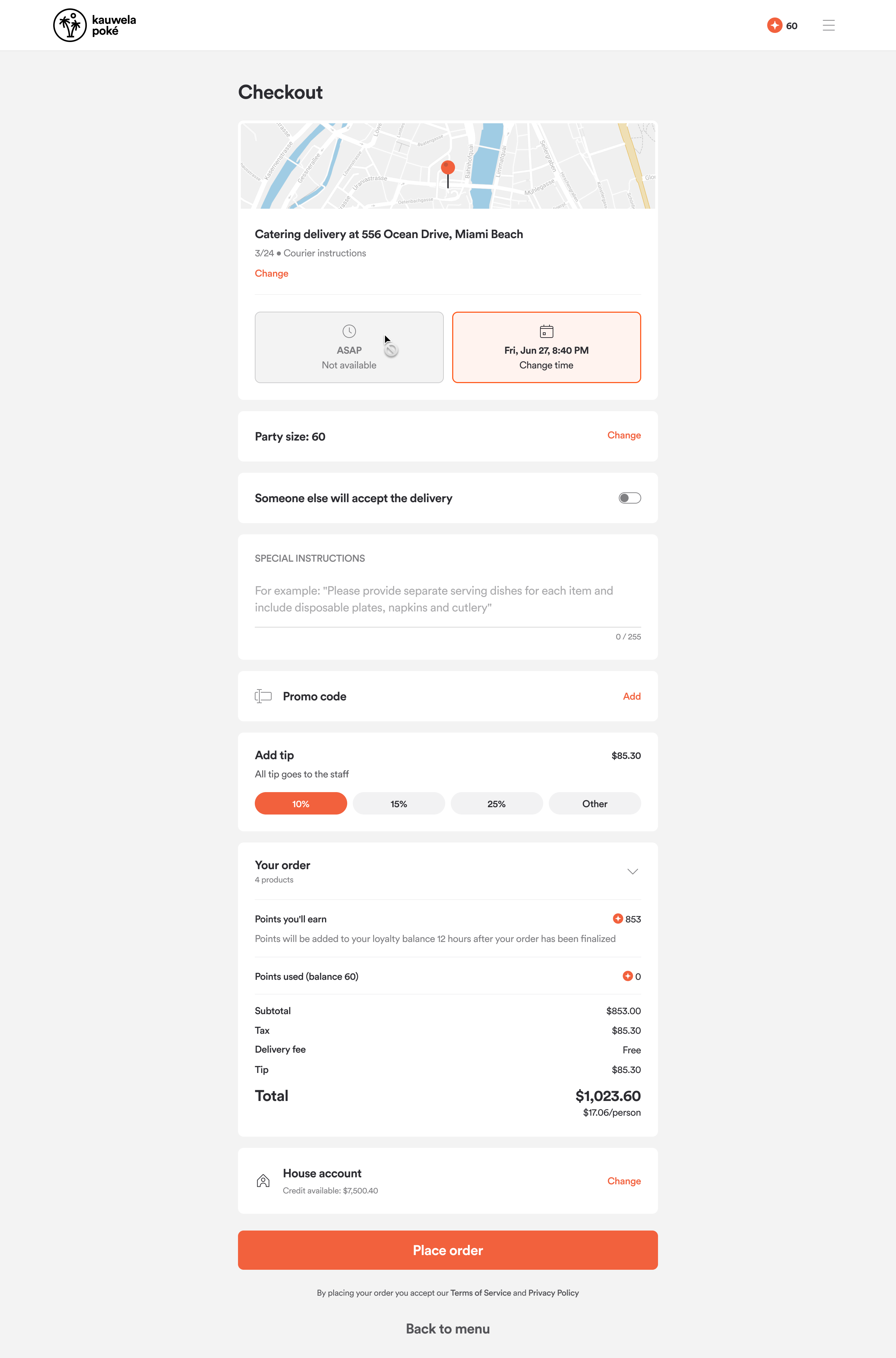
House Accounts
The House Accounts feature enables select catering customers (typically corporate clients, schools, or frequent large-order customers) to place catering orders on credit, with billing handled on a recurring basis (e.g., monthly). This feature supports streamlined ordering, invoicing, and payment workflows for high-value clients.
House Account Enablement
To set up house accounts, a brand must have the product enablement flag for catering enabled. Once catering is enabled, a customer can navigate to Brand > Configurations > Brand Settings > Settings tab and enable House Accounts. Upon enabling, the brand tax information will be presented, which will appear on invoices.
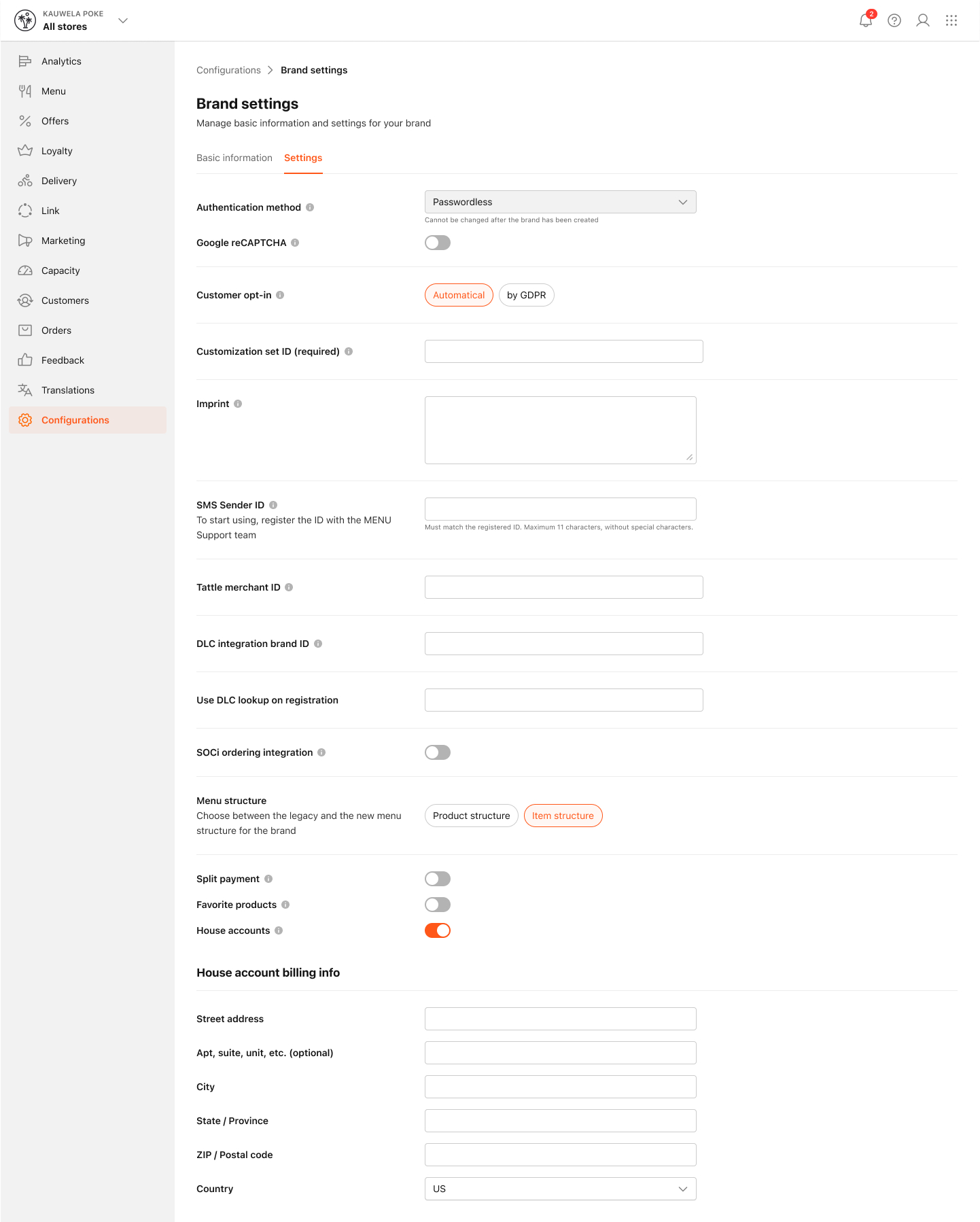
If the operator chooses Canada for the country, the Tax reg number field is shown.
Turning off House accounts will remove access for all organizations using them.
- Clients will no longer be able to place orders billed to their House account in the Web App.
- Organizations that rely only on House accounts (and don’t have Tax Exempt enabled) will be archived.
- All data and settings will be preserved and can be restored if you turn House accounts back on later.
House Account Requests
Once catering is enabled, customers can create an account as an organisation. To do this, they must select 'Continue as Organisation', provide their email address, and add a password and authentication code.
Customers can then request a House Account. This process is handled outside of our platform because brands offer organisations a line of credit, which requires contractual agreements.
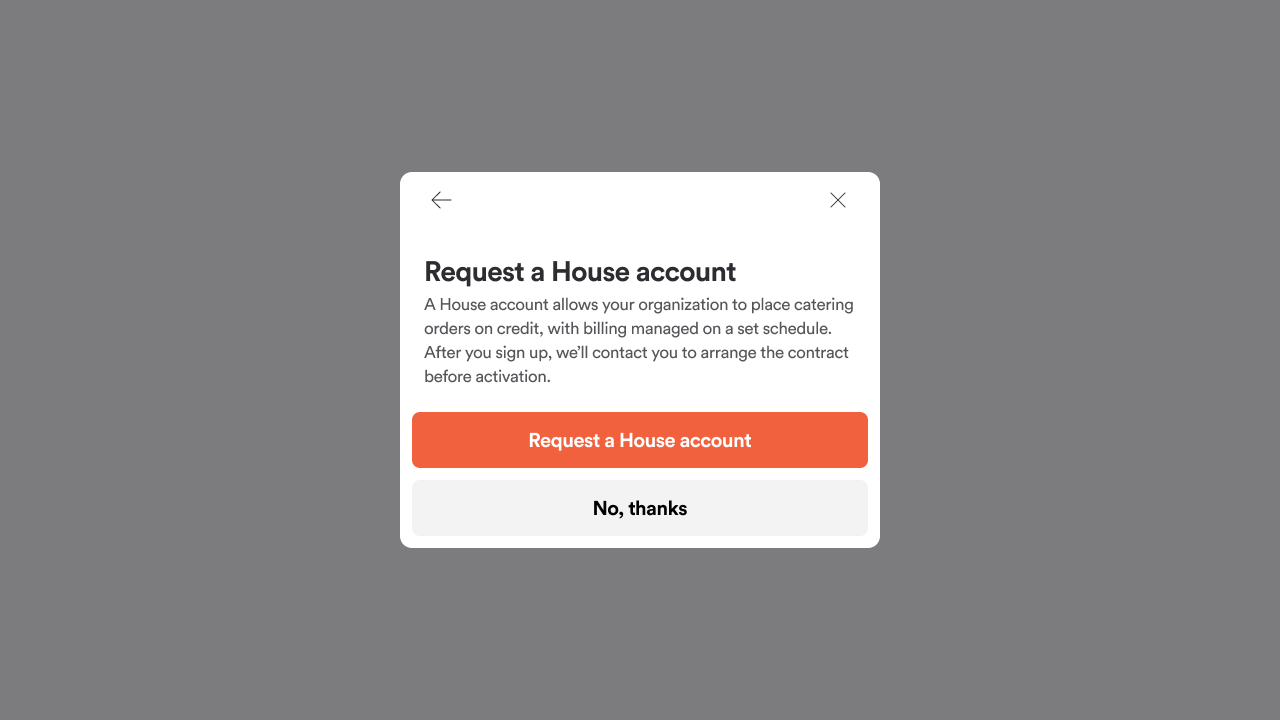
House Account Set up
Once a House Account is requested, catering managers and brand managers will receive email notifications. This is their opportunity to contact the organisation directly.
During the sign-up flow, the organisation will be asked to provide their organisation name. If the brand supports tax exemptions, the organisation can also apply tax exemption details.
After contractual agreements are finalized, catering managers can return to the Management Centre, locate the organisation, and activate the House Account.
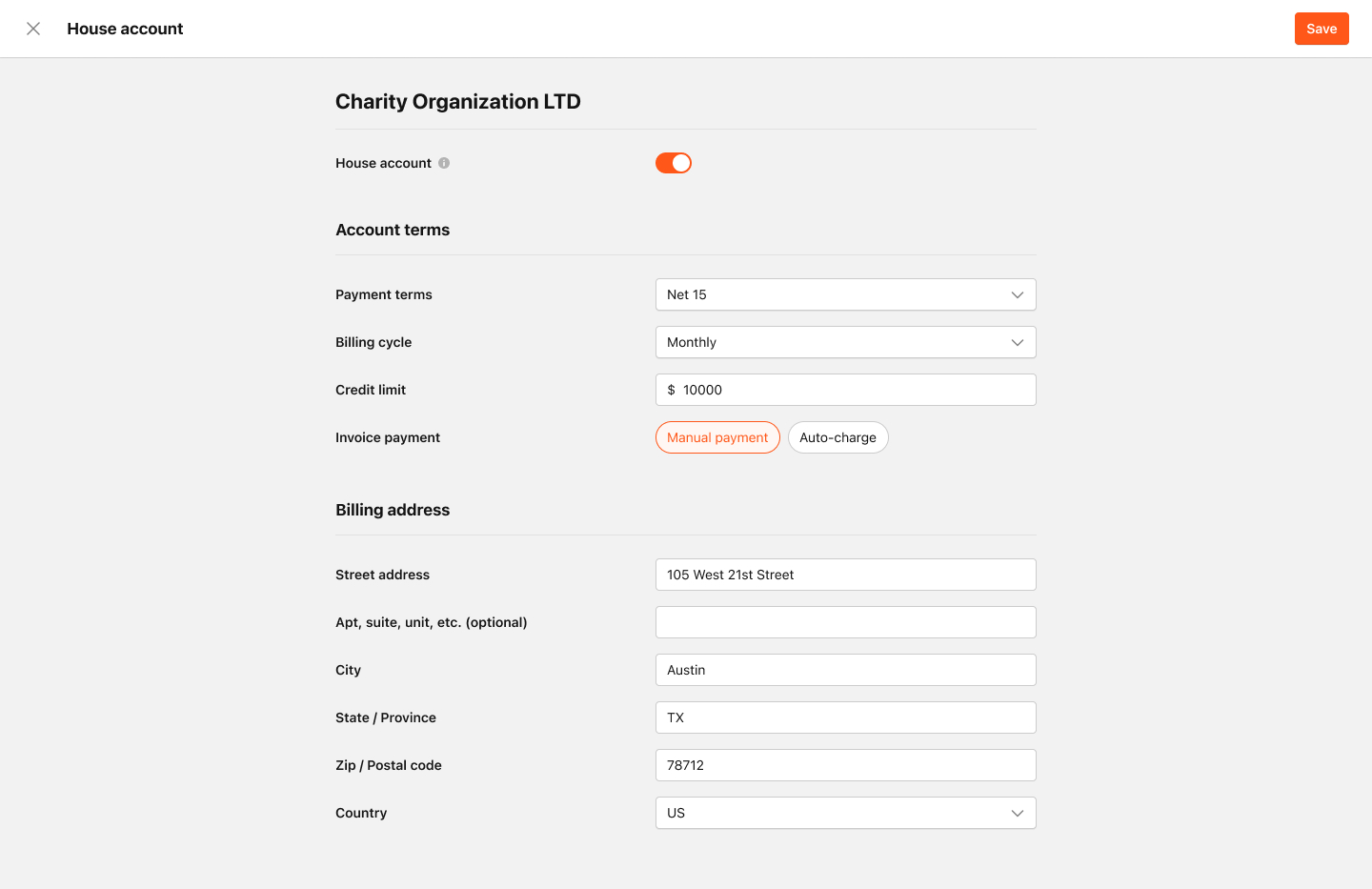
- When enabling a House Account, managers must define:
- Account Terms
- Payment Terms
- Billing Cycle
- Credit Limit
- Invoices can be paid manually (e.g., via bank transfer) or automatically using a card on record.
- Billing address information for the organisation must be added for invoice generation.
- Catering managers can update House Account information, including credit limits, and can suspend or disable House Accounts from the Management Centre.
- Disabling or cancelling a House Account does not remove the obligation to pay for outstanding orders within the billing cycle.
- Brands can view all generated invoices in the Management Centre, including their status (Paid, Overdue). Invoices can be downloaded for manual sending or record-keeping.
- If payment is taken manually, catering managers must update the invoice status manually in the Management Centre.
- Email communications are sent to customers for payment confirmations and overdue notices.
Once activated, the organisation will receive email confirmation that the House Account is active and they can begin placing orders against it.
Post-Approval Actions
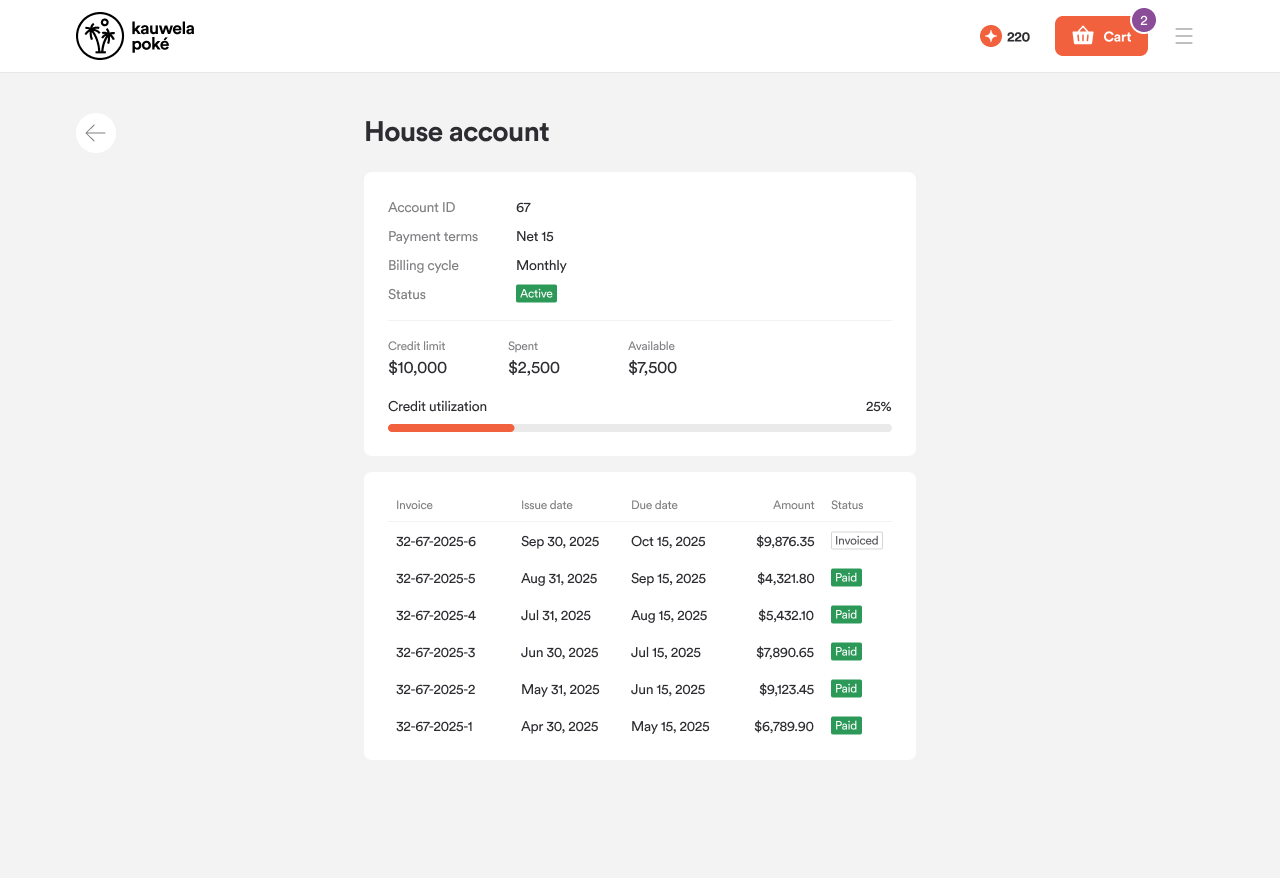
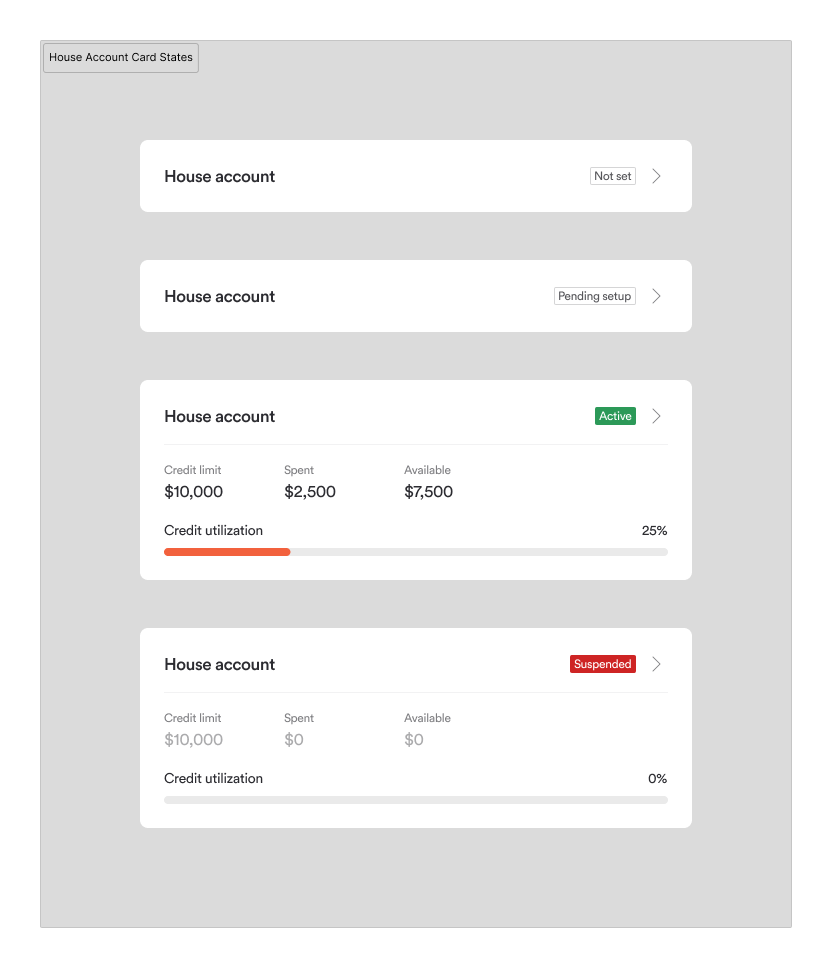
Once a House Account has been approved, the organisation can view its account settings and manage members.
Viewing House Account Configuration
Organisation admins can navigate to their Account Settings to view:
- Payment terms
- Credit limit
- All invoices associated with the House Account
Adding Members to the Organisation
House Accounts allow additional members to be added to the organisation. To do this:
- Navigate to Account Settings > Members
- Add an email address to associate with the account
- If the email address already has an account with the brand, the user will be added and notified via email
- If the email address is not associated with the brand, an invitation email will be sent to set up an account

Member Permissions
Once added, members can:
- Use the organisation's House Account
- Place orders on behalf of the organisation
- Access invoices and account details
Consumer Journey
Customers place orders as usual and, when selecting a payment method, can choose 'House Account'. They will see the available credit on the house account and can place orders within that limit. Once an order is placed, the total amount is deducted from the remaining balance.
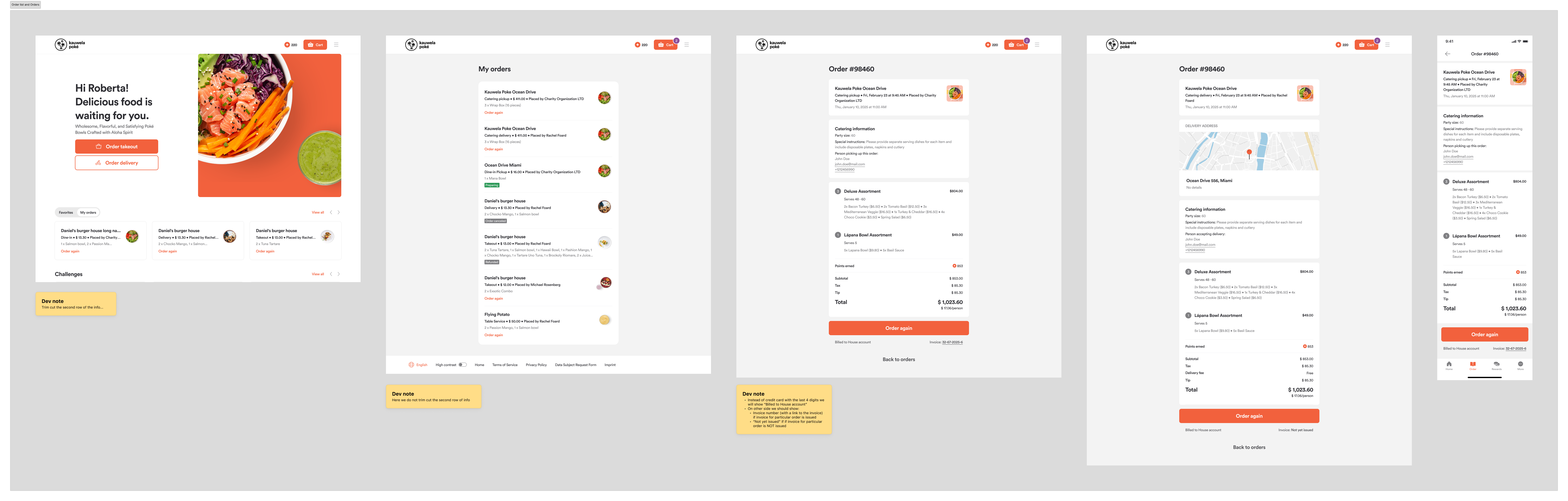
Customers can view their order history to see which orders were placed against the house account and identify which member placed each order. If a member placed the order, their name will be shown; if the organisation admin placed it, it will be labeled accordingly.
Catering Manager Order Placement
Catering managers can also place orders on behalf of customers via the Order Desk using the house account.
During the order process, catering managers follow the standard order journey. When selecting a payment method, they have two options:
- Pay via SMS link — the customer receives a link to complete payment.
- Charge the order to the house account — the order amount is deducted from the organisation's available credit.
This flexibility allows catering managers to support customers who prefer different payment workflows while maintaining accurate billing records.