Punchh Platform Release Notes - 10 December 2024 Deployment
The updates described in these release notes and the affected/linked documentation will not be available in the Punchh platform until the target deployment date.
Campaigns
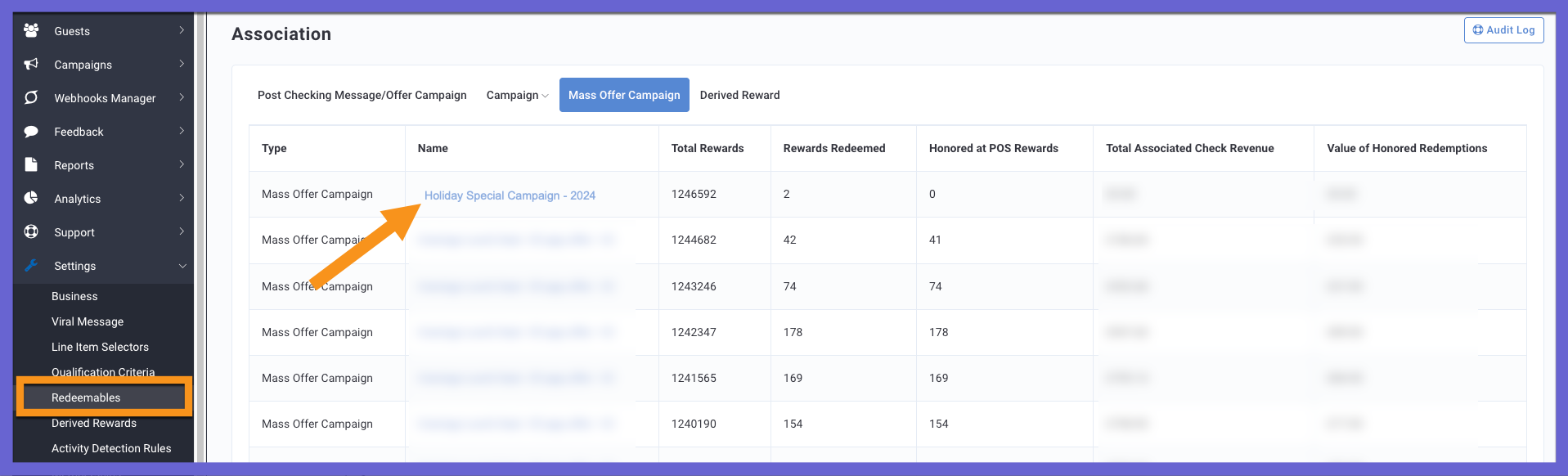
Campaign Association Links Redirected
We have updated the campaign links on the Association pages for Redeemables, Derived Rewards, Surveys, Location Groups, Qualification Criteria, and Line Item Selectors to link directly to the new Campaign Performance Pages (CPP). Previously, the links were directed to the classic CPP, causing issues with data loading time. (EPS-9372)
Loyalty
Gift Card Design Image Limited to 5 MB
The size of the background image file for a gift card design is restricted to 5 MB. Under Settings > Gift Card Designs, the Punchh platform throws an error if the image file uploaded to the Punchh platform exceeds 5 MB. (INT-2827, PDOC-2772)
See the following article(s) for more details:
- Gift Card Designs (Support Portal)
New Payment Cards Tab in the Guest Profile
For authorized admin roles, a new section has been added to the guest profile to display a guest's saved payment cards. This section is available when the business is using the Saved Payments feature in the Punchh platform. (INT-1819, PDOC-2771)
See the following article(s) for more details:
- Guest Profile: Payment Cards (Support Portal)
New Tab for Gift Card Notification Template
All of the gift card-related notification templates are now conveniently located under a new tab titled Gift Card for easier access and organization. (INT-2762, PDOC-2756)
See the following article(s) for more details:
- Gift Card Notification Templates (Support Portal)
Use Coupon/Promo Campaign or Redemption Code Image As Hero Image for a Pass
We have introduced a feature that dynamically assigns the hero/strip image on a pass based on the availability of a Coupon or Promo Campaign image. If no image is provided by the campaign, the system will fall back to the default image from the Redemption Pass Configuration. This enhancement ensures a seamless and consistent user experience, displaying the most relevant promotional content on passes.
- Primary Image Selection: If a Coupon or Promo Campaign has a hero/strip image configured, it will automatically be used as the hero/strip image on the pass.
- Fallback to Offer Pass Configuration: If no image is provided by the Coupon or Promo Campaign, the system will use the image from the Redemption Pass Configuration as the fallback.
- If neither the campaign image nor the pass configuration image is available, the system will default to the pre-configured Punchh Logo image.
This update improves the visual appeal and consistency of passes by dynamically adjusting the displayed promotional content, enhancing the overall user experience. (INT2-1701, PDOC-2775)
See the following article(s) for more details:
- Apple Passes (Support Portal)
Incorrect Redemption Amount Applied on Receipt
We resolved an issue where the discount amount distributed on all of the 'R' item types on a receipt did not add up to the total discount provided on the receipt. The miscalculation between the discount amount on all 'R' item types and the total discount on the receipt has been corrected. (EPS-9087)
Subscriptions
Subscription Images Limited to 500 KB
While creating/updating a subscription plan, there were no limits on subscription image size. Going forward, we are imposing the platform-wide standard limit of 500 KB on the subscription plan image size. This does not impact any existing subscription plans on the platform. This limit will be enforced only If an admin creates a new subscription plan or updates the image of an existing subscription plan. (LCM-2599, PDOC-2730)
See the following article(s) for more details:
- Subscription Plans (Support Portal)
Reporting & Analytics
Enhanced Payment Data Export
The Payment Data Export has been expanded to include new data points for various payment types. Going forward, the export will include data for 'Single Scan Flow' transactions made with credit cards, in addition to the existing gift card transactions. Additionally, some existing columns have been renamed for clarity and better alignment with the Payment report. The Payment Data Export will now include new data points (Location Name, Location ID, Store Number, Payment Mode, Transaction Type Identifier) for various payment types. The 'Paid For' field will be renamed as 'Transaction Type' to match the Payment report. These updates will apply consistently across all new and active payment data export schedules, ensuring data is more intuitive and organized across all payment reports. (DP1-1531, PDOC-2766)
See the following article(s) for more details:
- Data Export (Support Portal)
Enhanced Payments Report
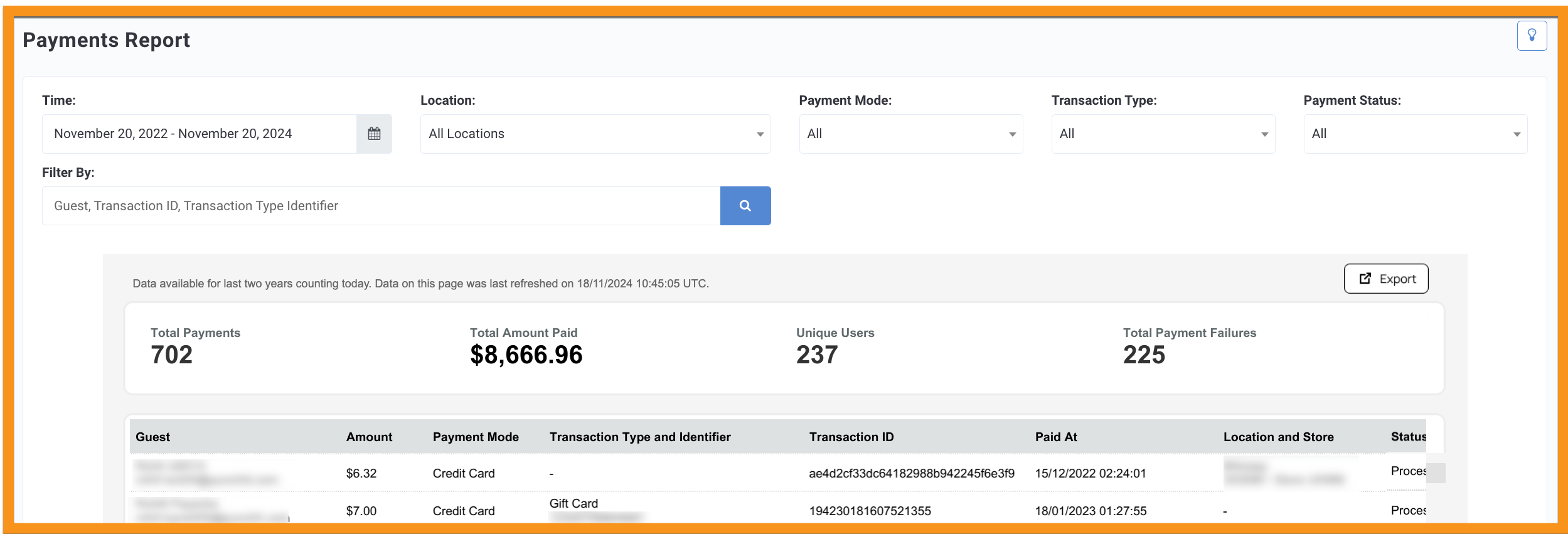
The Payments Report displays spending data linked to integrated gift card purchases, reloads, refunds, and payment failures. It also now includes spending data for all payment methods within the Punchh Wallet package, such as Subscriptions, Gift Cards, and Scan to Pay. (DP1-1551, PDOC-2765)
See the following article(s) for more details:
- Payments Report (Support Portal)
Developers Corner
Supported Gift Card Types Added to Mobile Program Meta
The preferred_gift_cards response parameter has been added to the api2/mobile/meta.json API endpoint to indicate the different types of gift cards supported by a business. (CX-2549, PDOC-2760)
See the following article(s) for more details:
- Program Meta (Developer Portal)
Multi-Language Support in Challenges
The Accept-Language header parameter has been added to Challenges API endpoints. Businesses using a Challenges strategy can enhance the guest experience using localized languages required for different geographies. In the API, the Accept-Language parameter needs to be passed with the required language code (fr-CA, es-CR, fr, en). Depending on the input value provided in fields that support multiple languages, the fields will return the value in the localized language. (LCM-2596, PDOC-2731)
See the following article(s) for more details:
- List Challenges (Developer Portal)
- Fetch Challenge Details (Developer Portal)
