Payments Report
The Payments Report is a part of the Digital Stored Value with Gift Cards module, available for an additional cost. To learn more, speak to your Punchh representative.
The Payments Report displays spending data linked to integrated gift card purchases, reloads, refunds, and payment failures. It also includes spending data for all payment methods, such as Memberships, Gift Cards, or Loyalty Codes.
Viewing the Payment Report
You can view the Payments report in Guests > Payment Report.
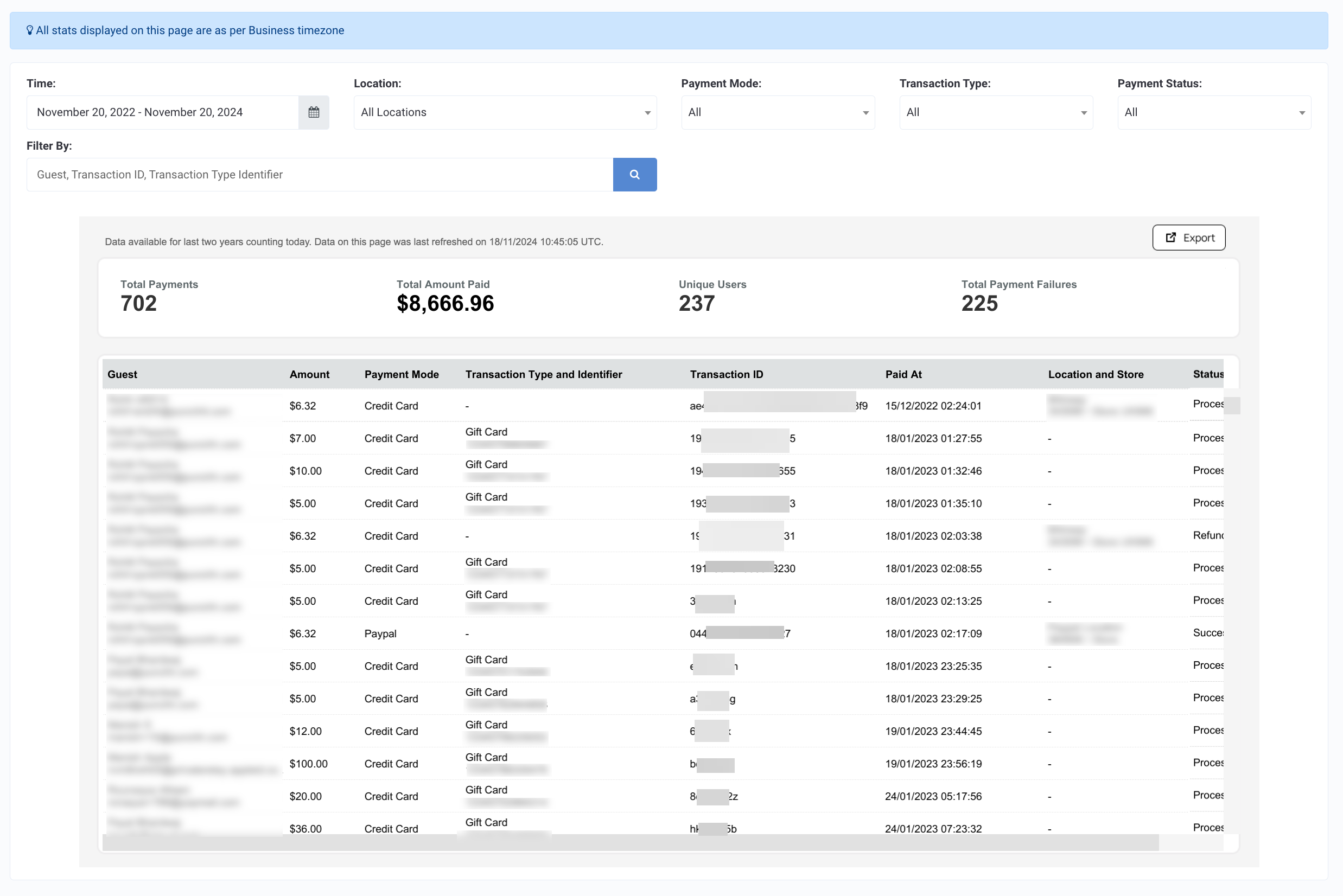
Some details have been redacted to mask PII.
You can filter this report by Time, Location, Payment Mode, Transaction Type, and Payment Status. The Filter By field allows free-form searchby Guest Name and Email, Transaction ID, and Transaction Type ID.
Date Range Available
Data is made available for the last two years not counting today. For example, if today is 2024-Jul-24, the data from 2022-Jul-24 to 2024-Jul-23 is made available in the report.
Data Refresh Frequency
Data is reported from an aggregated source and refreshed daily at 7 AM EST.
Metrics and Definitions
Below is a breakdown of the information included in the Payments Report (as it is displayed within the Punchh platform):
| Report Metric | Definition |
|---|---|
| Total Payments | Total count of successfully processed gift card purchases or reloads. |
| Total Amount Paid | Total sum of all gift card purchases/reloads. |
| Total Unique Users | Total count of unique guests who have participated in some manner of gift card purchase/reload. |
| Total Payment Failures | Total count of failed gift card purchases or reloads. Punchh does not directly process or record gift card transactions, though it does manage them in the app. Payment failures may occur for a number of reasons. The purchase amount may not be sufficient (there is a $10 minimum) or the payment processor may have experienced an error in processing. |
| Amount | The amount associated with the transaction. |
| Payment Mode | The method of payment for a transaction.
|
| Transaction Type | The specific method through which the transaction occurred. If this field is blank, then no specific method was used, i.e. a regular POS or online order.
|
| Transaction ID | Unique ID for the transaction |
| Paid At | Date and time of the transaction |
| Location and Store | Store location name and address |
| Status | Payment Status:
|
Exporting
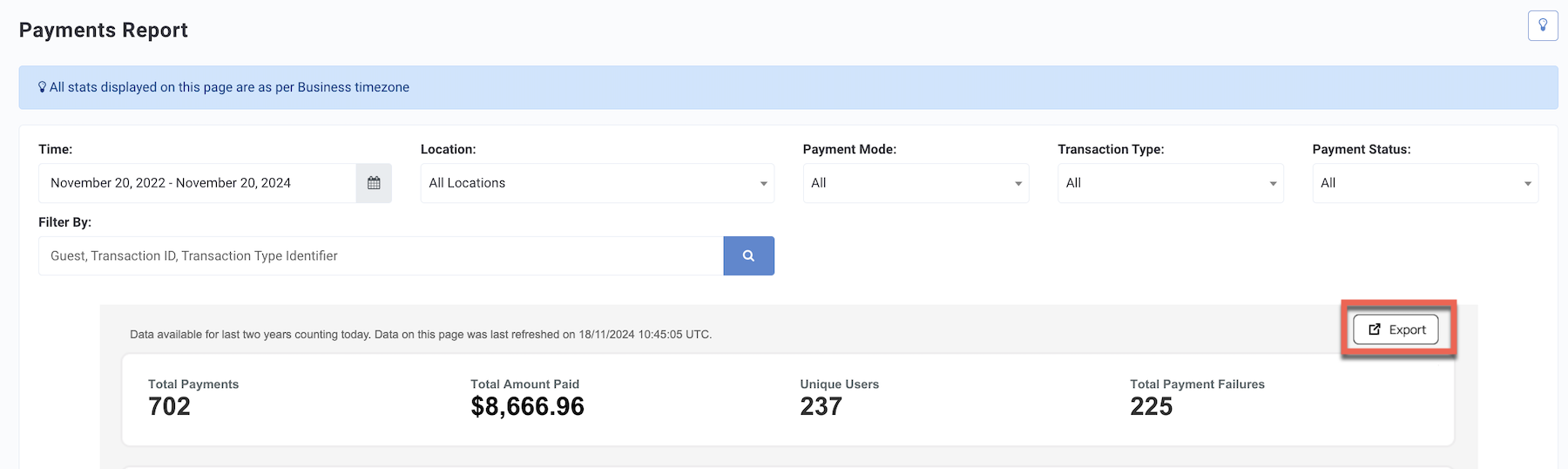
From the Guests > Payments Report page, click the Export button at the top right. Choose from the export options and a CSV file containing your Payments Report will be downloaded immediately to your local machine.
If you would like to receive the payment report data periodically, navigate to Data Sharing > Data Export to set up an export schedule. Please note Data Export scheduling does NOT allow filtering on payment statuses.