Permissions
Permissions in Punchh are grouped into permission sets, each set containing a certain "bucket" of permissions. Some high-level permissions sets grant near-universal access, rolling up all the lower permissions. Some lower lever permissions sets are more specific, such as granting a Site Admin user permission to view employee reviews at their own location.
View and Edit Permissions
Permissions are a part of Roles. You may view or edit permissions in existing roles, or set them from scratch by creating a new role. To view and edit permissions for a specific role, navigate to Administration > All Users, Roles and Permissions > Roles > click on a role to edit. Click permission set to toggle it ON (green) or OFF (red).
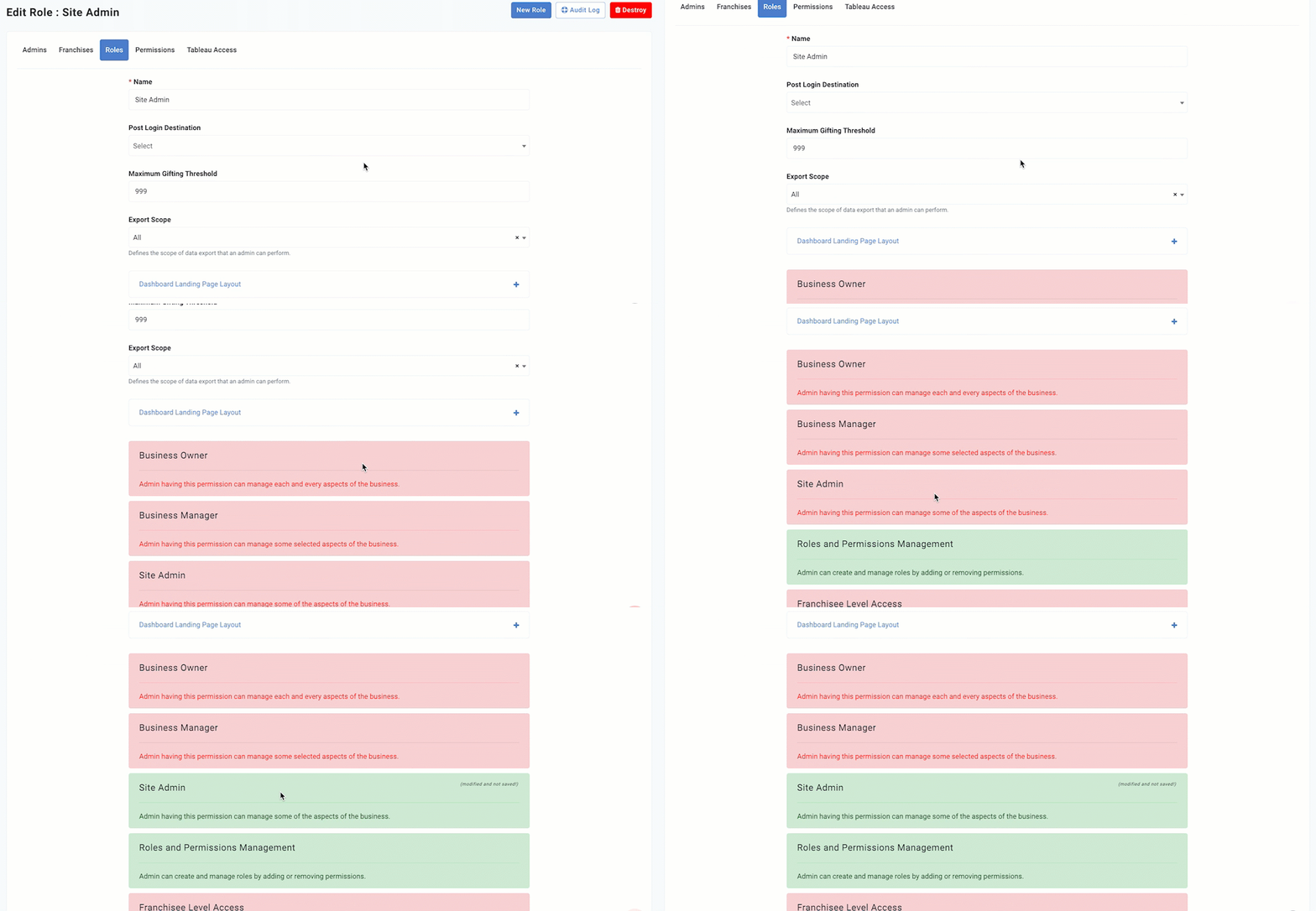
To view what permissions are enabled for your set Roles, as well as the users in your business who have these roles, click Administration > All Users, Roles and Permissions > Permissions.
Default Roles and Permission Sets
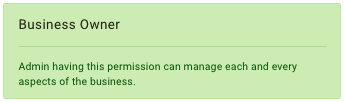
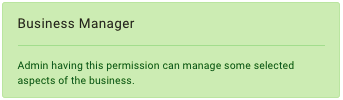
Punchh provides three default global permission sets, corresponding to default roles of the same name and tiered by the level of access. The highest level is Business Owner (typically all of nearly all permissions are enabled), the middle is Business Manager, and the role with the most limited permissions is Site Admin.
All Permissions
Permissions can be customized to your business's needs by toggling the permission sets on / off for each role.
Note: The settings you choose for individual permissions will override the default settings determined by the Business Owner, Business Manager, or Site Admin permission sets.
Below is the list of all the current permissions in the Punchh platform, a description of what the permission allows, which default role has them ON (✓) or OFF (✗), and any notes to consider.
| Permission | Description | Business Owner | Business Manager | Site Admin | Notes |
|---|---|---|---|---|---|
| Business Owner | Can manage almost all aspects of the business | ✓ | ✗ | ✗ | |
| Business Manager | Can manage some selected aspects of the business | ✓ | ✓ | ✗ | Has access to location report and the ability to edit locations Has access to Banned and Deactivated guests |
| Site Admin | Can manage some aspects of the business | ✓ | ✓ | ✓ | |
| Roles and Permission Management | Can create and manage roles by adding or removing permissions | ✓ | ✗ | ✗ | |
| Franchisee Level Access | Can view and edit associated Franchisees | ✓ | ✓ | ✗ | Available for businesses with a Franchise Model |
| Basic Support | Can access business POS Support features of Barcode Lookup and Redemption Logs | ✓ | ✓ | ✗ | |
| Test Barcodes | Can generate test barcodes to assit in testing | ✓ | ✓ | ✗ | |
| Extended Support | Can access business POS Support features of Redemption Codes, Checkin Failures, Heartbeat, POS stats, and Account Refresh | ✓ | ✓ | ✗ | |
| POS Scoreboard | Can access business POS Scoreboard | ✓ | ✓ | ✗ | |
| Redeemable, Collectible & Swag Management | Can create, edit, and delete redeemables, collectibles, and swag items. Inventory access additionally requires the applicable Inventory permission. | ✓ | ✓ | ✗ | |
| Inventory (Create and Edit) | Can view the Inventory tab and set or update inventory for new and existing swag items. | ✗ | ✗ | ✗ | |
| Inventory (View Only) | Can view the Inventory tab only. All edit and save controls are disabled. | ✗ | ✗ | ✗ | |
| Segment Management - Full Access | Can access the Segments section. Can create, edit, delete, and manage segments | ✓ | ✓ | ✗ | |
| Segment Management - Restricted Access | Can access the Segments section as read only. | ✗ | ✗ | ✗ | |
| Edit Profile | Can edit guest profiles | ✓ | ✓ | ✗ | |
| Guest Export | Can export guest profile data | ✓ | ✓ | ✗ | |
| Gift or Force Redeem | Can gift or force redeem points / visits / redeemables / dollar amounts to guests | ✓ | ✓ | ✗ | |
| Activate/Deactivate a guest | Can activate or deactivate guest accounts | ✓ | ✗ | ✗ | |
| Export/Delete User | Can export guest data or delete guest profiles | ✓ | ✗ | ✗ | |
| View guests' Personally Identifiable Information (PII) | Can view guests PII, such as email, phone number, etc. | ✓ | ✓ | ✗ | |
| Allow admin to access Guests | Can view guest profiles, timelines, rewards, account history etc. | ✓ | ✓ | ✗ | |
| Allow admin to search guests | Can search guests using the search bar on the Guests section. | ✓ | ✓ | ✗ | |
| Allow access to complete guest section | Can access the Guest section. | ✓ | ✓ | ✗ | Certain sub-sections will be accessible only if admins have the required permission |
| Image Manager - Full Access | Can access the Media manager to upload images and create, move, rename, and delete folders. | ✓ | ✓ | ✓ | The Media Manager can be accessed through the Settings section or while using the Email Editor. If this permission is disabled, the user can only access the Media Manager through the Email Editor and cannot upload any images. |
| Email Editor - Full Access | Can create, edit, and delete saved rows and email templates. Can pre-configure subject lines and lock/unlock content. | ✓ | ✓ | ✗ | |
| Email Editor - Empty Row Access | Can use empty and default rows in an email template. | ✓ | ✓ | ✓ | |
| Email Editor - Restricted Access | Can only read email templates and saved rows in the Email Editor list page. Can use the available email templates and saved rows when using the Email Editor to create campaigns for example. | ✗ | ✗ | ✗ | Cannot make any changes to the locked content in the email templates. |
| Campaign Management | Can manage all campaigns for the business. | ✓ | ✓ | ✗ | |
| Subject Line Access for Emails | Can add, edit, delete subject lines for an email. | ✓ | ✓ | ✓ | |
| Schedule Recurring Mass Campaigns | Can schedule recurring mass campaigns with daily, weekly or monthly frequencies. | ✓ | ✗ | ✗ | |
| Mass Campaign Management | Can configure and run mass campaigns for the business. | ✓ | ✗ | ✗ | |
| Configuration Management | Can manage different app configurations under the Whitelabel section | ✓ | ✗ | ✗ | Has access to:
|
| OAuth Application Management | Can create OAuth Apps (under the Whitelabel Section), whitelist Redirect URLs to allow API access | ✓ | ✗ | ✗ | Has access to OAuth Apps under the Whitelabel section |
| Fraud Suspect Basic | Can view only fraud suspects and suspicious activities | ✓ | ✓ | ✗ | |
| Fraud Suspect Advanced | Can view, delete, and export fraud suspects and suspicious activities | ✓ | ✓ | ✗ | |
| Redemption Code Search | Can search redemption codes from the location for the business | ✓ | ✓ | ✗ | |
| Settings Read Only | Can view the different components of the Settings section | ✓ | ✓ | ✗ | Has access to Admin Activity Report under the Reports section |
| Settings Advanced | Can view and edit the different components of the Settings section | ✓ | ✓ | ✗ | Can also view and edit Receipt Tags under the Guests section. (This permission is required to be able to edit Receipt Tags.) |
| Social Publishing Management | Can manage Social Publishing configurations | ✓ | ✗ | ✗ | |
| Control Access to Report Center | Can access the Report Center | ✓ | ✗ | ✗ | |
| Access Business Review | Can access the Business Review | ✓ | ✗ | ✗ | |
| Tableau Analytics Dashboard Management | Can decide which users have access to the Tableau Analytics Dashboard | ✓ | ✗ | ✗ | |
| Access Campaign Analytics | Can access Tableau based Campaigns analytics in the Analytics Section | ✓ | ✓ | ✓ | |
| Access Customer Analytics | Can access Tableau based Audience analytics in the Analytics Section | ✓ | ✓ | ✓ | |
| RFM Analytics | Can configure and use RFM slabs for analytics purposes | ✓ | ✓ | ✗ | |
| Dashboard API Access | Can access the Dashboard API | ✓ | ✗ | ✗ | |
| Gift Cards or Loyalty Cards Information Access | Can view the card number for gift cards or loyalty card associated with a guest. Can also modify loyalty card information like "card signup date" or "status" | ✓ | ✓ | ✗ | |
| POS Support | Can access to POS support settings such as POD monitoring POS config update etc. | ✓ | ✓ | ✗ | |
| Workflow Management | Can approve pending campaigns for other users. | ✓ | ✗ | ✗ | Campaigns created by users with this permission would be auto-approved. |
| Manage Additional Schedules | Can view other schedules such as Anniversary Campaign Schedules Location Summary Export Schedule etc. | ✓ | ✓ | ✗ | Users with this permission can view and manage schedules but cannot deactivate them without the separate Deactivate a Schedule permission. |
| Deactivate a Schedule | Can deactivate schedules from the Schedule Management page | ✗ | ✗ | ✗ | This permission is OFF by default for all roles. Brand admins must explicitly assign it to trusted users. Deactivating a schedule can have significant downstream impact on your loyalty program. Users without this permission will not see any deactivate action on schedules. |
| Create/Delete Blackout Dates | Can create or delete blackout dates | ✓ | ✗ | ✗ | |
| Bypass Blackout Dates | Can create/run campaigns on dates marked as a Blackout date | ✓ | ✗ | ✗ | |
| Feedback Management | Can view and manage feedbacks submitted by guests | ✓ | ✓ | ✓ | |
| Access Platform Knowledge Base | Can access the Knowledge Base for the Punchh Platform | ✓ | ✓ | ✗ | |
| Allow Access to Select Reports | Can access the Reports section | ✓ | ✓ | ✓ | Certain sub-sections will accessible only if the user have the other required permissions When Allow Access to Reports Section is enabled, users will need to wait 24 hours to view these reports. |
| Business Liability Report | Can access the Business Liability Report | ✓ | ✗ | ✗ | |
| Allow Access to Journeys | Can view create edit save activate duplicate and delete Journeys in the Campaign navigation menu | ✓ | ✗ | ✗ | |
| Access Location Scoreboard | Can access the Location Scoreboard section | ✓ | ✓ | ✓ | |
| Access Coupon Report | Can access the Coupon Report | ✓ | ✓ | ✓ | |
| Heartbeat Logs | Can have ready-only access to the Heartbeat Logs available under the Support section. | ✓ | ✗ | ✗ | |
| Bulk Update | Can trigger bulk operations like resetting passwords, forcing log out, and unlinking devices from a guest account. | ✗ | ✗ | ✗ | Super admins or business admins (having setting-advanced permission) can assign Bulk Update permission to any role. |
Suggested Roles and Permission Sets
Beyond the default roles, there are several roles you may wish to create for your business. Below are the recommended permissions settings (turned ON) for the roles of Marketing Technology and Guest Relations.
Marketing Role
- Basic Support
- Test Barcodes
- Extended Support
- POS Scoreboard
- Redeemable, Collectible & Swag Management
- Segment Management - Full Access
- Allow admin to access guests
- Allow admins to search guests
- Allow access to complete guest section
- Media Manager - Full Access
- Email Editor - Full Access*
- Email Editor - Empty Rows Access
- Email Editor - Restricted Access
- Campaign Management
- Subject Line Access for Emails
- Schedule Recurring Mass Campaigns
- Mass Campaign Management
- Settings Read Only
- Settings Advanced
- Access Campaigns Analytics
- Access Audience Analytics
- RFM Analytics
- Workflow Management*
- Manage Additional Schedules
- Access Platform Knowledge Base
- Allow Access to Reports Section
- Allow Access to Journeys*
- Access Location Scoreboard
- Access Coupon Report
- Heartbeat Logs
*Use these permissions only if you want your marketing team to be able to edit email templates and launch campaigns without approval of a higher admin user.
Technology Role
- Basic Support
- Test Barcodes
- Extended Support
- POS Scoreboard
- Redeemable, Collectible & Swag Management
- Allow admin to access guests
- Allow admins to search guests
- Allow access to complete guest section
- Fraud Suspect Basic
- Fraud Suspect Advanced
- Redemption Code Search
- Settings Read Only
- Settings Advanced
- POS Support
- Manage Additional Schedules
- Feedback Management
- Access Platform Knowledge Base
- Allow Access to Reports Section
- Access Location Scoreboard
- Access Coupon Report
Guest Relations Role
- Basic Support
- Test Barcodes
- Extended Support
- Edit Profile
- Gift or Force Redeem
- Activate / Deactivate a Guest
- Export / Delete User
- View guests' Personally Identifiable Information
- Allow admin to access guests
- Allow admin to search guests
- Allow admin access to complete guest section
- Fraud Suspect Basic
- Fraud Suspect Advanced
- Redemption Code Search
- Settings Read Only
- Feedback Management
- Access Platform Knowledge Base
