Business Profile
The Business Profile page, found under Administration > Business Profile, allows you to set up your business details within the Punchh Platform.
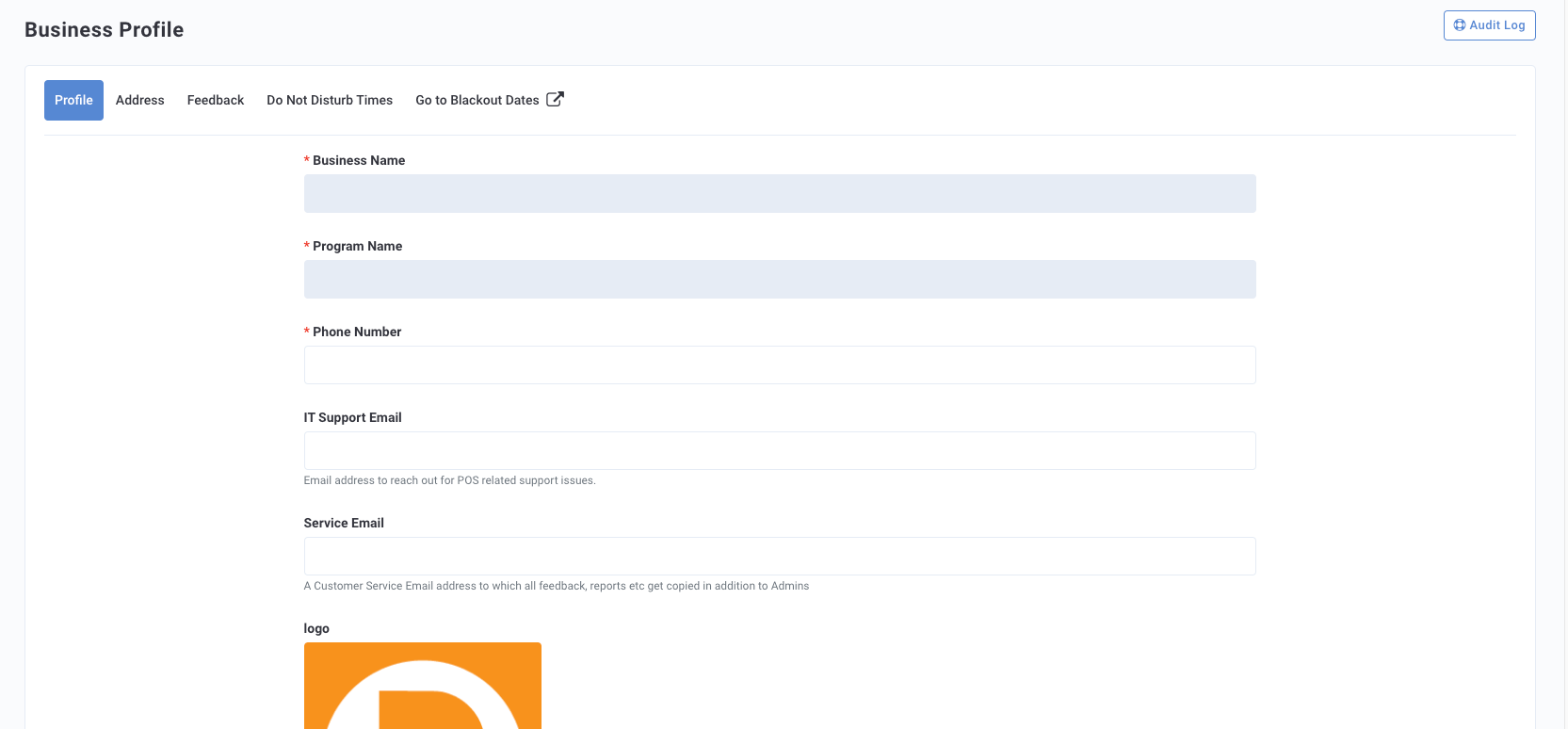
Profile
Enter your business's details for the following:
- Business Name: This will be set up by Punchh. Contact your CSM if any changes are necessary.
- Program Name: This will be set up by Punchh. Contact your CSM if any changes are necessary.
- Phone Number: Enter your main business phone number.
- IT Support Email: Enter your business's email address for POS-related issues.
- Service Email: Enter your business's email address for Customer Service issues.
- Logo: Upload your logo.
Address
Enter the address for your business's headquarters. Choose a Preferred Language for your Punchh Platform to display in as well as any Alternate Languages that may be needed.
Feedback
Through sentiment reading, Punchh can identify negative comments that include profanity or words that signify the customer did not have a great experience. These negative words are signified by red text in the customer's review. Negative language includes words such as "slow", "worst", "bad", "burnt", etc. You can also add more negative words that may be specific to your brand, location, or type of business to improve recognition of negative feedback posts.
- Negative List: Enter any negative words you'd like Punchh to filter for when determining negative sentiment.
- Exclude rude words list: Enter any words or offensive language you would like to hide or exclude from reviews.
- CC Negative Feedback Email to: Enter the email to receive a copy of all negative feedback.
- Send Negative Feedback SMS to: Enter the phone number to receive an SMS message of all negative feedback.
Refer to Feedback Manager and Feedback Sentiment for more details.
Do Not Disturb Times
The Do Not Disturb Times feature controls when guests receive certain campaign notifications. This feature applies only to Campaigns that utilize the Send Time Optimization (STO) feature. Select the Latest and Earliest Send Time for the timeframe in which no messages should be sent. For example 11:00 PM to 8:00 AM.
Blackout Dates
Blackout Dates are a way for your brand to block off specific periods/date ranges, prohibiting Mass Notification or Mass Offer campaigns from running during that window. Refer to the Blackout Dates for more details.
