Send Time Optimization
Send Time Optimization (STO) is a feature that can be used for Mass Offer or Mass Notification Campaign types. STO provides you the option to deliver campaign messaging (via email and/or push notifications) at guest-specific times. This allows for the delivery time of a mass campaign to be more tailored and personalized to the individual guest.
The STO feature utilizes engagement data, such as email or push notification open events, to determine the optimal time of day to deliver campaign messages to a guest. This gives the campaign message the highest likelihood of engagement.
- For loyalty guests, the STO model uses email and push engagement data associated with the guest combined with the guest's location (based on the location of the last check-in) to generate a time zone-specific recommended send time.
- For non-loyalty guests or eClub members, the STO model uses only the email engagement data associated with the guest and applies your business's default time zone to generate a time zone-specific recommended send time.
Using STO in Your Mass Offer/Message Campaign
The STO feature can be added to your mass campaign in the third step/ When section
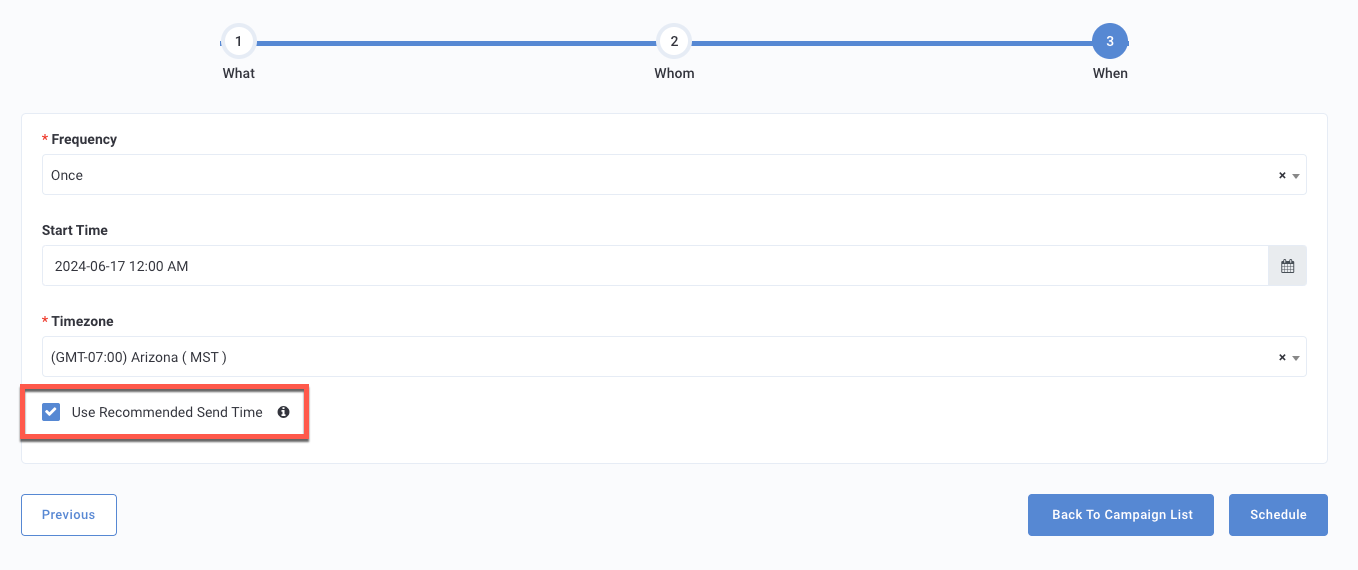
- Select Once under the Frequency drop-down menu.
Note: STO is only available for non-recurring, one-time mass campaigns.
- Select your Start Time and Timezone for the campaign.
- Check the Use Recommended Send Time checkbox to add the STO feature.
A mass campaign with STO will use a 24-hour period beginning from the start date/time you selected as the eligible window to deliver the campaign message.
Additionally, the STO feature takes into account any pre-configured restrictions your brand has set such as 'Do Not Disturb' time period or Campaign/Marketing Blackout Dates.
Campaign Performance Analytics with STO
For mass campaigns that were executed with Send Time Optimization, the Campaign Performance Page displays an STO-specific tile for Engagement Metrics.
The bar graph shows the count of emails / push notifications sent over time by hour, across the 24-hour range in which the STO campaign delivered messages. The graph also shows the count of emails / push notifications that were opened by guests per hour.
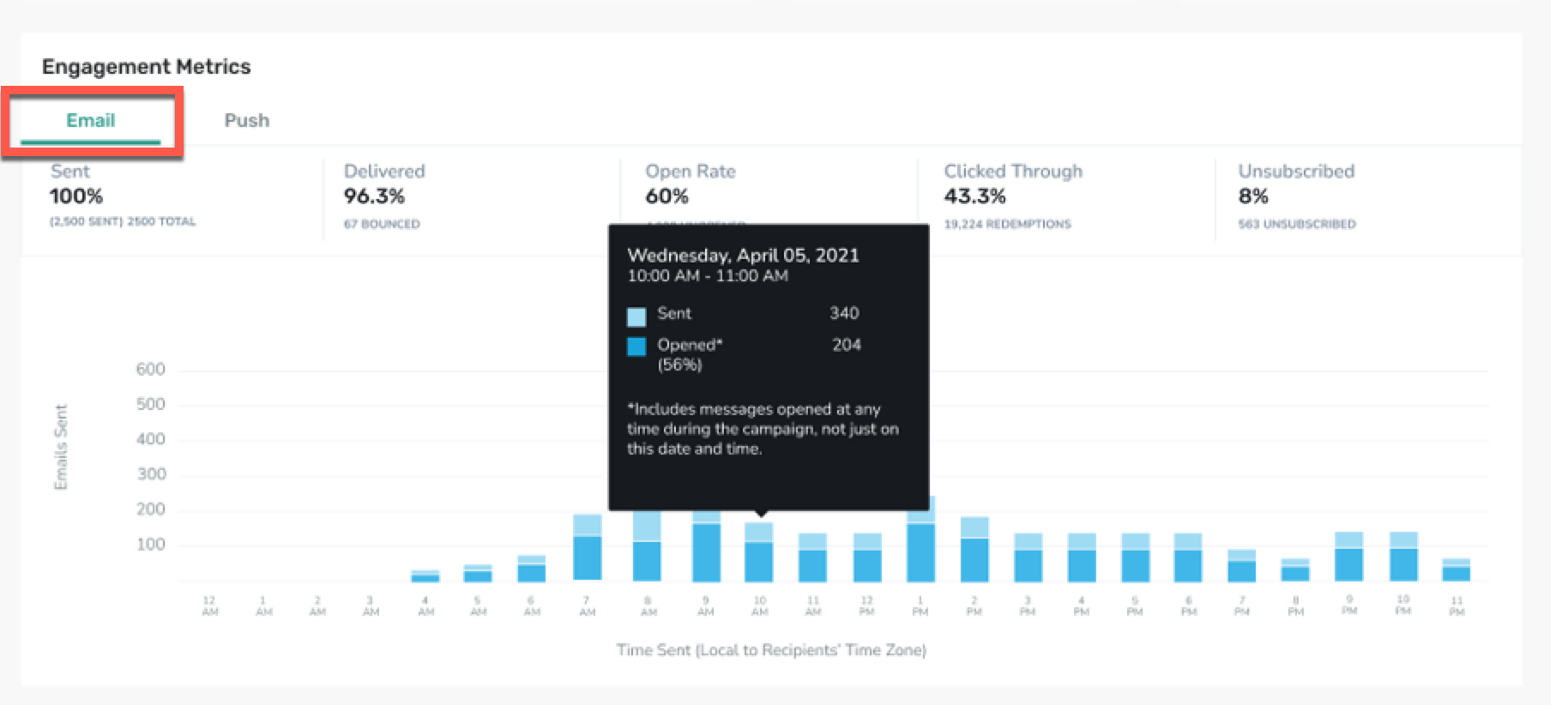
Email Specific Metrics:
- Emails Sent (percentage and total count)
- Emails Delivered (percentage of Sent and count of Emails Delivered)
- Emails Opened (percentage of Sent and count of Emails Opened)
- Email Click Through Rate (percentage of Sent and count of Emails Clicked Through)
- Email Unsubscribed (percentage of Sent and count of Unsubscribed)
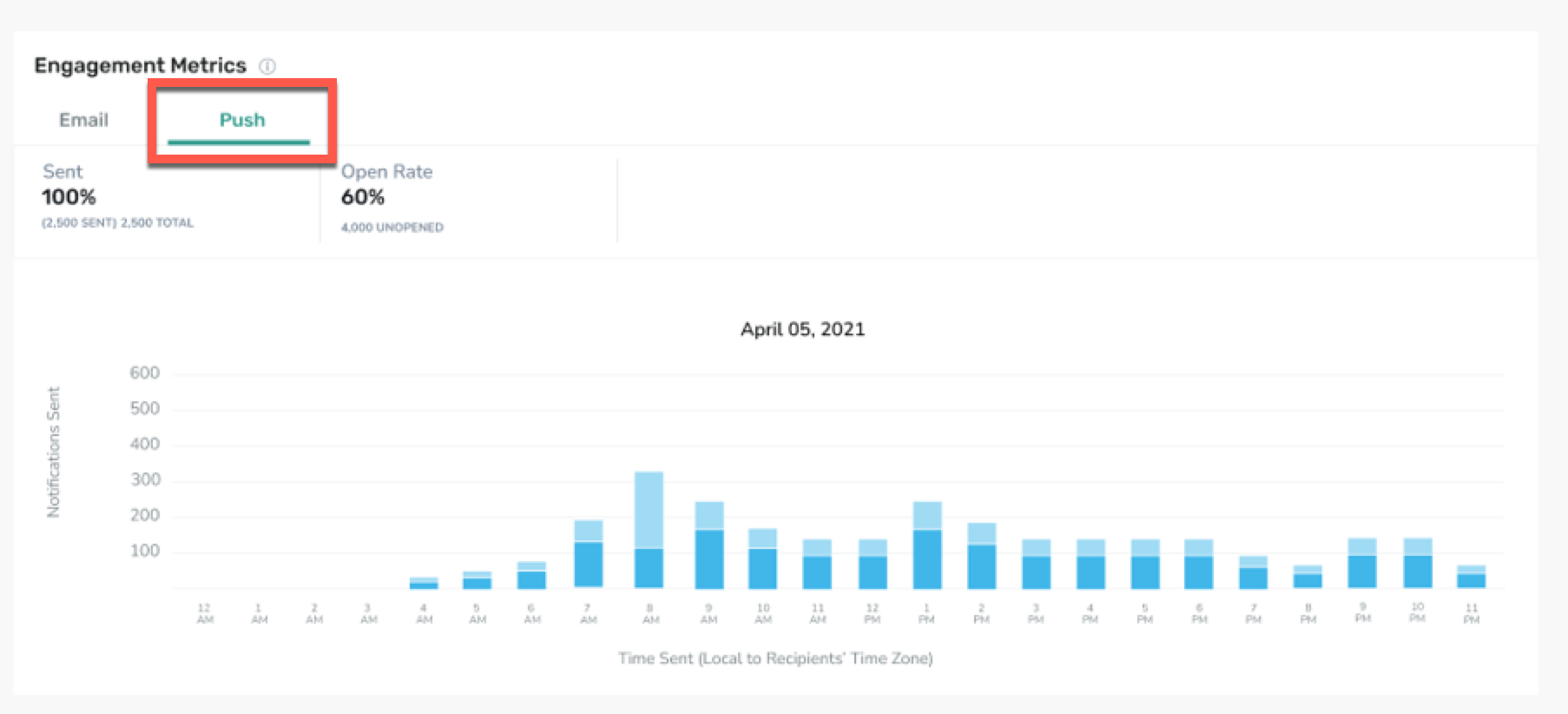
Push Specific Metrics:
- Push Notifications Sent (percentage and total count)
- Push Notifications Opened (percentage of Sent and count of Push Notifications Opened)
