PAR POS Loyalty Sign-Up
The PAR POS System allows users to sign up for and access their loyalty account directly at the register. It is important brands understand their POS loyalty sign-up process and can communicate the expected next steps to their guests. This article will go through the two POS loyalty sign-up flows and the steps needed to properly sign a guest up for the brand’s loyalty program.
PAR POS/Punchh Loyalty Setup Instructions
For a full guide on how to set up Punchh Loyalty on PAR POS, please refer to PAR POS Punchh Loyalty Setup Instructions.
Using Punchh Loyalty at PAR POS Register
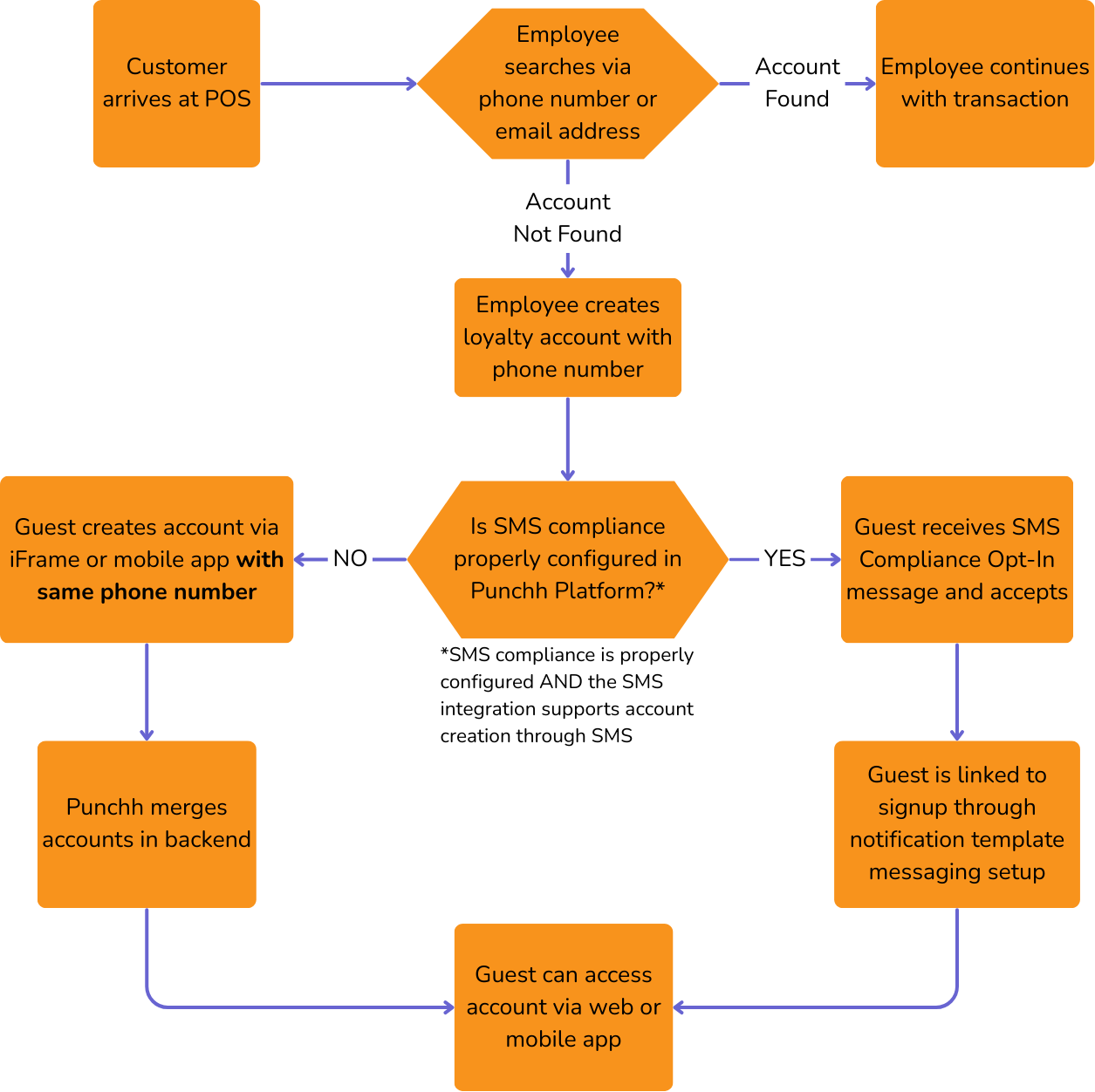
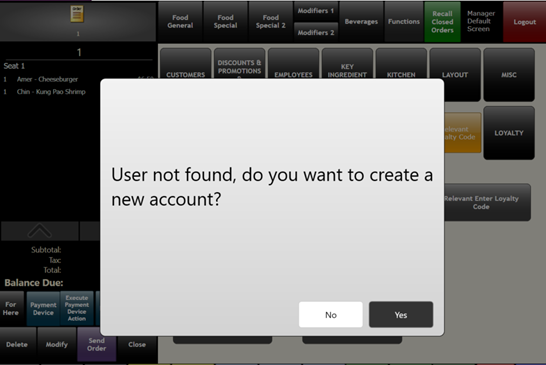
PAR POS allows guests to sign up for a Punchh Loyalty Program directly from the POS system. The employee at the register can search for a guest’s loyalty account using the “Customer Lookup” screen. If an account is not found, then the system will prompt the employee to ask the guest if they wish to join the loyalty program.
New Account Creation
The process for signing a user up for loyalty at the PAR POS register can vary depending on the brand’s configurations and integrations. However, there is one main thing to consider: Is SMS compliance configured in the Punchh Platform?
- If SMS is properly configured in the Punchh Platform and is working, refer to the SMS Supported Flow.
- If SMS is not configured in the Punchh Platform or is not working as expected, refer to the SMS Not Supported Flow.
SMS Supported
Below is the process for PAR POS loyalty sign-up when the guest's phone number is collected at the POS and SMS compliance is properly configured:
Note: To use the "Phone Number Collected, SMS Supported" flow, the proper SMS configurations need to be set up in the Punchh dashboard, and the SMS integrations need to support account creation via text. Please confirm these configurations with your Punchh representative. For information on configuring SMS, please refer to SMS Marketing and Text to Join (Twilio) or Attentive SMS Text-to-Join Implementation.
-
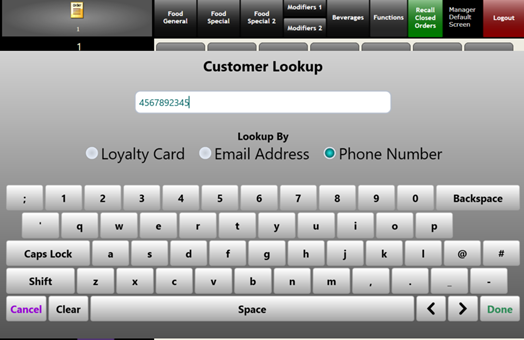
Cashier selects the Customer Lookup screen and enters the guest's phone number.
-
The PAR POS performs the customer loyalty lookup.
-
When the guest loyalty account is not found, cashier selects Yes to create a new account.
-
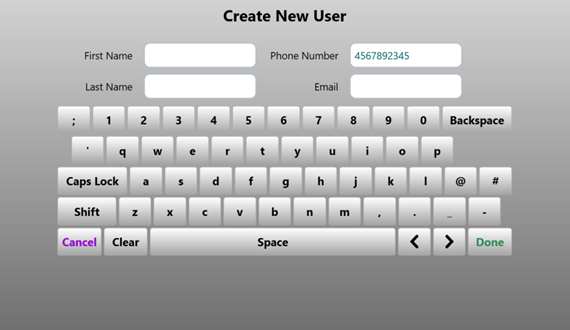
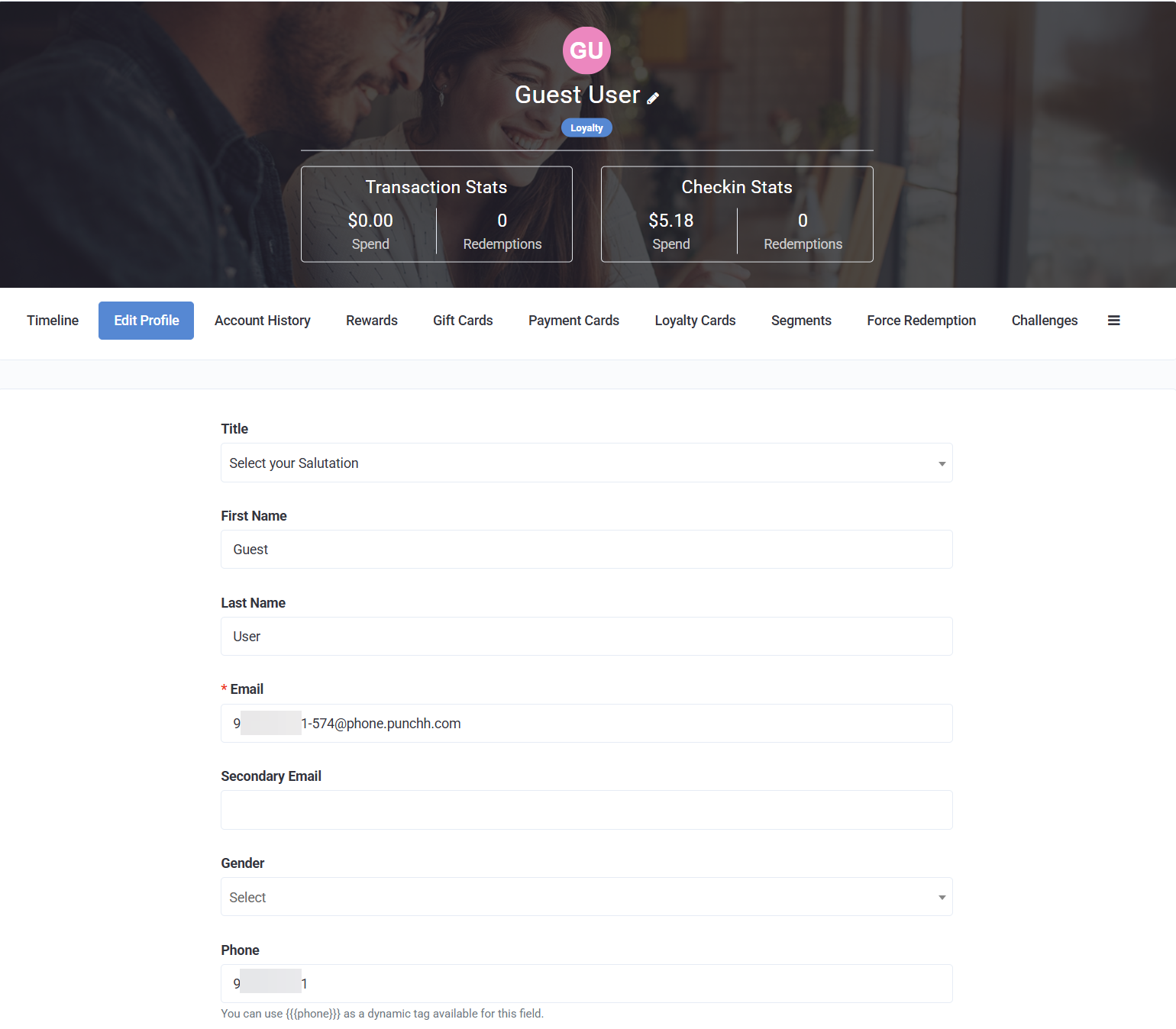
The guest's phone number is automatically populated; all other fields are typically optional.
-
Guest provides information as prompted by cashier.
If the email address is collected at the POS, the guest can finish creating their account using the website/iFrame or mobile app and following the "Forgot Password" flow. However, it is not recommended to collect email addresses at the POS as it takes more time and is prone to mistakes. If your brand collects the email address and wants guests to use the "Forgot Password" flow for account creation, make sure there is signage or employee training to communicate this to the guest.
-
Cashier selects Done when complete. The guest loyalty account is created and assigned to the order for earning points.
-
Guest receives text message for SMS Compliance/Opt-In and accepts.
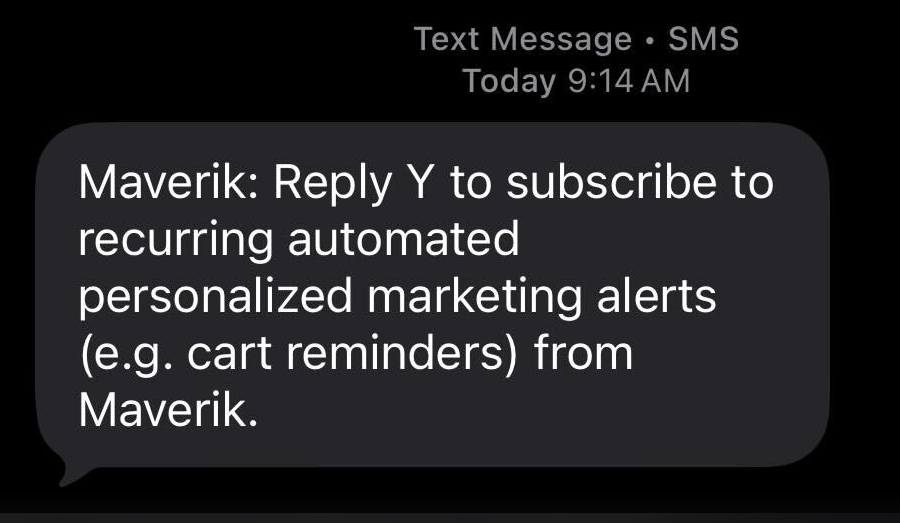
It is crucial to ensure SMS Marketing is properly configured, otherwise users may be unable to receive SMS messages. Please refer to the SMS Marketing and Text to Join (Twilio) or Attentive SMS Text-to-Join Implementation article in the Support Portal for setup and configuration information.
-
Guest receives message from Punchh Notification Template Messaging Setup prompting them to finish creating their account.
- When the guest receives this message and what it looks like will depend on how the message is configured in Punchh.
-
Guest completes account creation process.
-
Guest can access account via web/iFrame or mobile app to view rewards, complete check-ins, etc.
SMS Not Supported
Below is the process for PAR POS loyalty sign-up when the guest's phone number is collected at the POS and SMS compliance is not properly configured:
-
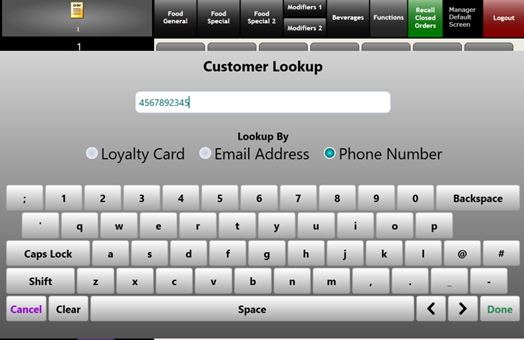
Cashier selects the Customer Lookup screen and enters the guest's phone number.
-
The PAR POS performs the customer loyalty lookup.
-
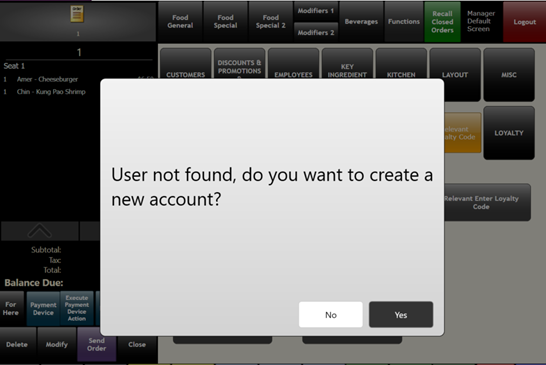
When the guest loyalty account is not found, cashier selects Yes to create a new account.
-
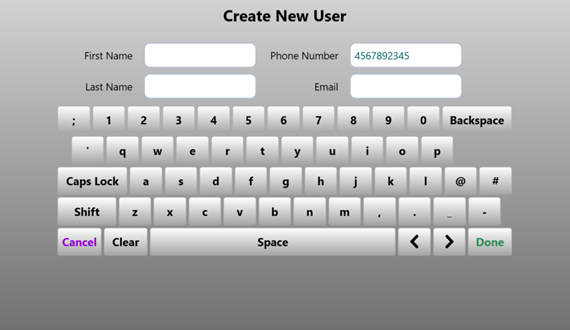
The guest's phone number is automatically populated; all other fields are typically optional.
-
Guest provides information as prompted by cashier.
If the email address is collected at the POS, the guest can finish creating their account using the website/iFrame or mobile app and following the "Forgot Password" flow. However, it is not recommended to collect email addresses at the POS as it takes more time and is prone to mistakes. If your brand collects the email address and wants guests to use the "Forgot Password" flow for account creation, make sure there is signage or employee training to communicate this to the guest.
-
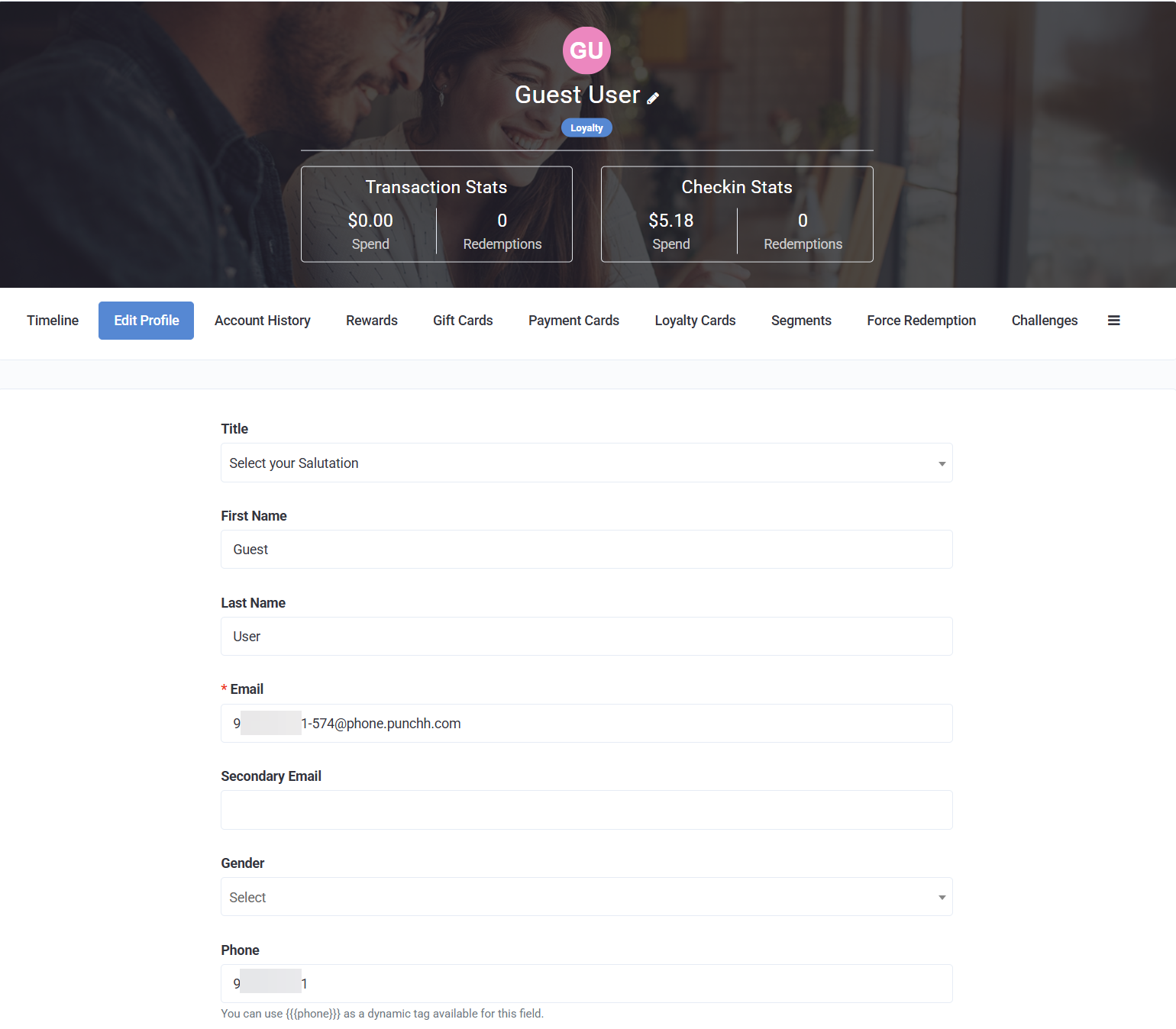
Cashier selects Done when complete. The guest loyalty account is created and assigned to the order for earning points.
-
Guest creates a new loyalty account via web/iFrame or mobile app using the same phone number provided at the PAR POS. This is done using the "New User Sign-Up" flow, NOT the "Guest Migration" flow.
-
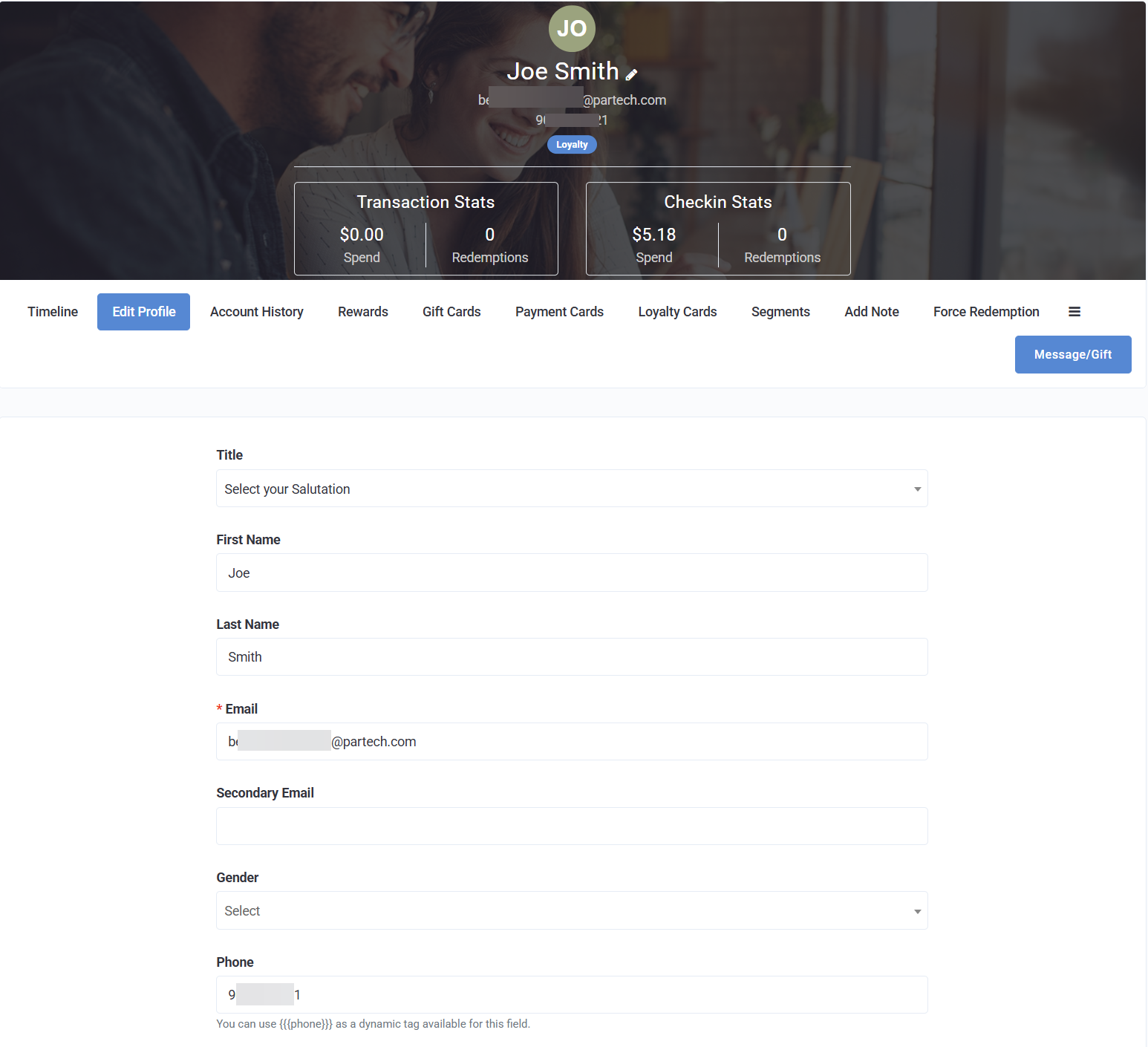
In the backend of Punchh, the two accounts with the same phone number will be merged into one account.
-
Guest can access account via web/iFrame or mobile app to view rewards, complete check-ins, etc.
Warning: Brands utilizing this flow should post signage or ensure proper employee training to make sure the above steps are communicated to the guest. Guests will not receive any communications prompting them to finish setting up their account, so it is crucial that this is communicated to the guest by the brand while the guest is in the store or at the POS register.
Existing Account Look-Up
Below is the flow for looking up an existing account at the PAR POS:
- Cashier selects the Customer Lookup screen and enters the guest's phone number.
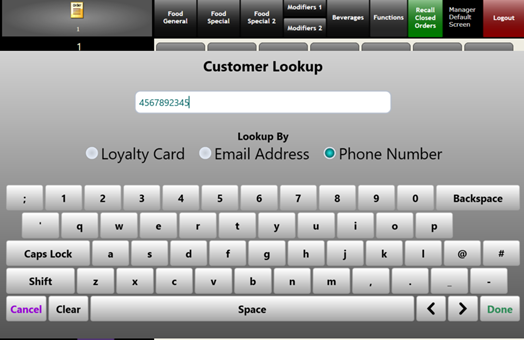
- The PAR POS performs the customer loyalty lookup.
- Guest loyalty account is found.
- Guest loyalty account is connected to the order, and any relevant rewards will appear on the POS.
FAQ
Will the fields that are mandatory in the traditional loyalty sign-up flow also be mandatory for the POS loyalty sign-up flow?
No, the POS loyalty sign-up flow will not include all of the mandatory fields in the traditional loyalty sign-up flow. The user will have to complete these fields when they are finishing their account creation via web or mobile app, but these fields will not be mandatory at the POS.
Which SMS providers have SMS support for POS sign-up?
Both Attentive and Twilio provide the necessary support for POS sign-up with SMS. Please refer to the below articles for information on implementing Text-to-Join for these providers:
How long will it take the guest to receive the text message?
It will typically take 2-5 minutes for the message to be delivered to the guest.
What if a guest does not complete the sign-up process? Can they continue to earn? Redeem?
Yes, guests can continue earning without completing the sign-up process. Guests will be unable to monitor their points, but they can provide their phone number at the POS to continue earning rewards.
If the brand has their PAR POS configured to show offers, then the guest will be able to redeem rewards at the POS. The guest will not be able to use online ordering to redeem rewards until they complete their account creation.
Additional Resources
PAR POS Documentation
Integration Settings Portal User Guide - Provides a breakdown of the Integration Settings Portal, which is used to toggle various features and integrations for PAR POS.
PAR POS Punchh Loyalty Setup Instructions - Provides a detailed breakdown of the settings and configurations needed in PAR POS to set up Punchh loyalty sign-up from the PAR POS.
Developer Portal Documentation
POS API Certification Tutorial - Module 2: Create User - Concepts | Point of Sale & Kiosk - Provides a breakdown of the technical aspects of loyalty sign-up at the POS register, including the APIs used, code snippets, and example use-cases.
Create New User | Point of Sale & Kiosk - Provides a detailed breakdown of the “Create New User” API used in new user creation at the POS register.
