Attentive SMS & Text-To-Join Implementation
Overview
The Attentive integration harnesses the power of the Punchh Platform's SMS and Text-to-Join modules. Punchh SMS and Text-to-Join provides businesses the ability to reach out to their guests using SMS. Punchh supports both Transactional and Marketing Messages. Also, business can target Loyalty as well as eClub guests. The Attentive integration also harnesses the functionality of the Punchh Platform's Webhooks, enabling the consumption of guest data and account transactional events in near real-time. This data is used for user attribute-based segmentation in the Attentive Platform.
Requirements
Step 1.
Contact your Punchh CSM or representative to enable the following modules for your brand (if not already enabled).
- SMS Module
- TTJ (Text-to-Join) Module
- Attentive SMS Adaptor
- Webhooks (if not already enabled)
You will also need to request the following for the Webhooks configuration in the Attentive Platform.
- Webhooks Base URL
- Business Key
- Client ID & Secret key
Step 2.
Contact the Attentive CSM team with a request to enable the Punchh integration. You will need to provide Attentive with the Webhooks base URL and the three keys provided by your Punchh CSM. The Attentive team will provide the following values for configuring the webhook and SMS/TTJ integration in the Punchh Platform.
Punchh Webhooks:
- Webhook Base URL
- Webhook Endpoint
- Bearer Auth Token
SMS &TTJ (Text-to-Join):
- Attentive API Key: API Token/Key used to exercise the Attentive REST API.
- Attentive Subscriber Endpoint URL: API requests will be made to this URL to send messages to your guests. Default URL: https://api.attentivemobile.com
- Attentive Messaging Endpoint URL: API requests will be made to this URL to send messages to your guests. Default URL: https://api.attentivemobile.com
- Signup Source Id: This would be unique identifier for a signup source. This can be found in the Subscribers tab of the Attentive platform in the ID column for any API sign-up method. - Used for TTJ (Text-to-Join)
Step 3.
Contact your Punchh CSM or representative with the information provided by the Attentive CSM team to complete the configuration of the Attentive SMS and TTJ (Text-to-Join) integration in the Punchh Platform.
Step 4.
Configure your Webhooks Manager in the Punchh Platform.
-
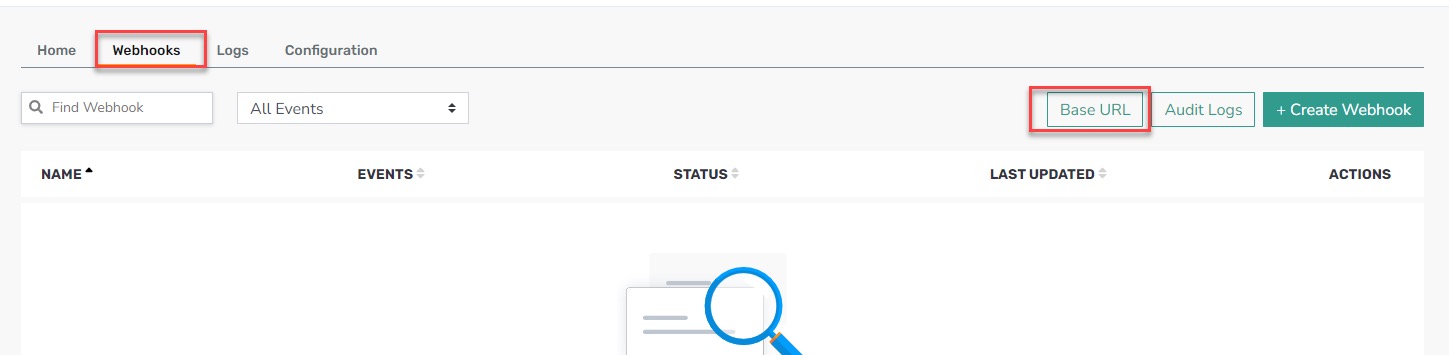
Navigate to Data Sharing > Outbound Webhooks.
-
Select the Webhooks tab.
-
Click Base URL.
-
Click Add New URL.

-
Fill in the form with the following:
- Name: Attentive
-
Webhook Base URL: [Attentive team will provide.]
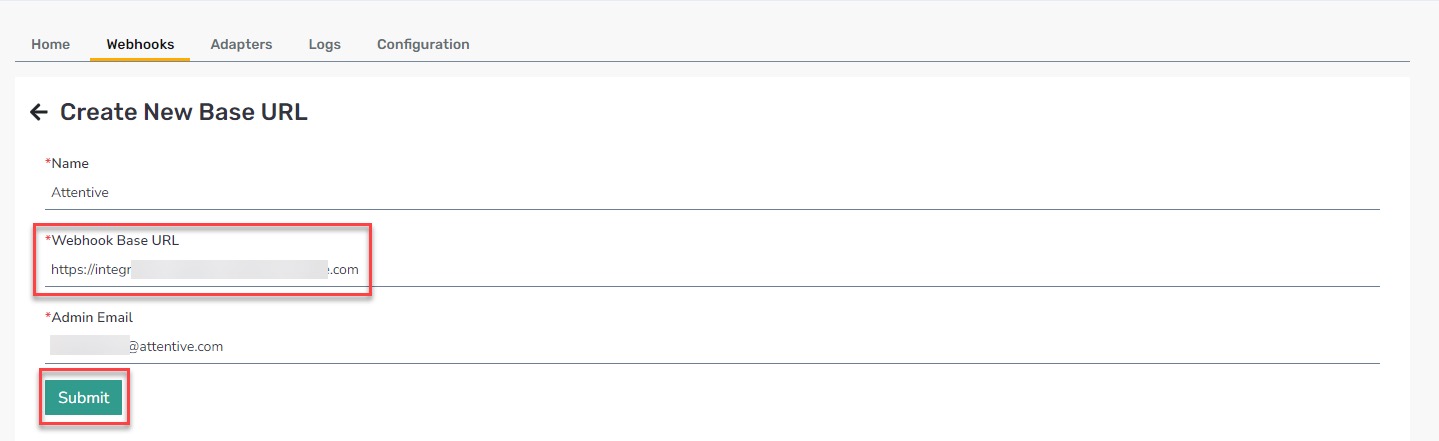
- Click Submit.

Step 5.
Create the Webhook.
-
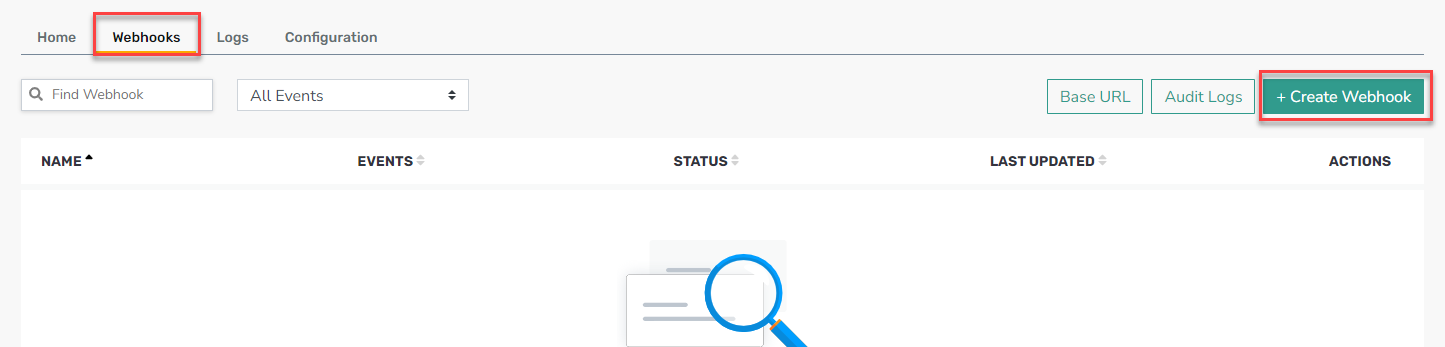
Return to the Webhooks tab.
-
Click + Create Webhook.
- Fill in the following information:
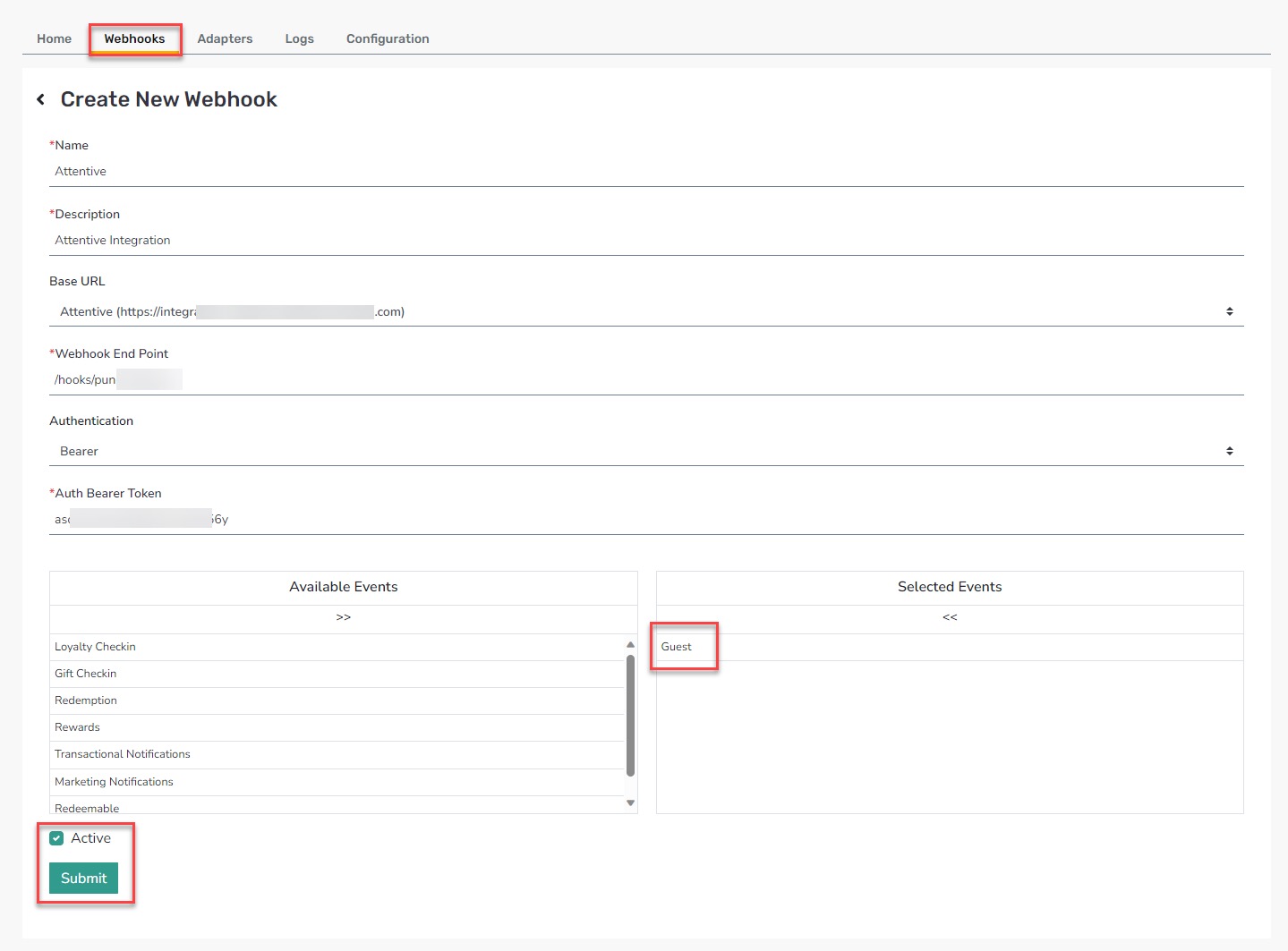
- Name: Attentive
- Description: Attentive integration
- Base URL: Select Attentive from the drop-down menu
- Webhook End Point: [Attentive team will provide.]
- Authentication: Select Bearer
- Auth Bearer Token: [Attentive team will provide.]
- Click Submit.
If you need more information from Attentive on the integration, please contact the Attentive White Glove team (whiteglove@attentivemobile.com).
