Adentro Webhooks Implementation
Overview
The Adentro integration harnesses the functionality of the Punchh platform's Webhooks module, enabling the consumption of guest data and account transactional events in near real-time. This data is used for analytics in the Adentro platform.
Requirements
Step 1.
Contact your Punchh representative to enable Webhooks for your brand (if not already enabled).
Step 2.
An admin of the business must contact Adentro with the following details to configure the webhooks in the Adentro and Punchh platforms:
- An export of Location names, location, business IDs, and addresses for merchant locations that will be feeding Punchh webhook events to Adentro. Instructions on how to pull a Location Summary Export from the Punchh Platform can be found here.
Note: The Adentro engineering team will configure the Adentro system to accept webhook events for the provided locations.
- Reach out to ddodsworth@adentro.com at Adentro to request a Client and Secret ID for the webhook authentication setup in the Punchh Platform
Step 3.
Configure the webhook in Punchh:
- In Punchh, select Data Sharing > Outbound Webhooks in the left navigation bar.
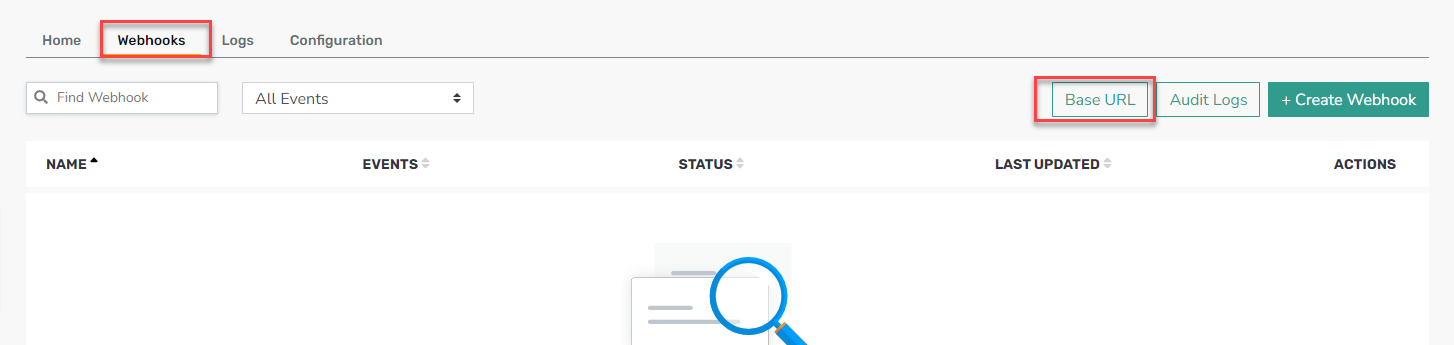
- Select the Webhooks tab on the page.
- Click the Base URL button at the top right.
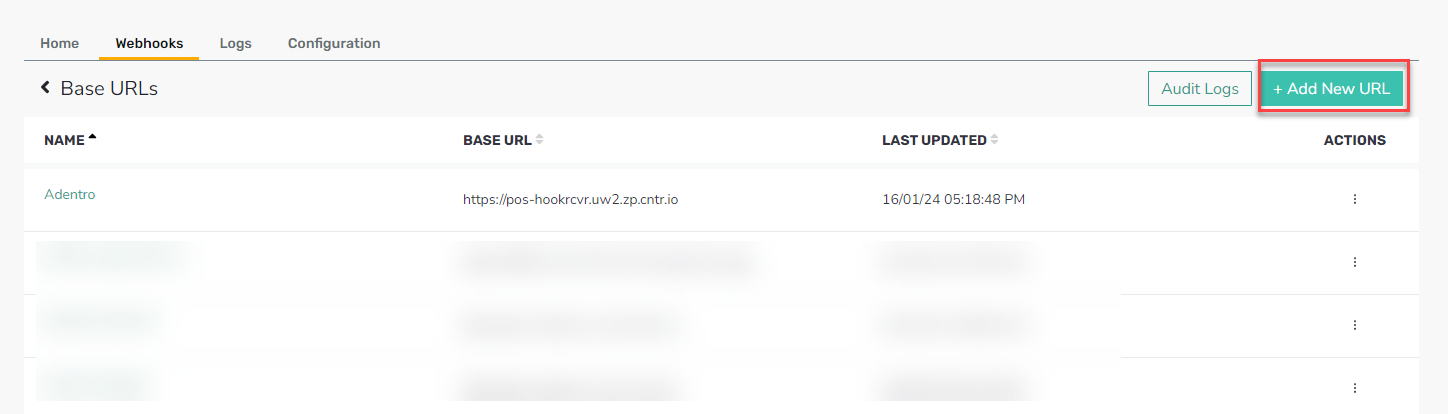
- Click Add New URL.
- Fill in the form with the following:
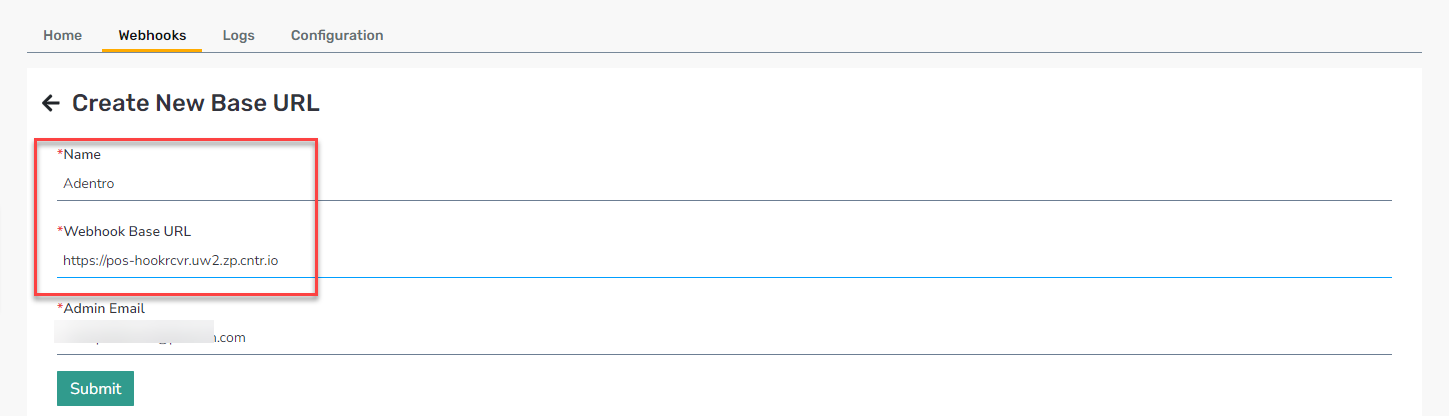
- Name: Adentro
- Webhook Base URL: https://pos-hookrcvr.uw2.zp.cntr.io
- Click Submit.
Step 4.
Create the Webhook:
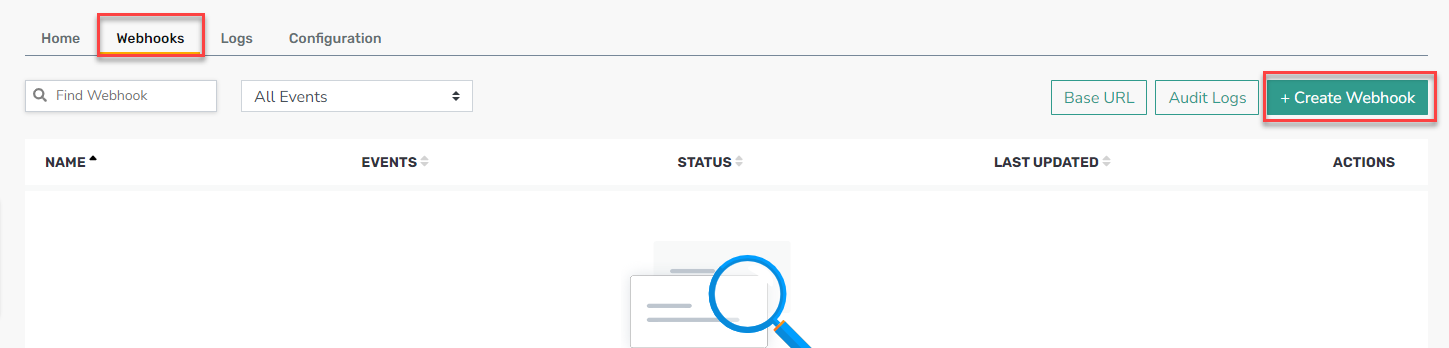
- Return to the Webhooks tab.
- Click the + Create Webhook button at the top right.
- Fill in the following:
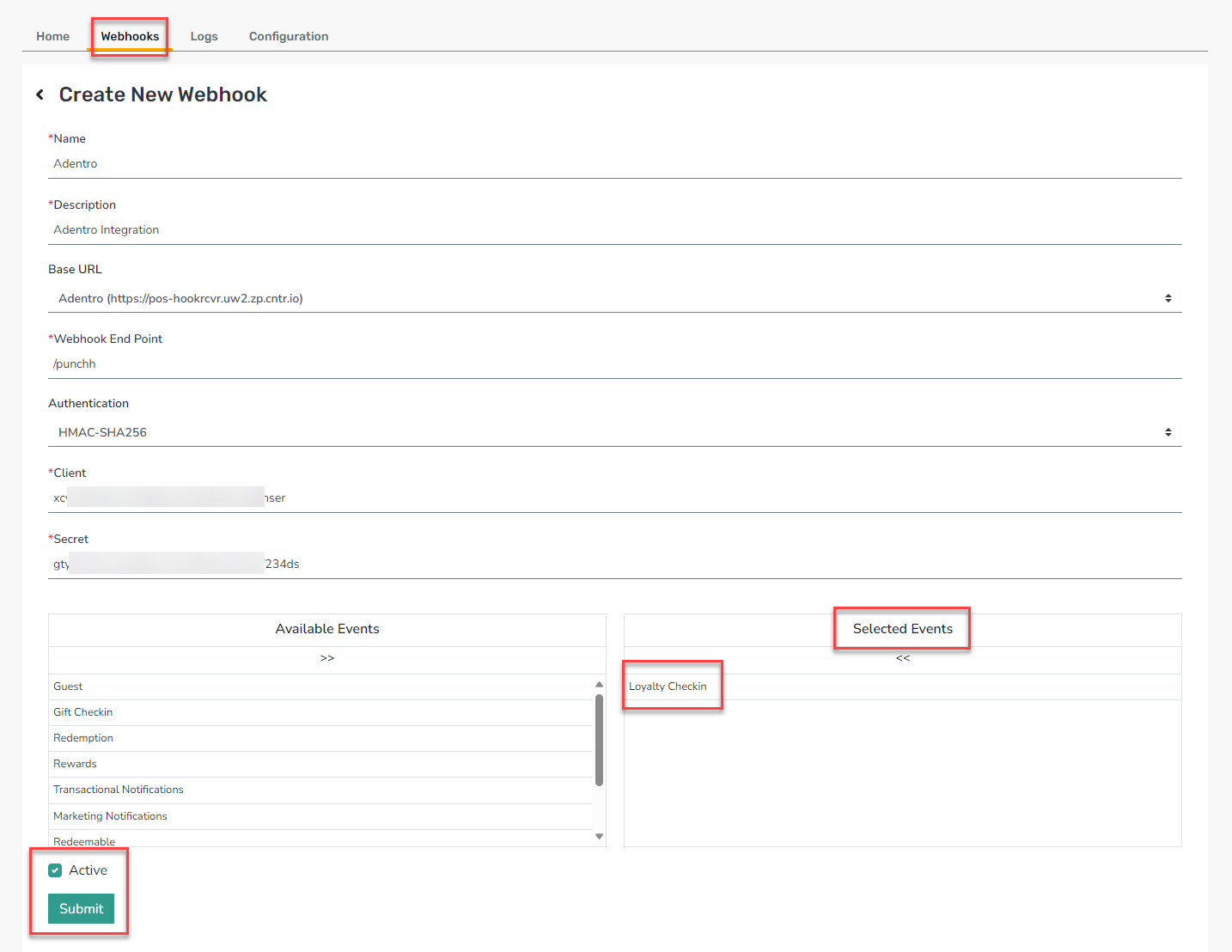
- Name: Adentro
- Description: Adentro Integration
- Base URL: Select Adentro from the drop-down list
- Webhook End Point: /punchh
- Authentication: Select HMAC-SHA256 from the drop-down list
- Client: [token from Adentro team]
- Secret: [token from Adentro team]
- Move Loyalty Checkin from Available Events to Selected Events
- Ensure the Active check box is checked, and then click Submit.
