Adentro Loyalty Acquisition Link Implementation
Overview
The Adentro integration redirects a merchant's customers to a URL after the customer has signed into a Wi-Fi sign-in page powered by Adentro’s Captive Wi-Fi portal. Adentro utilizes Punchh loyalty links (i.e., iFrame, eClub, or engagement URLs) for driving customer adoption of a merchant's loyalty program.
Requirements
- You will need to reach out to your Punchh representative to acquire the iFrame URL, eClub widget URL, or engagement link URL (used for loyalty mobile app download).
- You will also need to have the appropriate permissions in the Adentro platform to access and edit the URL for the Online Page Redirect configuration.
Step 1.
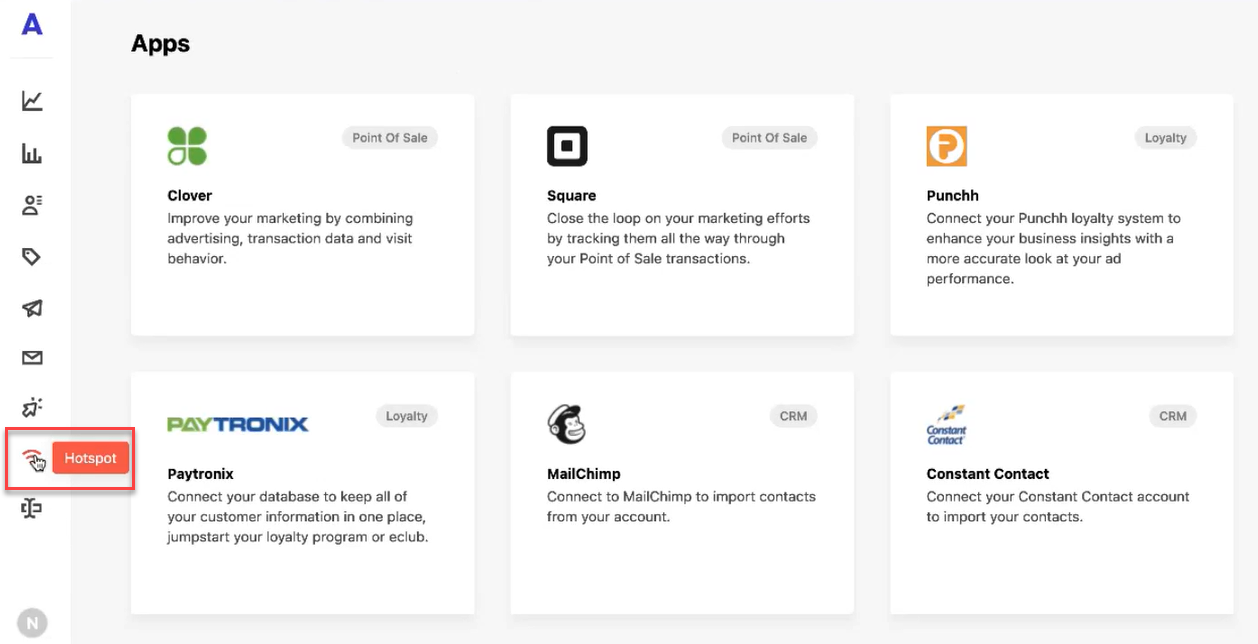
- Log into the Adentro platform.
- Select Hotspot from the left navigation pane.
Step 2.
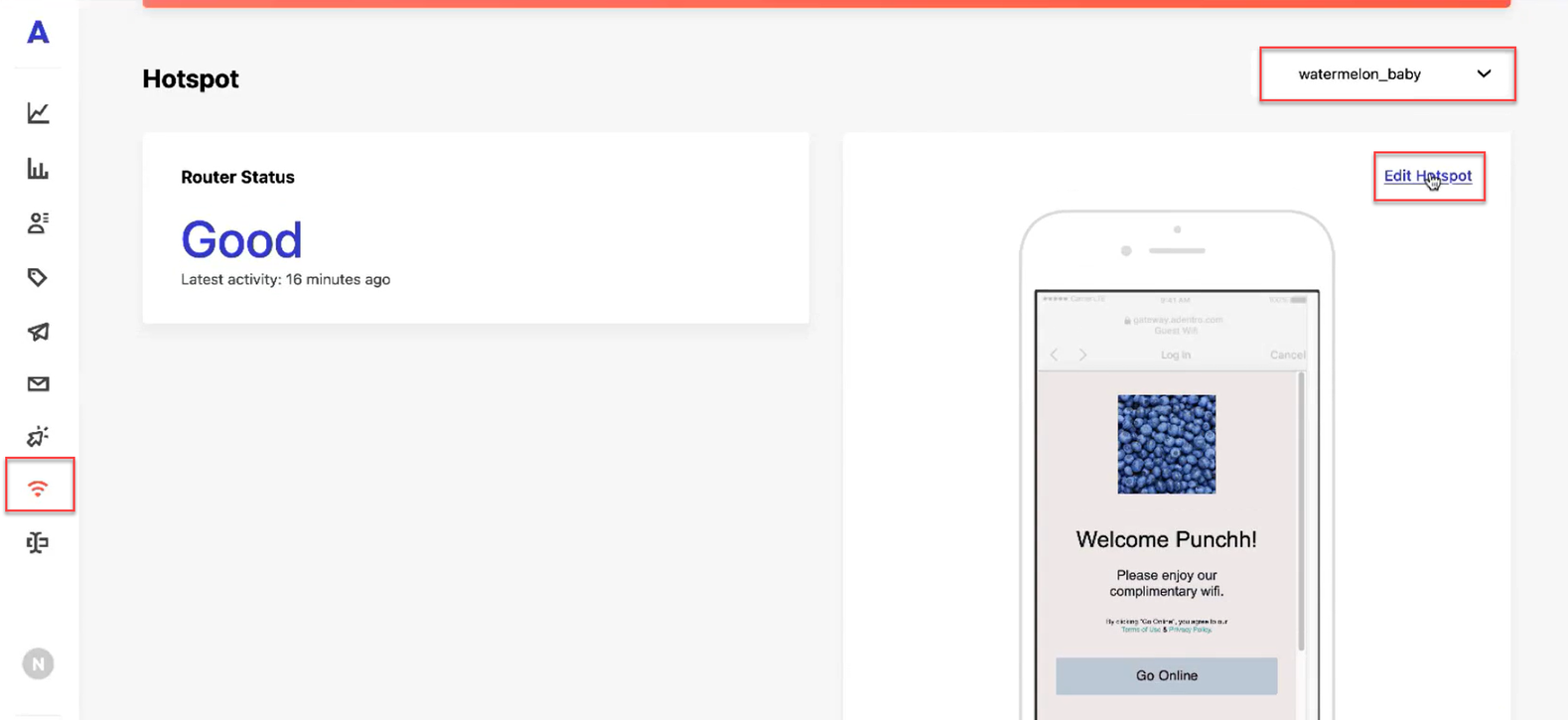
- Select the desired Wi-Fi portal from the drop-down list in the top right corner.
- After making a selection, click **Edit Hotspot.**
Step 3.
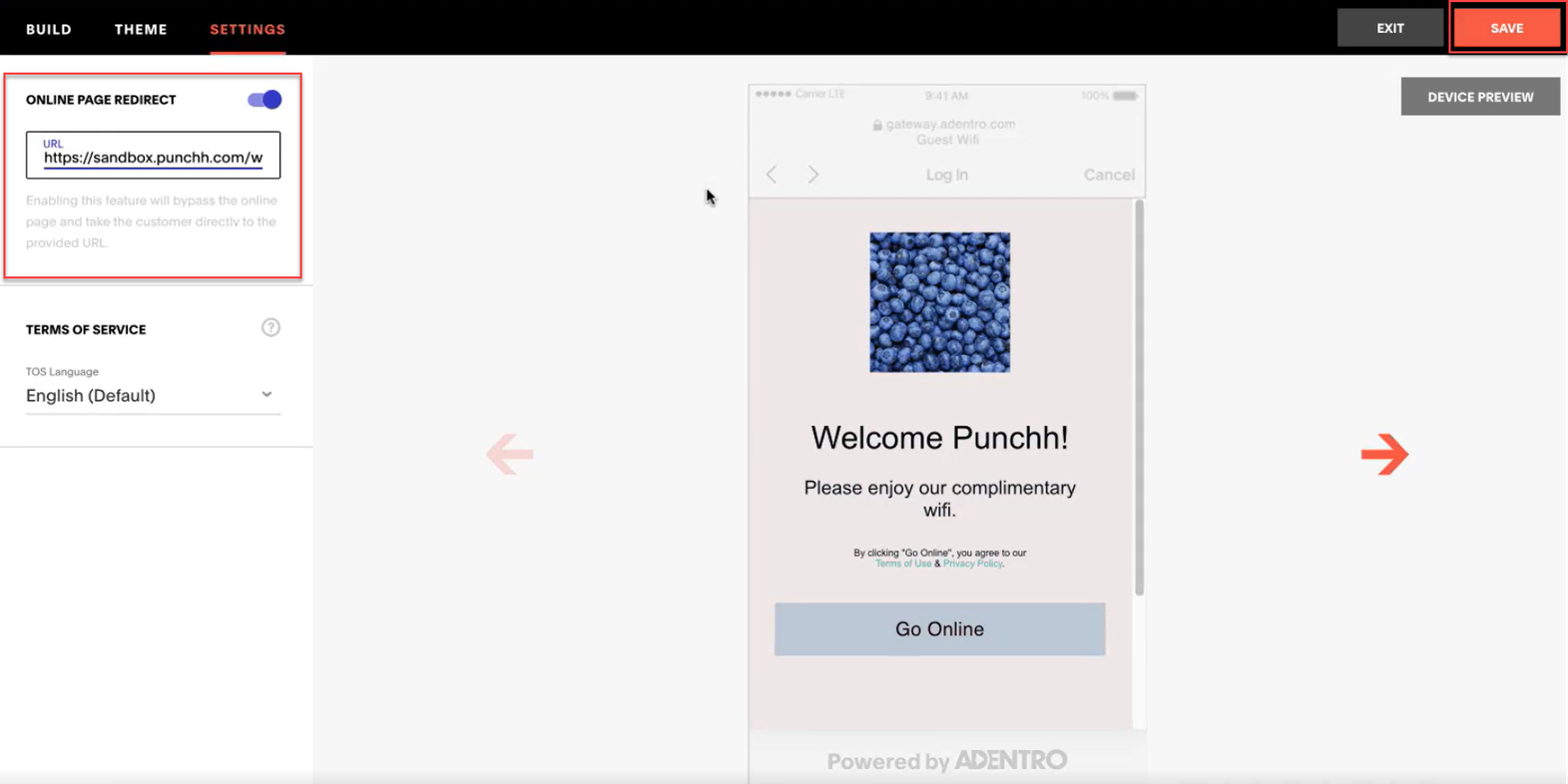
- Navigate to SETTINGS.
- Activate the slider for ONLINE PAGE REDIRECT.
- Enter the Punchh engagement or sign-up URL.
- Click SAVE.