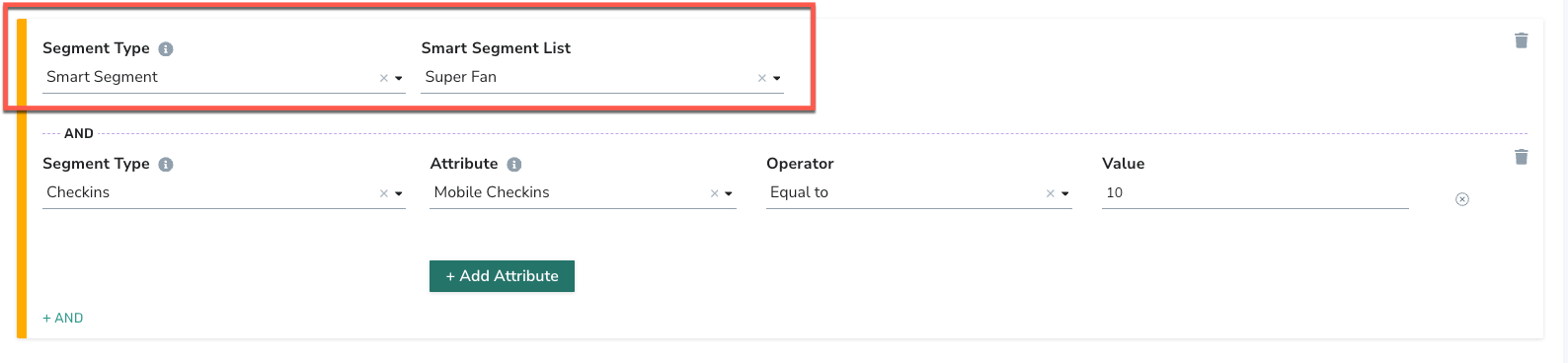
Smart Segments
As of July 15, we've changed the way we talk about the people who interact with your brand with some updated terminology:
- Guest: Someone who's placed an online order or signed up for marketing emails, but hasn't joined your loyalty program.
- Member: Someone who's officially part of your loyalty program. You will see these changes reflected in the naming and descriptions of some segment types.
Smart Segments is a feature within the Segments module of the Punchh platform that provides templated segments based on pre-defined categories of member RFM (visit recency, visit frequency, and monetary spend). These pre-defined segments represent common use cases for restaurant and c-store marketing campaigns and make up 100% of the current loyalty users within a business. This reduces the effort required to define commonly used segments manually.
To access, click the tab Guests > All Segments > Smart Segments within the Punchh platform.
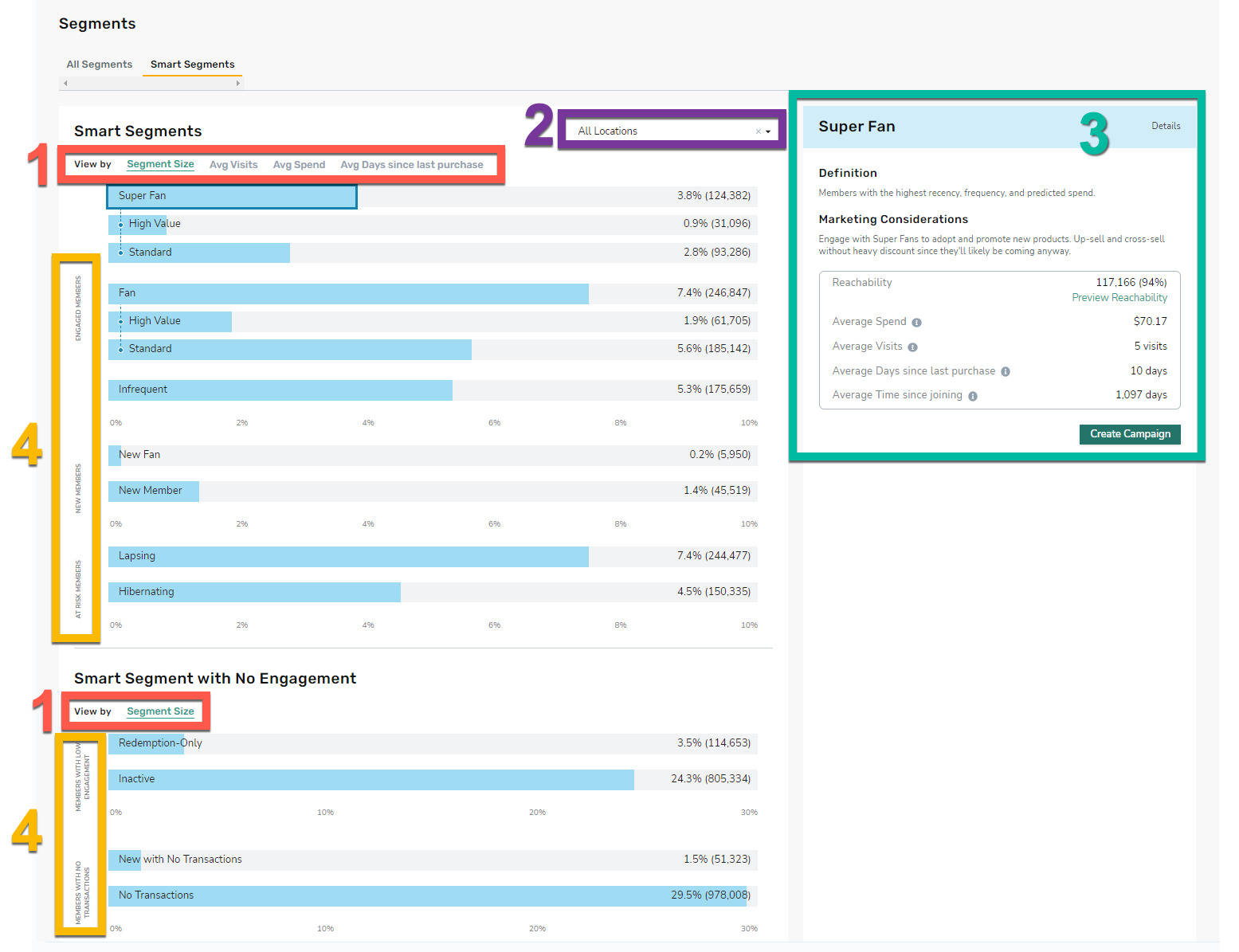
- Click the tabs to view the Smart Segments by specific data: Segment Size, Average Visits, Average Spend, and Average Days since last purchase.
- Use the drop-down menu to sort the Smart Segment Data by location.
- Click on the Segment name (e.g., Super Fan) within the graph to display further details. Click Create Campaign to create a campaign targeted to this segment.
- There are 11 Smart Segments divided into five major categories: Engaged Members, New Members, At Risk Members, Members with Low Engagement, and Members with Low Transactions.
Note: The Smart Segments feature evaluates RFM (visit recency, visit frequency, and monetary spend) of each loyalty member in your business's loyalty membership base over a 180-day period. Therefore, you must have at least 180 days of historical loyalty data with Punchh in order to see a full analysis and segmentation of their loyalty membership base via Smart Segments.
Smart Segment Definitions
Definitions and considerations for each segment are below:
| Major Category | Smart Segment Name | Definition | Marketing Considerations |
|---|---|---|---|
| Engaged Members | Super Fan (Subsets: High Value, Standard) |
Members with the highest recency, frequency, and predicted spend. High Value: Refers to members who are in the top 25% of average spend compared to the rest of the population in the segment. Standard: Refers to members who are in the bottom 75% of average spend compared to the rest of the population in the segment. |
Engage with Super Fans to adopt and promote new products. Up-sell and cross-sell without heavy discount since they'll likely be coming anyway. |
| Engaged Members | Fan (Subsets: High Value, Standard) |
Members with average recency, frequency, and predicted spend. High Value: Refers to members who are in the top 25% of average spend compared to the rest of the population in the segment. Standard: Refers to members who are in the bottom 75% of average spend compared to the rest of the population in the segment. |
Increase visit frequency; increasing average spend is secondary. Offer a moderate discount while recommending related products for cross-sell potential. |
| Engaged Members | Infrequent | Members who visit the least frequently. | Increase visit frequency. Messaging is very important for this segment so target them with personalized messaging offering them a good discount on things they like. |
| New Members | New Fan | New Loyalty Members whose purchase patterns suggest they could be Fans or Super Fans. | Cross-sell new offers to keep New Fans engaged. Because they are new, you may not know much yet about their item preferences, so place more weight on discount than offer affinity. |
| New Members | New Member | Members who have recently joined the loyalty program (and have made at least 1 transaction). | Encourage more visits. With limit ordering history for these members, offers are focused on the popular offers as the highest affinity score. Avoid requiring a qualifying item for these offers to remove barriers for redemption. |
| At Risk Members | Lapsing | Members that are at high risk for lapsing due to low engagement in at least 2 of the following categories: recency, frequency and spend. | Bring customers back for a visit. Offer a high discount on items or item types we know members purchased in the past. Treat them as new members except there is a slight advantage because we already know at least a little about them. |
| At Risk Members | Hibernating | Members who haven't visited in the longest amount of time within the last 2 years. | Bring customers back for a visit with a relevant offer. Consider a targeted, aggressive offer with a high discount and high relevancy on a discounted item. |
| Members With Low Engagement | Redemption-Only | Members who have redeemed offers without checking in. | Engage with Redemption-Only Members to check-in. |
| Members With Low Engagement | Inactive | Members who made a transaction over 2 years ago. | Win back or reactivate these members. |
| Members With No Transactions | New with No Transactions | Members who registered for the loyalty program less than 90 days ago but haven't made any transactions. | Engage them to make a transaction. |
| Members With No Transactions | No Transactions | Members who never made a transaction. | Engage them to make a transaction. |
Expand for details on how these smart segments are calculated
| Smart Segment | Calculation |
|---|---|
| Super Fan | Super fans are members who have been loyalty members for at least 90 days, have visited more than [y] times in the last 6 months and at least once in the last [x] days.
|
| Super Fan - High Value | High Value Super Fans are in the top 25% of average spend ([a]) in the last 6 months. Super fans are members who have been loyalty members for at least 90 days, have visited more than [y] times in the last 6 months and at least once in the last [x] days. [a] = amount of average spend, formatted $##.##
|
| Super Fan - Standard | Standard Super Fans are in the bottom 75% of average spend ([a]) in the last 6 months. Super fans are members who have been loyalty members for at least 90 days, have visited more than [y] times in the last 6 months and at least once in the last [x] days. [a] = amount of average spend, formatted $##.##
|
| Fan | Fans are members who have been loyalty members for at least 90 days. They have visited [a] - [b] times in the last 6 months and at least once in the last [x] days OR have visited more than [b] times in the last 6 months but have not visited in the last [x] days.
|
| Fan - High Value | High Value Fans are Fans in the top 25% of average spend ([c]) in the last 6 months. Fans are members who have been loyalty members for at least 90 days. They have visited [a] - [b] times in the last 6 months and at least once in the last [x] days OR have visited more than [b] times in the last 6 months but have not visited in the last [x] days. [c] = amount of average spend, formatted $##.##
|
| Fan - Standard | Standard Fans are in the bottom 75% of average spend ([c]) in the last 6 months. Fans are members who have been loyalty members for at least 90 days. They have visited [a] - [b] times in the last 6 months and at least once in the last [x] days OR have visited more than [b] times in the last 6 months but have not visited in the last [x] days. [c] = amount of average spend, formatted $##.##
|
| Infrequent | Infrequent are members who have been loyalty members for at least 90 days and have visited 1 - [x] times in the last 6 months.
Example: C-Store - Infrequent are members who have been loyalty members for at least 90 days and have visited 1 - 3 times in the last 6 months. Example: QSR, Fast Casual, Casual Dining - Infrequent are members who have been loyalty members for at least 90 days and have visited only once in the last 6 months. |
| New Fan | New Fans are members who became loyalty members in the last 90 days and have more than [x] visits.
|
| New Member | New Members are members who became loyalty members in the last 90 days and have [x] or fewer visits.
|
| Lapsing | Loyalty members who have checked-in (visited) within the last 365 days (1 year ago) but not in the last 180 days (6 months ago). |
| Hibernating | Loyalty members who have checked-in (visited) within the last 540 days (1 year and 6 months ago) but not in the last 365 days (1 year ago). |
| Redemption Only | Loyalty members who have redeemed offers but have not checked-in (visited). |
| Inactive | Loyalty members who have not checked-in (visited) within the last 540 days (1 year and 6 months ago). |
| New with No Transactions | Members who joined as loyalty members in the last 90 days and have no check-ins (visits) in the last 90 days. |
| No Transactions | Loyalty members who have never checked-in (visited). |
Smart Segment Details
Smart Segments refresh on a 7-day (weekly) basis. The refresh runs on Thursdays at 12 PM UTC. During each refresh, each of the smart segment categories is recalculated based on the defined parameters.
Click on the Smart Segment name (e.g., Super Fan) within the graph to display further details on the right as well as tips concerning each segment.
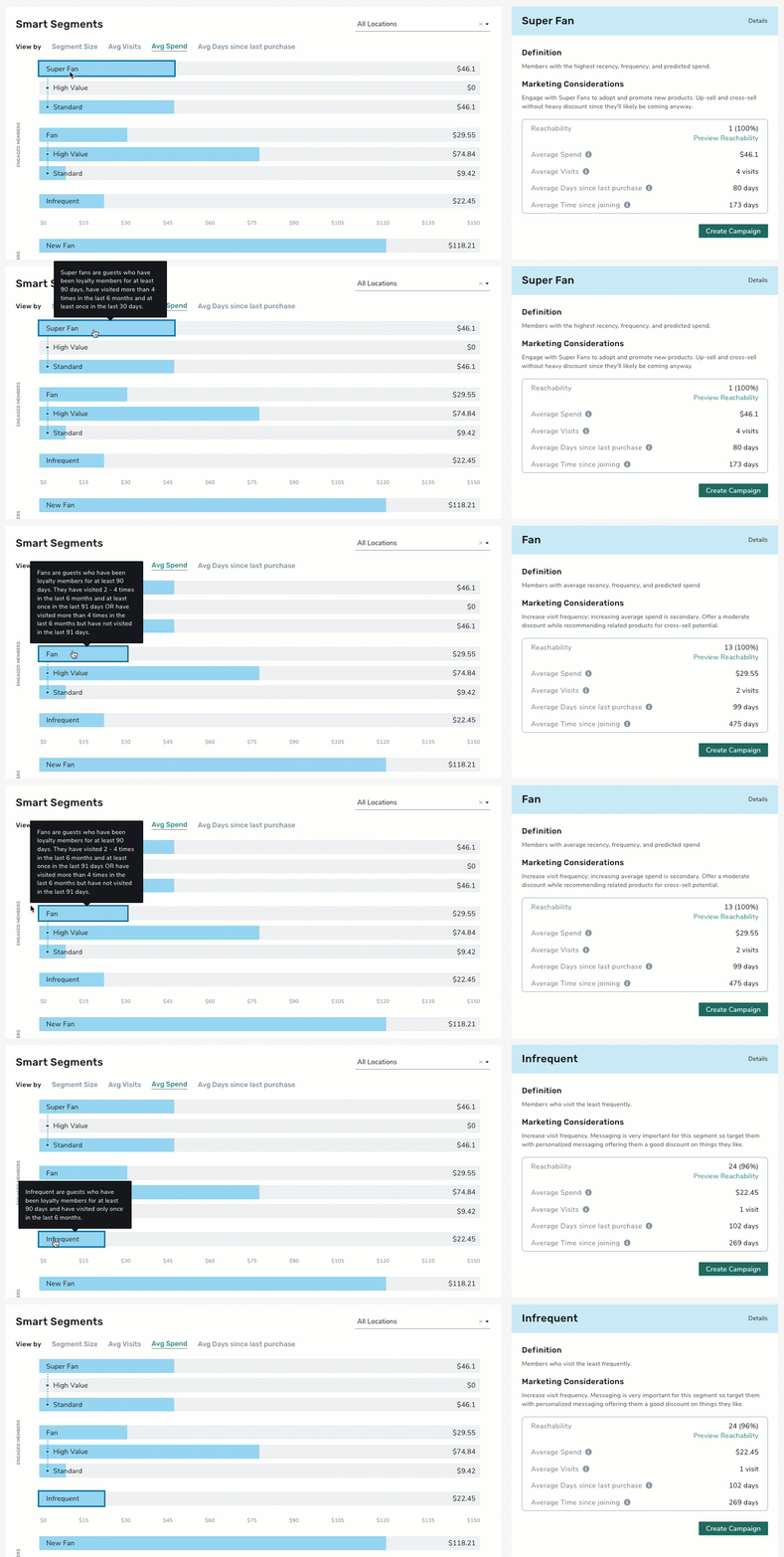
- Within the Smart Segment details pane displays the segments Definition, Marking Considerations, as well as current data.
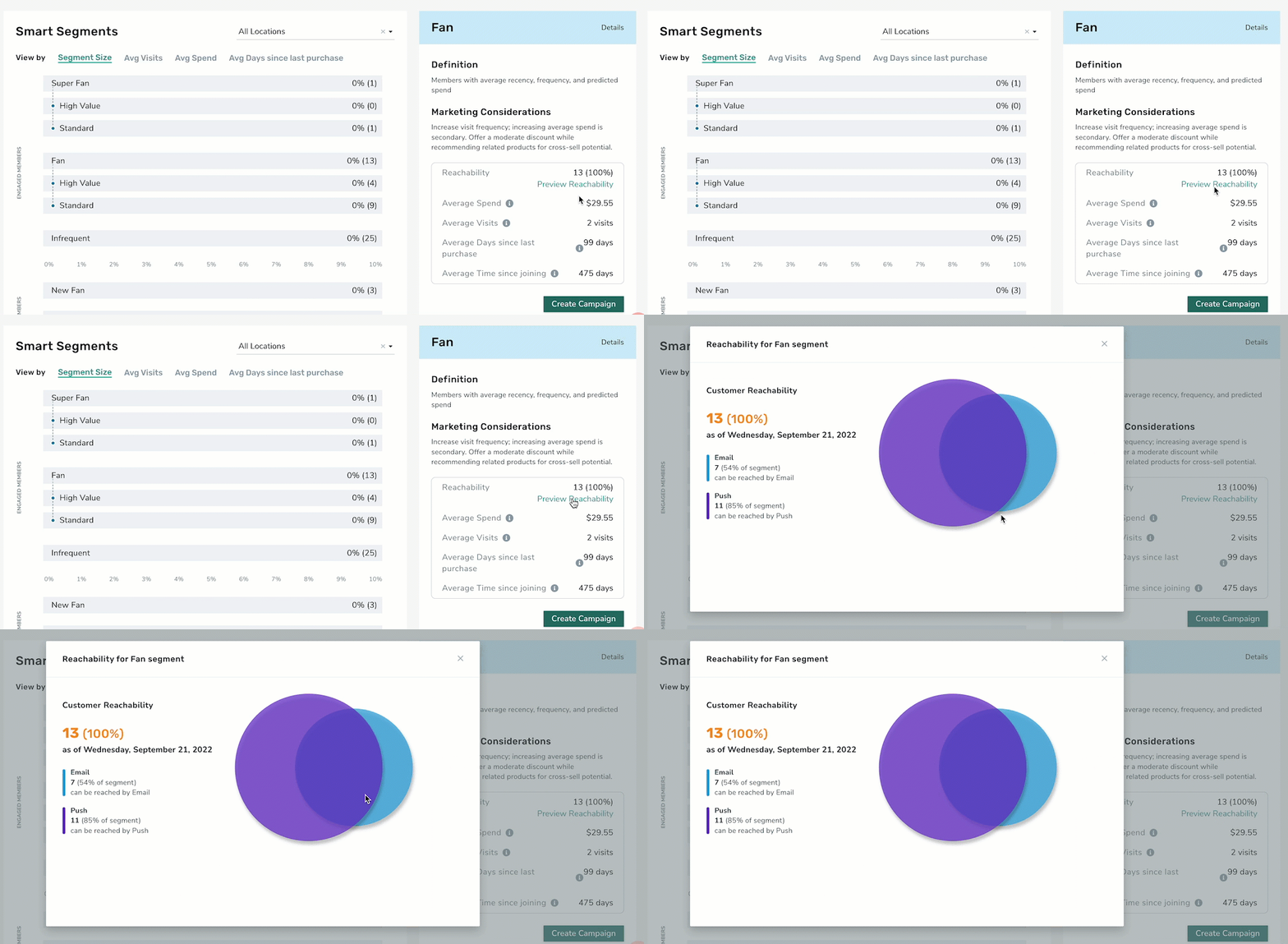
- Click Preview Reachability to view the current Customer Reachability Metrics as of that day.
Smart Segment Page
-
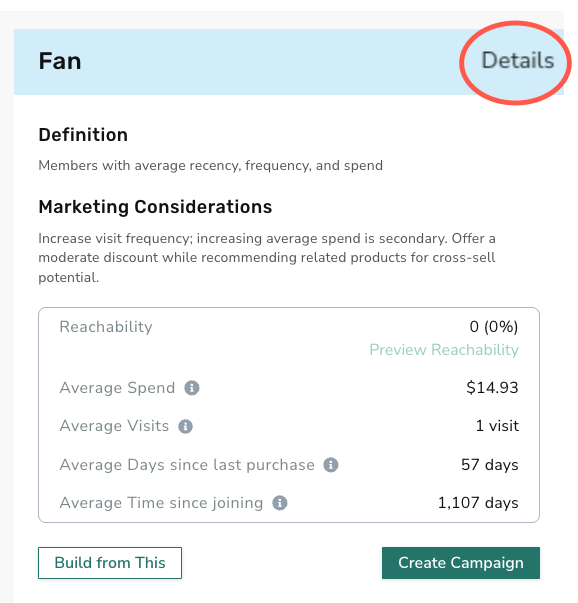
To view a Smart Segment's page, click Details.
-
The Smart Segment page displays the following information and options:
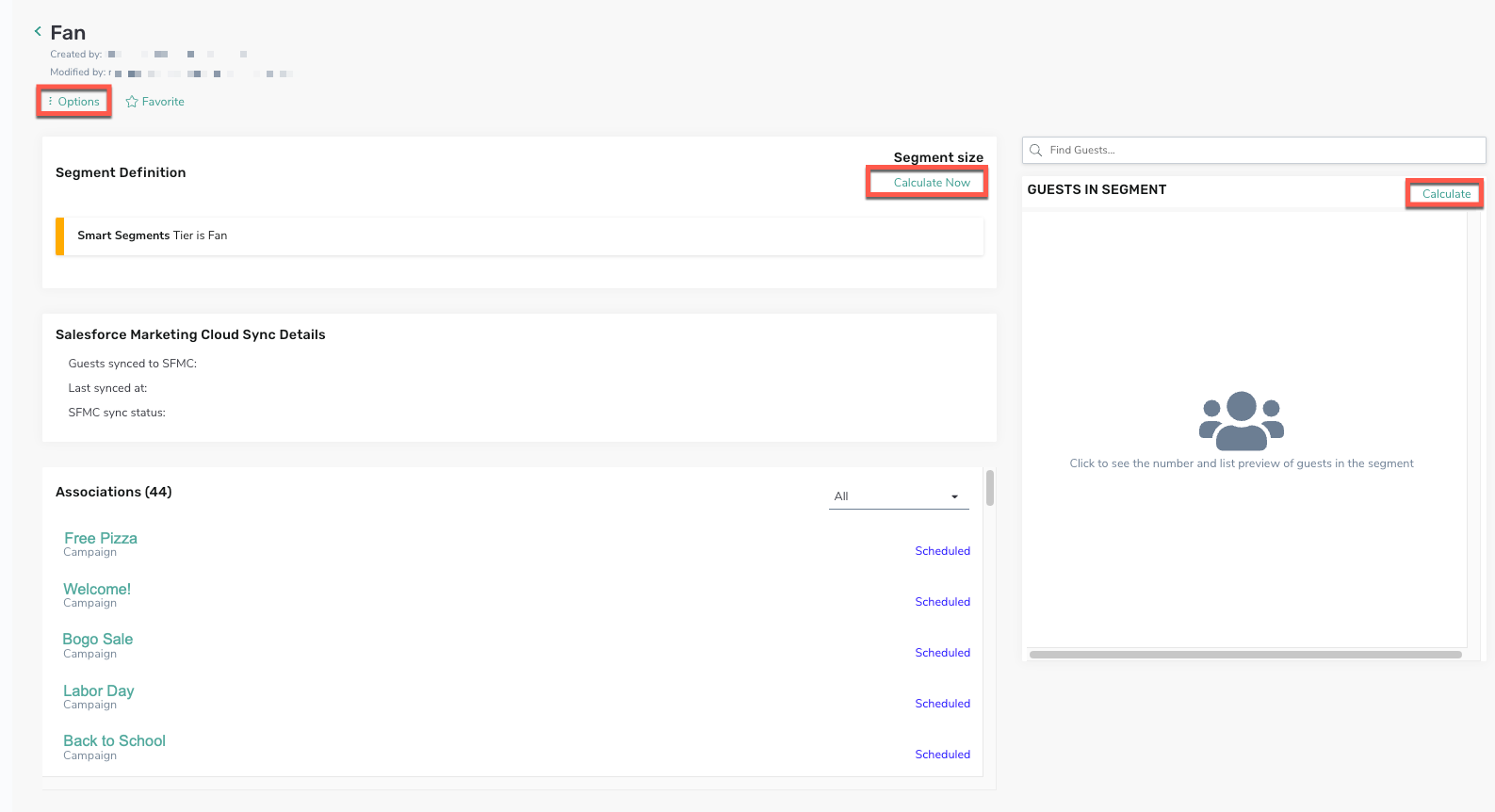
- Click Options to create a new campaign using this segment
- Segment Definition: Click Calculate Now to calculate the current segment size
- Salesforce Marketing Details, as applicable
- Associated Campaigns using this segments
- Guests in the Segment: Click Calculate to view the data
Create a Campaign
-
Click Create Campaign to create a Mass Campaign using this Smart Segment.
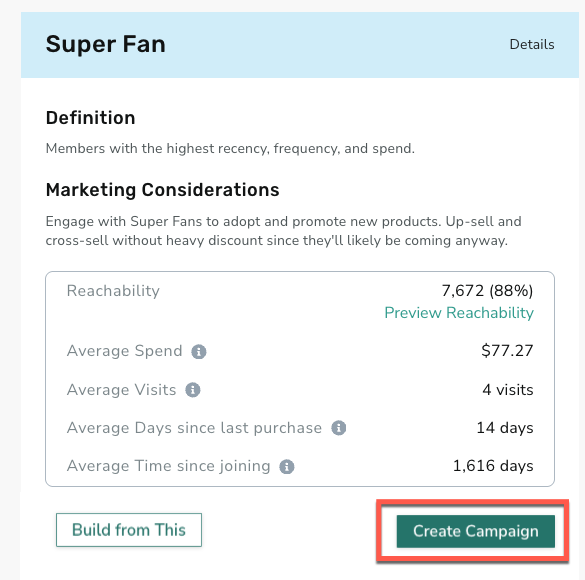
- The Smart Segment will be displayed under the Recommend Segment tab of the first step, Who.
Note: The segments available for selection in Mass Campaign targeting will always reflect the population of the segment that was calculated as of the last refresh.
Creating a Custom Segment with Smart Segment Templates
You have the option to utilize the structure of a Smart Segment to create a new custom segment. Begin with a Smart Segment template and then adjust the segment rules to align with your specific requirements. This allows for a highly tailored segmentation approach.
This process uses the selected smart segment as a template for a new custom segment. There is no impact on the original Smart Segment.
- To create a custom segment with a Smart Segment template, select the desired segment from the landing page (e.g., 'Super Fan').
- Click Build From This.
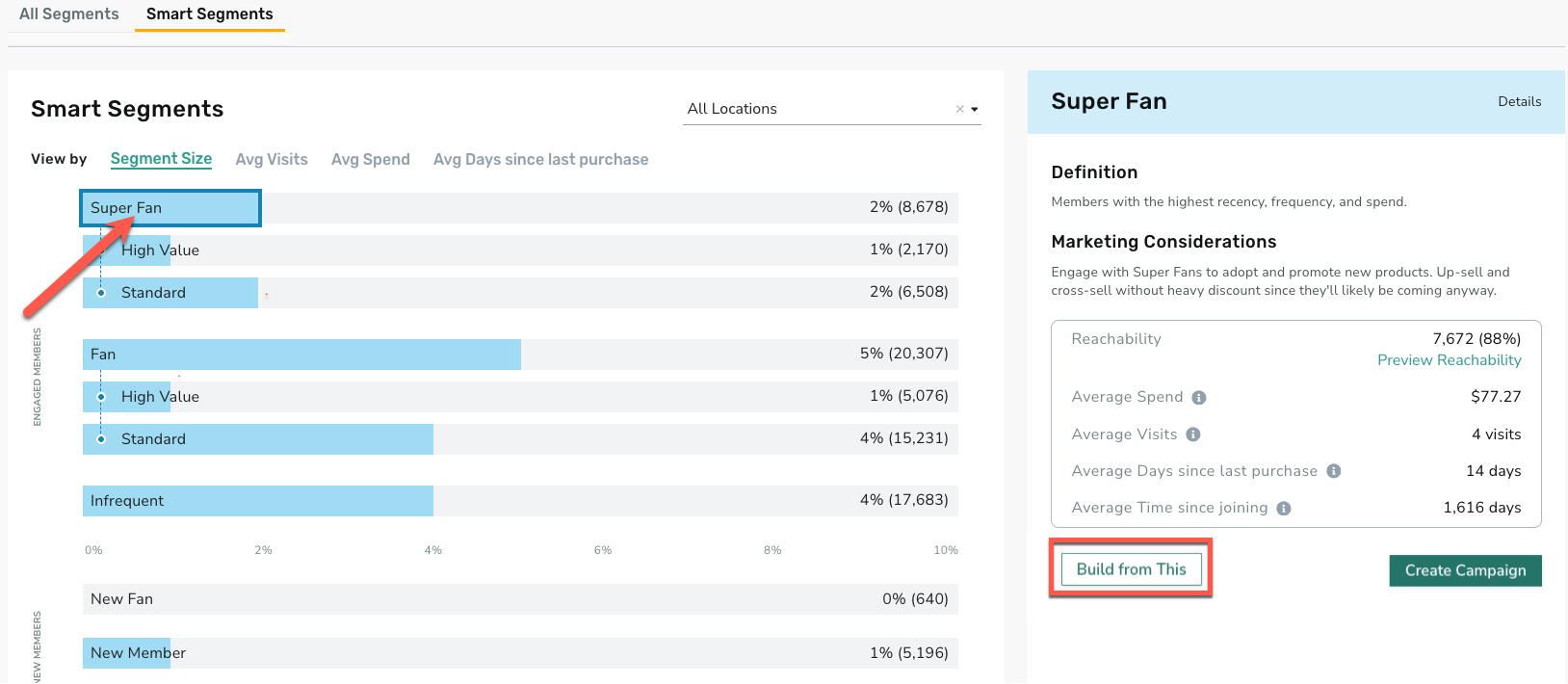
- The segment builder opens with a pre-populated segment name (reflecting the selected Smart Segment and edit date) and a pre-filled template containing existing rules.
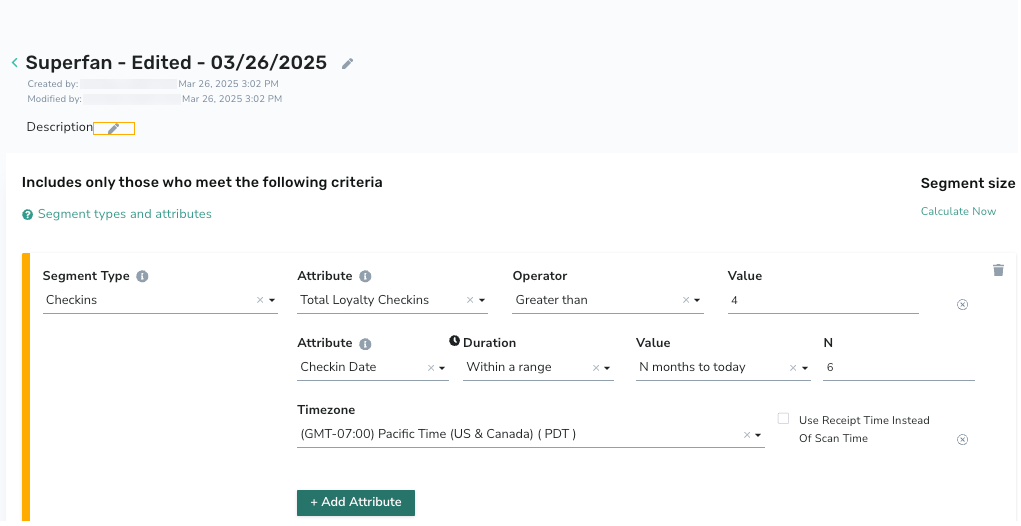
Note: The template derived from the Smart Segment does not fully represent all of the Smart Segment's configurations. However, it is a close match and can be used for further customizations.
- Adjust the rules and attributes as needed. Refer to the Segments documentation for further details.
Adding Smart Segments to Other Segments
Smart Segments can be combined with other segments for a more refined segment. Refer to the "Smart Segments" section of Segment Types, Attributes, and Timeframe Definitions for more details.