Deals: How to Make a Redeemable into a Deal
Deals
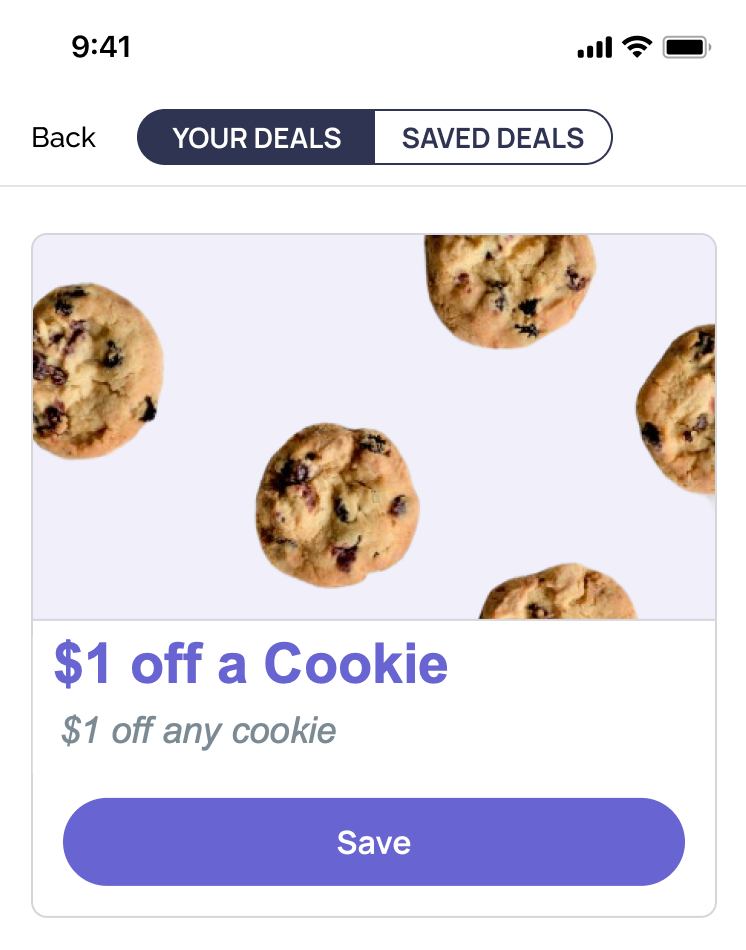
A deal is a type of redeemable that can be floated through a mobile app for all or a segment of guests. Guests will then be able to see the deal on the mobile app. When the guest engages (saves) with a deal, an offer is credited to the guest's account. Deals provide flexibility to distribute an offer to an entire cohort but only credit the offer to a guest's account based on guest engagement. The image below shows how a deal might appear in the mobile app for guests.
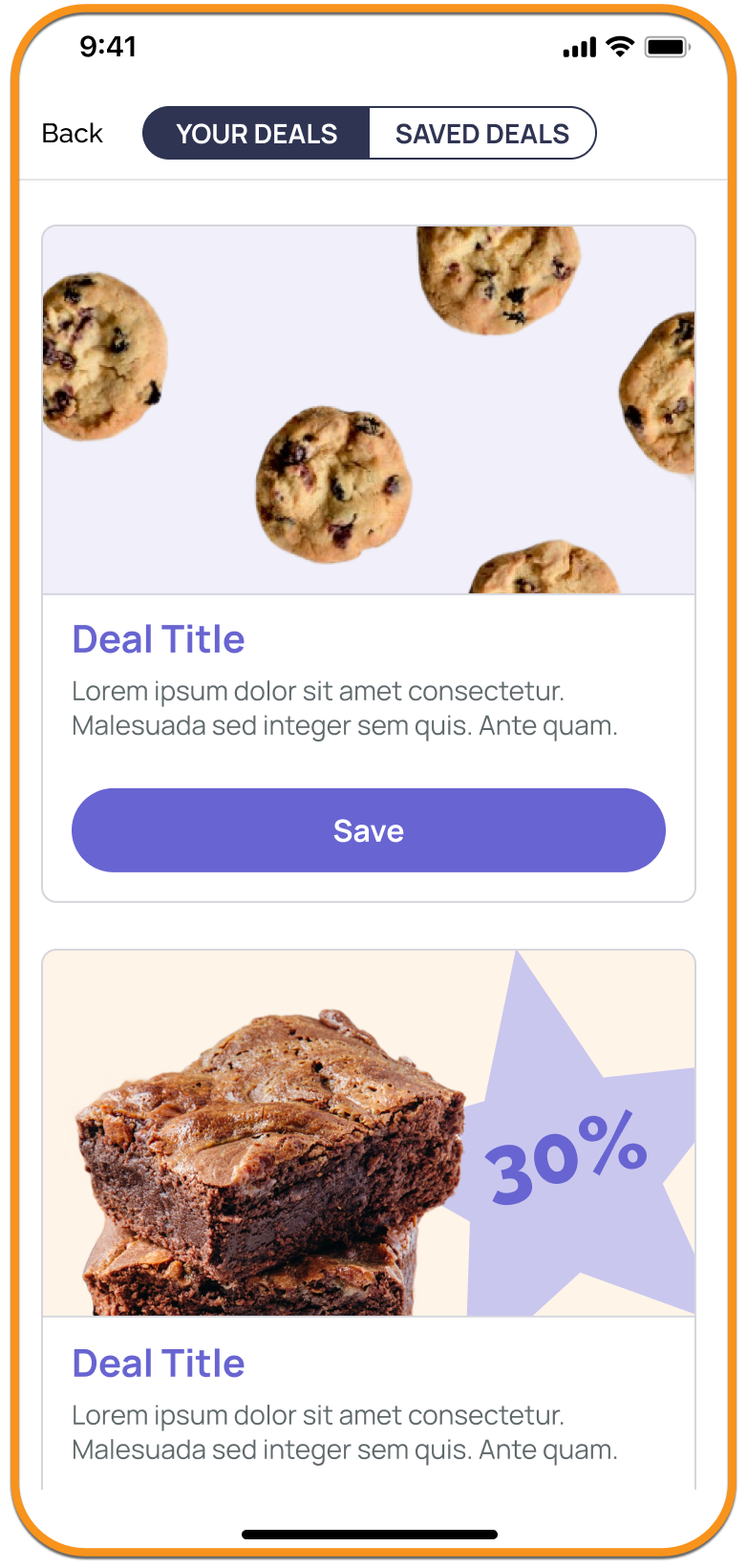
The workflow to create a deal is similar to a redeemable. First, familiarize yourself with the Redeemables process, then go over the steps below to learn which fields are required to turn a redeemable into a deal.
Create a Deal
Step 1: Info
Provide the basic info for your deal. These steps are the same as Step 1 in creating a redeemable.
Step 2: Eligibility
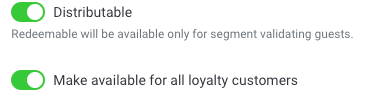
- Enable the Toggle Distributable. By marking an offer as distributable the offer is considered a deal that will be displayed on the mobile app for all or a targeted segment of guests.

- Select the segment from the dropdown menu for whom the deal has to be targeted. (See below for additional considerations if using a segment for your Deal.)
-OR- - Enable the Toggle ‘Make available for all loyalty customers' if the deal can be accessed by all loyalty guests. In this case, there is no need to select a segment.
- Select the segment from the dropdown menu for whom the deal has to be targeted. (See below for additional considerations if using a segment for your Deal.)
- Select the Receipt Qualifier for the Deal, as you would in Step 2 of creating a redeemable: New Qualifier, Existing Qualifier, or Flat Discount.
Step 3: Validity
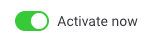
- Enable the toggle Activate Now to activate the deal from the time of creation.
-OR-
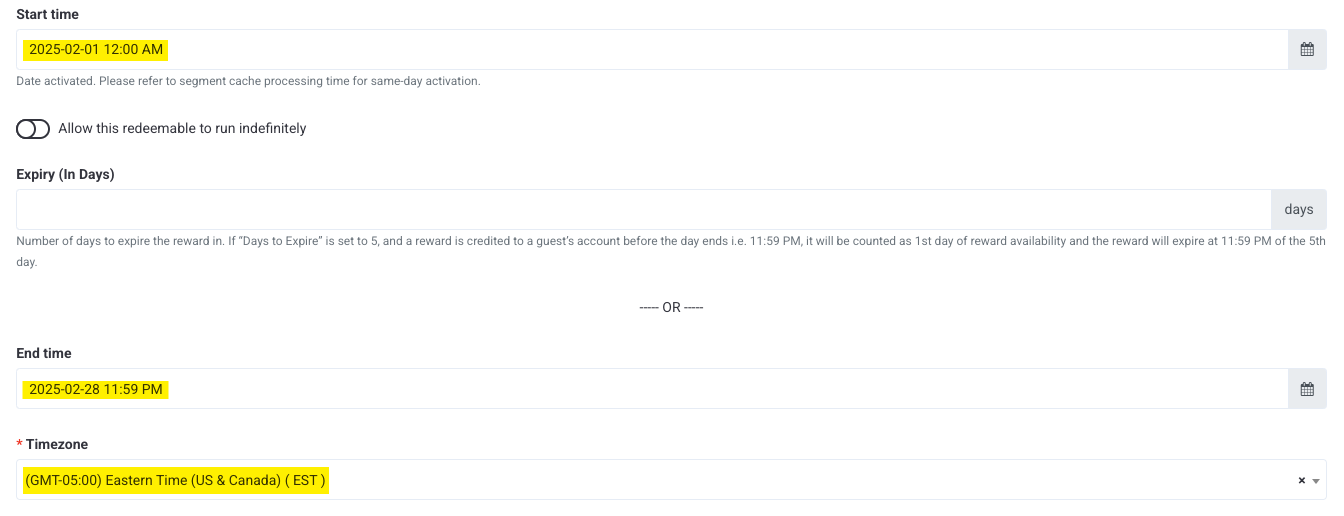
Enter a Start Time when the deal will become active and available for guests. (This is based on the business timezone.)

Note: If you use the Start time and End time fields, the Timezone field must be set to the business timezone. The start and end times cannot be in separate time zones.
- Provide the rest of the Validity parameters as you would in Step 3 of creating a redeemable.
Deals with Segments
You must have the Segment User Cache Schedule configured if utilizing a segment for your deal. This schedule is found under Diagnostic > Schedules > Segment User Cache Schedule. (A business can have only a single Segment User Cache Schedule.) This schedule runs once in 24 hours based on the time chosen by the admin (e.g., Everyday at 10:00 AM) and updates the segment cache to include or exclude guests based on the latest status of the segment. It is important to note that the Segment User Cache Schedule must run BEFORE the time scheduled for the Deal to become active. Therefore, if your business's Segment User Cache Schedule runs at 10:00 AM every day, it is important to schedule your Deal after that time. Best practice is to set the Segment User Cache Schedule to run four hours (per 1M guests targeted) before the Deal.
General Tips
- You can NOT resend/reuse a deal after it’s already been sent (you must need to make a new deal each time).
- When a deal has been deactivated/expired from guests' accounts, it's best to rename it “DNU_Deal Name” to avoid any potential confusion or misconfiguration.
- Deals cannot be force-redeemed from guest accounts once they have been populated. The only way to force redeem a deal is manually through a guest profile.
Deal Example
In this example, we have made a Deal for $1 off a Cookie available to all guests for the entire month of February. Guests can only use this deal once and will receive a notification three days before it expires.
Step 1: Info
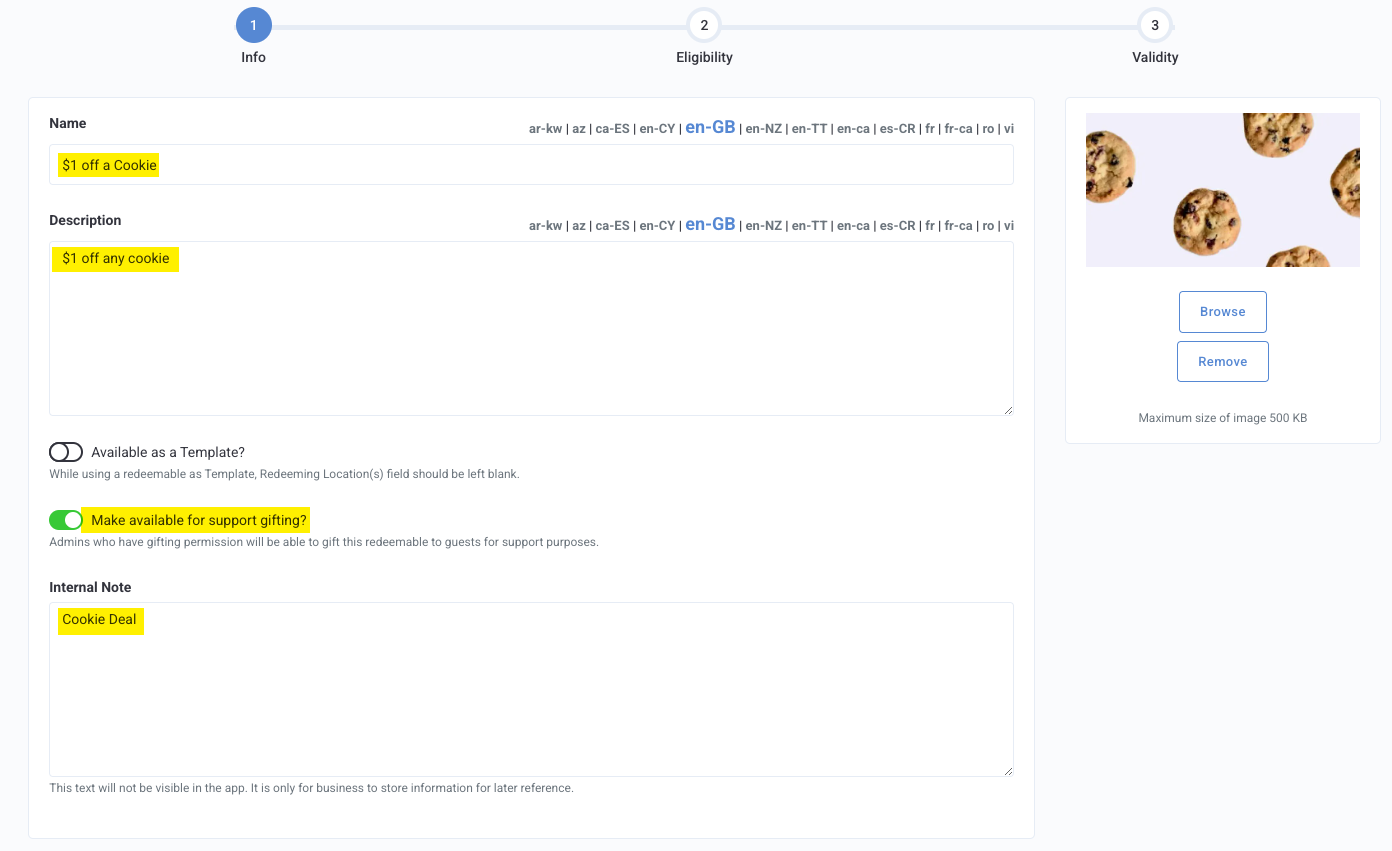
Key Fields:
- Name: $1 off a Cookie
- Description: $1 off any Cookie
- Make available for support gifting: ON
- Internal Note: Cookie Deal
Step 2: Eligibility
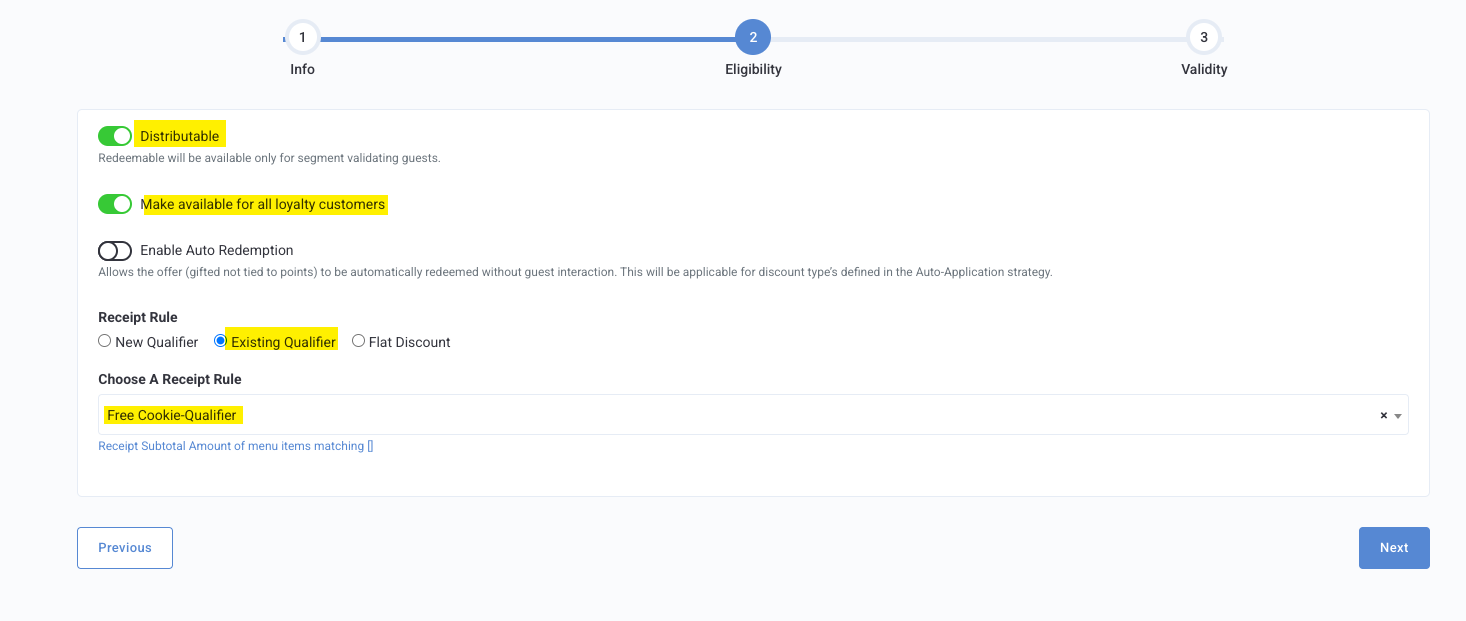
Key Fields:
- Distributable: ON
- Make available for all loyalty customers: ON
- Receipt Rule:
- Existing Qualifier
- Choose a Receipt Rule: Free Cookie - Qualifier
- Existing Qualifier
-OR-
-
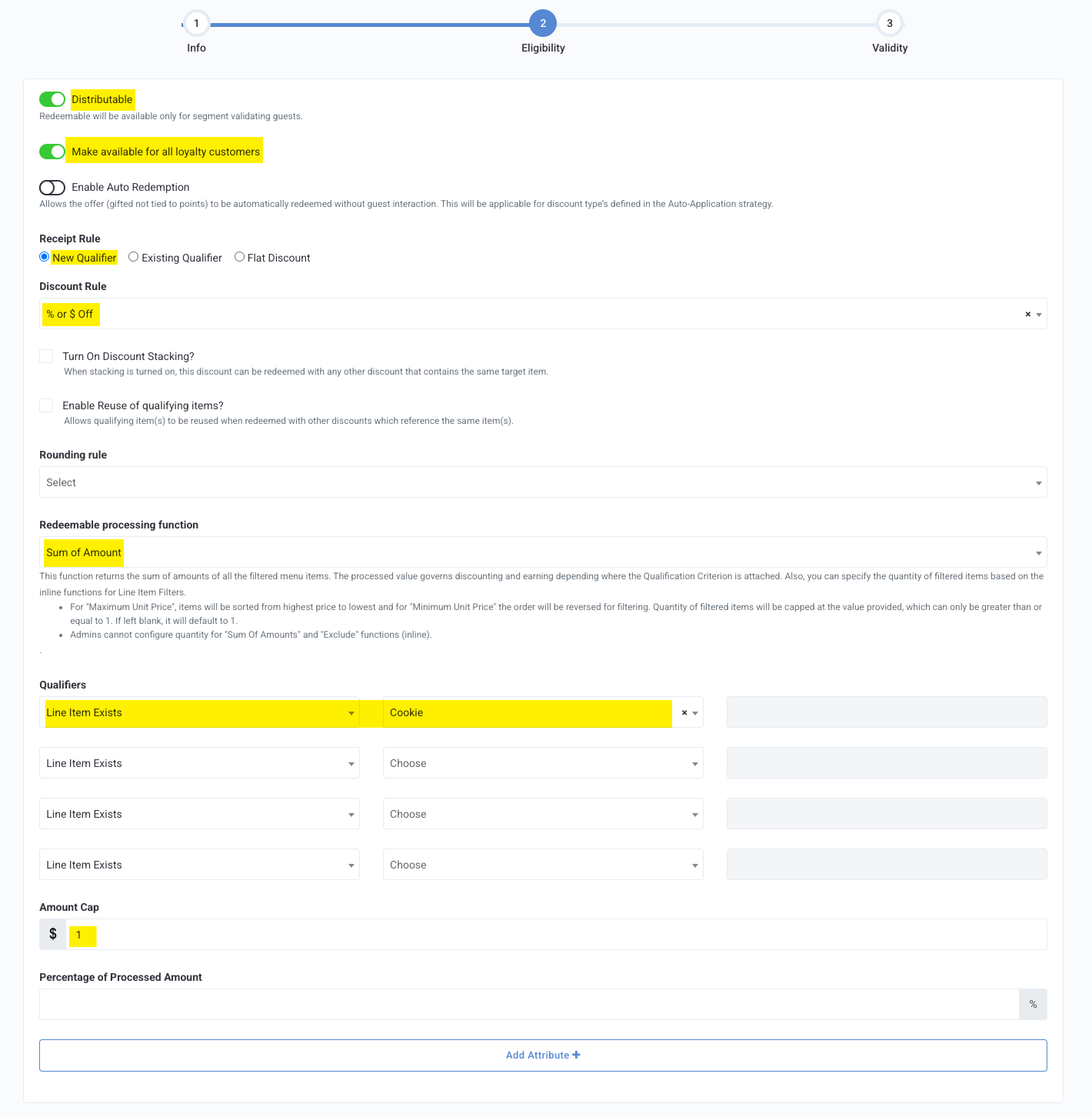
- New Qualifier
- Discount Rule: % of $ Off
- Redeemable Processing Function: Sum of Amounts
- Qualifiers: Line Item Selectors - Cookie
- Amount Cap: $1
- New Qualifier
Step 3: Validity
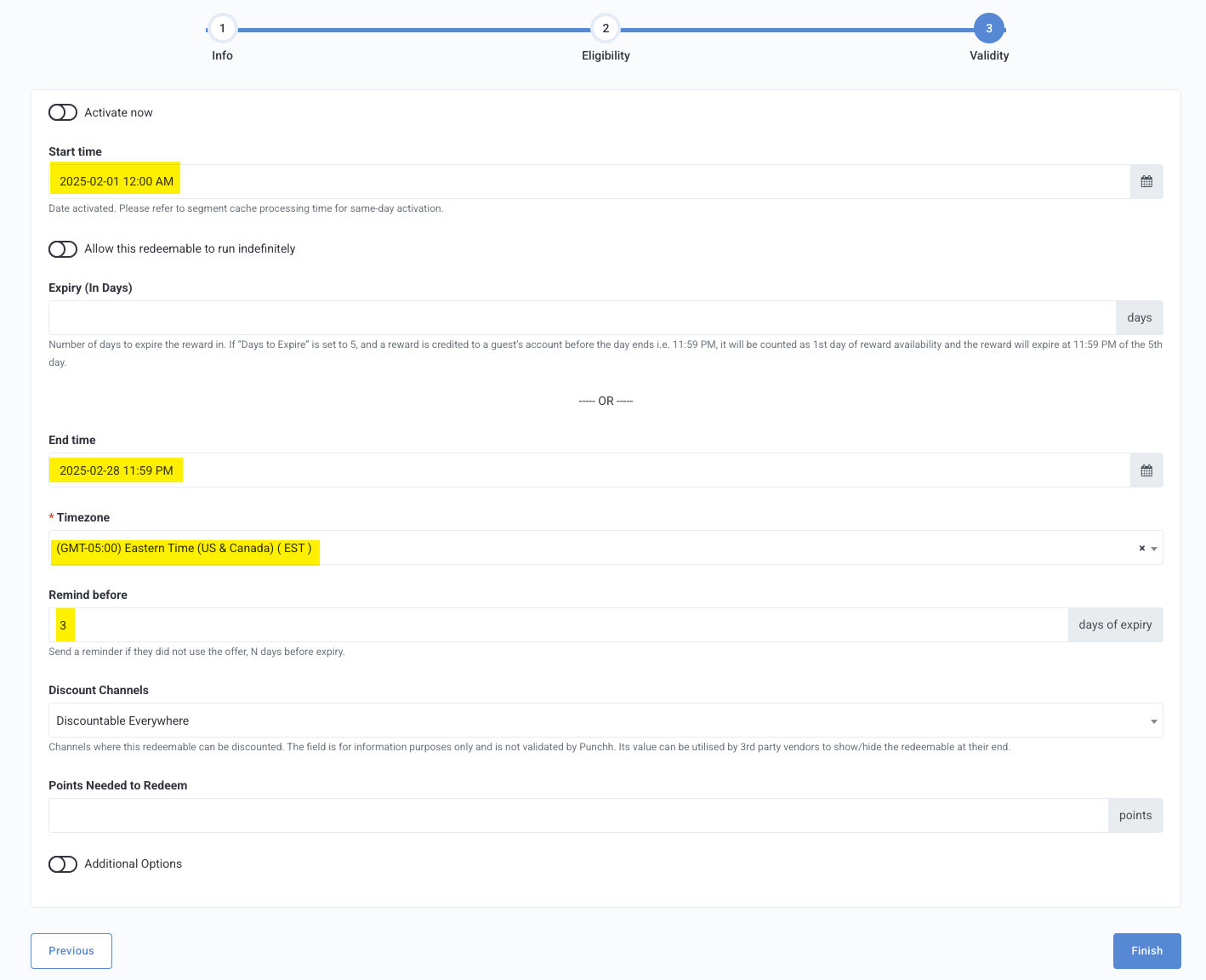
Key Fields:
- Activate now and Allow this redeemable to run indefinitely: OFF
- Start Date: Feb 1, 2025, 12:00 AM
- End Time: Feb 28, 2025, 11:59 PM
- Timezone: Eastern Time (EST)
- Remind before: 3 days of expiry
