Guest Profile: Force Redemption
In the event that a redemption must be taken away from a guest, you will need to create a forced redemption. Using the Force Redemption tab in a guest's profile, you can trigger redeemables so they may not be used by the guest and/or deduct points, checkins, or banked dollar values from a guest's account. Forced redemptions are essentially a failsafe to guard against fraud committed by the guest or any mistakes made during the creation and distribution of rewards.
Force a Redemption
Complete the following steps force a redemption on an individual guest's account:
- Click on the Force Redemption tab of a guests profile.
- Or click on the Rewards tab of the guest profile.
- Then click the Force Redemption button next to your selected reward.
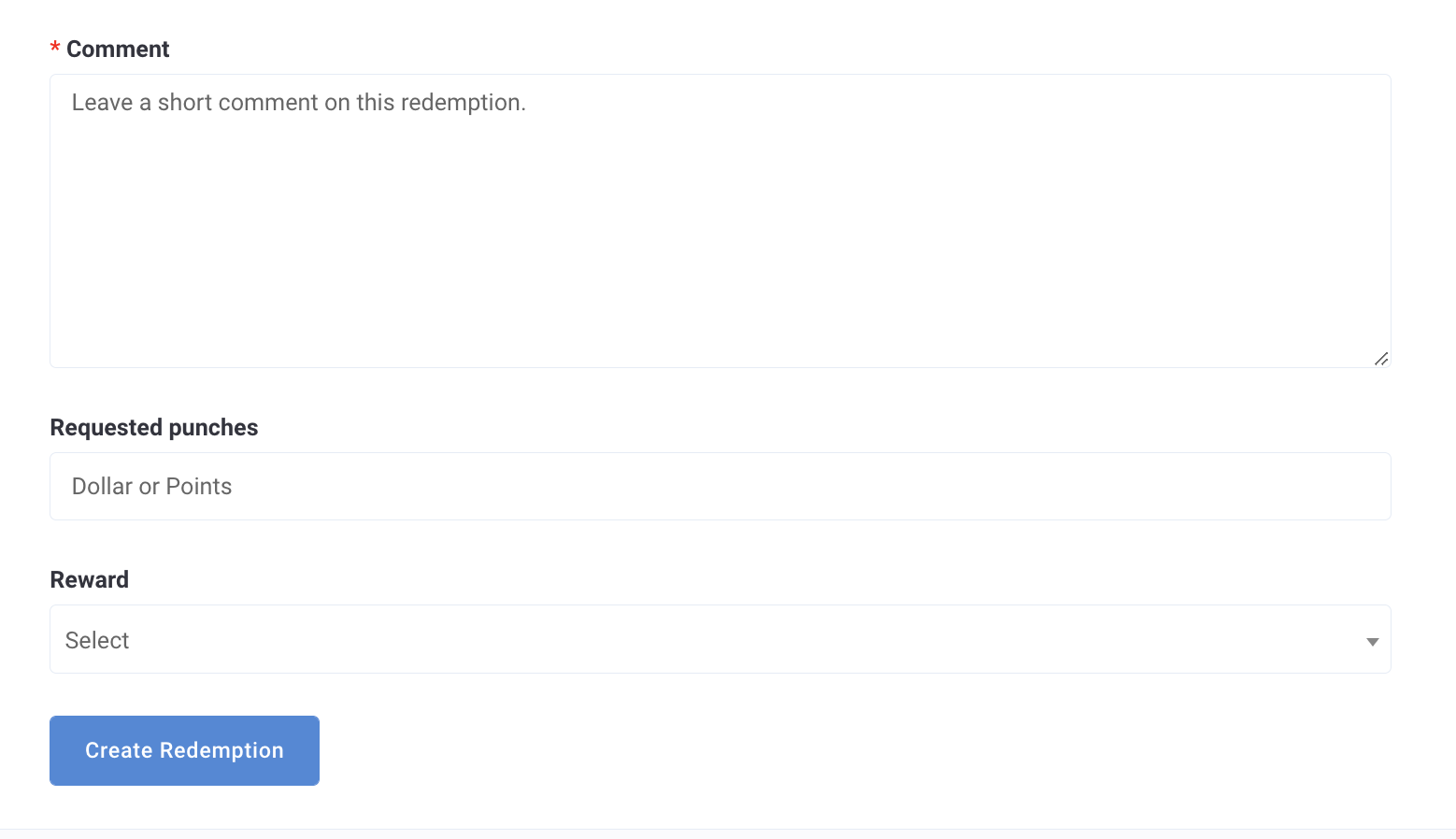
- Enter a comment into the Comment field.
Note: This is internal communication and will only appear on the guest's Timeline page visible to your brand employees.
- If taking away points/punches or banked dollar values (as applicable), enter the amount into the Requested punches field.
- If taking away a reward, click the Reward drop-down and select the desired redeemable to force redeem.
Note: If you don't see any redeemables in the Rewards drop-down, that means the guest has no active redemptions that can be force redeemed.
- Click Create Redemption when finished.
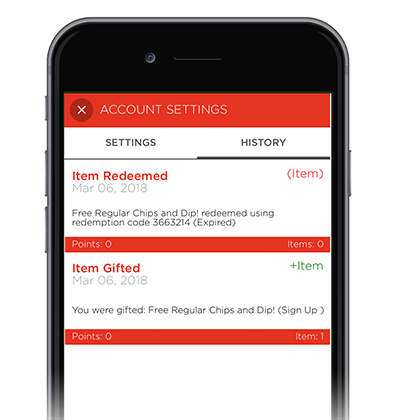
Once created, the redemption code will automatically be applied to that guest's active redemption. The guest won't receive a notification about this forced redemption, and it will only appear in the guest's mobile app account history as having been "Expired" (see below).
Why would I need to force a redemption? You may need to force a redemption if you've suspected a guest has gained points or a reward fraudulently. You also may need to force a redemption if, for example, you've created a redeemable with no expiration date. Most likely only as a last resort.
