Device Analytics Report
The Device Analytics Report provides a high-level overview of device registration patterns across your loyalty guest base, helping you identify potential account sharing, multi-account fraud, and other suspicious device-related behavior.
The report surfaces two key data sets:
- Devices associated with multiple users: Total count of single devices registered to more than one guest account
- Users associated with multiple devices: Total count of individual guests associated with more than one device
By analyzing device-to-user relationships, the report gives you the visibility needed to detect anomalies that may indicate fraudulent activity across your loyalty program. Use the filters and exportable data to investigate suspect behavior and take action through your fraud management tools.
Note: By default, the data in the report considers only those users and devices where either one user is tagged to more than one device or one device is tagged to more than one user. One user having exactly one device is not considered, as it is not a potential fraudulent case
To view the Device Analytics Report, navigate to Loyalty Program > Device Analytics Report.
Data Refresh Frequency
The Device Analytics dashboard is refreshed at the following two intervals:
- Incremental: Every day at 5 AM UTC (only the new data will get appended to the extract)
- Full: First Sunday of every month at 4 PM UTC (all additions and deletions will be considered)
Select the filters at the top of the page to modify your data results by User per Device andDevice per User.
Use the Subscription Status drop-down to filter based on the user's status or message subscription status.
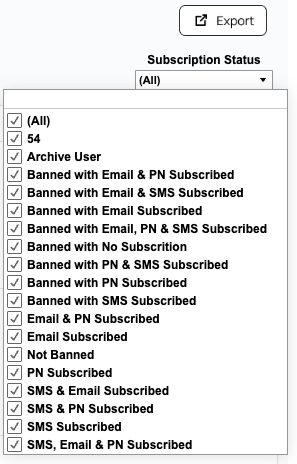
To download unmasked data, click on Export.
Metrics
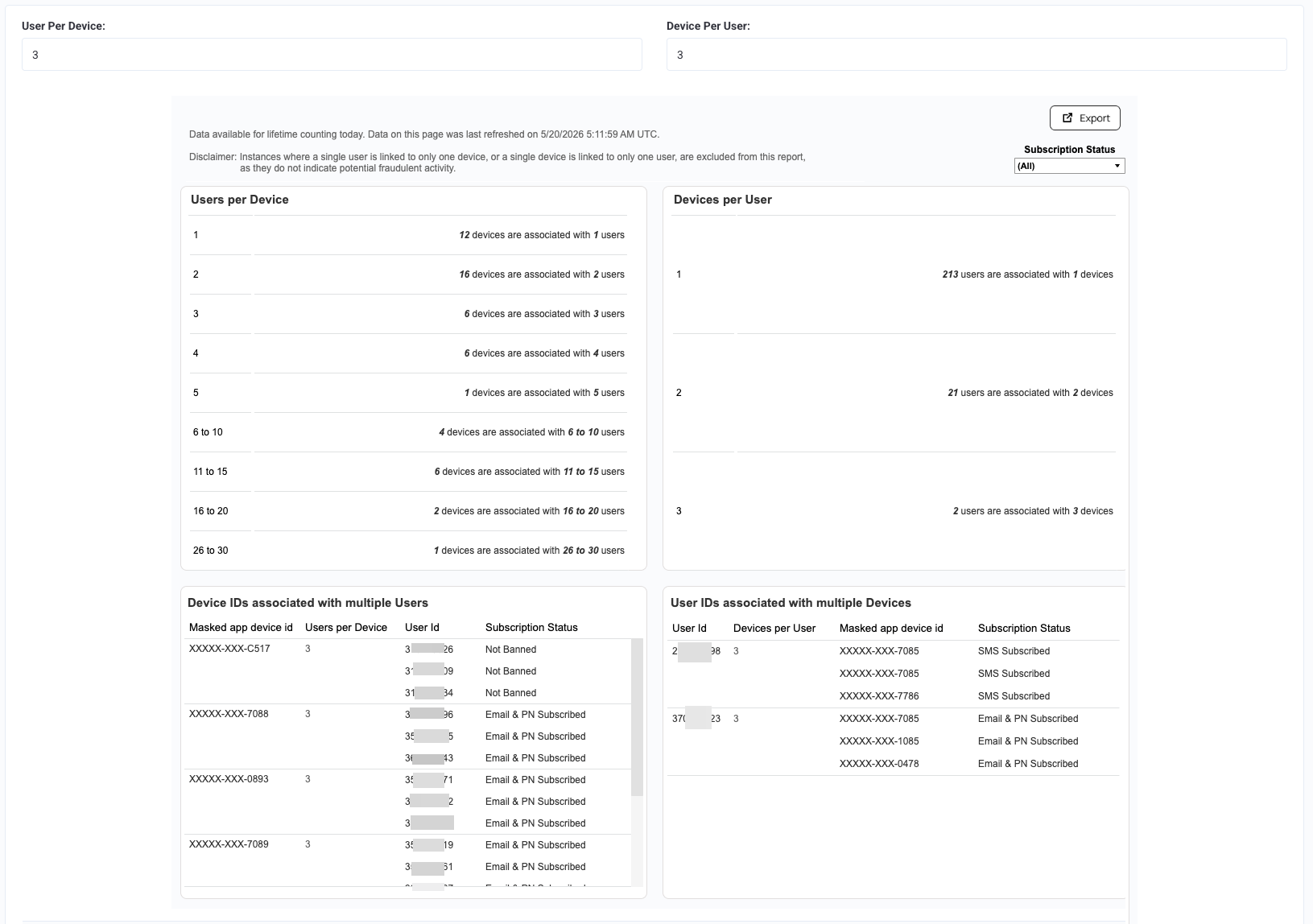
- Users per Device: Displays the total number of devices associated with N number of users.
- Device ID associated with multiple users: Shows masked device IDs along with the total number of users, their respective IDs, and subscription status
- Devices per User: Displays the total number of users associated with N number of devices.
- Users associated with multiple devices: Displays the user ID, the total number of devices they are associated with, their respective masked device IDs, and their subscription status
