Movable Ink Webhooks Implementation
The Movable Ink integration harnesses the functionality of the Punchh Platforms Webhooks Module, enabling the consumption of guest data and account transactional events in near real-time. They use this data to generate dynamic content for the Movable Ink Platform.
Requirements
Please reach out to your Punchh representative to enable the setup and configuration.
To enable access to the Webhooks sections of the Punchh Platform, the Webhooks module must be enabled for your brand (if not already enabled).
Setup and Configuration
Step 1.
Configure the webhook in Punchh:
- In Punchh, select Data Sharing > Outbound Webhooks in the left navigation bar.
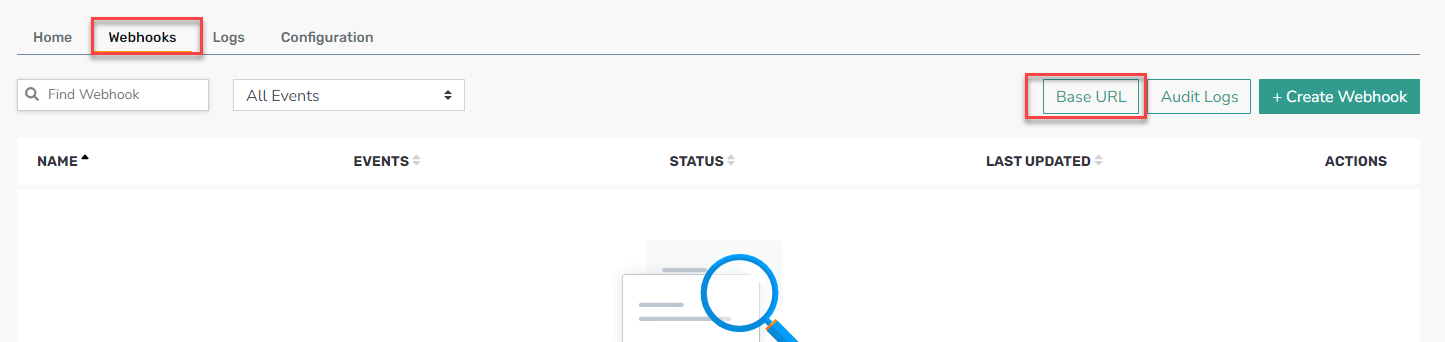
- Select Webhooks tab on the page.
- Click the Base URL button in the top right.
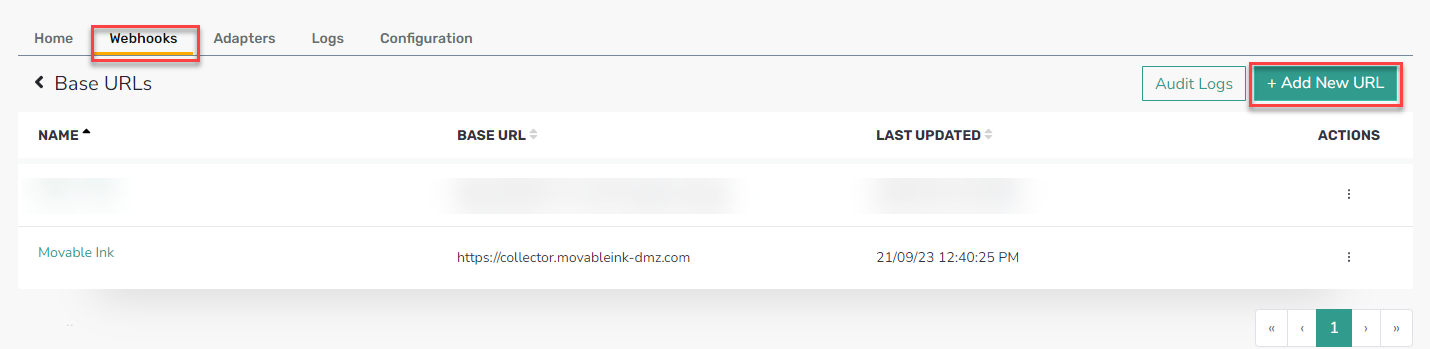
- Click on Add New URL.
- Fill in the form with the following:
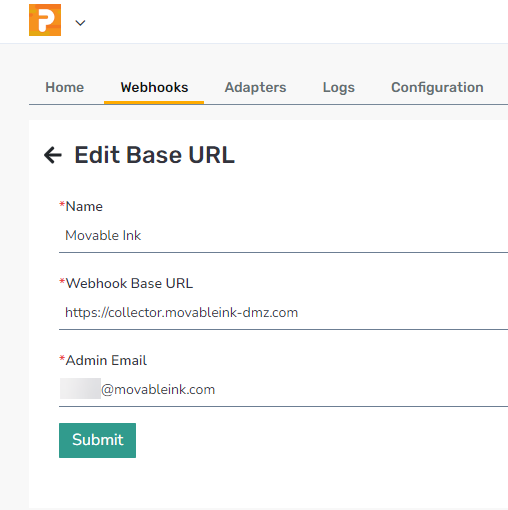
- Name: Movable Ink
- Webhook Base URL: https://collector.movableink-dmz.com
- Admin Email: @movableink.com
- Click Submit
Step 2.
Create the Webhook:
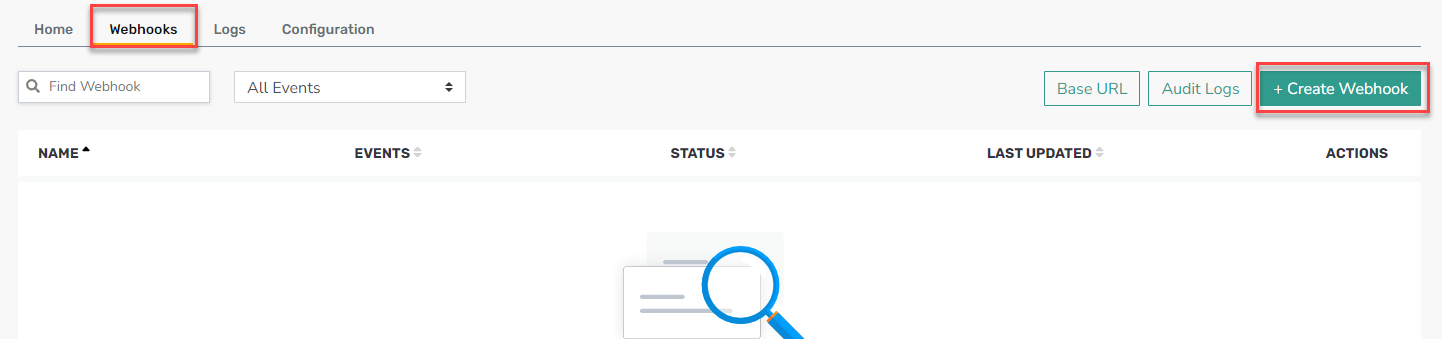
- Return to the Webhooks tab.
- Click the + Create Webhook button in the top right.
- Fill in the following:
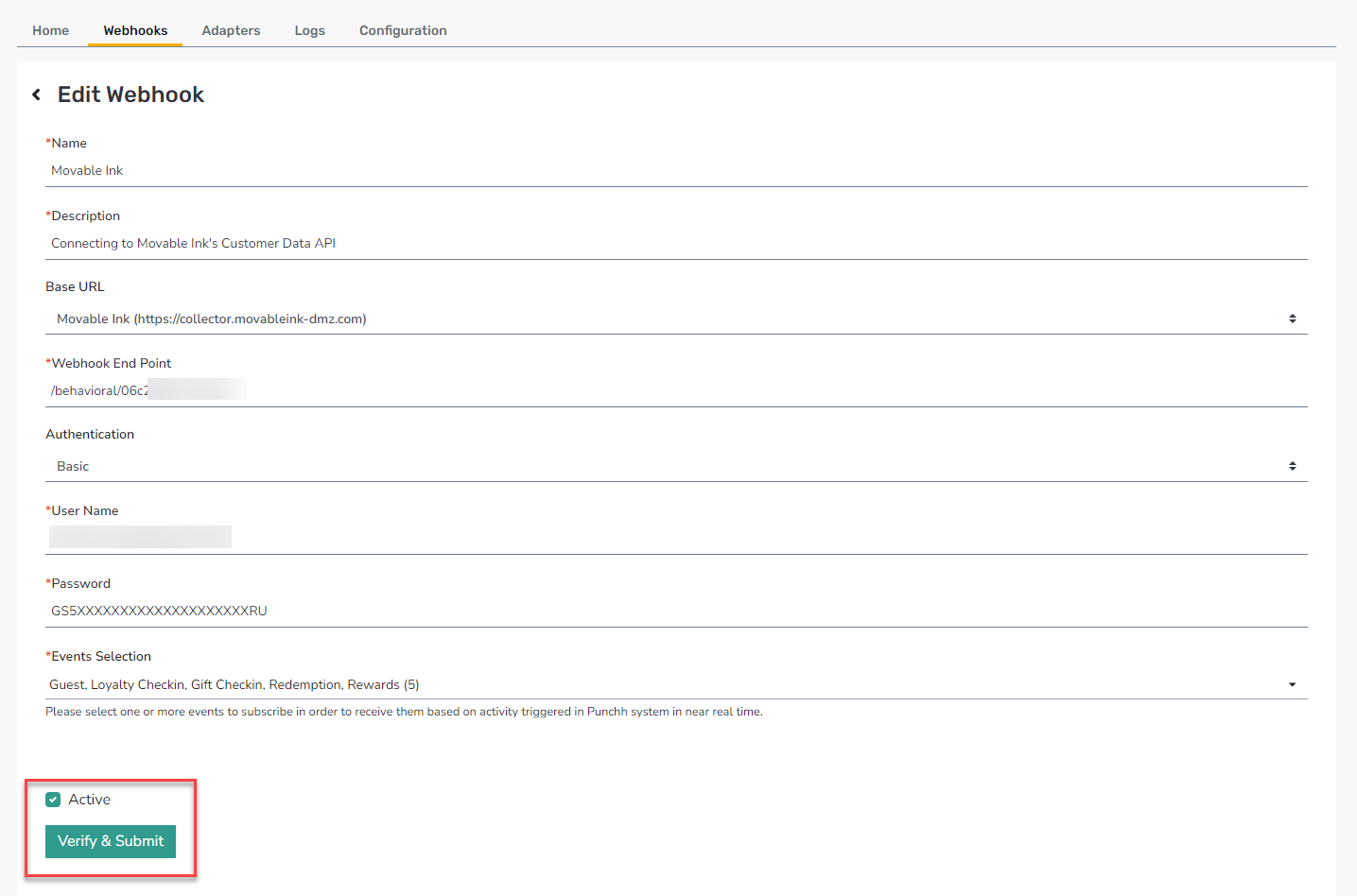
- Name: Movable Ink
- Description: Connecting to Movable Ink's Customer Data API or Enter any relevant description (used for reference)
- Base URL: Select Movable Ink from the drop-down menu
- Webhook End Point: URI Path from the URL provided byMovable Ink Client Experience team i.e. /behavioral/abc123
- Authentication: Basic
- User Name: [Access Key ID provided by Movable Ink Client Experience team]
- Password: [Access Secret provided by Movable Ink Client Experience team]
- Events Selection: Movable Ink recommends the following events…
- Guest
- Loyalty Checkin
- Gift Checkin
- Redemption
- Rewards
- Click Submit
For any assistance from Movable Ink, please contact the Movable Ink Client Experience team.
