Klaviyo Webhooks Implementation
The Klaviyo integration harnesses the functionality of the Punchh Platform's Webhooks Module, enabling the consumption of guest data and account transactional events in near real-time. This data is used for Segmentation and Marketing in the Klavio Platform.
Implementation Requirements
Step 1.
Contact your Punchh CSM to enable Webhooks for your brand (if not already enabled).
Step 2.
Send an email to restaurants@klaviyo.com with the following details:
- Subject: Punchh Integration setup
- Klaviyo Public Key
- Email subscriber list ID
- SMS subscriber list ID (if applicable)
Step 3.
Configure your Webhooks Manager in the Punchh Platform.
- Navigate to Data Sharing > Outbound Webhooks.
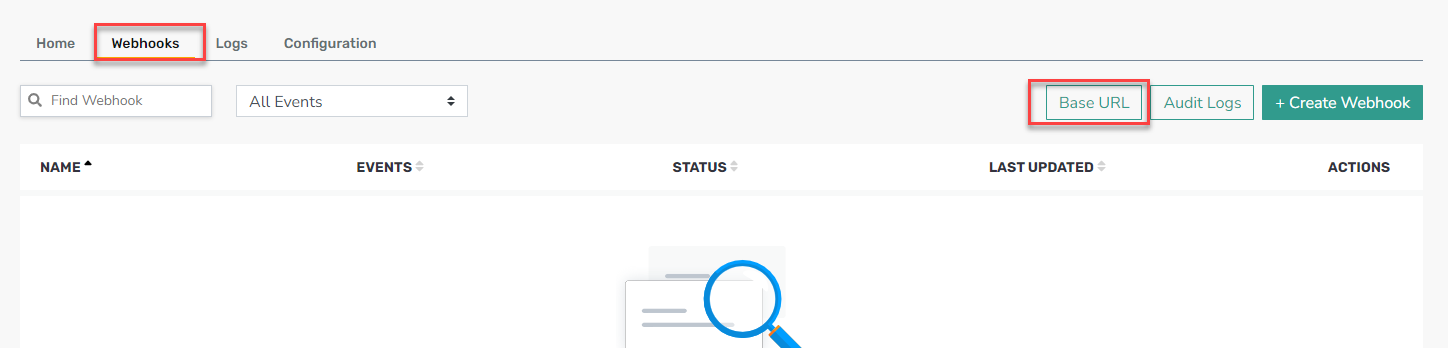
- Select the Webhooks tab.
- Click Base URL.
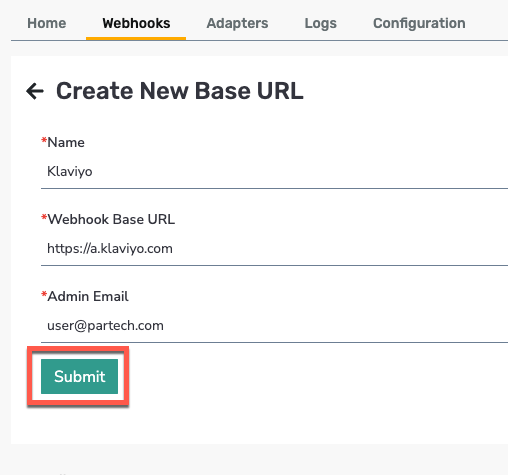
- Click Add New URL and fill in the form with the following:

- Name: Klaviyo
- Webhook Base URL: https://a.klaviyo.com
- Click Submit.
Step 4.
Create the Webhook.
-
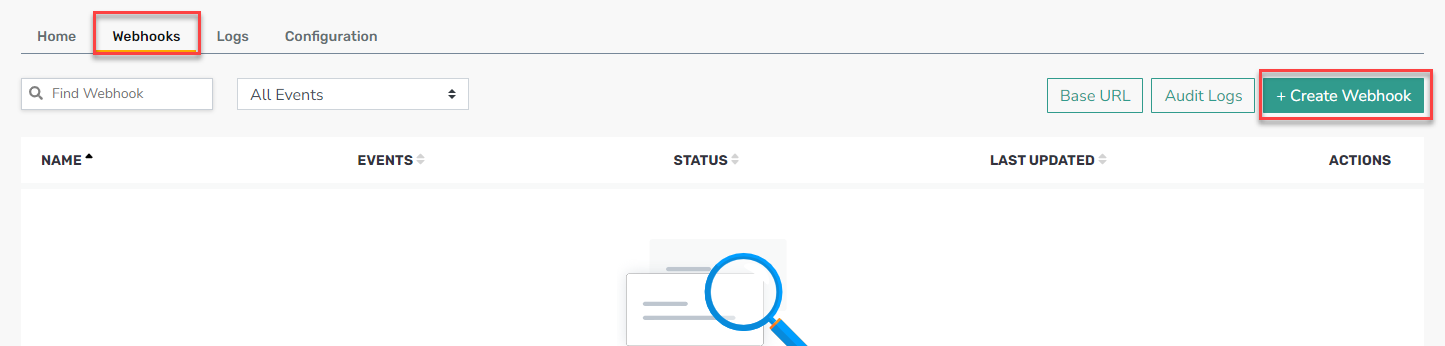
Return to the Webhooks tab.
-
Click + Create Webhook.
 **
**
-
Fill in the following information:
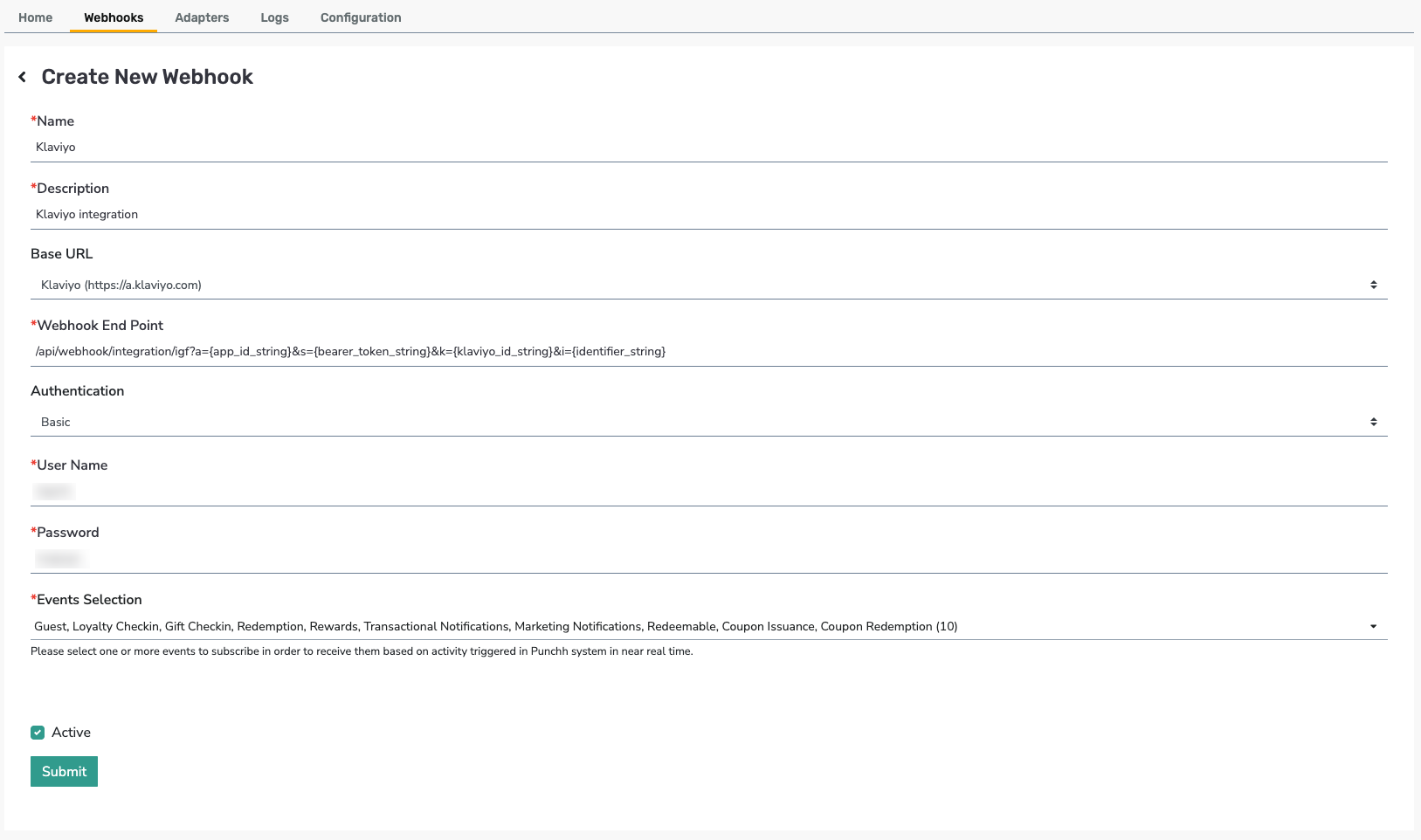
- Name: Klaviyo
- Description: Klaviyo integration
- Base URL: Select Klaviyo (https://a.klaviyo.com) from the drop-down menu
- Webhook End Point:
/api/webhook/integration/igf?a={app\_id\_string}&s={bearer\_token\_string}&k={klaviyo\_id\_string}&i={identifier\_string} - Authentication: Basic [token from Klaviyo team]
- Choose all events under Events Selection.
-
Click Submit.
