Bikky Webhooks Implementation
The Bikky integration harnesses the functionality of the Punchh Platform's Webhooks Module, enabling the consumption of guest data and account transactional events in near real-time. They use this data for segmentation and marketing in the Bikky Platform.
Requirements
Step 1.
Contact your Bikky Customer Success Manager and provide your Punchh Business ID to receive an Auth Bearer Token for the webhook setup. (Your Punchh CSM can provide you with your Business ID.)
Step 2.
Contact your Punchh representative to enable Webhooks for your brand (if not already enabled).
Step 3.
Configure the Webhook in Punchh:
- In Punchh, select Data Sharing > Outbound Webhooks in the left navigation bar.
- Select Webhooks tab.
- Click the Base URL button in the top right.
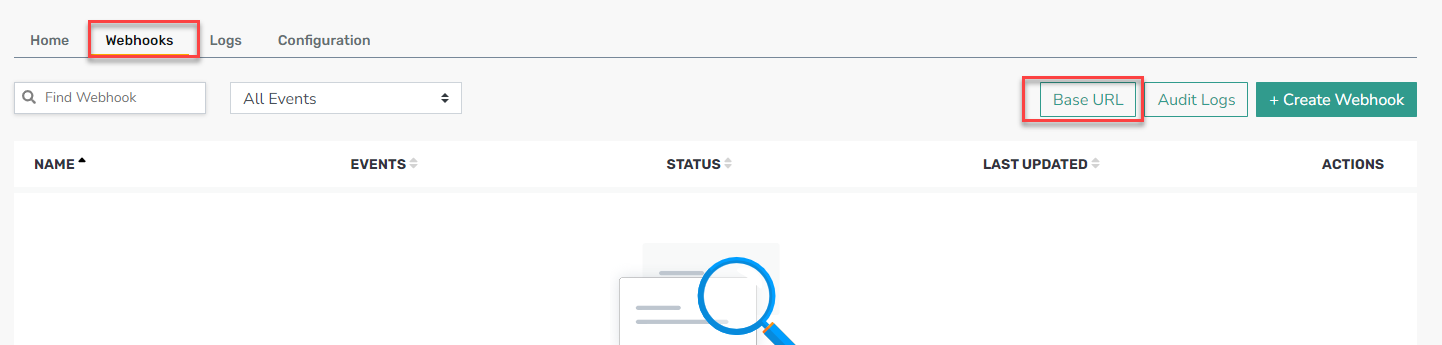
- Click on Add New URL.

- Fill in the form with the following:
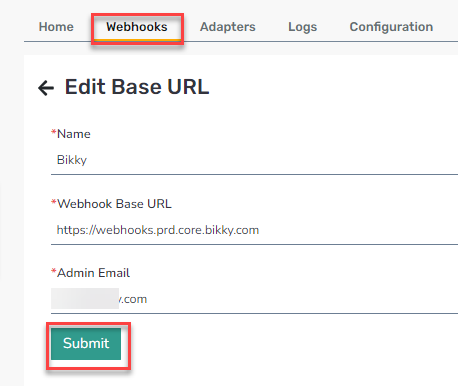
- Name: Bikky
- Webhook Base URL: https://webhooks.prd.core.bikky.com
- Click Submit.
Step 4.
Create the Webhook:
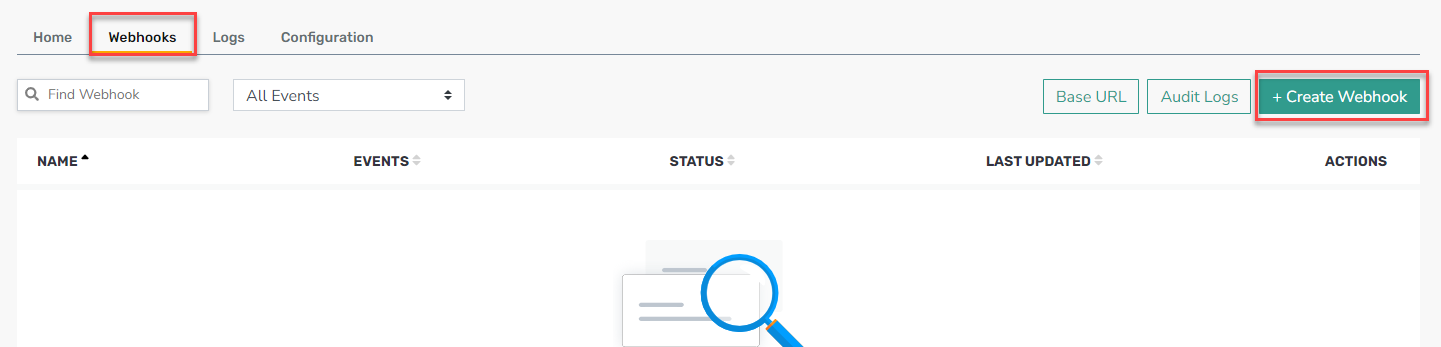
- Return to the Webhooks tab.
- Click the + Create Webhook button in the top right.
- Fill in the form with the following:
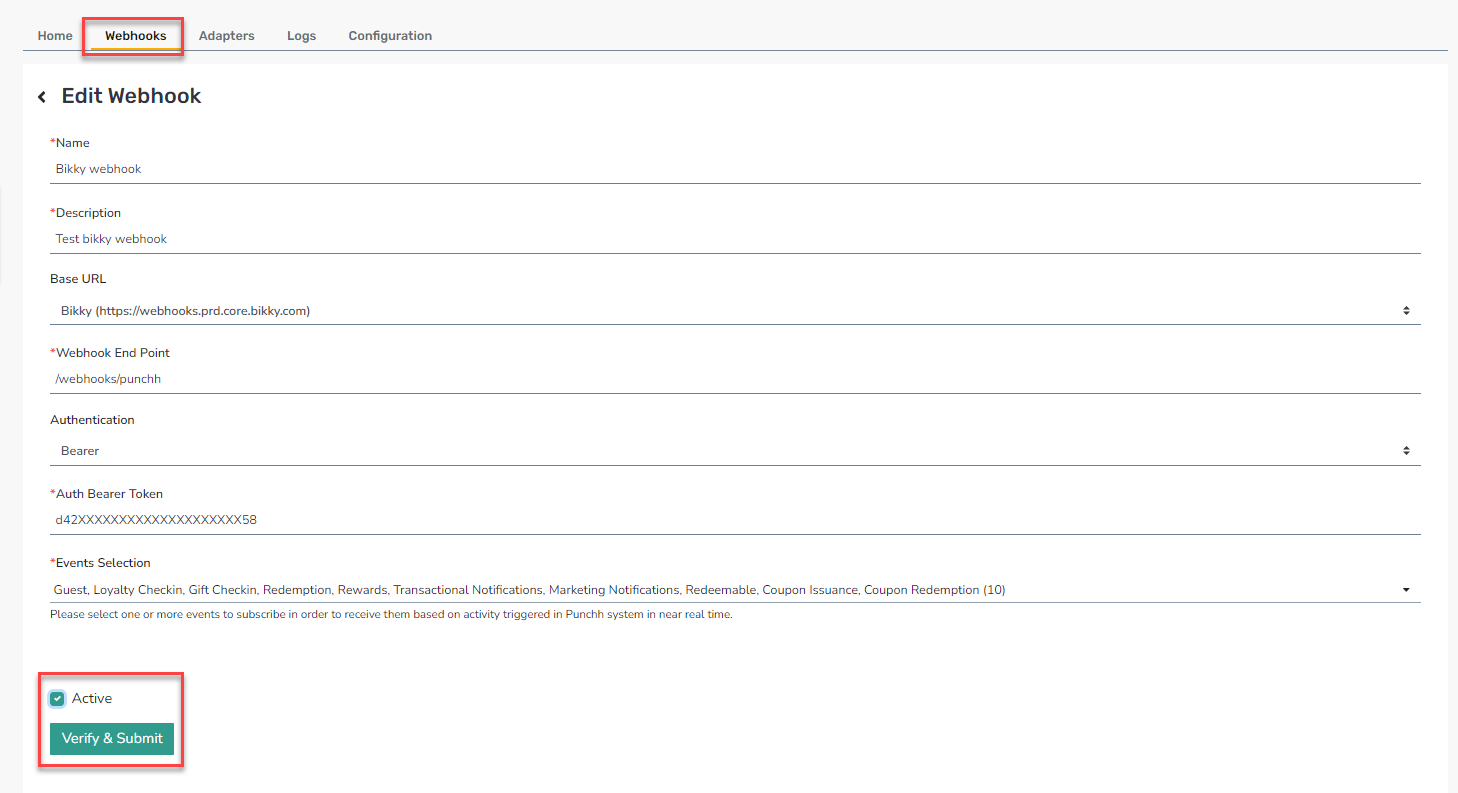
- Name: Bikky webhook
- Description: Bikky webhook
- Base URL: Select Bikky from the dropdown
- Webhook End Point: /webhooks/punchh
- Authentication: Bearer
- Auth Bearer Token: [token from Bikky team]
- Select your Events.
- Click Submit.
Bikky's Recommended Webhook Events
Offers Reporting
- Event - Coupon Issuance - Discount and Unlock Type
- Event - Coupon Redemption
- Event - Guest
- Event - Redeemables
- Event - Redemptions
- Event - Rewards
Loyalty Status Reporting
- Event - Check-in- Gift and Loyalty
- Event - Transactional Notifications
- Bumped Membership Level
- Card Completion
- Check-in Void
- Loyalty Transfer
- Pending Check-in
- Points Expiry
- Points to Reward
- POS Scanner Check-in
- Redeemable unlocked
- Redemption Applied
- Update Check-in
Marketing Orchestration and Performance Reporting
- Event - Marketing Notification (all)
- Event - Transactional Notifications
- eClub Registration
- Points Expiry Reminder
- Reward Notification
- User Notification
- Wifi registration
