Bikky Platform API Key Implementation
The Bikky integration harnesses the functionality of the Punchh Platform APIs, enabling the injection of custom segments. Bikky has a rich segmentation engine that allows guests to be segmented across dozens of attributes, including loyalty data. Punchh customers can push segments of users back to Punchh as an e-club segment for email marketing. To push segments from Bikky to Punchh, the customer must provide Bikky with an admin key to authenticate Punchh API requests.
Requirements
You must have an admin account in Punchh with Business Manager level access or higher and all necessary access permissions enabled:
- Settings Advanced (Needed for Admin Users' access to generate the Business Admin Key)
- Dashboard API Access (Needed to enable API access and authentication for the Business Admin Key)
Step 1.
Generate a Business Admin Key in the Punchh Platform:
- Go to Administration > All Users, Roles and Permissions> Admins.
- Select the admin users' account with appropriate permissions from the list.
- Click the Generate Business Admin Key button at the bottom of the page for the selected user
Note: If the Generate Business Admin Key button is missing this is likely due to one or more of the following:
- The Role assigned to the admin does not have the ‘Dashboard API’ access permission enabled or Business Manager/Owner settings enabled.
- The Role assigned to the admin does not have the Business Manager/Owner settings enabled.
- Copy this key for configuration in the Bikky platform to enable the Punchh integration and send the key to your Bikky CSM to add to your account.
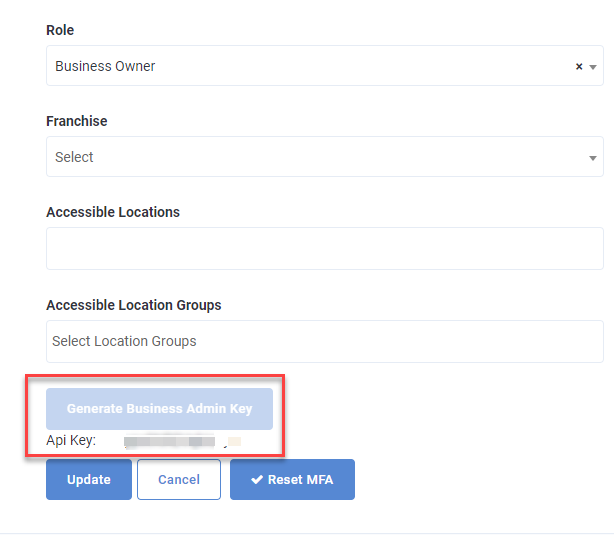
Caution: If the Business Admin Key is re-generated by the admin in Punchh, the current key will no longer pass validation, this will break the integration between Bikky and Punchh.
