Bikky Data Exports Implementation
The Bikky integration harnesses the functionality of the Punchh Platform's Data Exports, enabling the consumption of guest data and account transactional events. They use this data for segmentation and marketing on the Bikky Platform.
Requirements
Step 1: Set Up the SFTP Endpoint
To set up the export, first create a new SFTP endpoint for Bikky.
- Navigate to Data Sharing > FTP Endpoints.
- Click Add New FTP Endpoint.
- Create a new endpoint with the following data:
- Name: Bikky SFTP
- Protocol: SFTP
- Host: sftp.bikky.com
- Port: 2022 Username: Provided by Bikky CSM
- Password: Provided by Bikky CSM
- Path: Provided by Bikky CSM
- Support Email: developer-support@bikky.com
- Click Save.
Step 2: Set Up the Data Exports
Next, set up data exports using the SFTP endpoint you just created.
- Navigate to Data Sharing**> Data Export** to create a new Data Export.
- Name your Data Export. For example "Bikky Integration Data Export."
- Set the Date Range to include the first date you began collecting loyalty members until today's date.
- Check the Remove header info from CSV box.

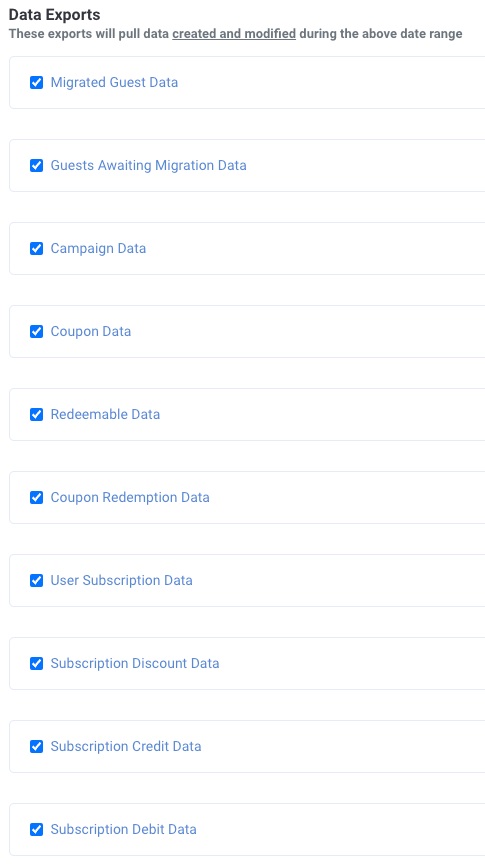
- Select all data export types listed under Data Exports.
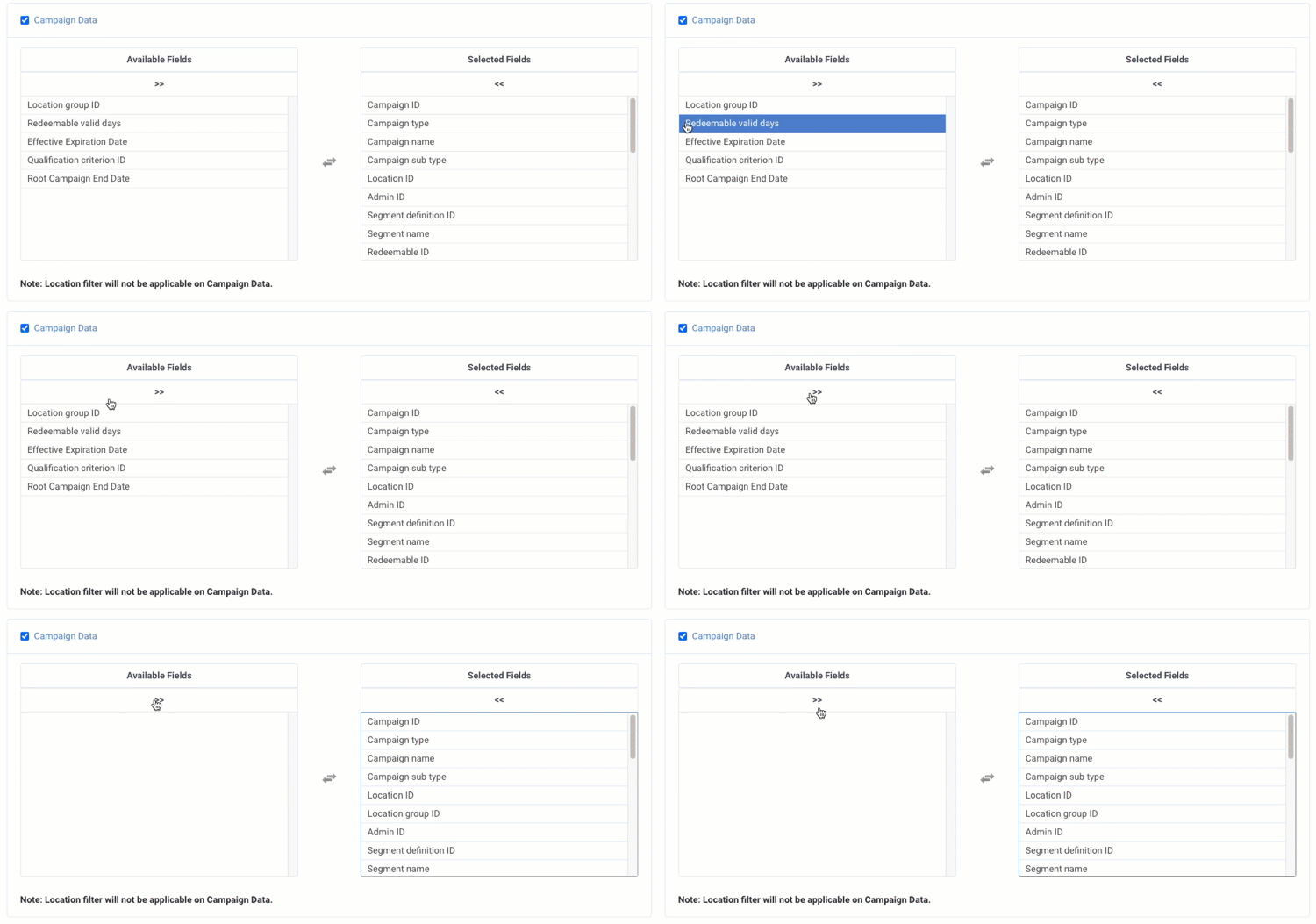
- Click into each data export type, and click the >> arrows to move all Available Fields into Selected Fields.
- Under Data Exports with Optional Modified Records:
- Select Redemption Data, Guest Data, and Reward Data
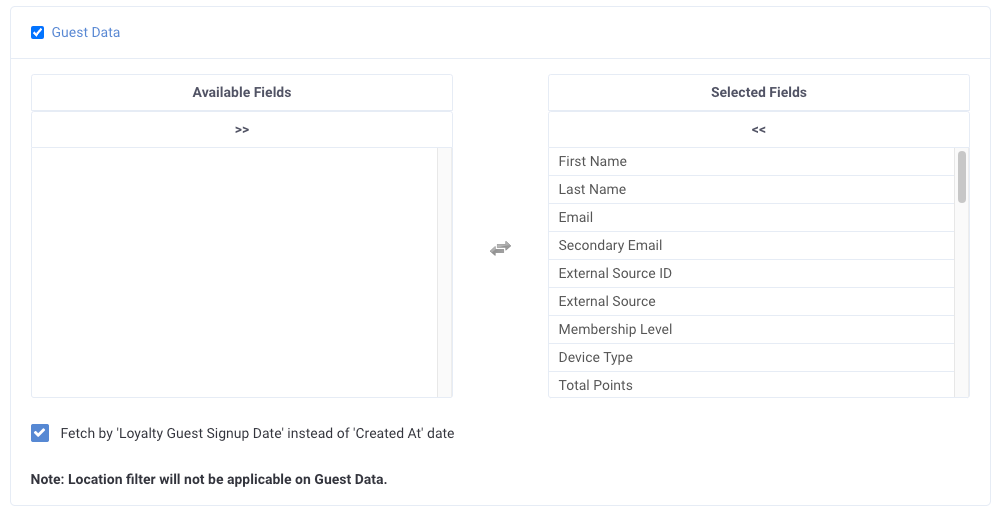
- Click into each data export type, and click the >> arrows to move all Available Fields into Selected Fields.
- For Guest Data, check Fetch by 'Loyalty Guest Signup Date' instead of 'Created At' date.
- Click Save and Create Schedule.
- Set the schedule with the following parameters:
- Frequency: Immediate
- FTP Endpoint: Bikky SFTP
- Click Save.
- Find your newly created schedule in the Data Exports Schedules list and click Run Now.

- Next, set up a daily export by navigating to Date Exports > Data Export Templates and then create a second schedule by clicking the plus sign (+) next to the export you just created.

- Set the schedule with the following parameters:
- Frequency: Daily
- Start Date: Today
- Start Time: 01:00 AM
- Timezone: UTC
- FTP Endpoint: Bikky SFTP
- Click Save.
