Aloha FOH User Interface User Guide
Note: For information about installation and configuration, see Aloha POS Punchh Integration (Fresh Install).
Aloha Front-of-House (FOH) User Interface
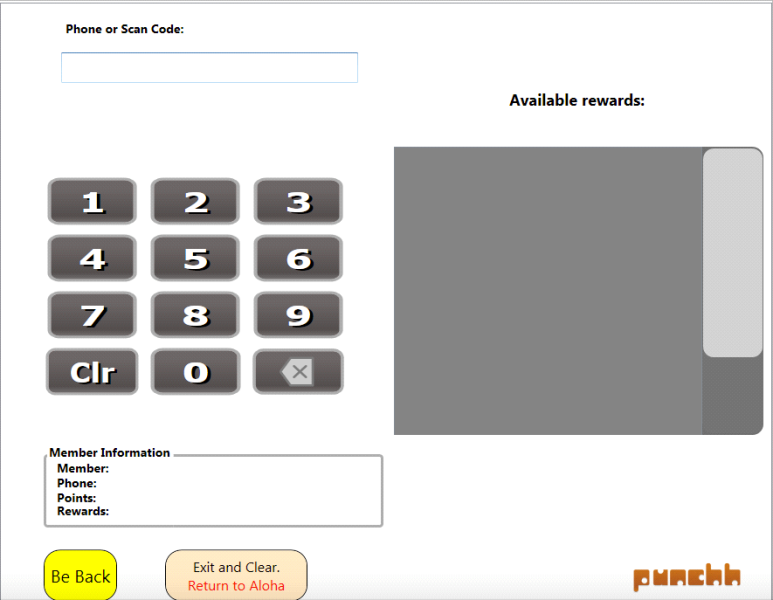
Enter the Customer's Phone Number or Scan the User's Mobile App
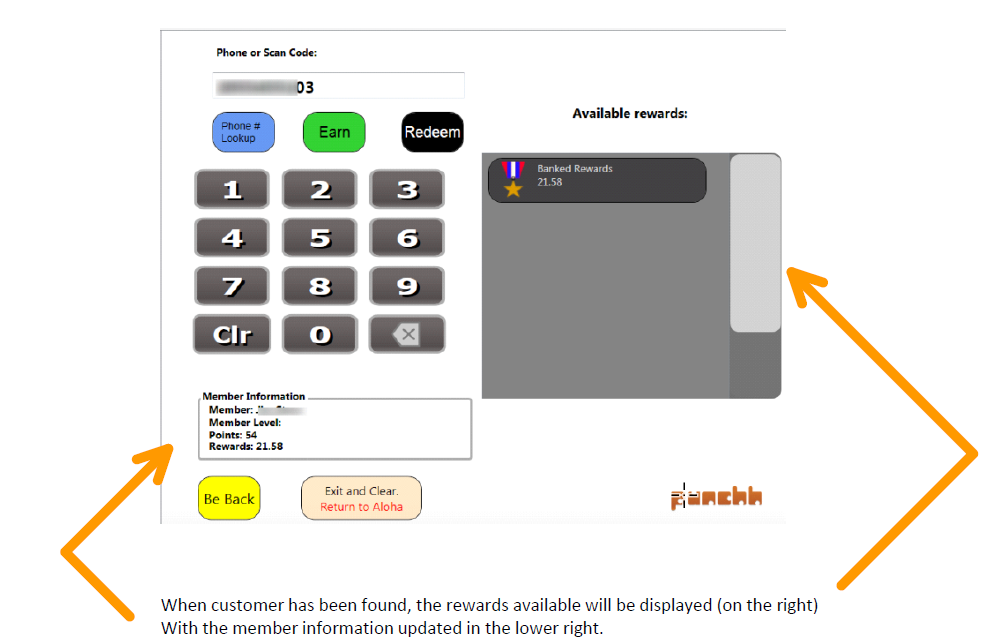
User look-up succeeds:
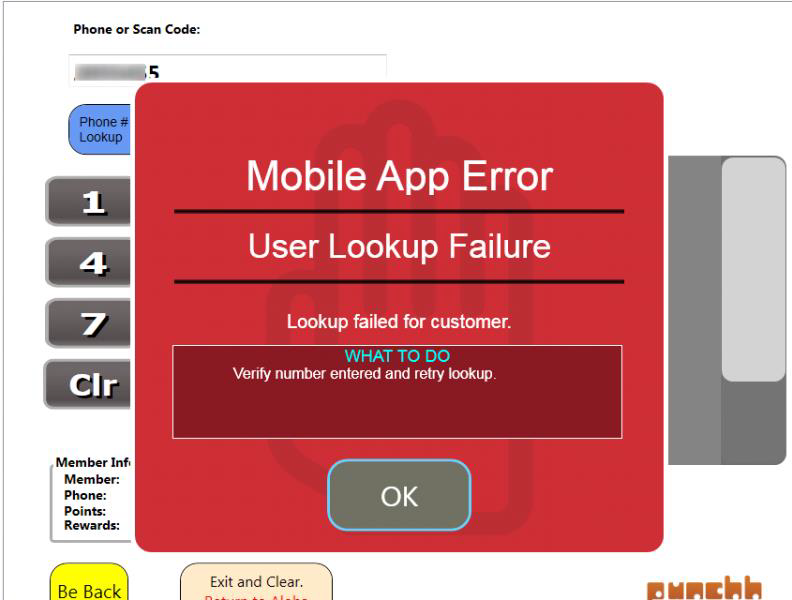
User look-up fails:
Earning points:
-
Look up the user.
-
Click the Earn button to apply the customer's data to the check.
-
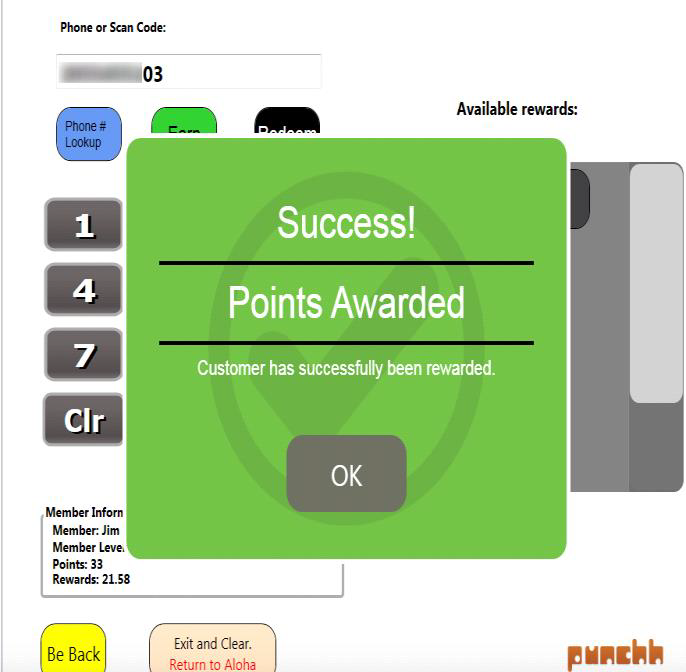
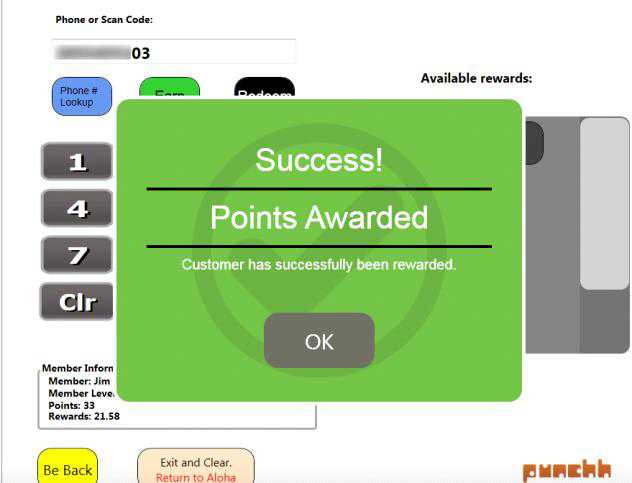
If successful, a message will be displayed showing that points have been awarded. (The verbiage on this screen may vary.)
-
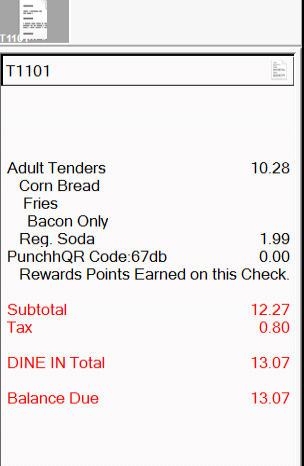
In the POS, a message will be added to the check window.
Redemptions:
-
After a user has been looked up, click on one of the reward buttons displayed in the box labeled "Available Rewards" (e.g., a free drink reward).
-
Scan or manually enter a customer's reward code from the customer's mobile application.
-
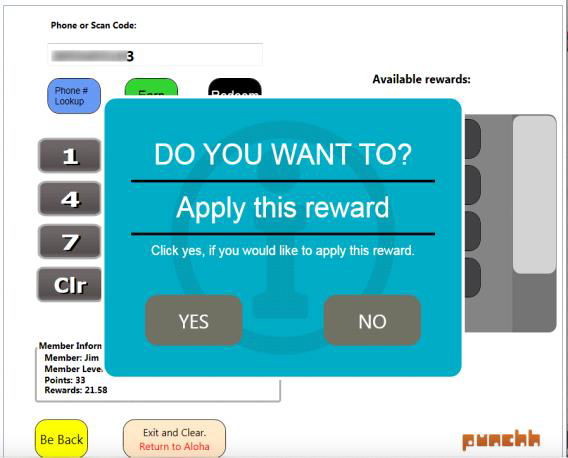
After choosing the reward or entering the reward code, the POS operator is prompted to verify that the customer wants to apply the reward.
-
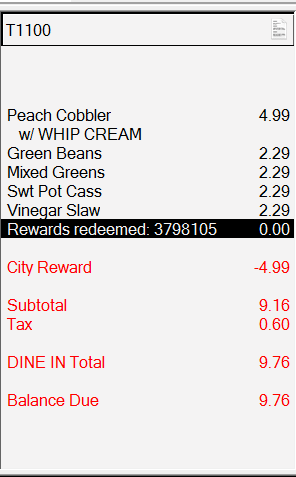
When the reward has been applied, a message box will be displayed showing that the customer has been rewarded. (The verbiage on this screen may vary.) The comp will be applied to the POS check.
**
 **
**
Error Messages:
Error messages are displayed using a message box like the following example.
**
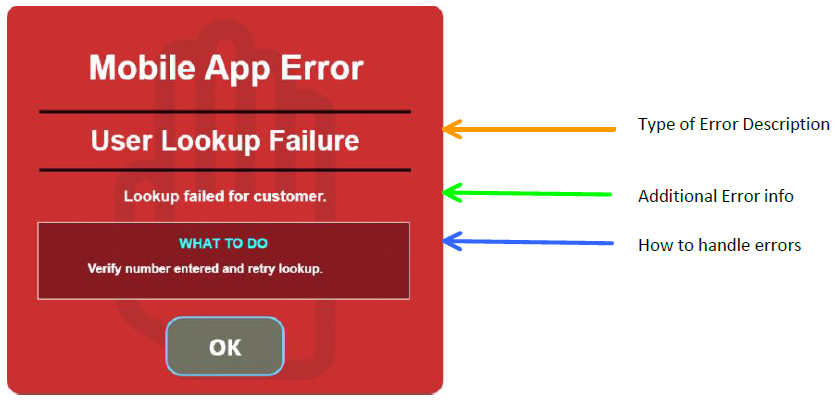
Here is a list of the current error messages:
| Punchh Operation | Error Type | What to Do Message | Note |
|---|---|---|---|
| Redeem | Redemption failed | User look-up failed | This is the default message. |
| Discount qualification on receipt failed for customer | Ensure required items are on the check. | ||
| Discount qualification on receipt failed for customer | Inform customer that logging out of the app and logging back in may resolve the error. Have the customer scan the bar code on the receipt. | ||
| User not found for the redemption code entered | Verify number entered and retry redemption or user look-up | ||
| Not enough rewards balance on account | Verify account balance and retry redemption | ||
| A communication error occurred | Retry redemption | ||
| Reward is not accessible for this customer | Click on Guest Lookup button to refresh rewards | ||
| Due to POS related error | Ensure cash drawer is assigned | ||
| Invalid coupon code error | Ensure coupon code is correct | ||
| Invalid check error | Ensure check data is entered correctly | ||
| Code has already been processed | Ensure code being entered is current | ||
| The amount on check does not qualify | Ensure items on the check are correct | ||
| The customer currently has an open transaction | Try operation again in a few seconds | ||
| Earn Error | No points were added due to an error. Customer was not awarded points due to an error. | Rescan the QR code | |
| No points were added due to an error. Customer was not awarded because the check has 0 items. | Enter menu items on the check | ||
| User Lookup Failure | User look-up failed for customer | Verify number entered and retry look-up |
