Punchh Mobile Framework v4.2 and Punchh Native PAR Ordering v2.4 Release Notes
Check out the new features added to the Mobile Framework and the native PAR Ordering flow, including support for Guest Identity Service, 4-digit loyalty codes, and more! Reach out to your Punchh representative to upgrade to the latest version of the Mobile Framework or if you have questions about adding or switching to PAR Ordering for your online ordering needs.
New Features
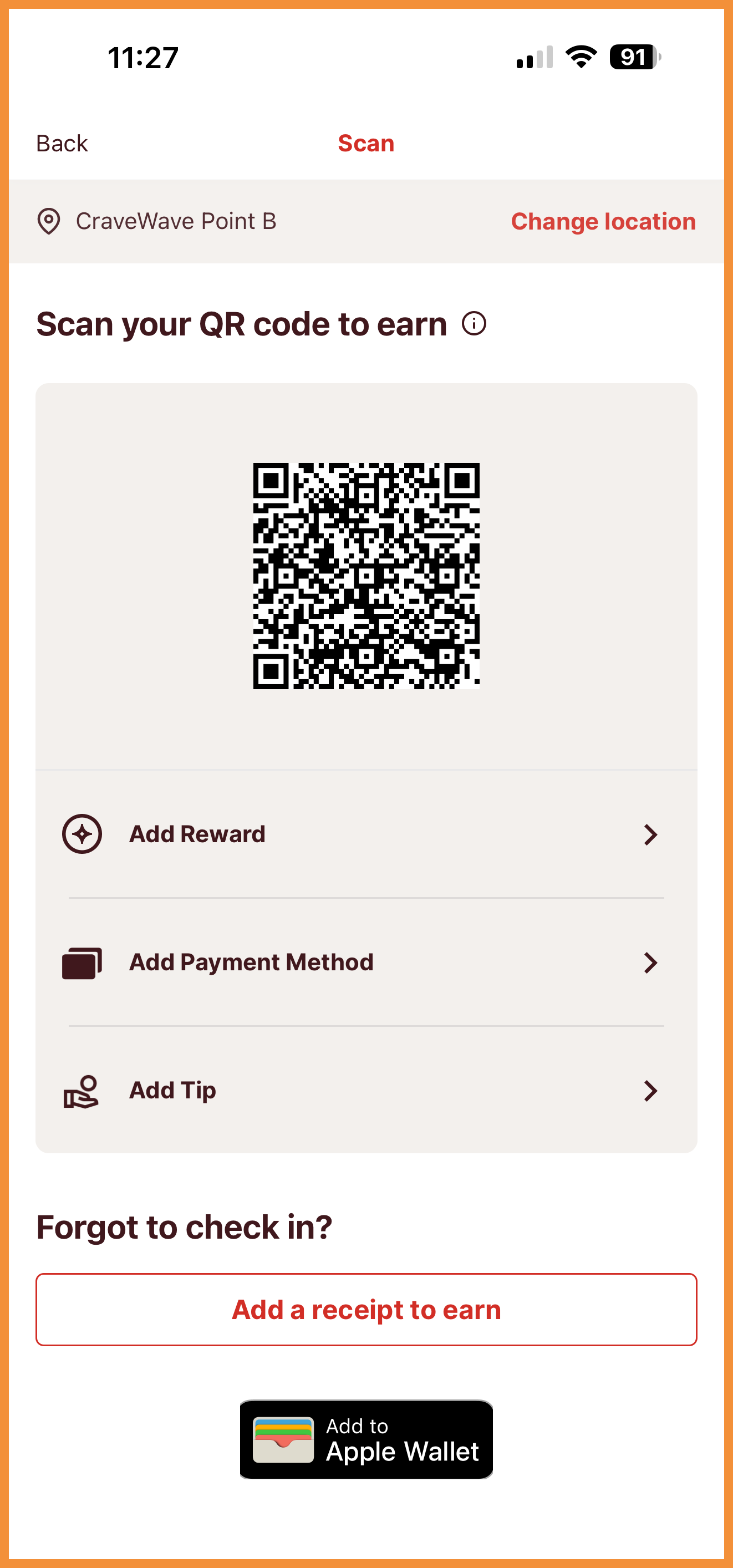
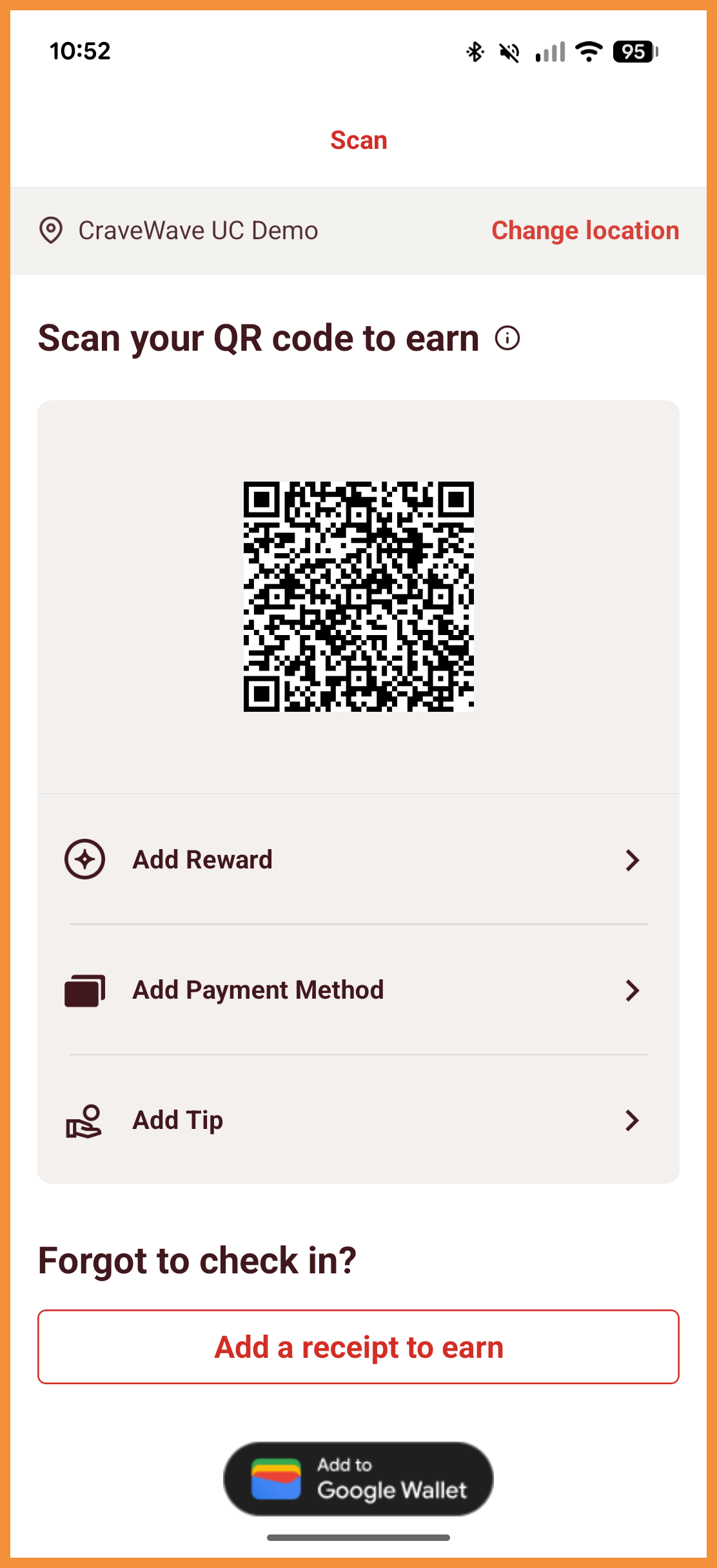
"Add to Wallet" Button for Loyalty Smart Passes
For businesses using Smart Passes, you will now be able to display an "Add to Wallet" button within the mobile app without an app update. This will allow users to add their Loyalty Smart Pass from within the app. (MF-3279)
See the following article(s) for more details:
- Smart Passes: Overview (Support Portal)
See what this looks like:
 |
 |
Loyalty Code for Identification and Earning
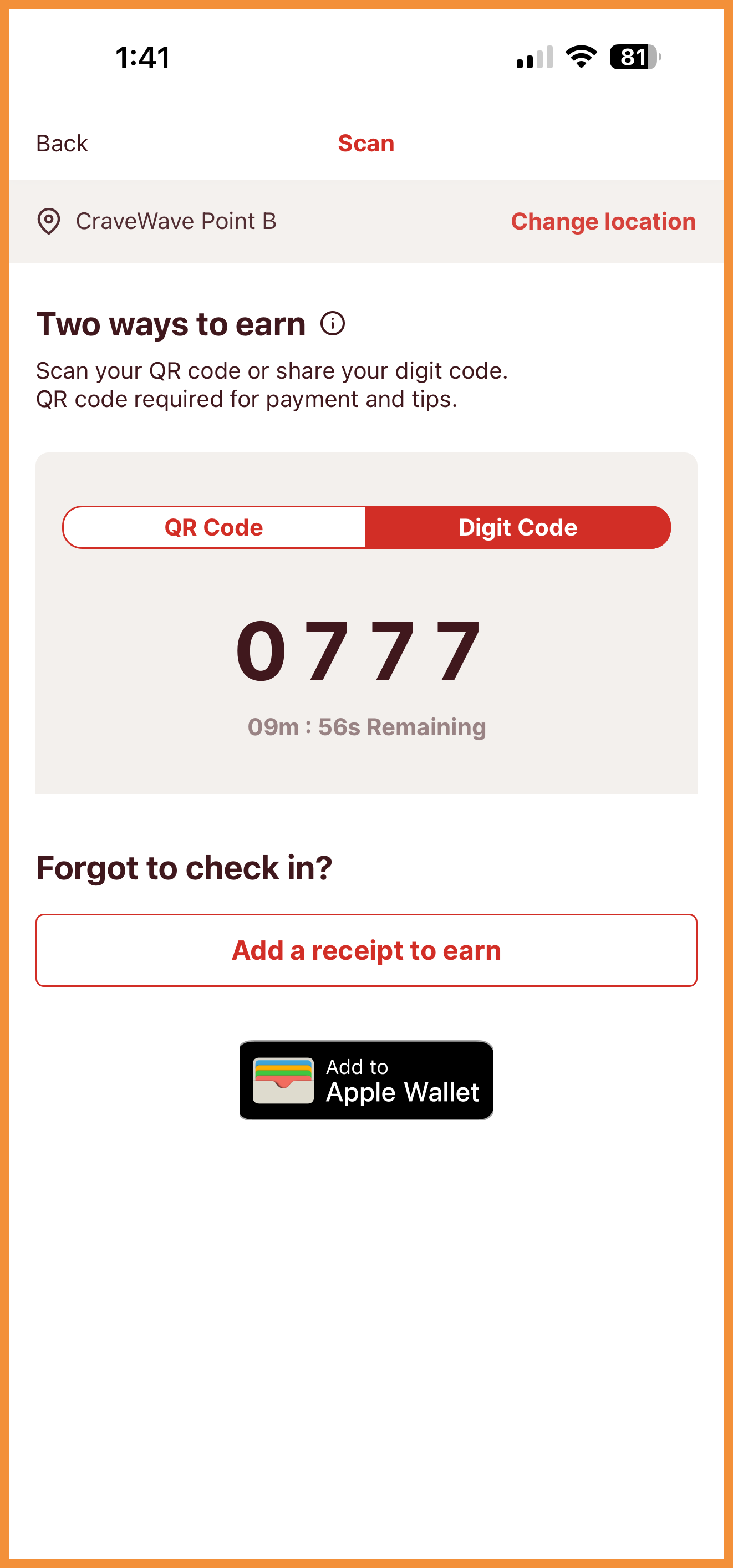
The Mobile Framework now supports a 4-digit code for loyalty user identification and earning. This allows for a more seamless and quicker loyalty experience in-store. Users can provide this code to identify themselves as a loyalty member instead of pulling up a QR code for scanning or reciting their email address or phone number at the POS terminal. Reach out to your Punchh representative to learn more. (MF-3316)
Reach out to your Punchh representative about whether your current POS provider supports loyalty codes.
See what this looks like:
Guest Identity Service Support
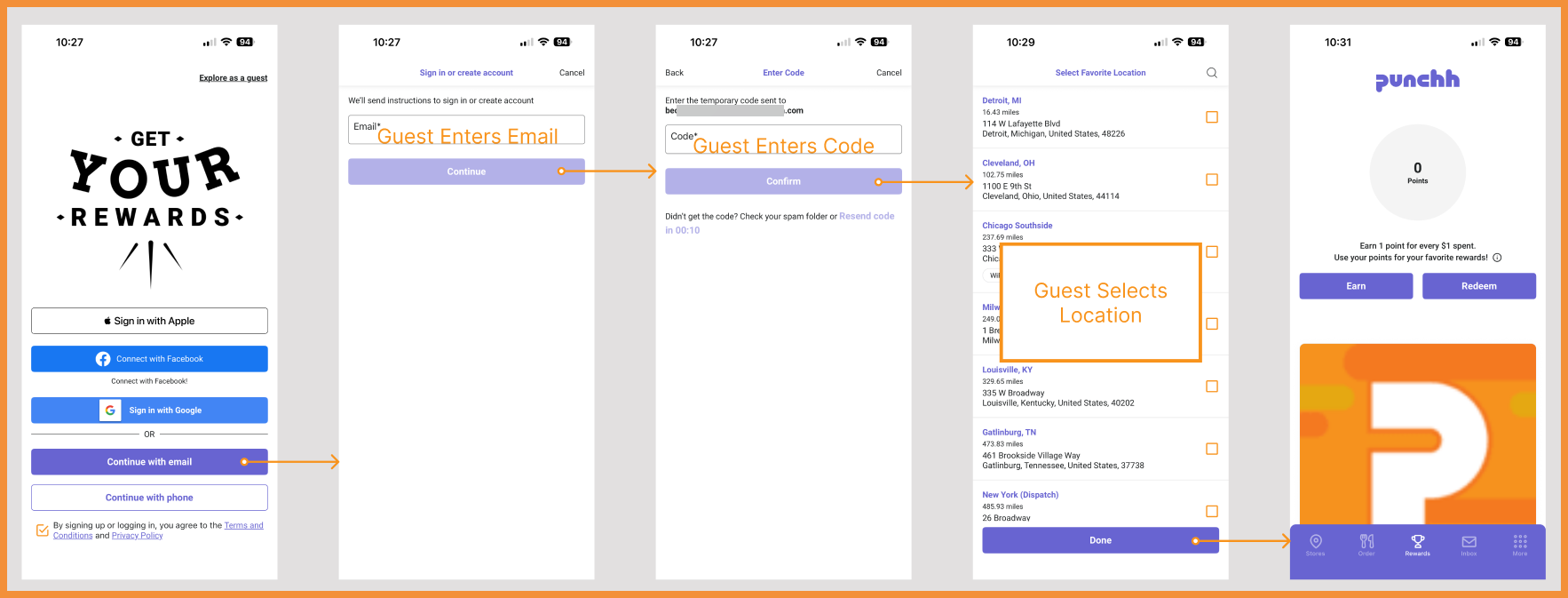
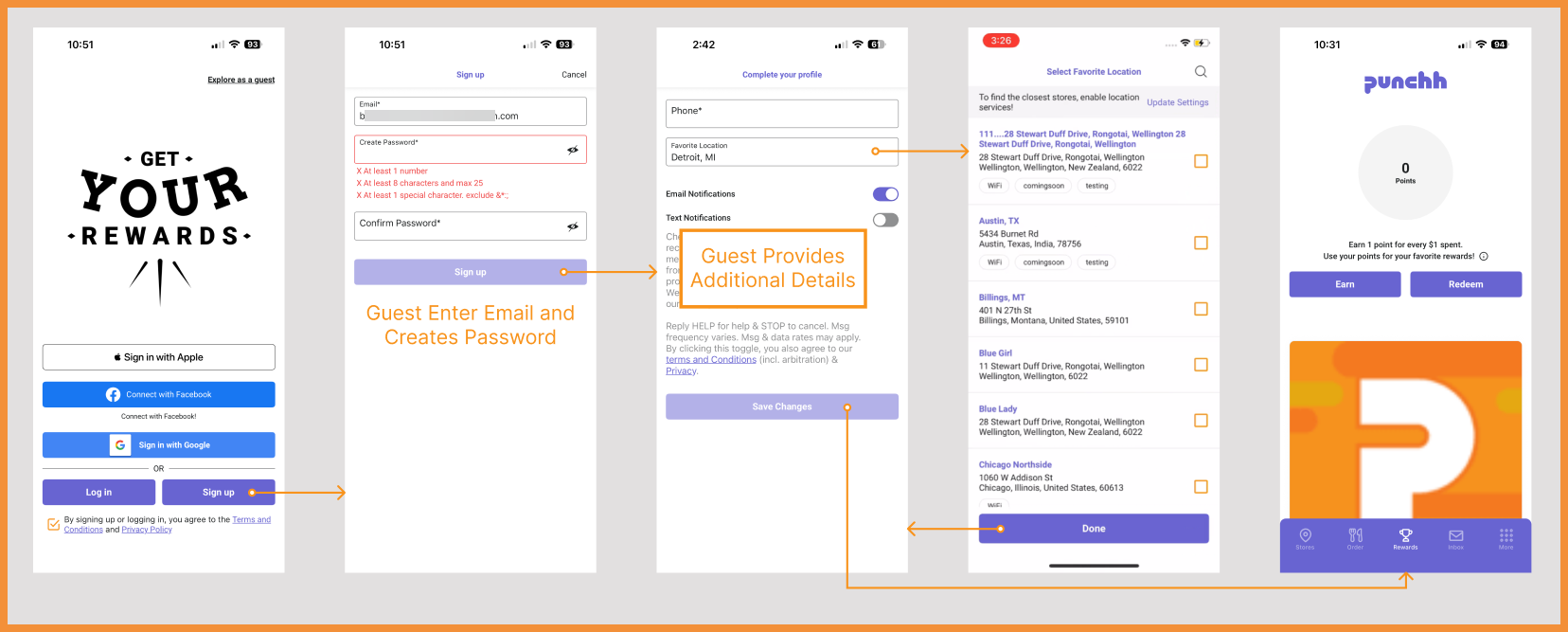
The Mobile Framework has added support for the Guest Identity Service (GIS), which allows for passwordless signup and login using email address or phone number within the mobile app. (MF-3304, MF-3303, MF-3424, MF-3354, MF-3353)
See the Punchh Platform Release Notes for more details:
See what this looks like:
 |
 |
Challenges: Opt-In/Opt-Out Support
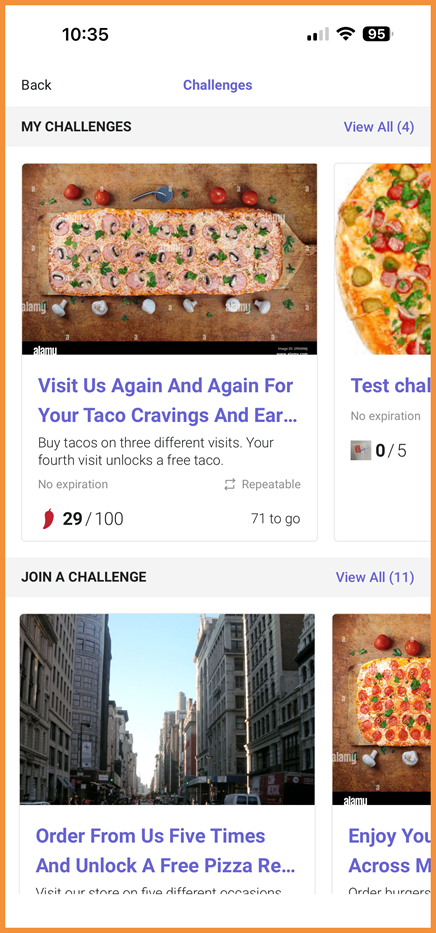
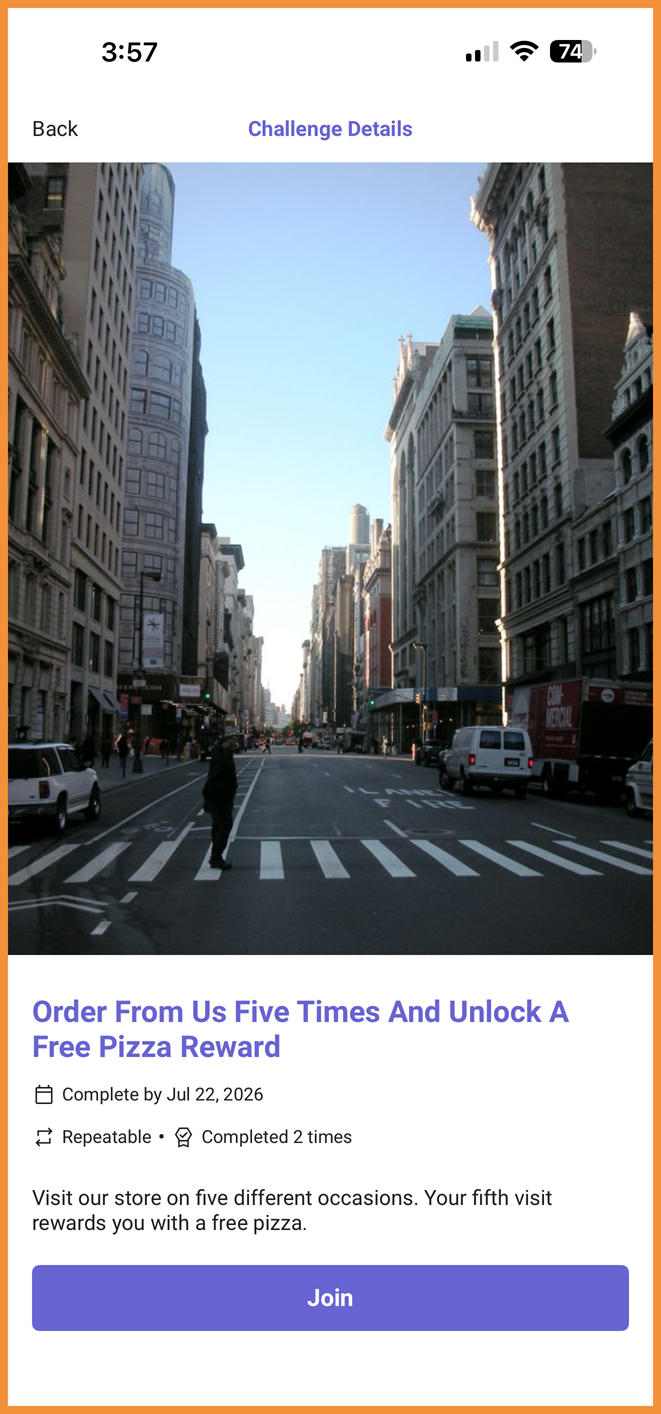
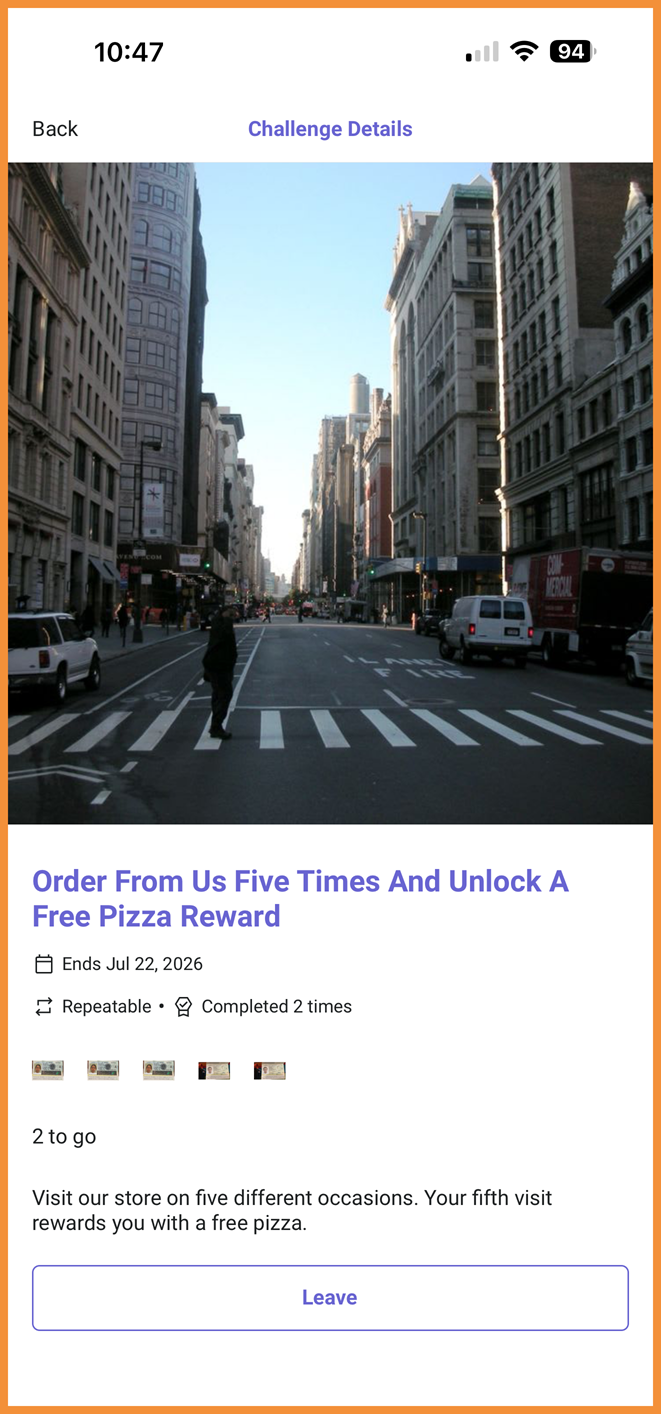
Businesses can now allow users to opt-in and opt-out of challenges in the mobile app. Challenge screens and flows have been updated to display active, available, and past challenges separately for a better user experience. (MF-3263)
See what this looks like:
 |
 |
 |
Loyalty
Verify Details: Favorite Location Field
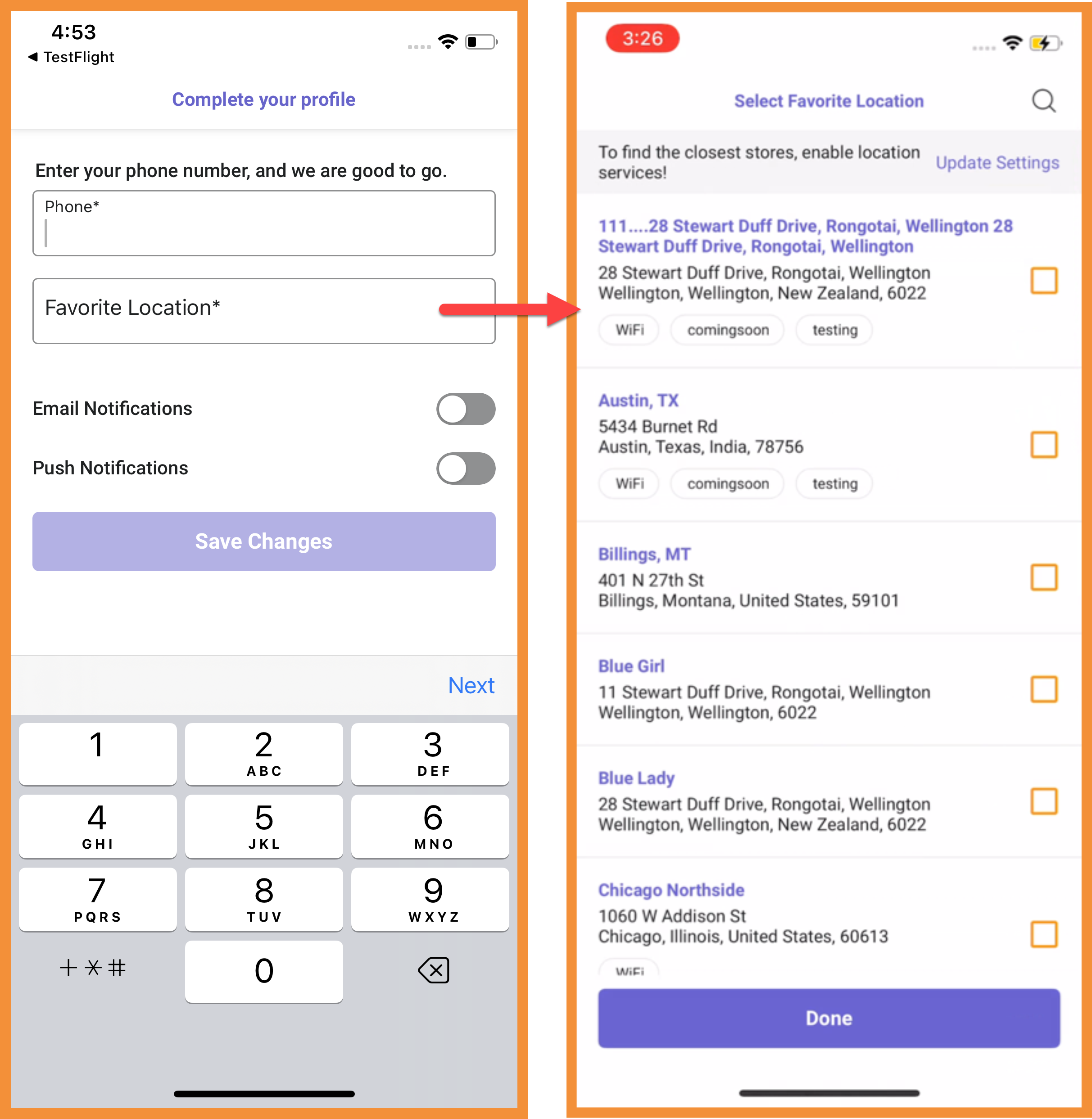
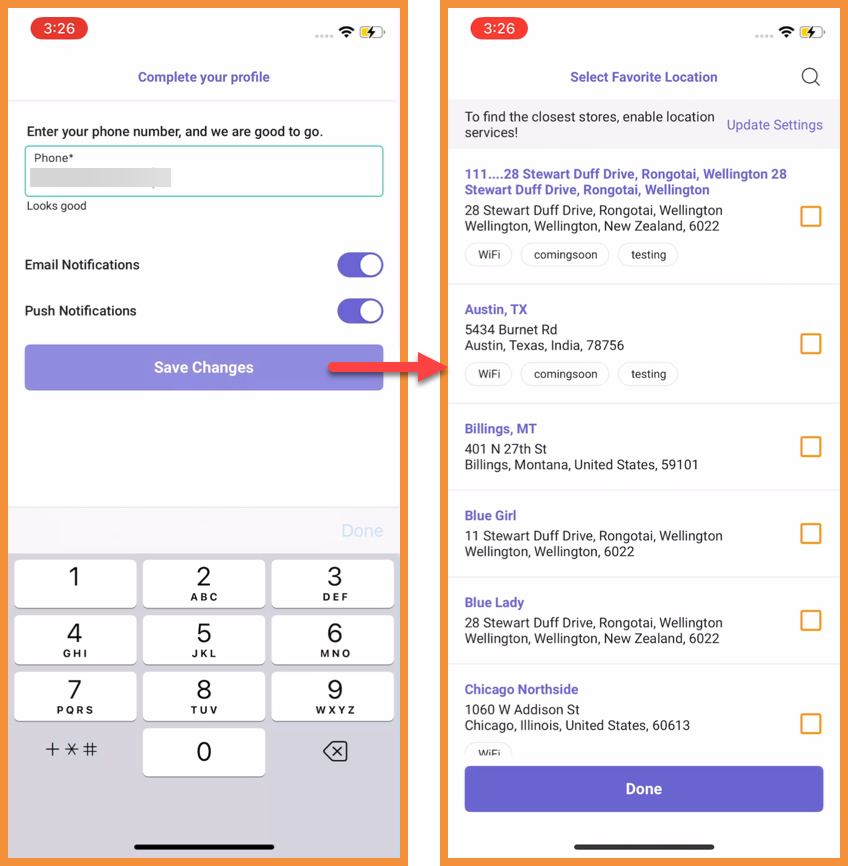
When a Favorite Location is mandatory, the field can appear directly on the Verify Details screen (along with the Signup screen) for a more streamlined onboarding experience. Previously, users would only be able to select their favorite location when presented with the list of locations in a separate step/screen. (MF-3404)
See what this looks like:
 |
 |
Ordering With PAR Ordering
Customizable Order Type Names
PAR Ordering order type names in the app can now be updated from the Punchh platform without requiring an app update. Reach out to your Punchh representative to get assistance with making updates. (MF-3387)
Order Progress Bar
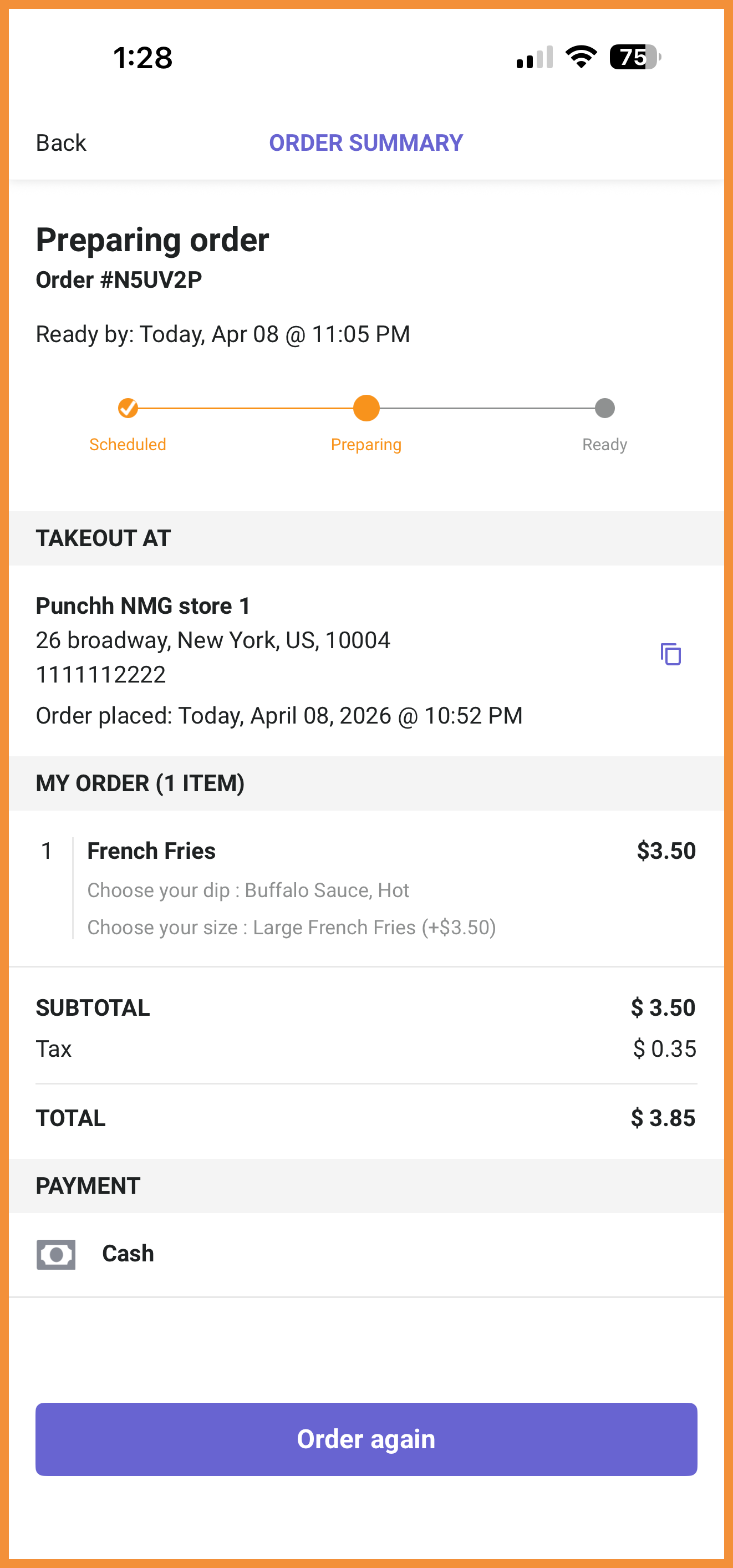
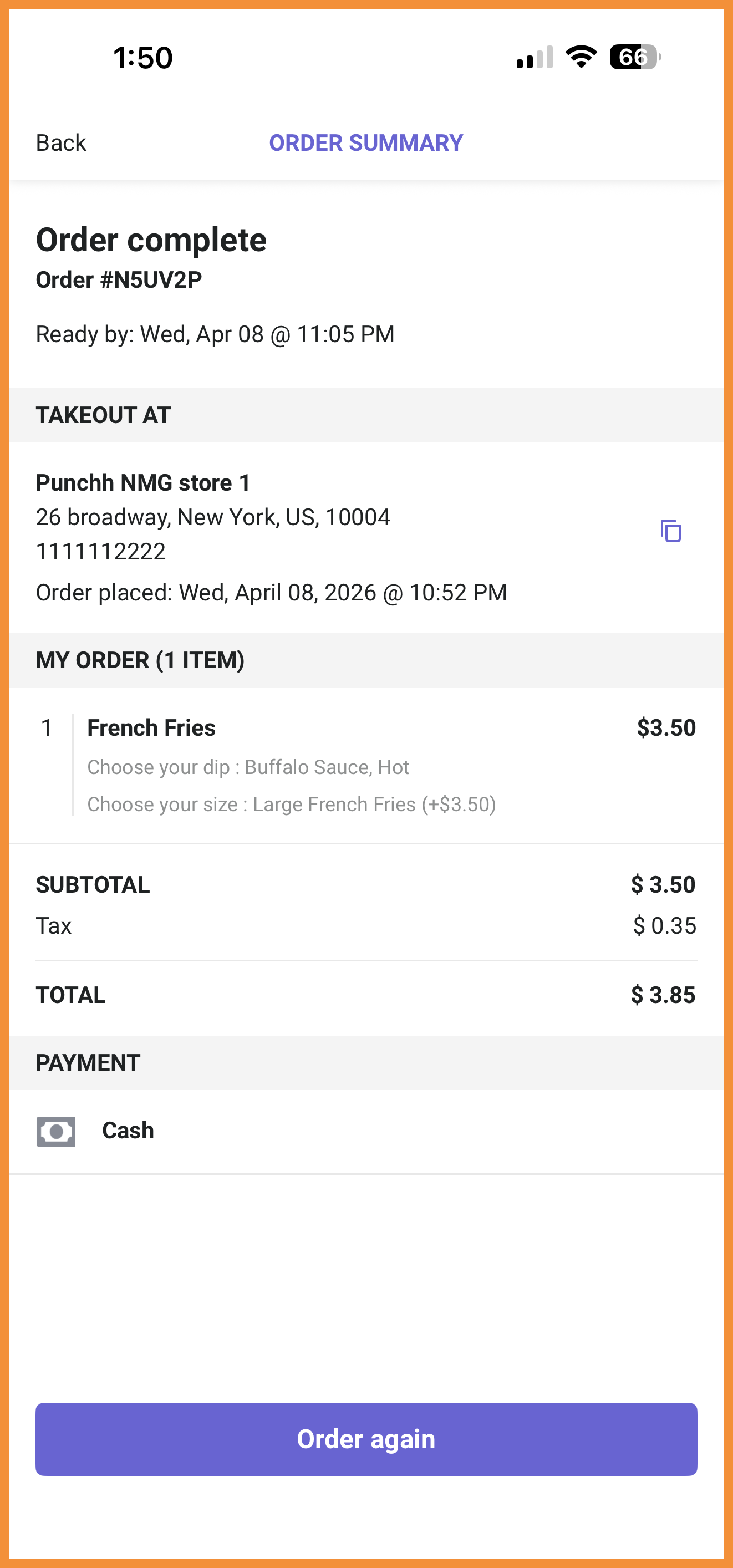
A progress bar has been added to the Order Summary screen so users can visually see how far along their order is. (MF-3364)
See what this looks like:
 |
 |
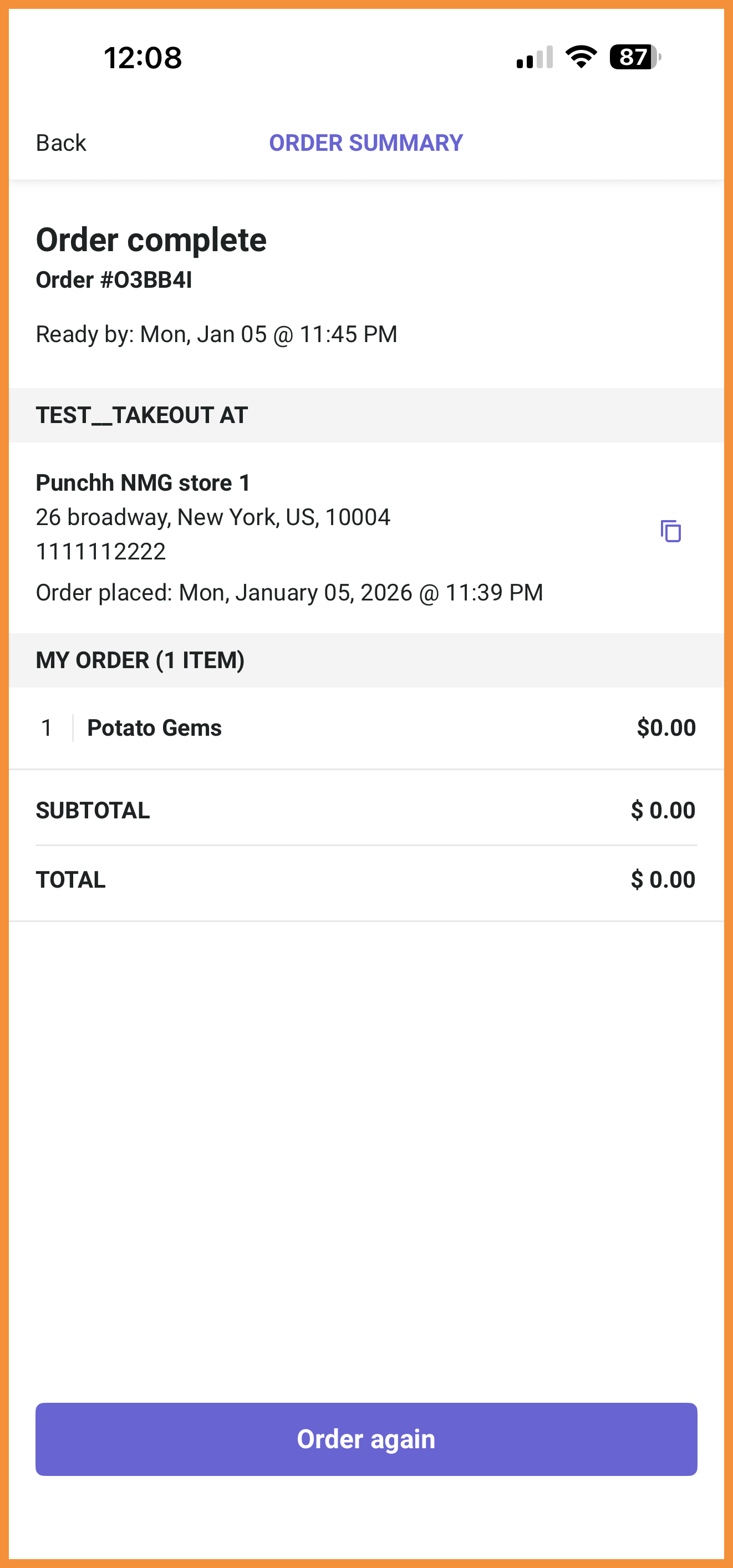
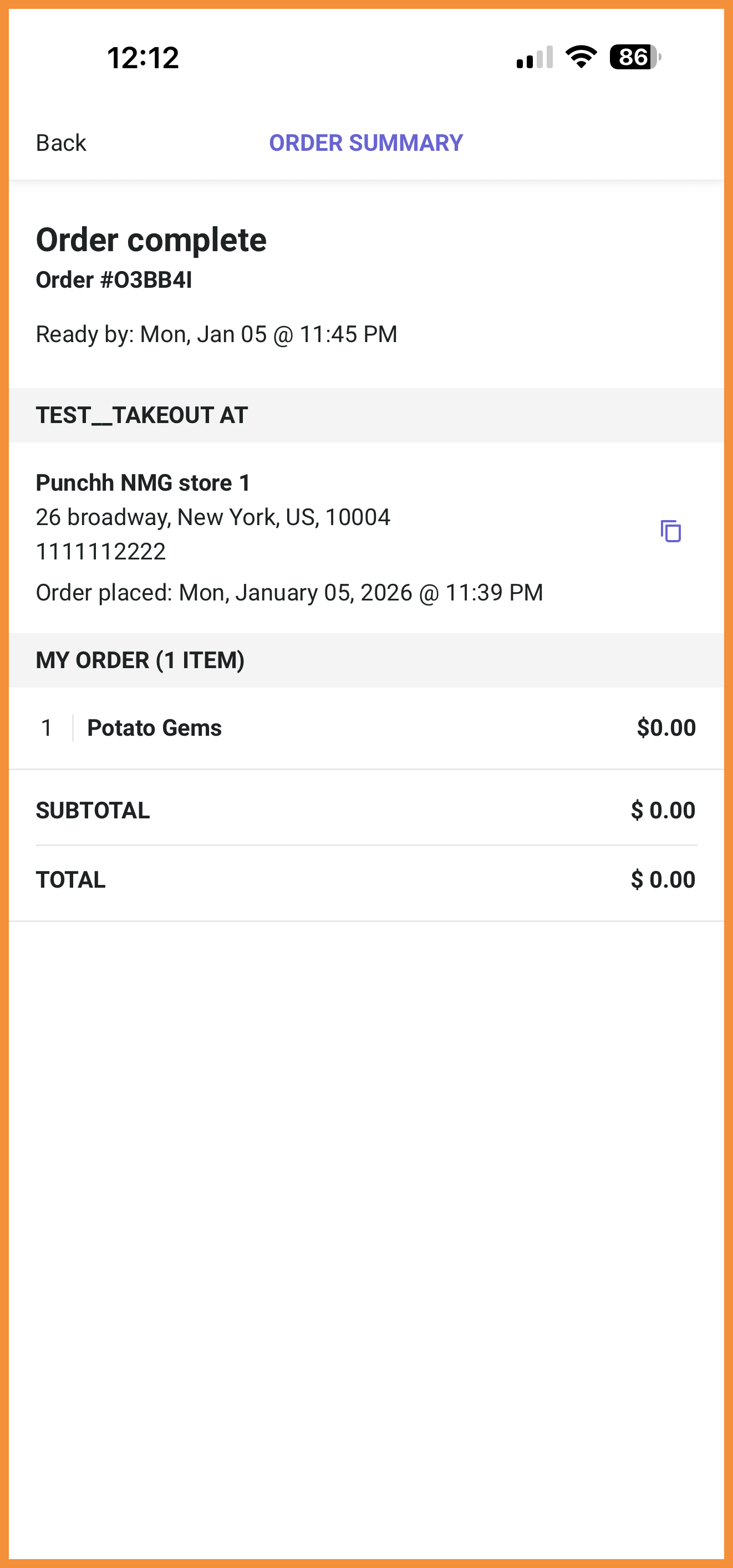
Disable Reordering
Reordering from the app can now be disabled using PAR Ordering configurations for brands that are not interested in allowing guests to reorder past orders. (MF-3305)
See what this looks like:
 |
 |
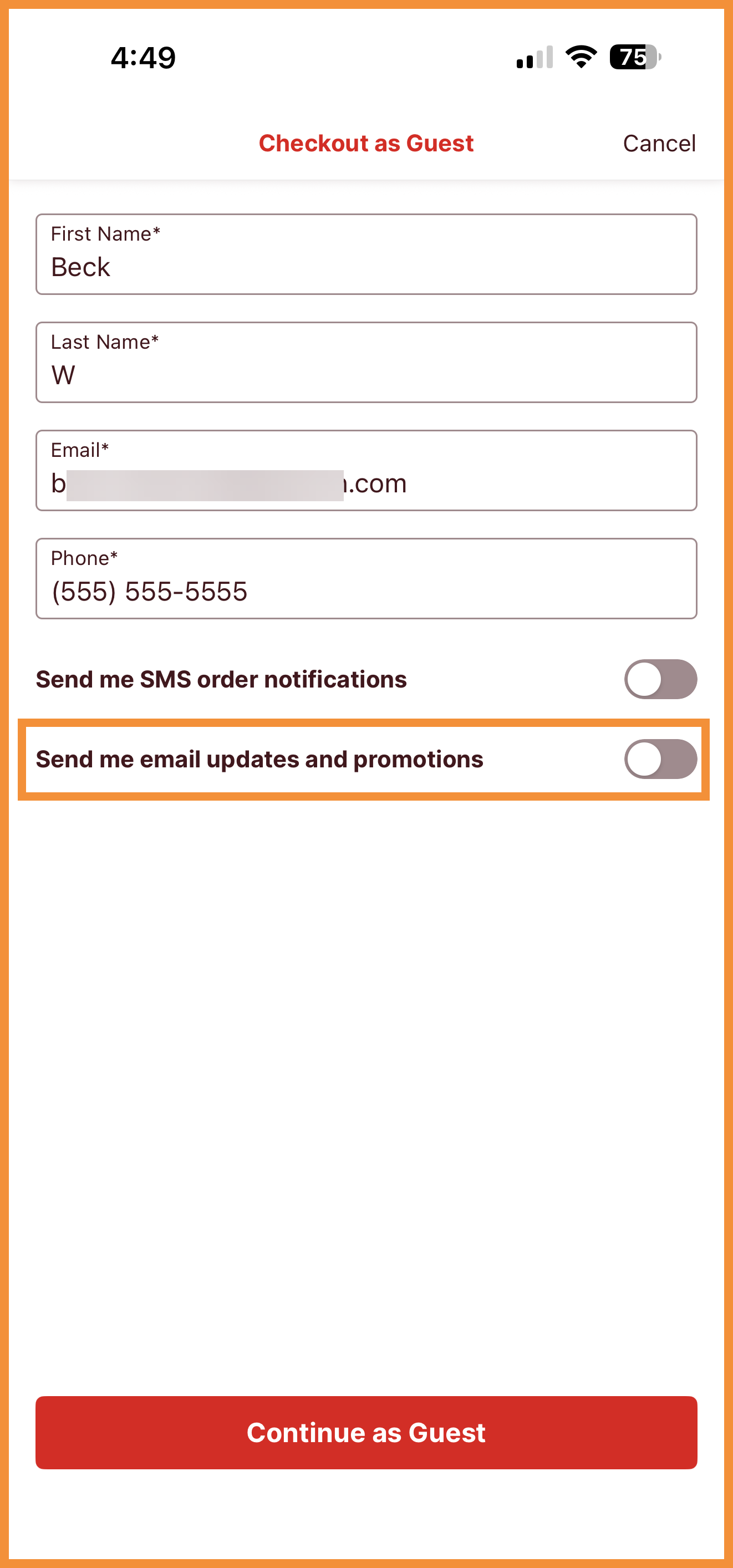
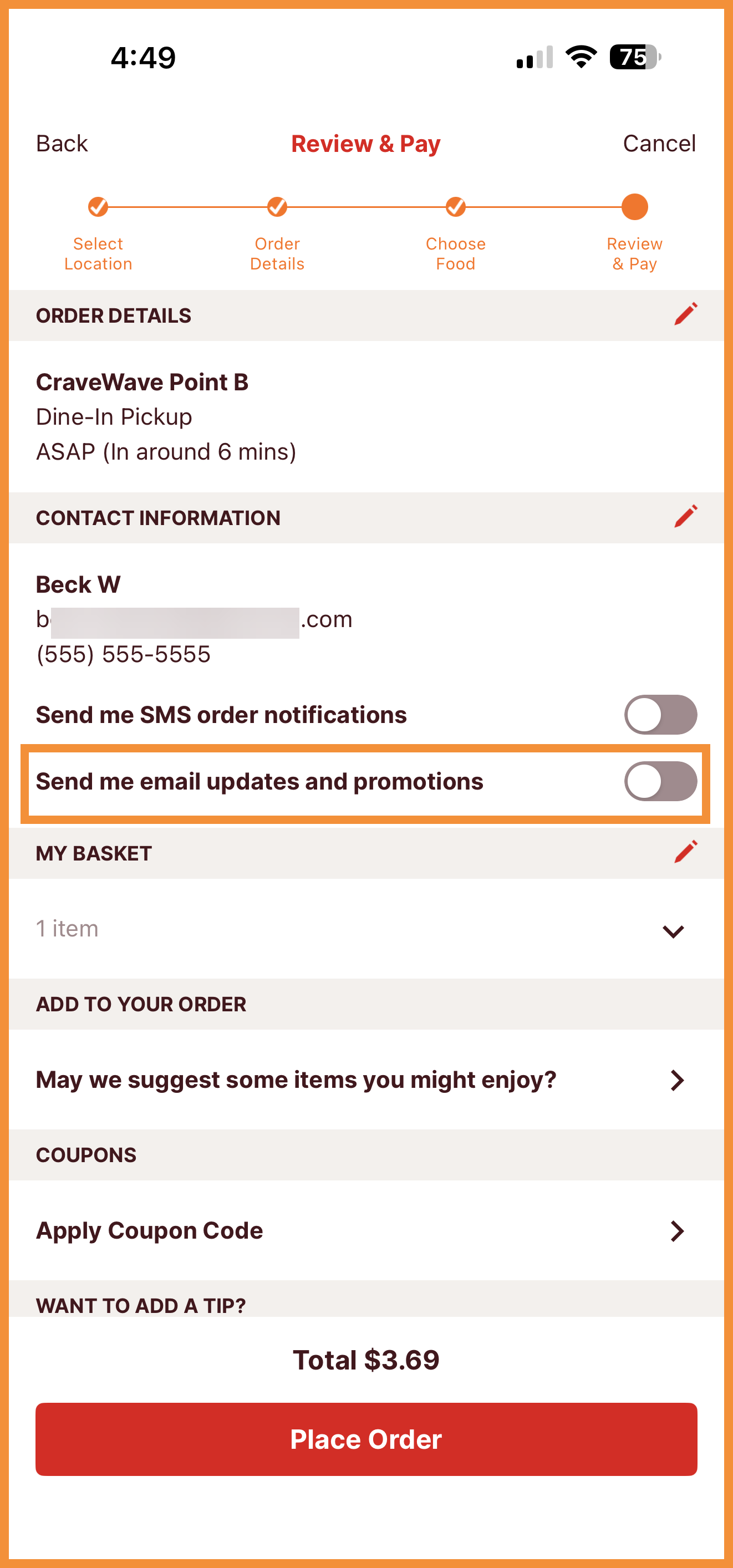
Marketing Opt-In for Guest Orders
A new checkbox can be enabled to appear on the Review and Pay screen to allow guest users to opt-in to marketing emails. Users who opt-in will be available for segmentation in the Punchh platform. (MF-3272)
See what this looks like:
 |
 |
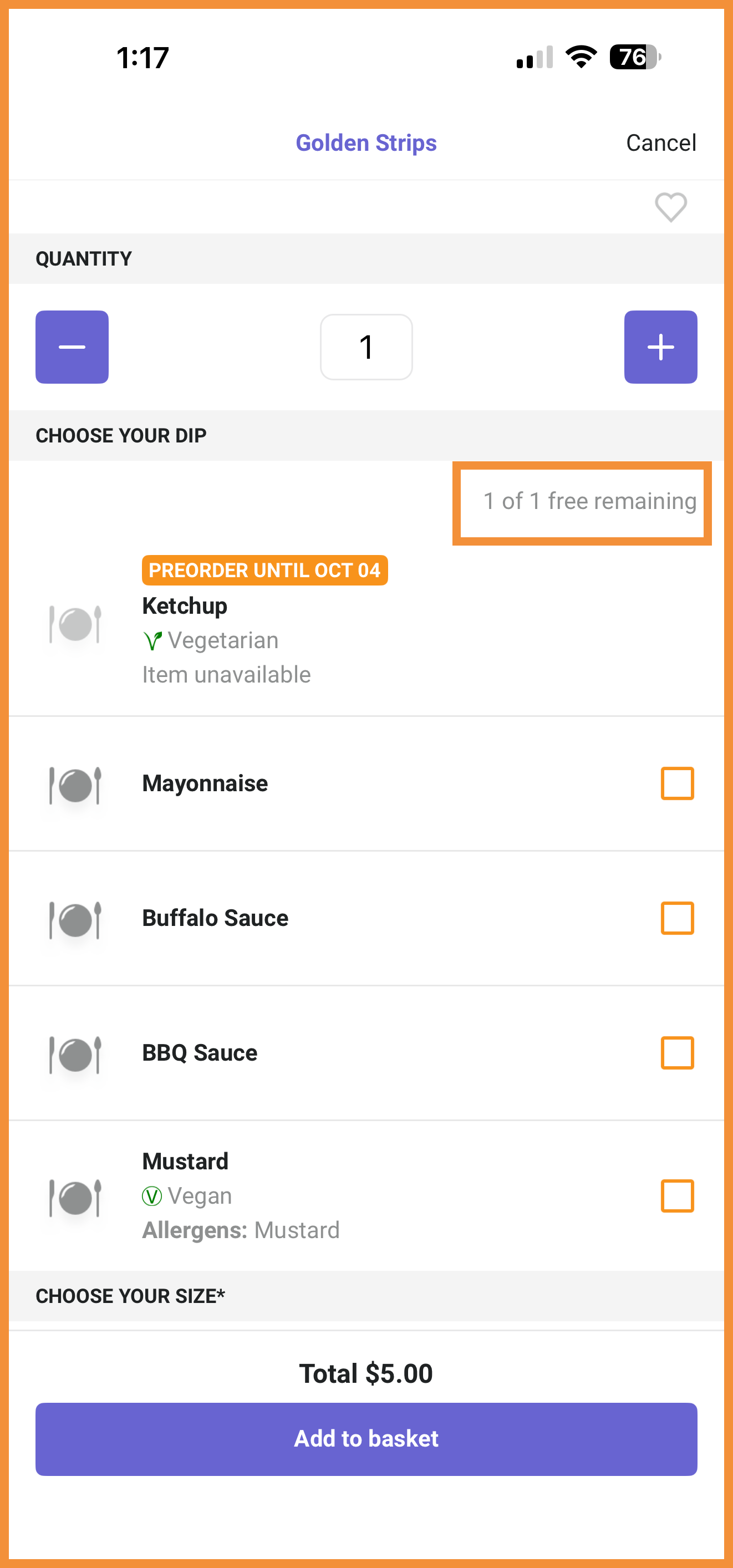
"Up to X" Free Modifiers
Additional support has been added for free modifiers. Now, users will be able to select up to X free nested products (modifiers) based on configurations in PAR Ordering. (MF-3329)
See what this looks like:
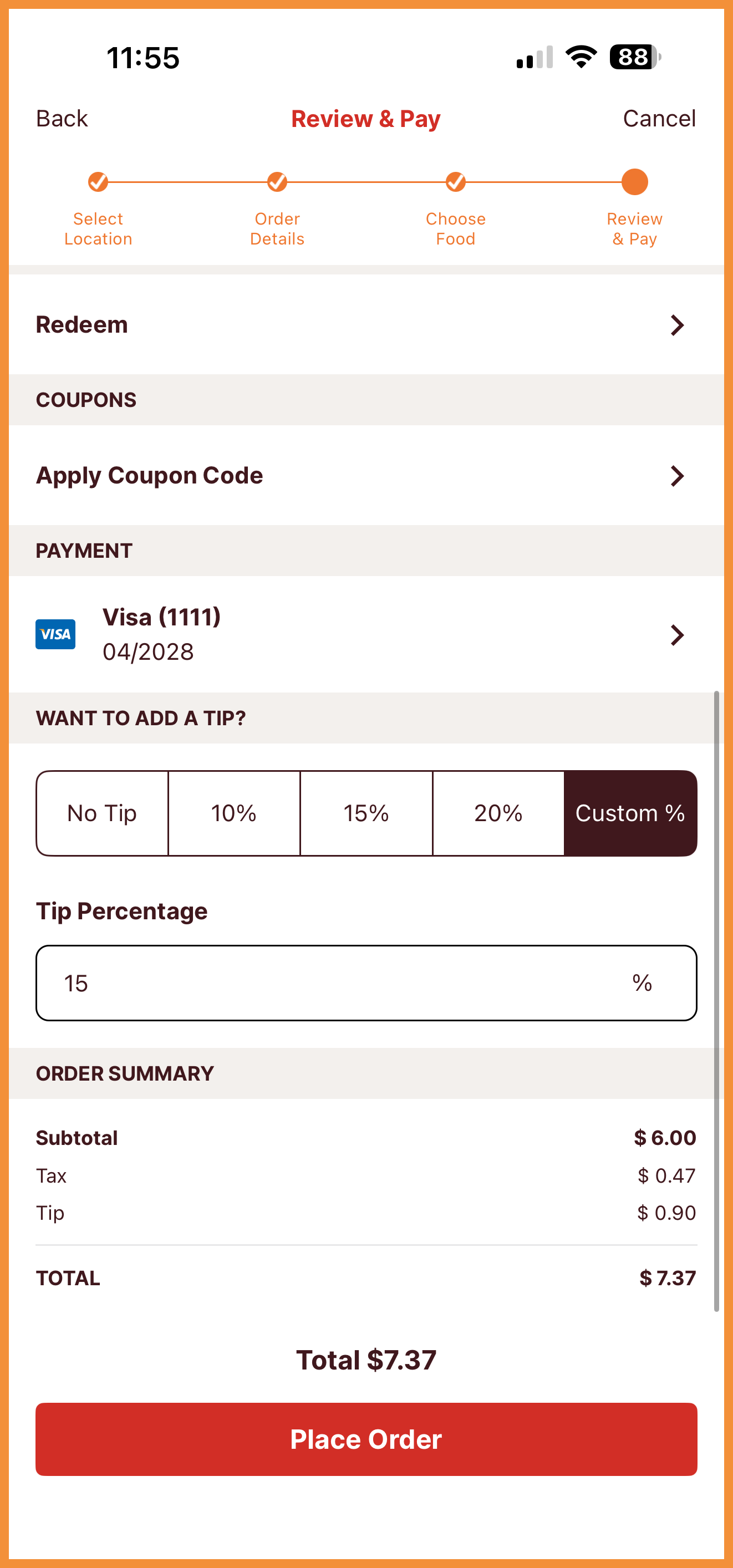
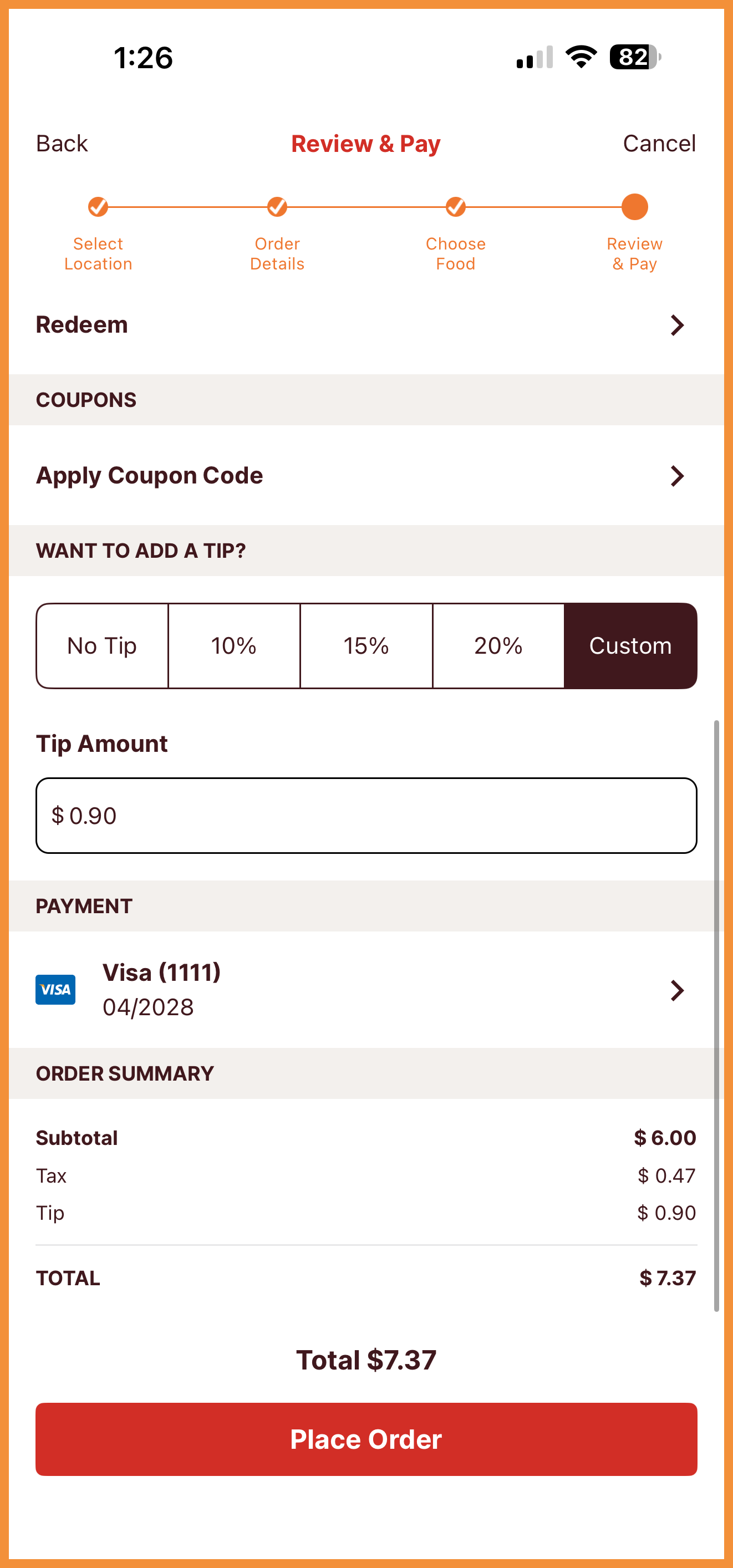
Custom Dollar Amount for Tipping
The custom tipping field now supports dollar amounts instead of percentages. In addition, we have moved the tipping field above the payment field on the Review and Pay screen to provide a more seamless checkout experience. (MF-3325)
See what this looks like:
 |
 |
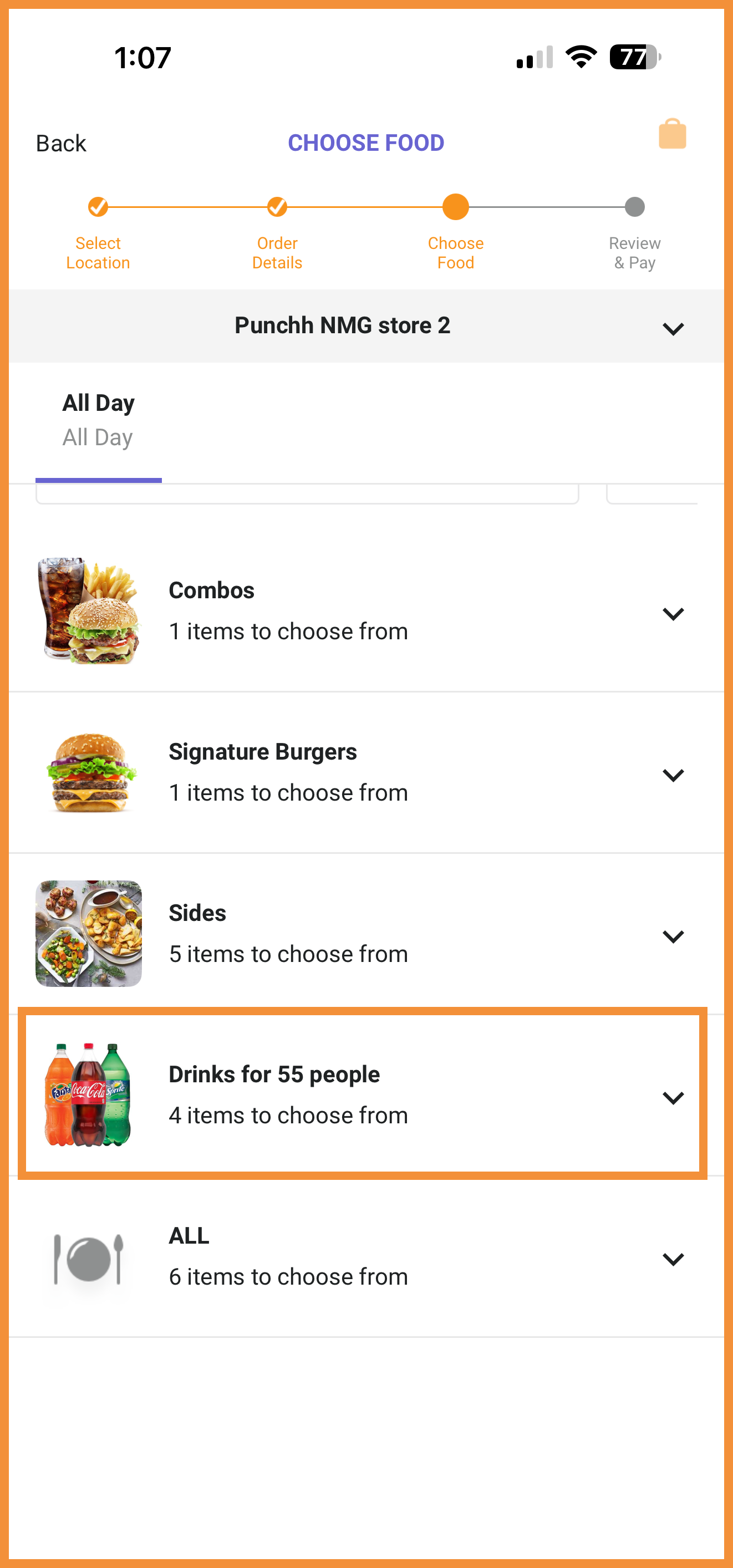
PAR Catering: Smart Bundles
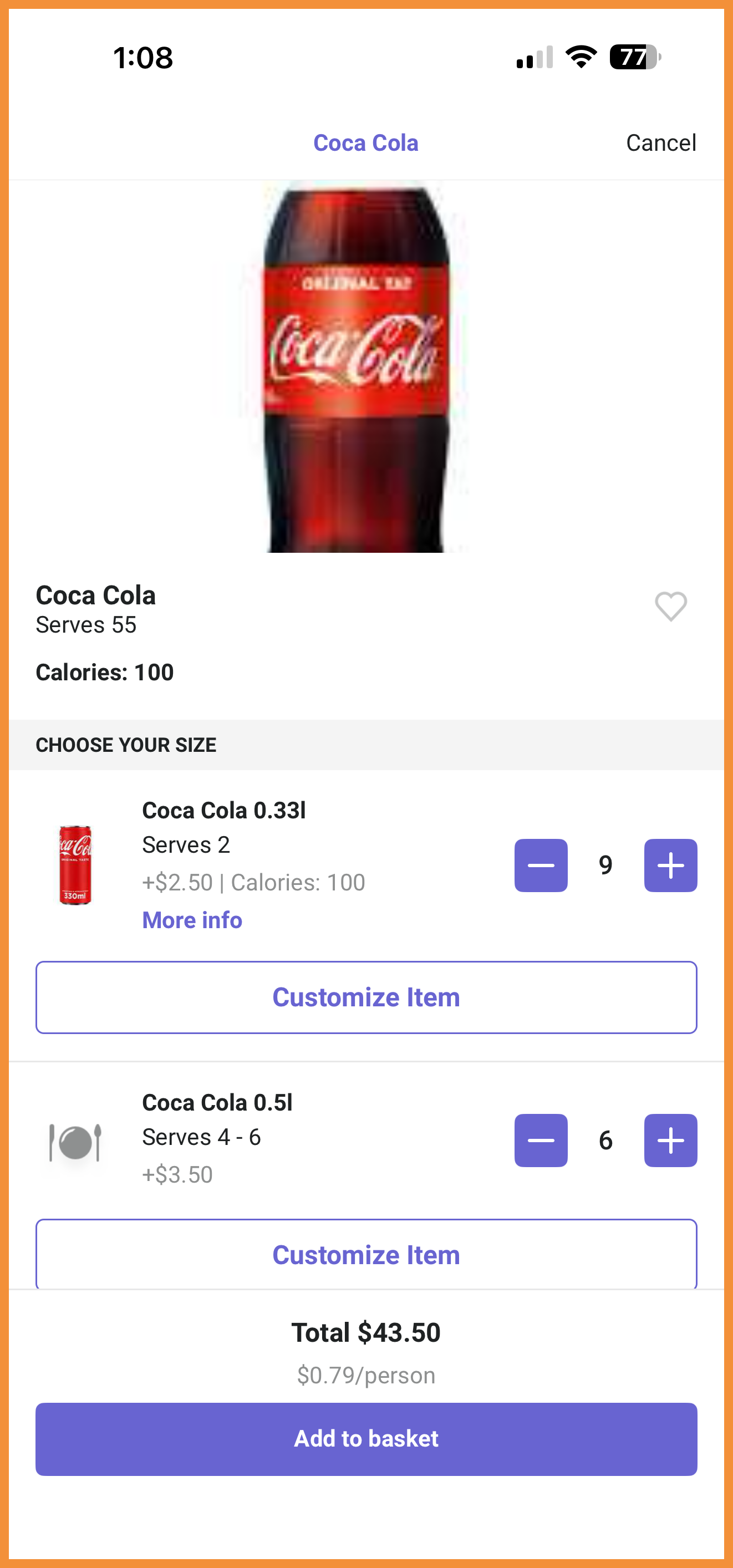
Smart bundles, which provide ready-to-add items for the user's specific party size, will now display in the app similar to the PAR Ordering web experience when enabled at the category level. (MF-3317)
See what this looks like:
 |
 |
PAR Catering: Validation Modal
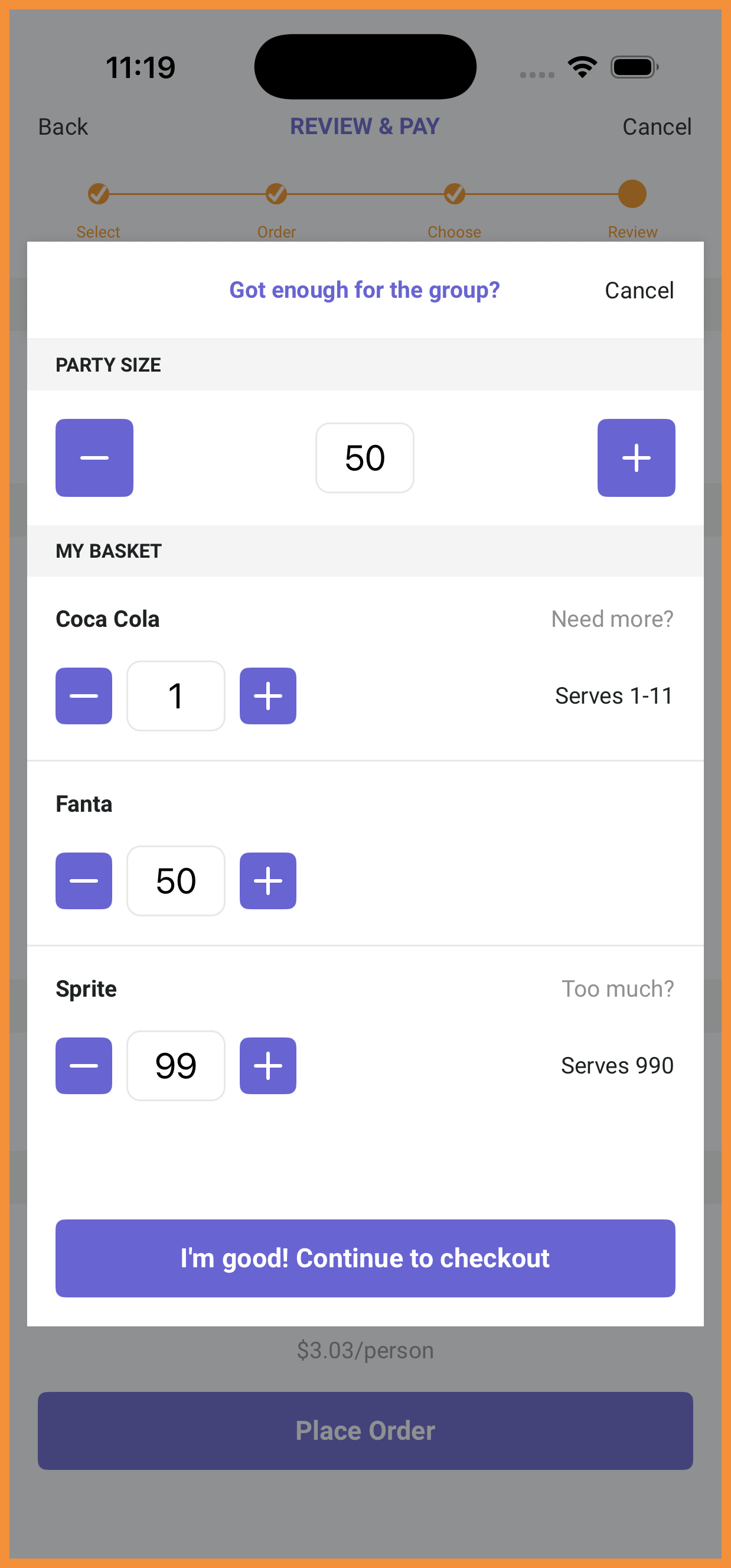
For catering orders, a validation modal will appear before checkout to nudge users to adjust quantities based on their party size to ensure the optimum amount of food for their group. (MF-3282)
See what this looks like:
PAR Catering: Order Deposits
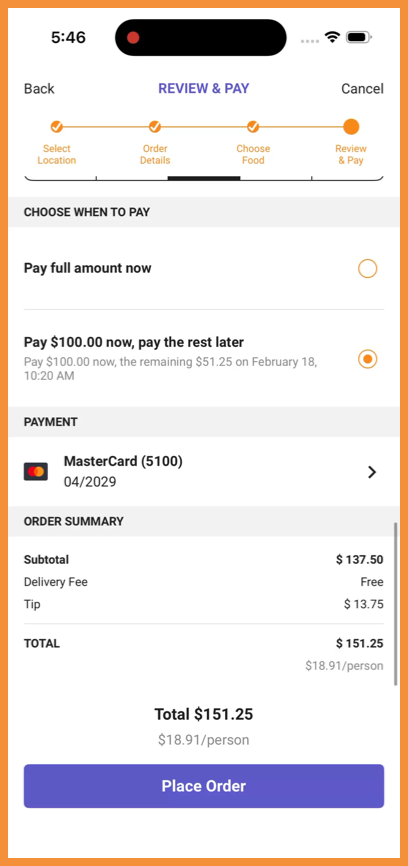
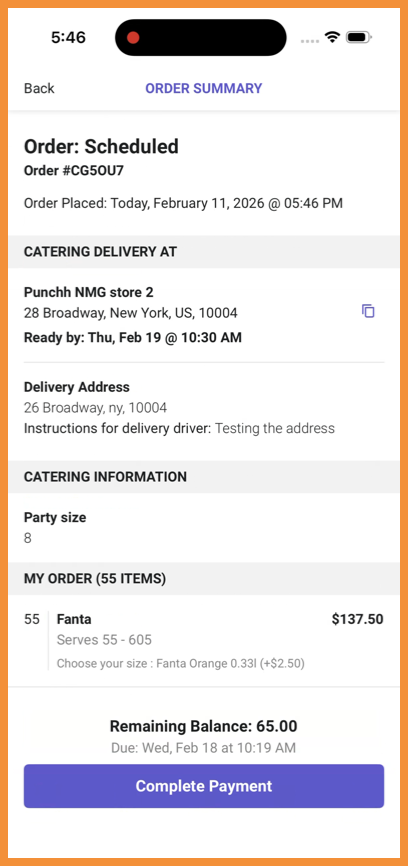
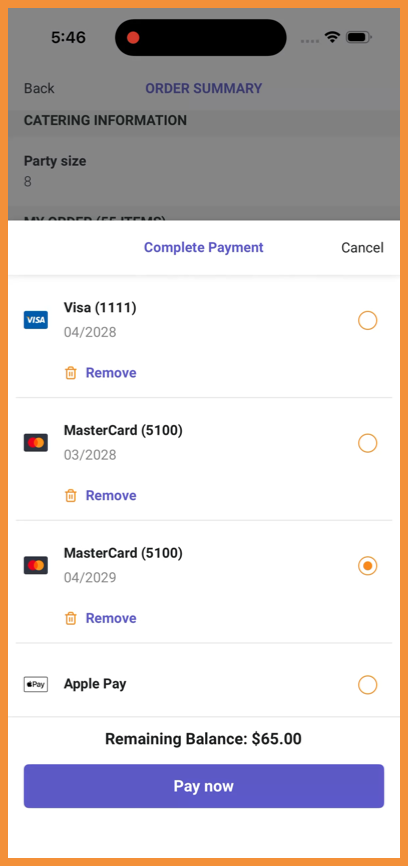
Catering Order Deposits are now supported in the native ordering flows, allowing users to place partial payments at the time their order is placed and pay the remainder of their balance at a later date. (MF-3281)
See what this looks like:
 |
 |
 |
Ordering with Olo
Review and Pay: Reordered Fields
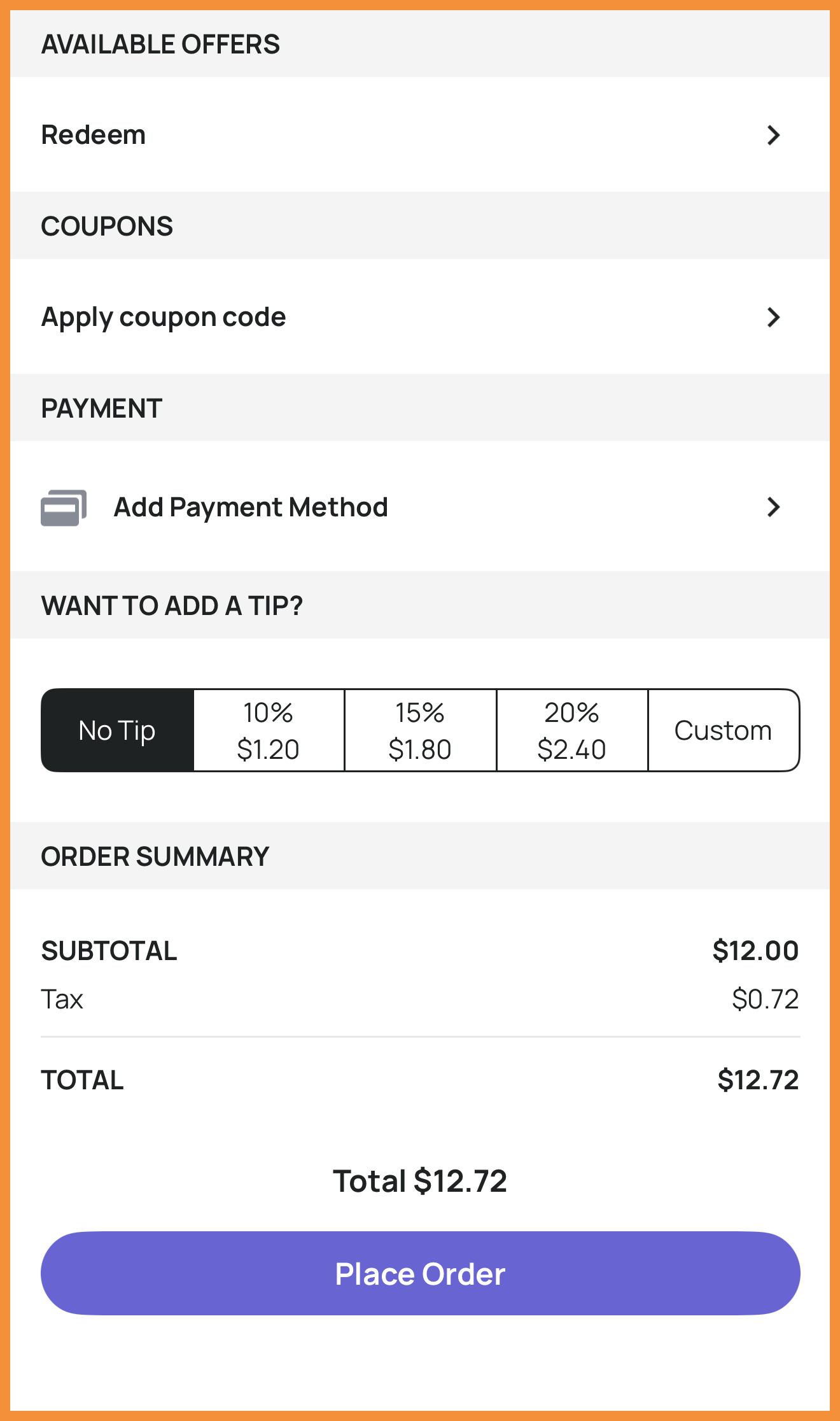
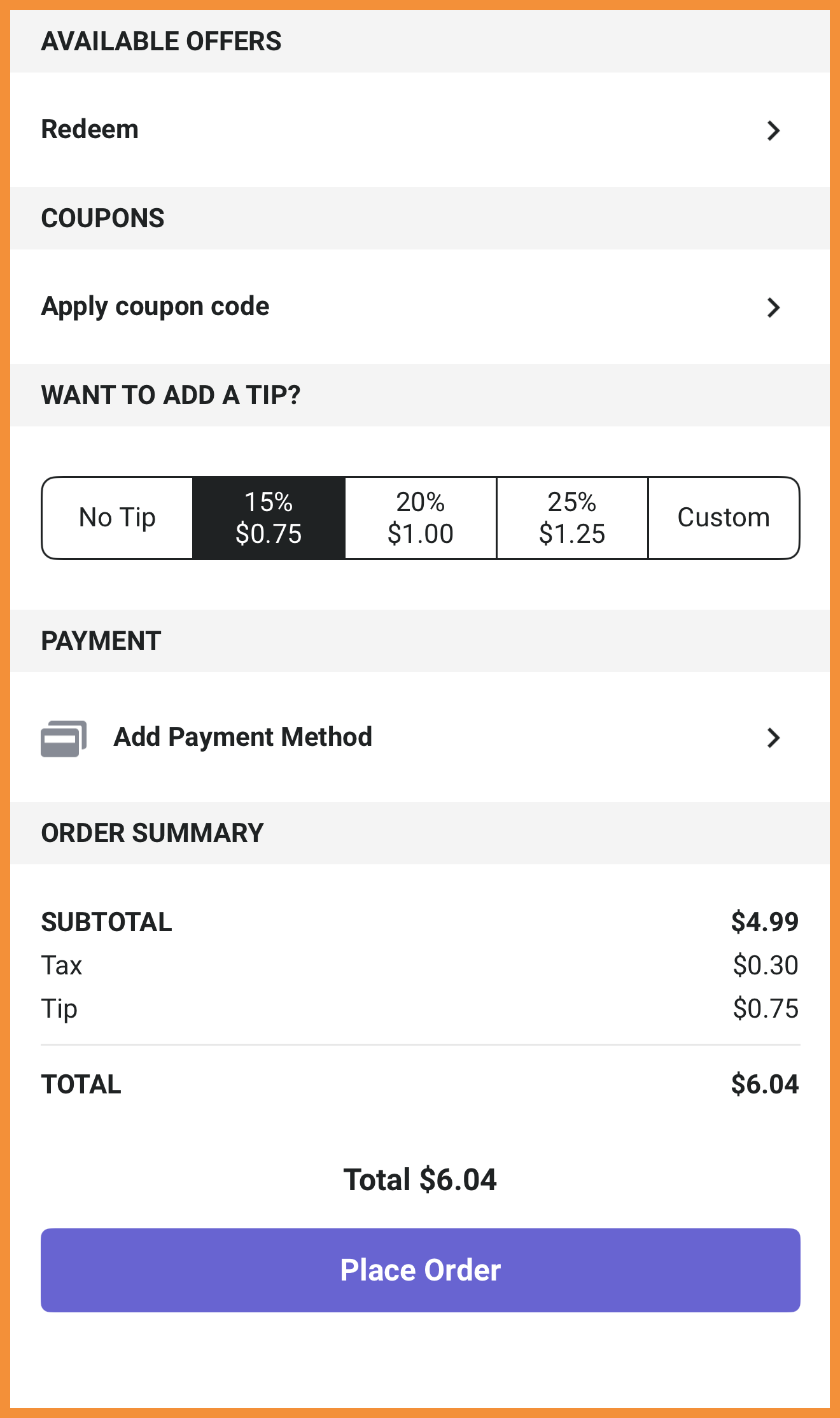
We have moved the tipping field above the payment field on the Review and Pay screen to provide a more seamless checkout experience. (MF-3306)
See what this looks like:
 |
 |
Marketing Opt-In for Guest Orders
A new checkbox can be enabled to appear on the Review and Pay screen to allow guest users to opt-in to marketing emails. If enabled with Olo webhooks, these users can also be used in Punchh segments. (MF-3225)
See what this looks like:
Guest Marketing Opt-In
Technical Enhancements
Decoupled User Notification Data From User Balance API
We have improved how in-app notifications are loaded so they are fetched separately from account balance data. No changes were made to the appearance of notifications. (MF-3376)
Improved Credit Card Scanning
We improved support for the current app architecture so card capture remains reliable on supported devices. Now, if a card cannot be detected, the user will receive an alert explaining that the scan did not work and card details need to be typed in. (MF-3314)
iOS Security
The iOS app now uses Apple's built-in app and device integrity checks (with Firebase App Check), similar in intent to the protections already used in Android apps. This helps ensure requests come from the real, unmodified app on genuine devices and reduces abuse, such as scripted or cloned app activity affecting loyalty and offers. (MF-3258)
