Punchh Mobile Framework v5.0 and Punchh Native PAR Ordering v2.5 Release Notes
Check out the new features added to the Mobile Framework and the native PAR Ordering flow, including support for Digital Collectibles, PAR Games, payment via Loyalty Code, and more! Reach out to your Punchh representative to upgrade to the latest version of the Mobile Framework or if you have questions about adding or switching to PAR Ordering for your online ordering needs.
New Features
Digital Collectibles
The app now supports experiential loyalty opportunities via Punchh Digital Collectibles. These collectibles can be distributed via Signup, Post Checkin, Post Redemption, and Challenge Campaigns. Users will be able to view earned collectibles on their Rewards Screen, as well as all available collectibles on the new Collectibles Screen, which can be accessed via the Bottom Navigation or More Menu. Once collected, users can share their collectible or use it as their loyalty profile picture in the app. (MF-3495)
See what this looks like...
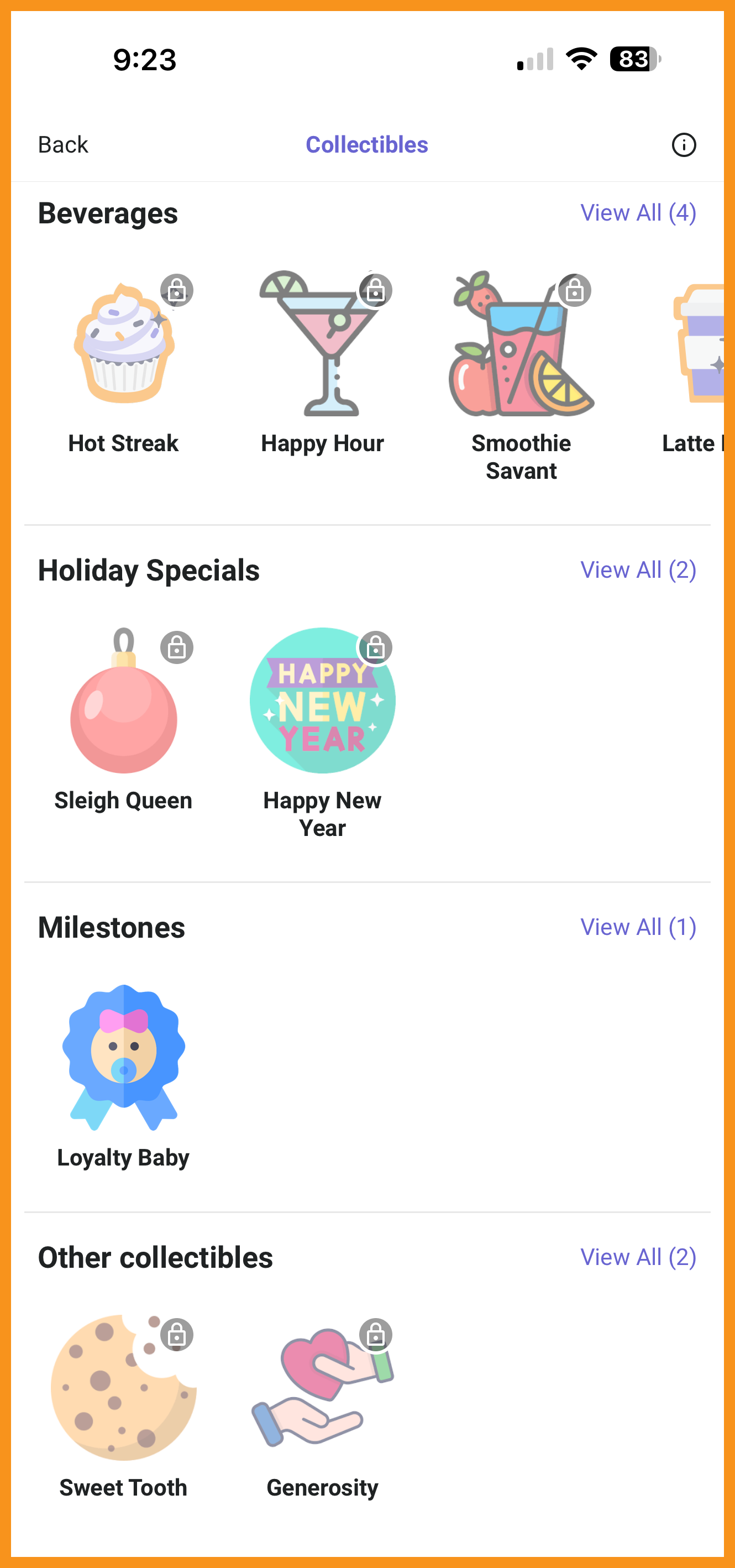 Collectibles Screen |
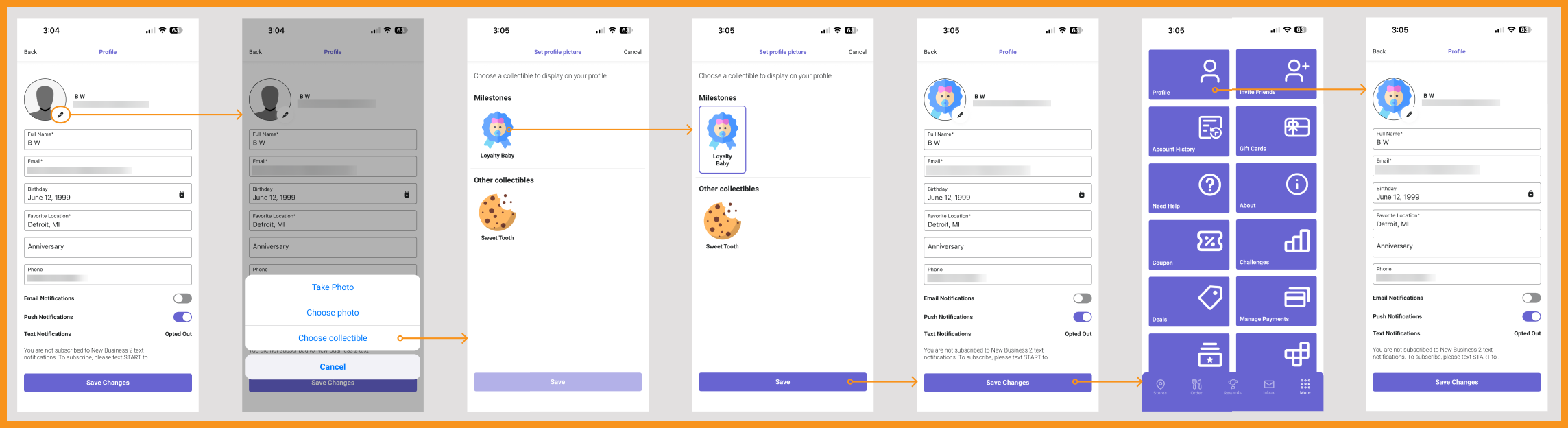 Set Profile Picture Flow |
PAR Games: Play & Win
Games created using PAR Games can now be displayed in the mobile app. Active games will be available for all loyalty users. Contact your Punchh representative to learn more. (MF-3381)
See what this looks like...
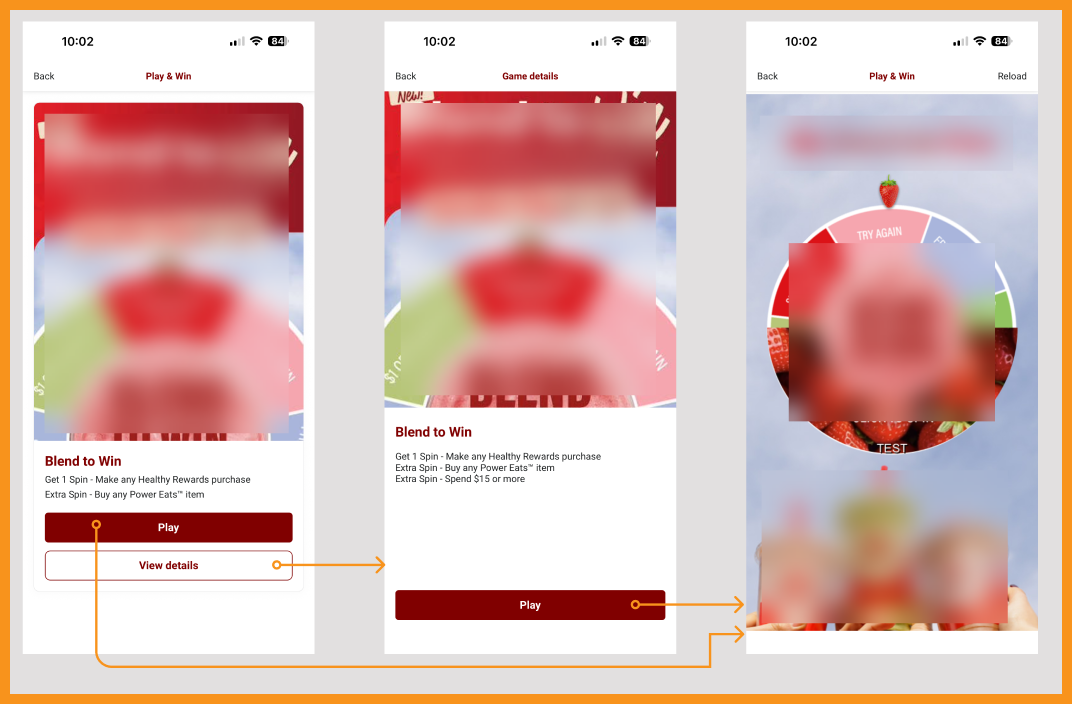
Game Play Flow
Loyalty Code for Payment and Redemption
The Mobile Framework now supports Loyalty Pay with Short Code. This allows users to provide a 4-digit code for loyalty payments and redemptions on top of earning. This allows for a quick and seamless loyalty experience in-store. This code allows users to identify themselves, redeem an offer, and pay for their order simultaneously. POS support is required. Contact your Punchh representative to learn more. (MF-3368)
See what this looks like...
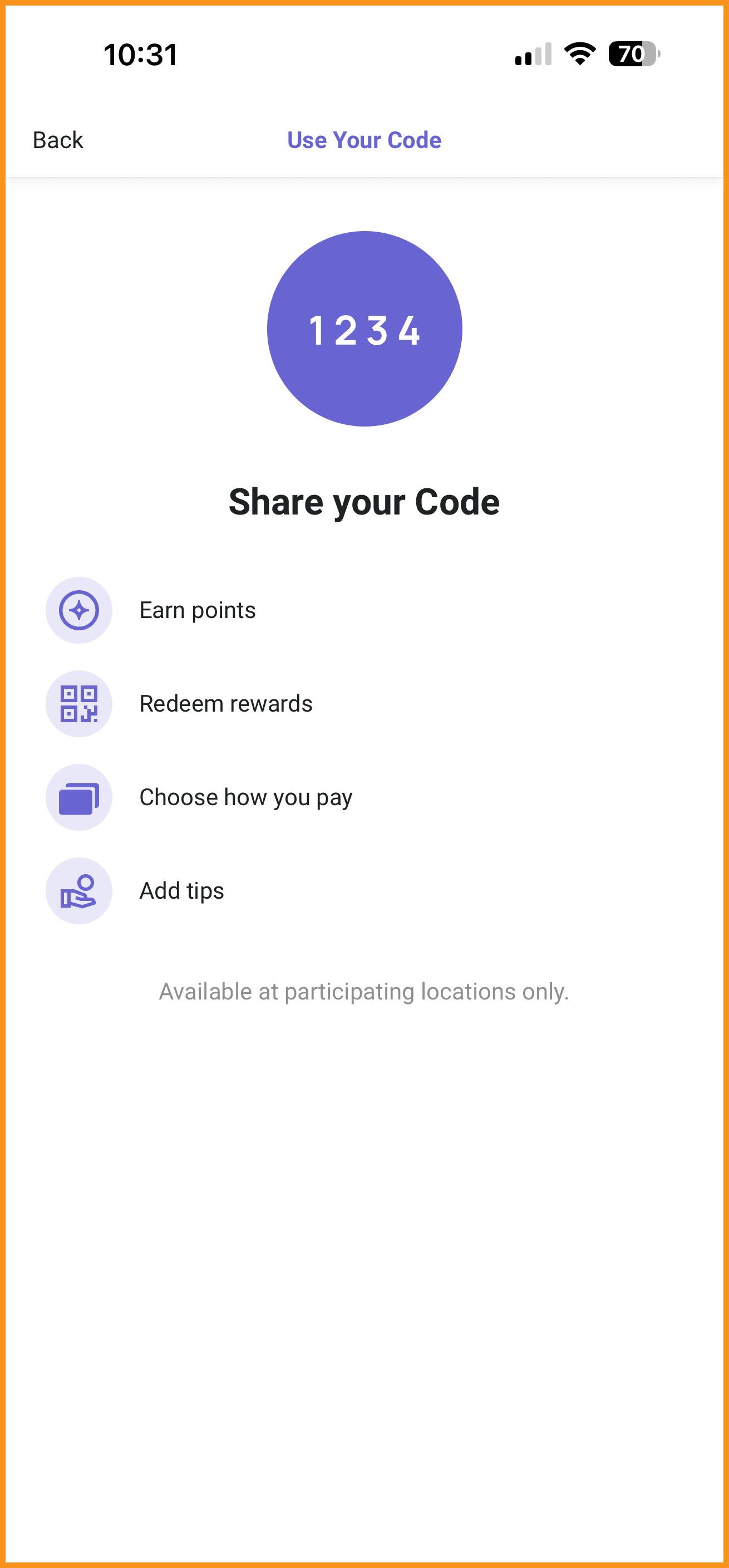 Short Code Tutorial |
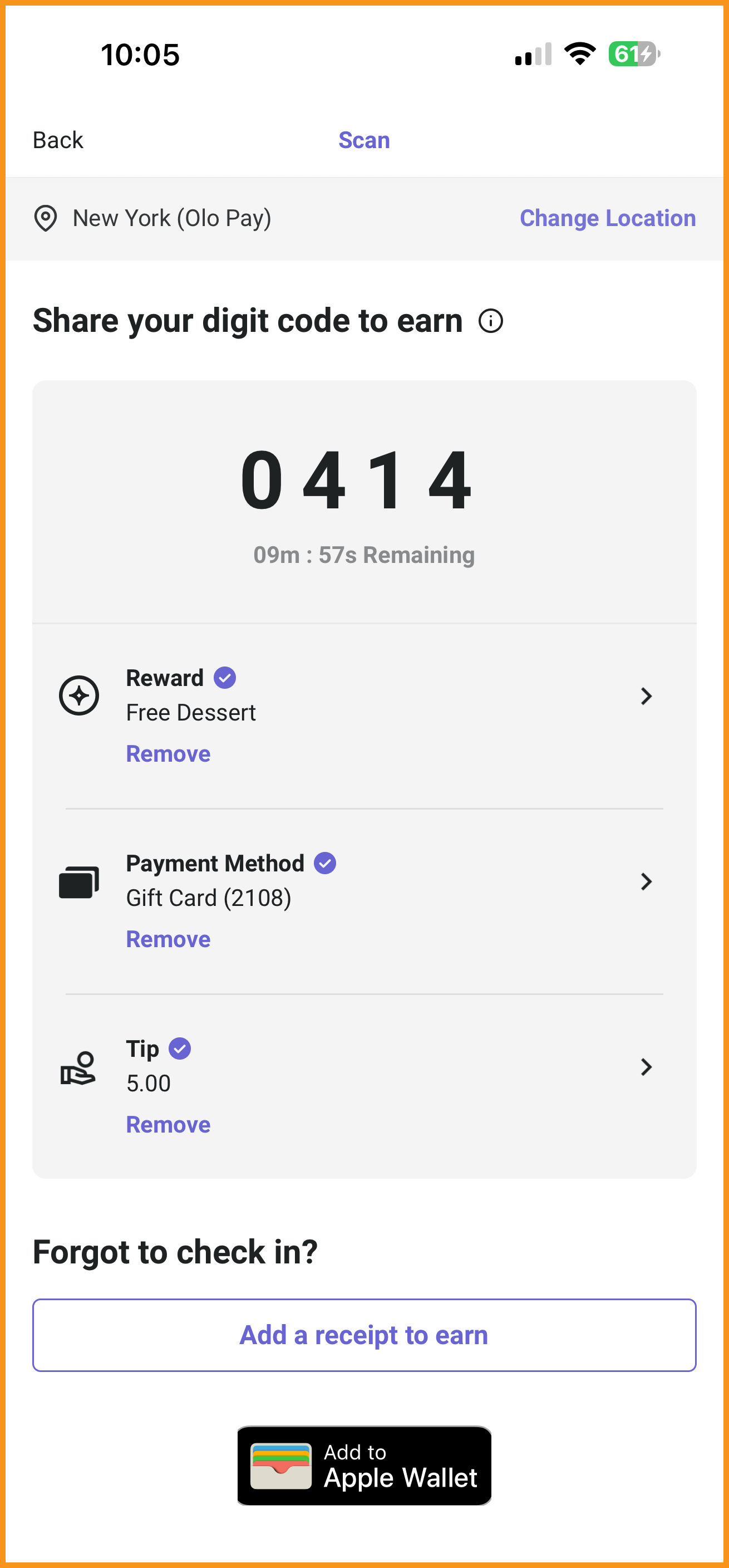 Scan Screen: Short Code Only |
Media and Deep Links in Push Notifications
With the addition of new push notifications fields in the PAR Punchh campaign and notification template setup, the Mobile Framework can now support media in push notifications. iOS supports image, GIF, and video, while Android supports image and renders GIF and video as static with the first image only.
In addition, the Mobile Framework can now support existing deep links to allow custom redirects of users from push notifications to specific screens in the mobile app. (MF-3456, MF-3457)
Loyalty
PAR Pay: CVV and AVS Matching
Using PAR Pay, Card Verification Value (CVV) validation and full or partial Address Verification Service (AVS) matching for newly added payments throughout the app, as well as recurring payments in gift card flows, can now be enabled for an added layer of security in payment flows. (MF-3480, MF-3481)
- CVV: When enabled for recurring payments, a new iframe screen will appear asking the user to re-enter their CVV when using an existing payment method to purchase gift cards.
- AVS: When enabled, a new screen in payments flows will appear requesting additional address fields if needed to add a new payment to the mobile app or to use an existing payment method to purchase gift cards.
See what this looks like...
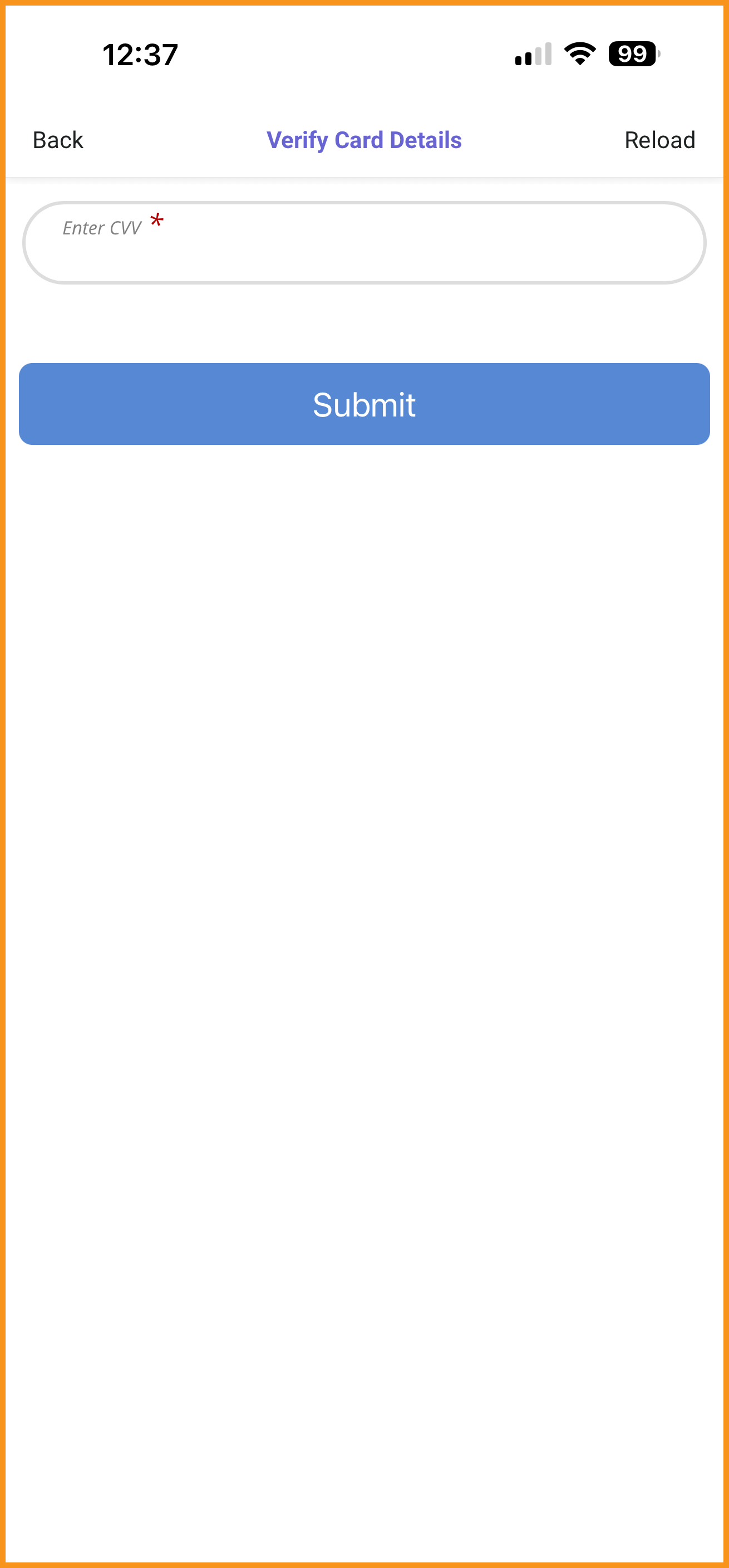 CVV Validation |
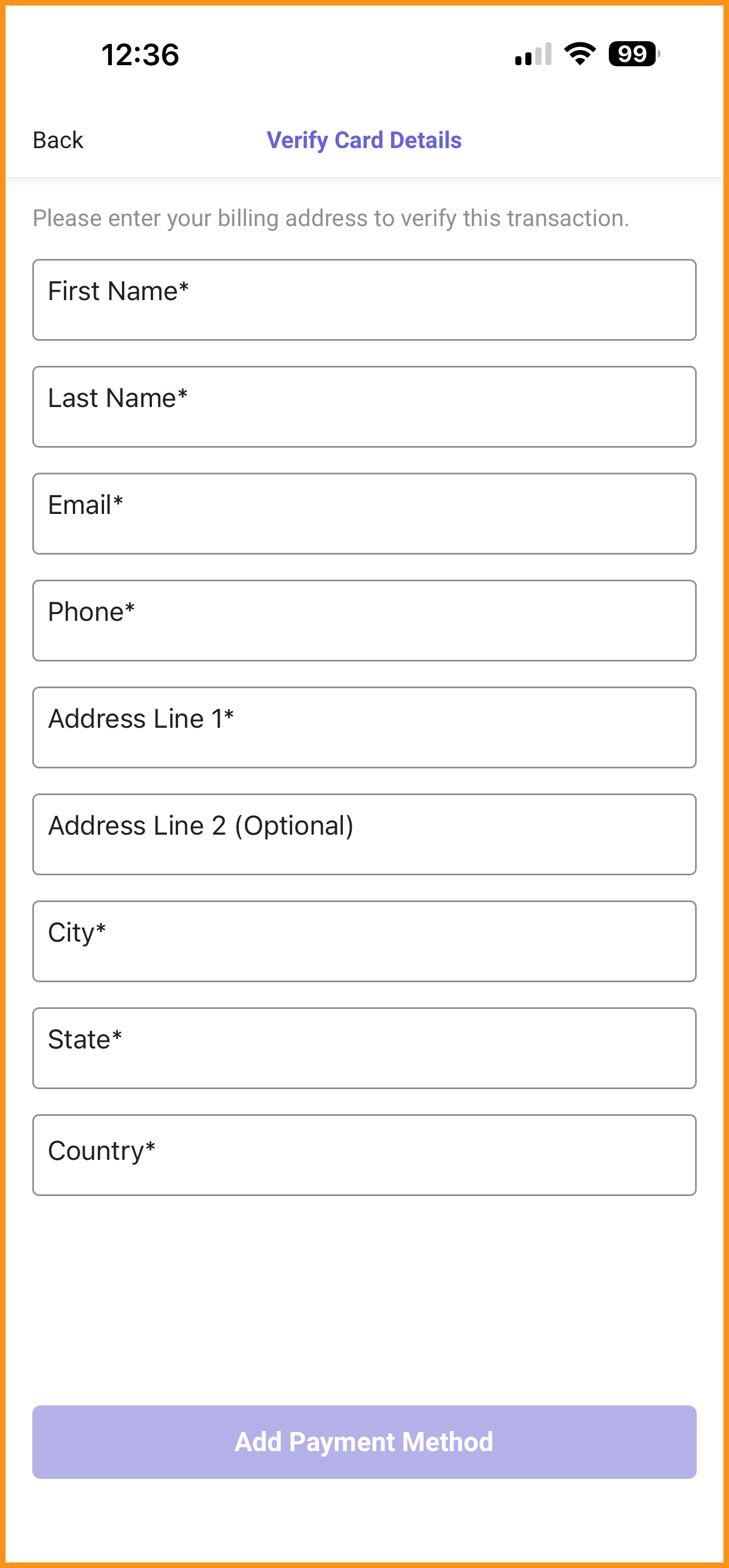 AVS Validation: Full |
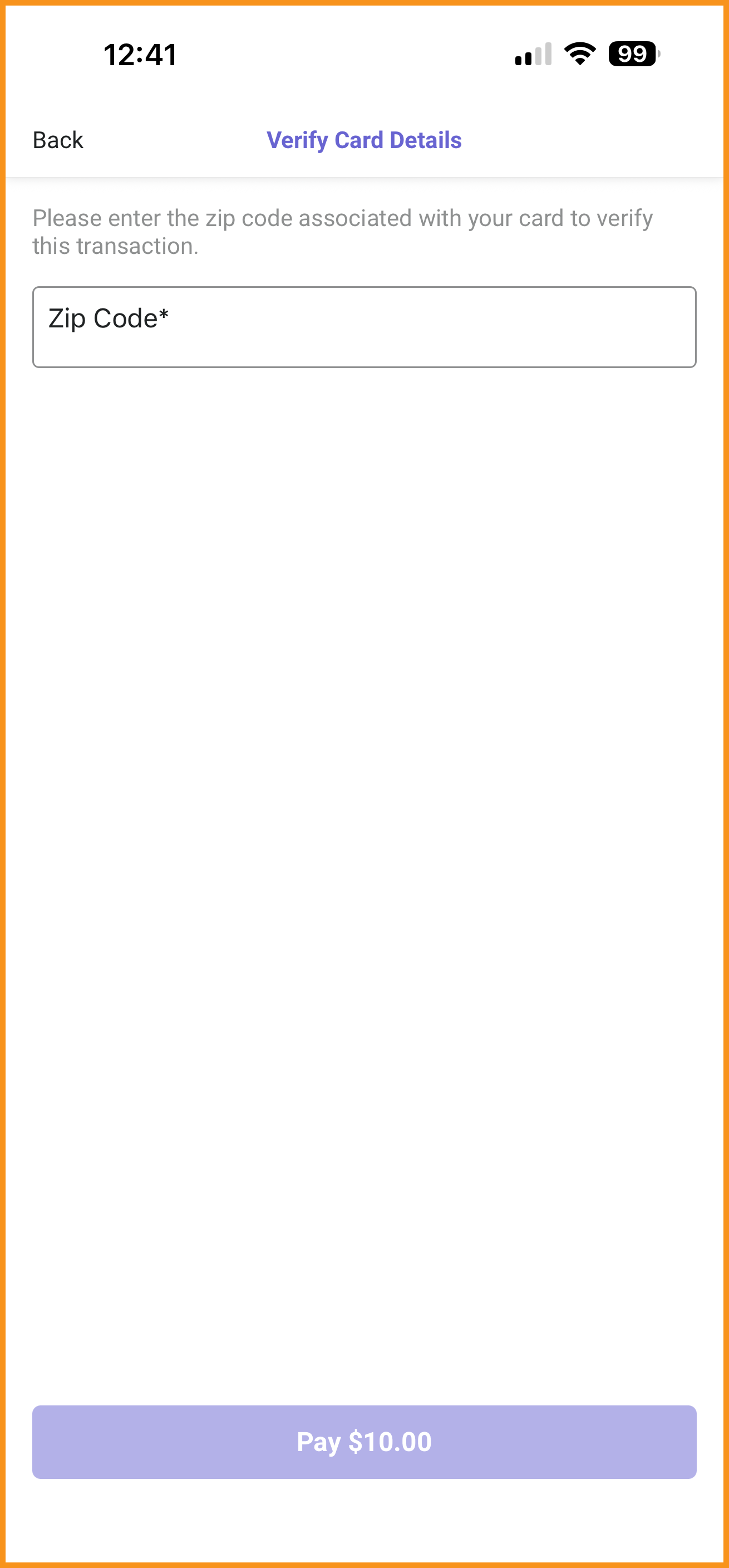 AVS Validation: Partial |
Subscriptions
Taxation Support
Tax support on subscriptions is now available in the app. When taxation for subscriptions is enabled, app users will select a location where they intend to use their subscription prior to checking out. They will be able to see their calculated tax and total given the location they have selected. (MF-3200)
See what this looks like...
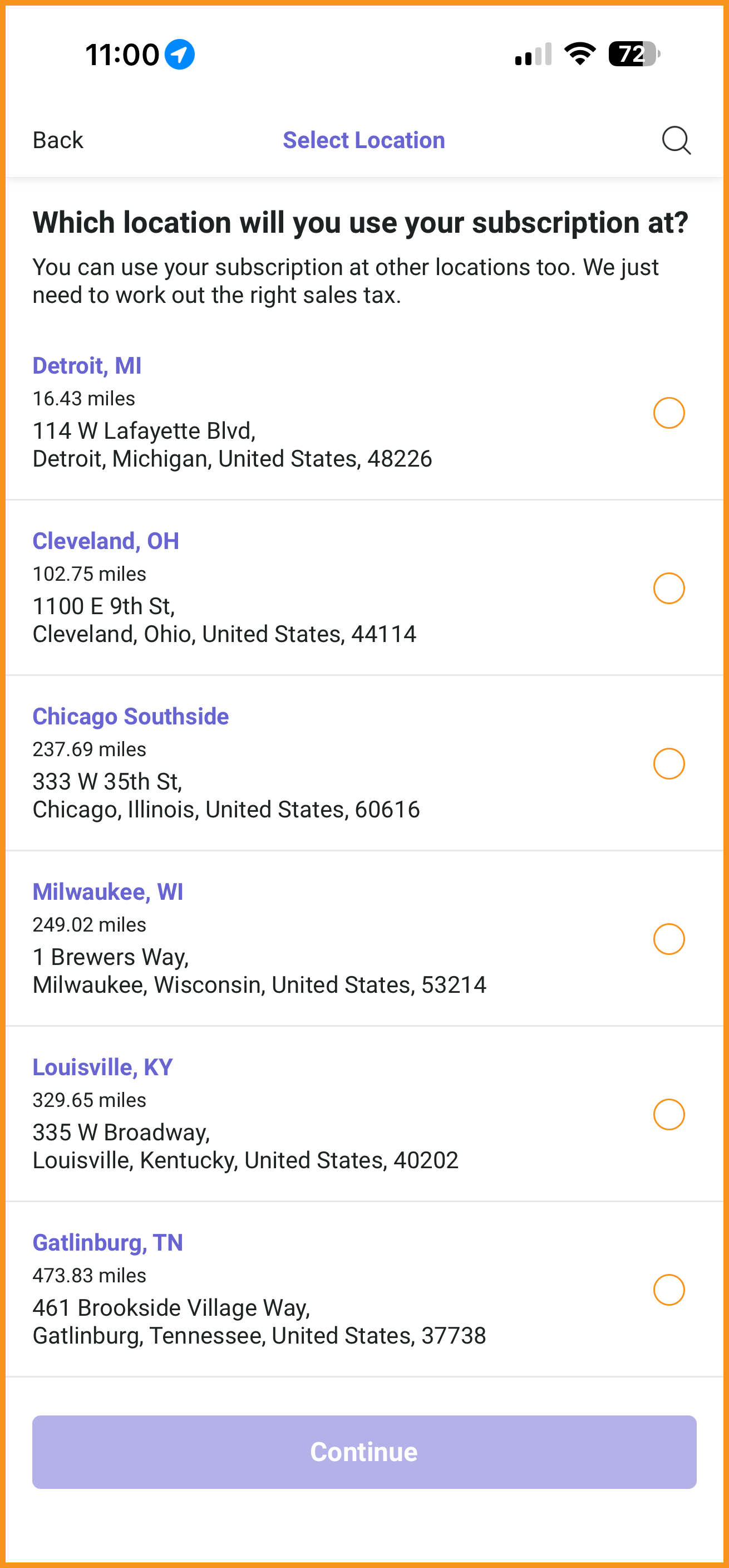 Select Location Screen |
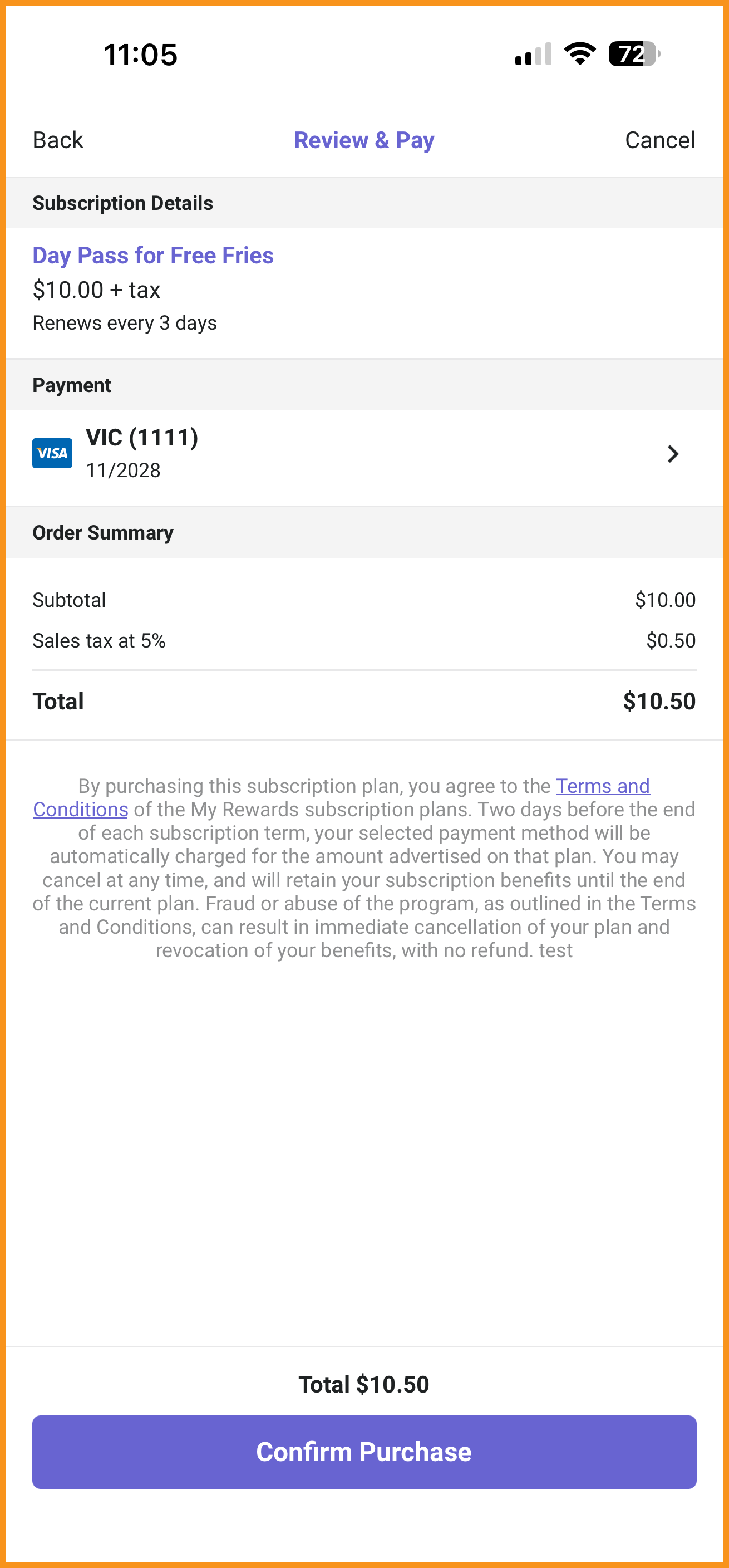 Review and Pay Screen |
Gift Cards
Updated "Gift a Card" Flow
Streamlined the "Gift a Card" flow when transferring gift cards is not enabled. This reduces the number of steps needed to start the gifting process. (MF-3453)
Ordering With PAR Ordering
AI-Powered Recommendations
PAR Ordering's recommendations feature is now supported in the Mobile Framework, allowing brands to display a category of AI-powered item recommendations, when enabled and available, at the top of the menu. (MF-3501)
See what this looks like...
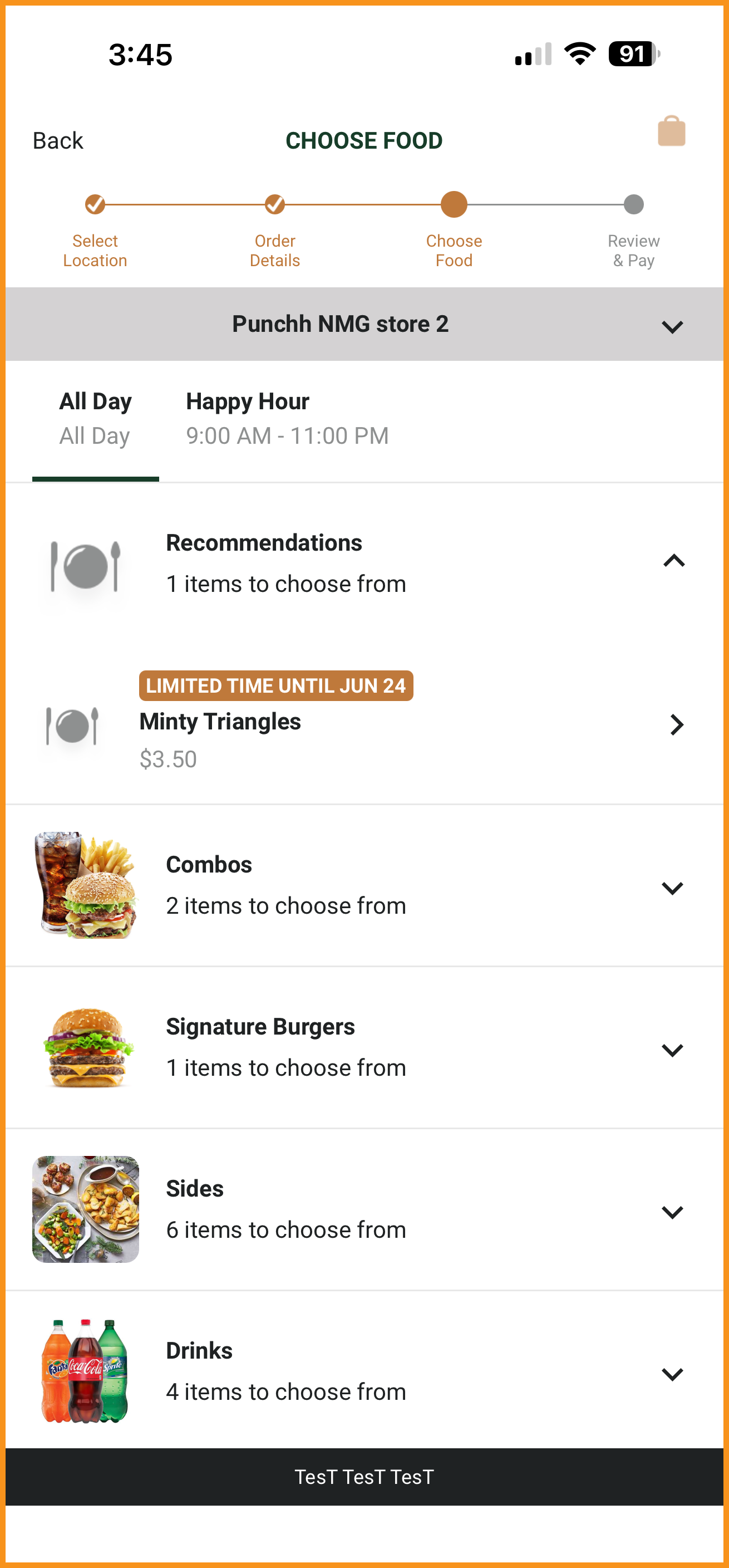
Recommendations Category (AI-Powered)
Curbside Manual Checkin Enhancements
Improved the Curbside checkin experience to use sticky messages, giving the user more time to read their status updates. (MF-3084)
See what this looks like...
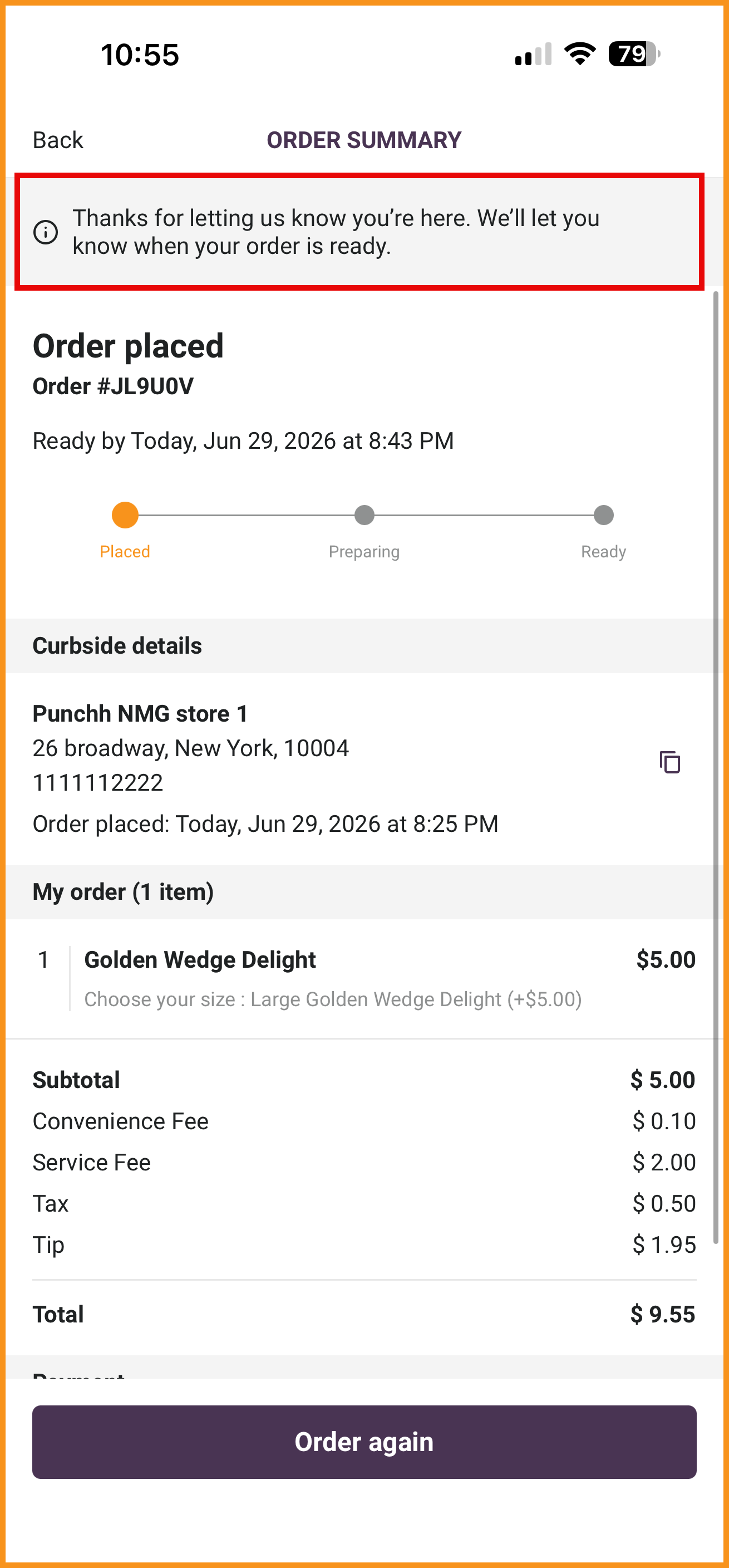 "I'm Here" Button Message |
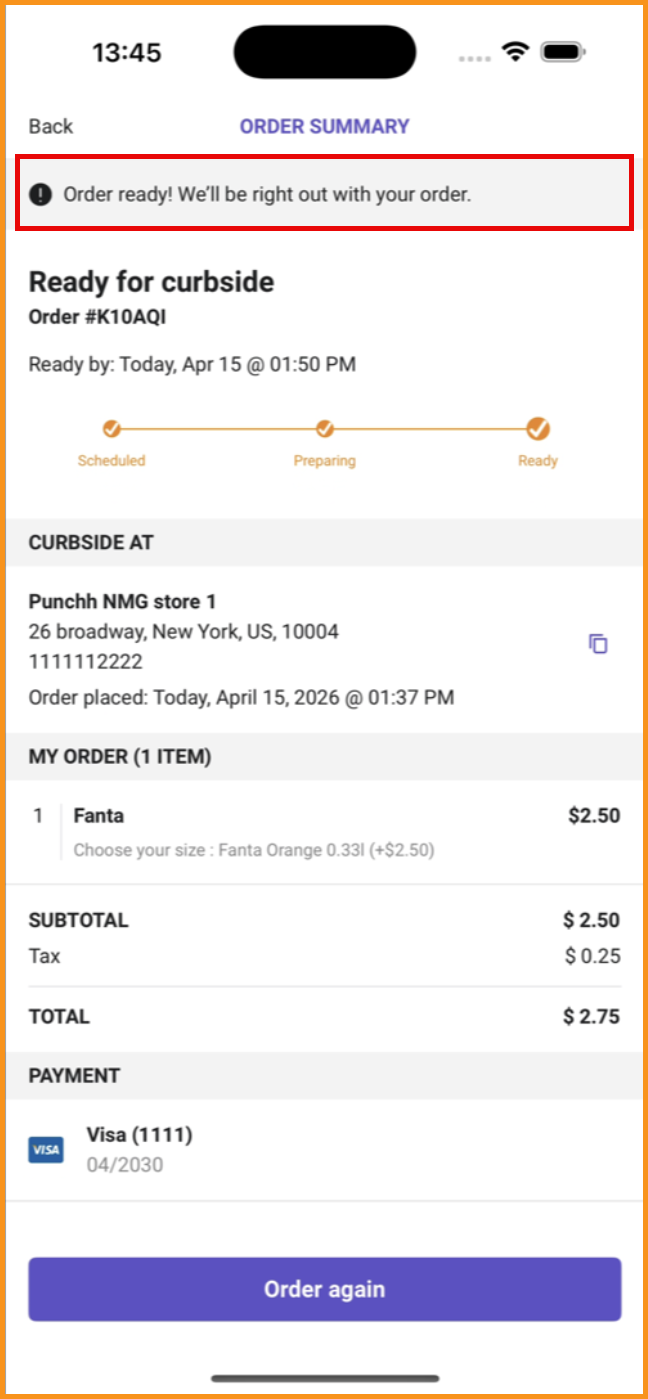 Order Ready Message |
PAR Catering: House Accounts as Payment Option
Organization Owner accounts can now use their House Accounts as a payment type to check out in-app. Order Summary and Order History screens have also been updated to include "Placed by (name)" such that Organization Owners can see who in their organization placed each order. (MF-3515)
See what this looks like...
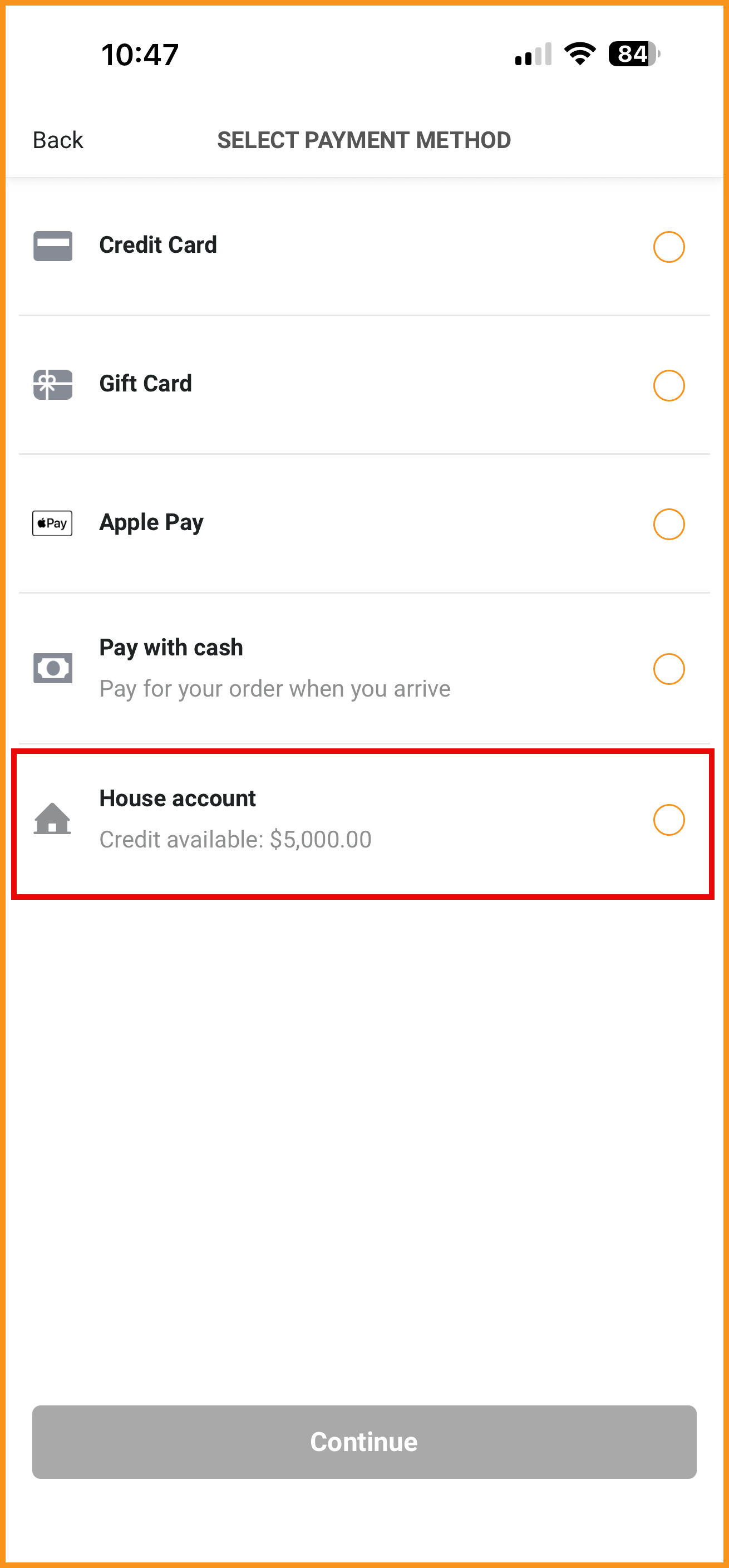 House Account as Payment Method |
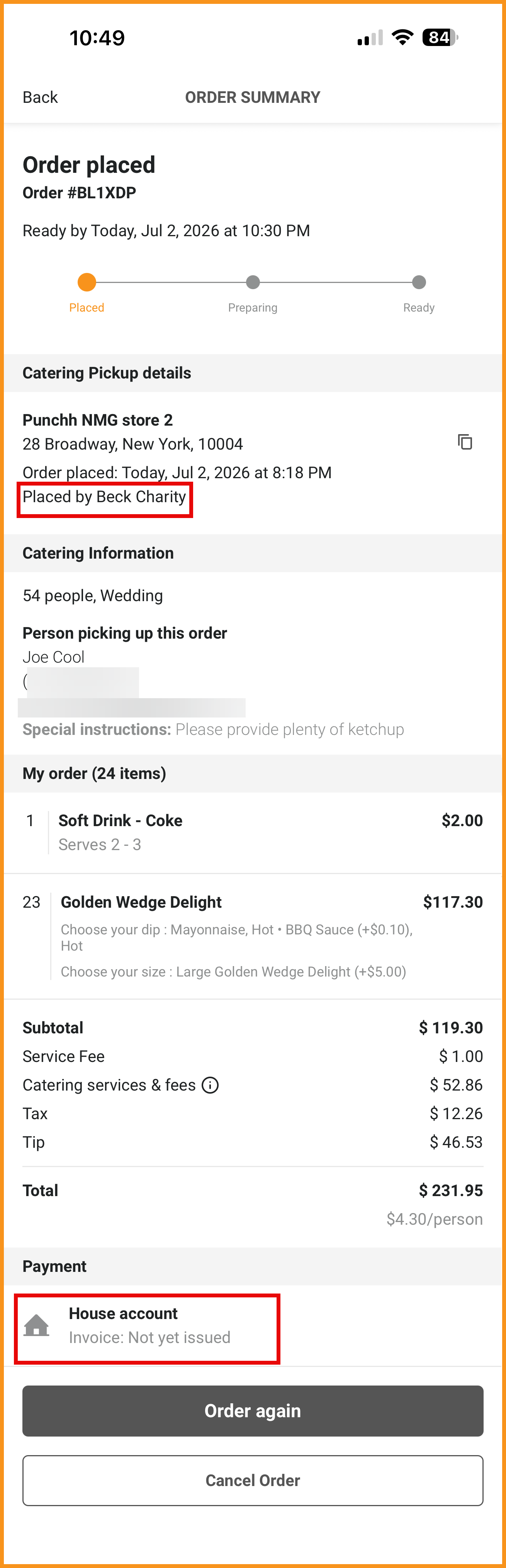 "Placed By" and House Account Invoice Fields |
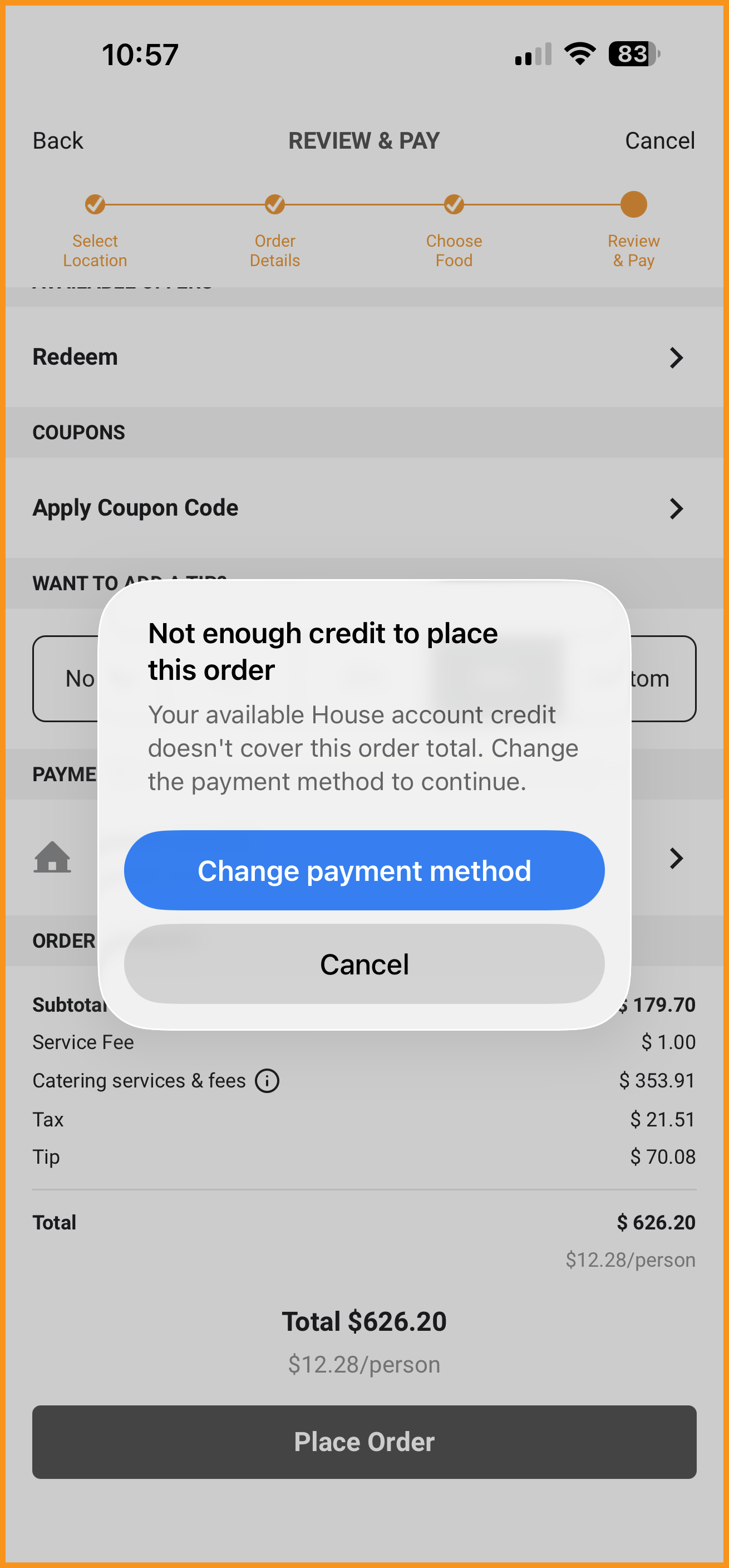 Insufficient Credits Modal |
PAR Catering: Catering Services and Fees
Native PAR Ordering flows in the app now support Catering Fees, including options for party size fees, subtotal-based fees, event type fees, and service fees. These can be configured in the PAR Ordering platform. (MF-3494)
See what this looks like...
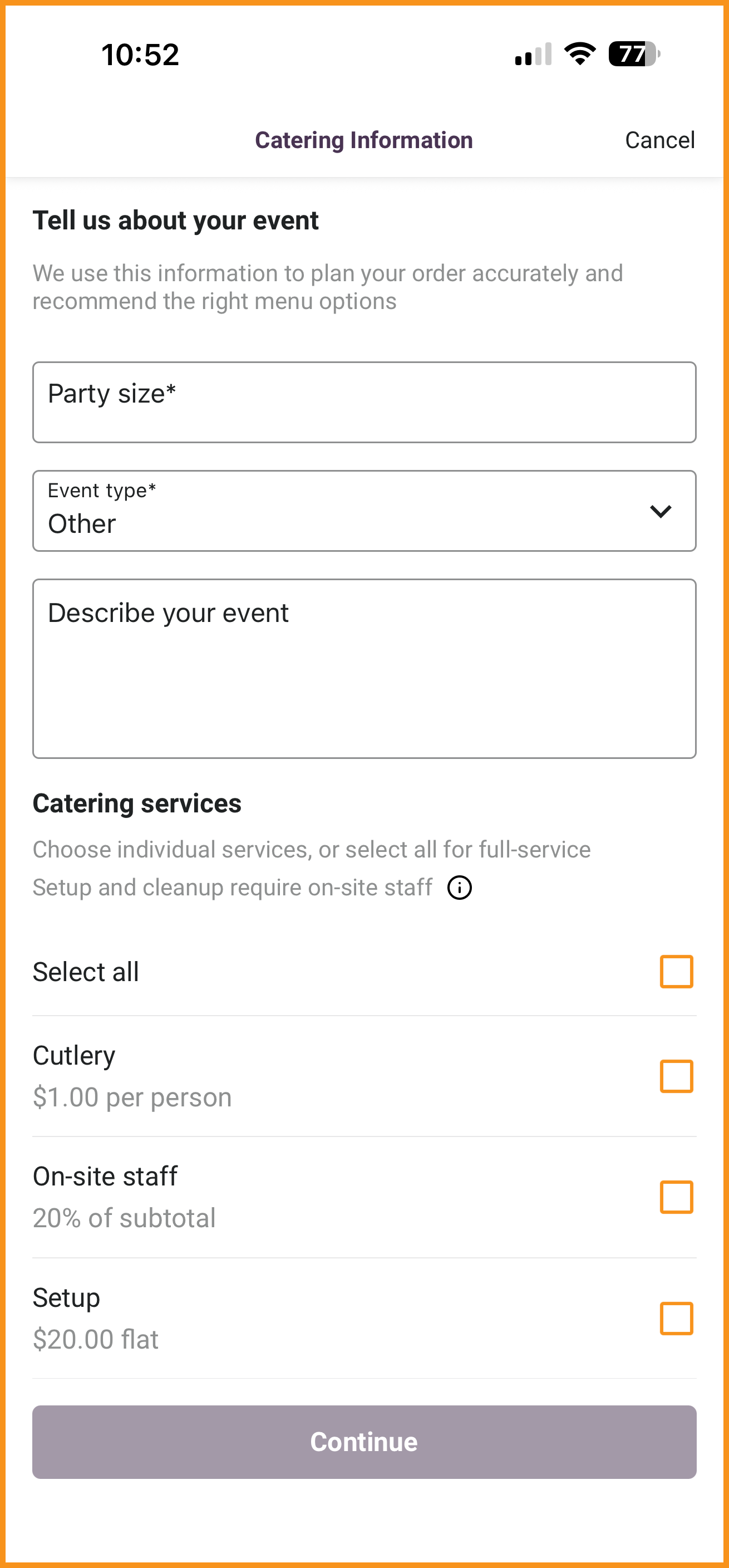 Catering Information Screen |
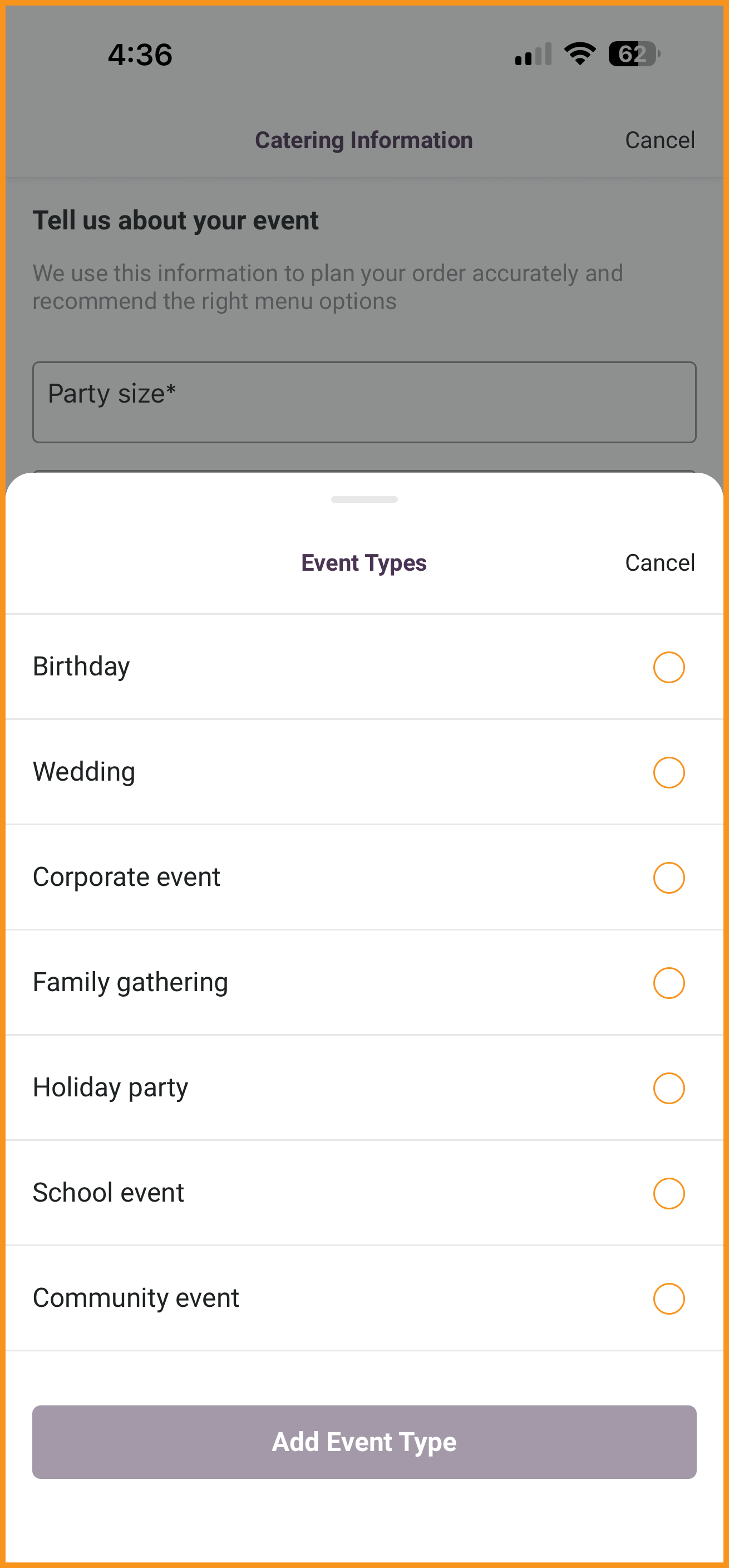 Event Types |
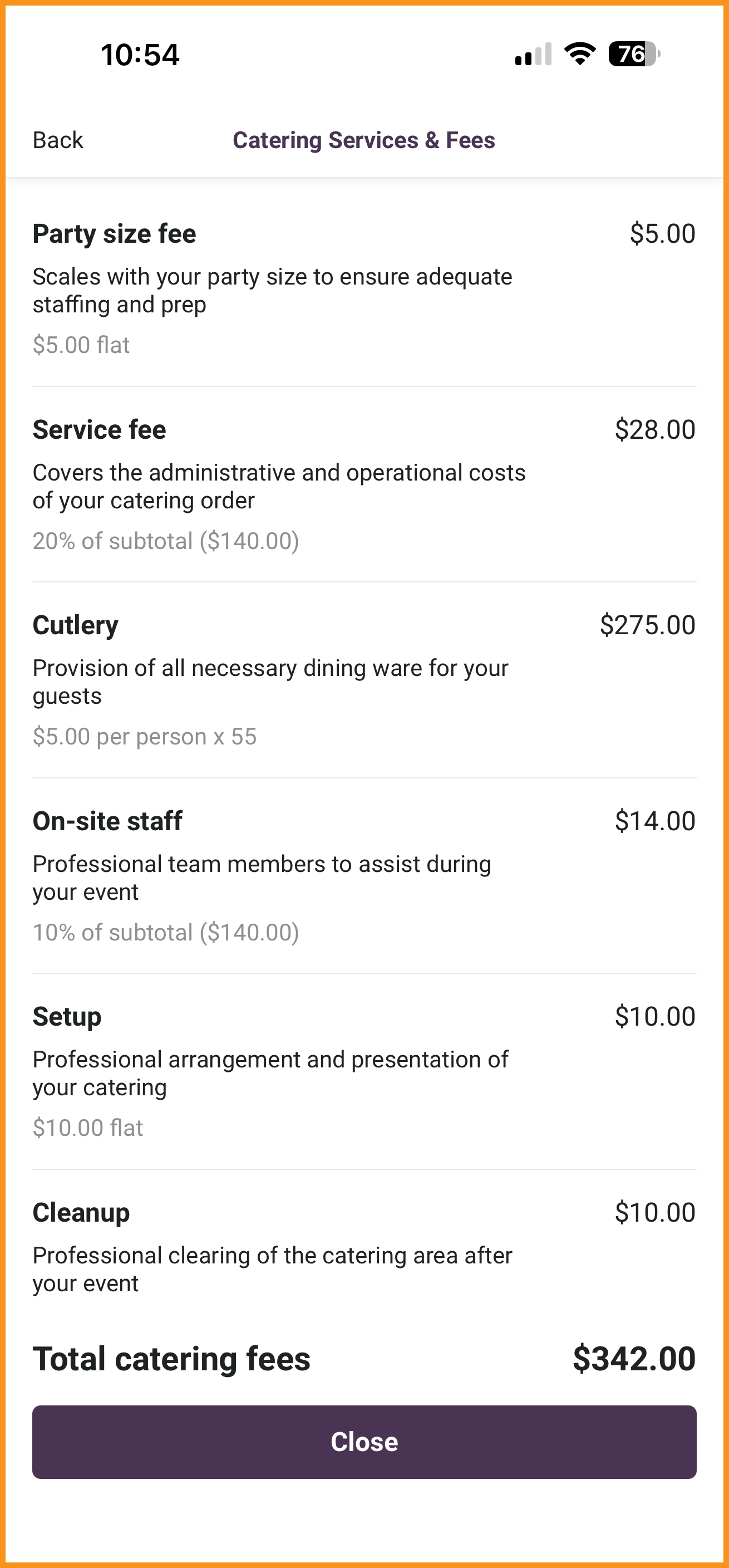 Catering Services and Fees Screen |
Ordering With Olo
Dietary and Allergen Tags
Olo dietary tags will now be displayed at the product page level. Allergens will also be displayed at the product and modifier level. (MF-3560)
See what this looks like...
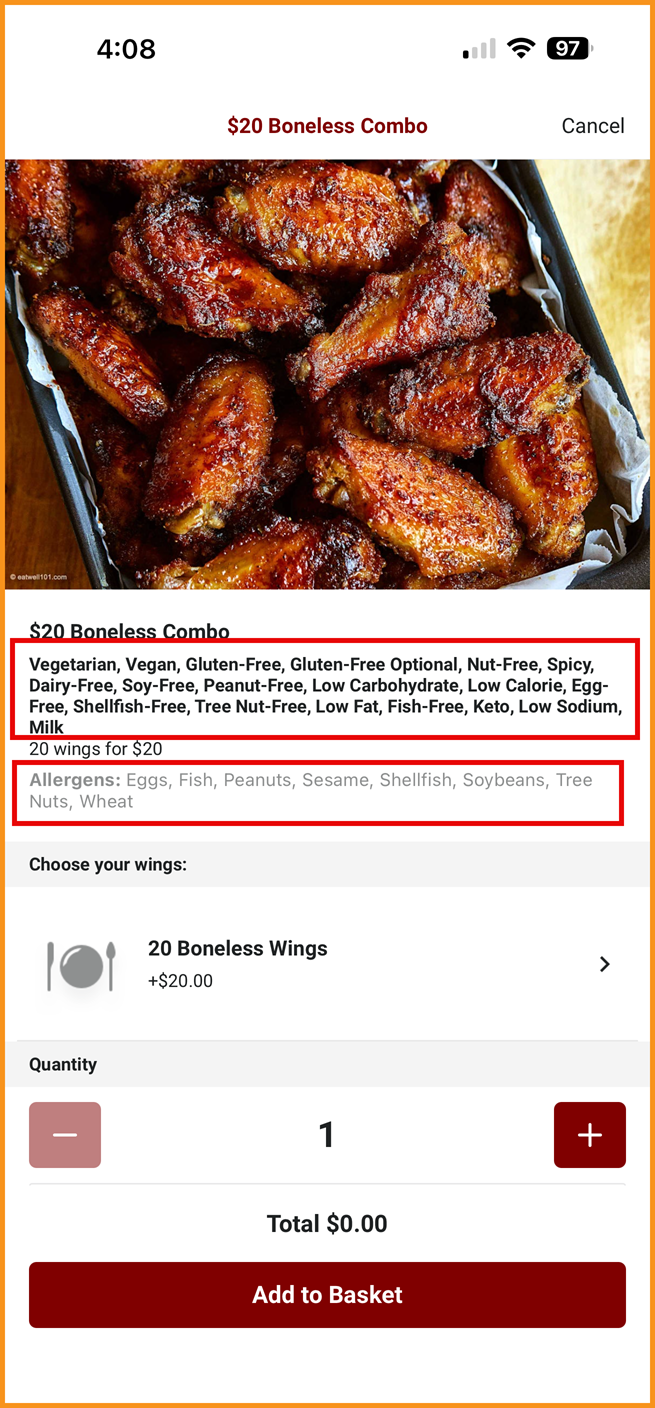 Product Page Level |
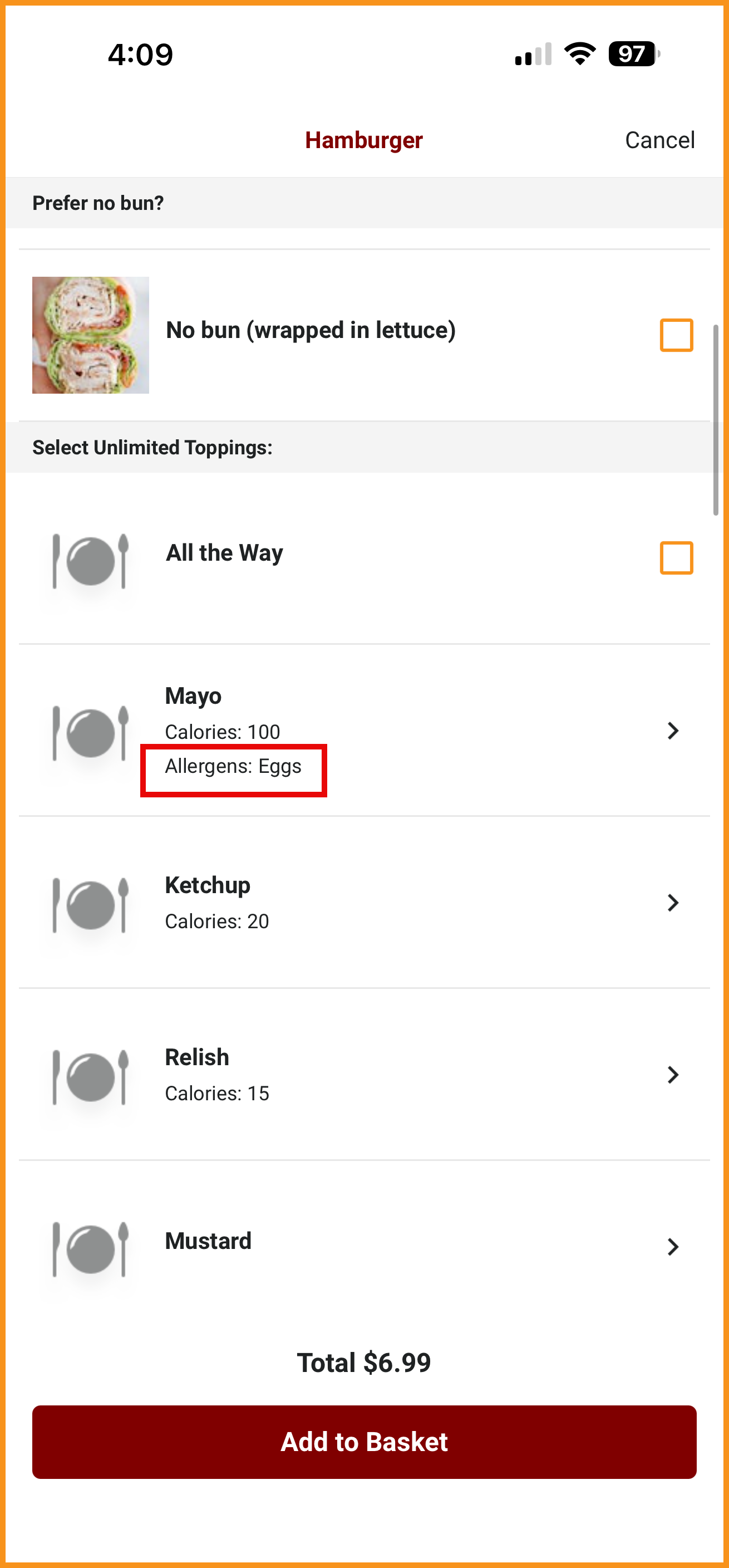 Modifier Level |
Technical Enhancements
React Native Update to 0.85
React Native has been updated from version 0.81 to 0.85 to support bridgeless architecture. (MF-3338)
Bug Fix
Gift Cards: Physical Designs
On the Choose Design screen, the physical gift card design images are displayed for both "Physical Gift Card" and "Gift a Card". Since "Gift a Card" functions as a digital gift card, the digital gift card design images will now be displayed appropriately based on the images configured in the Punchh platform. (MF-3531)
| Mobile Framework v5.0 Platform Requirements | |
|---|---|
| Android | Min OS Version Support: Android 11 Target SDK: Android 16 (Follow the Google Guideline) Supported Range: Android 11 to Latest Android Version |
| iOS | Min OS Version Support: iOS 16 Built with: Xcode 16.x (iOS 18 SDK) - Swift 6.0, New Architecture Supported Range: iOS 15.5 to Latest iOS Version |
