Punchh Mobile Framework v4.1 and Punchh Native PAR Ordering v2.3 Release Notes
Check out the new features added to the Mobile Framework and the native PAR Ordering flow, including PAR Catering! Reach out to your Punchh representative to upgrade to the latest version of the Mobile Framework or if you have questions about adding or switching to PAR Ordering for your online ordering needs.
New Features
PAR Catering
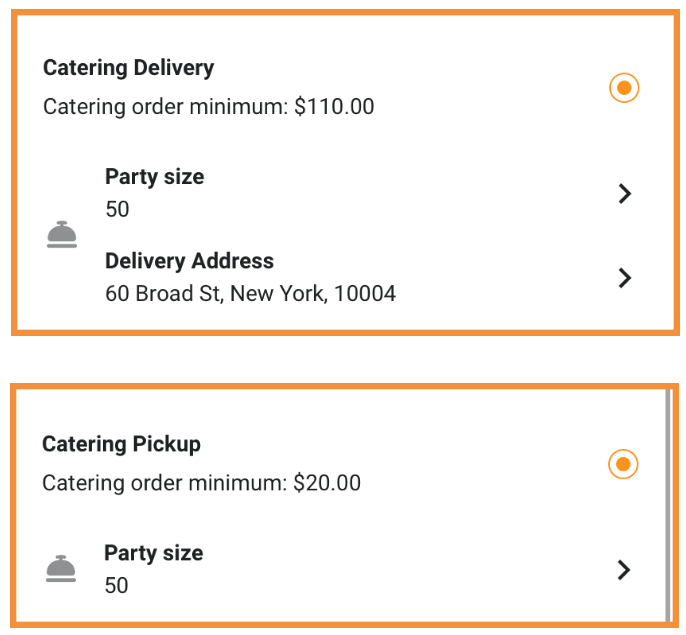
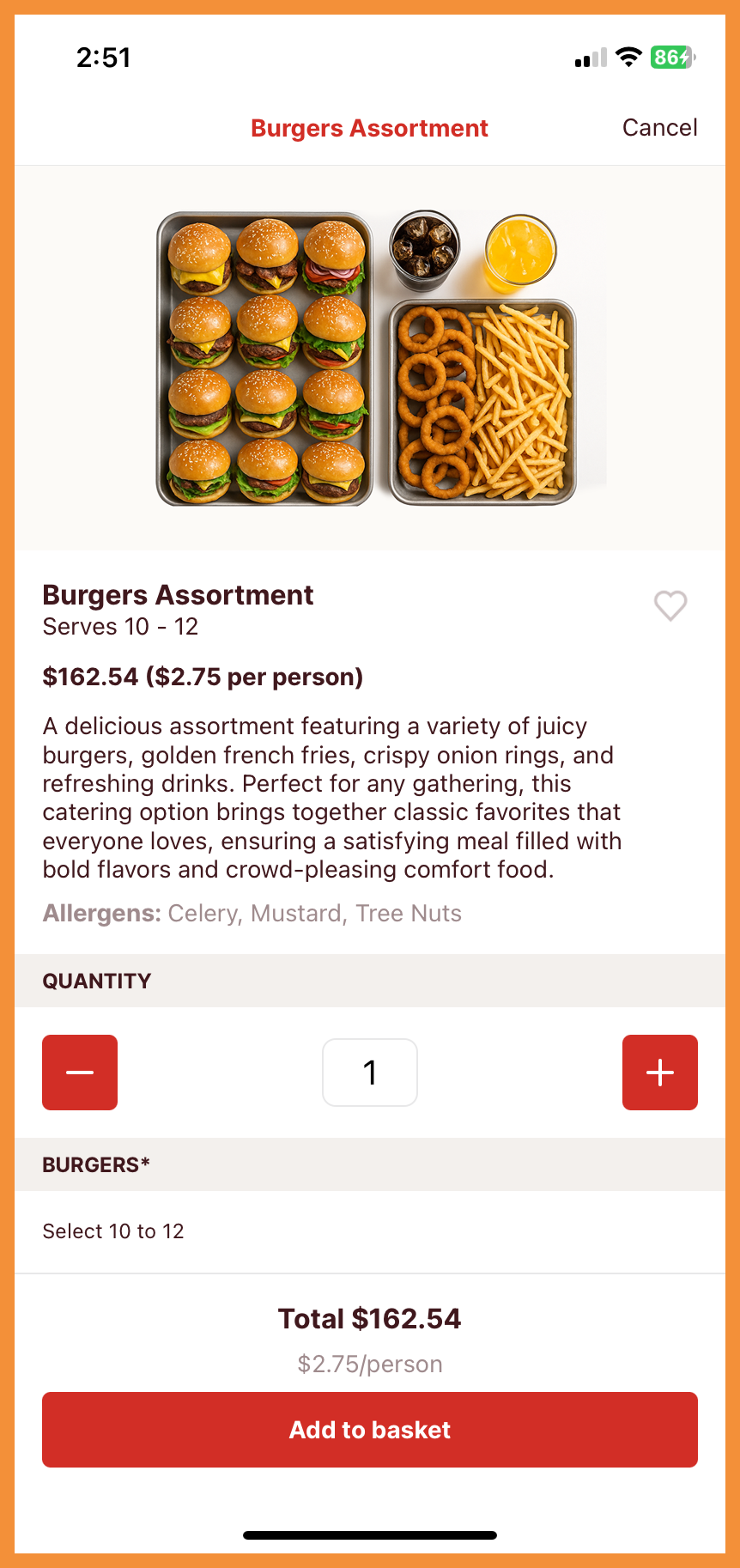
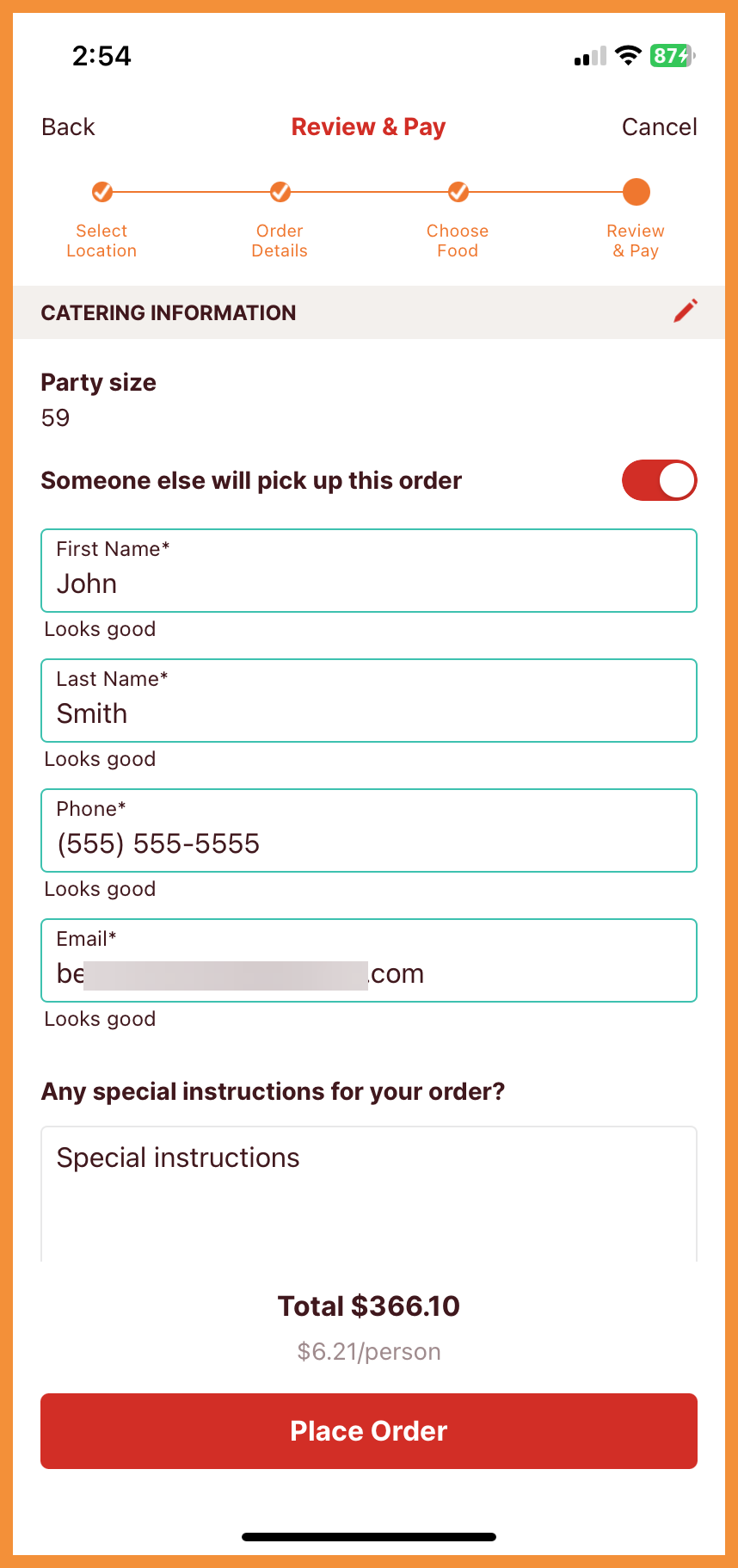
PAR Catering is now supported in the Mobile Framework. This includes:
- Support for Catering Delivery and Catering Pickup order types
- Party size support, which will allow cost per person to be reflected throughout the ordering flow
- Hand-off flexibility by allowing users to designate another person to accept/pick up the order
Reach out to your Punchh representative to discuss setting up catering for your business. (MF-3121)
See what this looks like:
 |
 |
 |
Loyalty
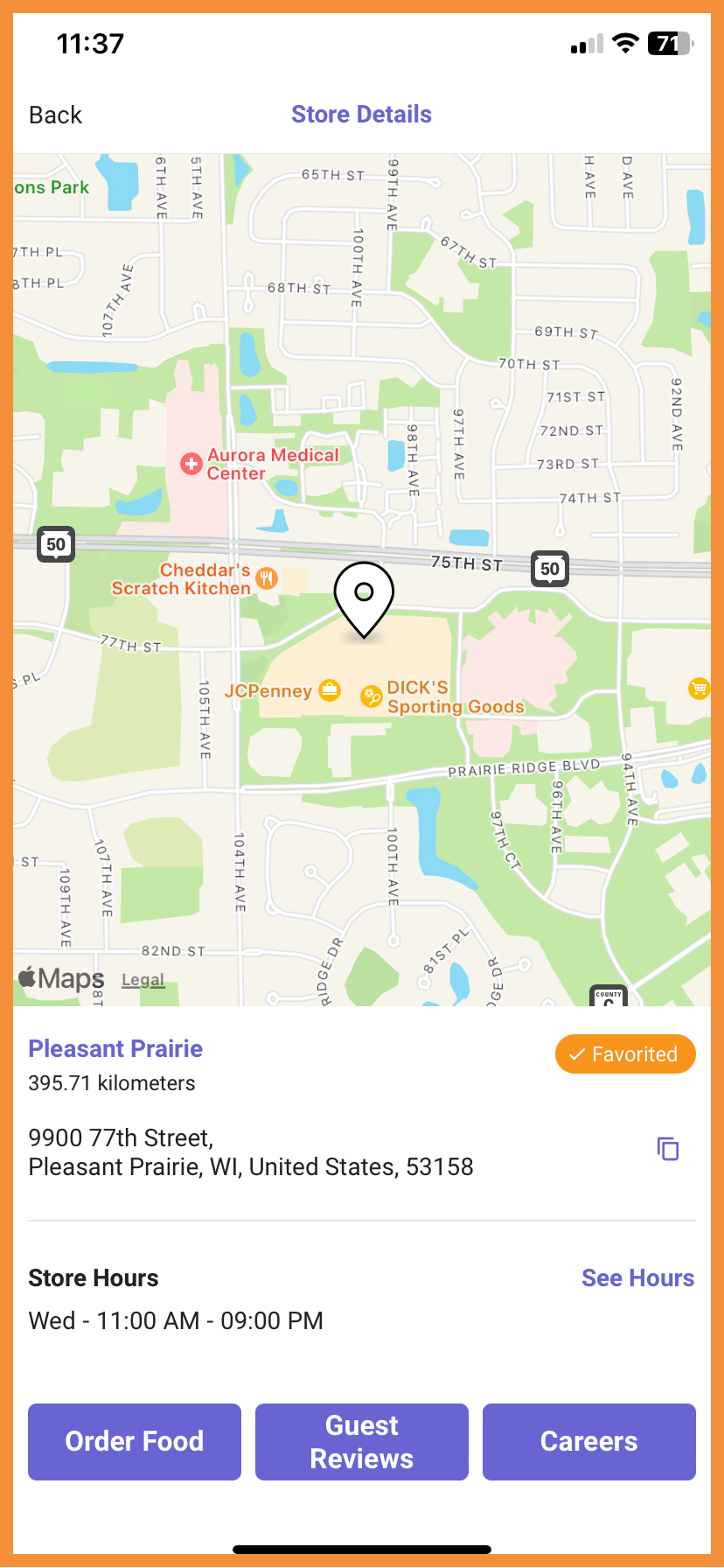
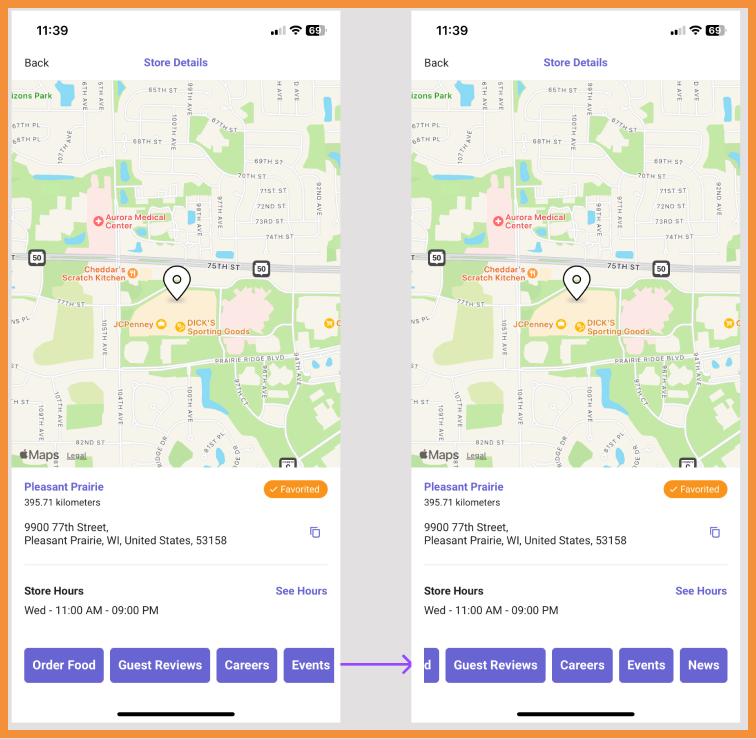
Additional Location URLs in Store Details
Additional URL fields for stores was previously added to the platform. These URLs are now supported by the Mobile Framework and changes to these fields will automatically be reflected in the Store Details screen in the mobile app. (MF-2524)
See the following article(s) for more details:
- Store Locations (Support Portal)
See what this looks like:
 |
 |
Ordering with PAR Ordering
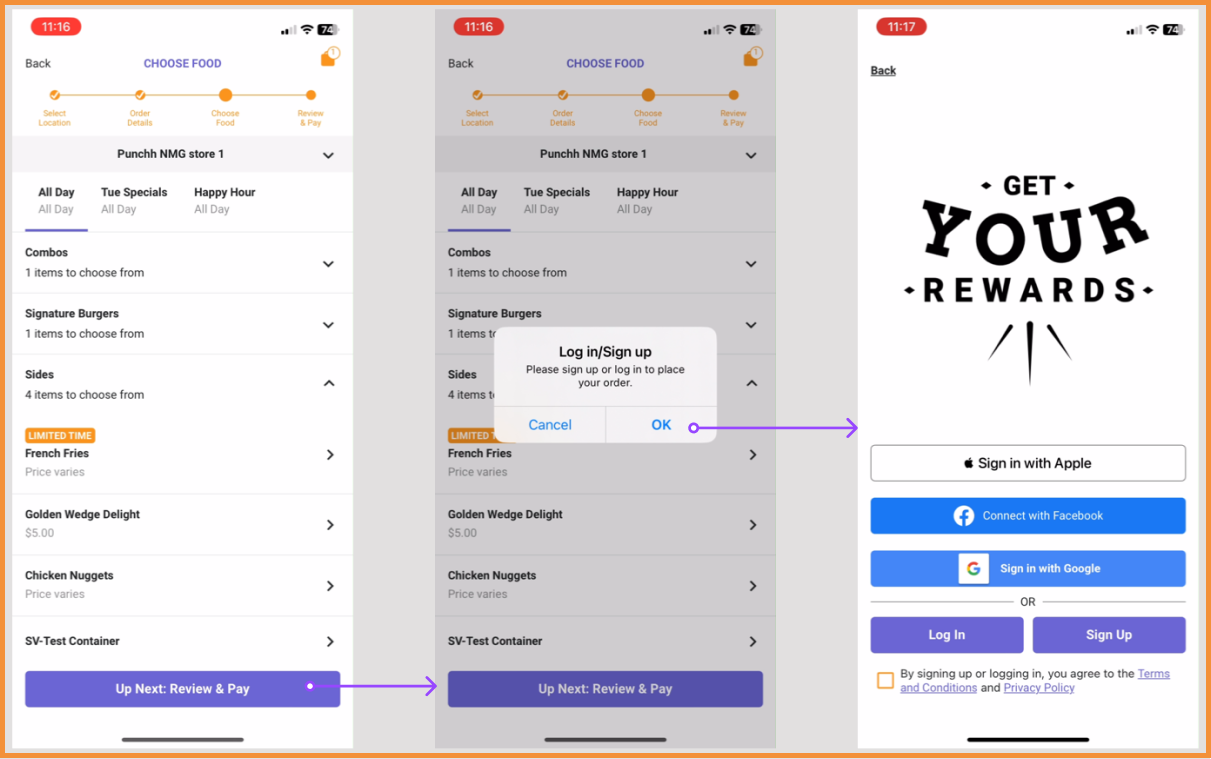
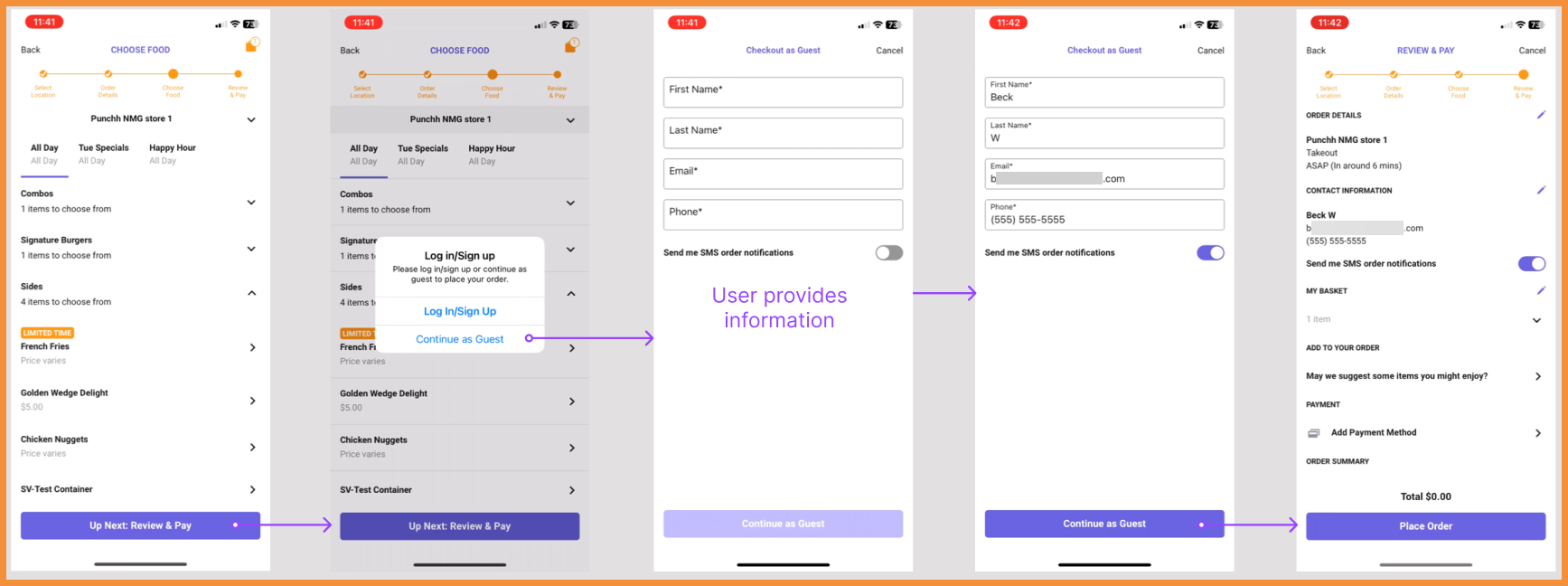
Guest Ordering
Guest orders are now supported in the Mobile Framework for PAR Ordering. Users will be able to place orders in the app without logging in. (MF-3147)
See what this looks like:
 |
 |
Segmented (Secret) Item Tags
Menus and items can be segmented to specific Punchh loyalty users, allowing brands to promote "secret" menus or products for all or a subset of loyalty members. Segmented items will also include a tag on the menu for users to see why they may be seeing special items in their menu. (MF-3144)
See what this looks like:
Secret Item Tag
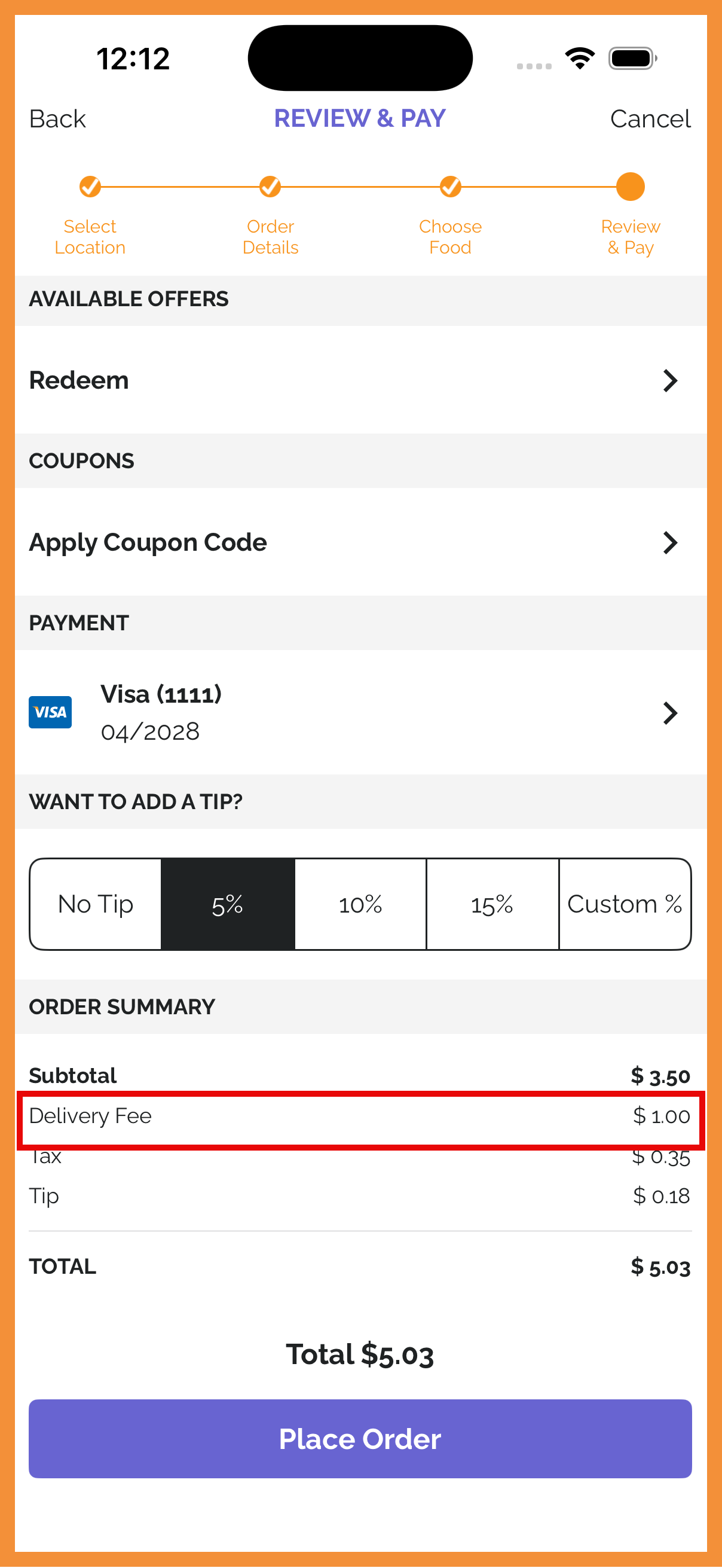
Free Delivery Support
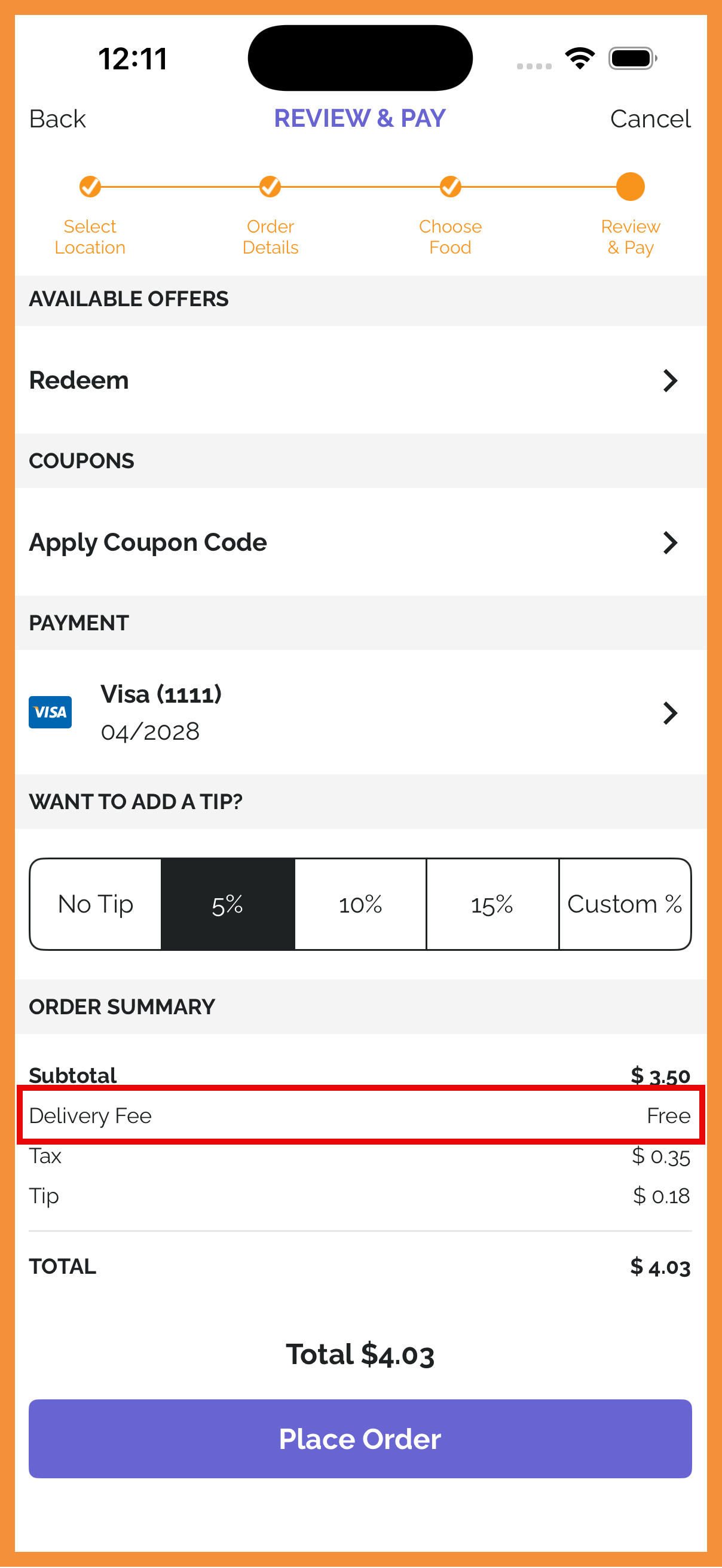
Free delivery can be set up based on segments or order minimums for Delivery and Catering Delivery order modes. (MF-3195)
See what this looks like:
 |
 |
Cancel Order Support
Order cancellation support has been added for menu v2. (MF-3206)
See what this looks like:
Cancel Order Flow
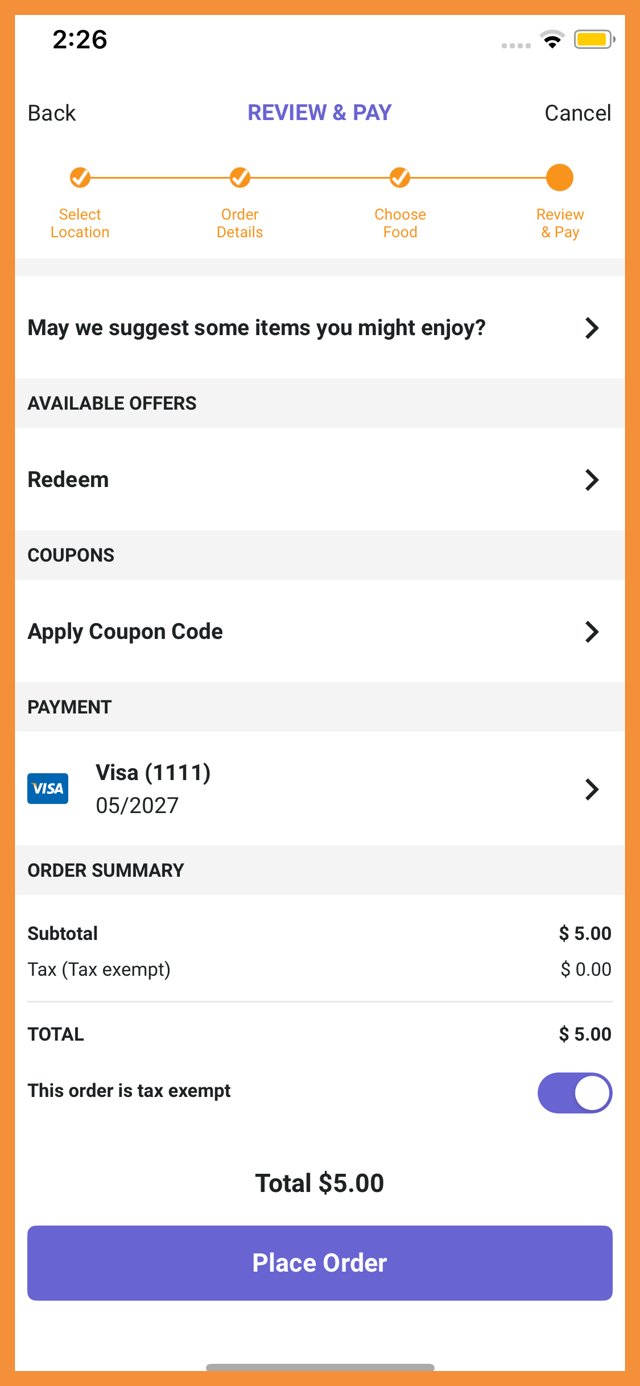
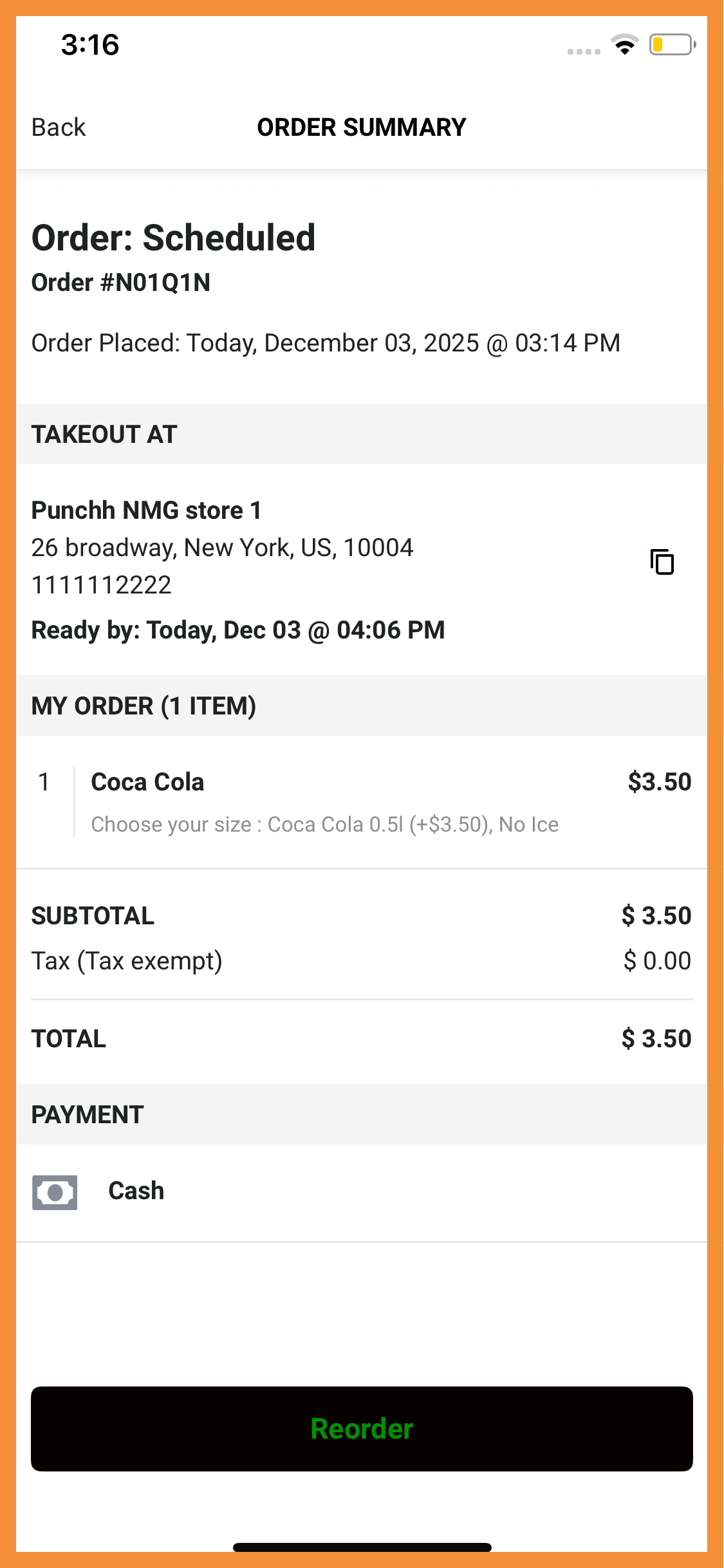
Tax Exemption Support for Organization Owner Accounts
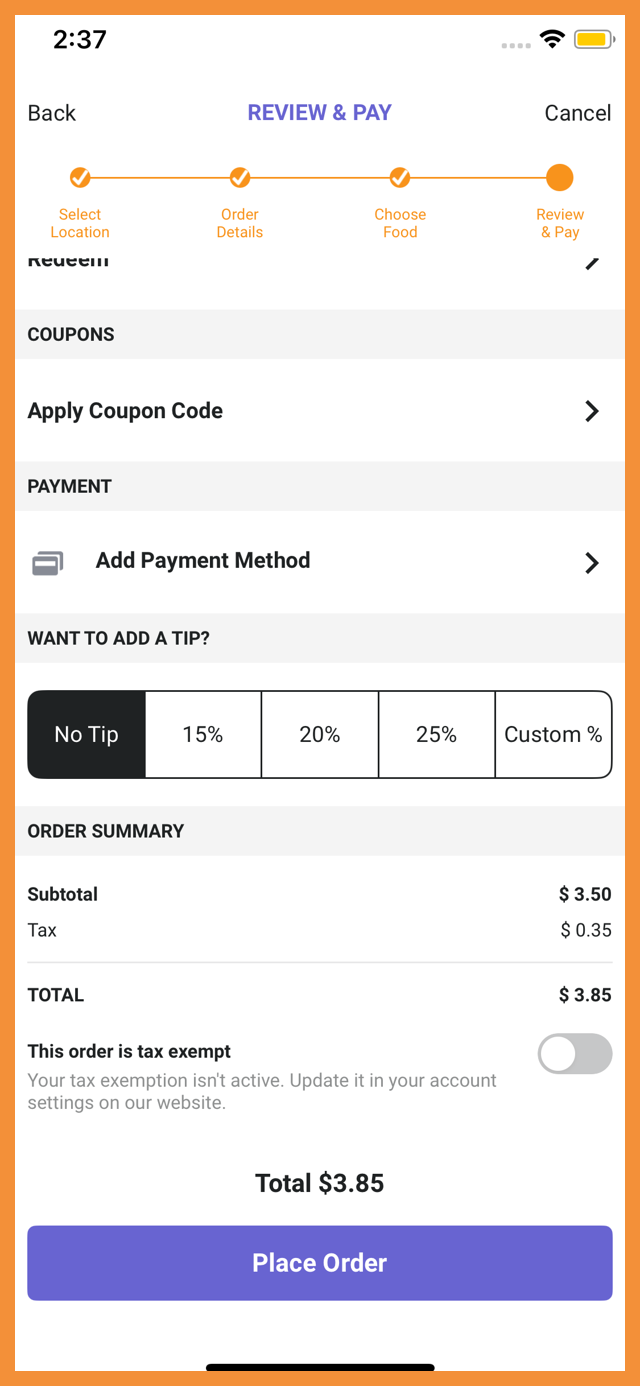
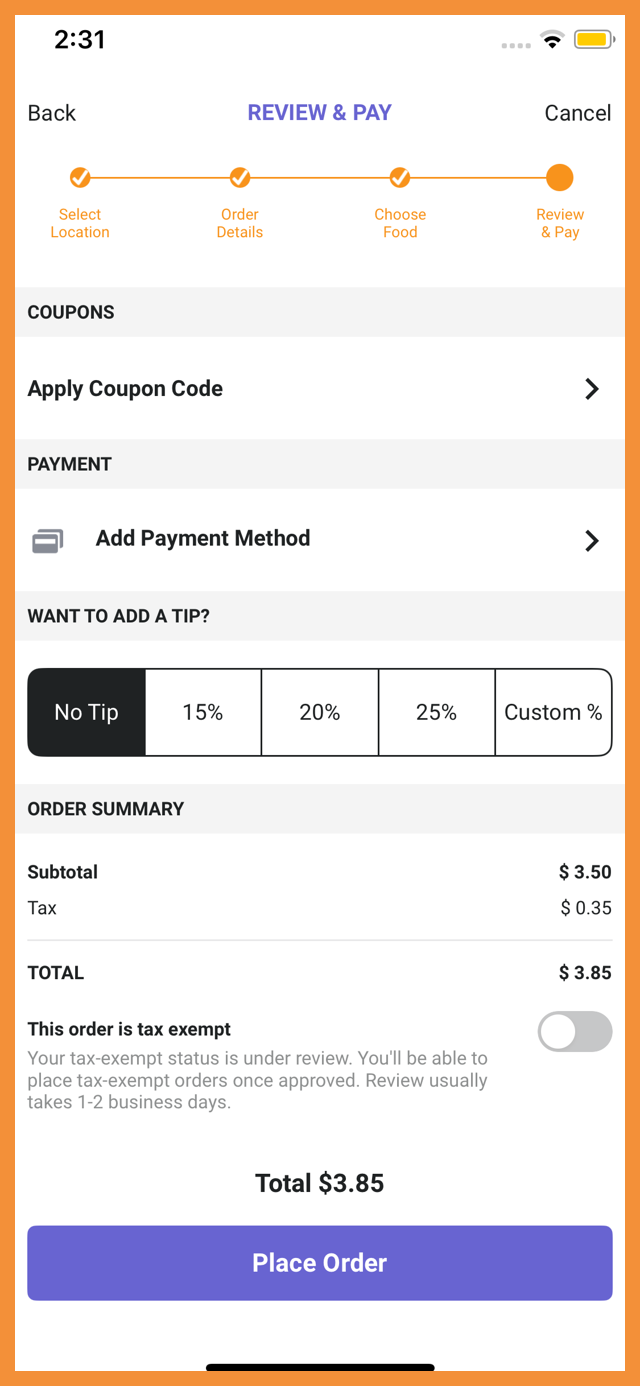
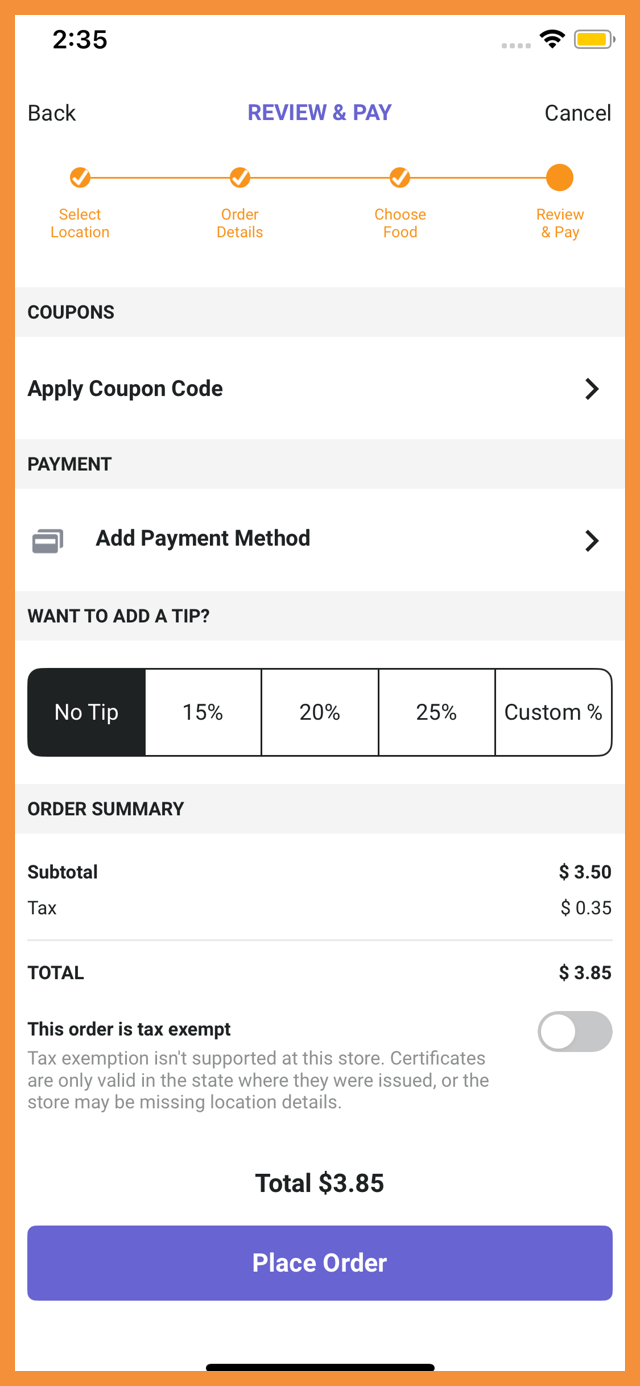
Tax exemption at checkout is available for all order types for Organization Owner Accounts. (MF-3205)
See the following article(s) for more details:
- How to Enable and Manage Tax Exemptions (PAR Ordering Knowledge Base)
See what this looks like:
 |
 |
 |
 |
 |
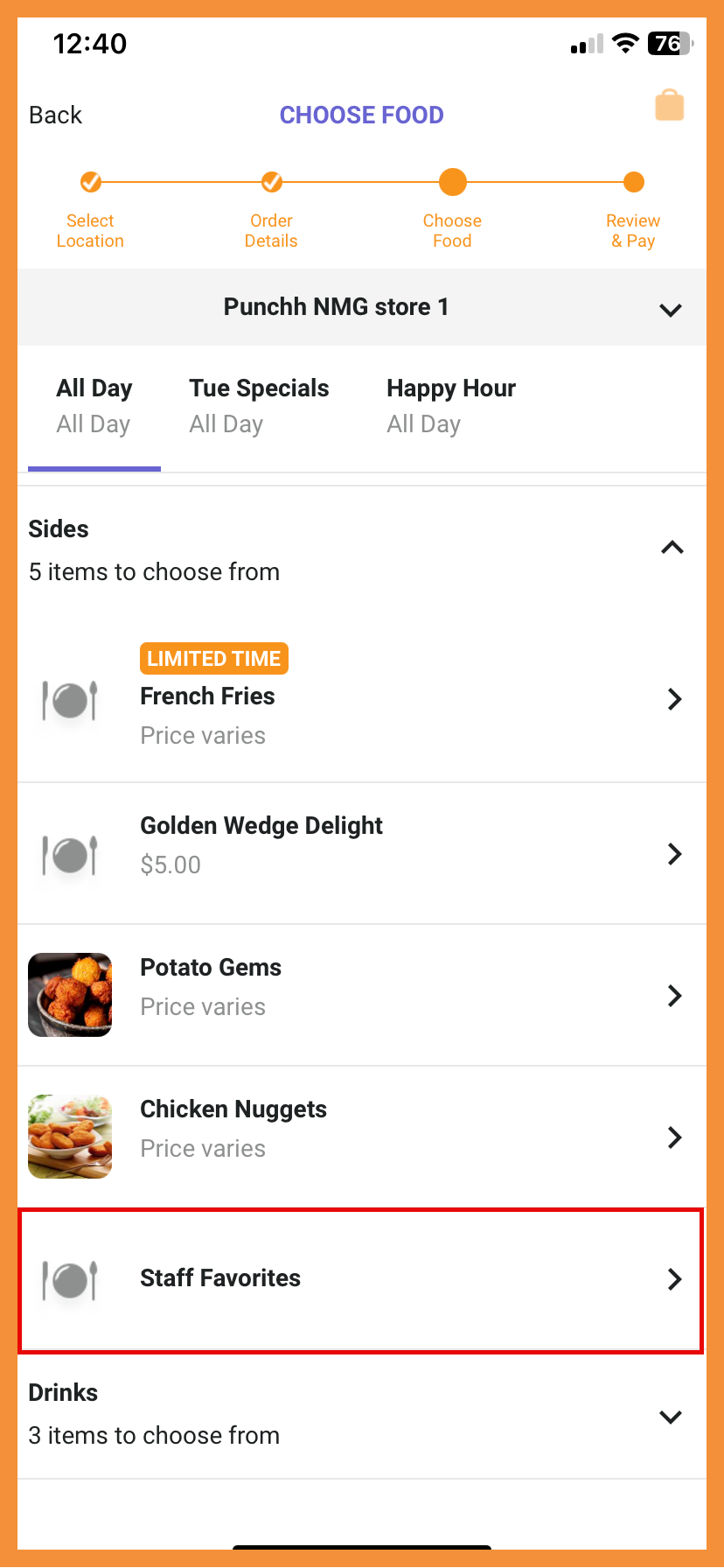
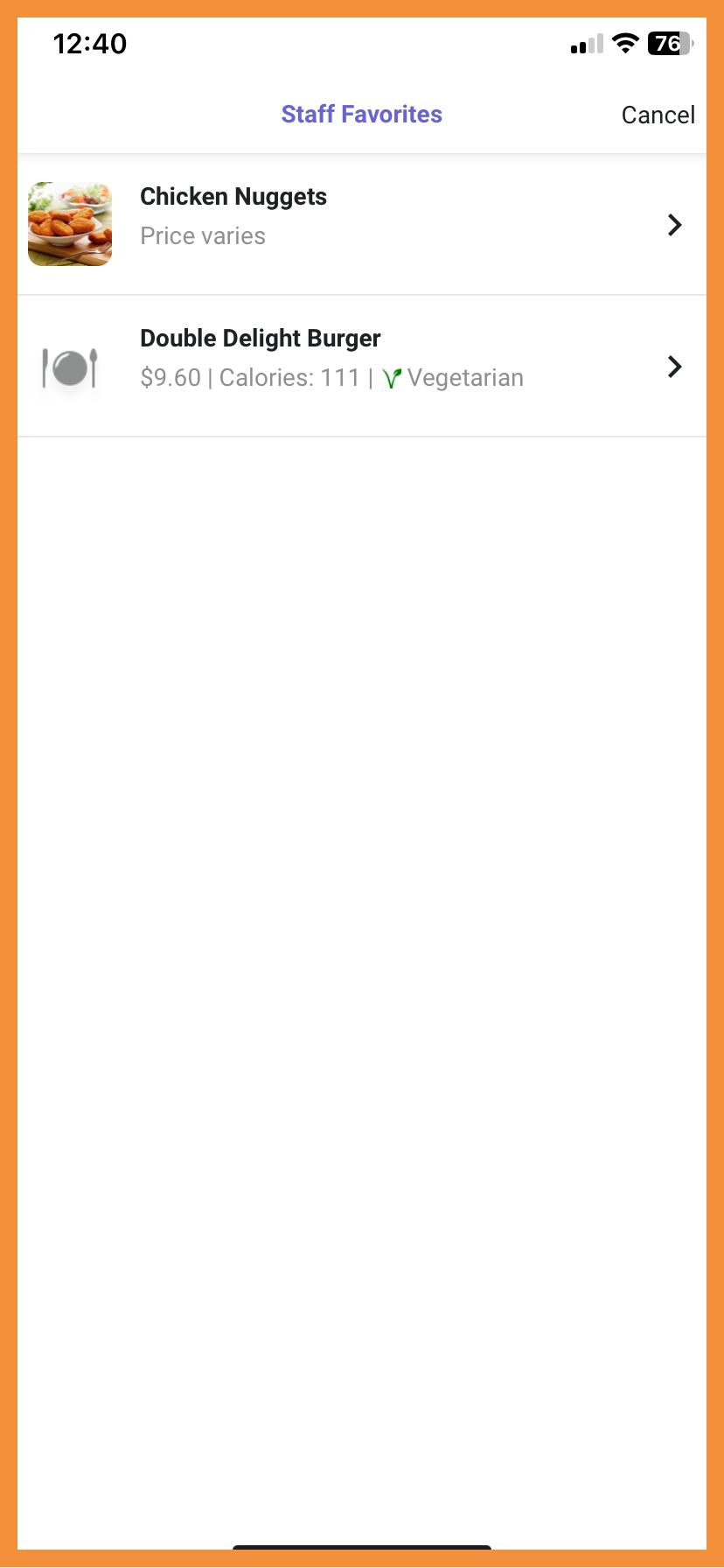
Virtual Product Containers
Virtual product containers allow brands to group existing items without having to reorganize existing products into categories. (MF-3218)
See what this looks like:
 |
 |
Ordering with Olo
Min/Max Quantity Handling
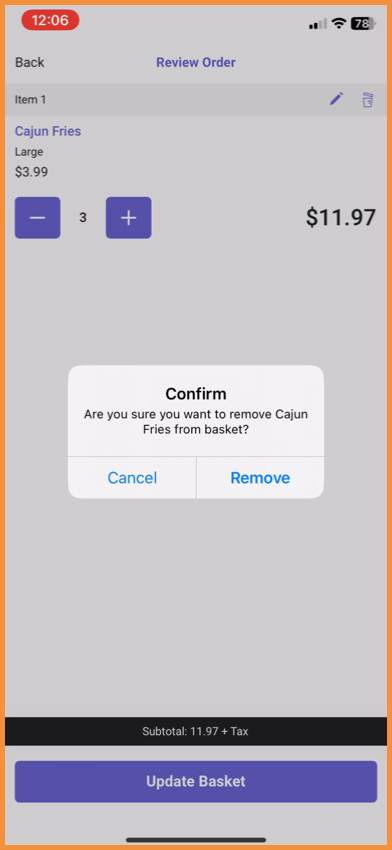
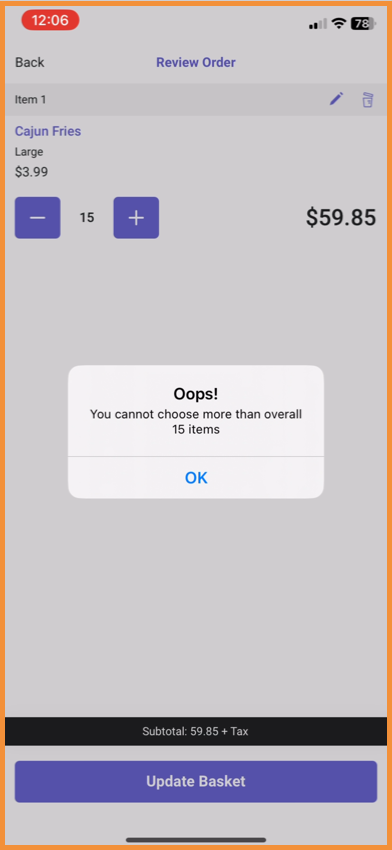
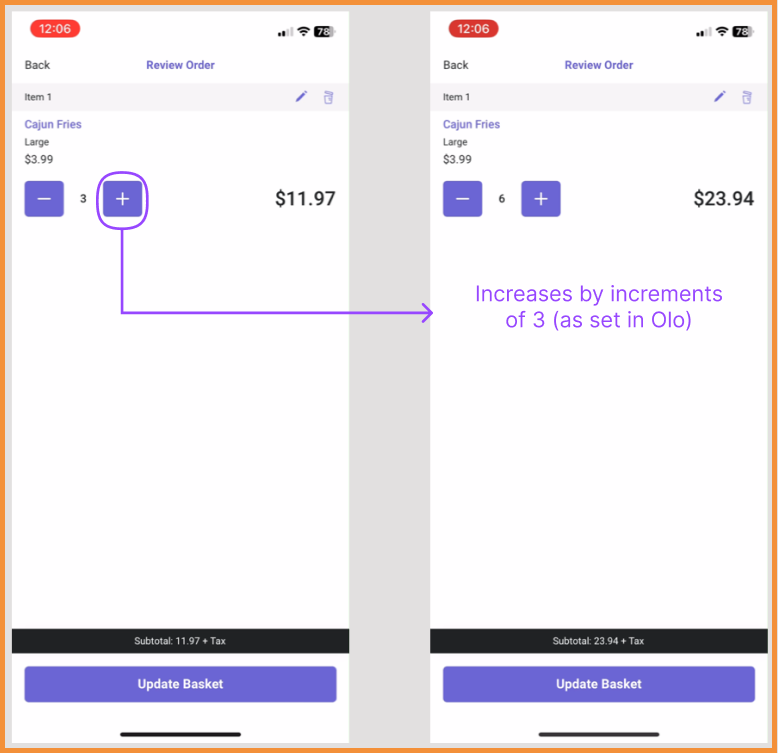
The UI/UX of product pages has been enhanced to reflect minimum quantities, maximum quantities, and quantity increment values configured in Olo. (MF-3109)
See what this looks like:
 |
 |
 |
Required Field Handling
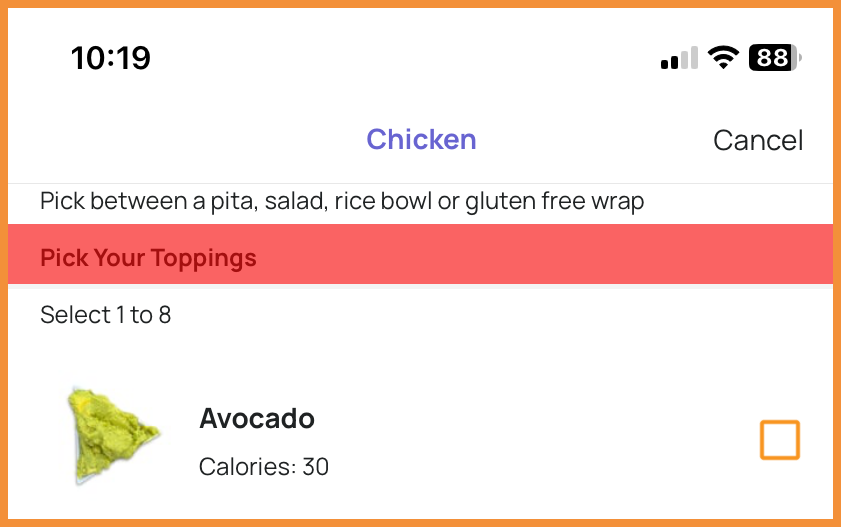
To help streamline the ordering process, when a required field is not filled, the user will see the screen scroll back to the next required section. The section header will flash a different color to indicate what field still needs to be filled.
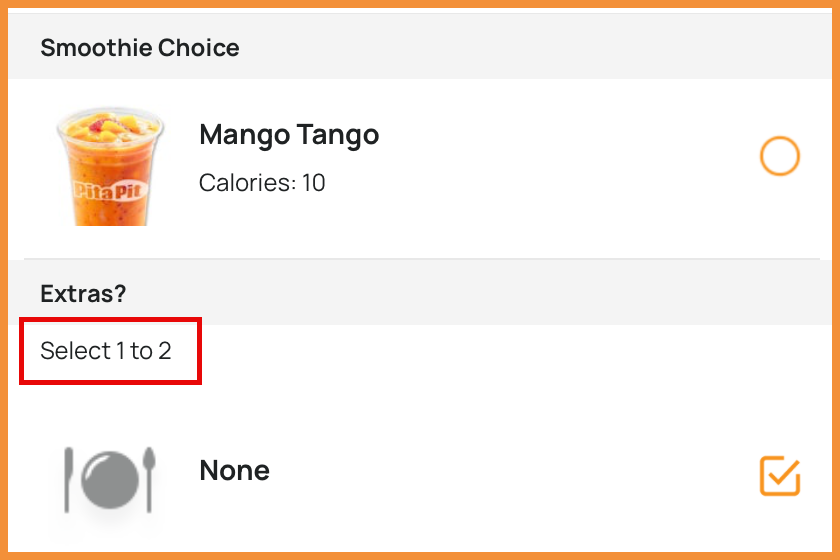
Additionally, to guide users in how many options they should select, additional copy has been added before the group description based on the minimum and maximum selections configured in Olo. (MF-3230)
See what this looks like:
 |
 |
Technical Enhancements
Updates Store Hours Handling
Store Hours have been updated to support all days and hours regardless of how copy is formatted in the platform. Days without store hours listed will no longer display in the app. (MF-3193)
For users updating from v4.0 to v4.1, this update will impact how closed days are displayed in the app. Days and hours can be updated in the Punchh platform.
Android Target SDK Level 36 Support
The app was upgraded to target Android SDK 36, ensuring compatibility with the latest Android platform requirements. In addition, support was added for Android edge-to-edge screens for a more modern and immersive user experience. (MF-3198)
PAR Ordering: Toast Payments Support
Credit card payments via Toast payments are now supported in the PAR Ordering native flows. (MF-3190)
