Punchh Mobile Framework v4.0 Release Notes
There have been additions to the Mobile Framework v4.0 Release Notes! Features marked with "**" were added after internal monitoring by the Punchh team.
Enjoy all of these new features and enhancements by updating your Punchh-built app to Mobile Framework Version 4.0. Contact your Punchh representative to request/schedule an app update.
New Features
Advanced Authentication Login
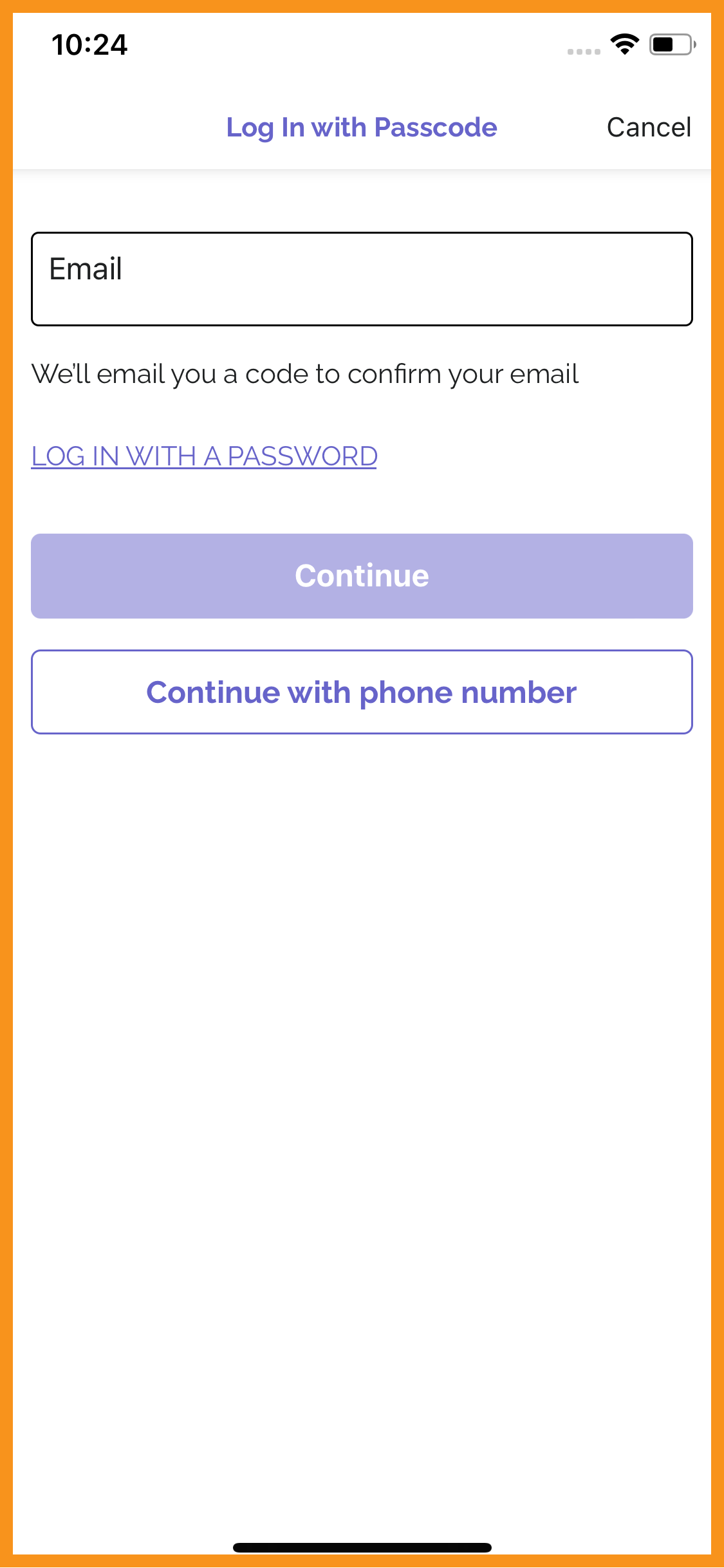
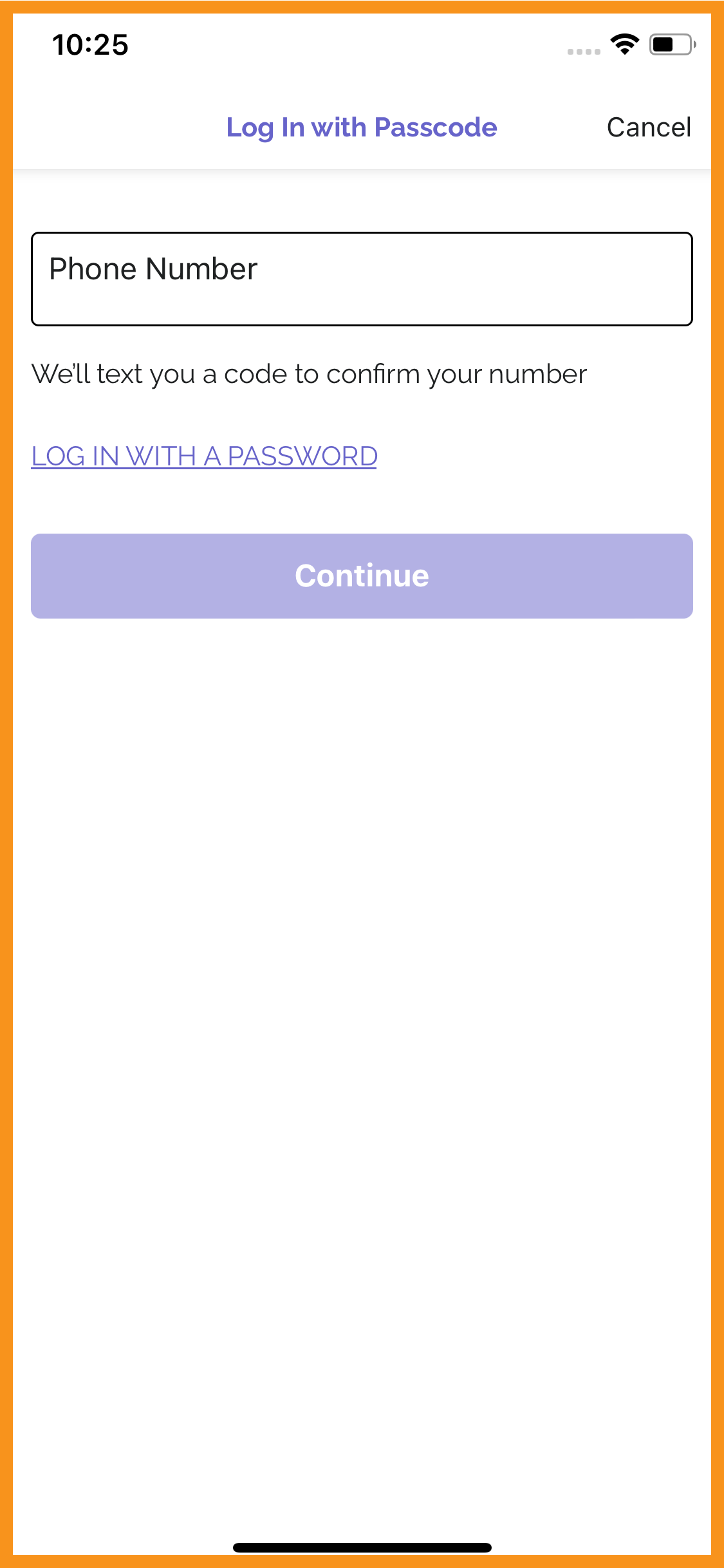
MFW v4.0 supports login using Advanced Authentication, which provides users with secure and easy access to apps and websites using modern login methods such as one-time passcodes (OTPs). This feature protects user accounts while making the login process simpler and more flexible.
The login flows in the MFW now support OTPs for email address, phone number, or both. In the new flows, a user can enter their account email address or phone number, and they will receive a one-time passcode that can be entered into the app to log in instead of using an email address and password.
Learn more about Advanced Authentication in the Advanced Authentication: Overview Support Portal article. (MF-2865)
See what this looks like:
 |
 |
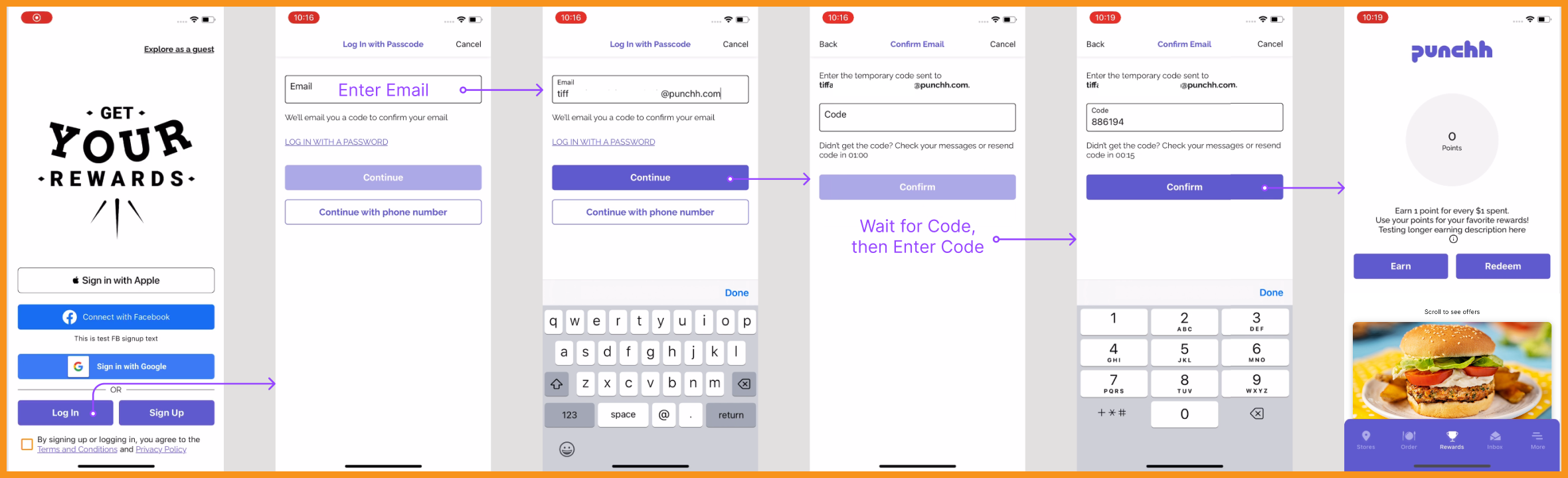
Advanced Auth Login Flow
Themes Editor - Colors and Bottom Navigation
Introducing the Themes Editor!
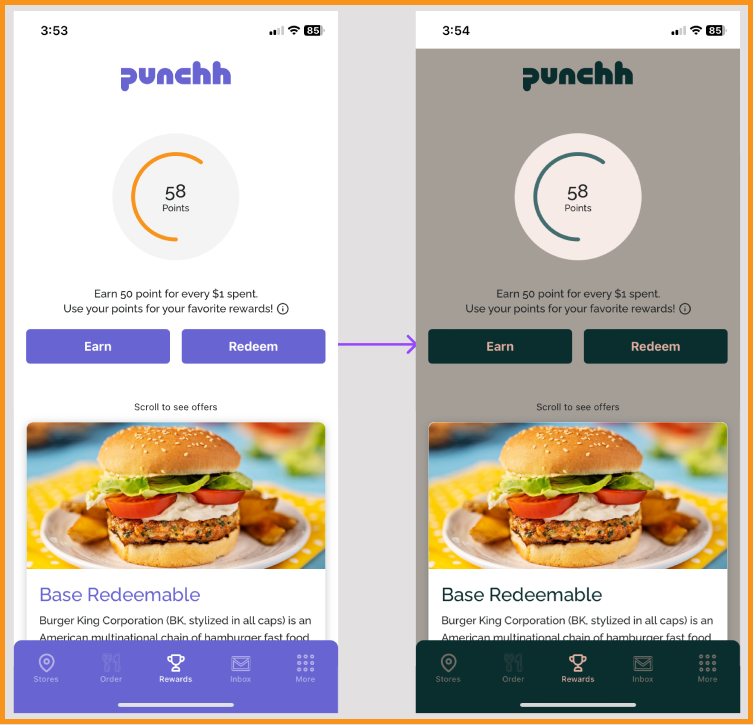
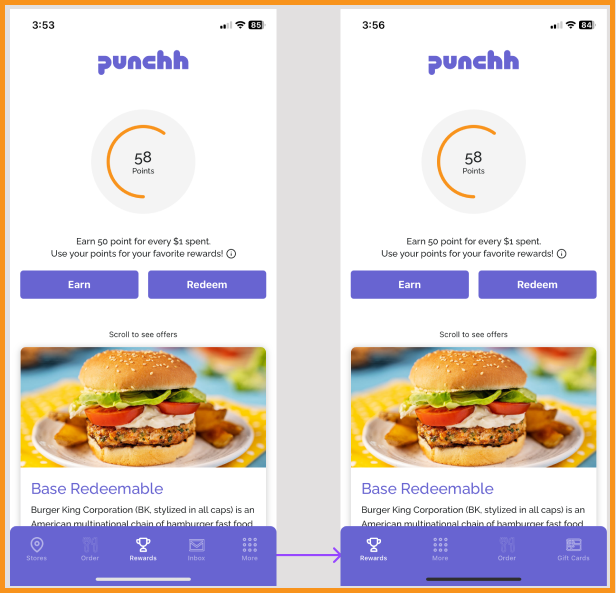
The Themes Editor allows your Punchh representative to change your app colors without an app update, allowing changes to be made to match your latest brand guidelines. In addition, the screens and icons featured in the Bottom Navigation bar can also be updated without an app update, allowing more flexibility in when you launch new features and highlight different features based on your current marketing goals. Please reach out to your Punchh representative to make any changes. (MF-2736, MF-2782, MF-2799, MF-2805, MF-2858, MF-2862, MF-2882, MF-2904, MF-2959, MF-2971)
See what this looks like:
 |
 |
PAR Ordering 2.0
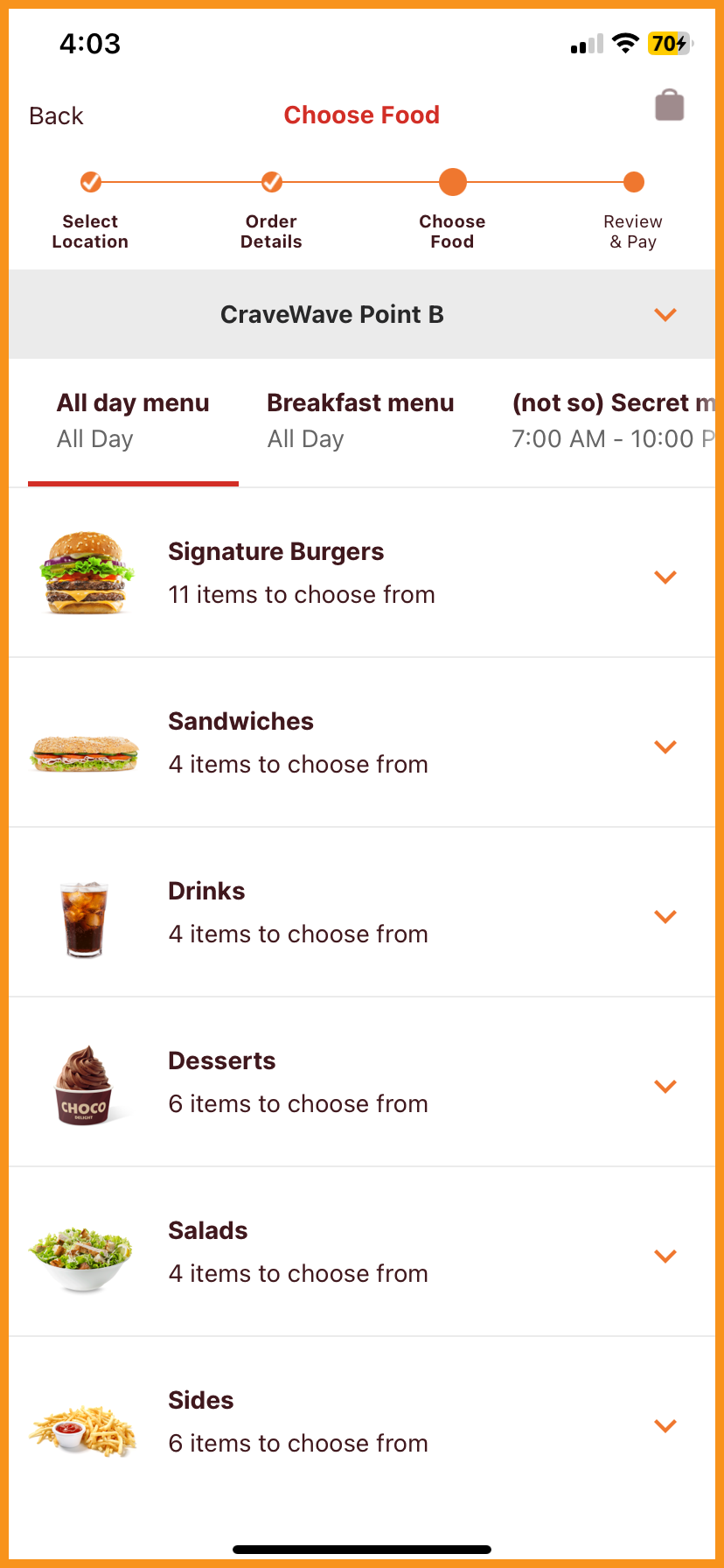
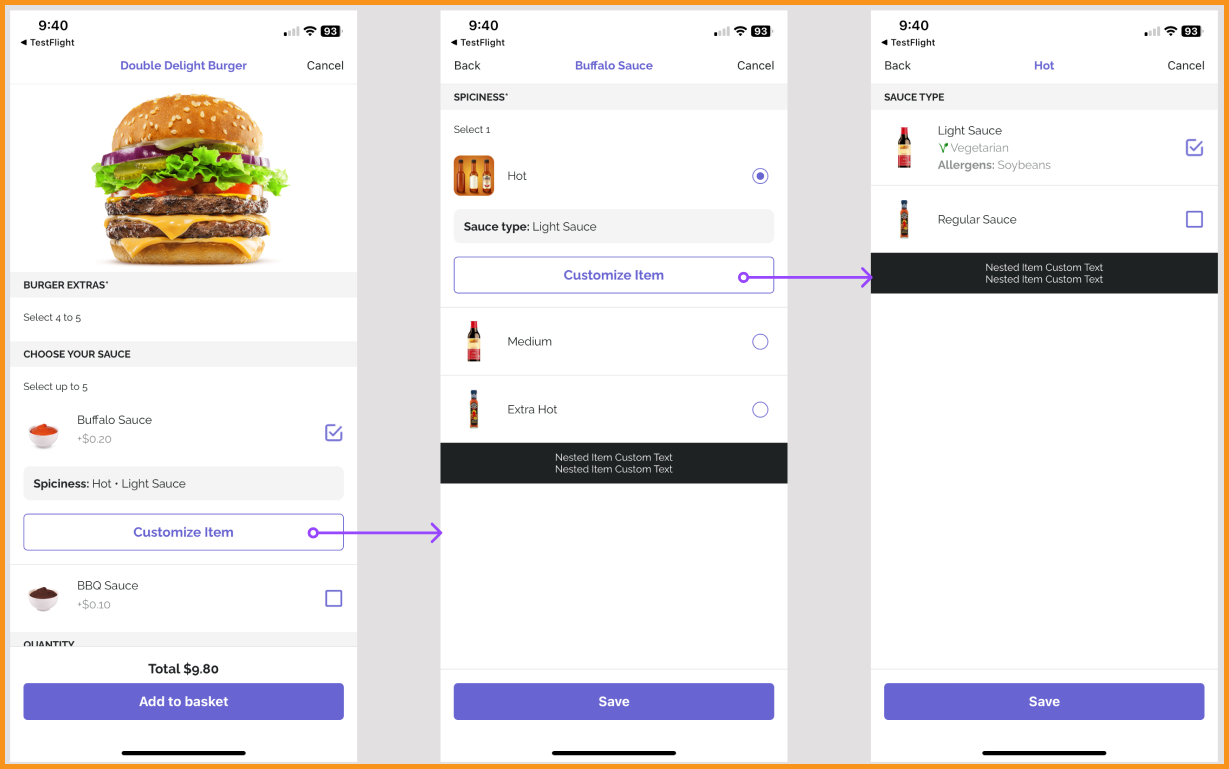
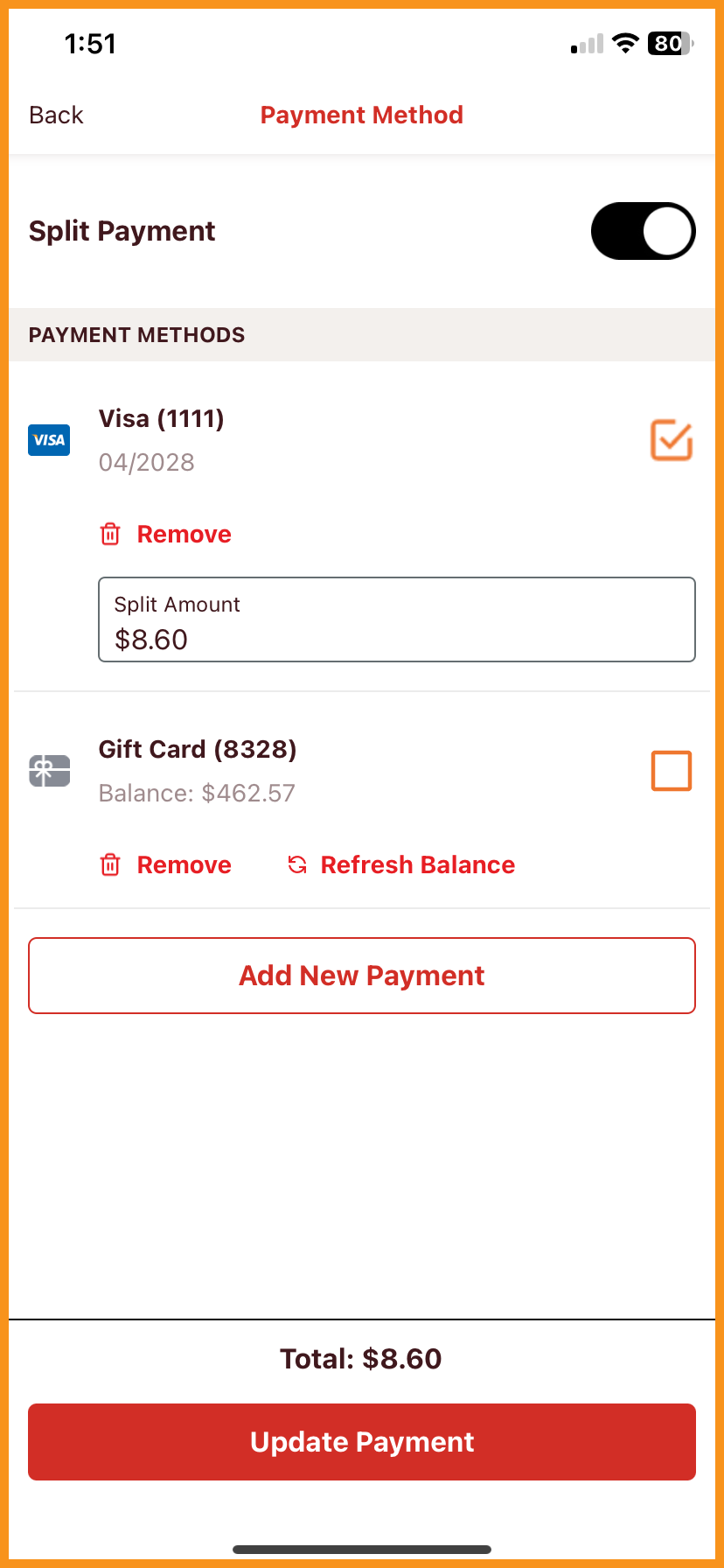
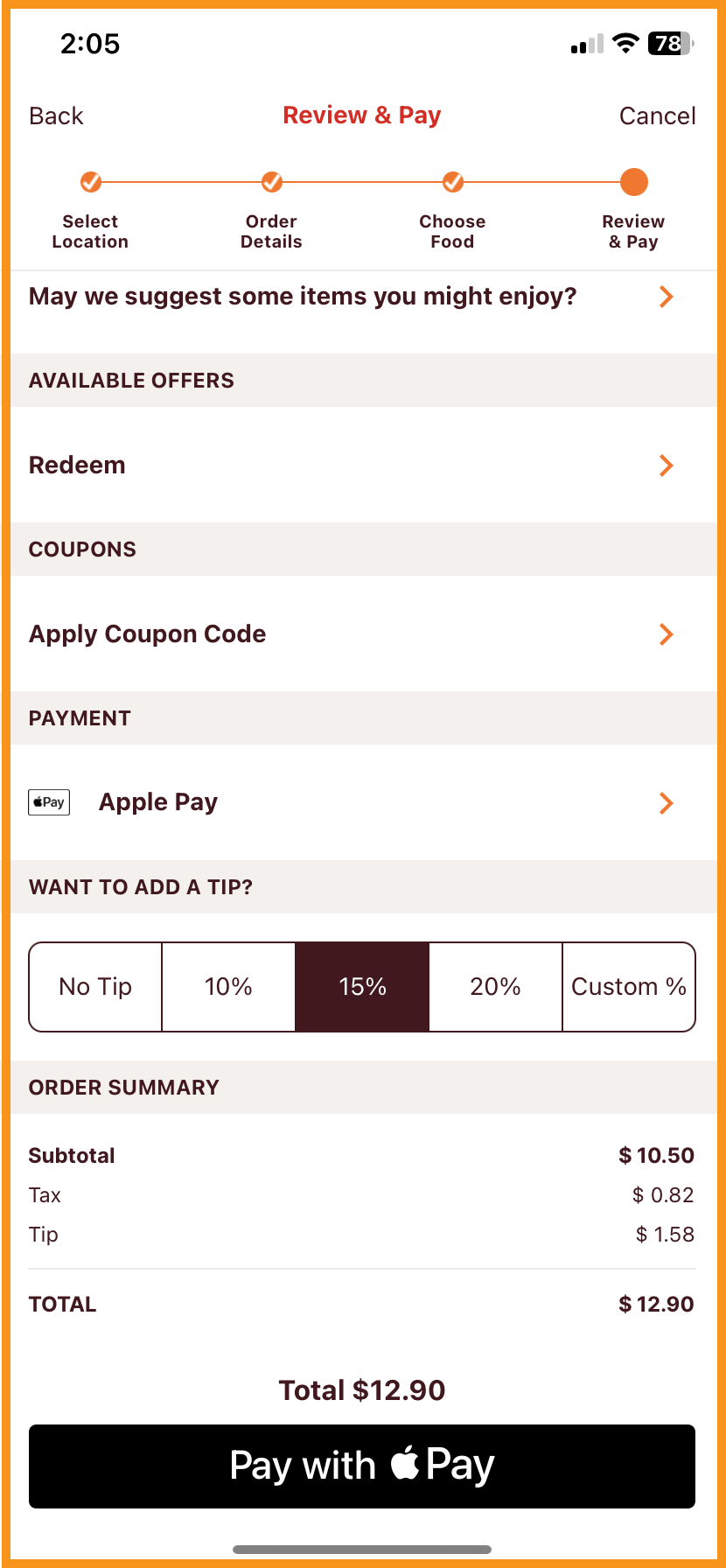
PAR Ordering 2.0 includes many major enhancements to PAR Ordering, including but not limited to:
- Updated menu management, which includes support of Nested Product Groups
- Multiple menus
- Apple Pay and Google Pay
- Split Payment
- Custom Fees
Reach out to your Punchh representative to discuss updating to PAR Ordering 2.0. (MF-2722, MF-2723, MF-2724, MF-2725, MF-2726, MF-2727, MF-2767, MF-2780, MF-2781, MF-2790, MF-2791, MF-2792, MF-2796, MF-2831, MF-2847, MF-2878)
See what this looks like:
 |
 |
 |
 |
Loyalty
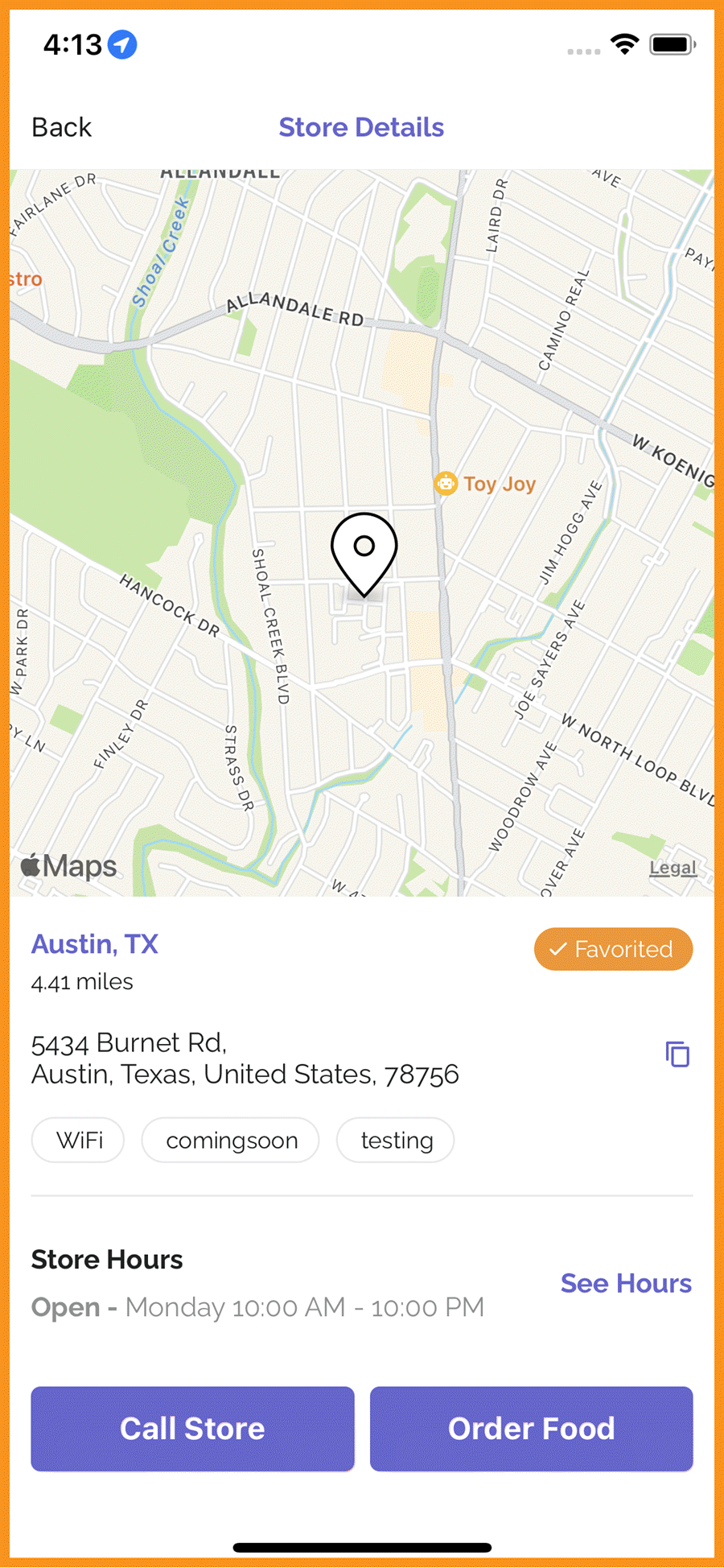
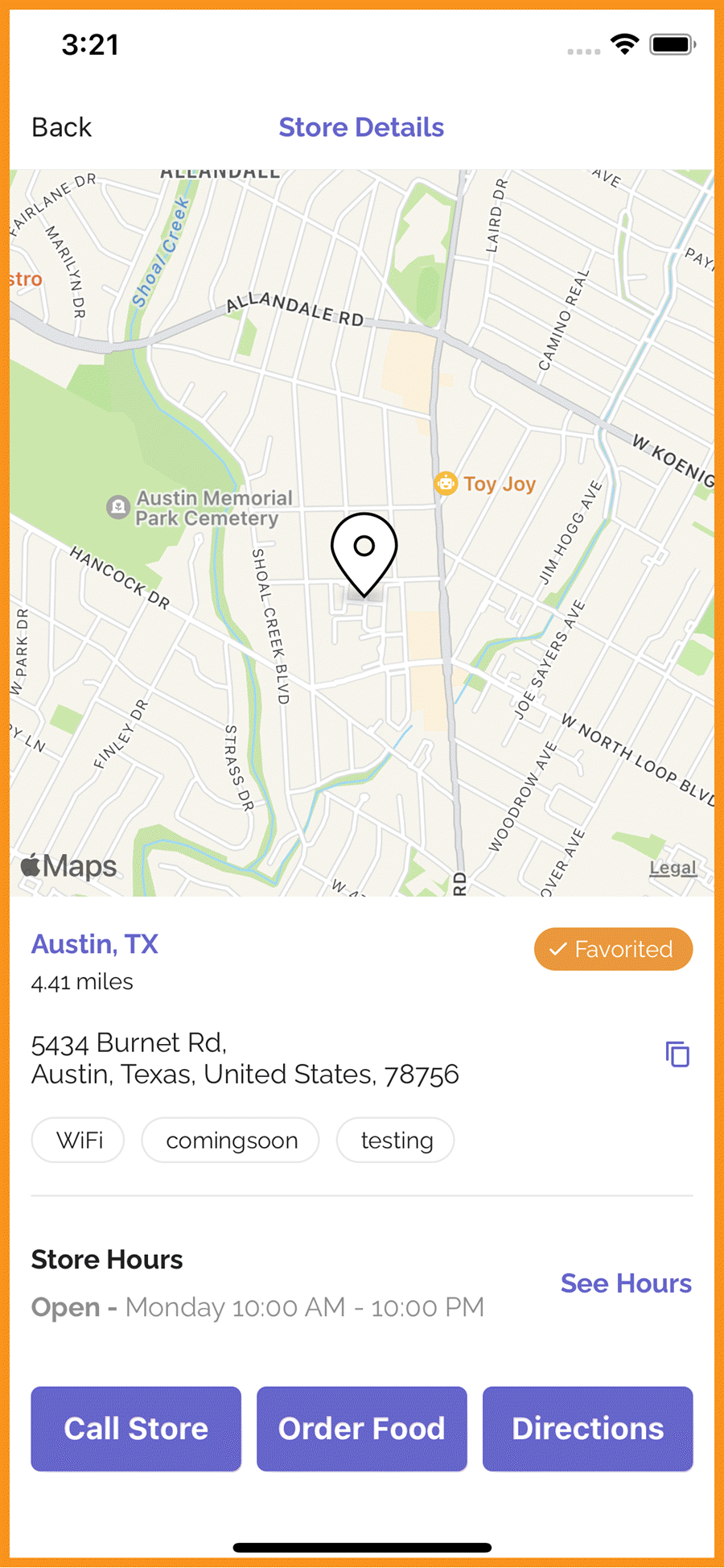
Configurations To Enable/Disable "Get Directions" CTA
The "Get Directions" CTA and Google Maps toolbar can be disabled from the Punchh platform. The store address can now be copied with a tap. (MF-2937)
See what this looks like:
 |
 |
SMS Opt-in Privacy URLs
When the SMS module is enabled and SMS opt-in language is visible in sign-up flows, the Terms & Conditions and Privacy Policy URLs are now independent of the general loyalty Terms & Conditions and Privacy Policy URLs and can be configured from the Punchh platform. Please reach out to your Punchh representative to request changes. (MF-2944)
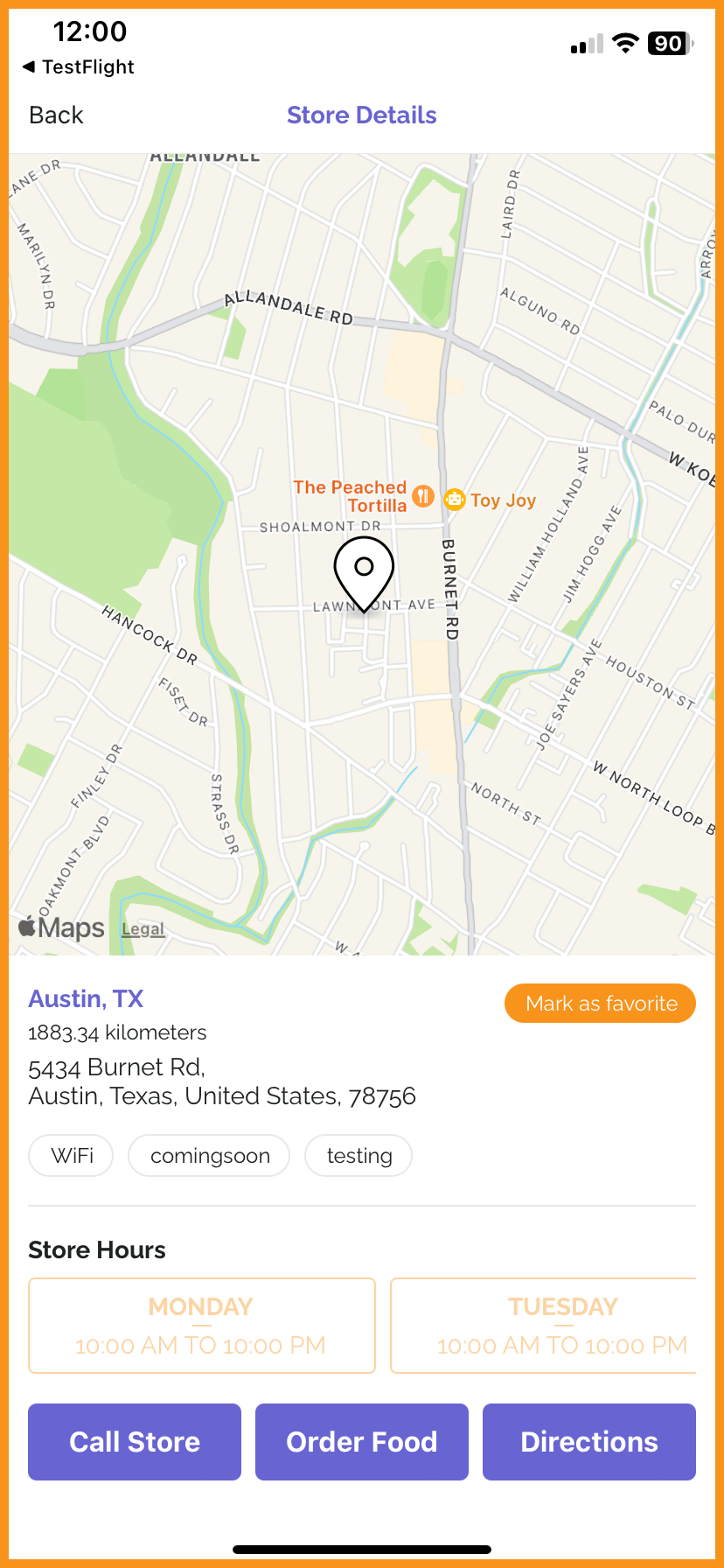
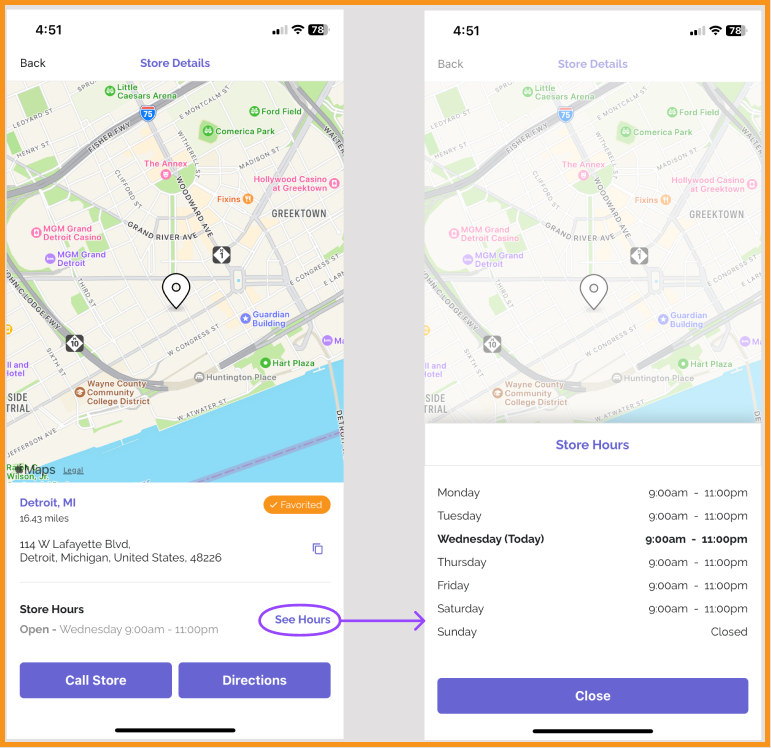
Updated UI/UX of Store Hours
The Store Details screen has been updated to include an enhanced view of location hours. Location hours can be viewed in list view and will include closed days so that users can see hours for all days of the week at once. (MF-2956)
See what this looks like:
 |
 |
Added Pagination in Deals
To improve the performance and experience of the Deals screen, instead of loading all deals at once, more deals will load as the user scrolls down. (MF-2884)
Gift Cards
Worldpay CAPTCHA Support
Added CAPTCHA support for the Worldpay Hosted Payments integration to enhance security and mitigate risks from automated attacks such as card testing. This update is aligned with recommendations from Worldpay and includes the necessary configurations to comply with their certification process. (MF-2960)
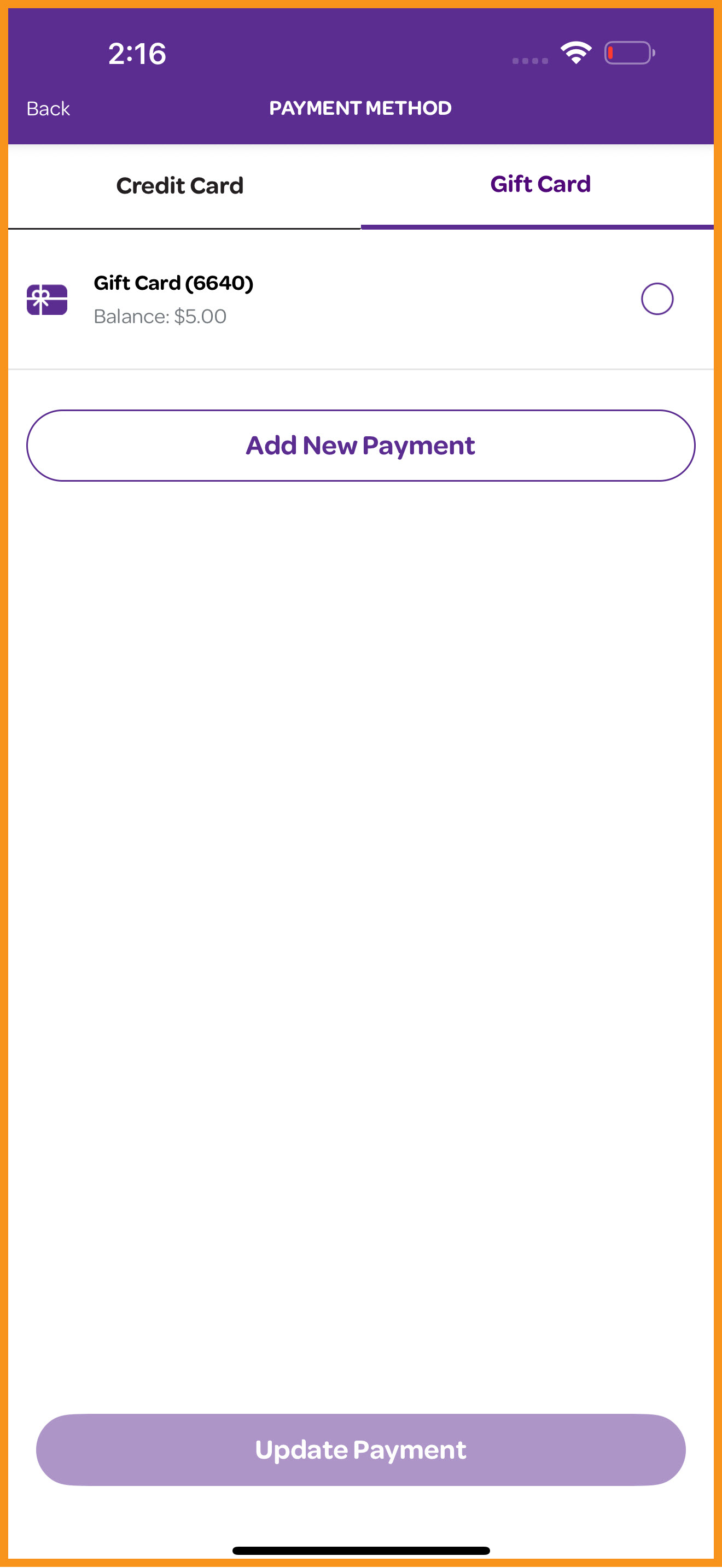
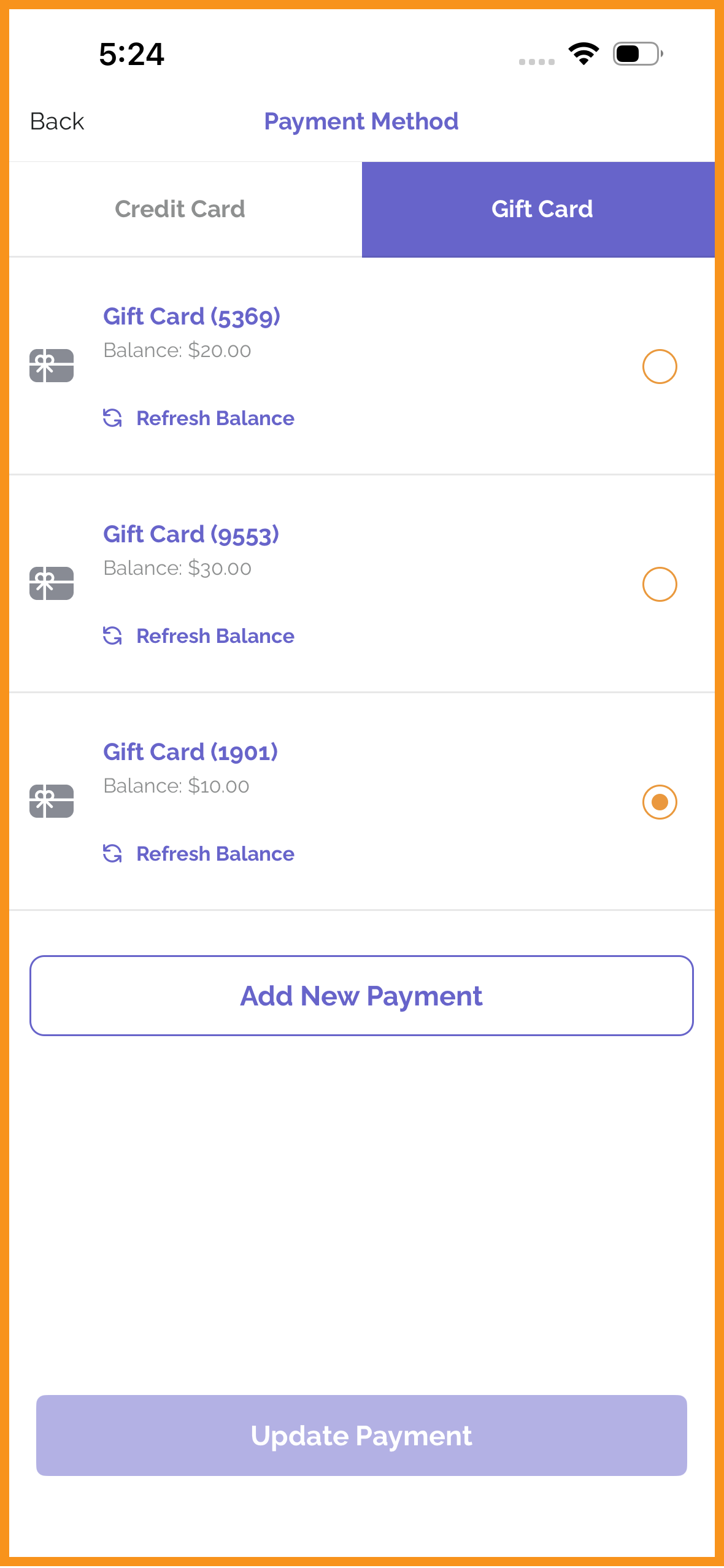
Added Refresh Button on Add Payment Screen in SSF**
Gift cards can now be refreshed to check balances from the saved gift card list view in Consolidated Scanning flows. (MF-3050)
See what this looks like:
 |
 |
Ordering With PAR Ordering
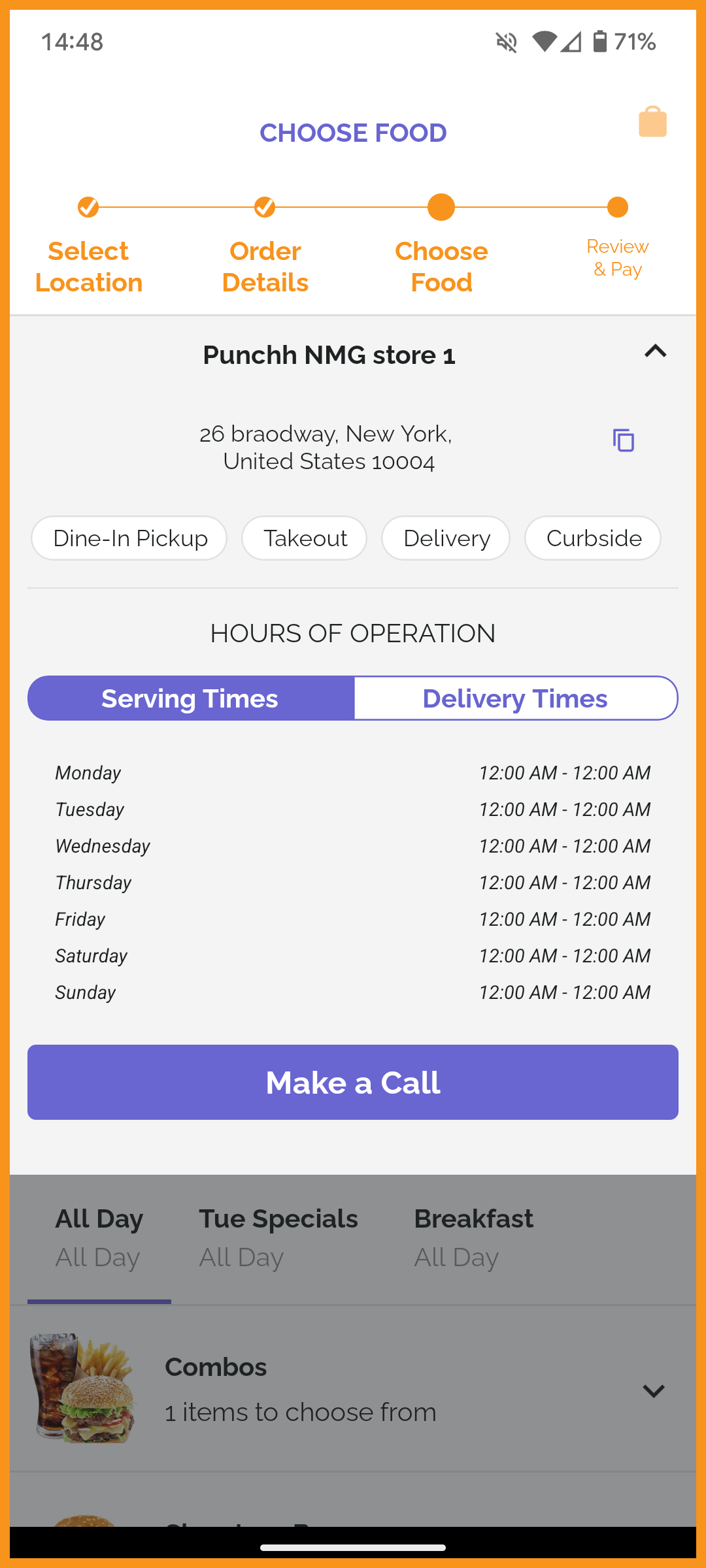
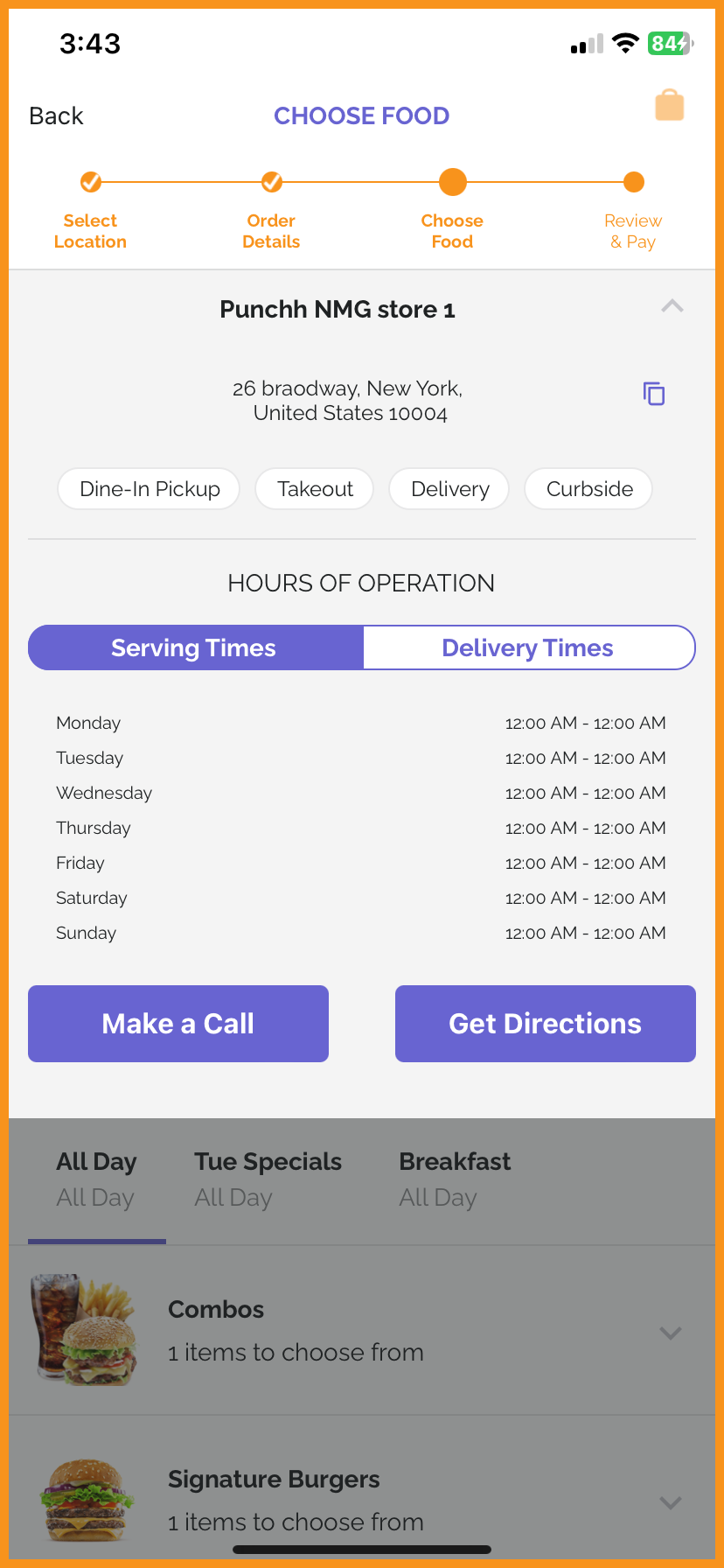
Configurations To Enable/Disable "Get Directions" CTA in Online Ordering
In the online ordering flow, the "Get Directions" CTA can be disabled from the Punchh platform. The store address can now be copied with a tap. (MF-2965)
See what this looks like:
 |
 |
Add PAR Ordering Payments Through Payment Vault
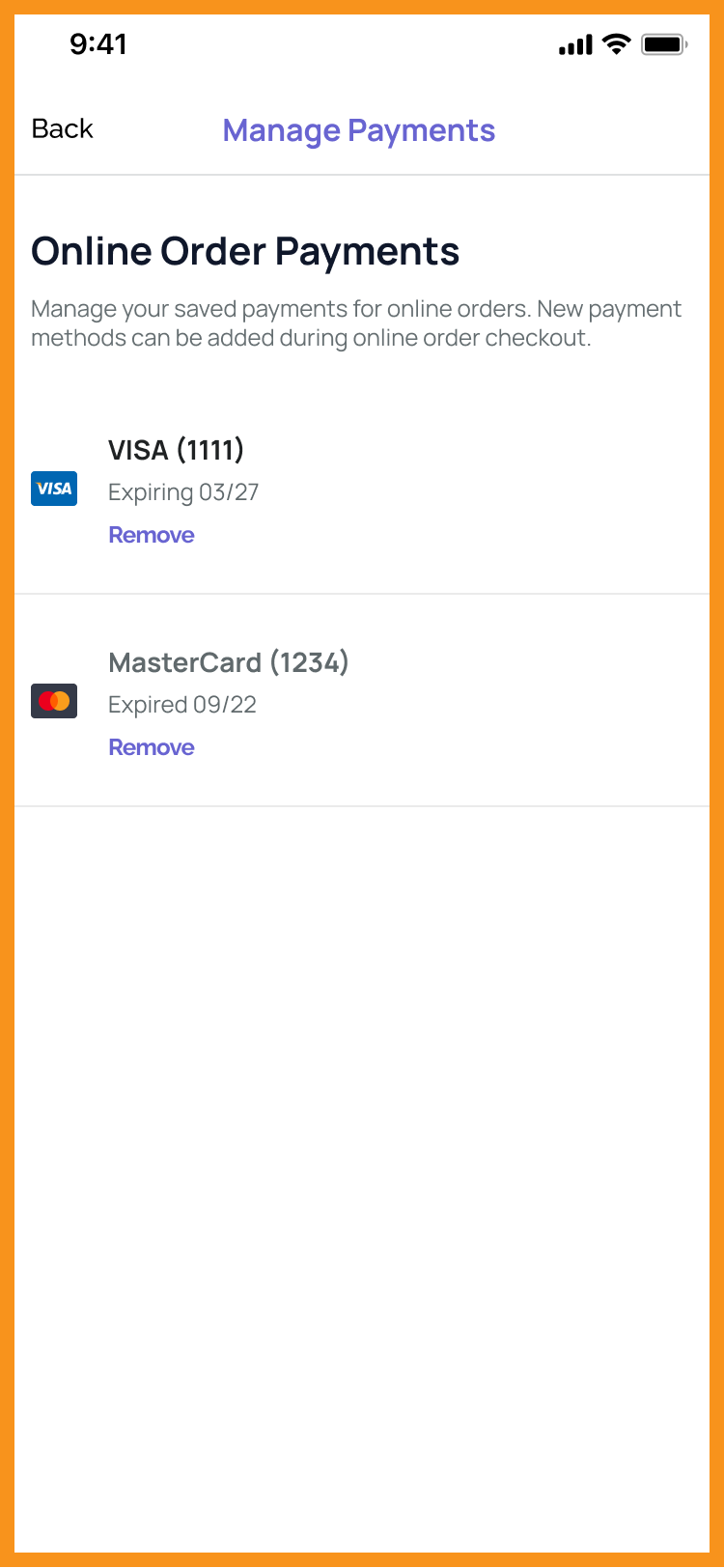
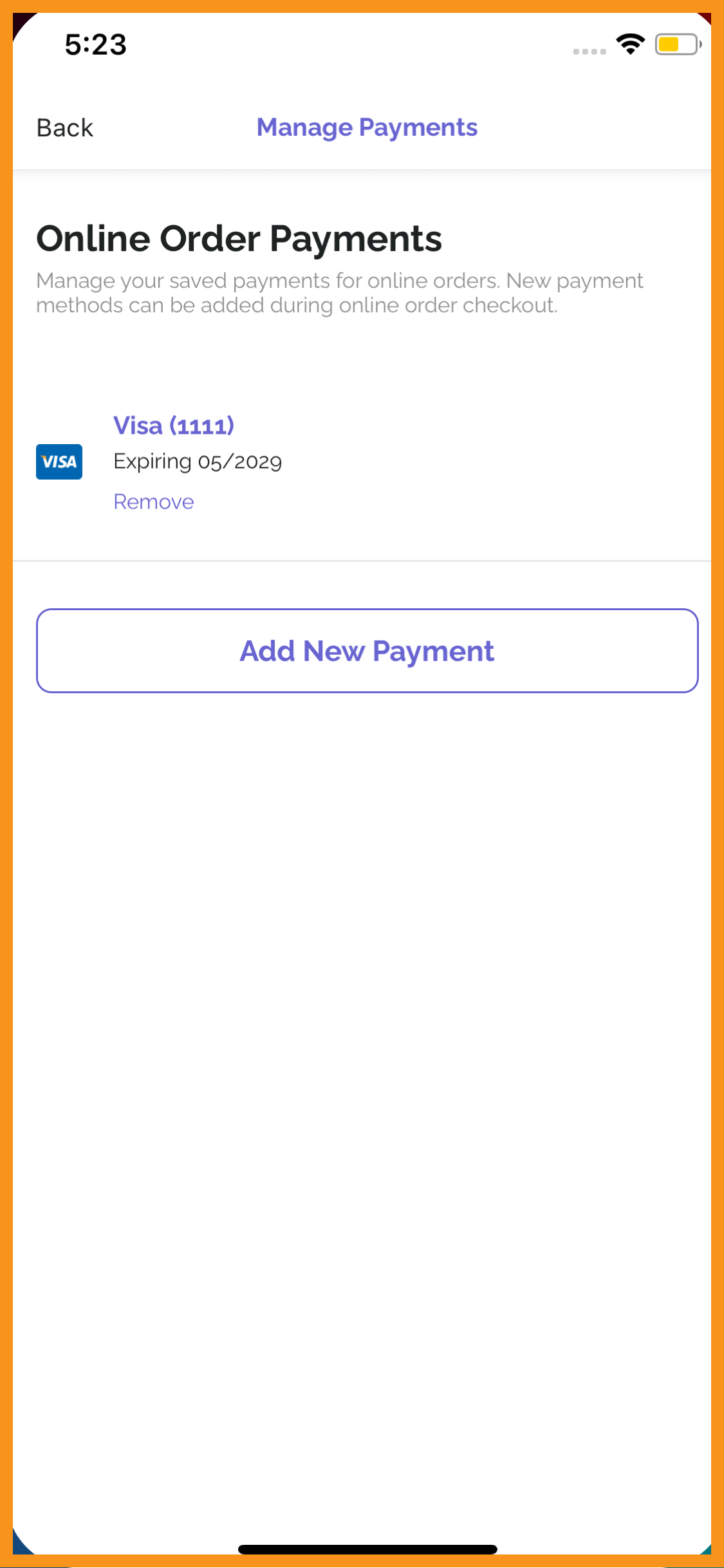
The manage payments flows have been updated to allow new credit cards for PAR Ordering online order payments to be added and saved directly from the More Menu. Previously, users could only remove payments from this screen. (MF-2926)
See what this looks like:
 |
 |
Ordering With Olo
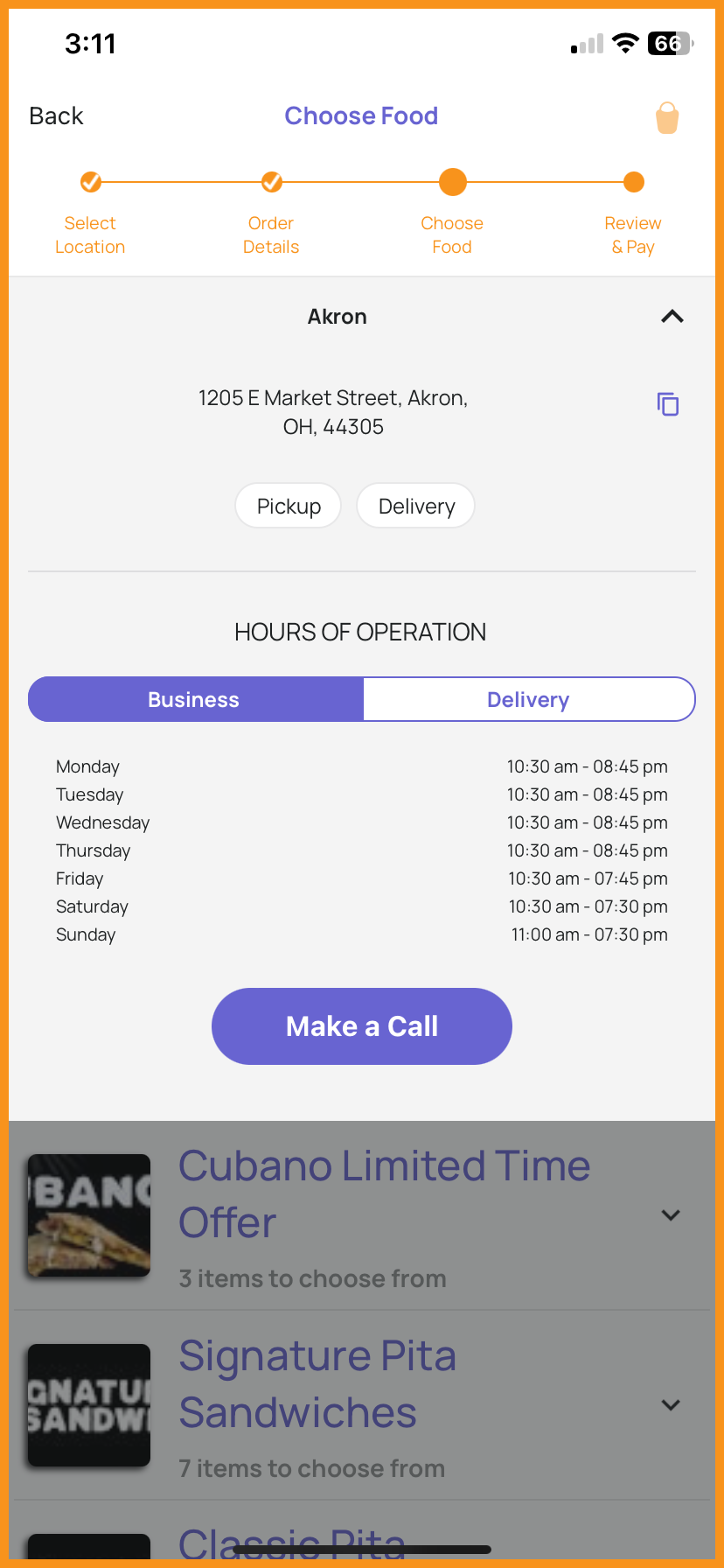
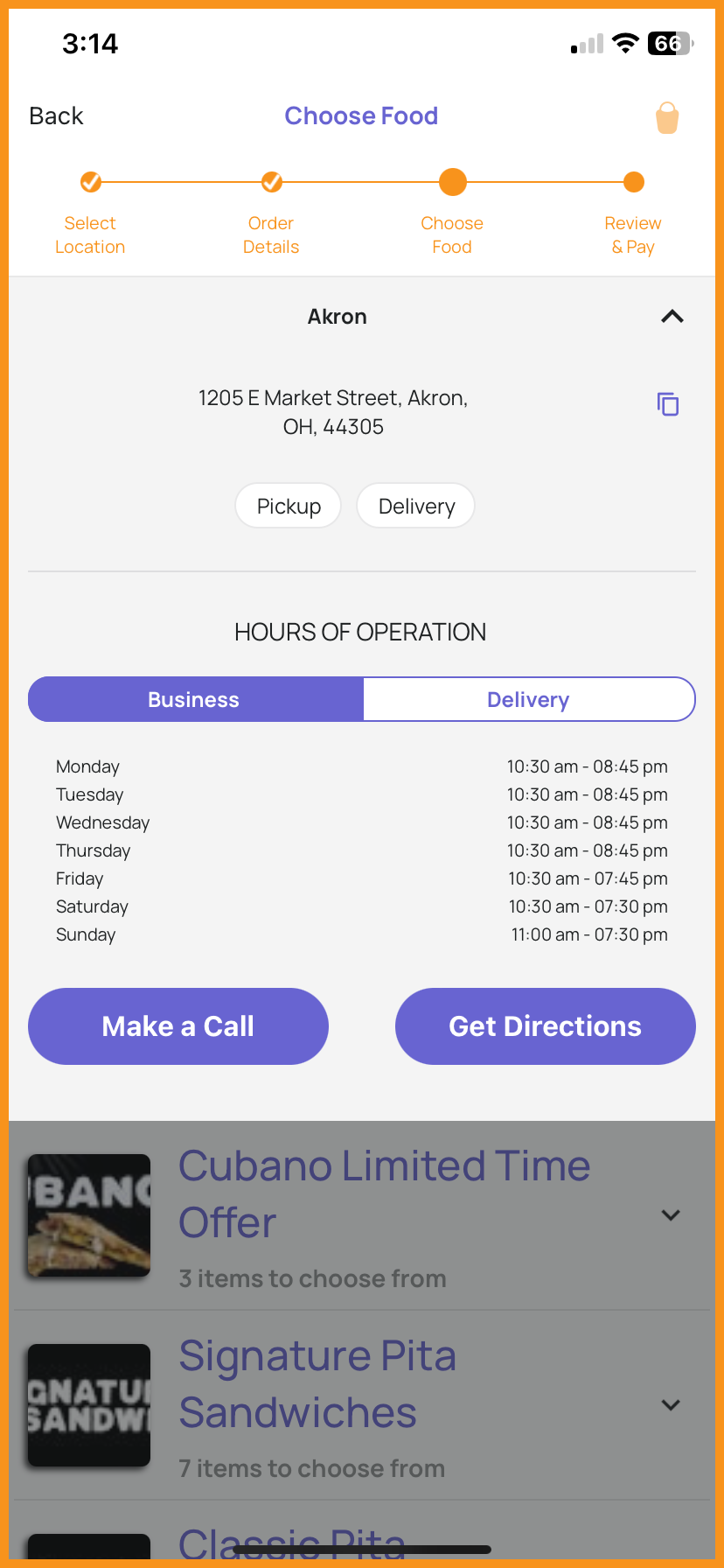
Configurations To Enable/Disable "Get Directions" CTA in Online Ordering
In the online ordering flow, the "Get Directions" CTA can be disabled from the Punchh platform. The store address can now be copied with a tap. (MF-2965)
See what this looks like:
 |
 |
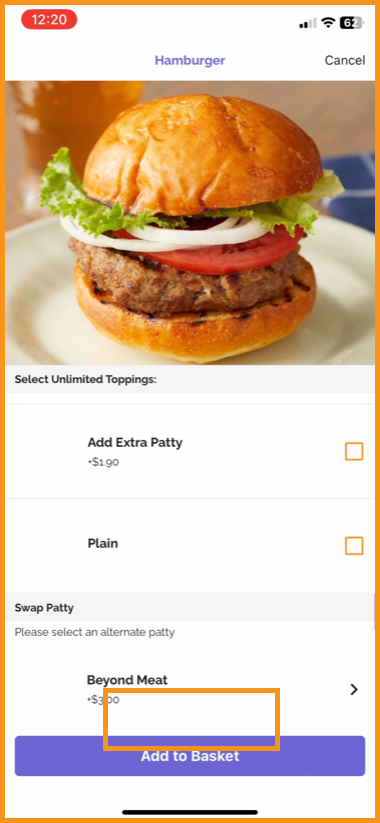
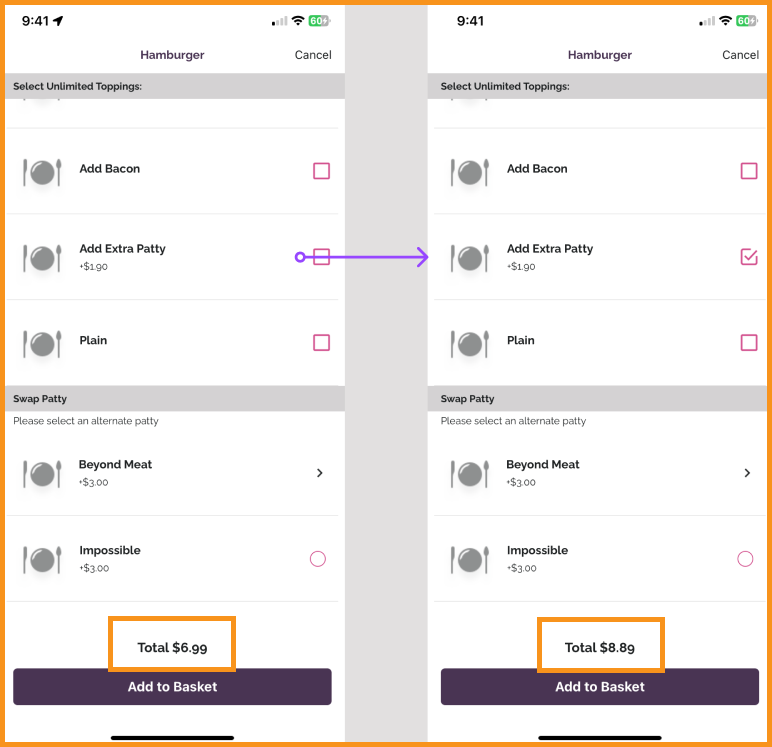
Olo Product Page Will Display Price Based on Modifiers Selected
Users can view the price of an item on the main product page before adding the item to their basket. The price of the item will update based on modifiers and quantities selected. This is also supported for PAR Ordering. (MF-2523)
See what this looks like:
 |
 |
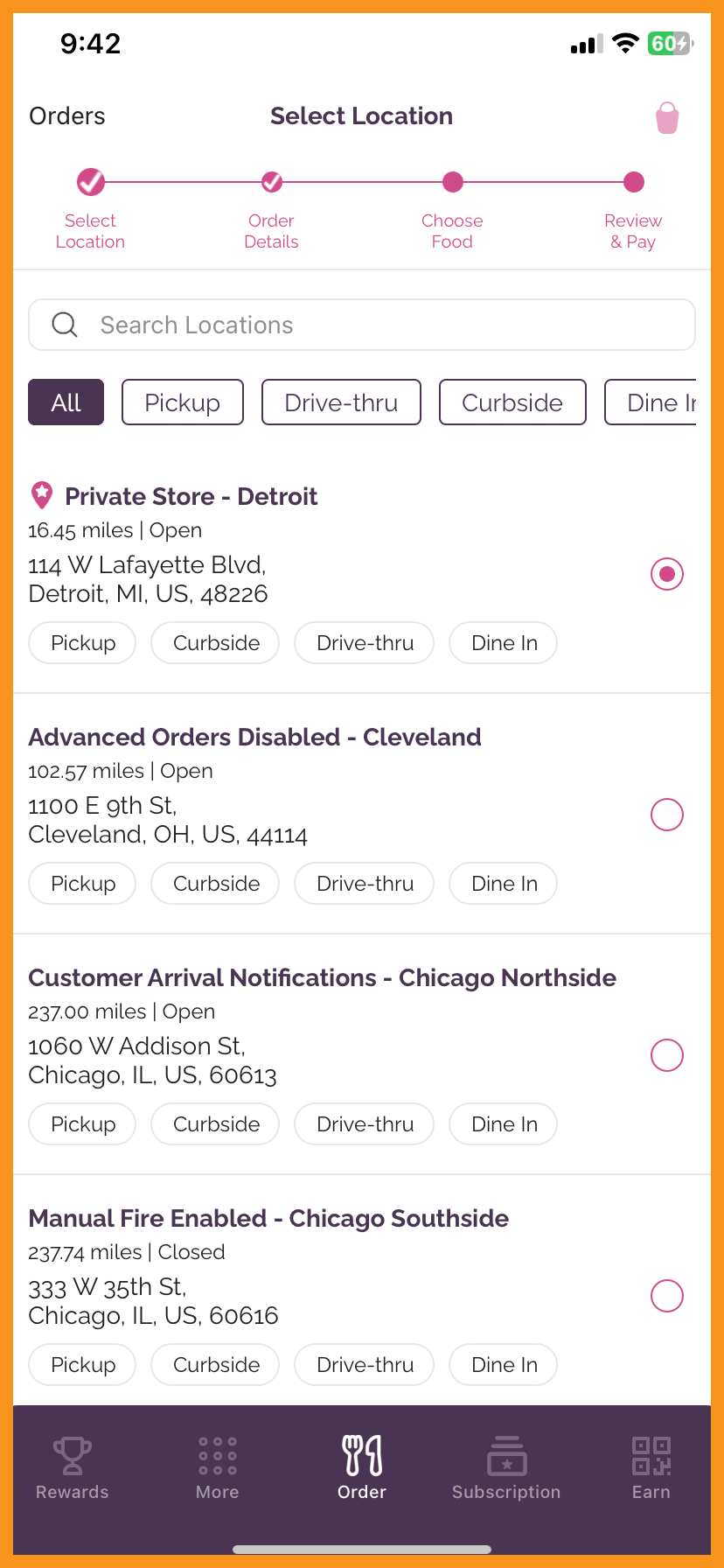
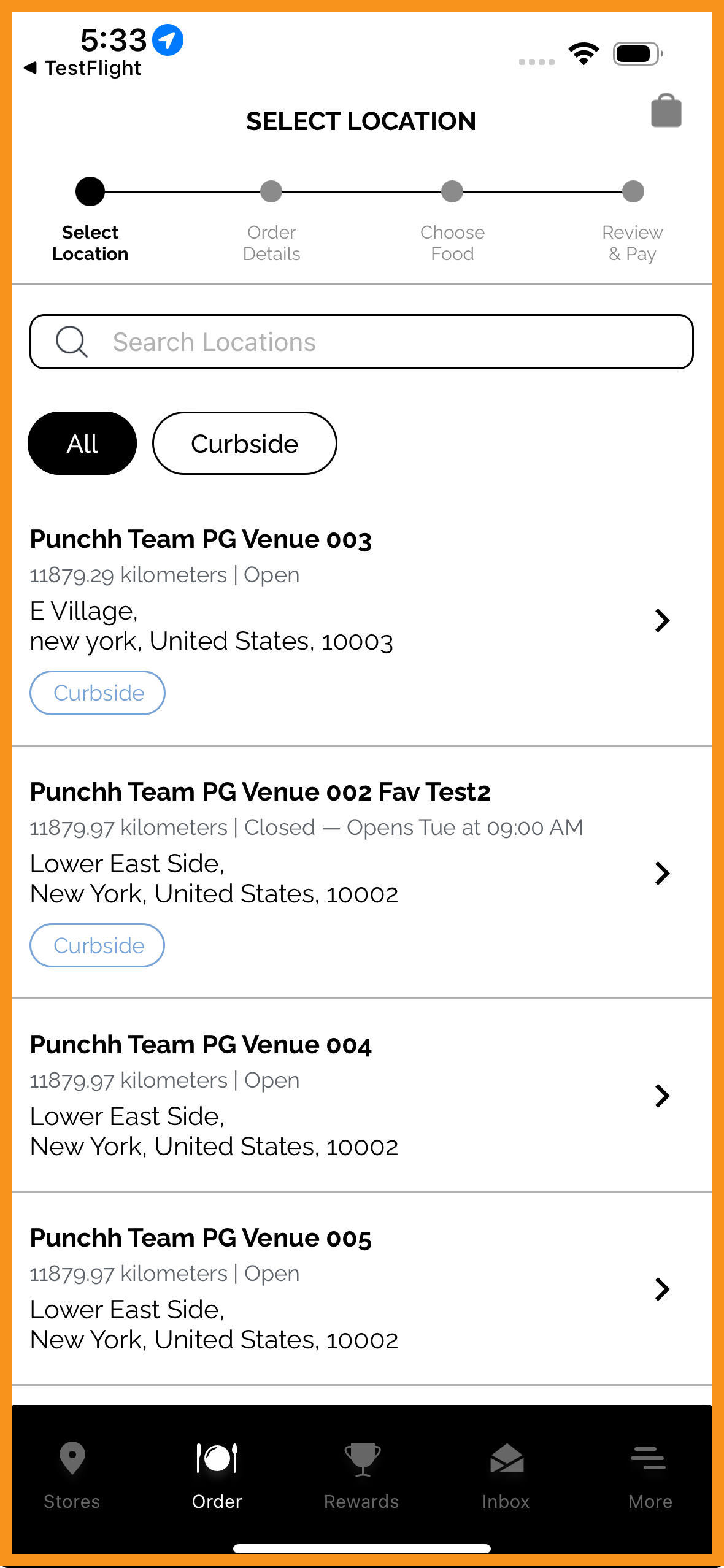
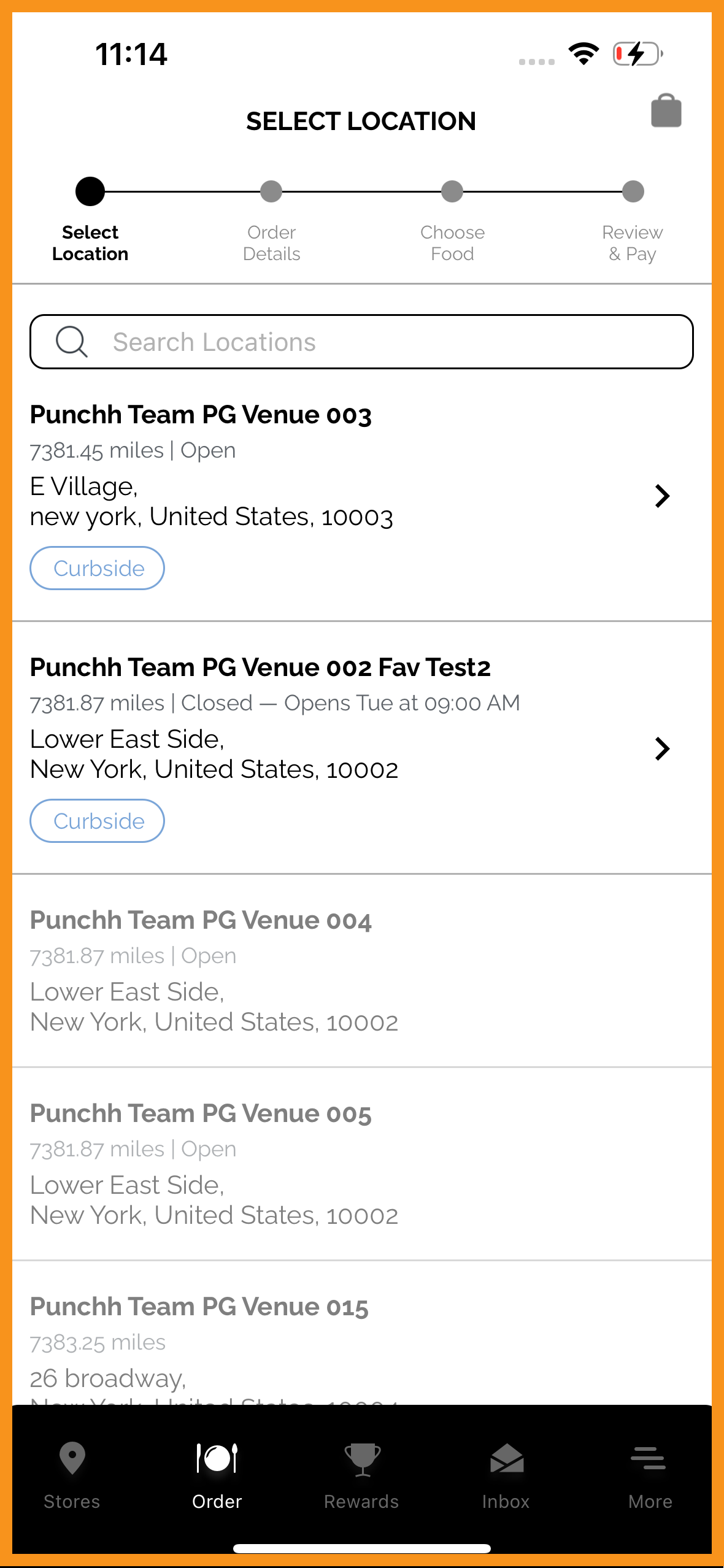
Suppress Order Type Filter When Only One Order Type Is Available
The order type filter on the "Select Location" screen will be visible only if there is more than one order type available from Olo. This is already supported in PAR Ordering. (MF-2739)
See what this looks like:
 |
 |
 |
Integrate Tip Suggestions From Olo
Olo has updated their API to provide more tip percentage suggestions. These tipping enhancements are now supported in the MFW. (MF-3018)
Search Bar Fix in Order Type Filter in Location Screen
The search functionality on the Select Location screen has been improved. Now, when a user enters text and makes a new selection in the order type filter, the search bar will reset. (MF-2925)
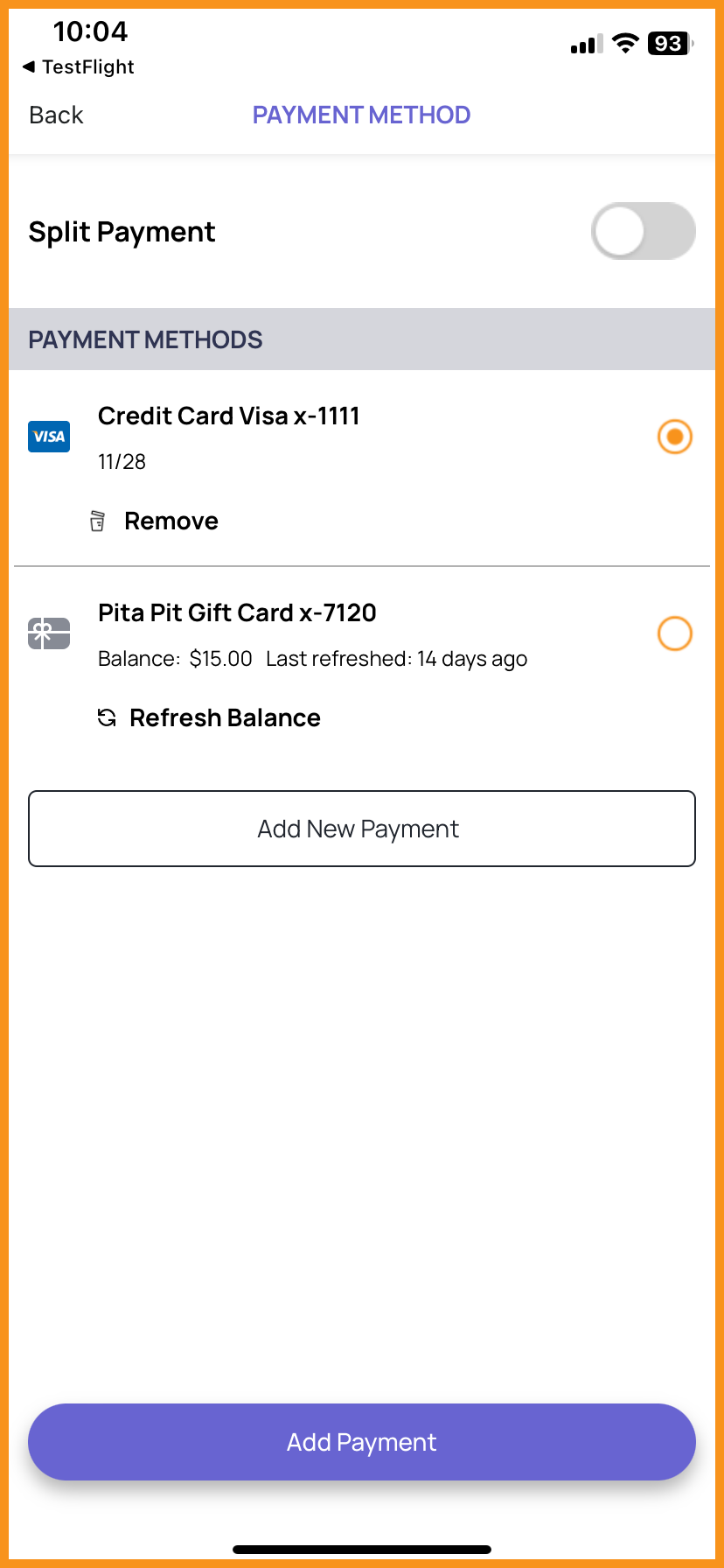
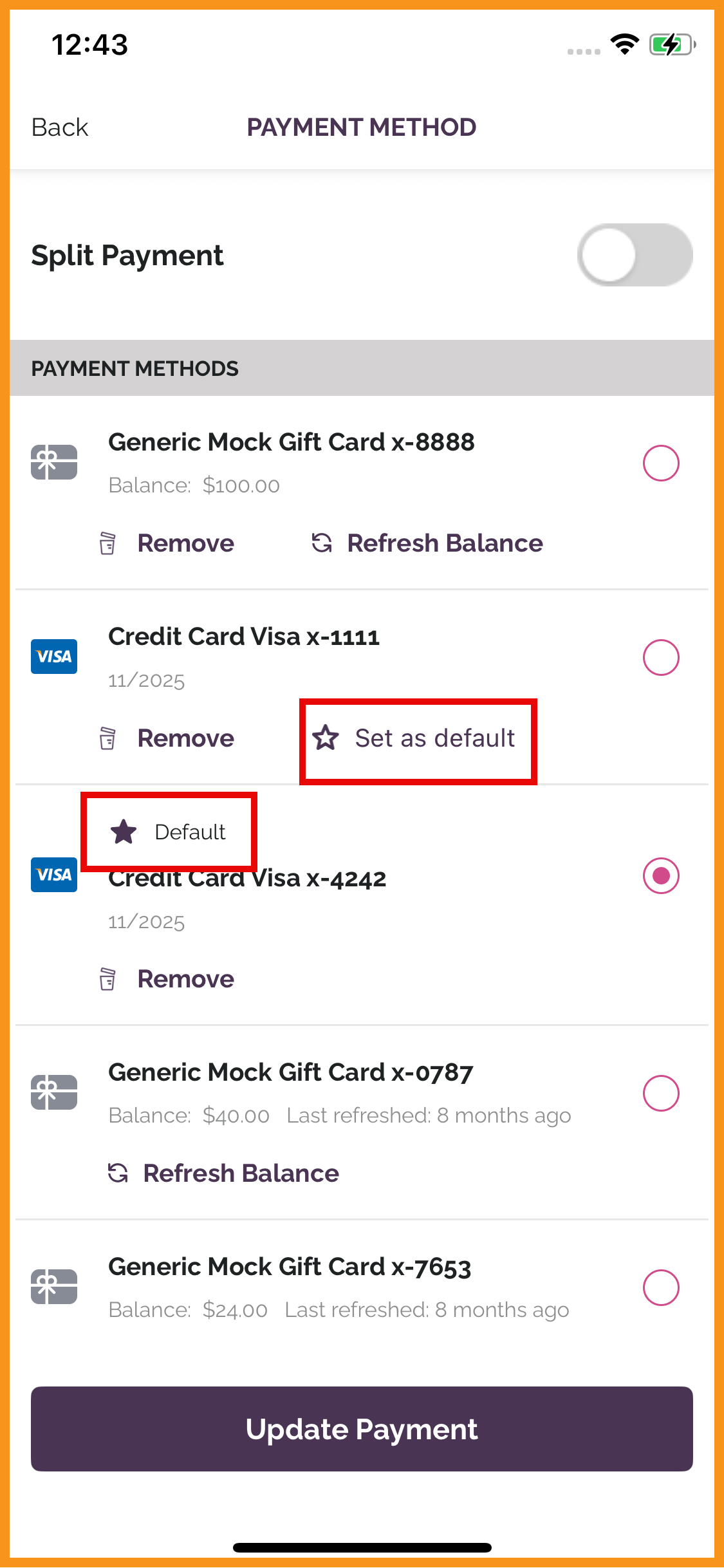
Default Card Handling**
Users can now mark a credit card as their default card in the Olo online ordering payment flows. (MF-3032)
See what this looks like:
 |
 |
Incorporated "Times" Field in Item Availability**
Incorporated enhanced APIs from Olo allowing restaurants to configure product availability with more precise day and time ranges (e.g., Monday 9 AM to Friday 6 PM). (MF-3043)
Curbside Arrival Notification Optional Arrival Message**
Updated Curbside Arrival Notifications to support supportedarrivalmessagehandoffmodes value from Olo APIs. This value will determine when the app requests an optional note to be sent to the restaurant at curbside check-in. (MF-3043)
Technical Enhancements
Android Target SDK API Level 35 Support
Updated to target SDK 35 for Punchh Android apps. (MF-2846)
Deeplink Support for Campaigns
Deeplinks with query parameters (Sendgrid conversion tracking UTM tags) sent to a user via email campaign are redirecting the user correctly in the app. (MF-2843)
Challenge Data and API Call Optimization
An auto-refresh call has been implemented to trigger as soon as a user lands on the Challenges screen. Now, whenever a user lands on the Challenges screen, the page is auto refreshed so the user can get the latest data for challenges even if the push notifications are disabled. (MF-2850)
Keypad Action Handling in Add Gift Card
Added a bin validation for when a user tries to add a gift card in Olo when isPinRequired = False and taps the Done button after entering card number OR taps anywhere on the screen. An alert stating that the card will not be saved unless a payment is made will be displayed. (MF-2914)
App Localization Native Function
Updated the Accept Language Locale Support in Android due to deprecation. (MF-2934)
