Punchh Mobile Framework v3.8 Release Notes
Enjoy all of these new features and enhancements by updating your Punchh-built app to Mobile Framework Version 3.8. Contact your Punchh representative to request/schedule an app update.
New Features
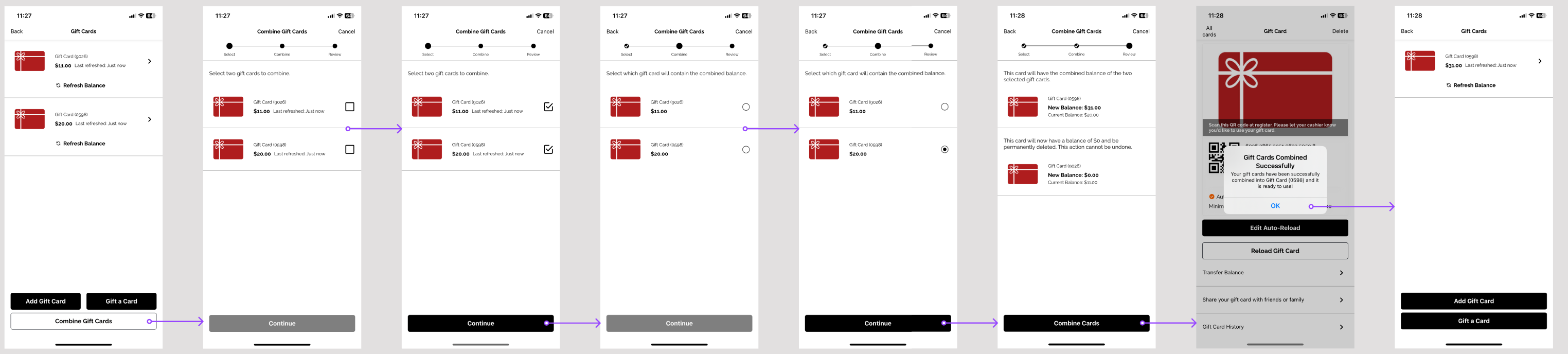
Gift Cards: Card Consolidation
Brands can now enable Gift Card Consolidation in the Punchh Platform. Users will be able to combine gift cards they have saved to their loyalty account. (MF-2568, MF-2641)
See what this looks like:
Gift Cards: Auto Reload
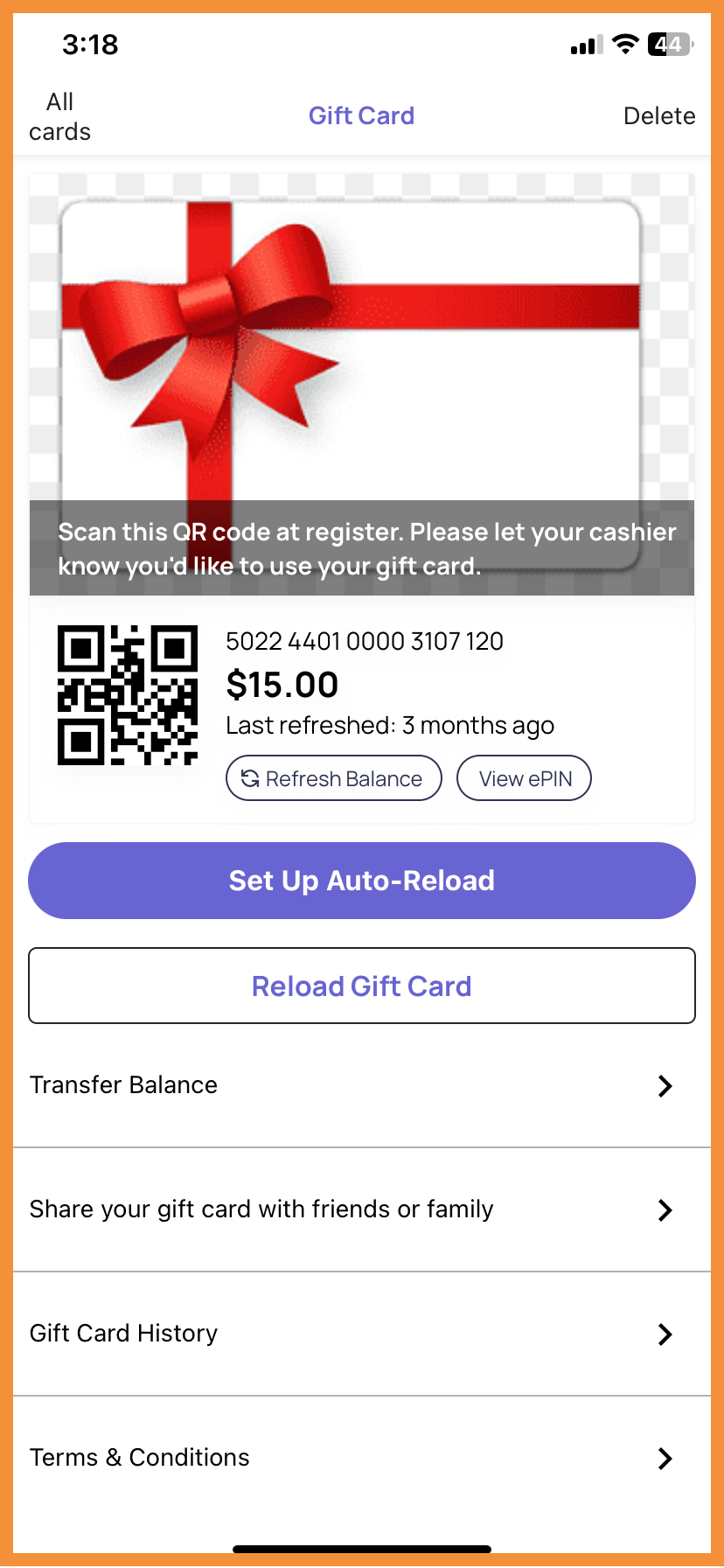
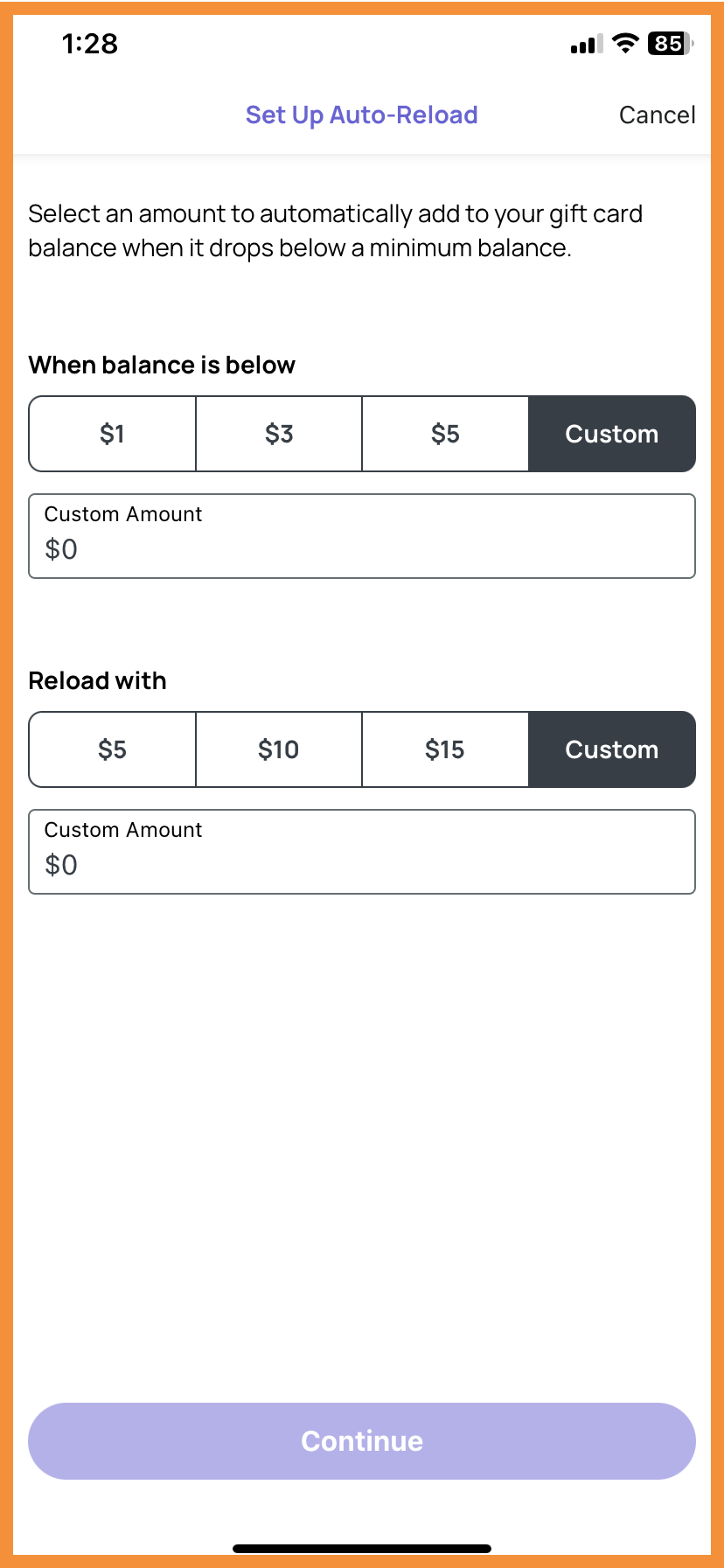
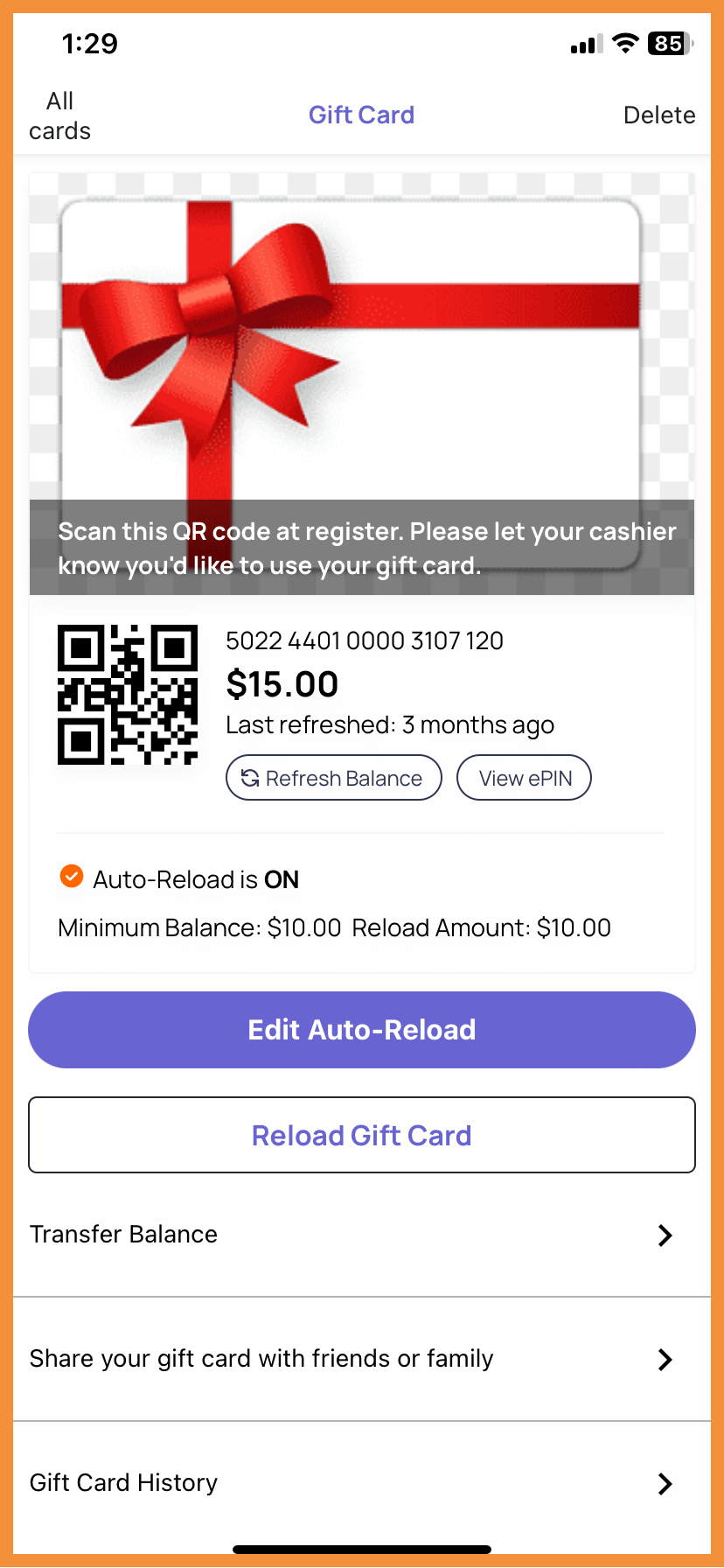
Brands can now enable auto-reload for gift cards in the Punchh Platform. When enabled, users will be able to set up auto-reload for individual gift cards and can set the minimum balance and reload amount. Brands can also create preset values for the minimum balance and reload amount for users to choose. (MF-2562, MF-2563, MF-2565, MF-2569, MF-2611)
See what this looks like:
 |
 |
 |
Gift Cards
UI Enhancements
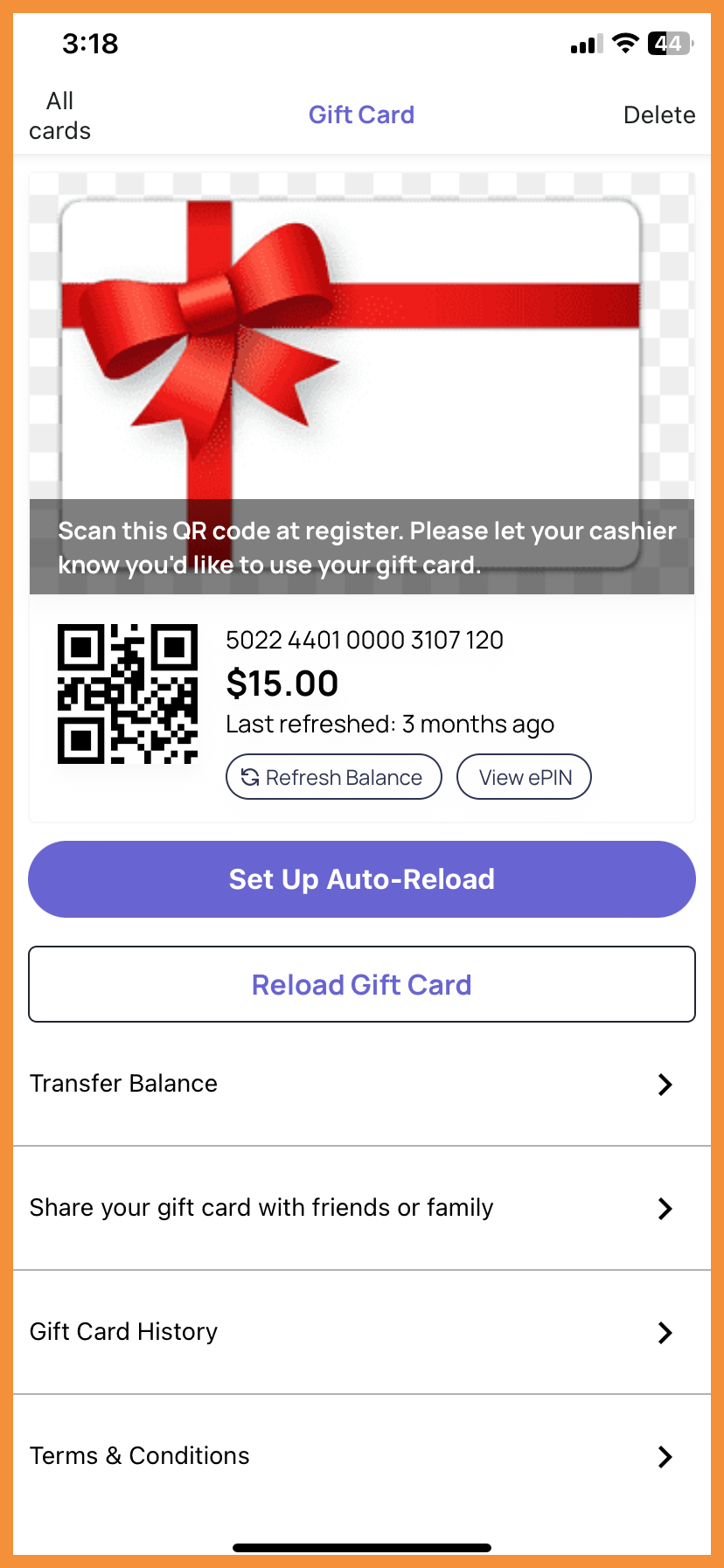
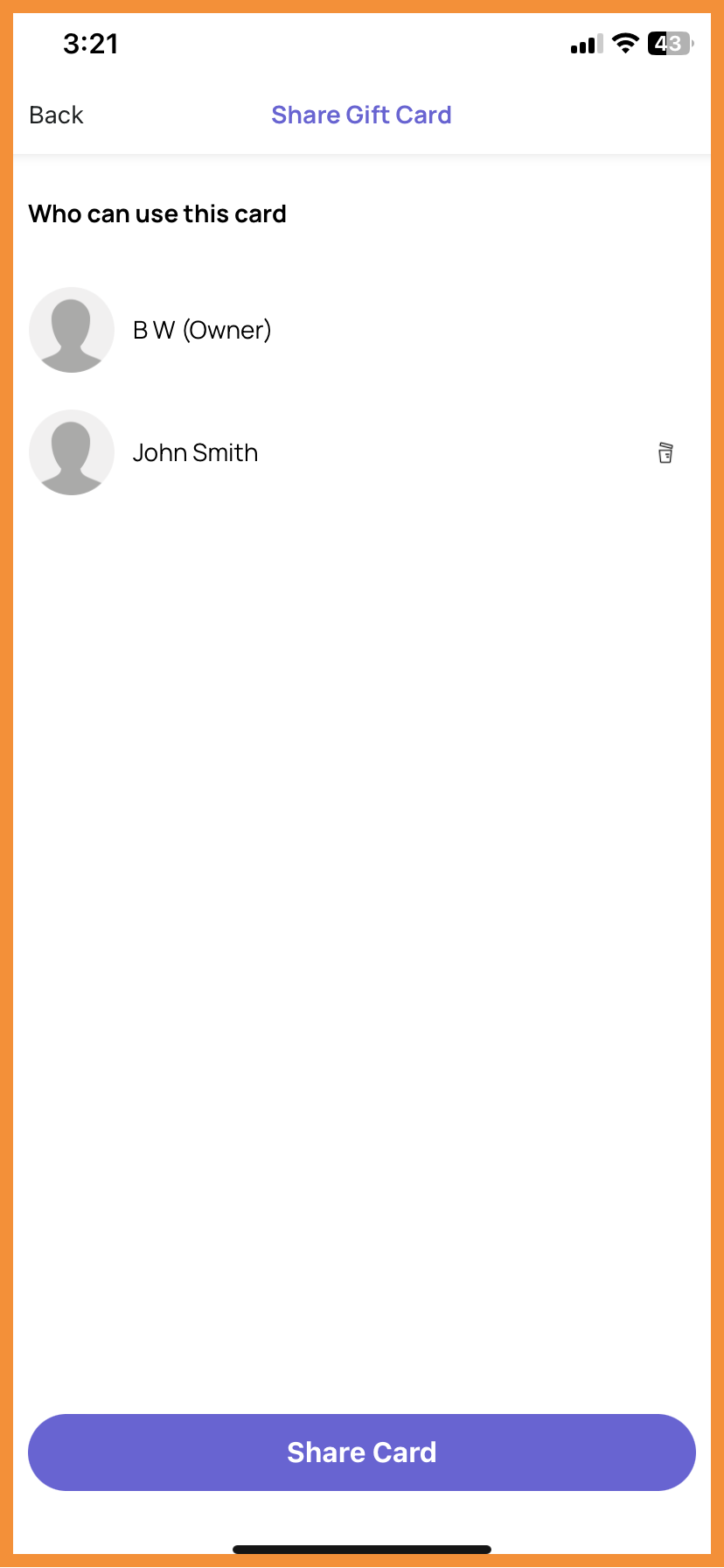
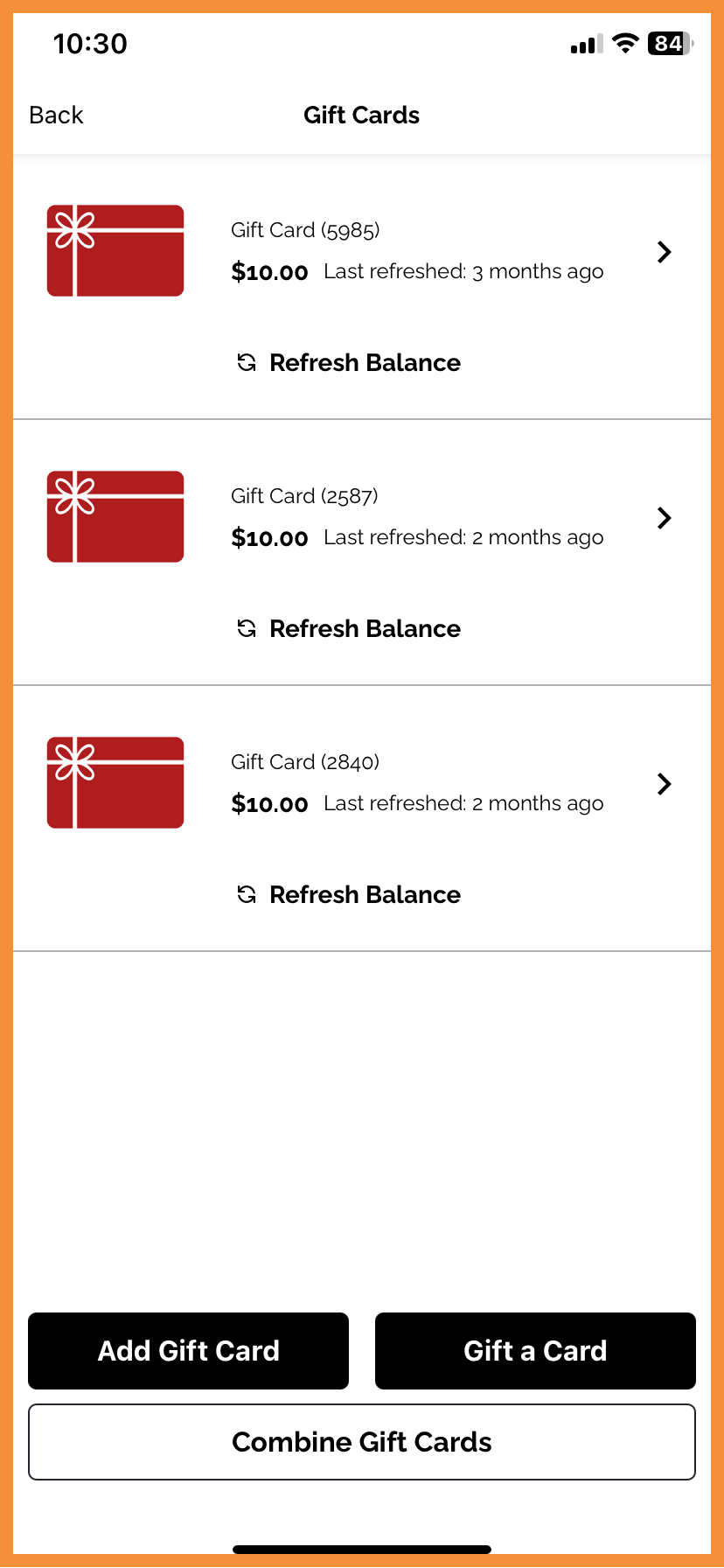
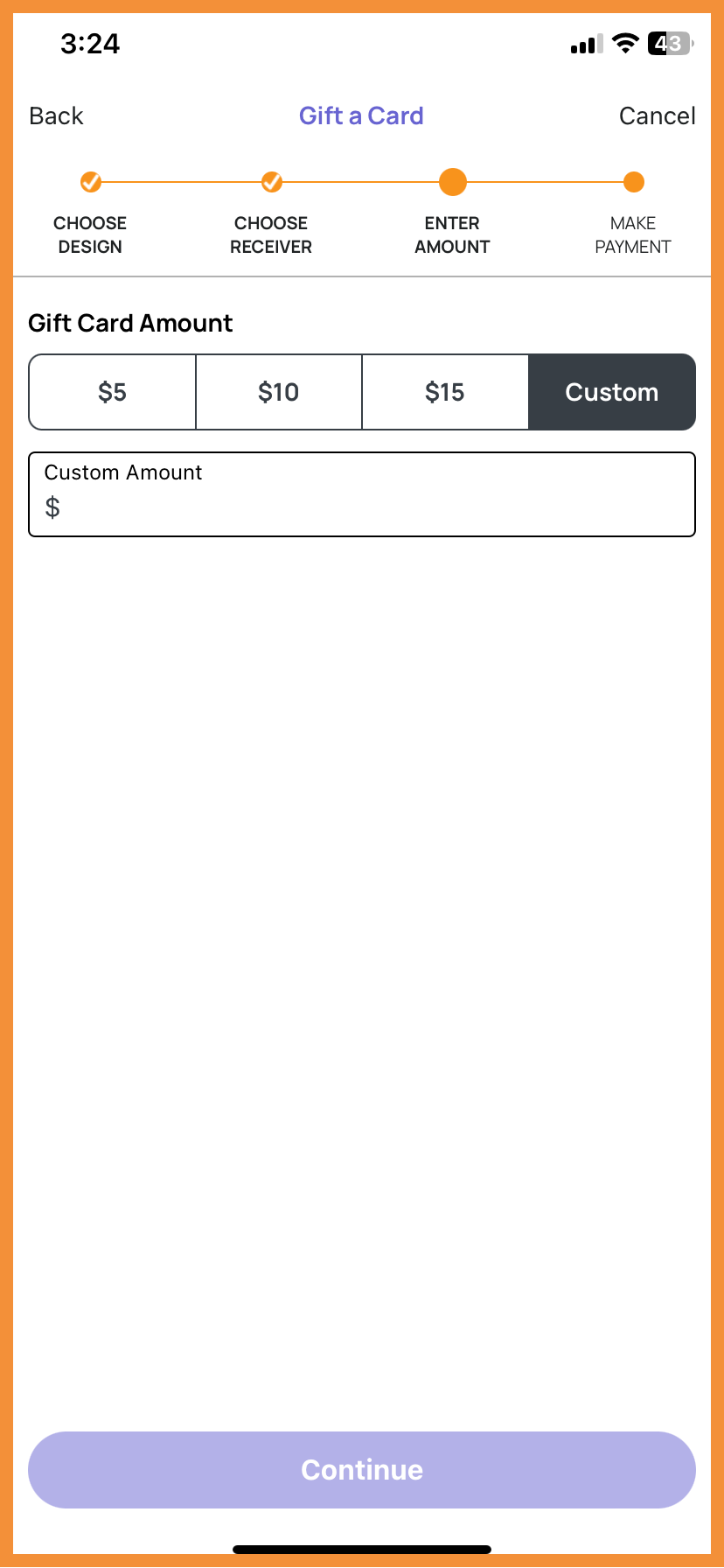
Numerous changes were made to the Gift Cards UI, including but not limited to:
- Rearranged the Gift Card Details screen
- Updated Shared Gift Card view and flow
- Updated Gift Card landing and list views
- Added preset options to Gift Card Purchase and Reload Flows
(MF-2538, MF-2551, MF-2566, MF-2567, MF-2612, MF-2621, MF-2642, MF-2665, MF-2685)
See what this looks like:
 |
 |
 |
 |
Loyalty
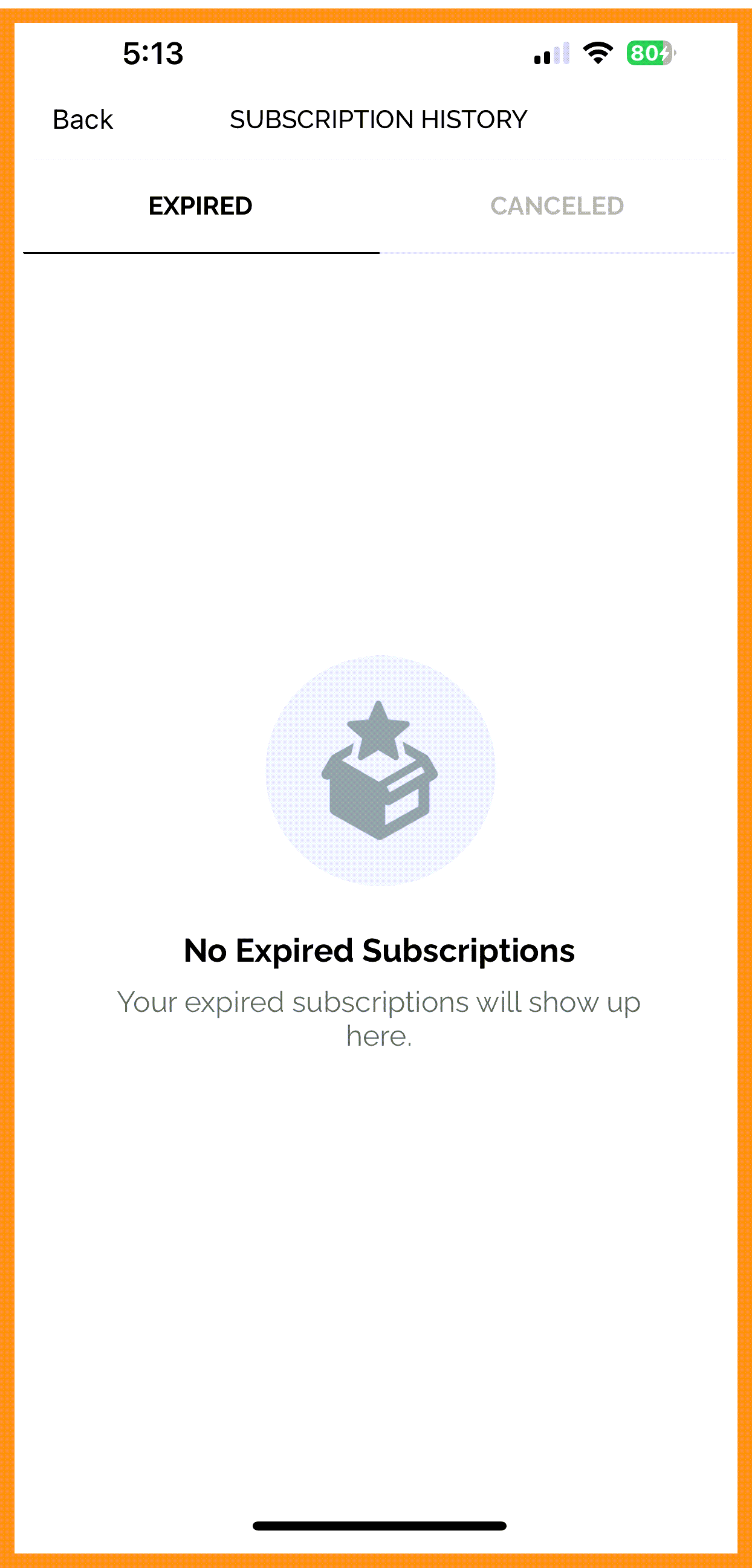
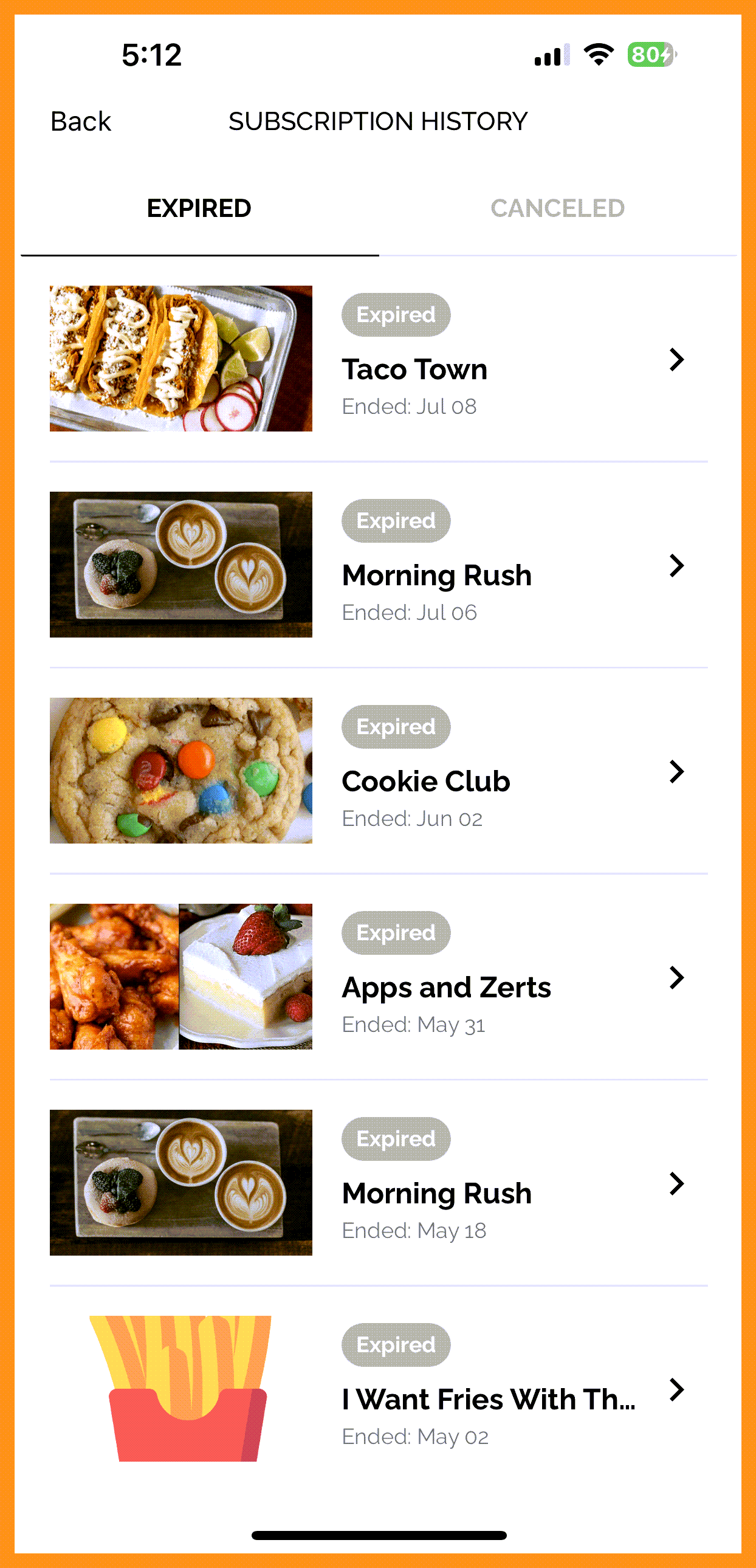
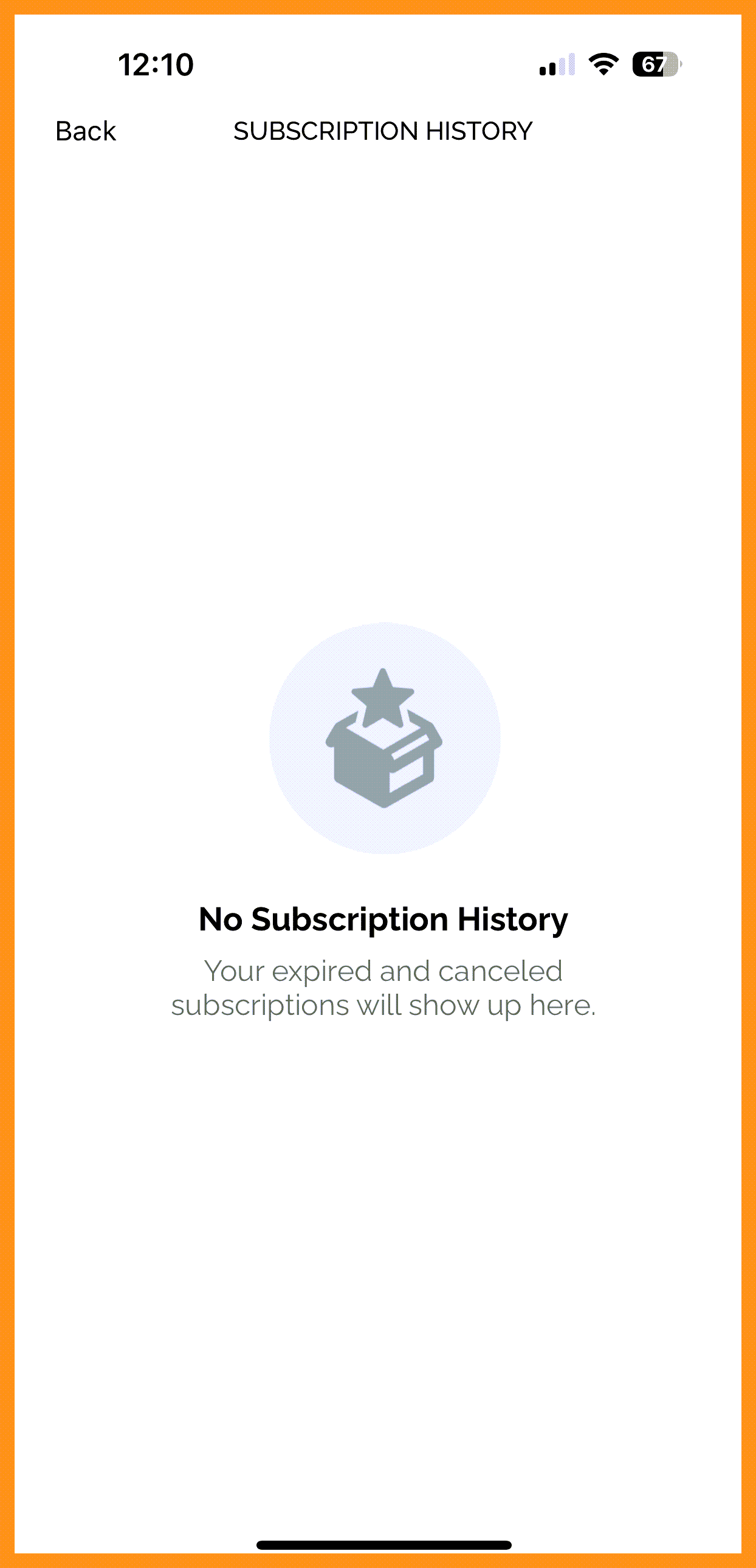
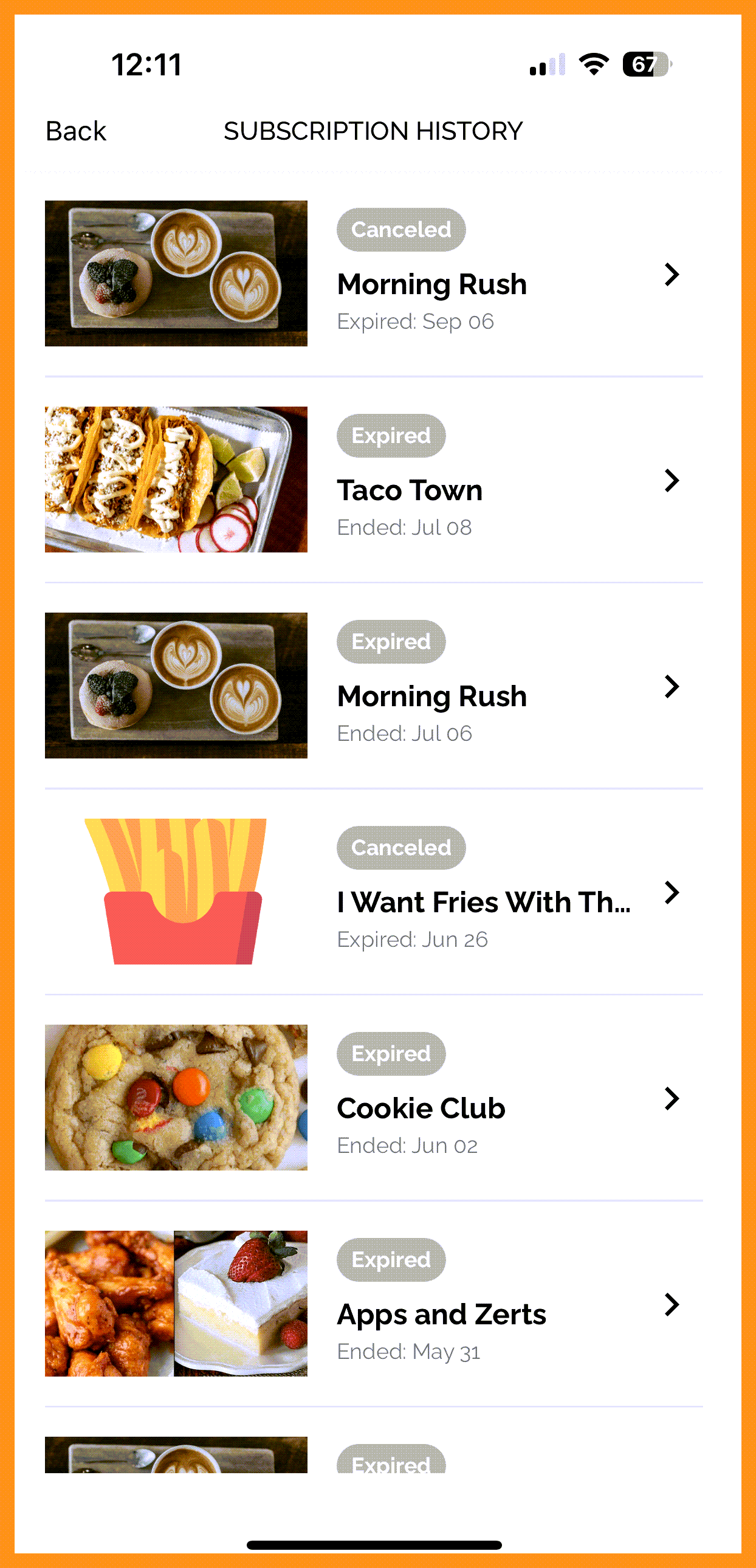
Subscriptions: Combined Expired and Cancelled Subscription History Tabs
The tabs for "Expired" and "Cancelled" Subscription Plans in the Subscription Screen have been combined into one screen. Previously, these screens were displayed separately. (MF-2395)
See what this looks like:
 |
 |
 |
 |
Flexible Image Height
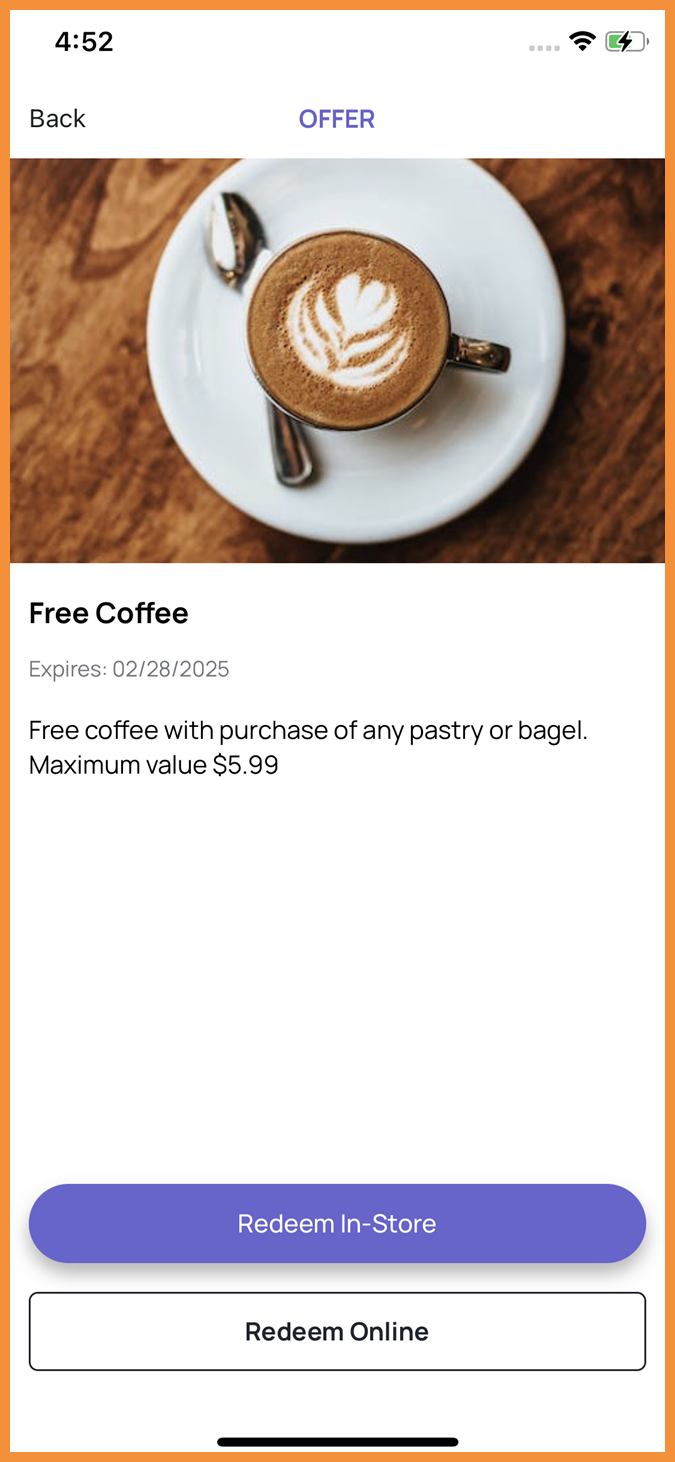
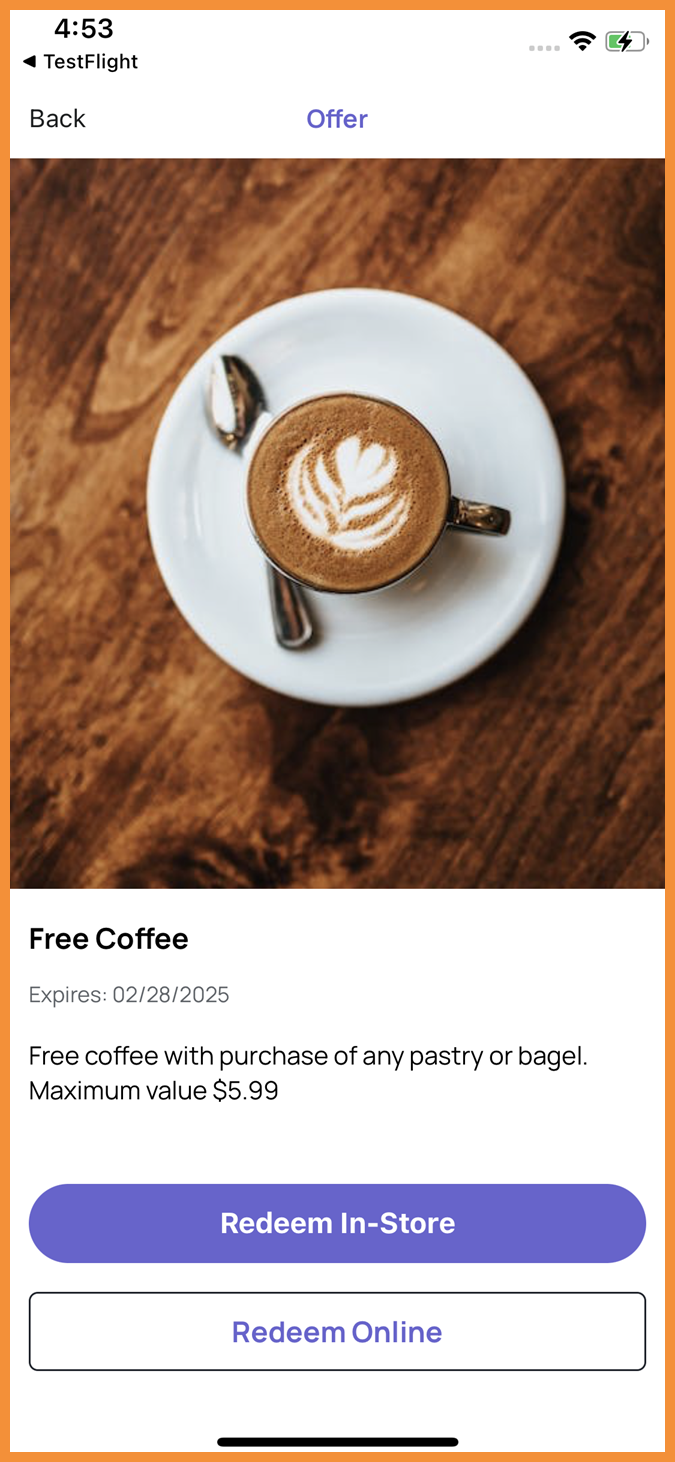
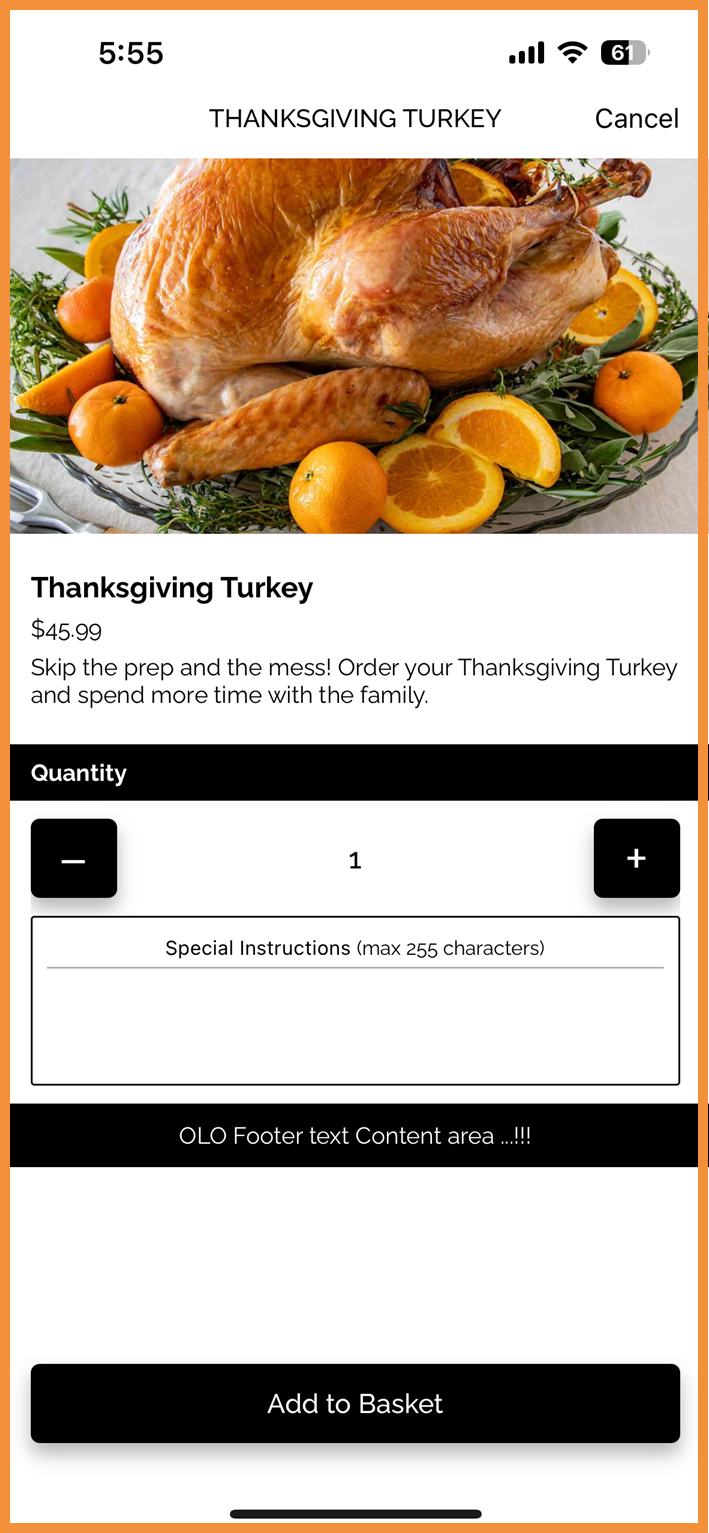
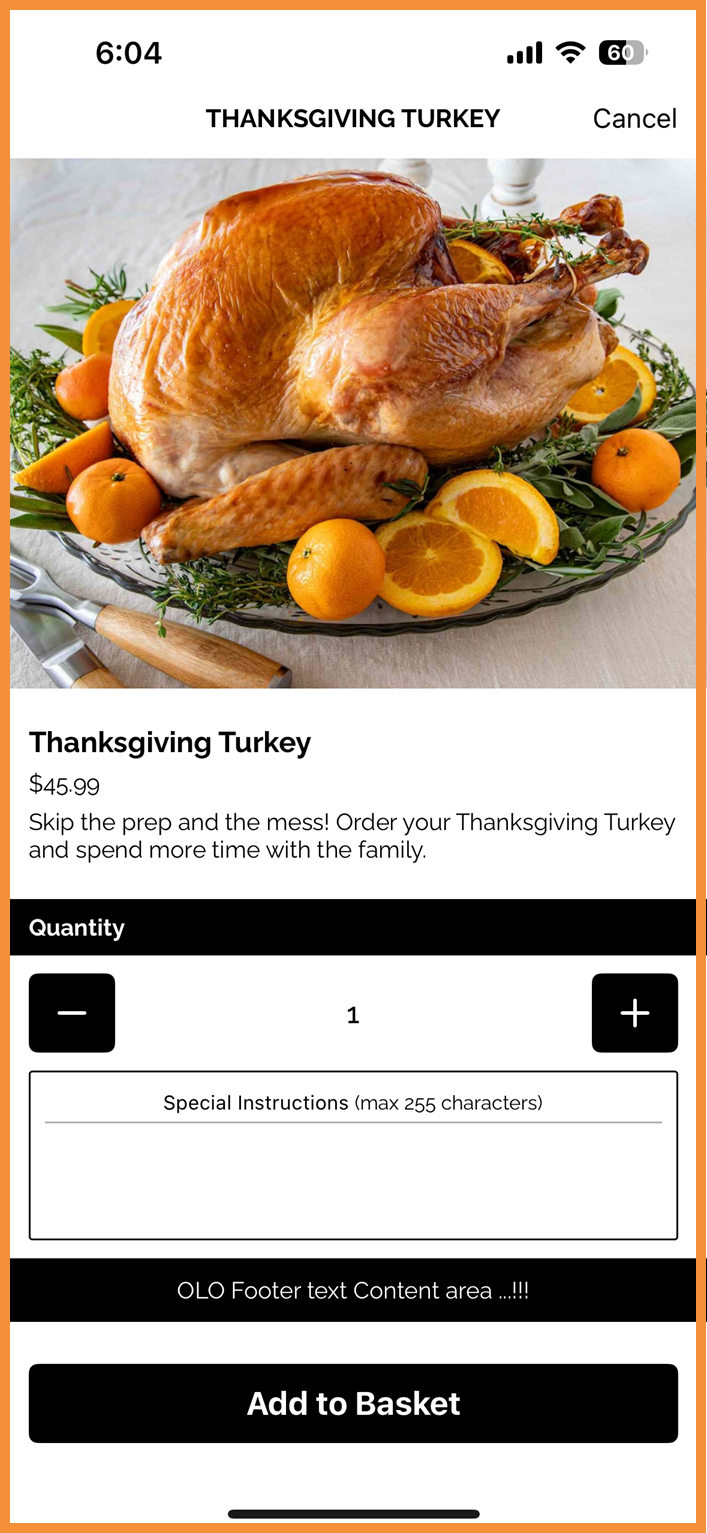
Previously, on detail screens displaying full-size images, the app would crop these images based on a fixed height. To allow for more flexibility throughout the app, the fixed height has been removed to allow users to view entire images. This change has been made in Consolidated Scan flows, Subscriptions, Online Ordering flows, and more. (MF-2576)
See what this looks like:
 |
 |
 |
 |
Redeemables: Expiration Timezone Update
Rewards in app have been updated to display expiration based on the timezone now available at the individual redeemable level. Previously, this displayed expiration based on the business timezone. (MF-2696)
Challenges: Expiration Timezone Update
Challenges in app have been updated to display expiration based on the timezone set at the individual Challenge level. Previously, this displayed expiration based on the business timezone. (MF-2587)
Enhanced Email Verification Trigger Handling
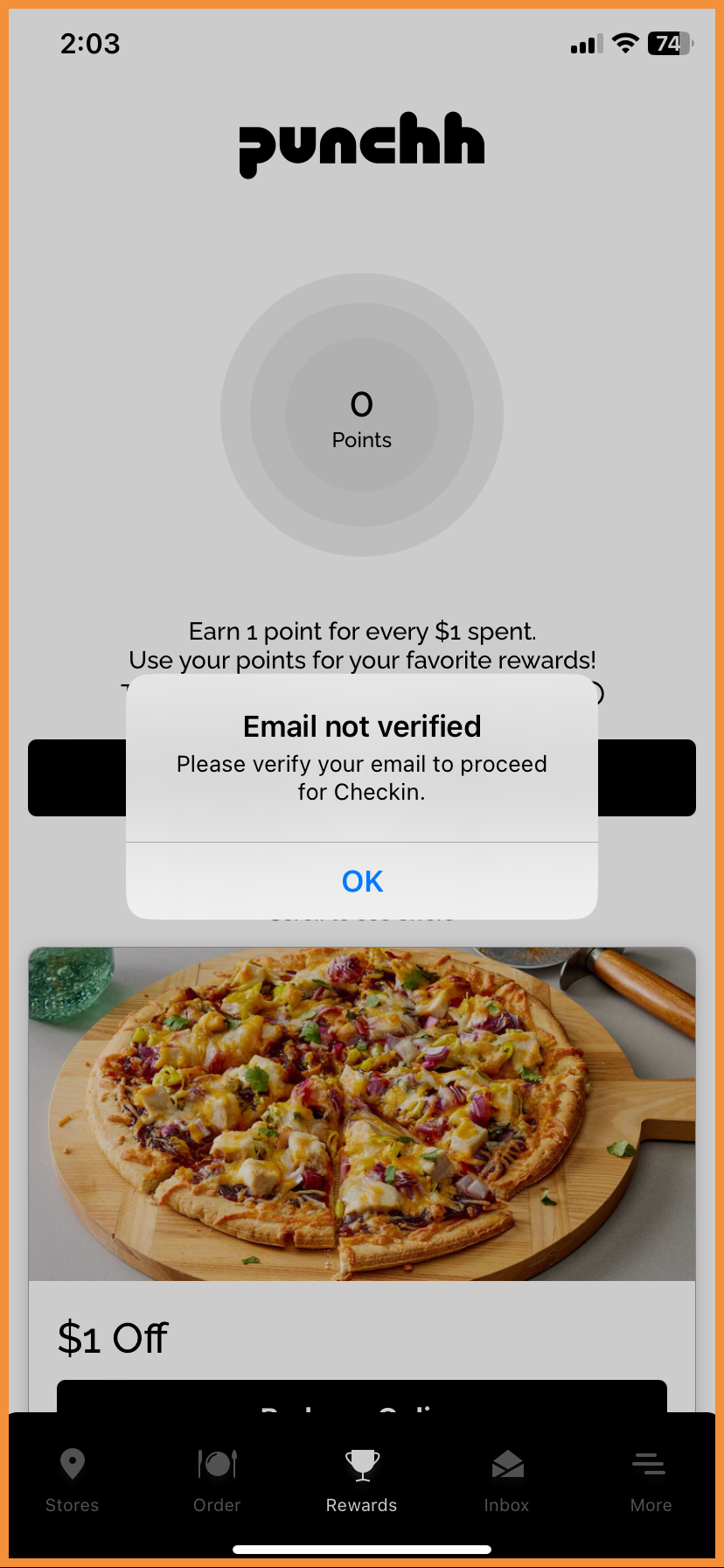
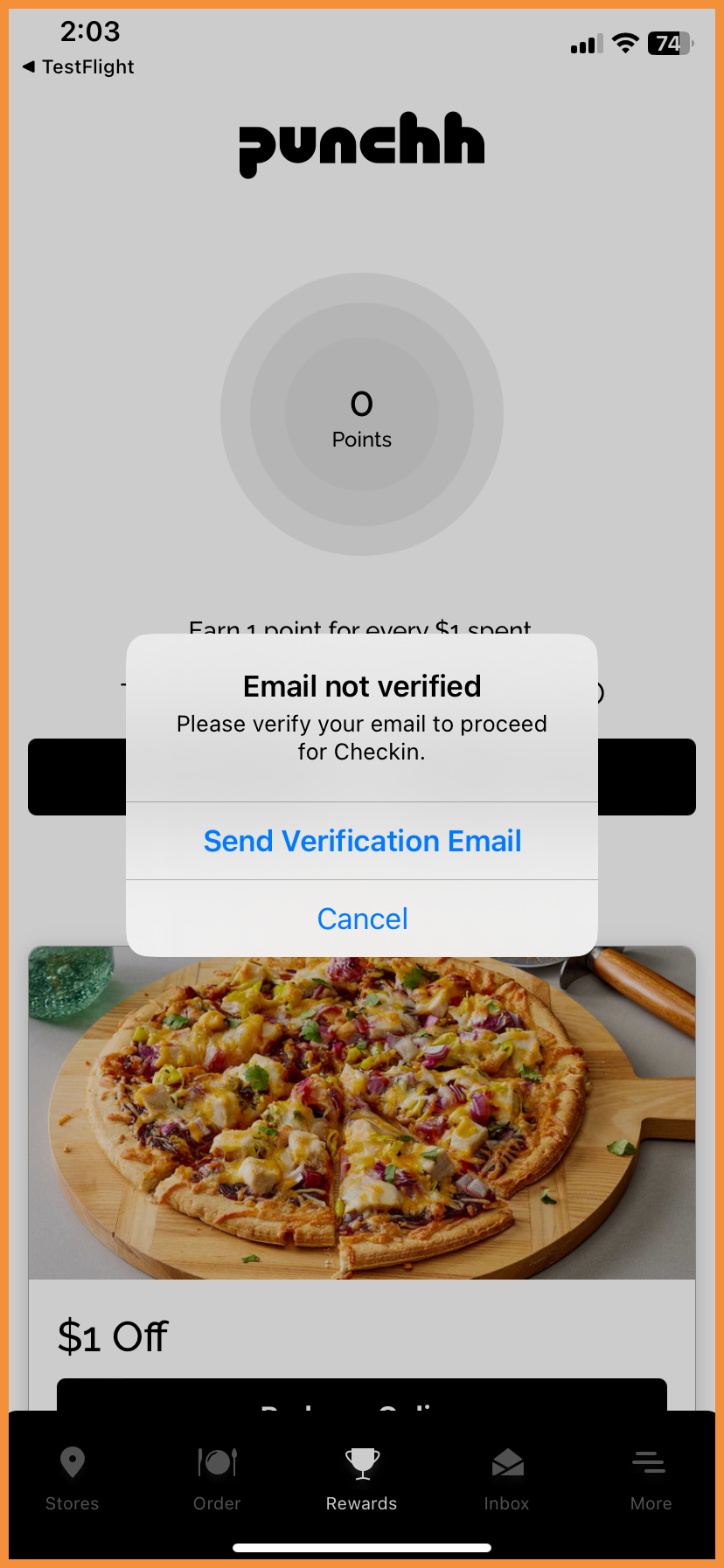
The email verification modal has been enhanced to provide app users with the option to resend the email verification, if desired, or simply close the modal. Previously, email verification was sent every time the modal appeared. (MF-2643)
See what this looks like:
 |
 |
Deals: Updated "Saved" Modal Behavior
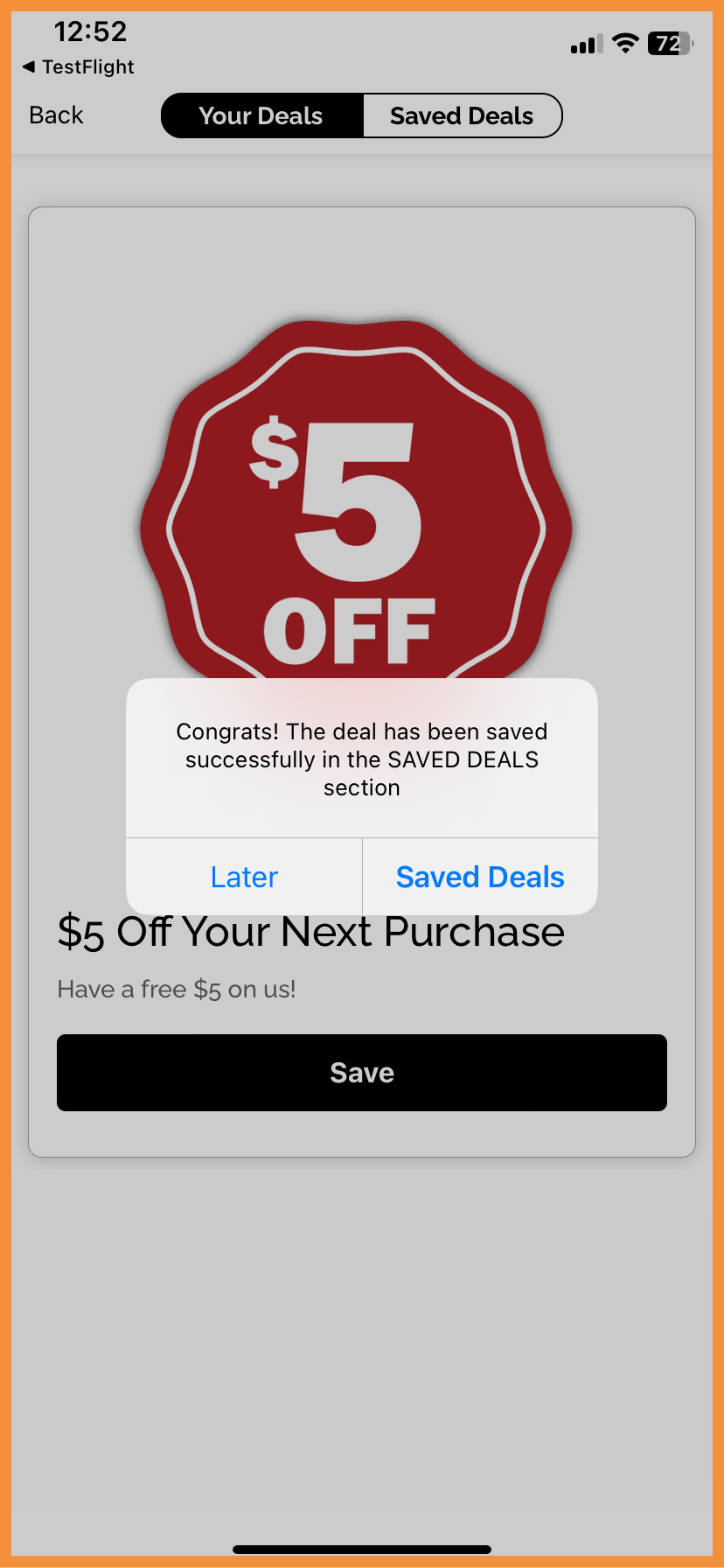
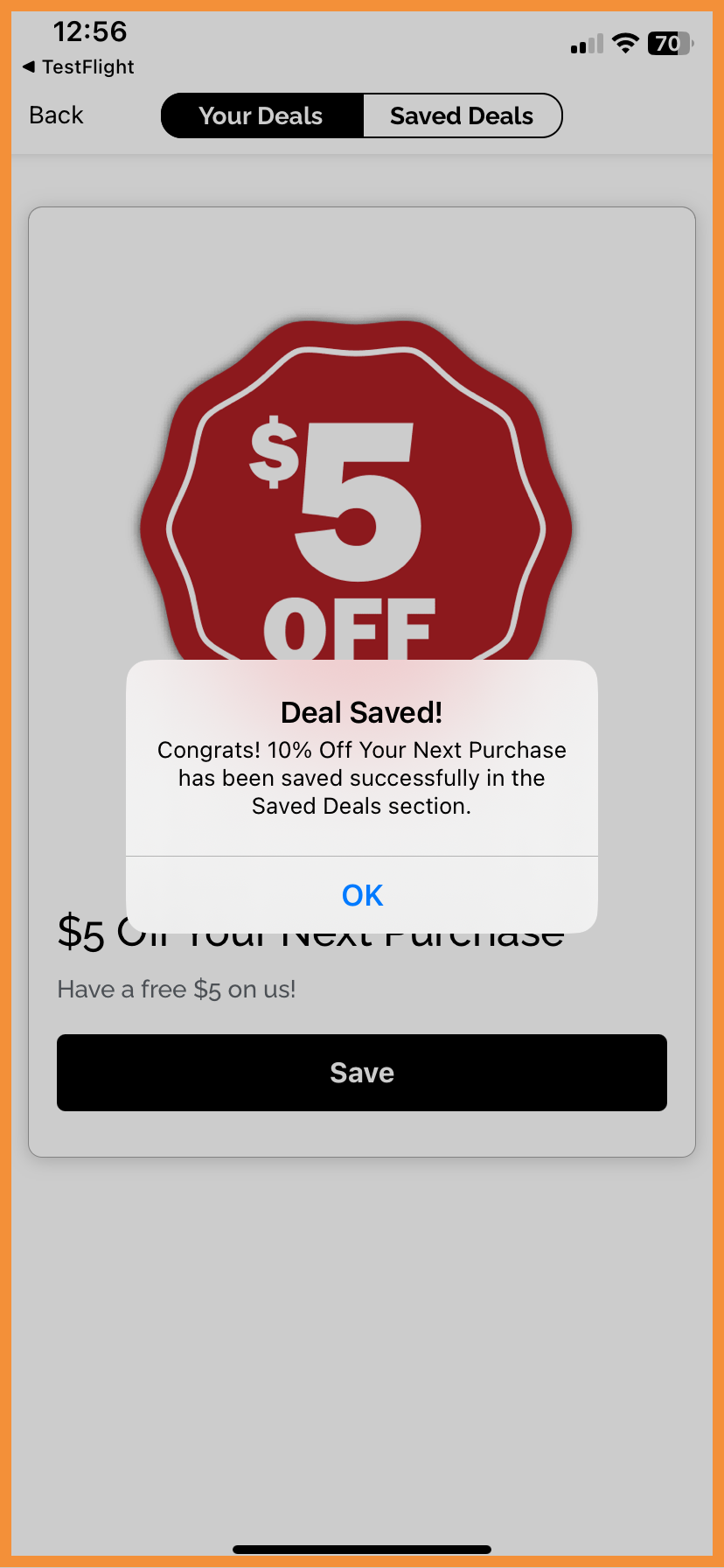
The copy in modal when a user saves a Deal has been updated to reduce confusion and streamline the user experience. Tapping “OK" in the modal will now keep the user on the “Your Deals” tab to allow them to save additional deals if desired. However, if the user is saving their last available deal, tapping “OK” will take the user to the “Saved Deals” screen so they can see all their saved deals. (MF-2711)
See what this looks like:
 |
 |
Ordering With PAR Ordering
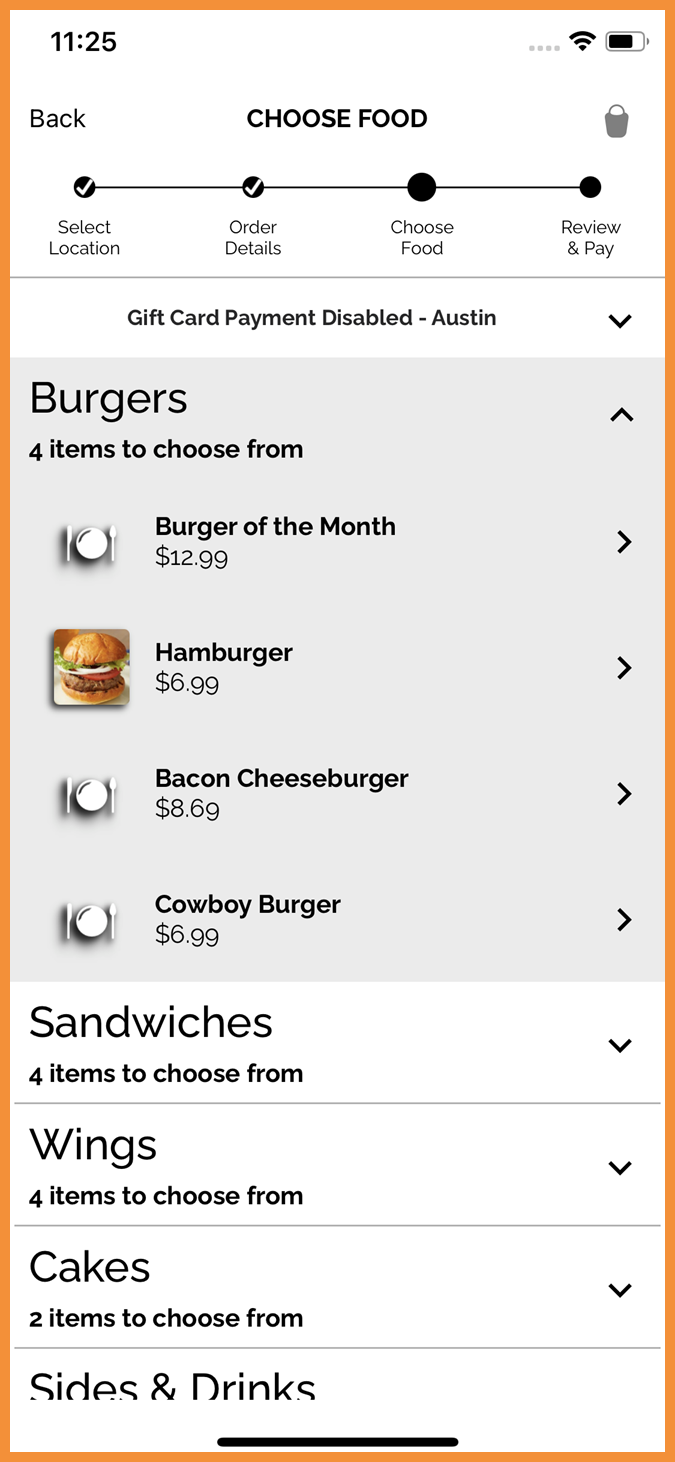
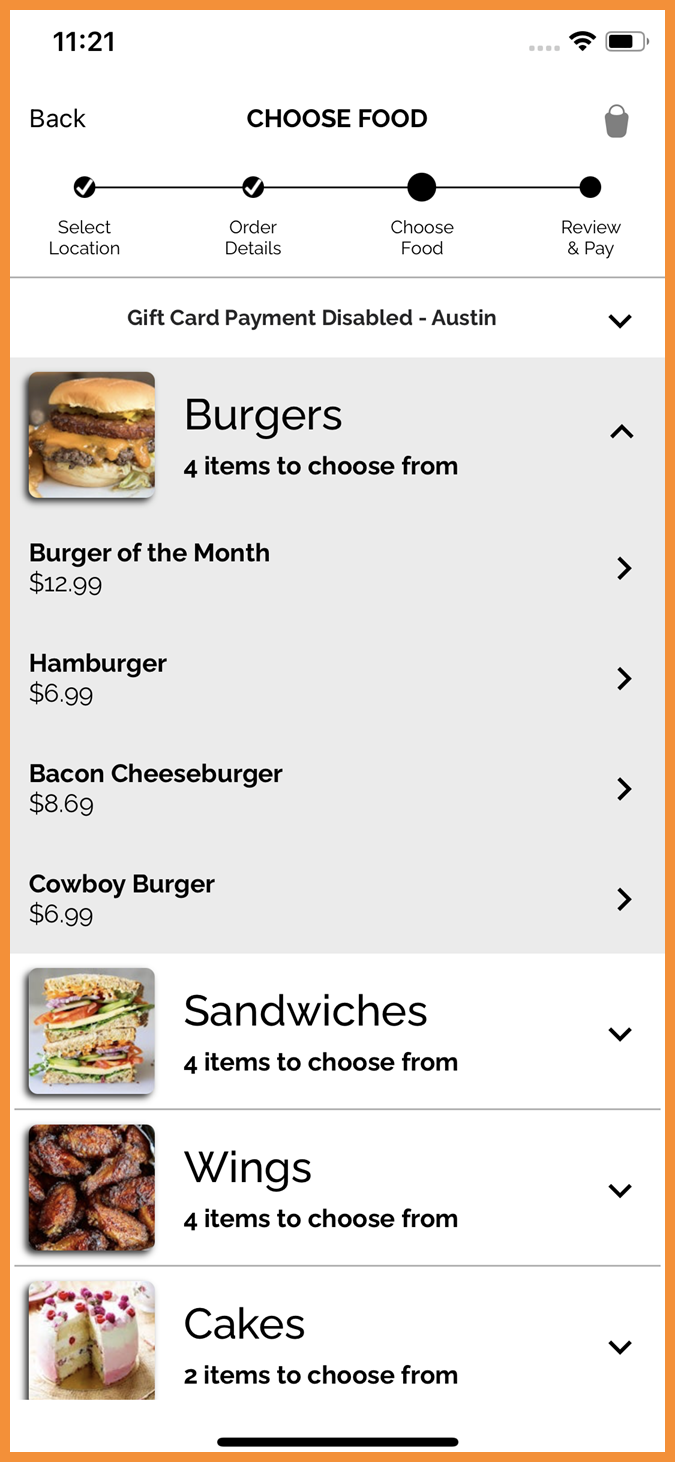
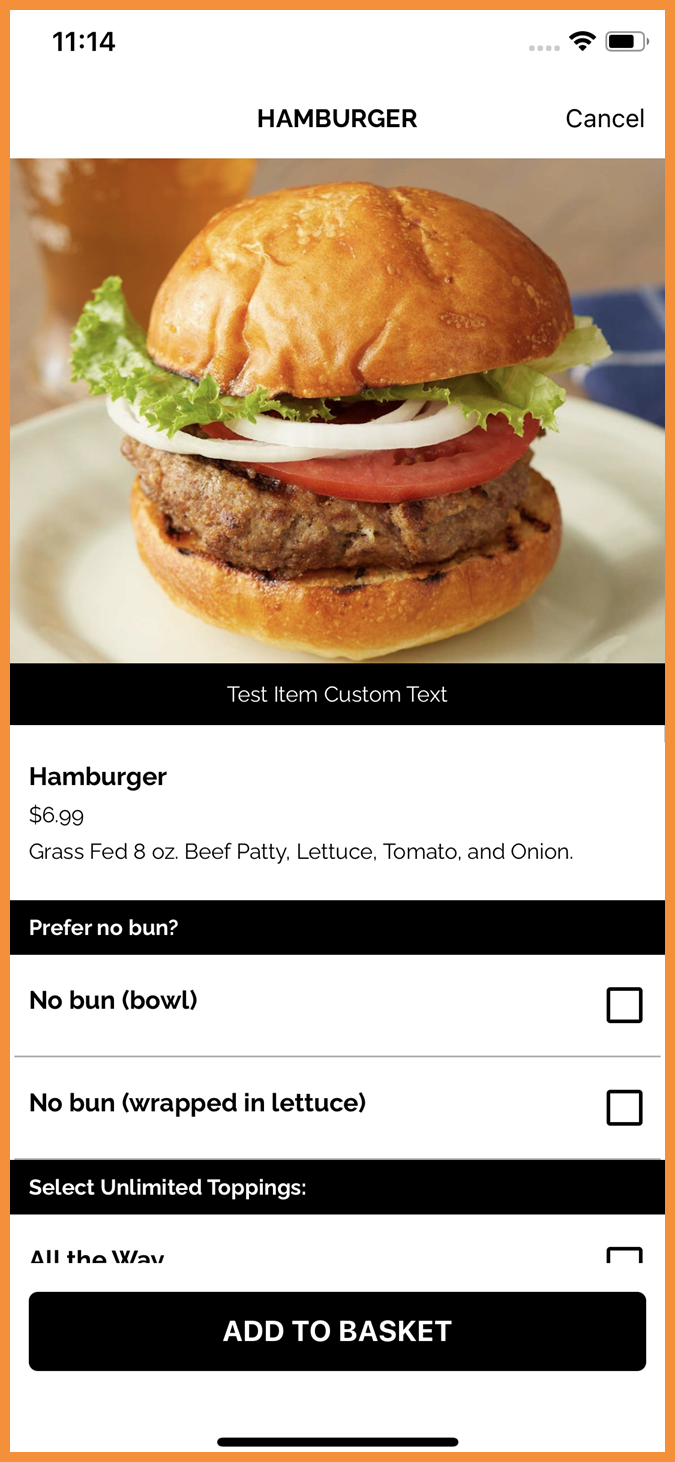
Configurable Menu Images
Brands can completely remove category, product, or modifier images from their native online ordering menu in the Punchh platform. This will help reduce clutter in the app for brands that do not use these types of images in their ordering menu. (MF-2607)
See what this looks like:
 |
 |
 |
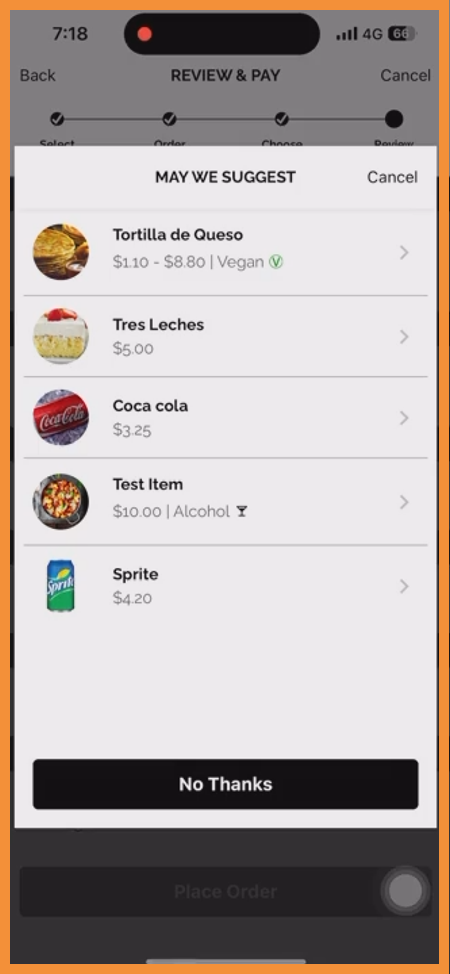
Checkout Upsell Module Updated
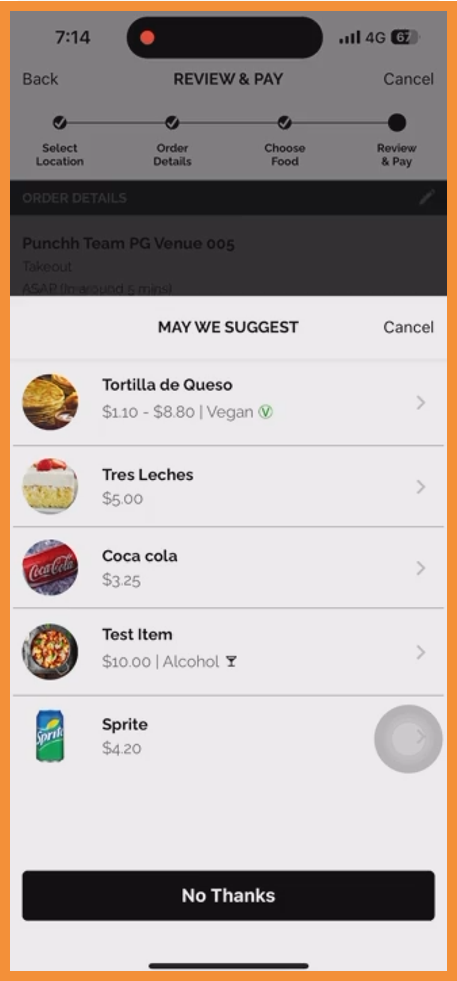
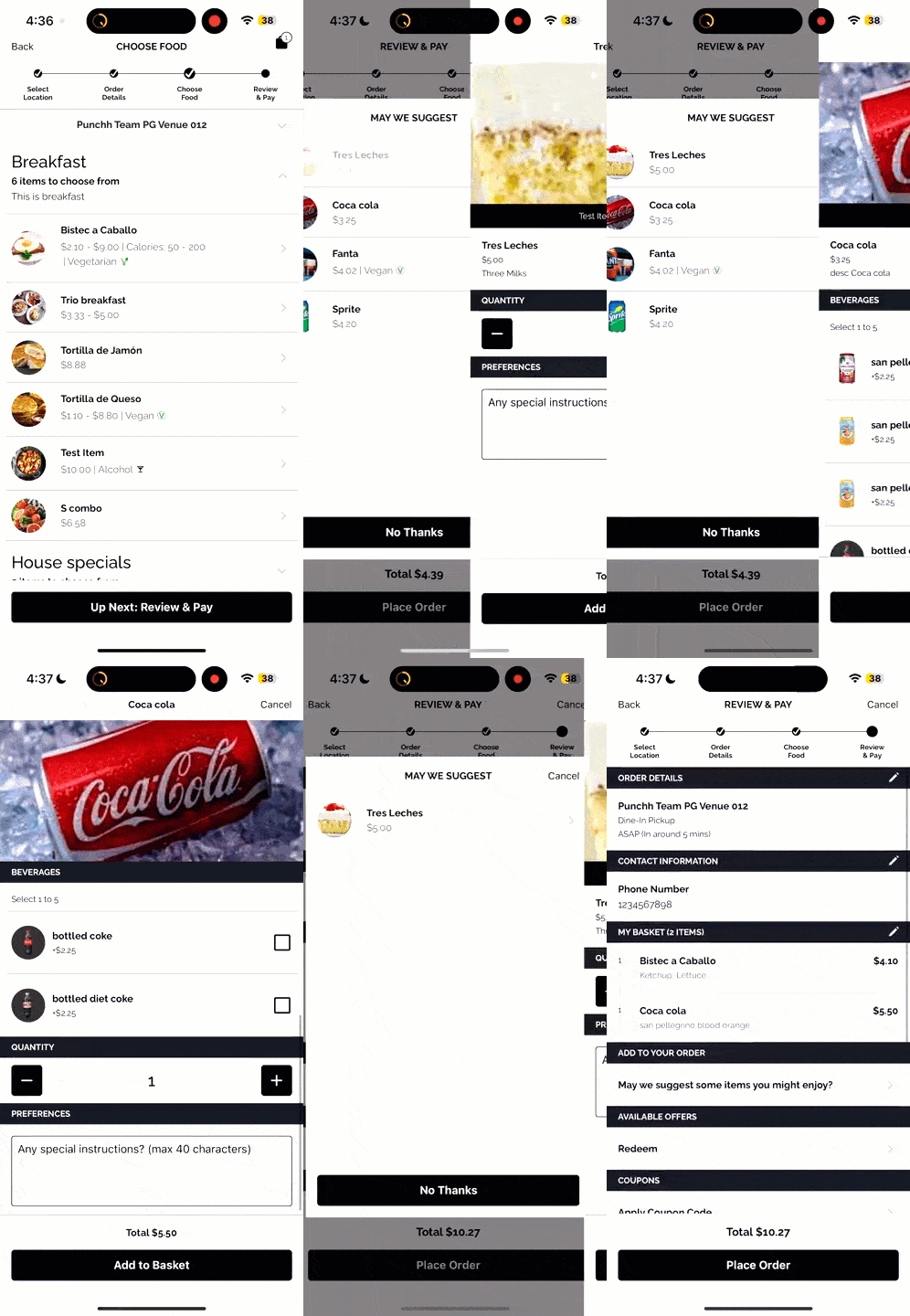
The upsell module that appears at checkout in the native PAR Ordering flow now supports both the bottom sheet and overlay view. Previously, only the bottom sheet was supported for PAR Ordering. Additionally, instead of keeping a user directly in the bottom sheet after selecting an item, the user will be taken directly to the product page. (MF-2159)
See what this looks like:
 |
 |
 |
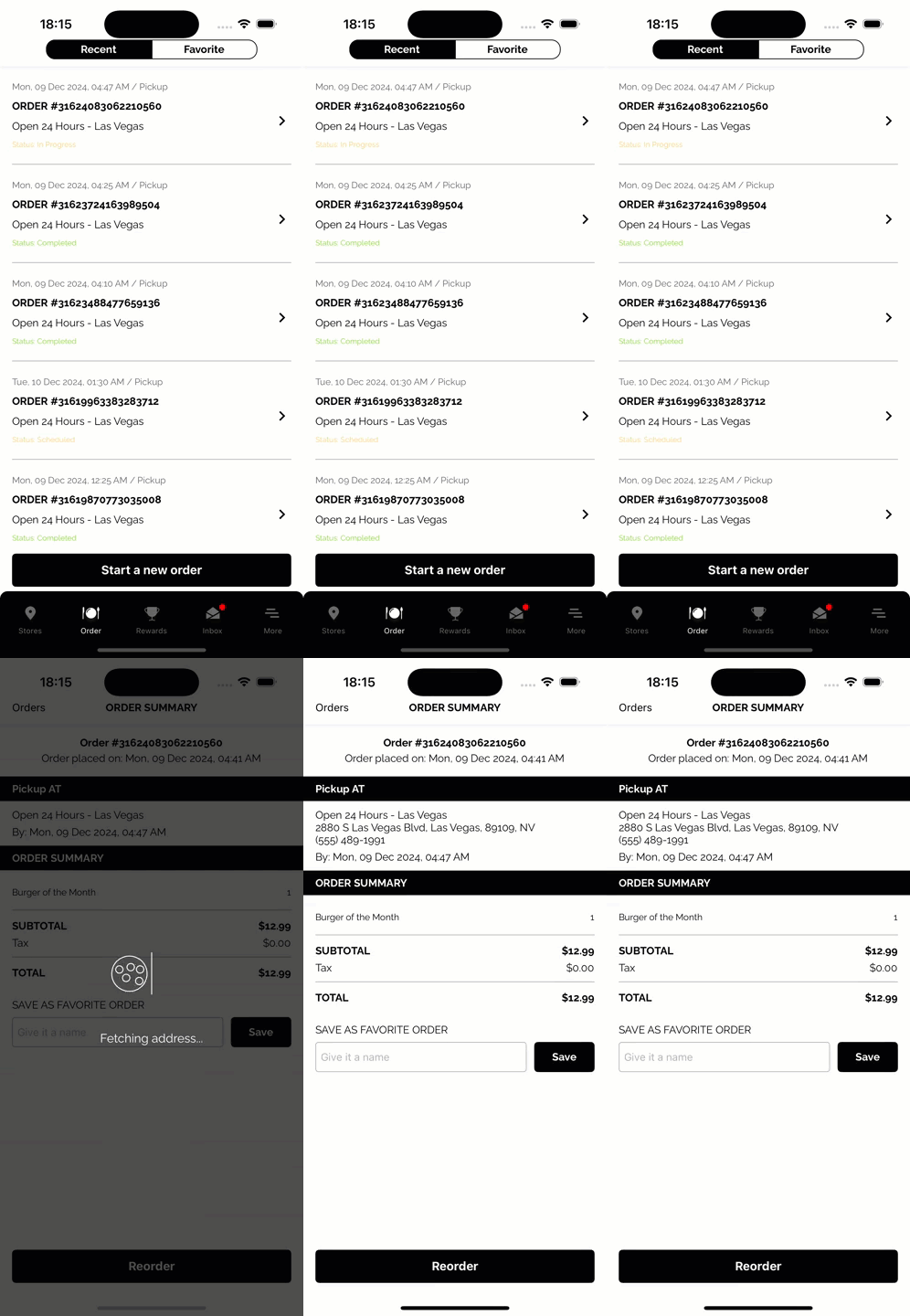
Order Summary Header
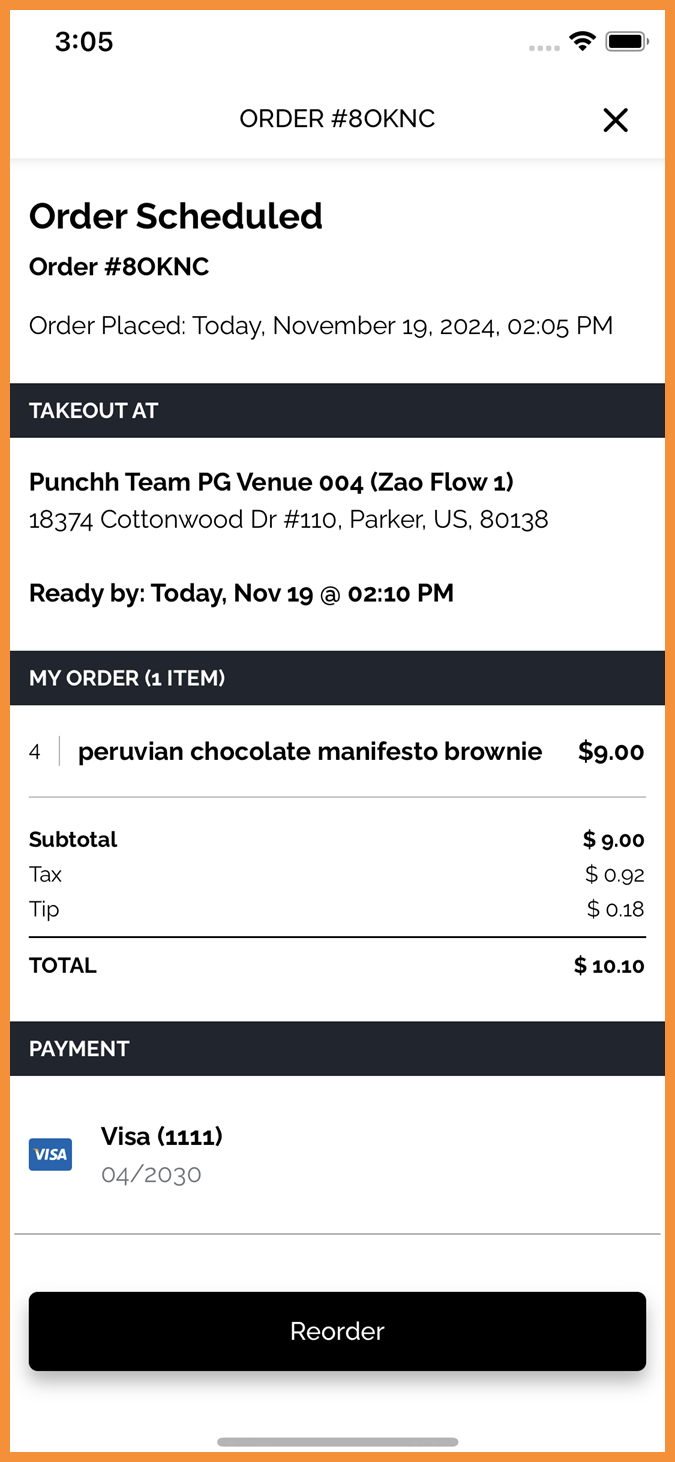
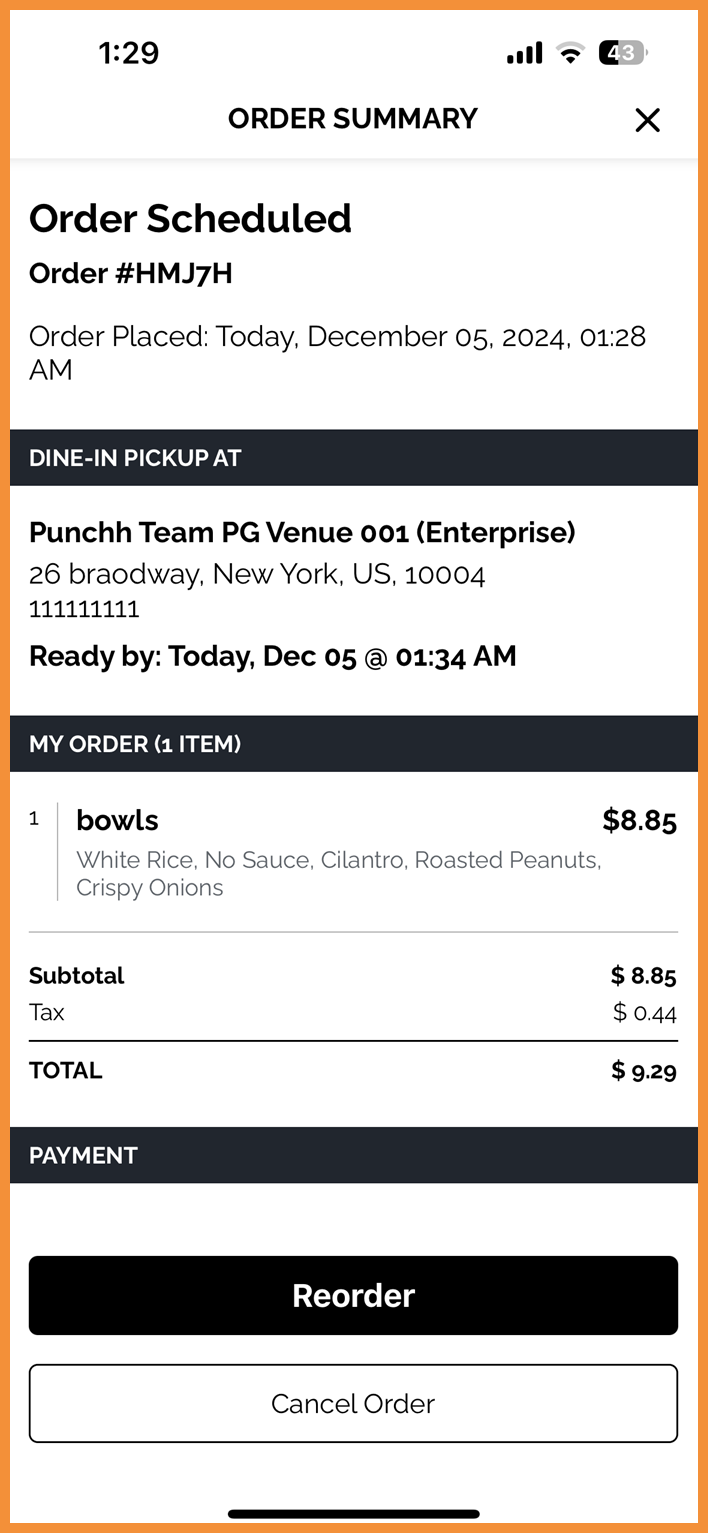
The header of the order summary screen is updated to “Order Summary”. This prevents order numbers from truncating in the header where they were previously visible. Order number is displayed in the body of the order summary screen instead. (MF-2625)
See what this looks like:
 |
 |
Ordering With Olo
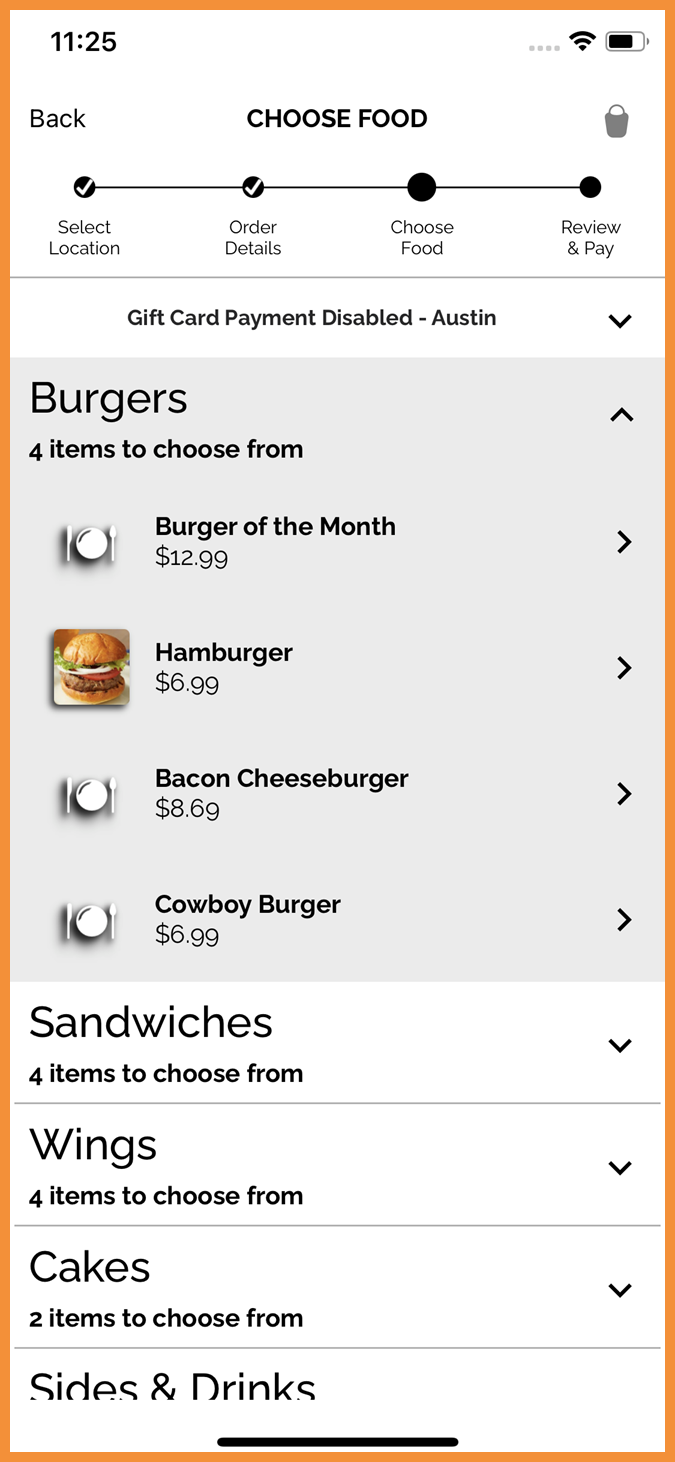
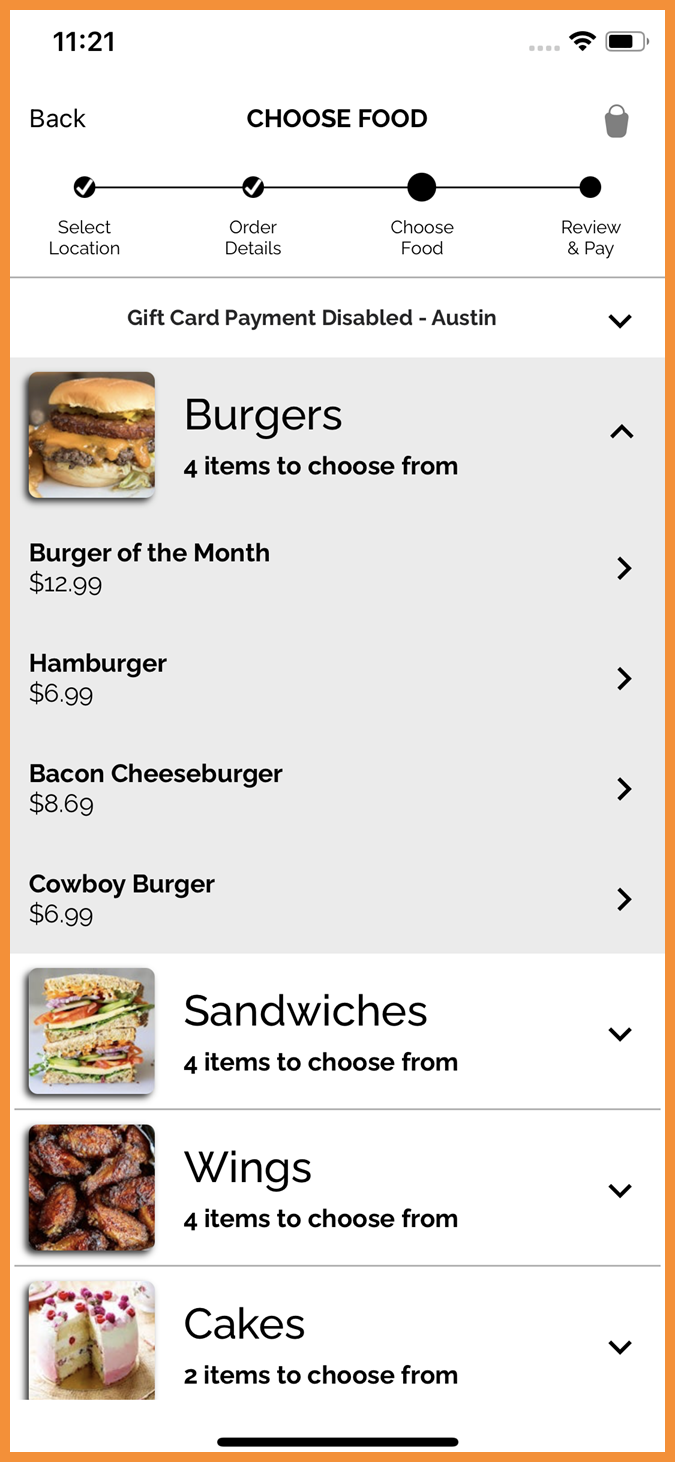
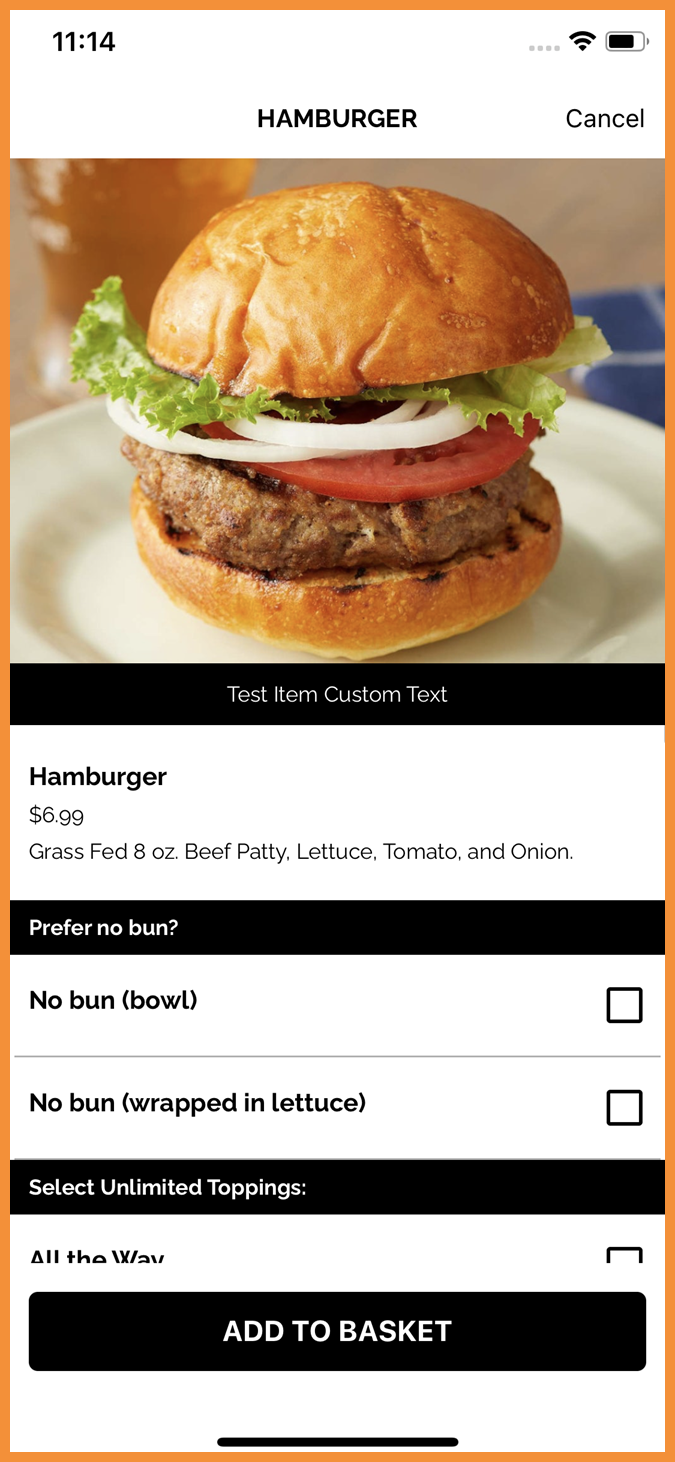
Configurable Menu Images
Brands can completely remove category, product, or modifier images from their native online ordering menu in the Punchh platform. This will help reduce clutter in the app for brands that do not use these types of images in their ordering menu. (MF-2606)
See what this looks like:
 |
 |
 |
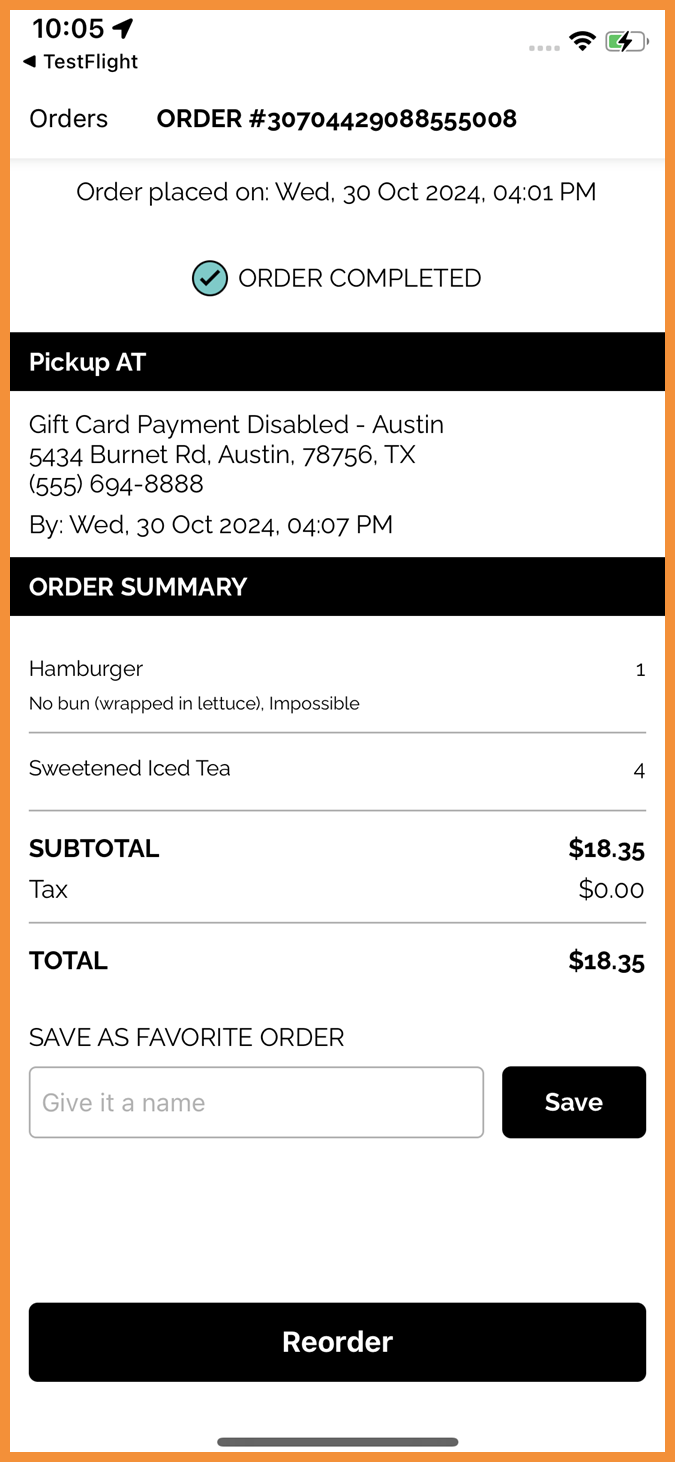
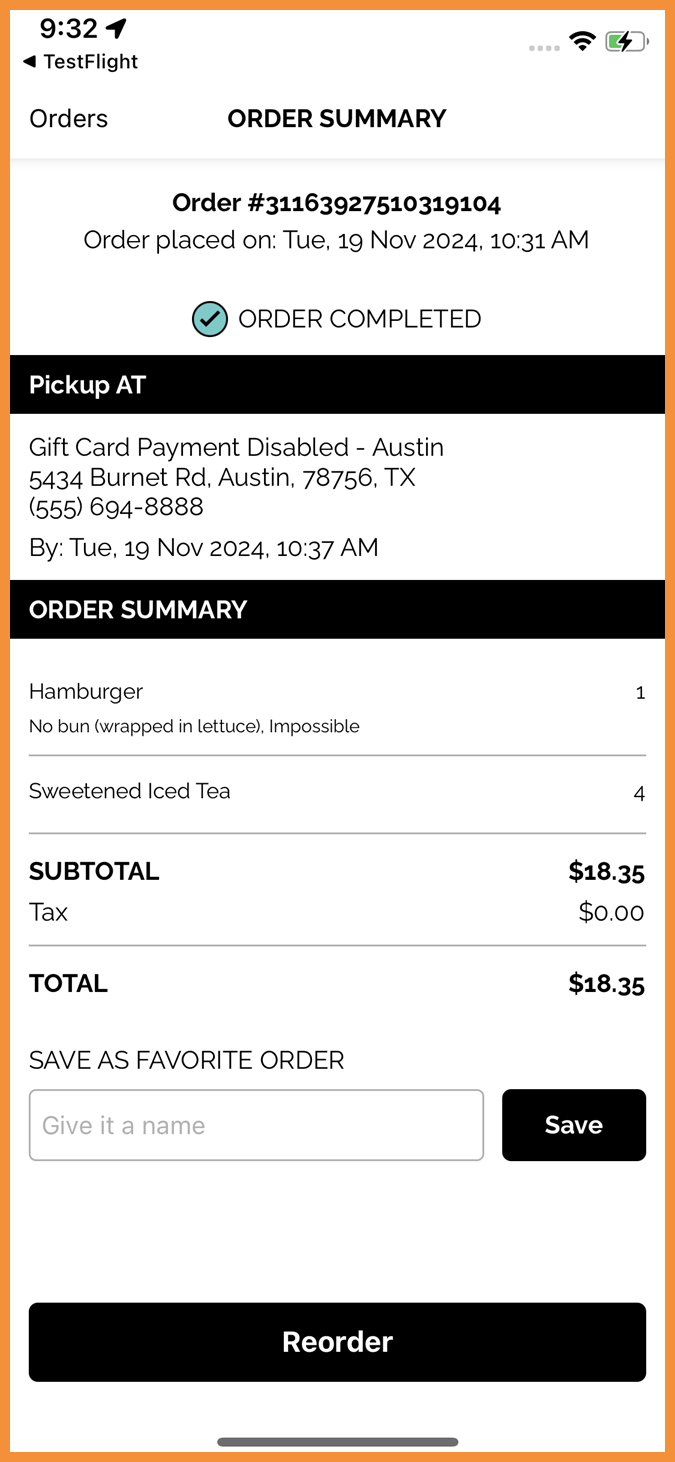
Order Summary Header
The header of the order summary screen is updated to “Order Summary”. This prevents order numbers from truncating in the header where they were previously visible. Order number is displayed in the body of the order summary screen instead. (MF-2622)
See what this looks like:
 |
 |
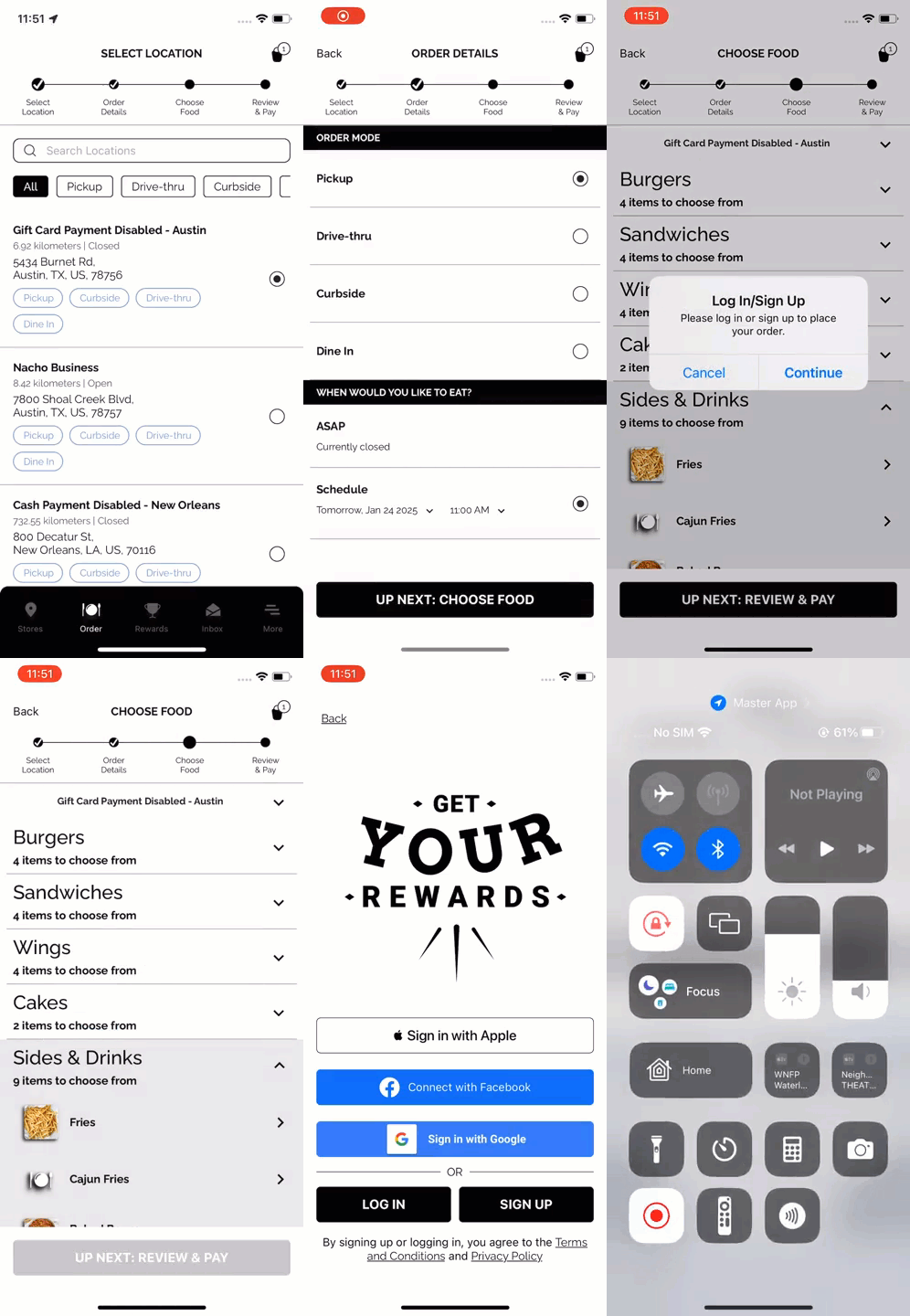
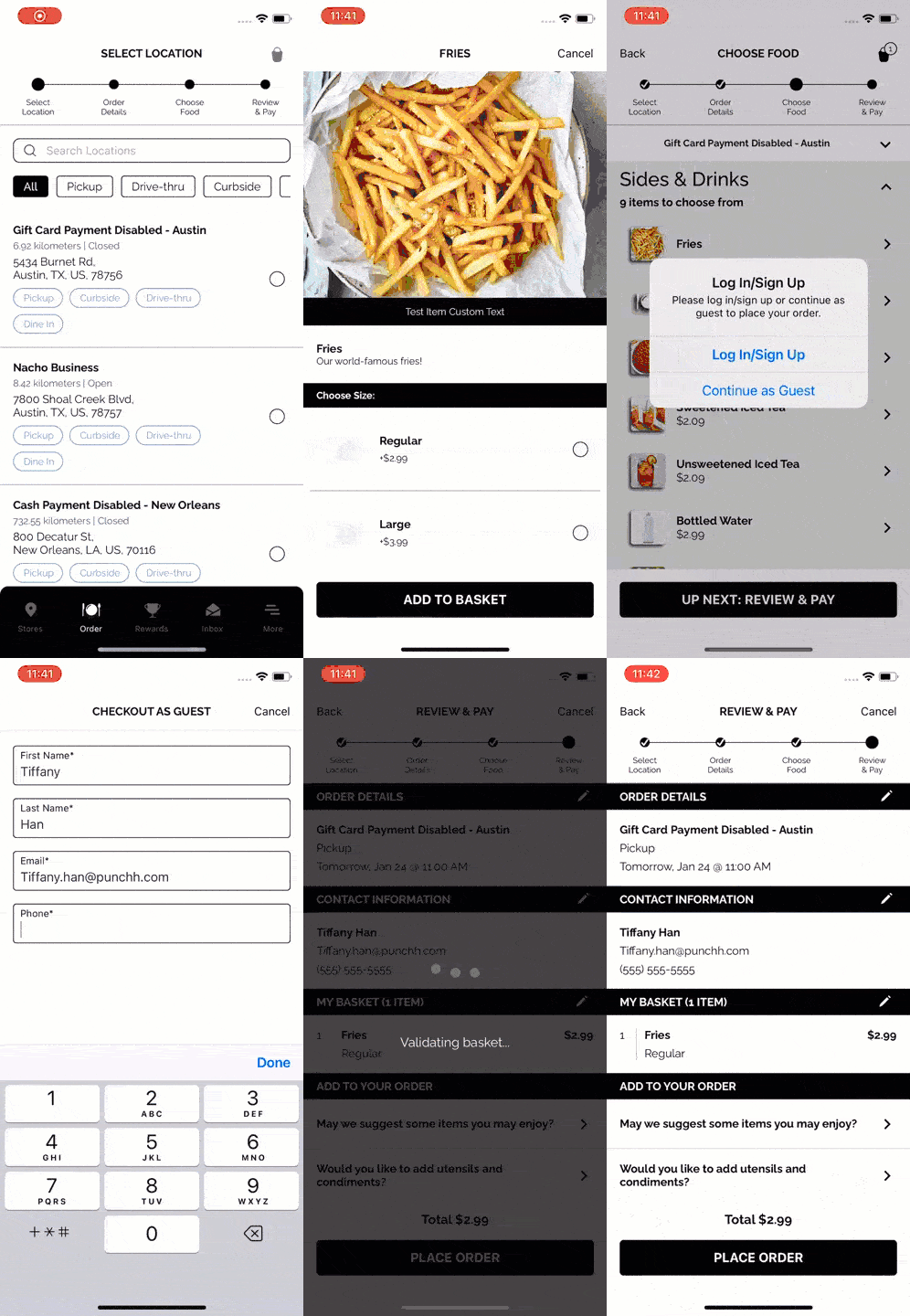
Guest Ordering
The Olo guest (non-loyalty) ordering flow can now be enabled/disabled at any time. (MF-2305)
See what this looks like:
 |
 |
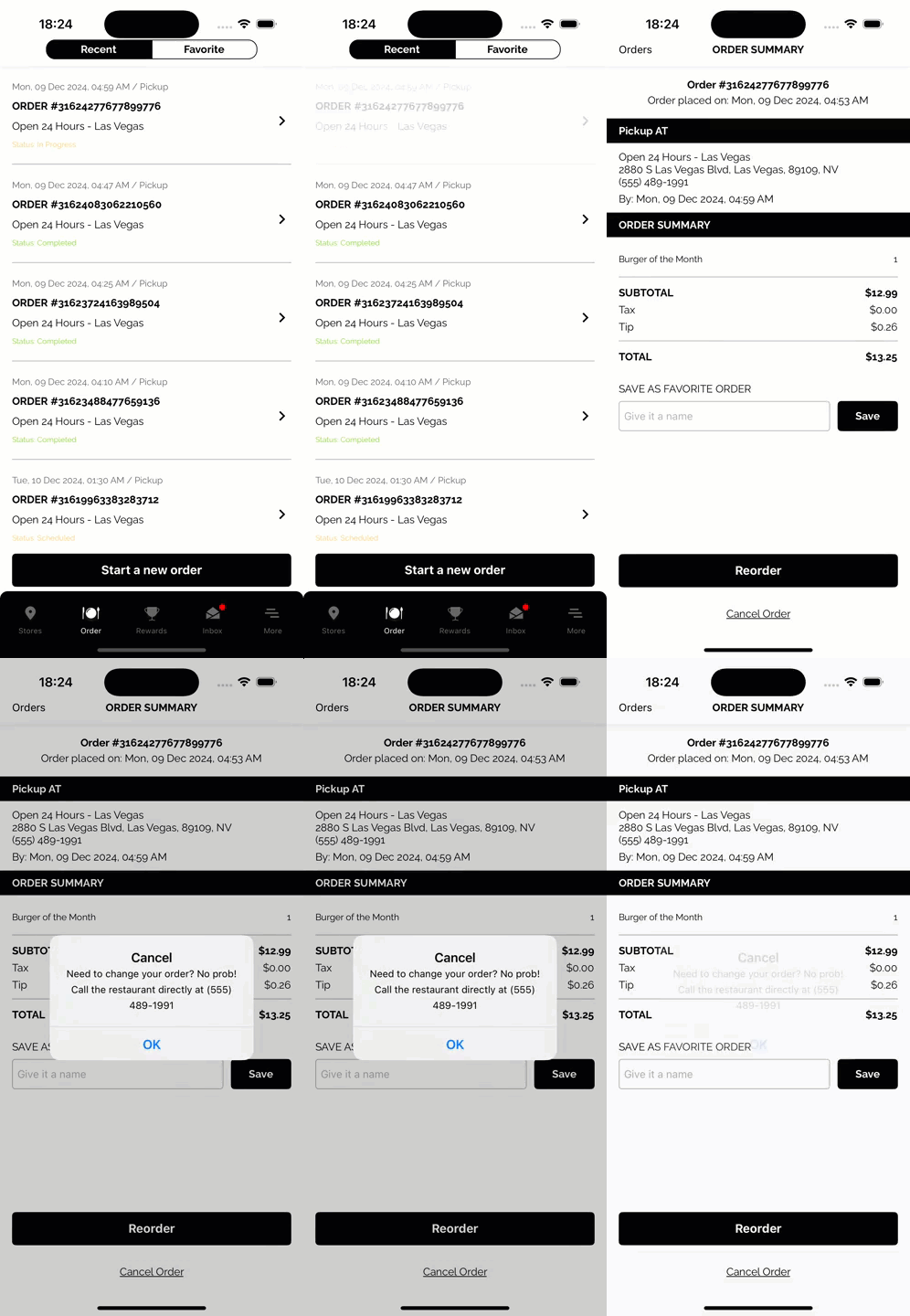
Cancel CTA Update
For orders that are not directly cancellable with Olo, "Cancel CTA" can now be completely hidden from the order summary screen. (MF-2589)
See what this looks like:
 |
 |
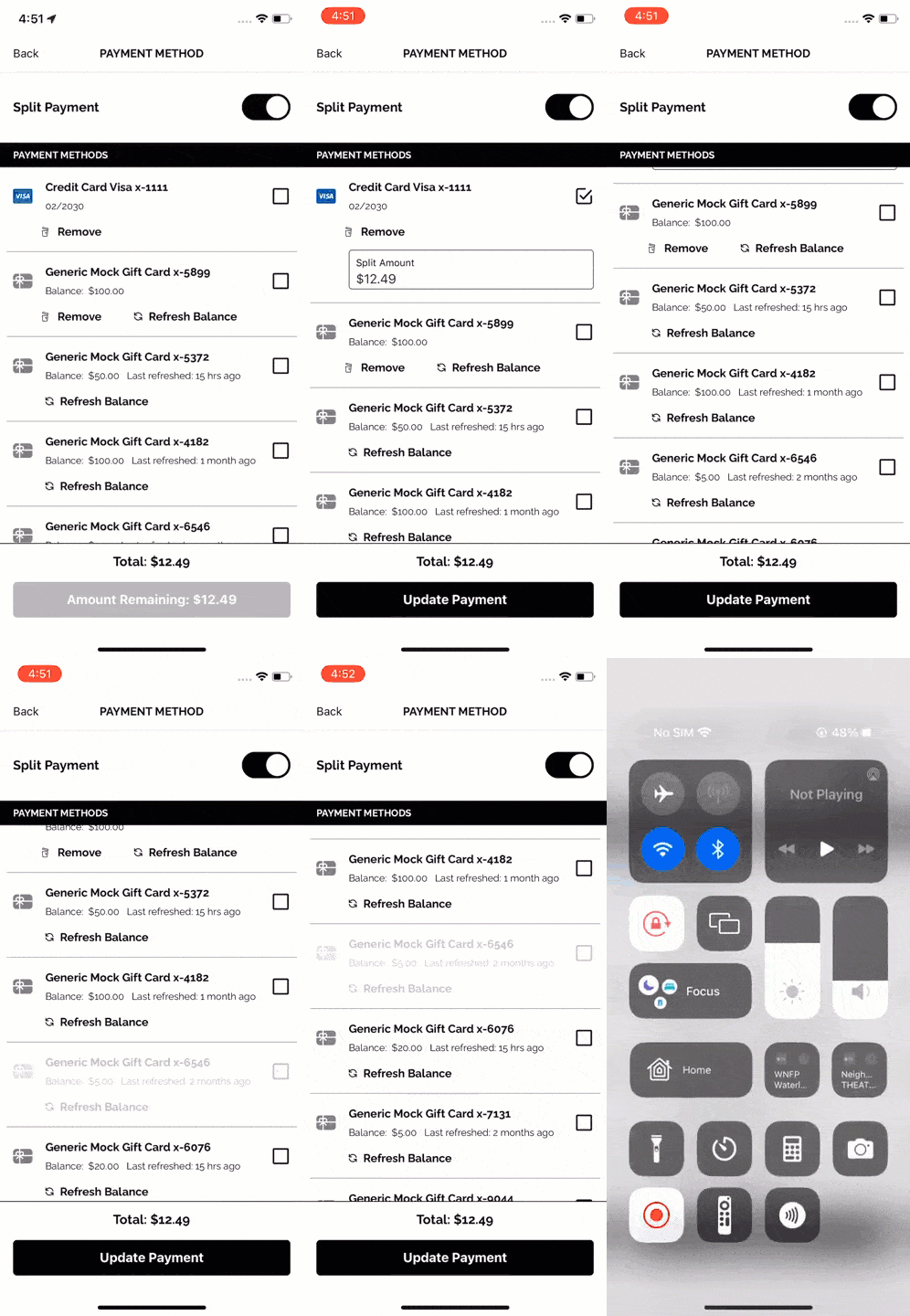
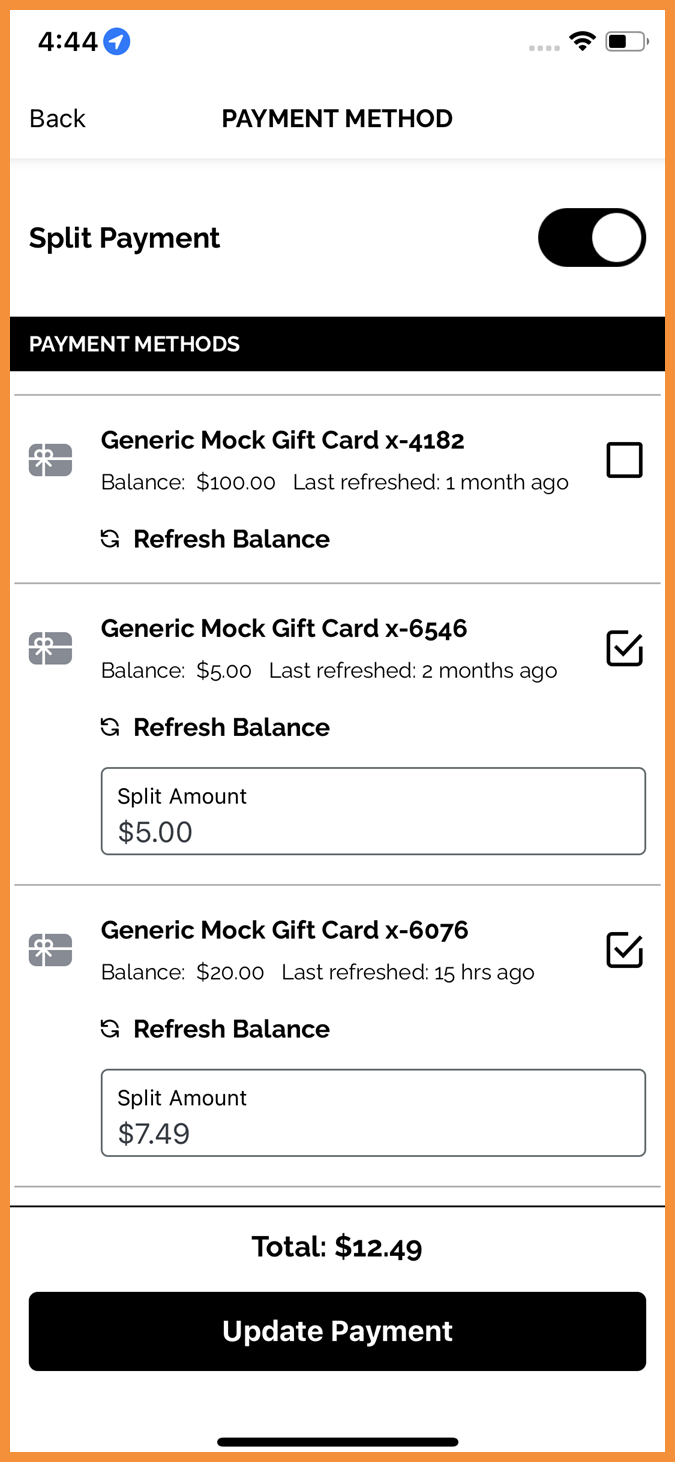
Enhanced Gift Card Handling in Split Payment
In split payment scenarios, any selected gift cards will be prioritized over credit cards. The selected gift card balance will be exhausted before applying any remaining amount to the credit card. Previously, the total was always split evenly between all selected payment types. (MF-2631)
See what this looks like:
 |
 |
Technical Enhancements
Fixed Native WebView for Cloudflare Enhancement
Added support for Cloudflare Turnstile CAPTCHA in WebView. Previously, it was not loading on webpages within mobile apps. (MF-2583)
Android 15: Private Space App Installation Support
Added support for apps to be installed in the new Android 15 Private Space. (MF-2586)
