Punchh Mobile Framework - Native PAR Ordering v2.2 Release Notes
Check out the new features added to the native PAR Ordering flows in the Mobile Framework! Reach out to your Punchh representative to upgrade to the latest version of the Mobile Framework to take advantage of these PAR Ordering features or if you have questions about adding or switching to PAR Ordering for your online ordering needs. For information on the previously released PAR Ordering features in the Mobile Framework, refer to the Mobile Framework v4.0 Release Notes.
New Features
Support for Favorite Items
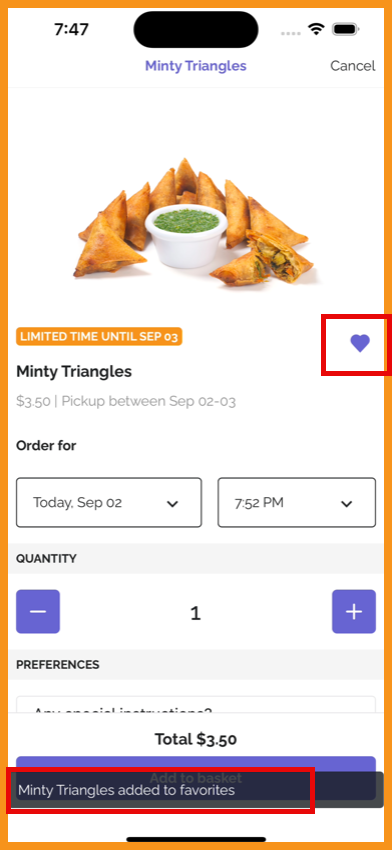
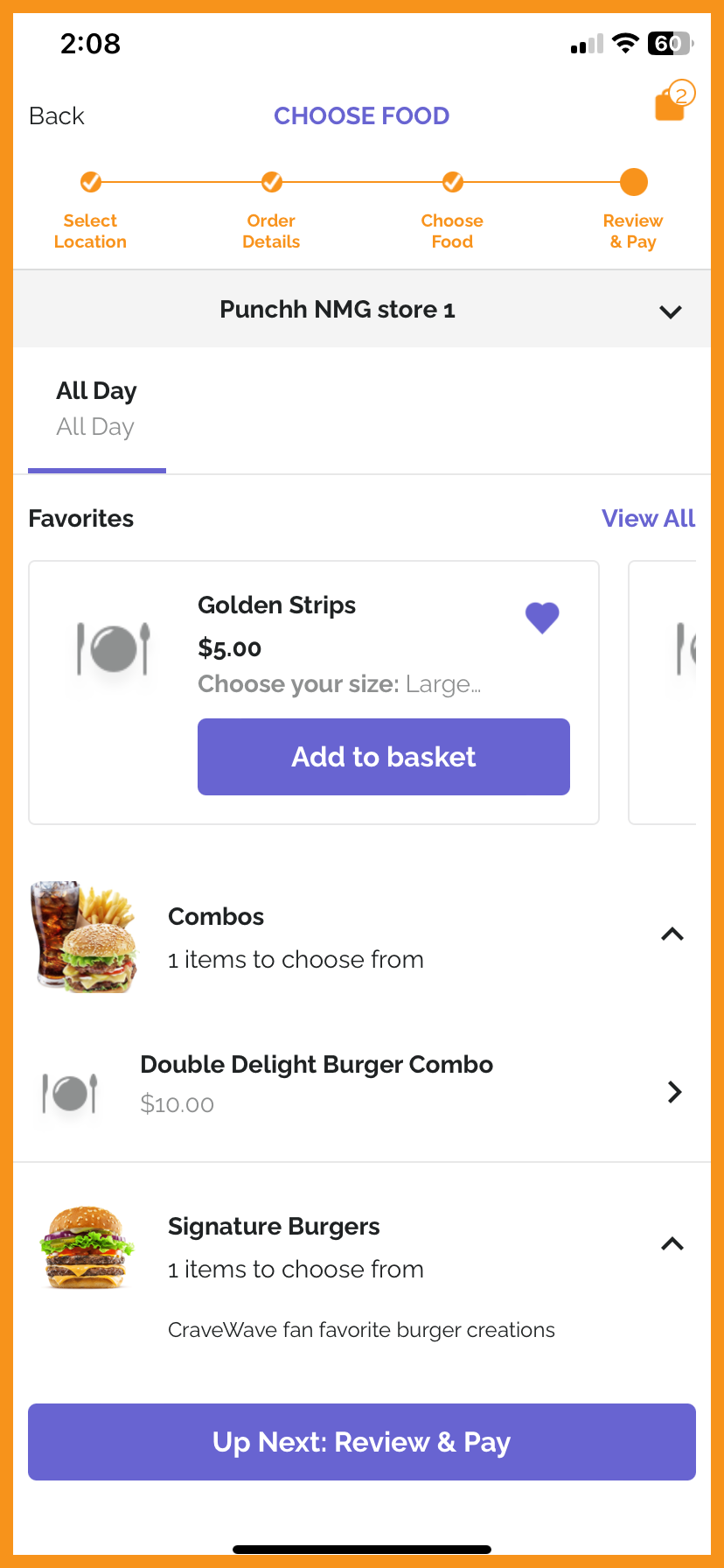
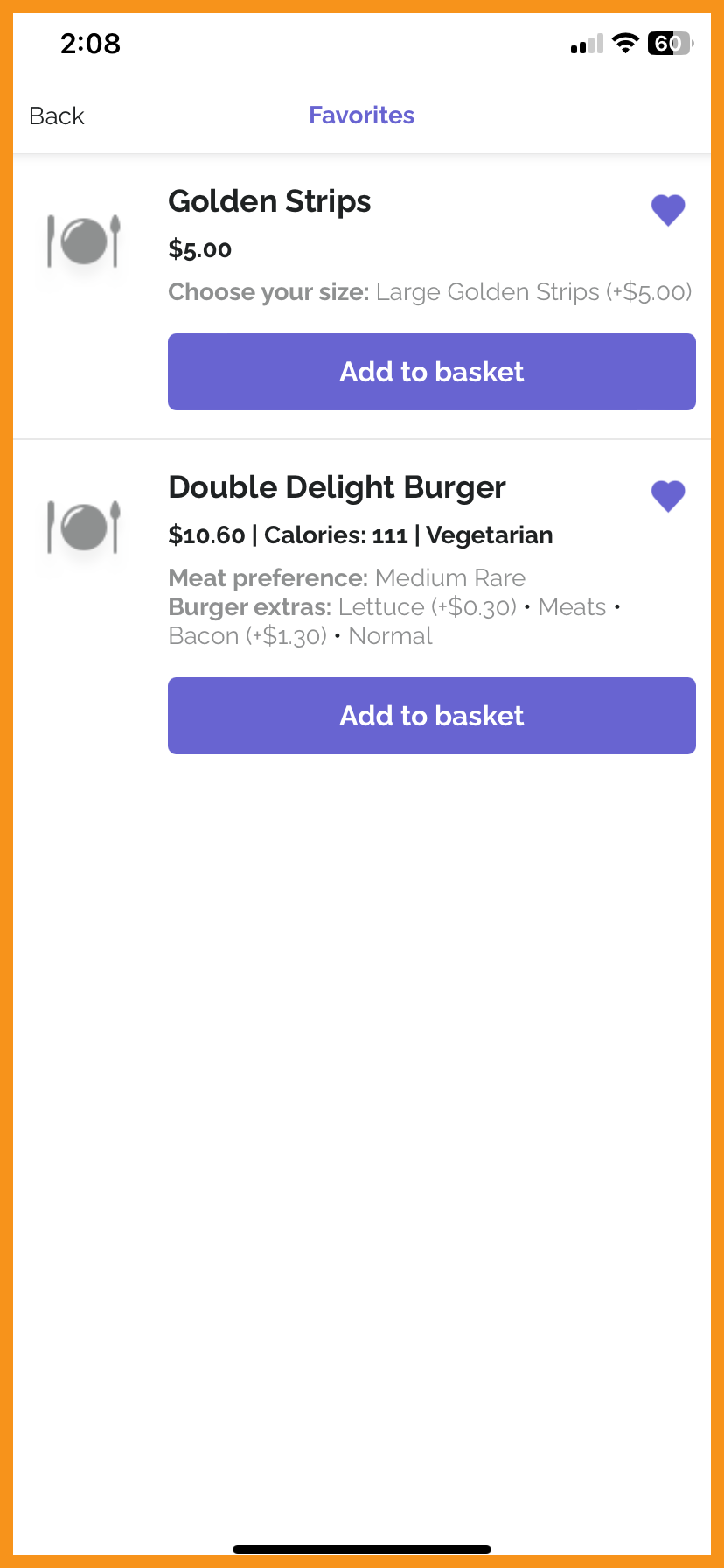
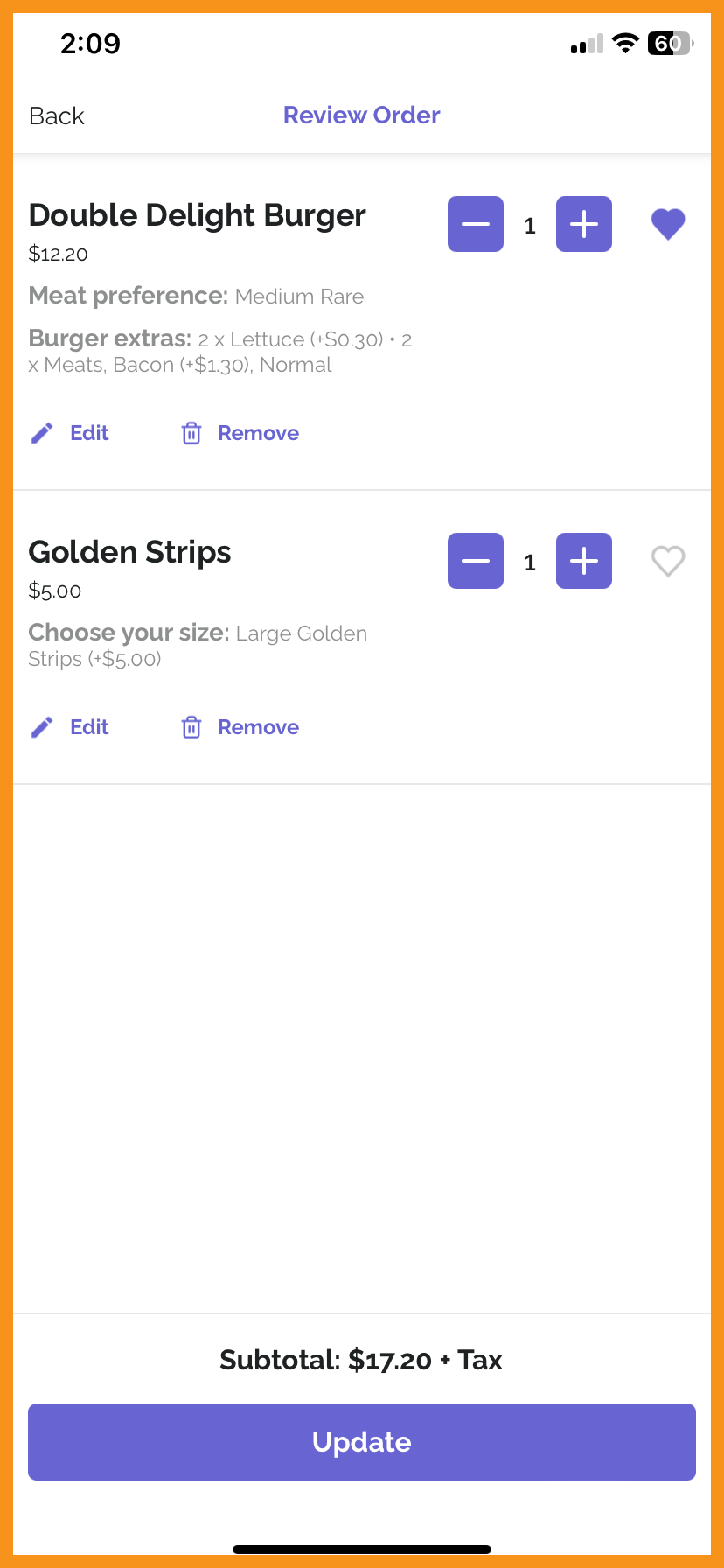
PAR Ordering Favorite Items are now supported throughout the native online ordering flow, which will allow customers to mark/unmark items as favorites. This will allow customers to view and add favorite items with one tap in various places throughout the ordering flow. (MF-2991, MF-3081)
See what this looks like:
 |
 |
 |
 |
Drive-Thru Order Type
Drive-Thru is now supported as an order type in the native PAR Ordering flow, along with Drive-Thru Special Dates handling. (MF-2985)
See what this looks like:
Drive-Thru Order Mode
Limited Time Offers and Preorder Item Support
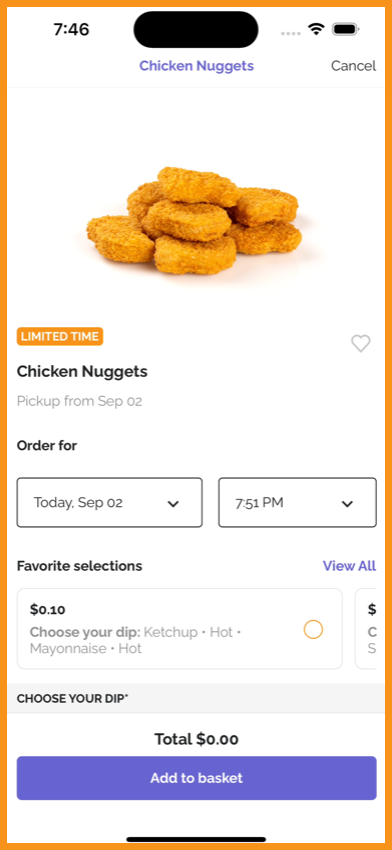
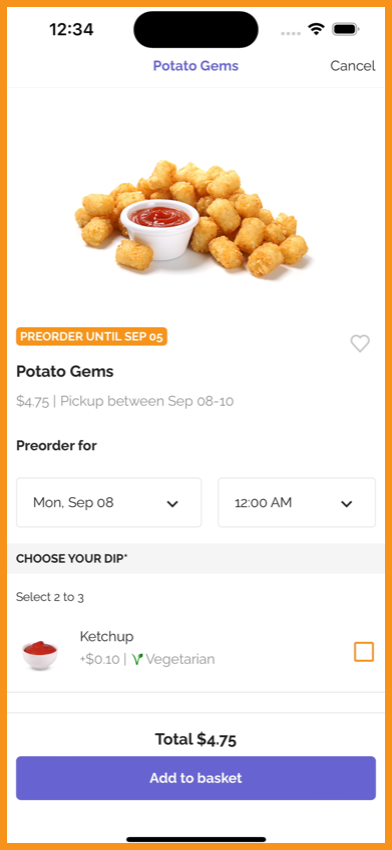
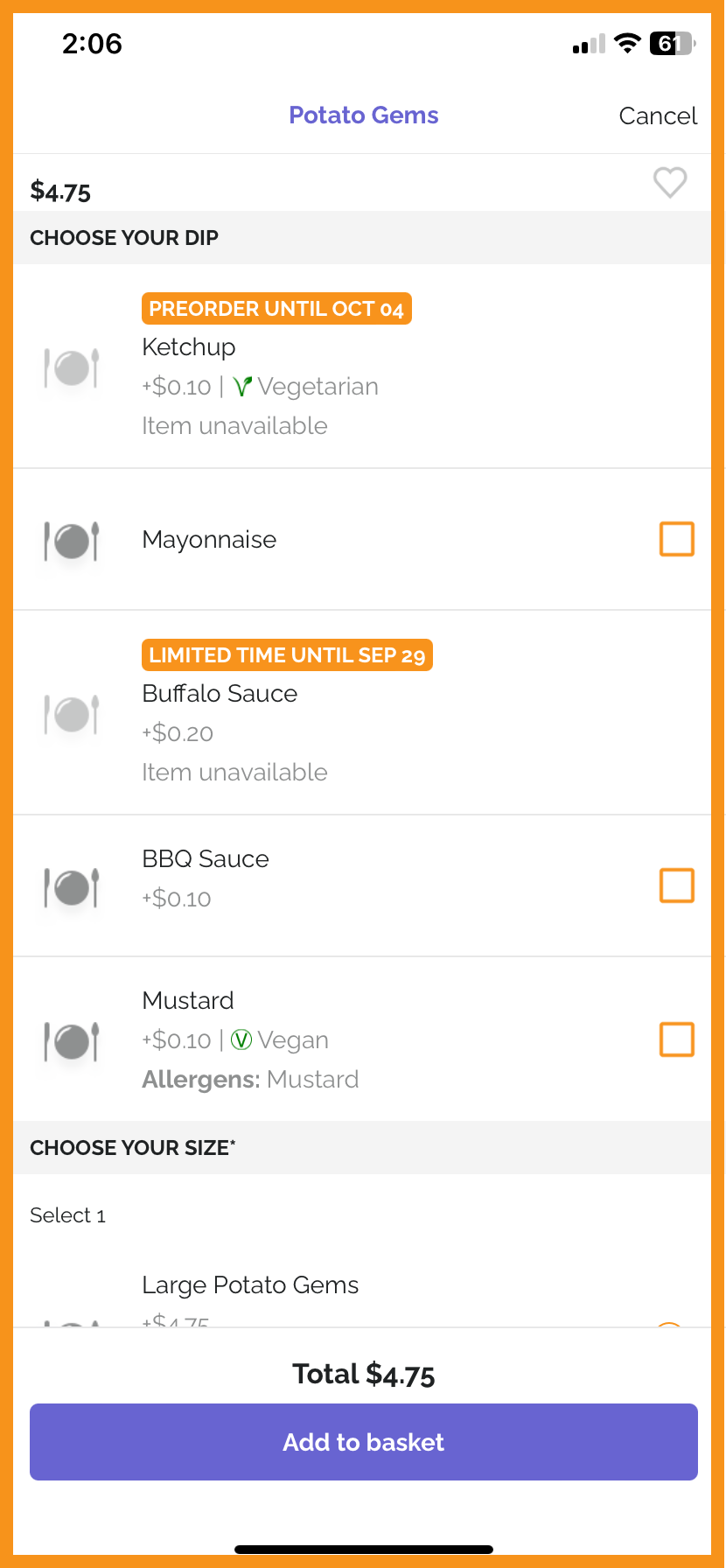
Limited Time Offers (LTOs) and Preorder items from PAR Ordering are now supported in the Mobile Framework, so users can view and purchase products that are only available for a specified time period. (MF-2920, MF-2979, MF-3098)
See what this looks like:
 |
 |
 |
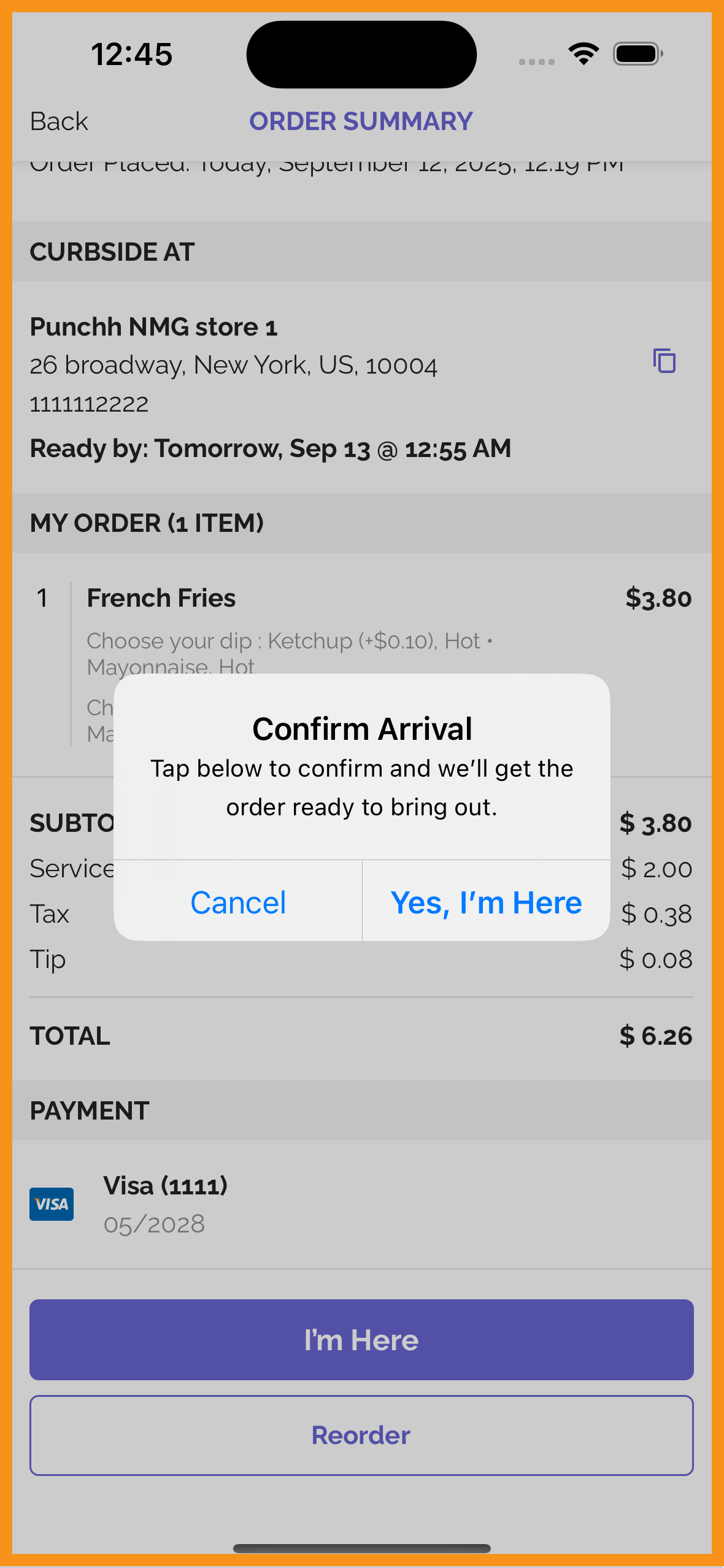
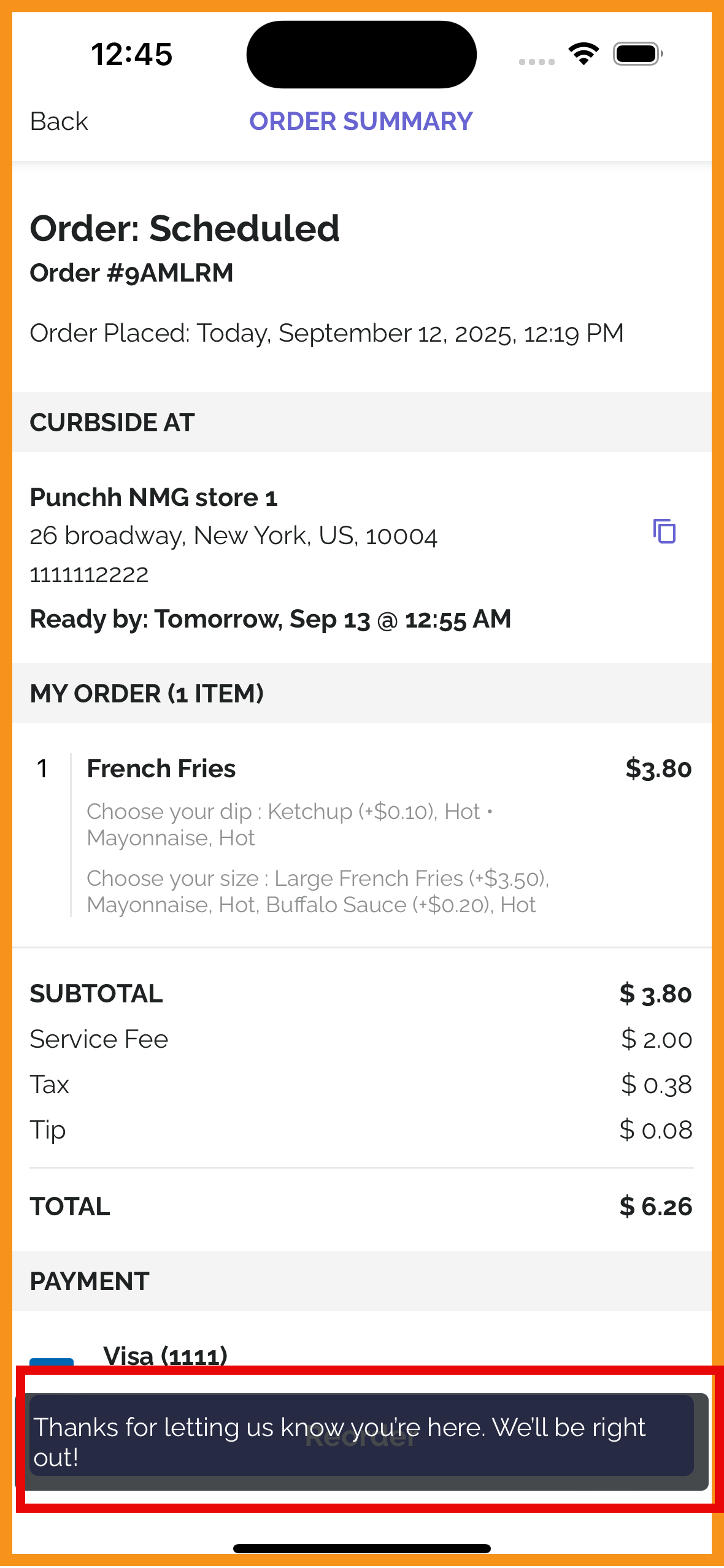
Curbside Order Manual Check-In
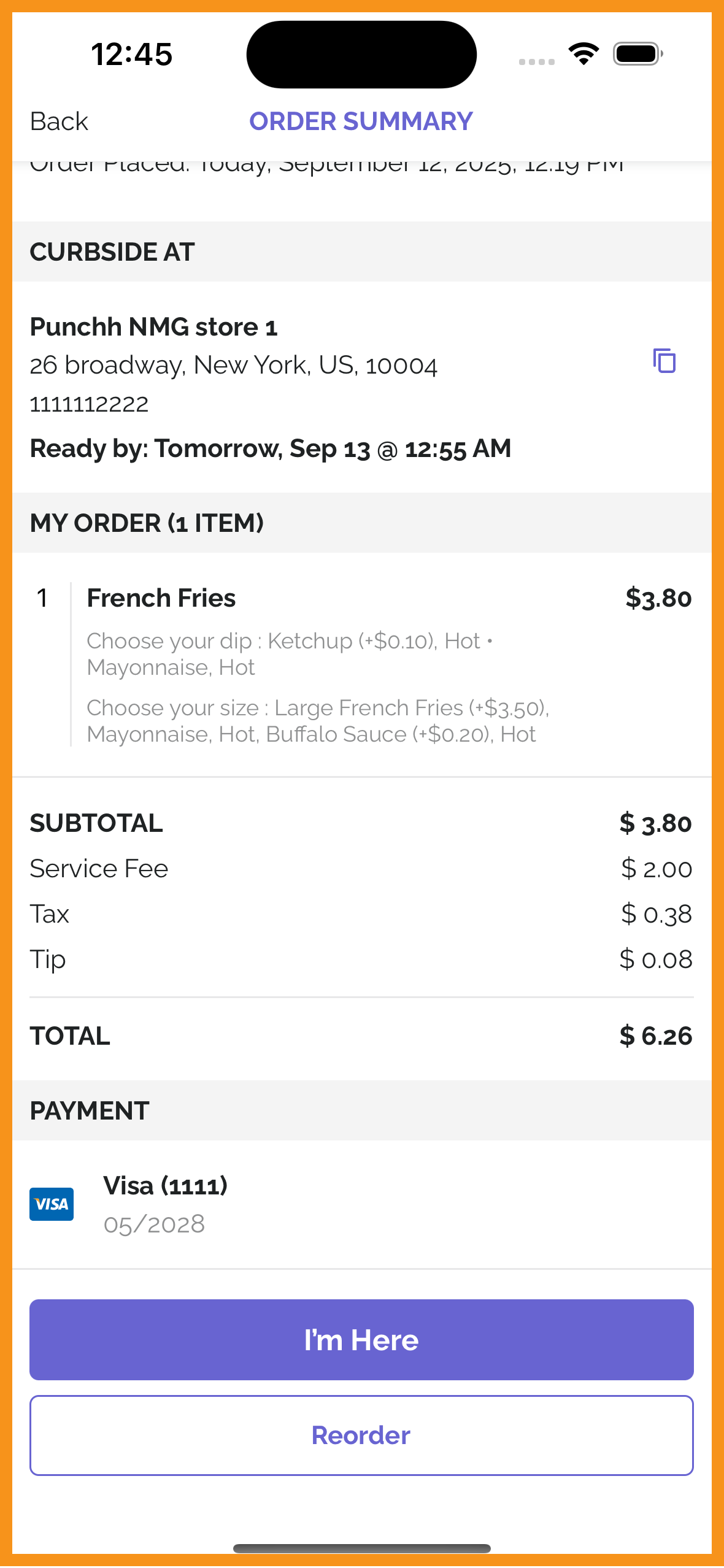
Curbside order type for PAR Ordering now supports manual check-in by the user to let the store know that the user has arrived. (MF-2049)
See what this looks like:
 |
 |
 |
