Receipt Rules/Qualifiers
Receipt Rules (sometimes referred to as "Receipt Qualifiers") are used to check for information that must (or must not be) present on a guest's receipt in order to satisfy conditions for Qualification Criteria. Regardless of the Discount Rule type, any of these additional receipt rules may be used (depending on your company's POS setup).
For information on the available Data Operators (is, is not, etc.), refer to Data Operators and Input Examples.
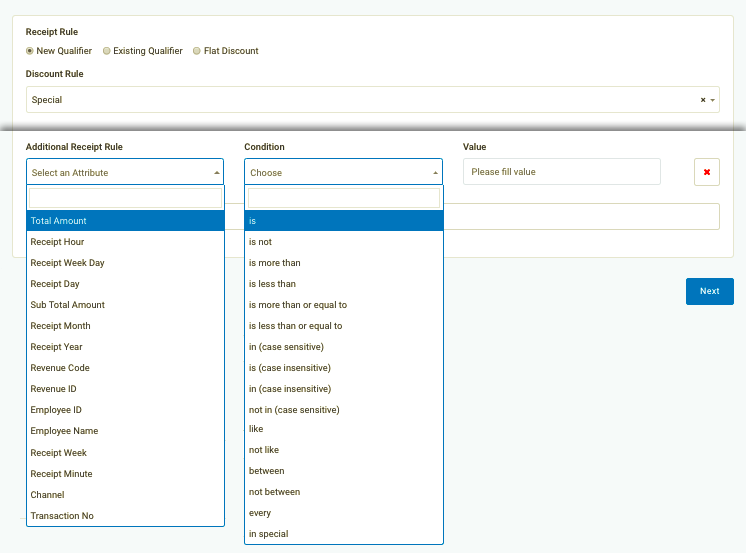
Referred to as "Additional Receipt Rules" when creating a New Qualifier during the redeemable creation process.
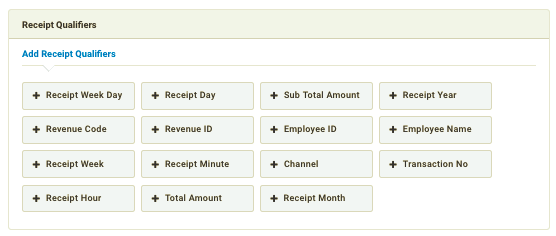
Referred to as "Receipt Qualifiers" in Qualification Criteria settings.
The following list contains all of the Receipt Rules/Qualifiers you may utilize when creating Qualification Criteria or when setting up a new qualifier when creating a Redeemable.
| Rule | Example |
|---|---|
| Total Amount The receipt total amount after any taxes and discounts are applied. |
 |
| Receipt Hour Hour intervals, based on receipt time, not scan time. |
 |
| Receipt Week Day In a 7-day week, "1" represents Monday, "2" represents Tuesday, and so on. |
 |
| Receipt Day The month is split into 31 days. "1" represents the first day, "2" represents the second, and so on. |
 |
| Sub Total Amount The receipt total amount before any taxes and discounts are applied. |
 |
| Receipt Month The year is split into 12 months. "1" represents January, "2" represents February, "3" represents March, and so on. |
 |
| Receipt Year Based on receipt time, not scan time. |
 |
| Revenue Code Based on the data provided by your POS. Revenue Codes may be "Online", "In-Store", "Mobile". |
 |
| Revenue ID Based on the data provided by your POS. Revenue IDs may be "1" for in-store, "2" for mobile orders, etc. |
 |
| Employee ID For identifying specific employees, this rule may be available based on if your POS system reports Employee ID numbers. |
 |
| Employee Name For identifying specific employees, this rule may be available based on if your POS system reports Employee Names. |
 |
| Receipt Week The year is split into 52 weeks. "1" represents Jan 1-7, "2" represents Jan 8-14, "3" represents Jan 15-22, etc. |
 |
| Receipt Minute Enter an integer(s) between 1 and 60 for minutes. |
 |
| Channel Dependent on your company's setup, you can specify via which channel the transaction occurred. For checkins; OnlineOrder, POS, Web, Mobile, Chatbot. For redemptions; OnlineOrder. |
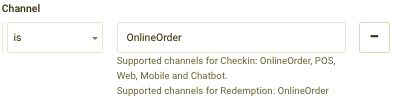 |
| Transaction No. Unique transaction number present on each receipt. |
 |
