PAR Games: Configuring Prizes
You can configure specific prizes to be won at certain prize/win levels. In general, prizes can be distributed to players in two ways: odds-based and timed.
After setting up your prizes, you will need to connect the corresponding gifting webhook before any prizes can be sent to the player's loyalty account. Refer to PAR Games: Adding Webhooks.
How to Set Up Odds-Based Prizes
Odds-based prizes are determined by chance and the probability of winning or losing is influenced by the odds or likelihood of a particular outcome occurring.
- Navigate to the PAR Games dashboard and select the game you want to configure the odds-based prizes for.
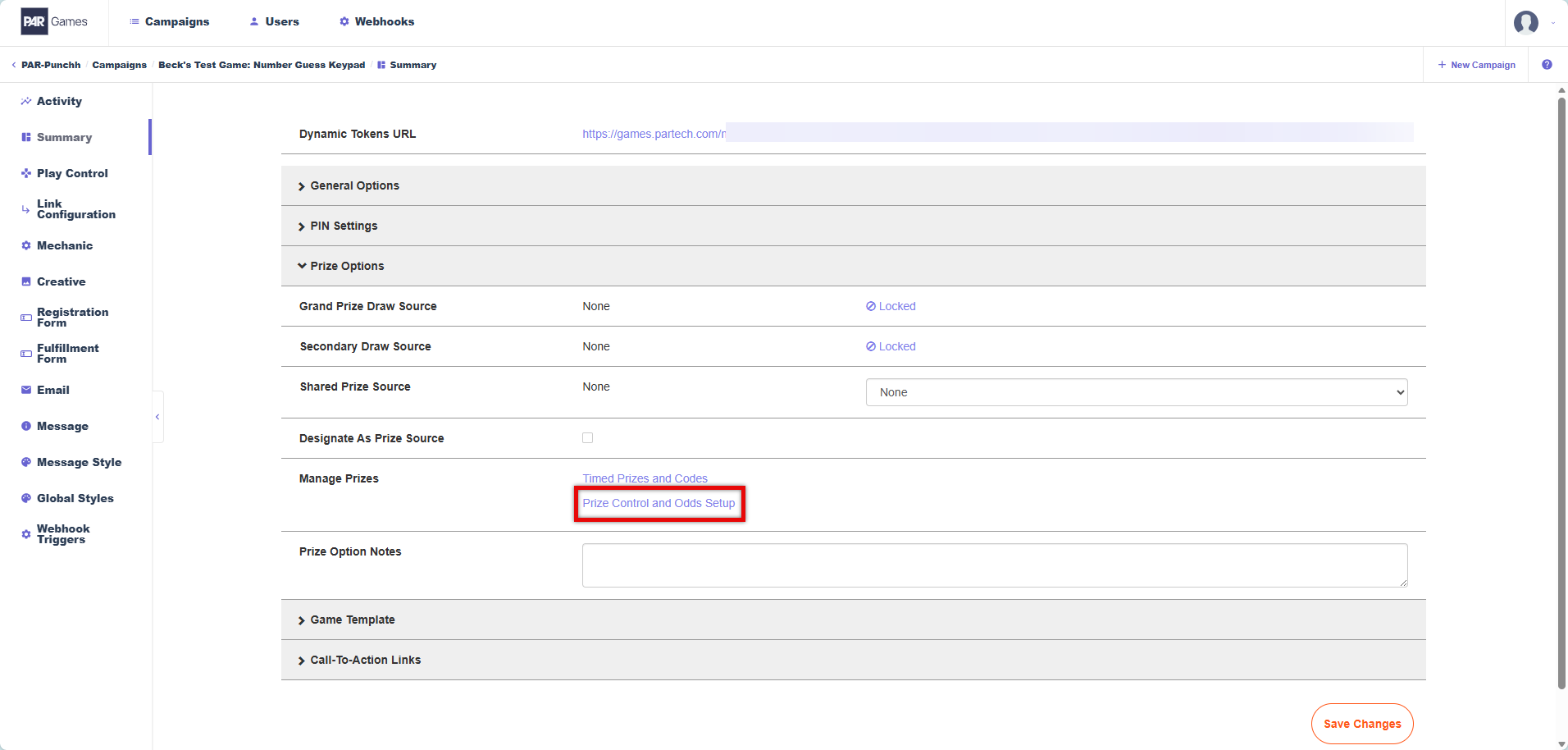
- From the Summary tab, expand the Prize Options section and click Prize Control and Odds Setup.
- The table will display between 4 and 10 prize/win levels depending on the mechanic chosen. Each prize/win level can be a different prize. Fill in the following fields for each prize/win level:
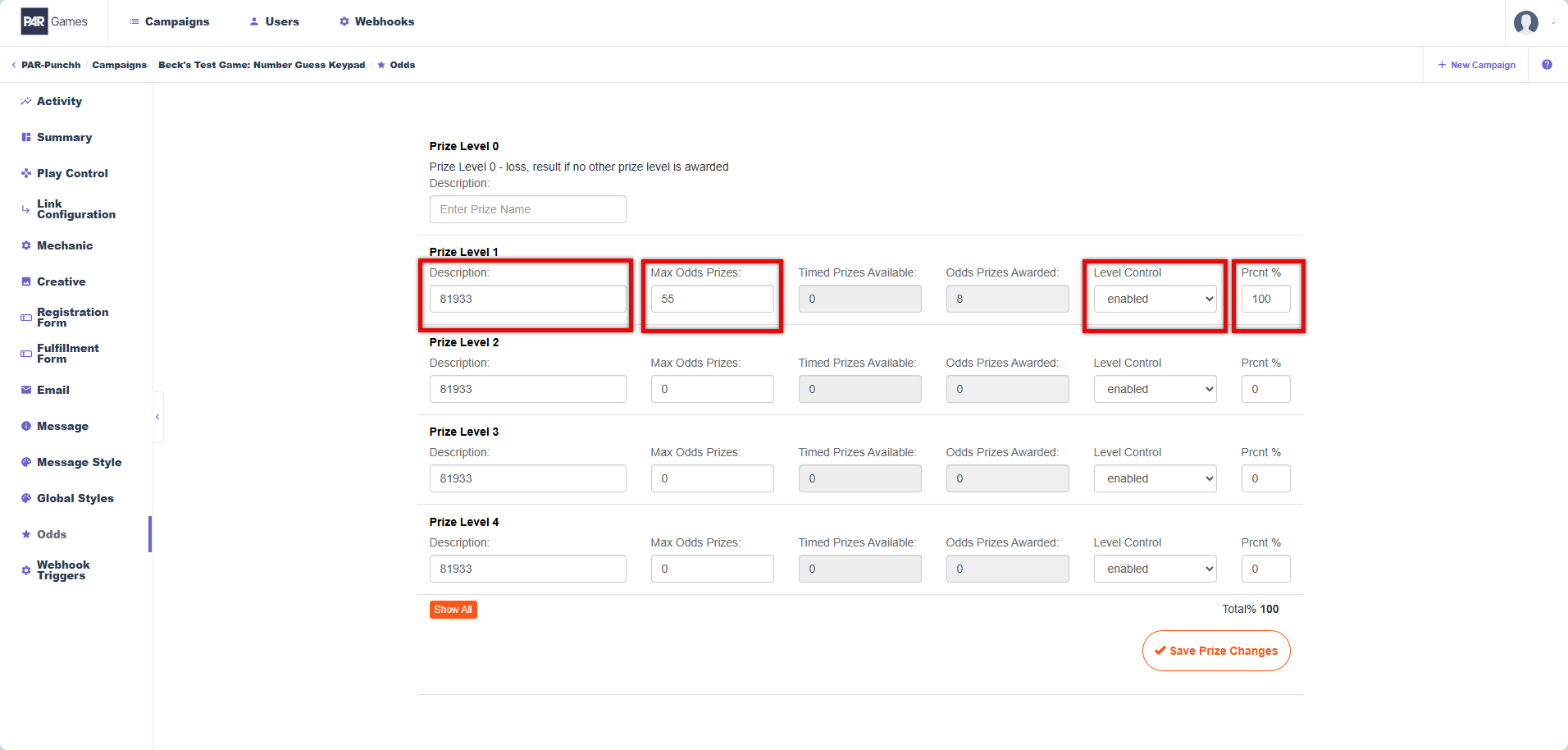
- Description: This is where you indicate the prize to be distributed for the win level.
-
If gifting rewards, paste the redeemable ID (found in the URL when viewing a redeemable) here.

-
If gifting points, enter the number of points you want to gift for this prize/win level.
-
If gifting currency, enter the dollar amount you want to gift for this prize/win level.
-
- Max Odds Prizes: Enter the maximum number of prizes you would like to award for the prize/win level. This can range from 0 to 999,999,999 for unlimited prizes.
- Level Control: Decides whether a level is to be enabled to activate a prize or not. It is recommended to leave this as Enabled for each prize/win level.
- Enabled: This is the default value. Enabled levels will be checked for both timed and odds-based prizes and awarded if triggered and prizes are available.
- Default: If a prize/win level is set to this, any previous prize level that runs out of prizes will default to the next available default prize level. For example, if level 1 is enabled with odds but runs out of prizes and level 3 is set to default, any subsequent level 1 prize triggered will default to a level 3 prize. If no other prize levels are set to default, levels that run out of prizes will default to level 0.
- Disabled: Disabling a prize/win level here will disable the prize/win level everywhere, including timed prizes.
- Prcnt %: This determines what percentage odds will trigger the prize/win level. The total Prcnt % of all prize/win levels cannot exceed 100%. If the aggregate Prcnt % of all prize/win levels does not equal 100%, the leftover percentage will trigger a "loss" prize/win level (level 0).
- Note: The % value is a statistical percentage, meaning each play has an equal chance of occurring per the percentage defined. Odds of 50% does not mean that every other play will be a win, but rather each play will have a 50/50 chance of being a win.
- Description: This is where you indicate the prize to be distributed for the win level.
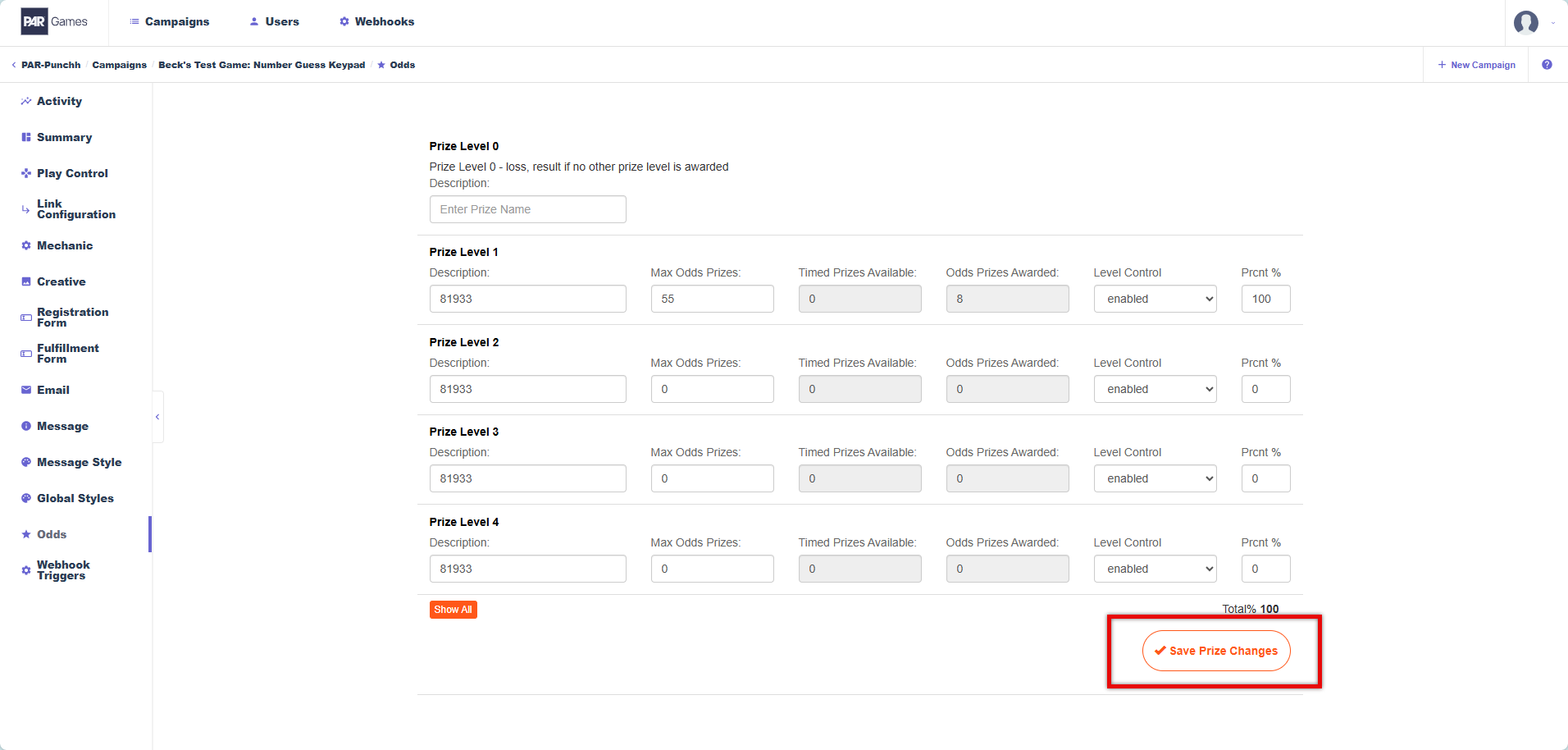
- Click Save Prize Changes to save the odds table.
Additional fields to be aware of:

- Timed Prizes Available: Relevant only if using timed prizes and odds-based prizes. This cell cannot be edited and refers to the prizes available in the Timed Prizes and Codes table in the Prize Options section of the Summary tab. If prizes are added in that table, the total number will automatically show up in that cell.
- Note: If you are using a combination of odds and timed prizes (ex. unique gift codes awarded based on odds), you will use a combination of the prize table and odds table. Set the Max Odds Prizes to the number of Timed Prizes Available (or fewer) to ensure more prizes are not awarded than available unique prizes. Additional settings are required to connect the odds table and prize table together. Please contact the PAR Games team or your Punchh representative for additional information.
- Odds Prizes Awarded: This cell cannot be edited and displays how many prizes have already been awarded in real time. This value is automatically updated in real time (a page refresh is required to see the updated value).
How to Set Up Timed Prizes
Timed prizes are distributed based on the date the game is played.
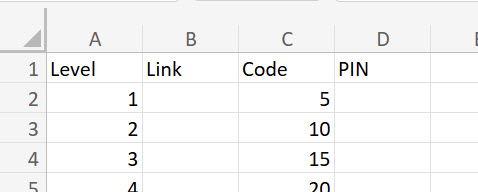
Determine which prizes you want distributed for each prize level. Create a CSV with the following columns:
- Level: Set level you want prize to be used for
- Link: Leave blank
- Code: Number of points,
redeemable_id, or currency amount you want to gift - PIN: Leave blank
To upload the CSV, navigate to the Summary page, open Prize Options and click Timed Prizes and Codes.
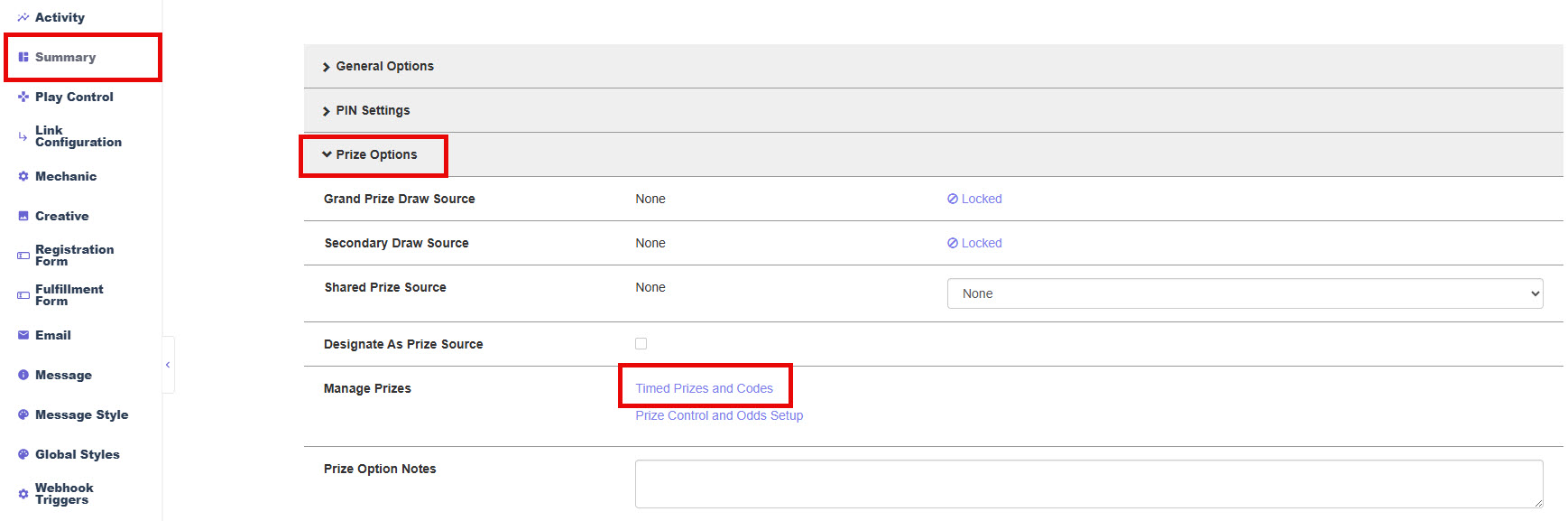
-
Click Add Prizes
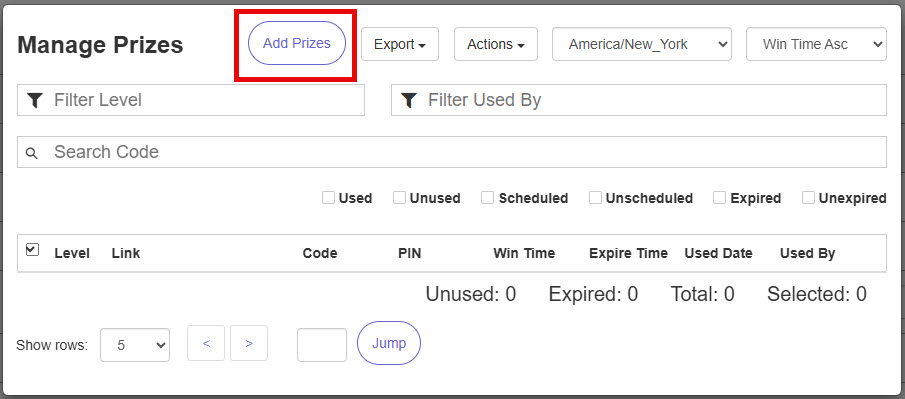
-
Click Import
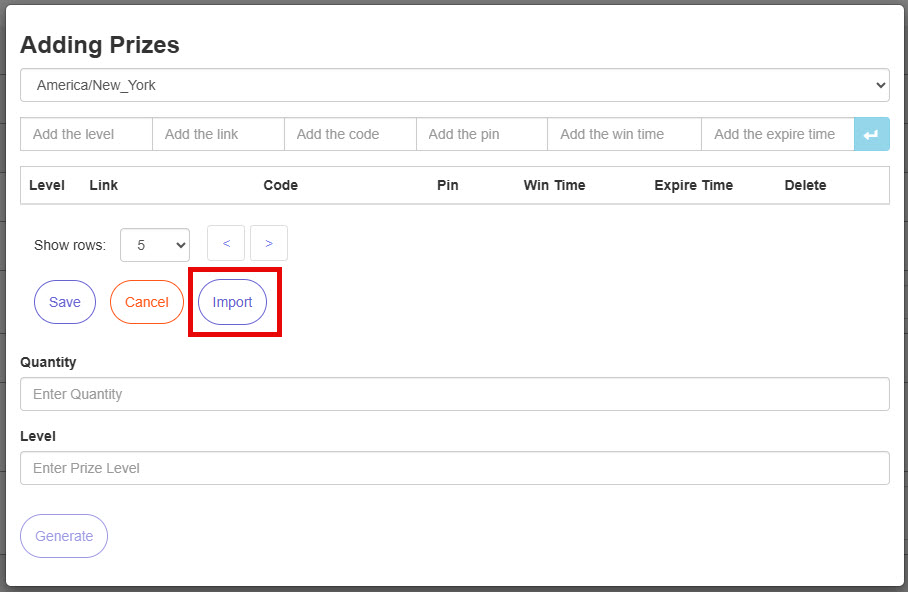
-
Select the CSV file and click Save
-
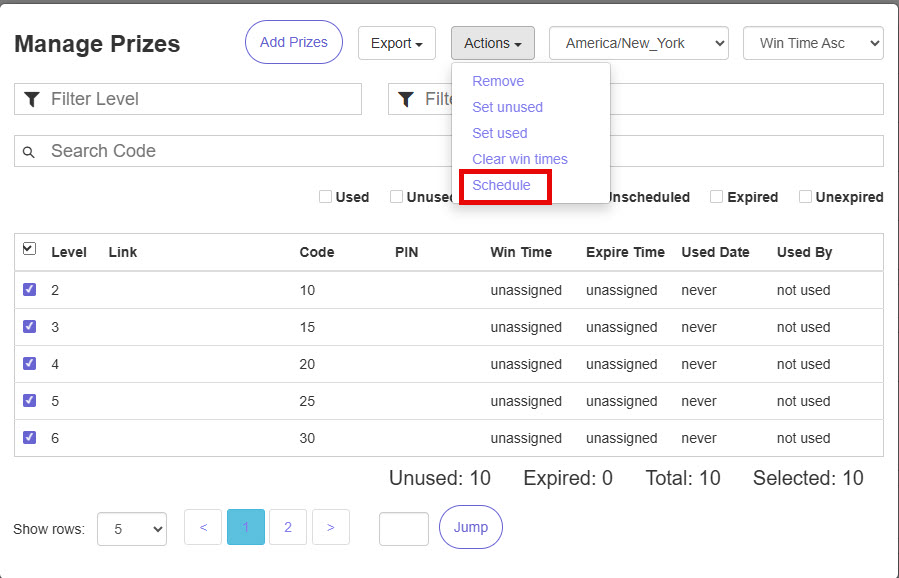
In the table heading, click the dropdown box next to Level and click Select All
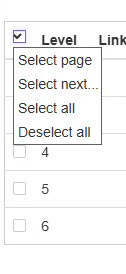
-
Click Actions and select Schedule
-
Fill out the Schedule Prizes pop-up
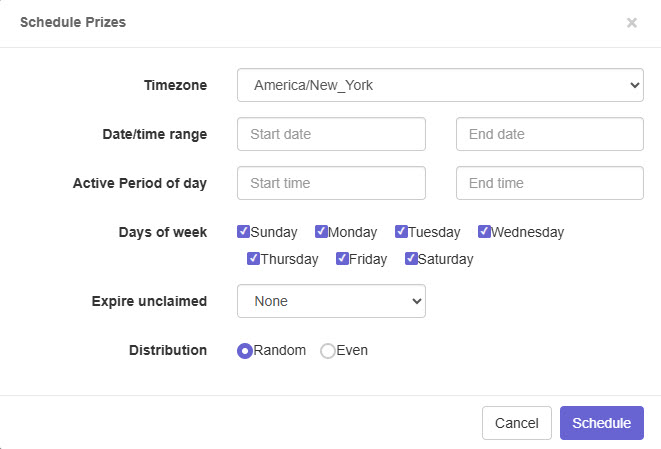
- Date/time range: Match start and end date and times with what is in official rules/game campaign settings
- For most games, this is the only configuration that will be used
- Active Period of Day: Set prizes to be scheduled only during certain times of the day. Good if you’re not anticipating plays during certain hours (i.e. overnight)
- Days of week: Sets prizes to be scheduled only on certain days of the week
- Expire unclaimed: Set prizes to expire at end of day, after X number of hours, or never
- Distribution: Random or Even
- Date/time range: Match start and end date and times with what is in official rules/game campaign settings
-
Click Schedule
-
Exit the Timed Prizes and Codes pop-up and click Save Changes