Location Channels
This article was previously titled "Location Report."
The Location Channels page provides a snapshot of activity at each location including checkin volumes by channel type, Redemptions, Checkin Failures, Feedback received at the location, along with user-related metrics at the location such as Average Checkins Per User (ACPU), Average Redemptions per User (ARPU), Average Spend per User, Number of Checkins from users with this location as their favorite location among several others.
Additionally, from the Location Channels page, you can export all the above data points.
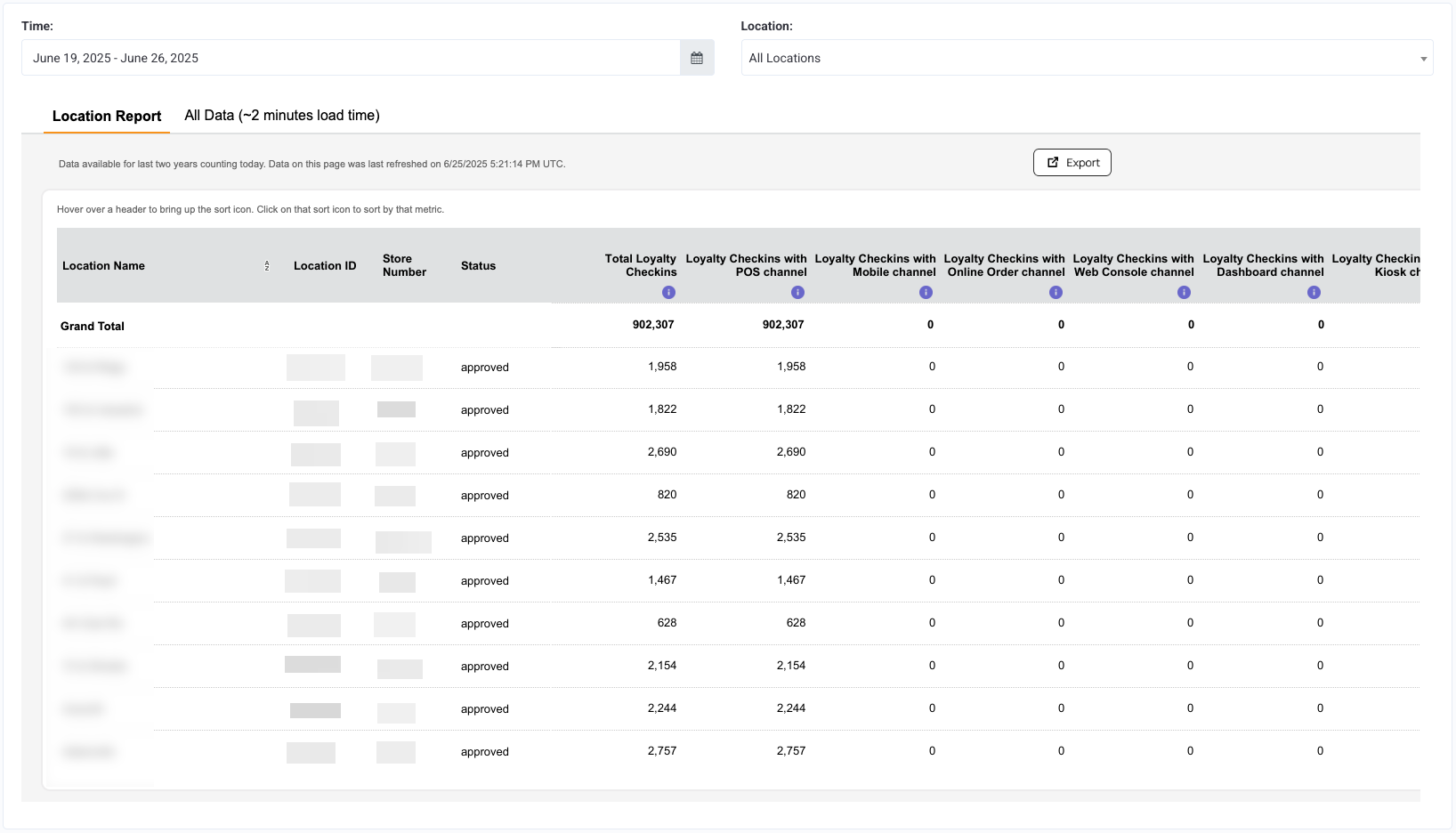
Viewing Location Channels
You can check out the Location Channels page in Store Locations > Location Channels.
You can filter the page for specific Locations by using the Locations drop-down menu on the right.

The Location Channels page has two sections:
Location Report: This is the section that shows up by default. It has all the non-user-specific data such as:
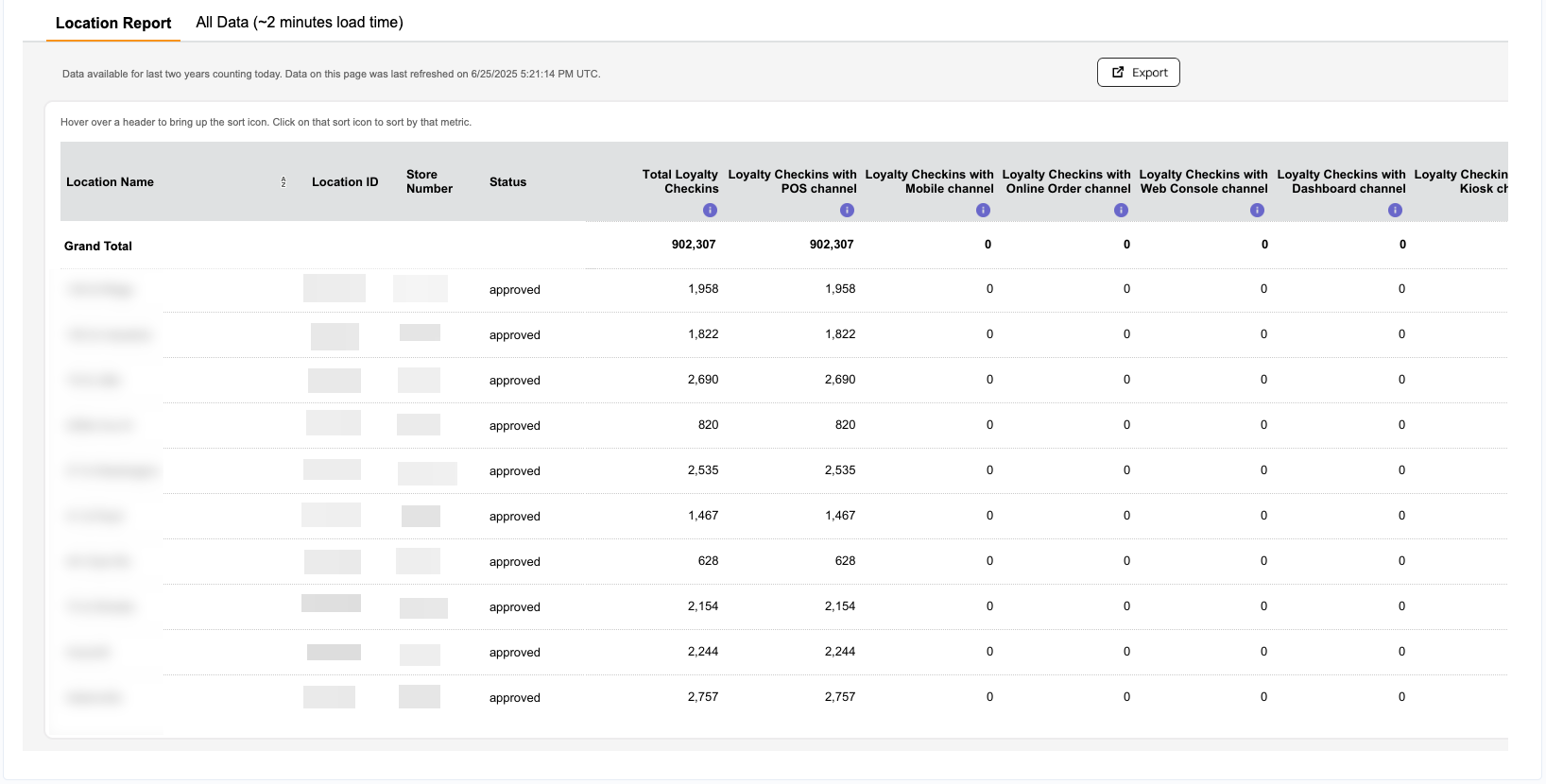
- Total Loyalty Checkins
- Loyalty Checkins with POS Channel
- Loyalty Checkins with Mobile Channel
- Loyalty Checkins with OnlineOrder Channel (note whether or not a mobile device is used for checkin, if it is an OnlineOrder, it is always counted under OnlineOrder)
- Loyalty Checkins with Dashboard Channel
- Loyalty Checkins with Kiosk Channel
- Loyalty Sales (Checkin Earnable amount)
- Honored Redemption Volume
- Honored Redemption Discount value
- Total Feedbacks received at the location
All Data (~2 minutes load time): This section shows user-specific metrics. It is important to note that this page is built on most granular data and will take up to 2 minutes to load. The following are the metrics covered in this section:
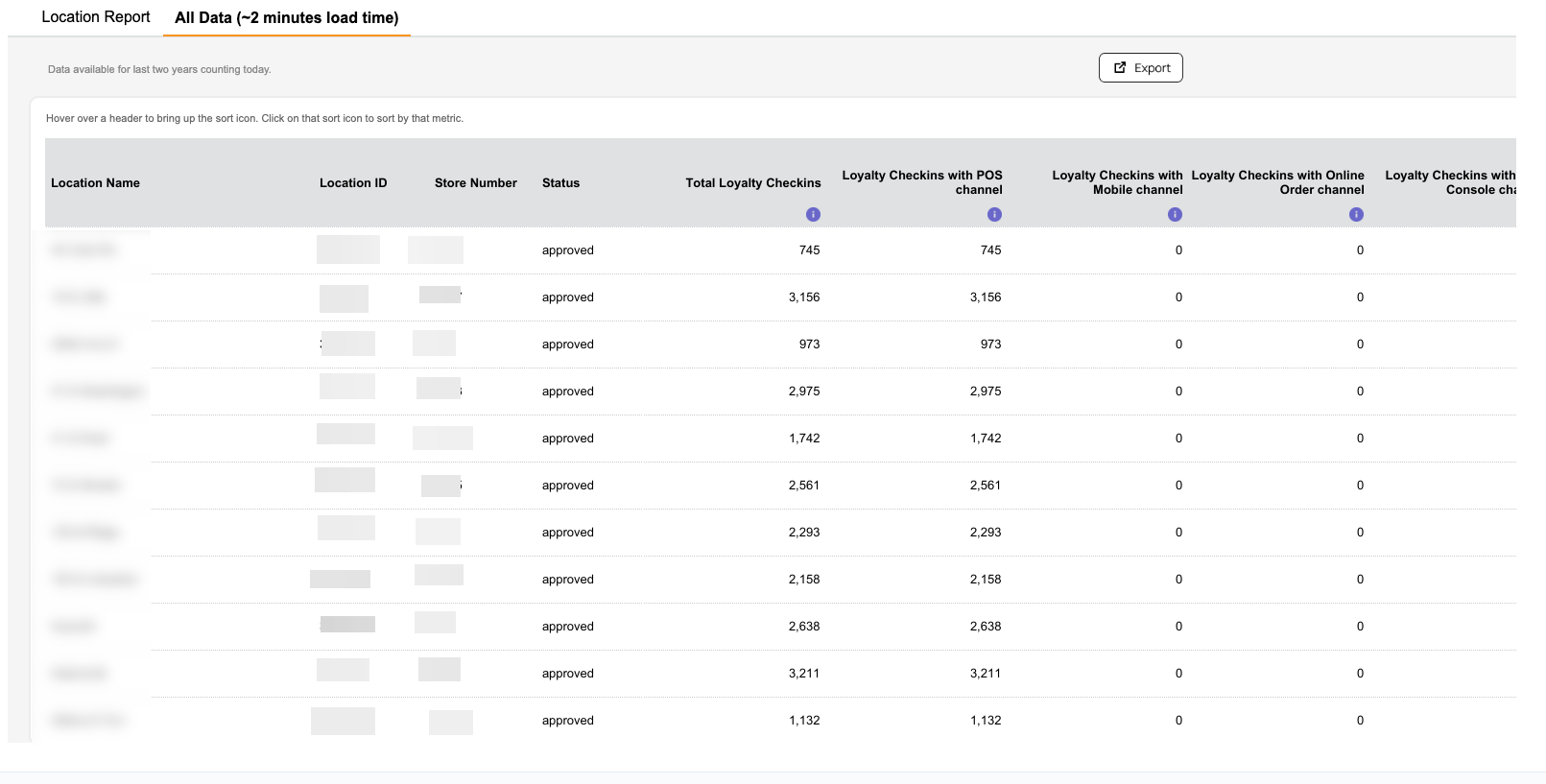
- Unique Loyalty Users
- Average Loyalty Checkins per User (ACPU)
- Average Loyalty Spend per User (ASPU)
- Unique Loyalty Redemption Users
- Average Loyalty Redemptions per User (ARPU)
- Favorite Location taggings
- Unique Loyalty Users with First Checkin
- Unique Loyalty Users that Experienced Checkin Failures
Note: It will take up to 2 minutes to load the data for the All Data tab as mentioned above.
Date Range Available
Data is made available for the last two years not counting today. For example, if today is 2024-Jul-24, the data from 2022-Jul-24 to 2024-Jul-23 is made available on the page.
Data Refresh Frequency
Data is refreshed both hourly and daily. The hourly refresh is incremental meaning whatever locations are present, the data for those locations specifically will be updated. The daily refresh is a full refresh, in which new locations are added or old locations are removed. This can be checked from the latest refresh data time stamp shown on the dashboard.
Note: Whenever there is no data for a location for a given date range, that location will not be shown. Only once data is available, and a daily refresh has occurred, will the location show on the page.
Metrics and Definitions
Below is a breakdown of the information included in the Location Channels page (as it is displayed within the Punchh dashboard):
| Metric | Definition |
|---|---|
| Average Loyalty Checkins per User | Total Loyalty Checkins/Unique Loyalty Users at the selected location(s) within the chosen timeframe, based on the checkin creation date. |
| Average Loyalty Redemptions per User | Honored Redemptions/Unique Redemption Users at the selected location(s) within the chosen timeframe, based on the actual transaction date. |
| Average Loyalty Spend per User | Loyalty Sales (Checkin Earnable Amount)/Unique Loyalty Users at the selected location(s) within the chosen timeframe, based on the checkin creation date. |
| Avg. Loyalty Check Size (Checkin Earnable Amount) | Average earnable amount (the amount on which the user is eligible for earning loyalty points), post discount, per loyalty checkin in the given date range, based on checkin creation date. |
| Favorite Location Tagging | Total number of unique loyalty users who tagged the location under consideration as their favorite location within the chosen timeframe, based on the created date-time stamp of the checkin in the business time zone. |
| Honored Redemption Discount | Total discount associated with successful redemptions in the given date range, based on the redemption date. The redemption could be from any source: loyalty, campaigns, etc. |
| Honored Redemptions | Count of successful redemptions in the given date range, based on the redemption date. The redemption could be from any source: loyalty, campaigns, etc. |
| Loyalty Checkins with Dashboard Channel | Count of loyalty checkins with 'Dashboard' as the channel for the given date range, based on the checkin creation date |
| Loyalty Checkins with Kiosk Channel | Count of loyalty checkins with 'Kiosk' as the channel for the given date range, based on the checkin creation date |
| Loyalty Checkins with Mobile Channel | Count of loyalty checkins with 'Mobile' as the channel for the given date range, based on the checkin creation date |
| Loyalty Checkins with Online Order Channel | Count of loyalty checkins with 'Online Order' as the channel for the given date range, based on the checkin creation date |
| Loyalty Checkins with POS Channel | Count of loyalty checkins with 'POS' as the channel for the given date range, based on the checkin creation date |
| Loyalty Checkins with Web Console Channel | Count of loyalty checkins with 'Web Console' as the channel for the given date range, based on the checkin creation date |
| Loyalty Sales (Checkin Earnable Amount) | Total earnable amount (the amount on which the user is eligible for earning loyalty points), post discount, associated with loyalty checkins in the given date range, based on checkin creation date. |
| Total Feedback | Total amount of feedback received for the given date range (based on the feedback creation date). |
| Total Loyalty Checkins | Count of loyalty checkins for the given date range (based on the checkin creation date). |
| Unique Loyalty Users | Total count of -unique guests who made a checkin at the selected location(s) within the chosen timeframe, based on the checkin creation date. |
| Unique Loyalty Users that Experienced Checkin Failures | Total number of unique loyalty users, who experienced a checkin failure at the selected location(s) within the chosen timeframe, based on the checkin creation date. |
| Unique Loyalty Users with First Checkin | Total count of unique loyalty users, who made their very first loyalty checkin at the selected location(s), with the checkin falling within the chosen timeframe, based on the checkin creation date. |
| Unique Redemptions Users | Total count of unique loyalty users who made a redemption at the selected location(s) within the chosen timeframe, based on the actual transaction date. |
Exporting
From the Store Locations > Location Channels page, click the Export button at the top right. A CSV file containing your Location Report or All Data information will be downloaded immediately to your local machine.
If you would like to receive location channel data periodically, navigate to Data Sharing > Data Export to set up an export schedule.

