Guest Profile: Membership
Memberships were previously called "Subscriptions"
The Membership tab in the guest profile shows the membership plan details for the guest. Details include the status of the plan, the Membership ID number, when the guest made their membership payment, the amount, the Auto Renewal status, and when the plan starts and ends.
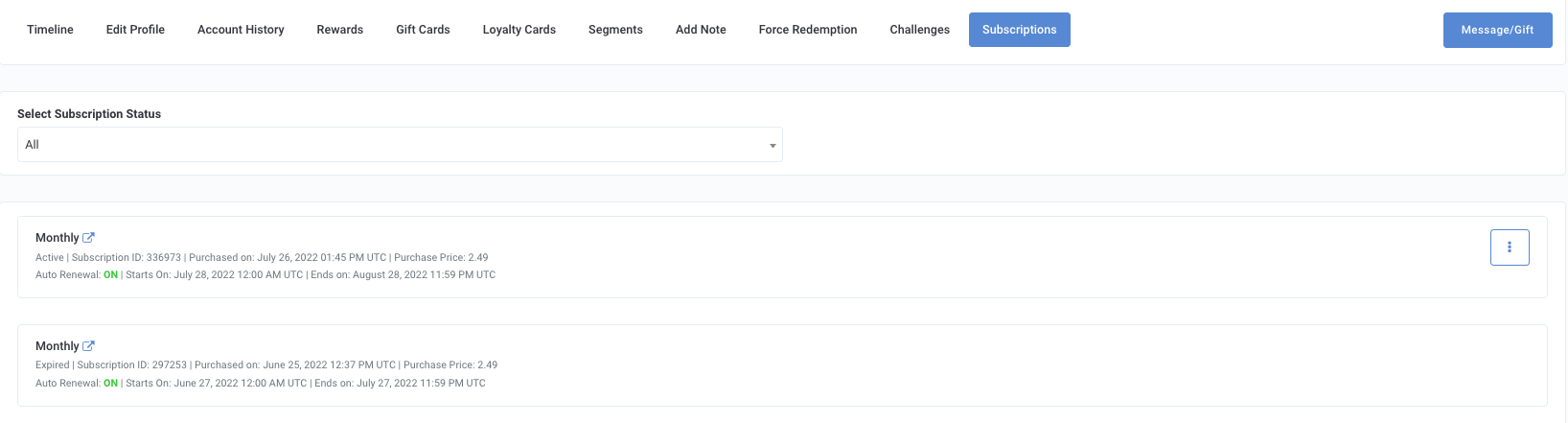
Use the Select Membership Status drop-down to sort the guest's Membership by All, Active, Expired, or Canceled.
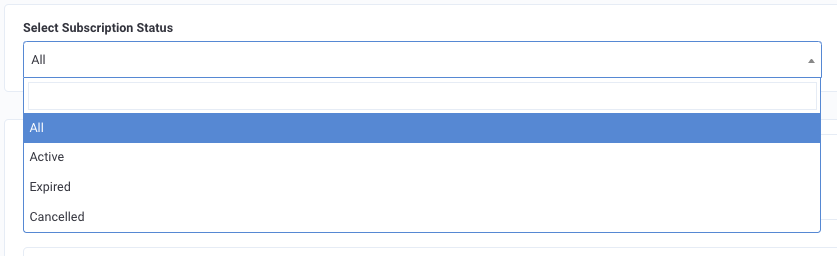
- All: Shows all the membership plans the guest has signed up for.
- Active: Shows the guest's current membership at the present time. (For example, if your brand has a monthly membership plan, "Active" shows the plan for the current month.)
- Expired: Shows the past used membership plans for the guest, e.g. the previous months. Note that "Expired" does not imply the plan as a whole is expired or that the guest did not utilize the plan.
- Canceled: Shows the membership plans that either the guest had canceled or that an admin had canceled on their behalf. This section will also show the cancellation date, who made the cancellation, the cancelation type, and the cancellation feedback, i.e. the reason given for canceling the plan.

To cancel a plan for a guest use the three dots in the right corner and select the cancelation type: Soft Cancel or Hard Cancel.

- Soft Cancel: Allows the plan to be active until the end date and time of that current cycle, e.g. the end of the month.
- Hard Cancel: Will cancel the plan immediately.
