Guest Profile: Challenges
The Challenge tab of the guest's profile displays all Challenge Campaigns available to the guest, whether they participated or not. If the guest participated or completed the challenge more details will available.
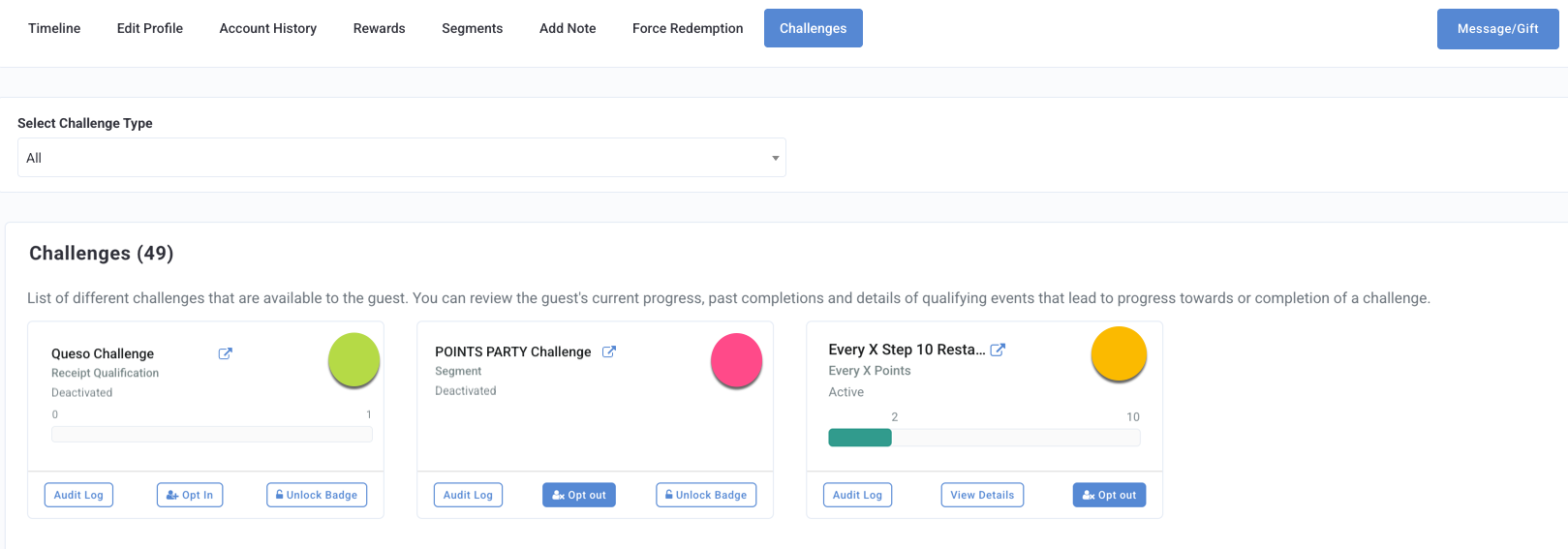
Challenge Details and Available Actions
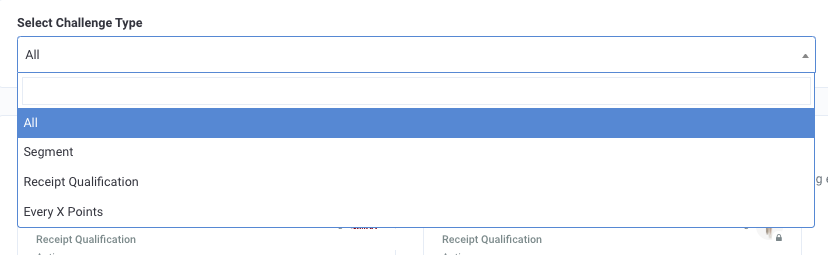
Using the Select Challenge Type drop-down menu, you can filter the list of challenges by type: All, Segment, Receipt Qualification, or Every X Points.
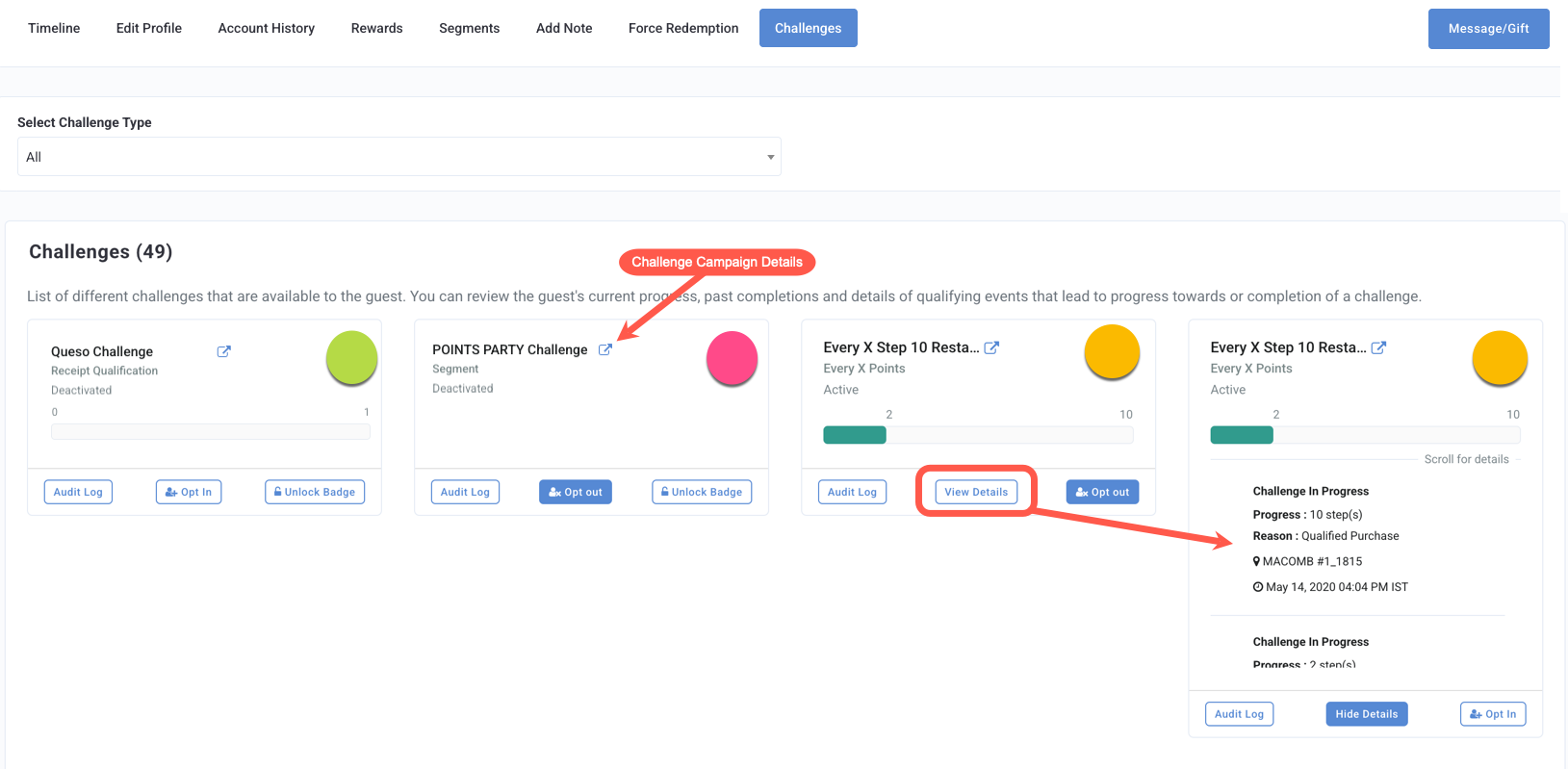
- To see the further details, click View Details to expand the card. This shows progress the guest has made, (e.g. 1 of 12 steps), as well as the reason the guest qualified for the challenge (e.g. they made a qualifying purchase).
- Select Opt In to manually enter the guest into the Challenge Campaign.
- Select Opt Out to manually remove the guest from the Challenge Campaign. Their progress will be preserved, and will resume if they decide to opt back in later. No challenge progress is deleted on opt out.
- Select Unlock Badge to manually complete the challenge badge for the guest. The guest will receive the designated rewards and notifications as configured in the campaign. This option is only applicable to active campaigns.
- Click
 to navigate to the Challenge Campaign's page to see further details about the challenge itself.
