Day Parts
Day Parts are hourly time ranges you can define and name to use for receipt tagging and segment creation. If your company consistently refers to "Happy hour" as the time between 5:00 pm and 7:00 pm, you can create a Day Part to use this time range whenever necessary, instead of manually entering the hours each time. If your company decides to redefine Happy Hour as between 5:00 pm and 8:00 pm, you can update your Day Part and every connected segment and receipt tag will update with those new times as well.
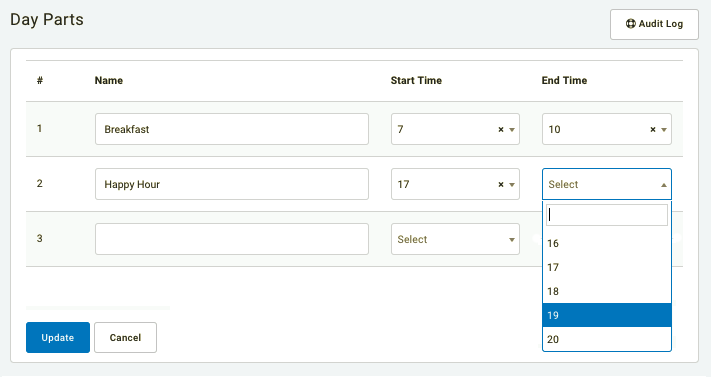
Create a New Day Part
Day Parts can be created in your dashboard settings to tag receipts falling within defined hourly ranges. To create a new Day Part:
- Navigate to Administration > Day Parts.
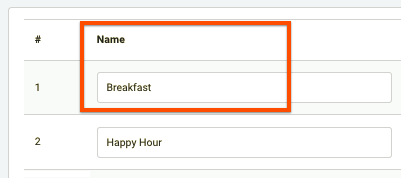
- Enter a name for the Day Part.
We recommend you keep it short, as it will appear in the (internal) guest timeline when tagging a receipt.
- Enter the range of hours for the Day Part. These are based on receipt time, not scan time.
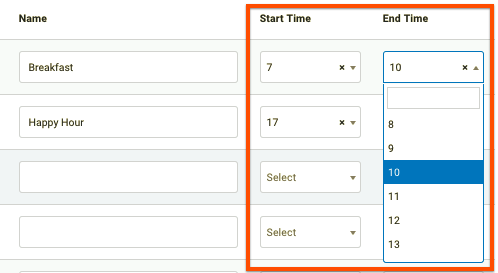
Note: Times are based on the continental clock (24:00), so your hours will range between 0 and 23. For example, choosing 0 as start time and 1 as end time means 12:00am to 1:59am. Choosing 10 as start time and 14 as end time means 10:00am to 2:59pm.
Once created, you can assign Day Parts to your segments to target guests visiting during specific times or simply use your information for your own analytics to discover insights about your customers' behavior.
