Tips on Building Location Based Segments
Location-based segments let you market smarter by focusing on where your guests visit. By grouping guests based on their favorite locations or the places they’ve visited most, you can send targeted offers that match their habits. For example, use a location-based segment to send a special offer to loyalty members that's only applicable at their most visited or favorite location. You could also build a campaign to bring in nearby guests to a newly opened location using the location they currently have favorited or their zip code. This level of personalization makes your messaging more relevant, boosts redemption rates, and drives repeat visits, ultimately strengthening engagement and loyalty to your brand.
Key Tips for Building Location-Based Segments:
- Leverage Favorite Location
- The “favorite location” attribute is commonly used to segment guests, as it reflects the location a guest has selected as their preferred spot.
- However, keep in mind that guests may move to a new city or region and forget to update their favorite location in the app.
- Use Recent Check-In Data
- Segment guests based on the location and date of their most recent check-in. This provides a more current view of where guests are actually visiting.
- Consider Most Visited Location
- The “most visited location” attribute helps identify guests who frequent a particular location, regardless of what location they've set as their favorite.
- Utilize Loyalty Members Zip Code If Applicable
- If you request your loyalty members enter their zip code upon signing up for a loyalty account, you can use this information to segment these members
- Note that the zip code, similarly to favorite location, is entered by the loyalty member. So you'll want to be mindful when using zip code to segment guests that some may forget to update their zip code if they move.
- Combine Attributes for Broader Segments
- To capture a wider audience, combine multiple location attributes using the OR operator. For example, you can create a segment that includes guests whose favorite location is Austin, TX, or who have visited the Austin location within the last 180 days.
- This approach ensures you reach guests who either have Austin set as their favorite or have shown recent interest by visiting, even if they haven’t updated their preferences.
Here's an example of a segment of loyalty members whose favorite location is in Austin, TX, or who have visited an Austin location in the past 180 days. This segment includes:
- Guests who have Austin, TX set as their favorite location (even if they haven’t visited an Austin location recently).
- Guests who have visited Austin, TX within the last 180 days (even if an Austin location isn't set as their favorite).
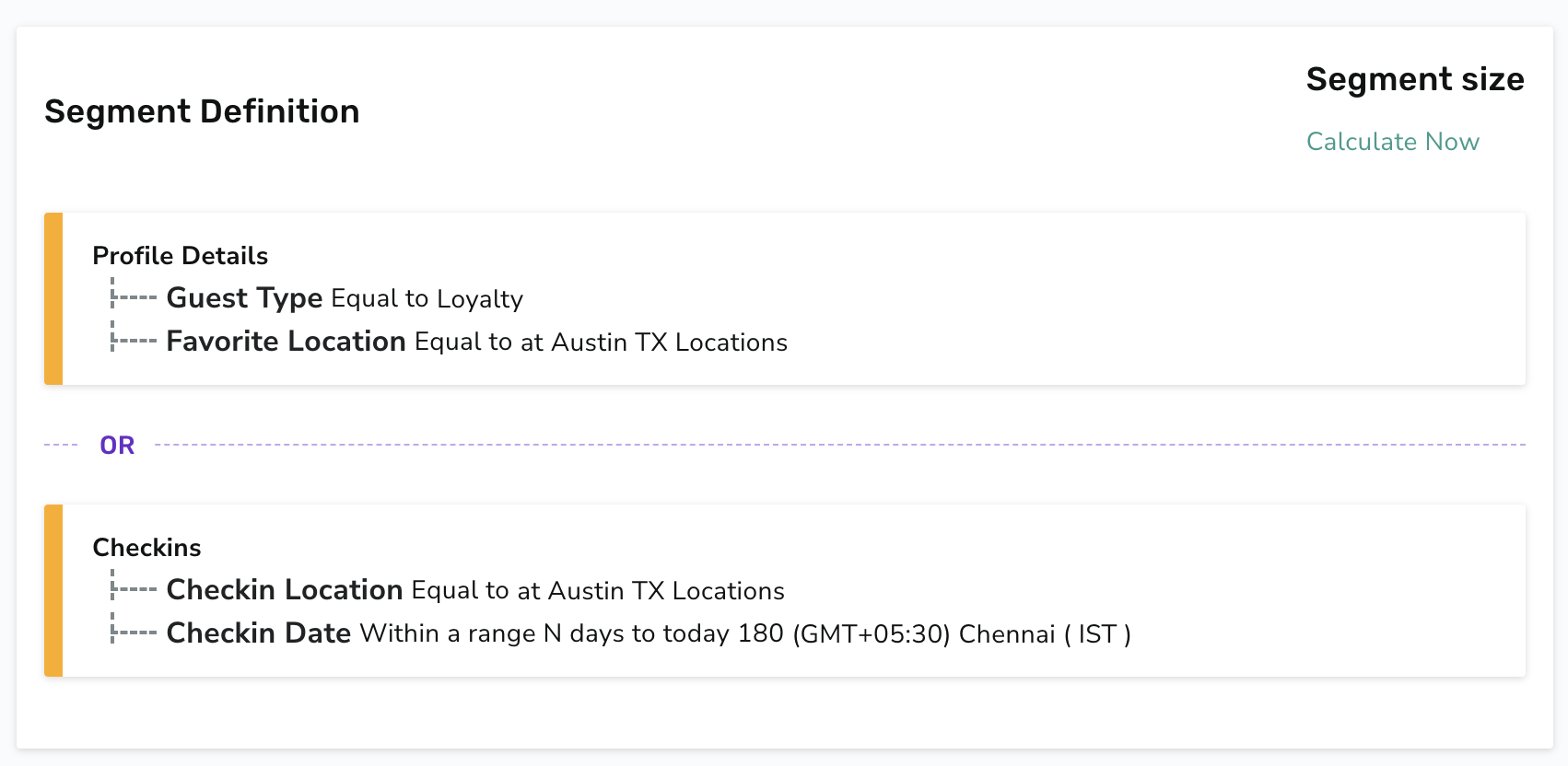
This strategy helps you capture a broad range of guests who are likely to live near or have a recent connection to an Austin location.
Here are a few more key callouts on targeting guests based on their location:
- Be cognizant of whether you're targeting eClub or Loyalty guests. Your eClub guests may have a connected location associated with their profile and if they do, unless you define the segment as loyalty members only, the favorite location attribute will also pull in eCub guests with a connected location matching the segment configuration.
- Remember if you attach a segment to a post checkin campaign, the segment will be utilized instead of the location applicability setting.
 |
Check out Segment Types, Attributes, and Timeframe Definitions for an in-depth look at each segment attribute available. |
|---|
