Sum of Amounts vs Sum of Amounts Incremental
Sum of Amounts is one of the most widely used processing functions. However, there’s also the option to utilize Sum of Amounts Incremental. Sum of Amounts Incremental is a useful processing function for configuring creative offers.
While Sum of Amounts allows you to discount the sum total of the items defined in the line item filters section of your QC, Sum of Amounts Incremental allows you to recycle the items defined in the item qualifiers section and discount the price of the items in the line item filters section for each item or set of distinct items defined in the item qualifiers section.
Check out the examples below to help further illustrate the difference between these two processing functions:
Using Sum of Amounts, you can configure offers such as:
- One free fountain drink
- 50% off up to 3 entrees
- Buy one appetizer, get one dessert free
Using Sum of Amounts Incremental you can configure offers such as:
- One free liter of soda for each large pizza ordered (up to 5 free sodas)
- Buy a taco and a side, get 50% off a cookie or brownie (up to 10 free cookies or brownies)
- Buy one appetizer, get one dessert free (up to 3 free desserts)
Here are a couple reminders if you plan to utilize the Sum of Amounts Incremental processing function:
- The line item selectors utilized in the item qualifiers and item filters must be different.
- You’ll utilize the Maximum Discounted Units filed to determine how many items (defined in the line item filters section) can be discounted
- You can leave Maximum Discounted Units blank if you want to allow unlimited discounts, but this isn’t necessarily recommended in order to help minimize over discounting.
- The item qualifiers only allow you to select “Line Item Exists” and “Net Amount Excluding Max/Min Priced Item Equal to or More Than” as the operators.
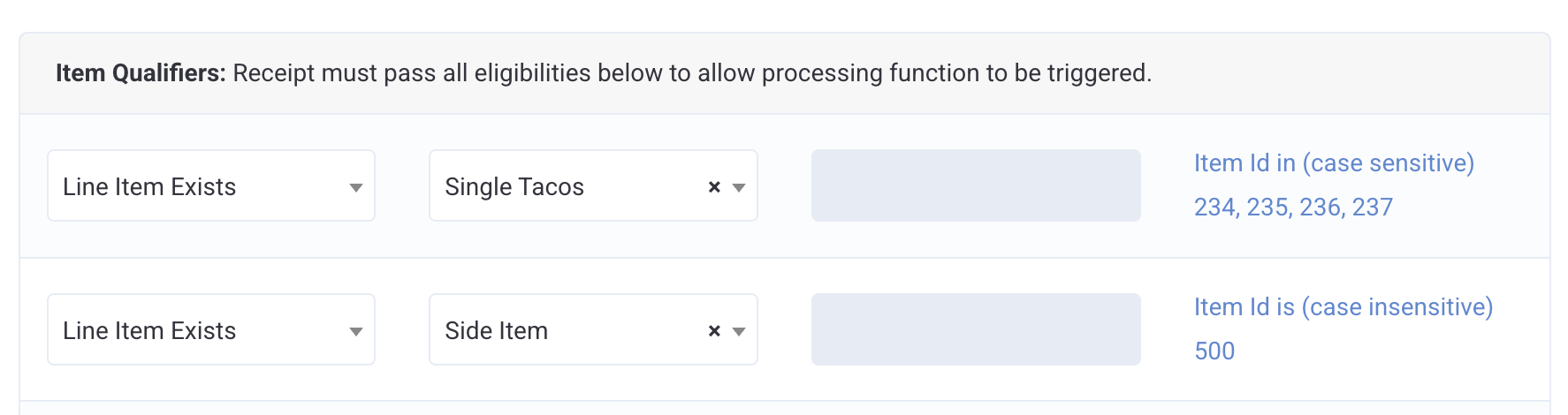
Here’s an example of the QC configuration for an offer that is buy a taco and a side, get 50% off a cookie or brownie (up to 10 free cookies or brownies).
The processing function is set to Sum of Amounts Incremental and we've input 50 for the Percentage of Processed Amount since we want to discount the desserts by 50%.
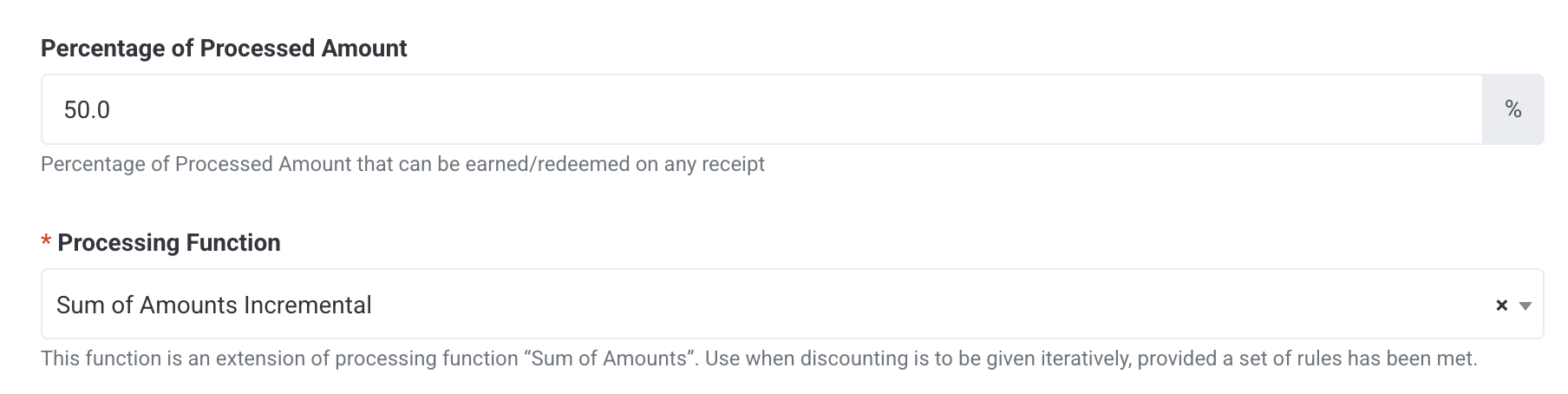
Maximum Discounted Units is set to 10 since we want to discount a maximum of 10 cookies and/or brownies.

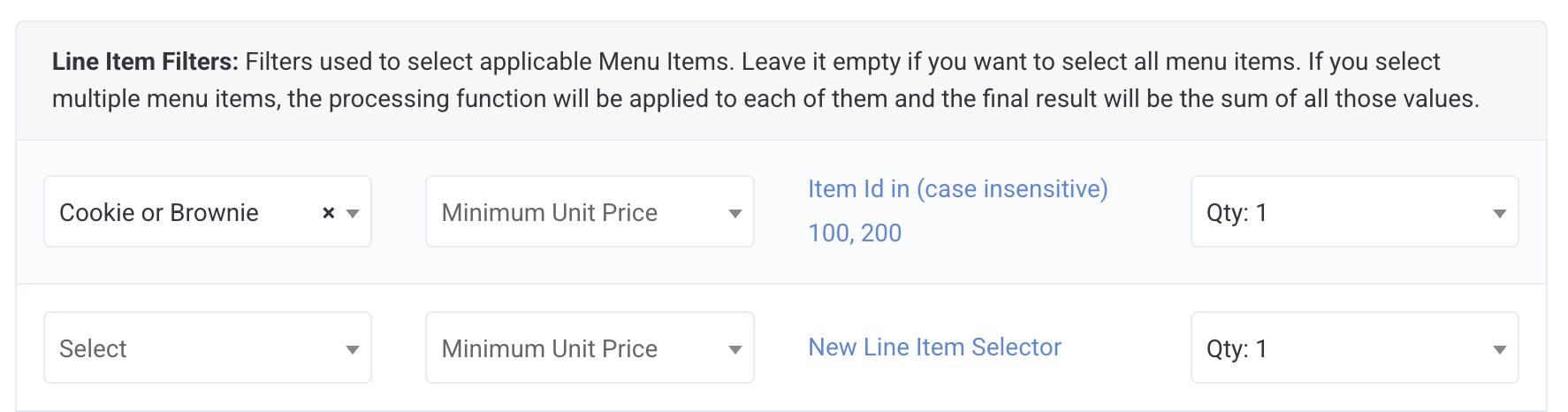
The items we're discounting are cookies and brownies so we've configured one line item selector including cookie and brownie ids and used it in our Line Item Filters section. We've also kept the quantity to 1 since we only want one cookie or brownie discounted per taco and side purchased.
Lastly, we've added a Single Tacos line item selector and a Side line item selector separately in the Item Qualifiers section. Adding these as separate line item selectors means that loyalty members must purchase both a taco and a side in order to get their cookie or brownie discounted. If they purchase 2 tacos and 2 sides, they can receive up to 2 cookies/brownies for free. If the member purchases 3 tacos and 2 sides, they'll only be able to redeem up to 2 cookies/brownies for free since they've only purchased 2 sets of qualifying items as defined in the Item Qualifiers section.