Segmentation Strategy: Boost Average Check via Spend-Based Targeting
Increasing Average Check
Amping up your marketing strategy to focus on engagement and habit building can be done by building campaigns encouraging guests to spend more.
Strategy
Target your guests using segmentation based on their recent historical average check or purchase behavior.
How do I know my Average Check is good?
There’s a couple of considerations here. The first is your goal! The second is reviewing your Spend Lift. Is Spend Lift a positive percentage? That means loyalty members spend more than non-loyalty members.
- Average Check = Total Loyalty Revenue / Total Loyalty Transactions
- Spend Lift = (Loyalty Avg Check - Non-Loyalty Avg Check) / Non-Loyalty Avg Check
Segment Configuration
Segment Based on Recent Average Check
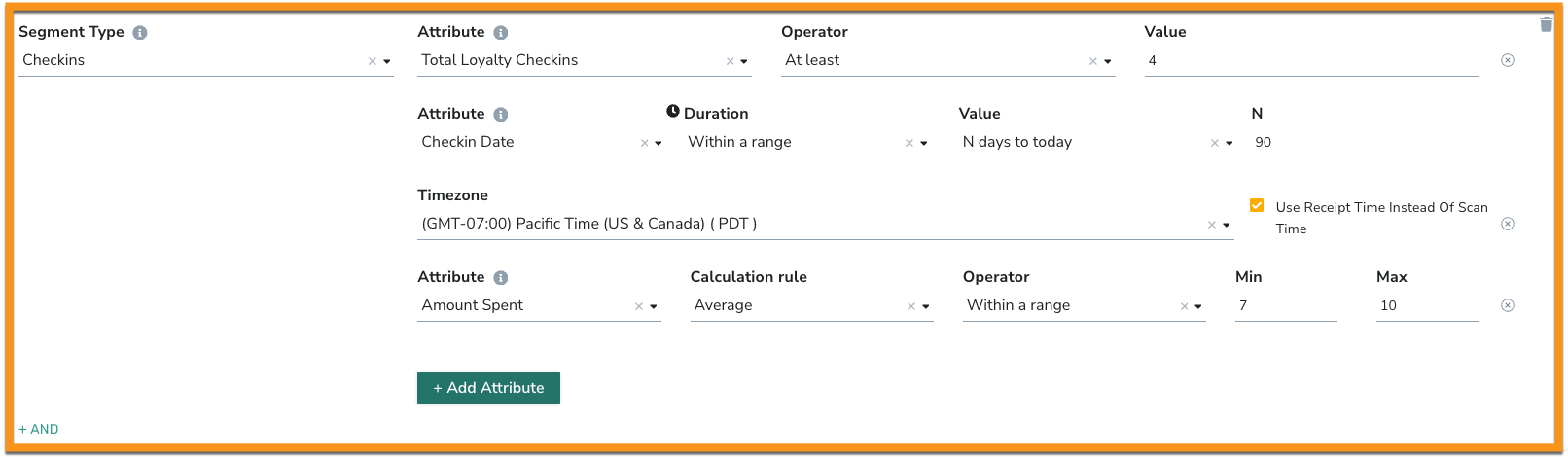
- Segment Type: Checkins
- Attributes:
- Total Loyalty Checkins: Make sure the guest checked in enough times to establish an average
- Checkin Date: Look at recent data. Preferably one year or less.
- Amount Spent: Set the calculation to average. Create multiple segments with different average ranges that you’ll use to pair up with coinciding offers.
Segment Based on Purchase Behavior
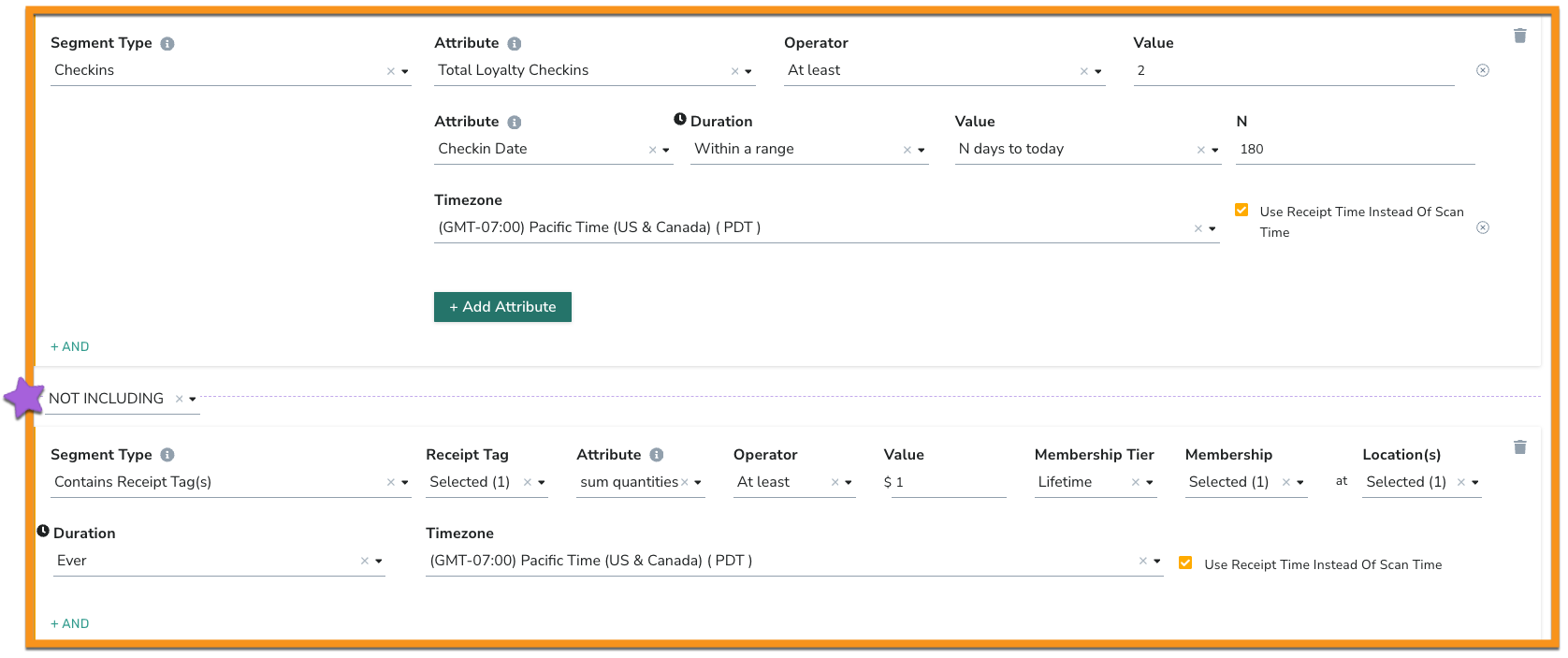
- Segment Type: Checkins
- Attribute:
- Total Loyalty Checkins: Make sure the guest checked in enough times to establish a pattern of not purchasing a specific item.
- Use the Contains Receipt Tag segment type to Not Include guests who have purchased a certain item.
Use this segment type to target guests with offers to try something new. For example, for guests who have not purchased dessert before, you can offer $2 off their next dessert purchase using a Mass Campaign.
