Spend Lift Report
This article was previously titled "Lift Report."
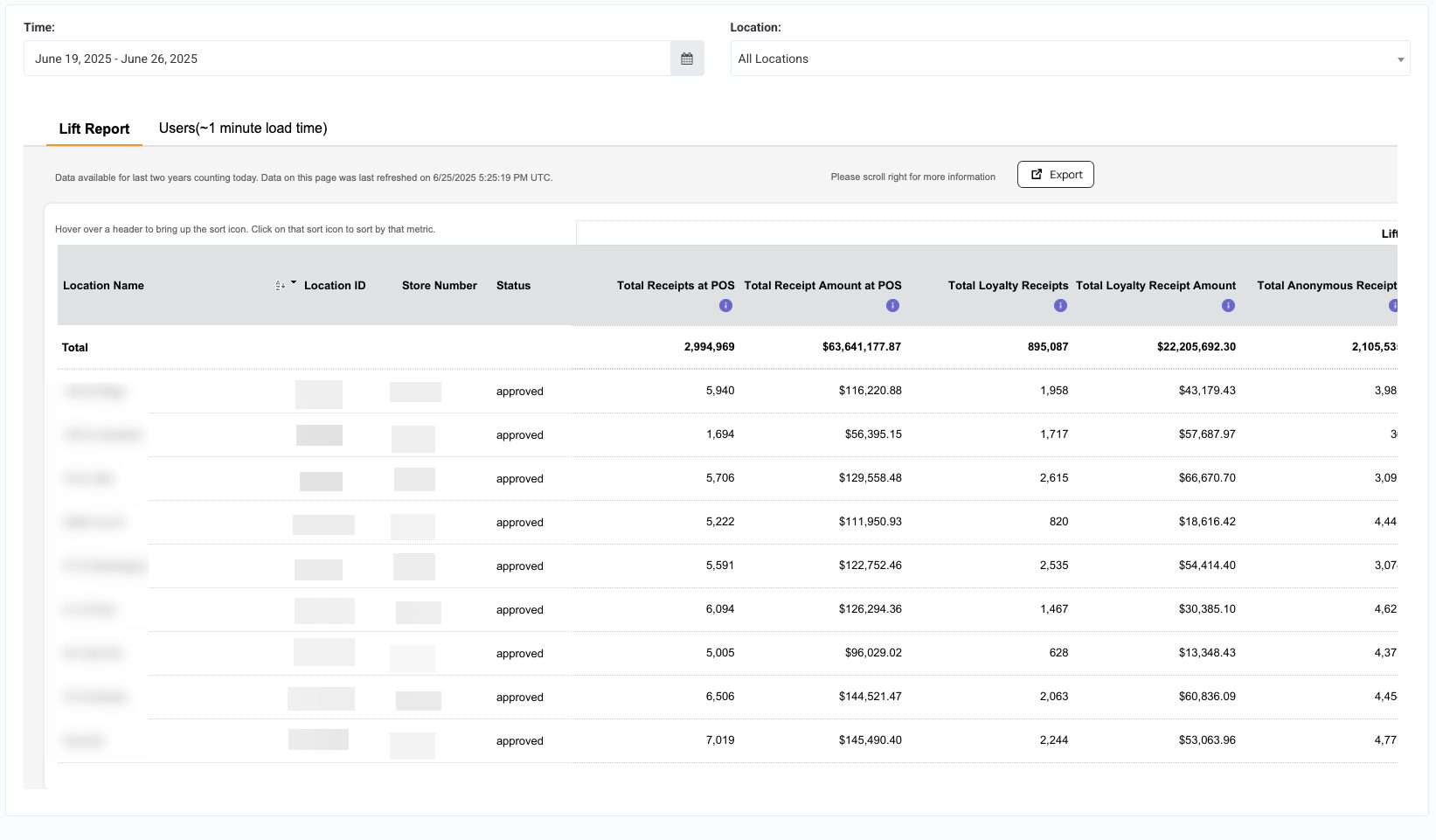
The Spend Lift Report is a great tool for setting goals to achieve for your KPIs (Key Performance Indicators). With this report, you can compare sales performance by location, loyalty sales vs. non-loyalty sales, lift amount (difference between the average loyalty receipt amount and an anonymous receipt amount), and much more.
Because the Life Report is based entirely on data collected from the POS, non-POS-integrated businesses are unable to utilize this tool.
Viewing the Spend Lift Report
You can check out the Spend Lift Report in Loyalty Program > Spend Lift Report. When viewing it, make sure you scroll to the right, as not all metrics may be visible on your screen, depending on monitor resolution.
You can filter the report for specific Locations by using the Locations drop-down menu on the right.

The Spend Lift Report has two sections:
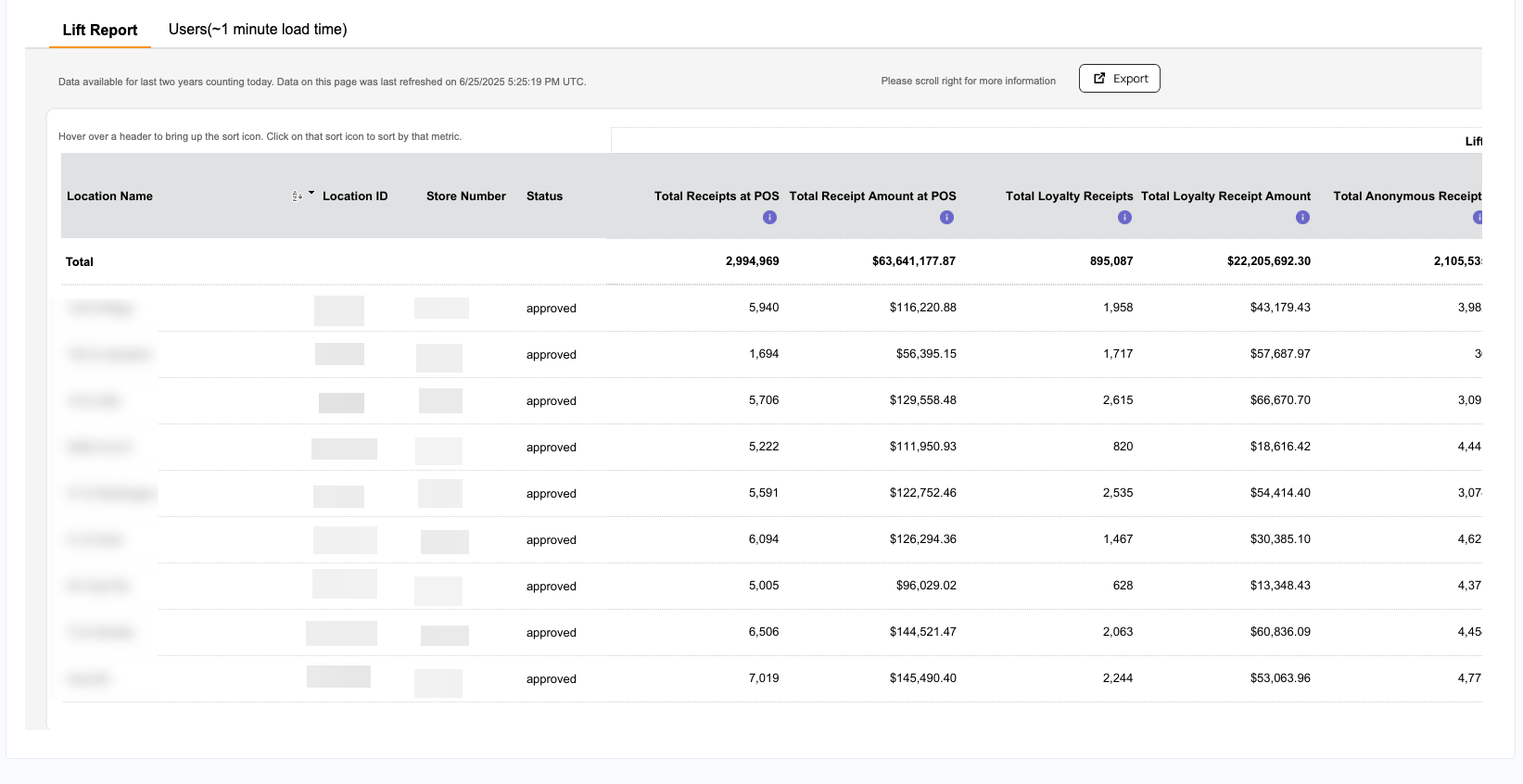
- Lift Report - This is the section that shows up by default. It has all the order volume and sales-related metrics, including Participation Rate and Spend Lift.
- Users - This section shows the user-related metrics - new customers and returning customers at the location level.
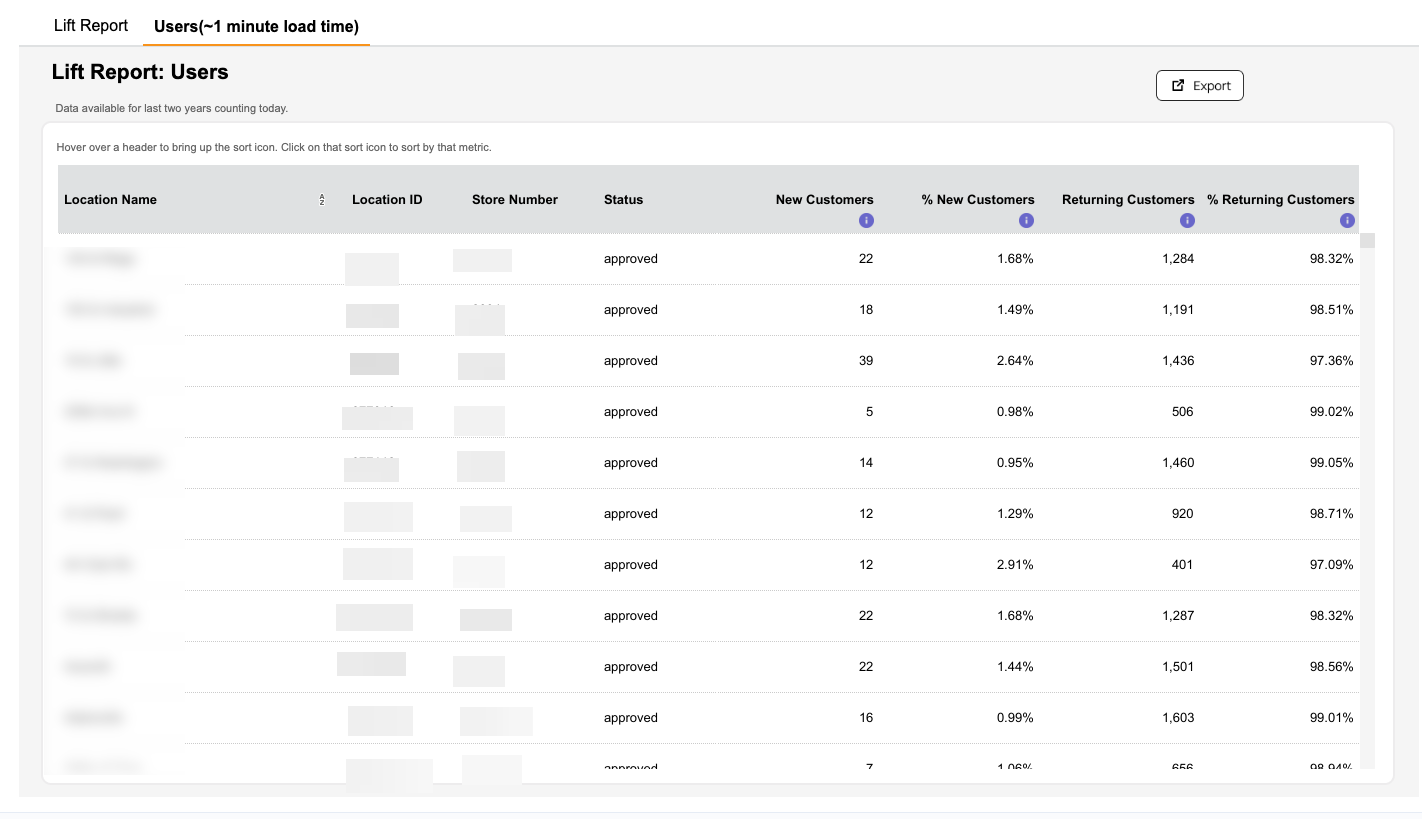
Note: It will take up to 1 minute to load the data for Users.
It's important to note that:
- The Spend Lift Report is based on receipt time (the time the transaction occurred, as printed on the receipt). Dashboard data is generally based on checkin time (the time when the guest scans their receipt). So these two stats will seldom be the same.
- Punchh receives data for all completed transactions, along with their amounts, but we cannot receive information about voids, cancellations, or returns. The sales total in Punchh will generally be slightly higher than your true revenue totals.
- If your company has only recently implemented your loyalty programs and offers signup bonuses and rewards, you may see a negative check lift, with loyalty customers spending less on average. This is normal as new guests take advantage of checkout discounts. This will normalize within a month or two, and the resulting check lift and rate of return will more than make up for the initial cost.
Why are our internal sales numbers different than Punchh's data? The Punchh Smart Agent collects POS data in real-time. However, we are not the system of record for such transaction data for financial reconciliation purposes. For example, transaction voids or end-of-day close operations may lead to adjustments in a client system of record that our systems are not designed to receive. Note that the Spend Lift Report typically represents 98% of POS data and acts as a representative summary for loyalty vs. non-loyalty inferences.
Date Range Available
Data is made available for the last two years not counting today. For example, if today is 2024-Jul-24, the data from 2022-Jul-24 to 2024-Jul-23 is made available in the report.
Data Refresh Frequency
Data is refreshed both hourly and daily. The hourly refresh is incremental meaning whatever locations are present, the data for those locations specifically will be updated. The daily refresh is a full refresh, in which new locations are added or old locations are removed. This can be checked using the latest refresh data time stamp shown on the dashboard.

Metrics, Defined
The Spend Lift Report contains the following information.
| Report Metric | Definition |
|---|---|
| % of New Customers | Percentage of unique loyalty user receipts who made their first loyalty checkin in the given date range (based on checkin creation date), out of total receipts at POS. |
| % of Returning Customers | Percentage of unique loyalty user receipts who made their loyalty transaction in the given date range but that transaction is not their first transaction in their lifetime (based on the checkin created date), out of total receipts at POS. |
| Avg. Anonymous Check Size | Avg. Receipt Amount (not earnable amount) per non-loyalty transaction for all the non-loyalty receipts in the given date range (based on the actual transaction date). Note that the Receipt Amount is a net amount post discounts, etc. |
| Avg. Loyalty Check Size | Average Receipt Amount (non-earnable amount) per loyalty transaction for all the loyalty receipts in the given date range (based on actual transaction date). Note that the receipt amount is a net amount post discounts, etc. |
| Avg. Loyalty Check Size (Checkin Earnable Amount) | Average earnable amount (the amount on which the user is eligible for earning loyalty points), post discount, per loyalty checkin in the given date range, based on checkin creation date. |
| Honored Redemption Discount | Total discount associated with successful redemptions in the given date range, based on the redemption date. The redemption could be from any source: loyalty, campaigns, etc. |
| Honored Redemption Gross Sales | Total Gross sales (pre-discount) associated with successful redemptions in the given date range, based on the redemption date. The redemption could be from any source: loyalty, campaigns, etc. |
| Honored Redemptions | Count of successful redemptions in the given date range, based on the redemption date. The redemption could be from any source: loyalty, campaigns, etc. |
| Largest Loyalty Receipt at POS | The largest receipt amount in dollars associated with loyalty customers, based on loyalty transaction dates. |
| Largest Receipt at POS | The largest receipt amount in dollars in POS (loyalty + non-loyalty), based on the transaction date. |
| New Customers | Total count of unique loyalty users, who made their very first loyalty checkin at the selected location(s), with the checkin falling within the chosen timeframe, based on checkin creation date. |
| Participation Rate | Percentage of Loyalty Transactions within the Total Transactions for the given date range (based on the actual transaction date). To ensure outliers don’t skew data, locations with a participation rate greater than 90% are not considered in aggregated values. |
| Returning Customers | Count of unique loyalty users who made their loyalty transaction in the given date range, but that transaction is not their first transaction in their lifetime (based on the checkin created date). |
| Spend Lift % | The net percentage difference in the average check total for loyalty customers as compared to the average check total for non-loyalty customers on a given date. To ensure outliers don’t skew the data, individual locations with monetary lift less than -30% and greater than 90% will not be included in aggregated values. |
| Total Amount in Online Order | Total Receipt Amount associated with loyalty receipts generated through online channels in the given date range (based on actual transaction date). Note that the receipt amount is the net amount post discounts etc. |
| Total Anonymous Receipt Amount | Total Receipt Amount associated with non-loyalty receipts generated at POS in the given date range (based on actual transaction date). Note that the receipt amount is a net amount post discounts and includes items loyalty users are not eligible to earn points on (for example, alcohol). |
| Total Anonymous Receipts | Total Non-Loyalty Receipts count generated at POS in the given date range (based on actual transaction date). Note that the Receipt Amount is the net amount post discounts, etc. |
| Total Loyalty Checkins | Count of loyalty checkins for the given date range (based on checkin creation date). |
| Total Loyalty Receipt Amount | Total Receipt Amount associated with loyalty receipts in the given date range (based on actual transaction date). Note that the receipt amount is a net amount post discounts and includes items loyalty users are not eligible to earn points on (for example, alcohol). |
| Total Loyalty Receipts | Total Loyalty Receipts count in the given date range (based on actual transaction date). |
| Total Loyalty Sales (Checkin Earnable Amount) | Total earnable amount (the amount on which the user is eligible for earning loyalty points), post discount, associated with loyalty checkins in the given date range, based on checkin creation date. |
| Total Online Order Receipts | Total Loyalty Receipts generated through online channels in the given date range (based on actual transaction date). |
| Total Receipt Amount at POS | Total Receipt Amount associated with the receipts generated at POS in the given date range (based on the actual transaction date). This includes receipts from all channels and covers both loyalty and non loyalty transactions. Note that the receipt amount is a net amount post discounts and includes items loyalty users are not eligible to earn points on (for example, alcohol). |
| Total Receipts in POS | Total Receipts count generated at POS in the given date range (based on actual transaction date). This includes receipts from all channels and covers both loyalty and non loyalty transactions. |
Exporting
From the Loyalty Program > Spend Lift Report page, click the Export button at the top right. A CSV file containing all yourf report information will be downloaded immediately to your local machine.

