How do I use the Logical Operator Strategy field when building a Qualification Criteria (QC)?
The Logical Operator Strategy field can define discounting criteria in offers using an 'OR' operator by selecting All/Any. This field is available under the Line Item Selectors and Item Qualifiers section of the Qualification Criteria.
- When Any is selected under the Line Item Filter Conditions, the system will evaluate line items based on the chosen Discount Evaluation Strategy – Max/Min, allowing you to create offers where any qualifying item on the receipt can be eligible for the discount.
- By selecting Any under the Item Qualifier Conditions, an offer will qualify a guest if any of the specified eligibility conditions are met.
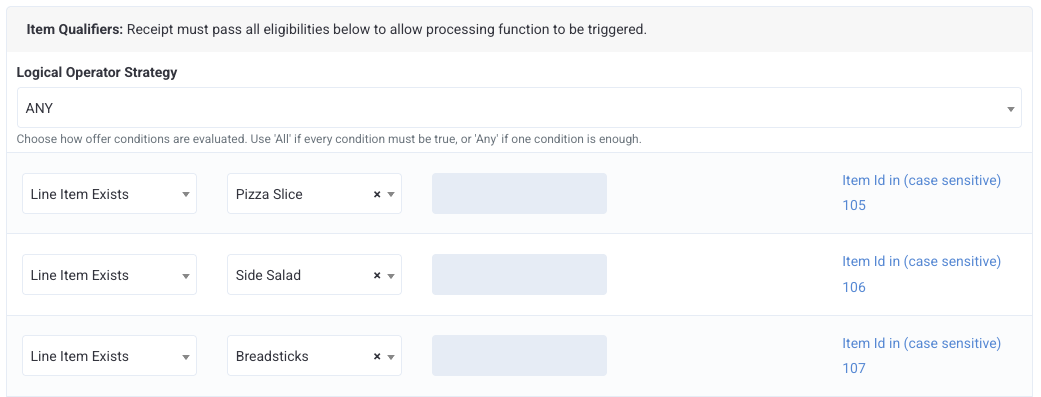
Use Case One: If a guest purchases either a single pizza slice, OR buys a side salad, OR buys breadsticks, they will get garlic knots for half price.
In this scenario, Item Qualifier's Logical Operator Strategy will be: Any
Item Qualifier will have 3 conditions:
- Line Item Exists - Pizza Slice
- Line Item Exists - Side Salad
- Line Item Exists - Breadsticks
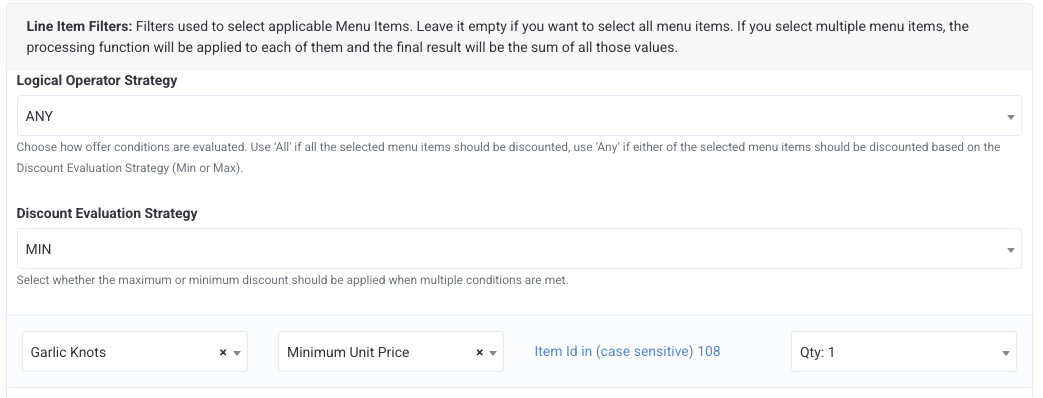
Line Item filter condition will be applied to Garlic Knots
The Percentage of Processed Amount will be 50%
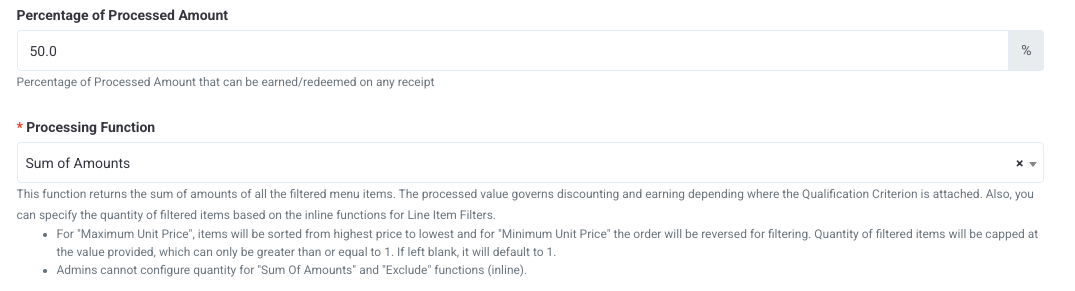
When a guest buys any one of the three items (pizza slice, OR buy a side salad, OR buy breadsticks), they will get 50% off on Garlic Knots.
Use Case Two: If a guest purchases a pastry, then they will get $2 off on any breakfast sandwich, OR any hot coffee, OR any fresh juice.
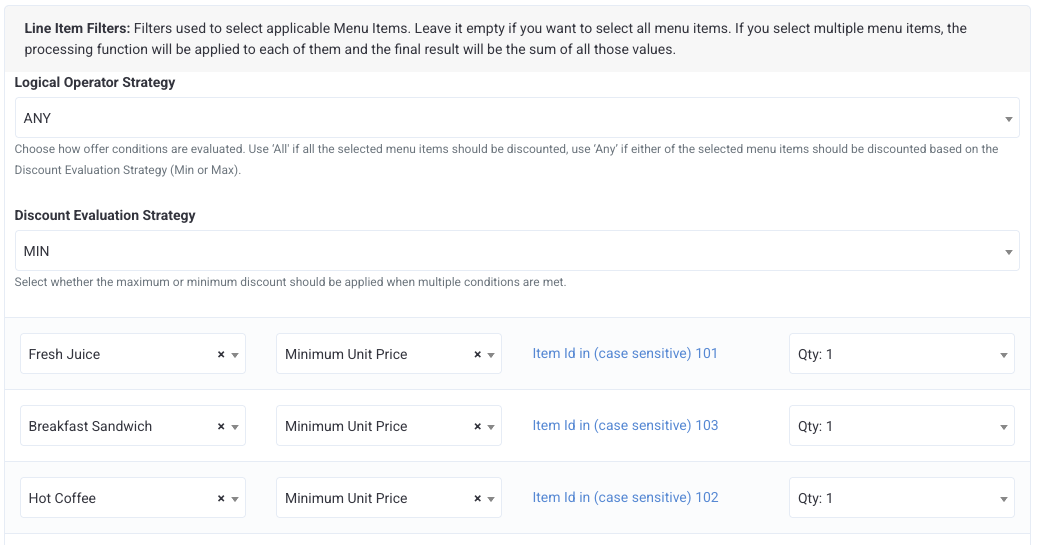
In this scenario, Line Item Filter's Logical Operator Strategy will be: Any
Discount Evaluation Strategy will be Min
Line Item Filter will have 3 conditions :
- Breakfast Sandwich - Min Unit Price, Qty 1
- Hot Coffee - Min Unit Price, Qty 1
- Fresh Juice - Min Unit Price, Qty 1
Item Qualifier condition will be: Line Item Exists - Pastry
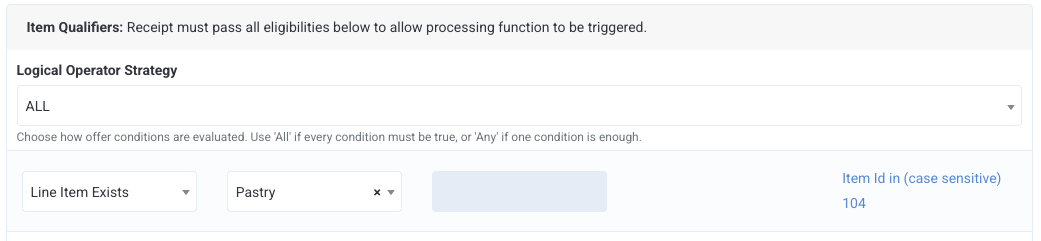
When a guest buys a pastry, then they can avail a $2 discount on either one of the items: breakfast sandwich, OR any hot coffee, OR any fresh juice; whichever is the minimum priced one.
