Printer Groups & Printer Messages
Printer Groups
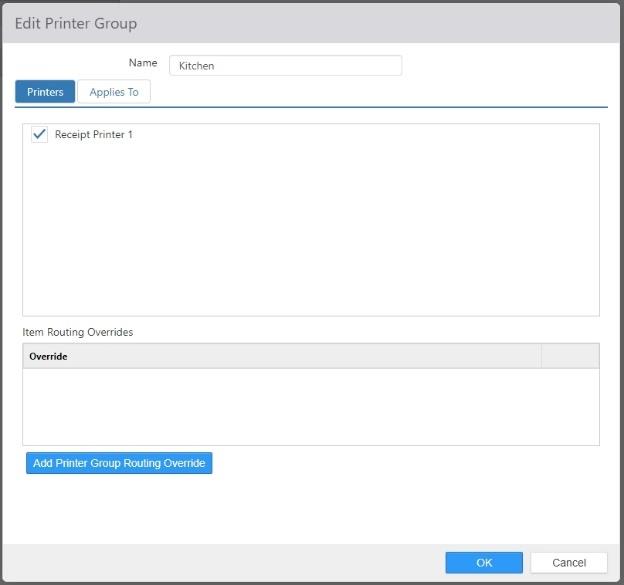
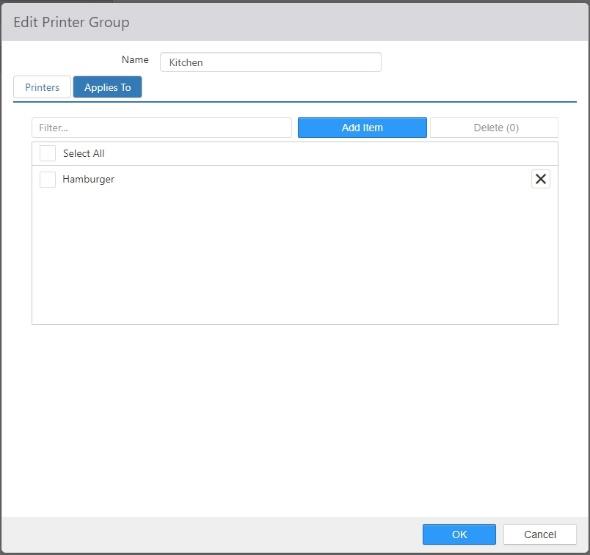
Print groups control the routing of kitchen chits when order items are sent to the kitchen.
-
Name: Name of the printer group.
-
Printers: Printers that are to print kitchen chits for this group.
-
Item Routing Overrides: Defines an alternate set of printers to print to when the order meets certain criteria. Use the 'Add' button to add overrides.
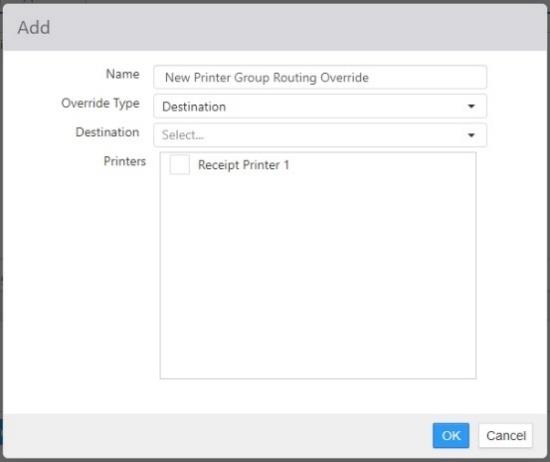
- Name: Name of the override
- Override Type:
- Destination: Order items are for a specific destination.
- Item: Re-routes printing when the selected items exist in the list of sent order items.
- Item Group: Re-routes printing when any of the sent order items exist within a specific item group.
- Register: Re-routes printing of orders placed on specific registers.
- Section: Re-routes printing of orders placed in specific sections.
Printer Messages
Printer Messages define text that is printed on receipts and chits.
-
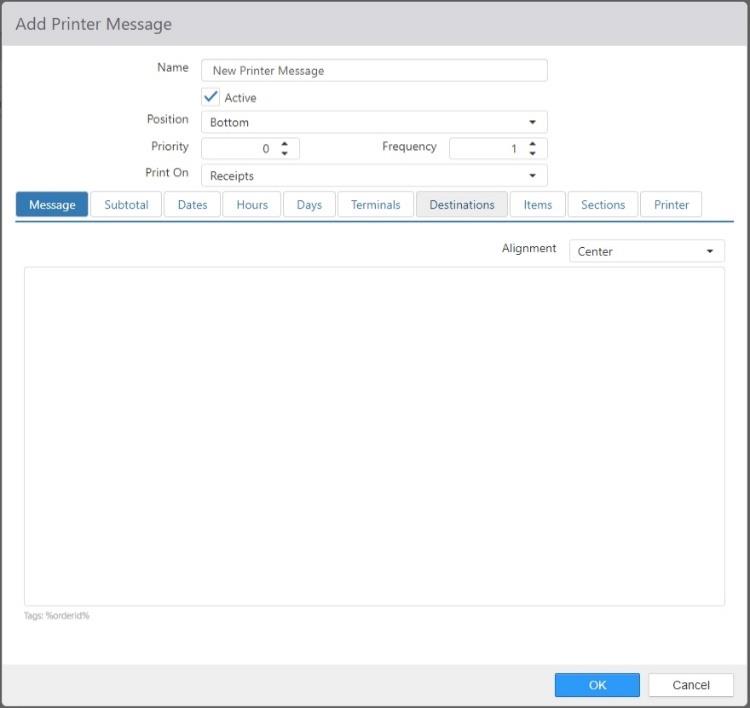
Name: The name of the printer message. It is suggested that the name be descriptive so that it is easily identified.
-
Active: The printer message is active.
-
Position: Whether the message is printed at the bottom or the top of the receipt or chit.
-
Priority: The priority of the message. Multiple messages are printed in priority order.
-
Frequency: How often the message prints. The default is 1, which means the message is printed on every receipt or chit. The maximum is 999, which means that the message is printed on every 999th receipt or chit.
-
Print On: What printouts the message is printed on: Chits, Receipts, or Receipts and Chits.
-
Message tab: The text of the message that is printed. Typing %orderid% tells the system to print the order ID in the message.
- Alignment: The alignment of the printed text: Center, Left, or Right.
-
Available Tags:
%orderid%- shows the order ID%SurveyCode%- shows the SMG survey code number%QualtricsSurveyCode%- shows the Qualtrics survey code number%Notes%- shows delivery notes entered during digital/online orders

-
Subtotal tab:
- Enforce Subtotal: Only print the message when the subtotal for the order is between the two listed values.

- Enforce Subtotal: Only print the message when the subtotal for the order is between the two listed values.
-
Dates tab:
- Enforce Date Ranges: Only print the message when the date is between the listed StartDate and EndDate.

- Enforce Date Ranges: Only print the message when the date is between the listed StartDate and EndDate.
-
Hours tab:
- Enforce Time Range: Only print the message when the time of day is between the listed StartTime and EndTime.
- Enforce Time Range: Only print the message when the time of day is between the listed StartTime and EndTime.
-
Days tab:
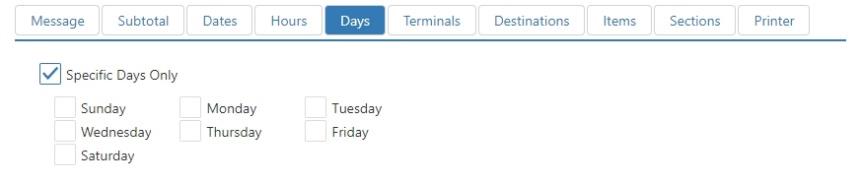
- Enforce Days: Only print the message on the checked days of the week.

- Enforce Days: Only print the message on the checked days of the week.
-
Terminals tab:
- Limit Terminals: Only print the message when the order comes from the indicated terminals.
- Limit Terminals: Only print the message when the order comes from the indicated terminals.
-
Destinations tab:
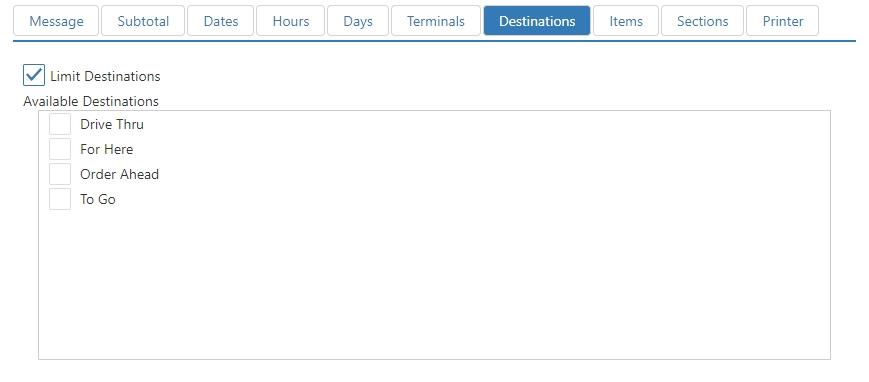
- Limit Destinations: Only print the message when the order is for particular destinations.
- Available Destinations: Check the boxes for the destinations for which you want the message printed. Destinations are configured on the Destinations page.
-
Items tab:
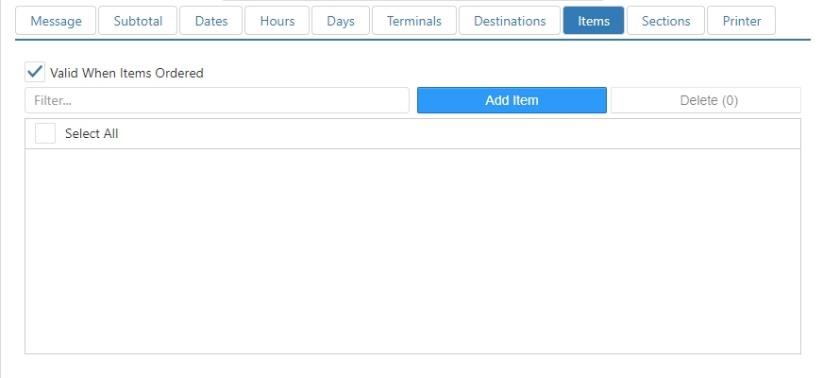
- Valid When Items Ordered: Only print the message when the order contains items in the Selected Items list.
- Valid When Items Ordered: Only print the message when the order contains items in the Selected Items list.
-
Sections tab:
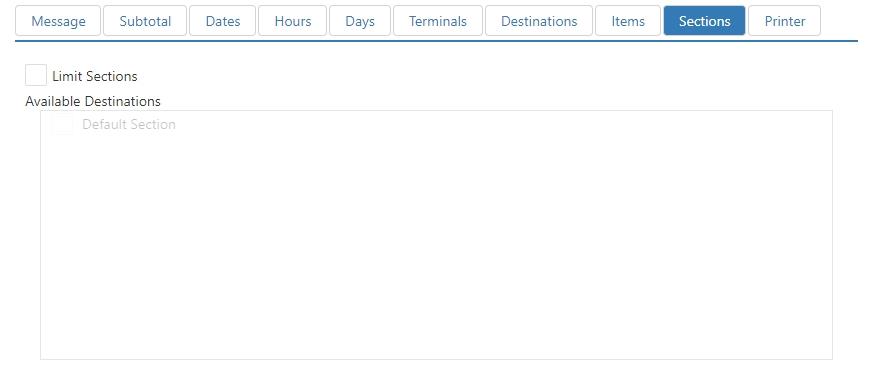
- Limit Sections: Only print the message when the order is for particular sections.
- Available Sections: Check the boxes for the sections for which you want the message printed. Sections are configured on the Sections page.
-
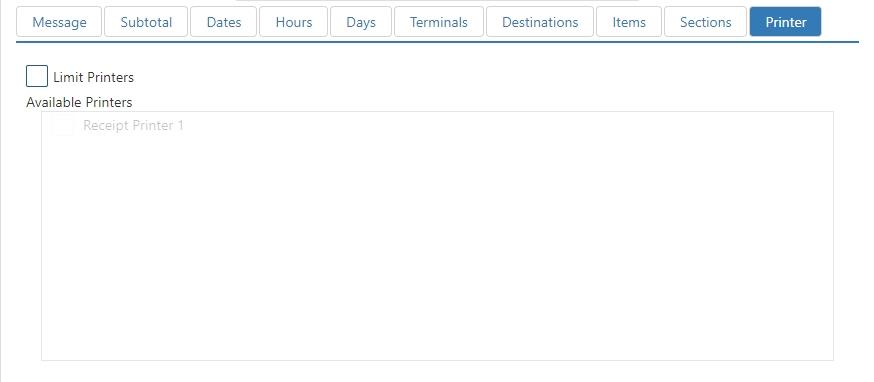
Printers tab:
- Limit Printers: Only print the message when the receipt or chit is printed on selected printers.
- Available printers: Check the boxes for the printers on which you want the message printed. Printers are configured on the Printers page.
