PAR POS™ Intelligent Upsell
What is Intelligent Upsell?
The PAR Intelligent Upsell Feature is an AI-driven, real-time item recommendation system integrated into the POS. It is designed to help cashiers suggest the most relevant add-ons to loyalty guests identified via Punchh, with the goal of increasing average order value (AOV) and conversion rates.
Note: For detailed information regarding Loyalty Signup, please see the PAR POS/Punchh Loyalty Setup documentation.
PAR POS Configuration
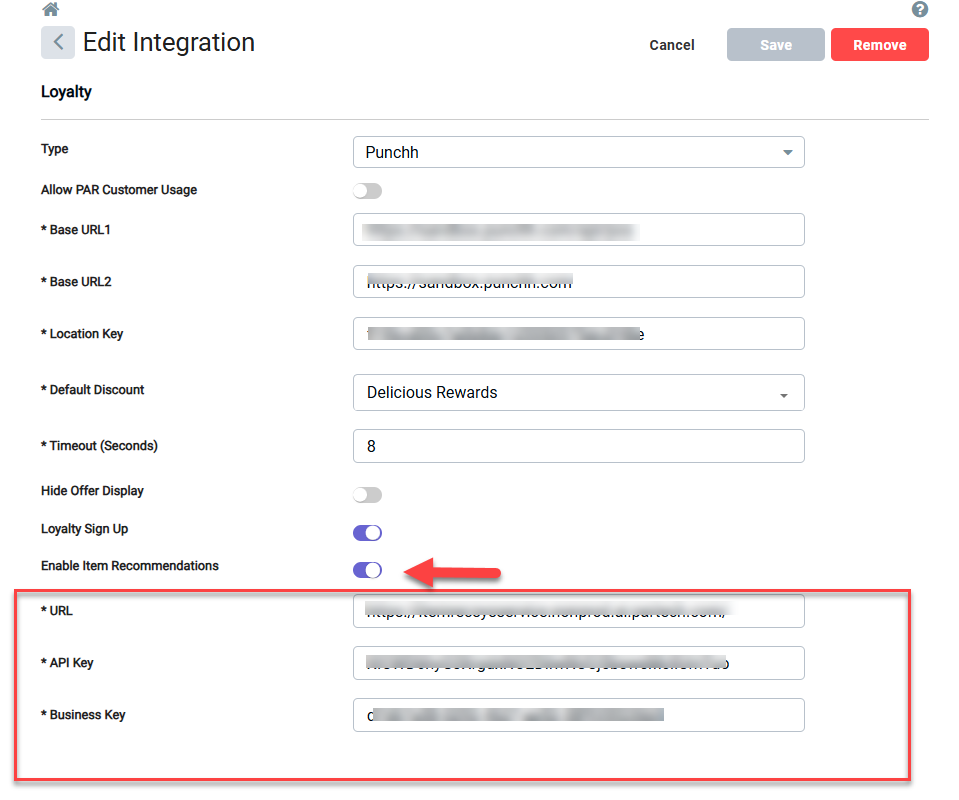
- Navigate to Admin Portal > Integrations Portal
- Select an existing Punchh Loyalty integration or create a new one.
- Ensure “Enable Item Recommendations” is enabled.
- “URL” and “API Key” are provided by PAR POS.
- “Business Key” is provided by PAR Punchh.
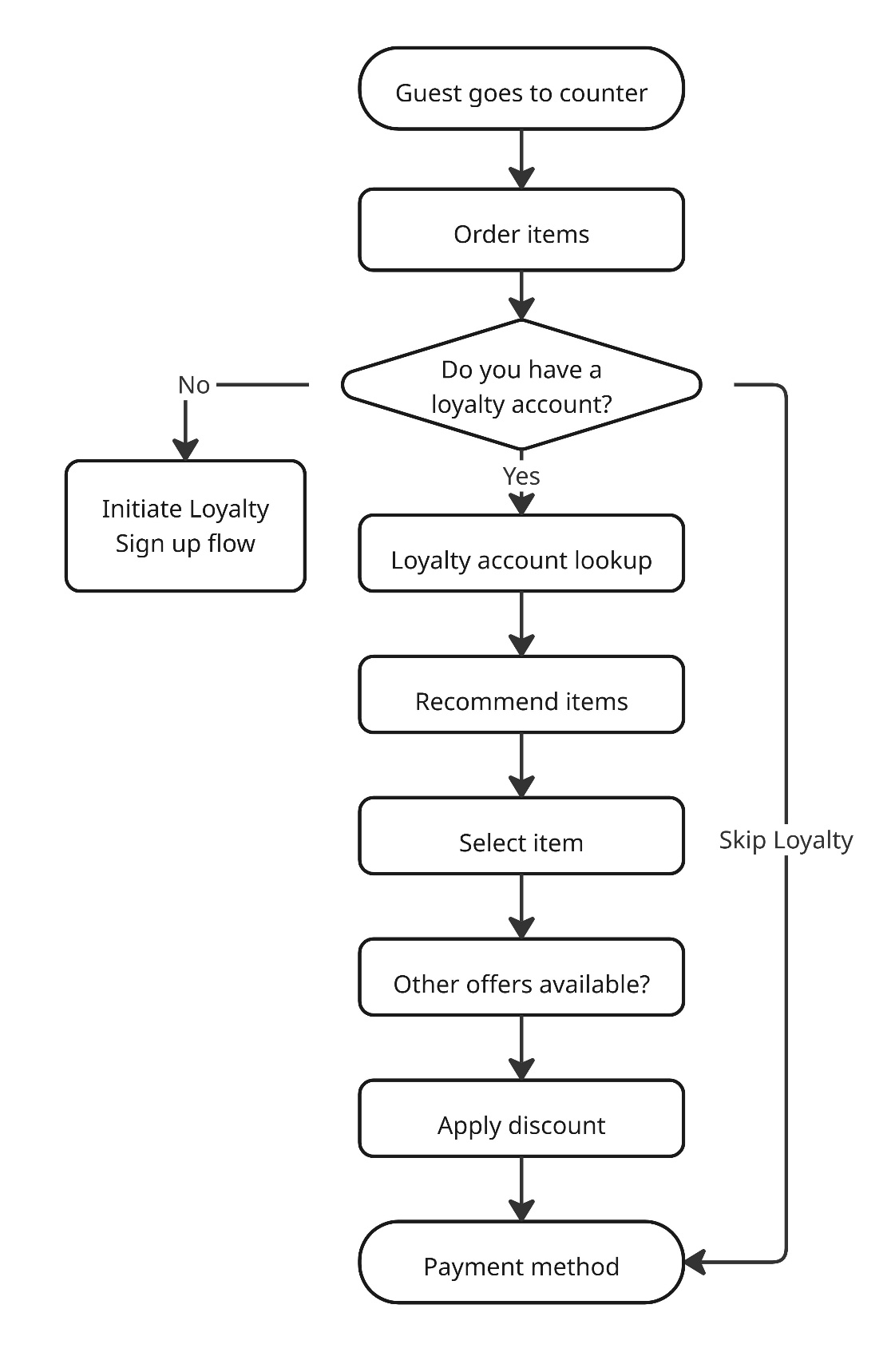
Item Recommendation Workflow
FAQ
When will Item Recommendations Show on the POS?
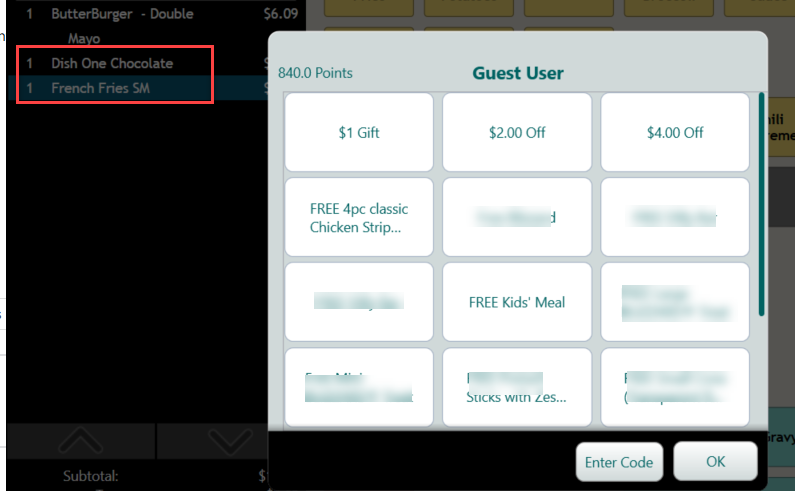
Item Recommendation is displayed when there is a guest look up performed - this can happen when the guest is scanned on the main order screen or when there is a manual look up via “Guest Lookup”.
Note: the guest must have a loyalty account for items to be recommended.
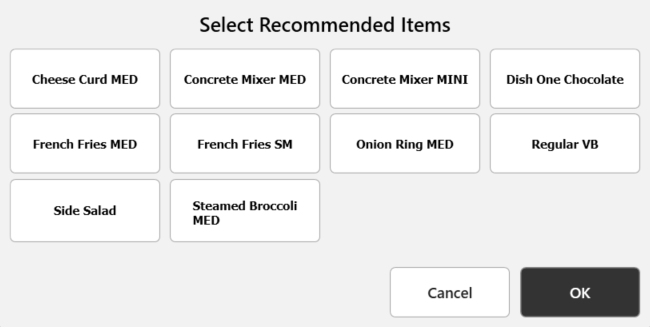
How do I Add/Apply Recommended Items to an Order?
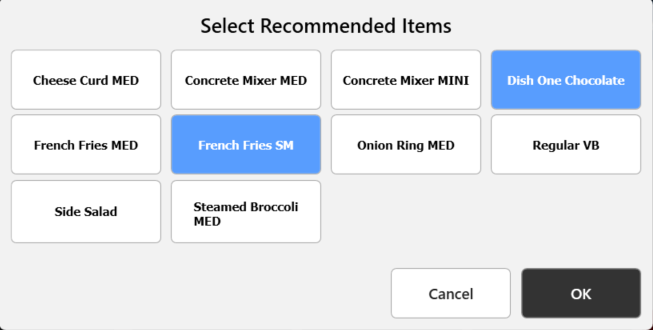
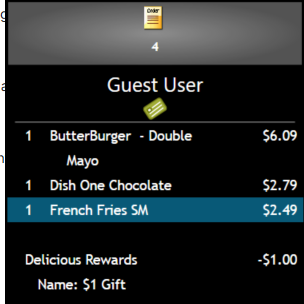
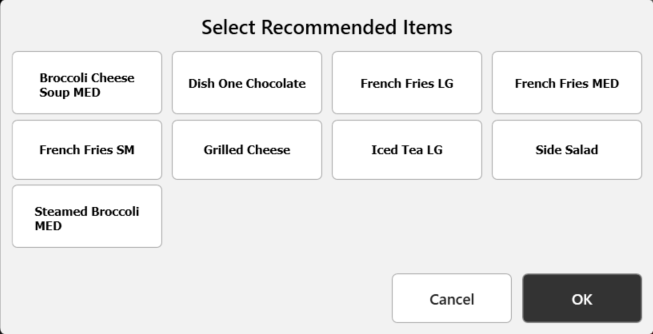
Item recommendations are displayed to the cashier, who then relays the items to the customer. The cashier selects the recommended item(s) and selects “OK” to add items to the order. If guest declines recommended items, the cashier selects “Cancel” or “OK” with no items selected to proceed.
Can I Use Item Recommendation with Loyalty Signup?
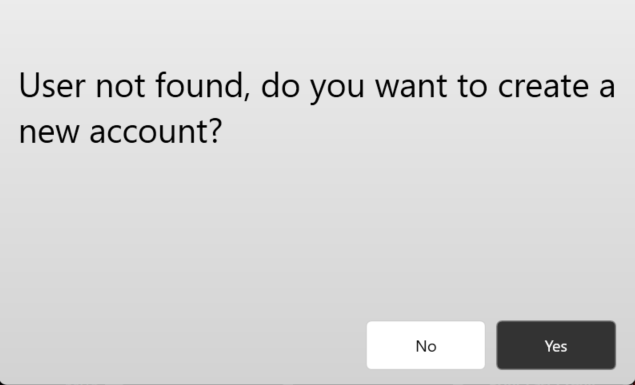
If Loyalty Sign Up is enabled, item recommendation also reflects for the new guest.
How Can I Report on the Items Recommended vs Items Selected?
The data is available to anyone that uses the API to retrieve order data. This is stored in Additional Data:
Name="IR_RecItemIds" Value="27516, 27529, 261611, 27077, 27532, 27210, 27074, 28372, 27524, 207212" /></Item><Item><Item Name="IR_SelItemIds" Value="28372, 27516"
Can I Receive Input on the Item Recommendations Returned?
There will be a standard configuration set up, but there is flexibility for different configurations. Modifier items will not be returned as a selected item. When enabling this feature, additional collaboration with PAR and the Brand is needed to determine the appropriate configurations. Examples of configurable options are:
- Allow recommending items already in the cart or ensure nothing is recommended if in the cart
- Set minimum and maximum price thresholds
- Exclude specific items or categories
- Exclude items based on current cart contents
- Allow higher-priced items than those in the cart
- Allow items more expensive than the full cart
- Limit recommendations to a maximum % of total cart value
- Enable menu boosting to prioritize brand-selected items
- The number of items returned
