Allergen and Dietary Filter
This feature enhances menu browsing on your online ordering applications by enabling the display and filtering of allergens, alcohol, and dietary/lifestyle tags.
Two different behaviors are available, depending on the whether you wish to use the dynamic filter or not, and this guide will walk you through configuring the feature and provide examples of it in action.
The feature is only available to brands using Menu v2.
Enabling the filter feature
- Log in to the Management Center (MC) with your Brand Manager credentials.
- Navigate to the Menu page section under Configurations in the MC.
- Enable the Allergens and Dietary Filter feature flag.
- Click Save to confirm the changes
Overview
- The list of available allergens that can be assigned to products or are visible in the filter mirrors the FDA nine major food allergens
- Review the following page to lean more about Creating a Product: Step-by-Step Guide
Feature Flag OFF - Default Behavior
- Configured dietary and lifestyle tags are always visible when viewing menus, products and nested products
- Configured Allergens are displayed as a cumulative list based on the parent product and all preselected modifiers when viewing a product
- The Alcohol tag is always visible on applicable products
- Neither tag type is visible on products in the Favorite Products
- Functionality applies equally to both registered and guest users
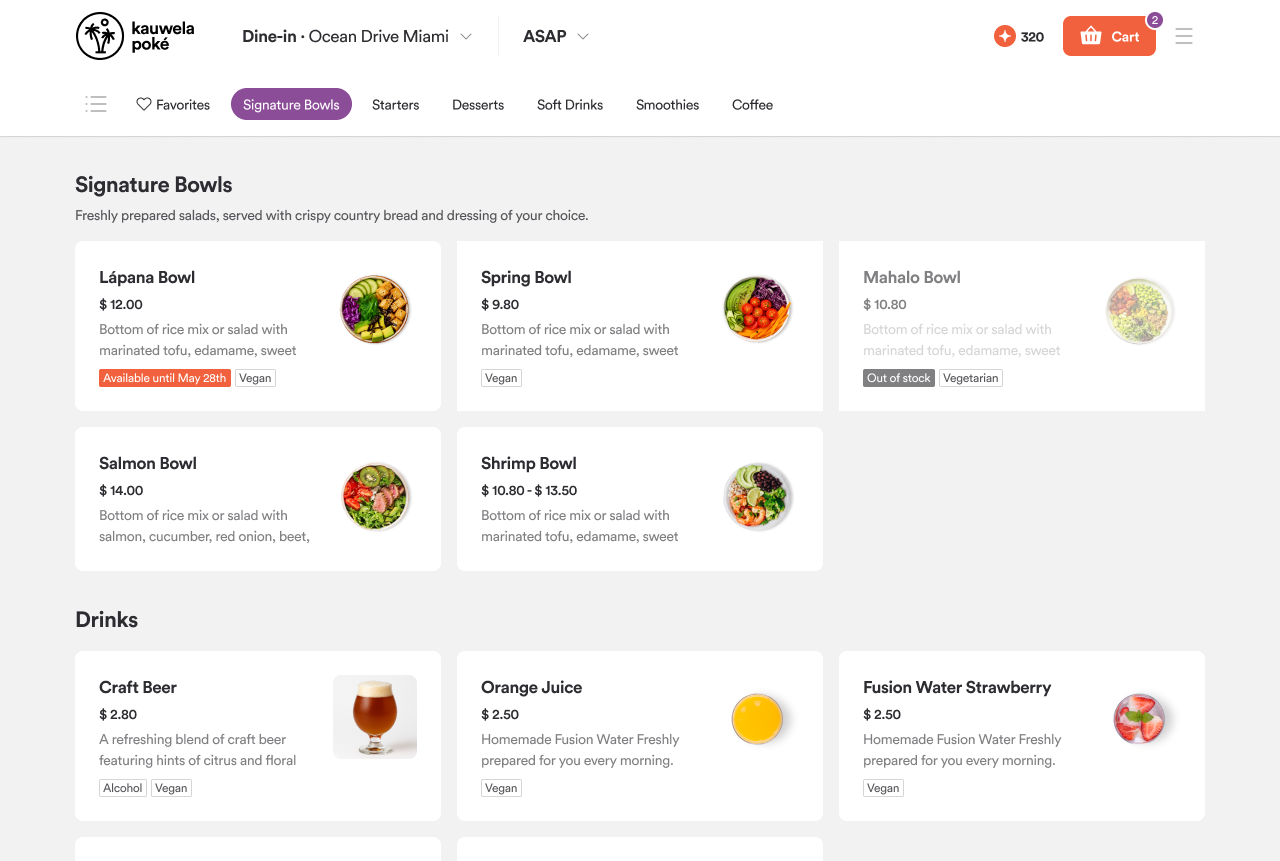
Tags are always visible on menus, products, and nested products
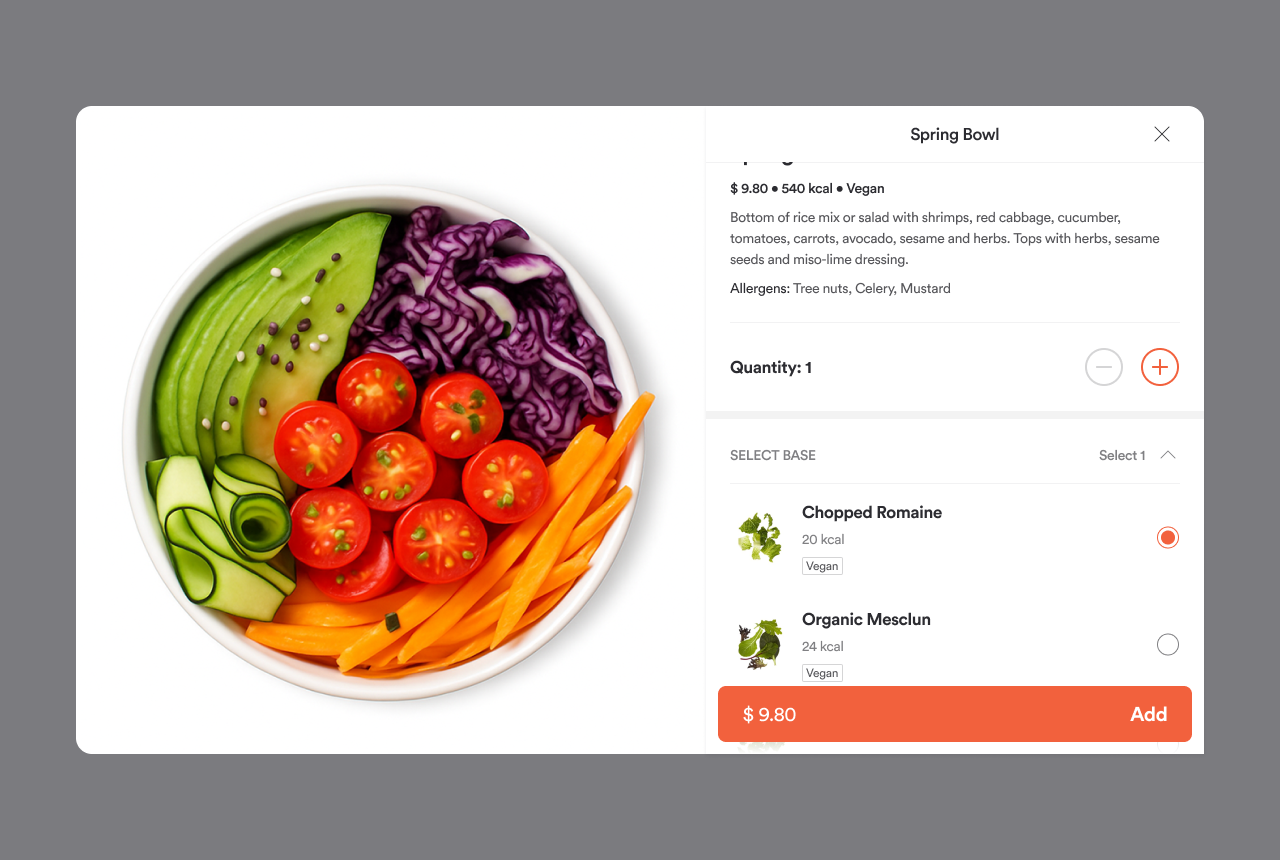
Allergens are displayed as a cumulative list from parent products and preselected modifiers
Feature Flag ON - Filter-Driven Tags
Default state: All tags are hidden unless a filter is applied, with alcohol tags remaining visible
Filter Functionality:
- Floating button in menu with checkmark when active
- Users can apply, clear, and manage filters
- Registered users can save filters (that are auto-applied and managed via Account Settings → Nutrition Preferences)
- Guest users can apply filters but cannot save them
Tag behavior with filters:
- Dietary and lifestyle tags are displayed as separate tags, based only on the parent product setup.
- Allergens are shown as a single tag with a tooltip, with parent products displaying cumulative allergen info
- Neither tag type is visible on products in the Favorite Products
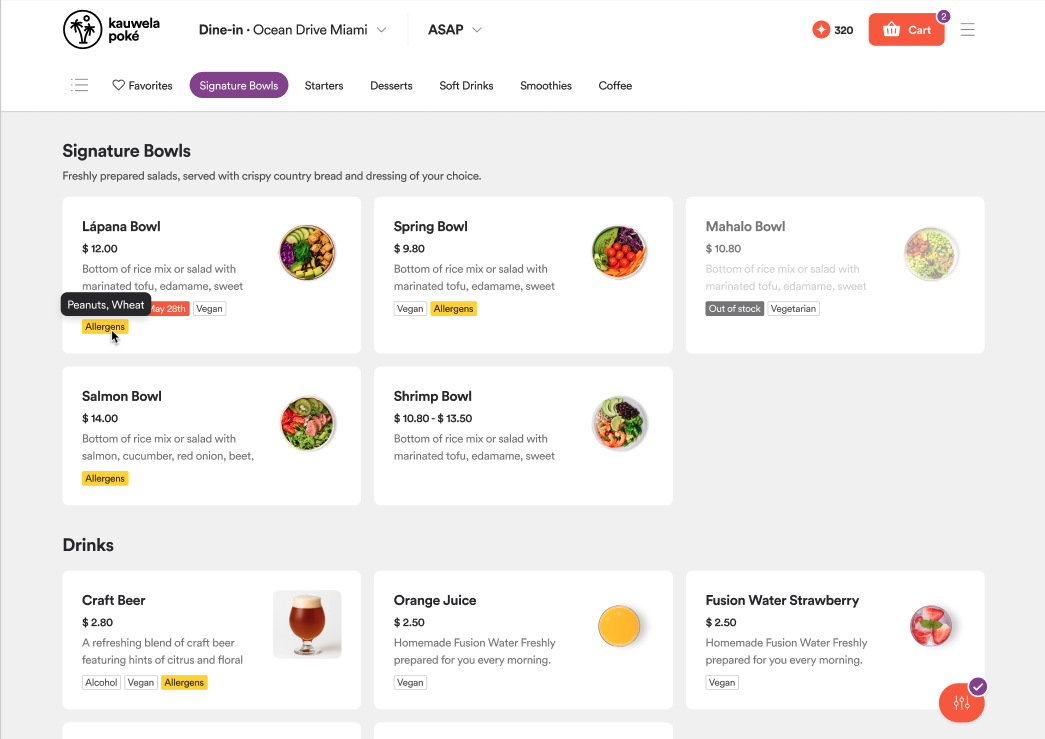
Floating filter button and applicable allergens shown via tag tooltip
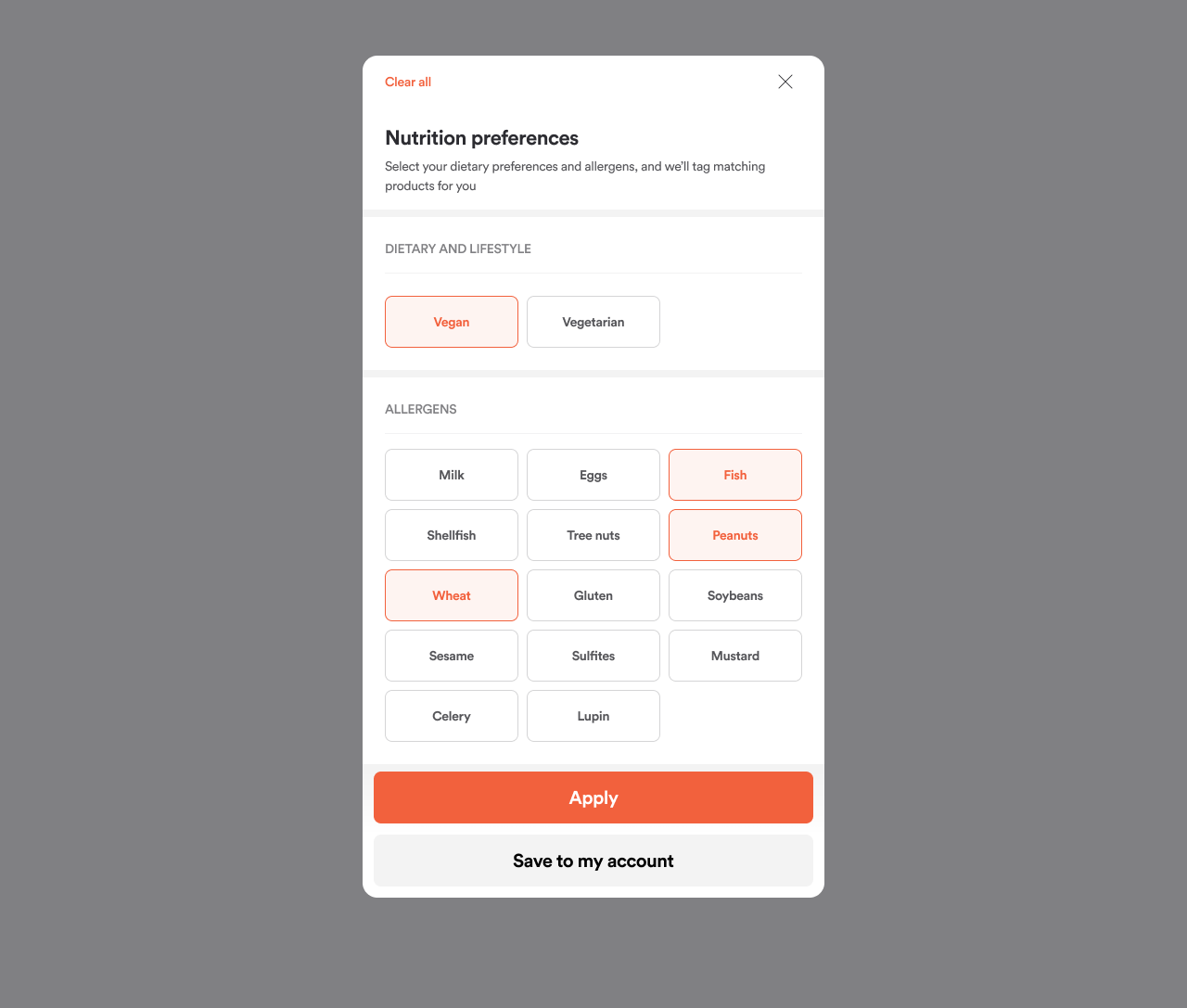
Users can apply, clear and manage their filter settings. With registered users being able to save their selection.
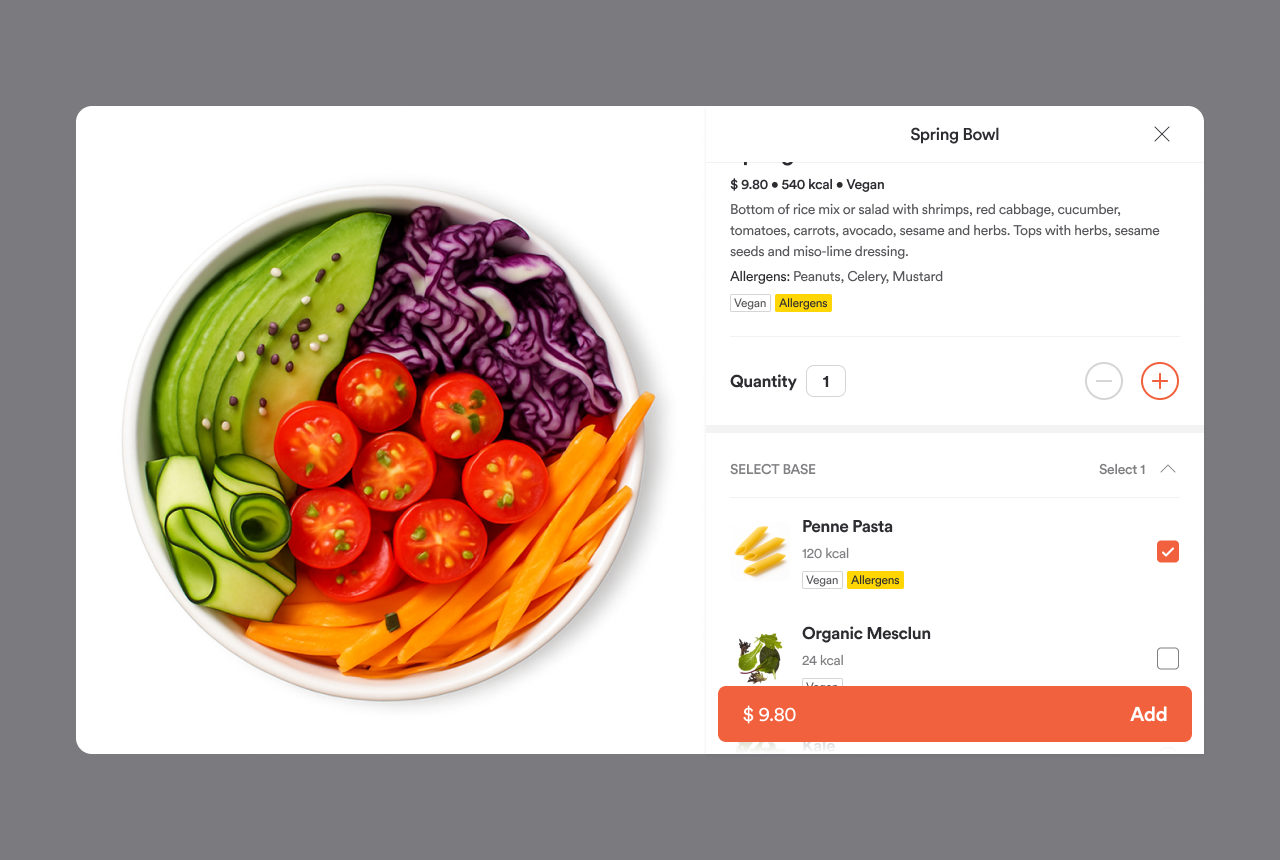
All tag behavior is applicable on an individual product level
