Salesforce Marketing Cloud Integration
Current Integrations
- Salesforce Marketing Cloud Connector (Publish events for real-time communications via Amplify)
SFMC Connector
Features Supported
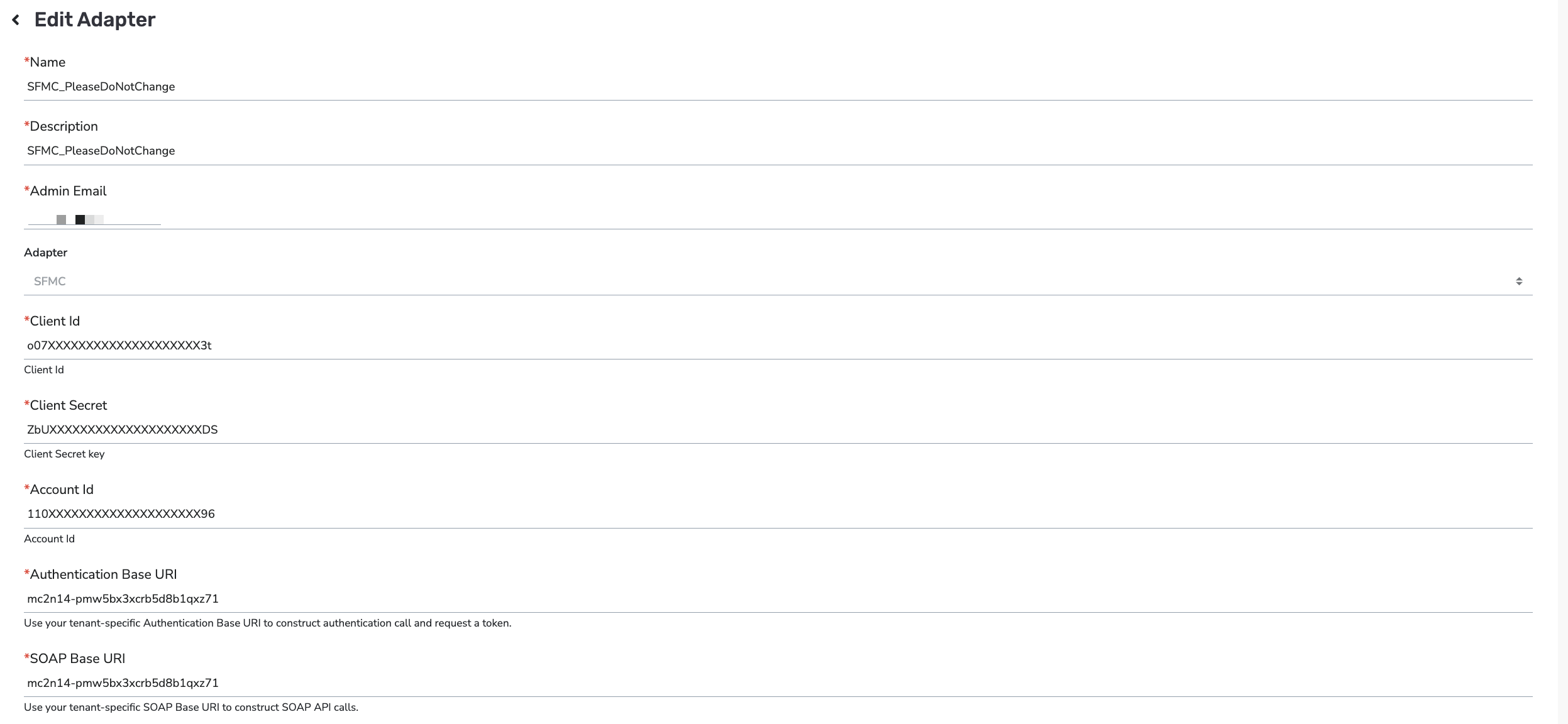
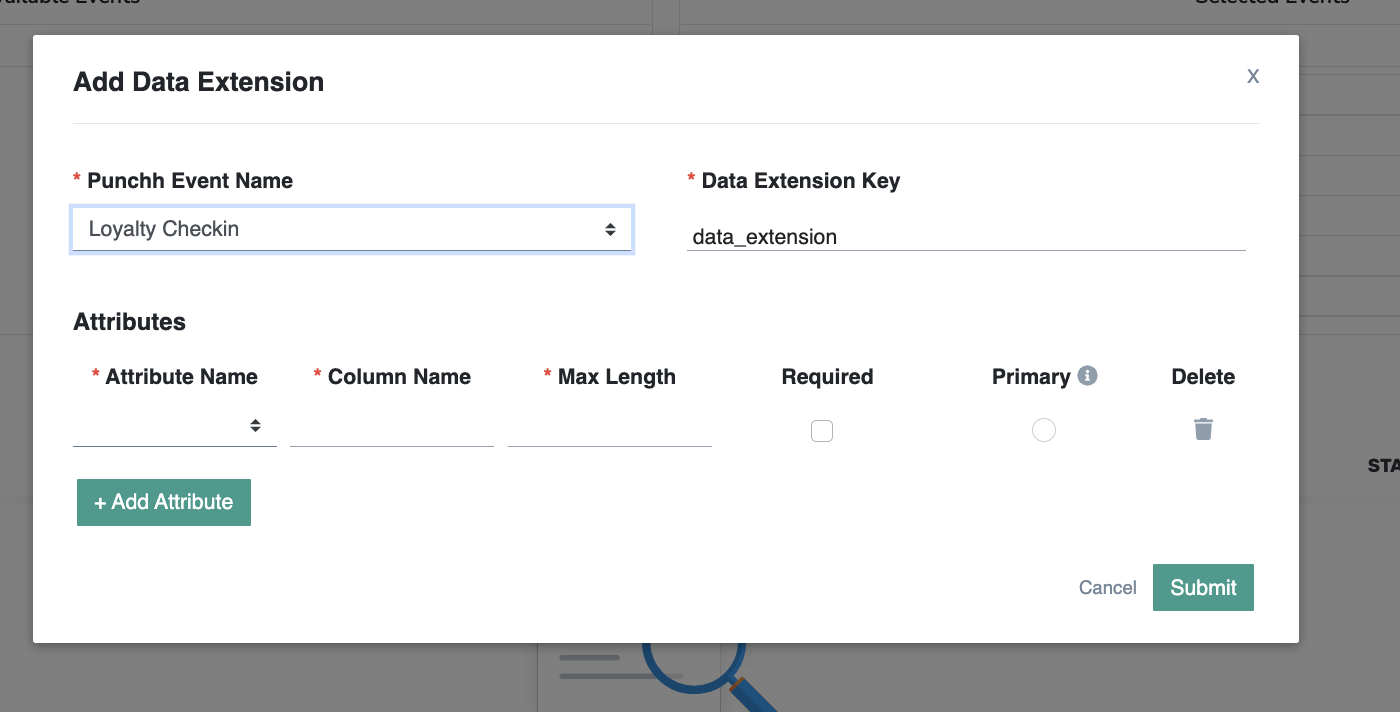
The scope of this integration is to send event data into SFMC Data Extensions. These Data Extensions will be used by your business to join and create a master journey extension from which could trigger various journeys.
Punchh will only implement changes for the data to be pushed into the respective Data Extensions for their requirements (e.g., segments and offers). The Client will be responsible for joining the data on their end to create the master data extensions and create the journeys on their end.
For example, the issuance of the redeemable (giving a reward to the guest) will fire an event on the Punchh side which will be inserted into the data extension for offers on SFMC by Punchh. The Rewards event will be leveraged to update the offers export in real-time. The Client will create the master journey data extension using the segments and offer data extension hydrated by Punchh to create the customer journeys. The journeys on the SFMC side will be triggered based on the way they are set up by the Client.
The rewards events, which are triggered in real-time, will be pushed into a data extension on SFMC. There will be only one data extension where all the reward information will be posted based on a change in the offer status. When a change in offer status is triggered, the user information will only be updated in the existing row and will not be added. No data will be deleted by Punchh. Data hygiene on this Data Extension will be defined and executed by the Client.
Events Supported
- Guest
- Loyalty Checkin
- Gift Checkin
- Rewards
- Marketing Notifications
- Transactional Notifications
- Redemption
Note: Any change in the data extension is not allowed and would require the setting up of another one in Punchh. Also, the rate of events getting pushed would depend on the plan the client had opted for in Salesforce but from our side, it’s ~18K/min.
Other important points:
- For events data to push from Punchh to SFMC, make sure that the Salesforce flag is enabled for your business. Contact your Punchh representative to complete this.
- Also, as a pre-requisite, salesforce IDs need to be ingested into Punchh via external_source_id and external_source as “salesforce” before enabling the adapter as SF can have multiple accounts with the same email addresses on their end thus differentiating them with salesforce ID is required.
- Configuration-related details would be provided by the client, they can also be given access to set it up themselves in case they are open to that as well to skip additional validation.
- Data extensions required to be configured should be as per client setup in SF so that they can receive the information around events data accordingly.
