MoEngage Webhooks Implementation
The MoEngage integration harnesses the functionality of the Punchh Platforms Webhooks Module, enabling the consumption of guest data and account transactional events in near real-time. Once the events are in MoEngage, you can create segments using MoEngage's powerful Segmentation capabilities and perform Analytics to gain even deeper actional insights.
Requirements
Step 1.
To link Punchh loyalty user accounts to MoEngage user accounts, you must set the external_source_id field when you create new users inside Punchh. This will act as the common identifier between the two platforms and be synced to the ID field of MoEngage user profiles. The Punchh APIs offer several endpoints for updating users' external_source_ids.
Step 2.
Contact your MoEngage Customer Success Manager to set up a dedicated endpoint to receive the webhook data from Punchh.
Step 3.
Contact your Punchh representative to enable Webhooks for your brand (if not already enabled).
Step 4.
Configure the webhook in the Punchh Platform.
- In Punchh, select Data Sharing > Outbound Webhooks in the left navigation bar.
- Select Webhooks tab on the page.
- Click the Base URL button in the top right.
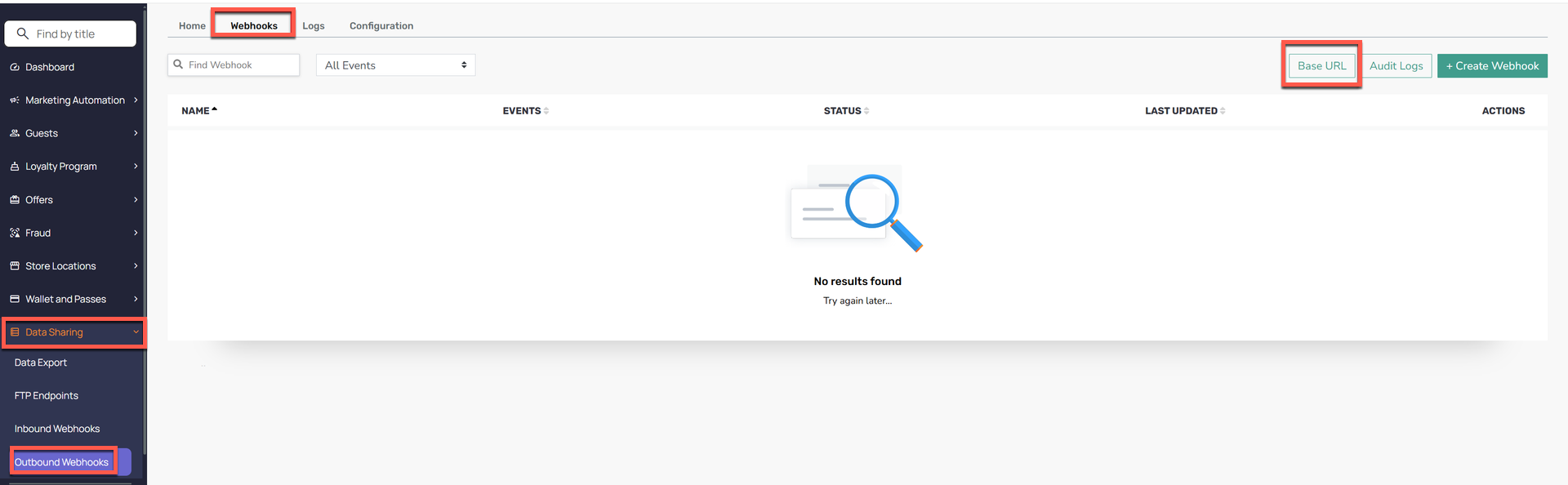
- Click on Add New URL and fill in the form with the following:
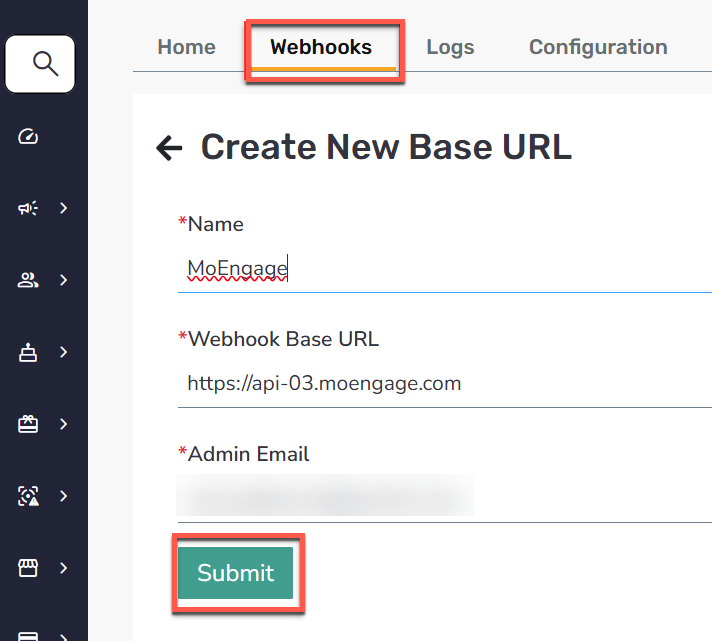
- Name: MoEngage
- Webhook Base URL: The Base URLs listed below are dependent on the MoEngange Data Center Region.
- Click Submit.
Step 5.
Create the Webhook.
- Return to the Webhooks tab.
- Click the + Create Webhook button in the top right.
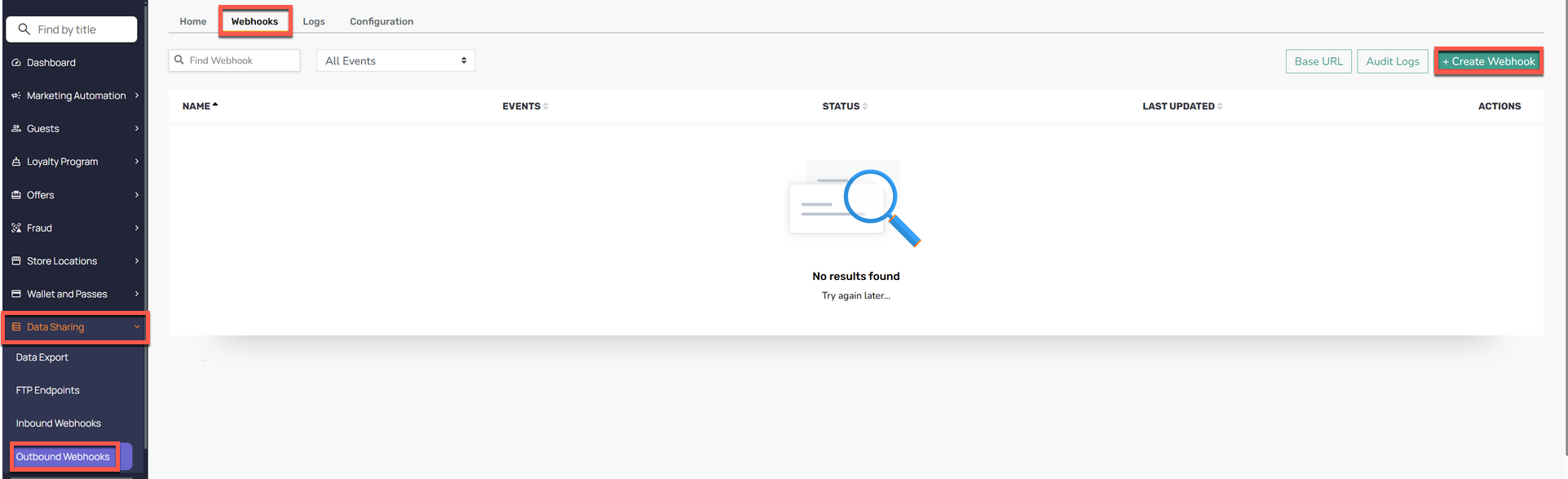
- Fill in the following:
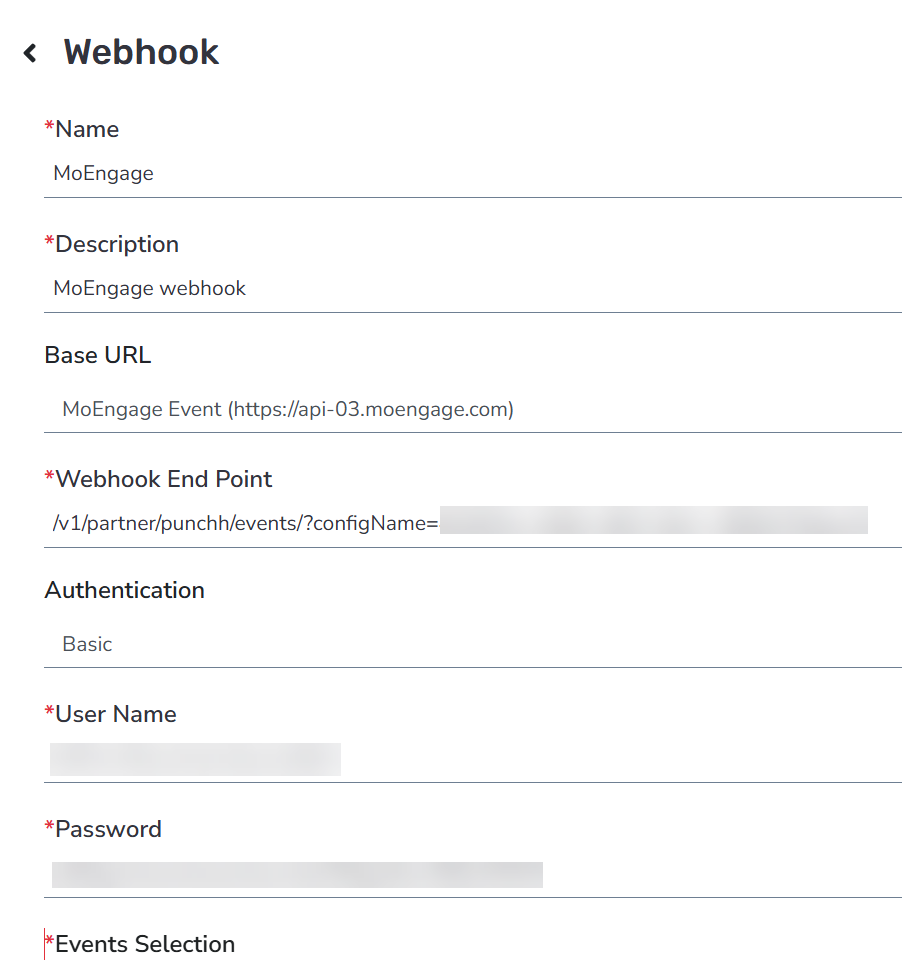
- Name: MoEngage
- Description: MoEngage webhook
- Base URL: MoEngage
- Webhook End Point: Dedicated Endpoint Provided by MoEngage Customer Success Manager, e.g.,
/v1/partner/punchh/events/?configName=xxxx - Authentication: Select "Basic" as the authentication method.
- Username: Workspace ID from your MoEngage Workspace
- Password: Secret Key from your MoEngage Workspace
- Select the events you want to forward to MoEngage.
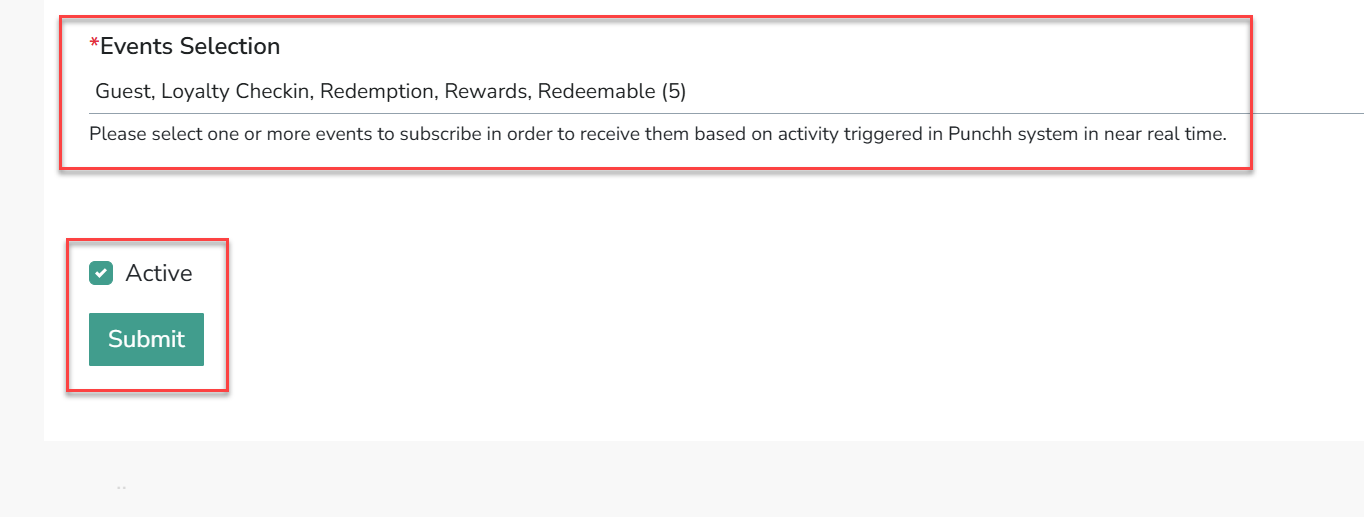
- MoEngage Supported Events:
- Guest
- Loyalty check-ins
- Gift check-ins
- Redemptions
- Rewards
- Redeemables
- Marketing notifications
- Transactional notifications
- Coupon Issuance and Redemption
- MoEngage Supported Events:
- Click Submit.
