Redemption Failures
The Redemption Failures page helps you quickly spot business trends by showing when, where, and why reward or coupon redemptions don’t go through, allowing you to filter by date range or location to identify patterns such as spikes in failures, location‑specific issues, or problems tied to certain reward configurations. The color‑coded graph highlights changes over time, making it easy to see whether failures are increasing, decreasing, or tied to specific events, like POS updates, new promotions, or system outages, while the statistics table breaks down the exact types of failures (such as expired rewards, invalid locations, missing qualification criteria, or POS timeouts), helping you understand whether problems stem from guest behavior, store setup, POS communication, or Punchh configuration. Altogether, this page serves as both a troubleshooting tool and a high‑level trend tracker, providing your team with actionable insights to improve the guest experience and reduce redemption‑related issues across your business.
Navigate to Diagnostic > Redemption Failures.
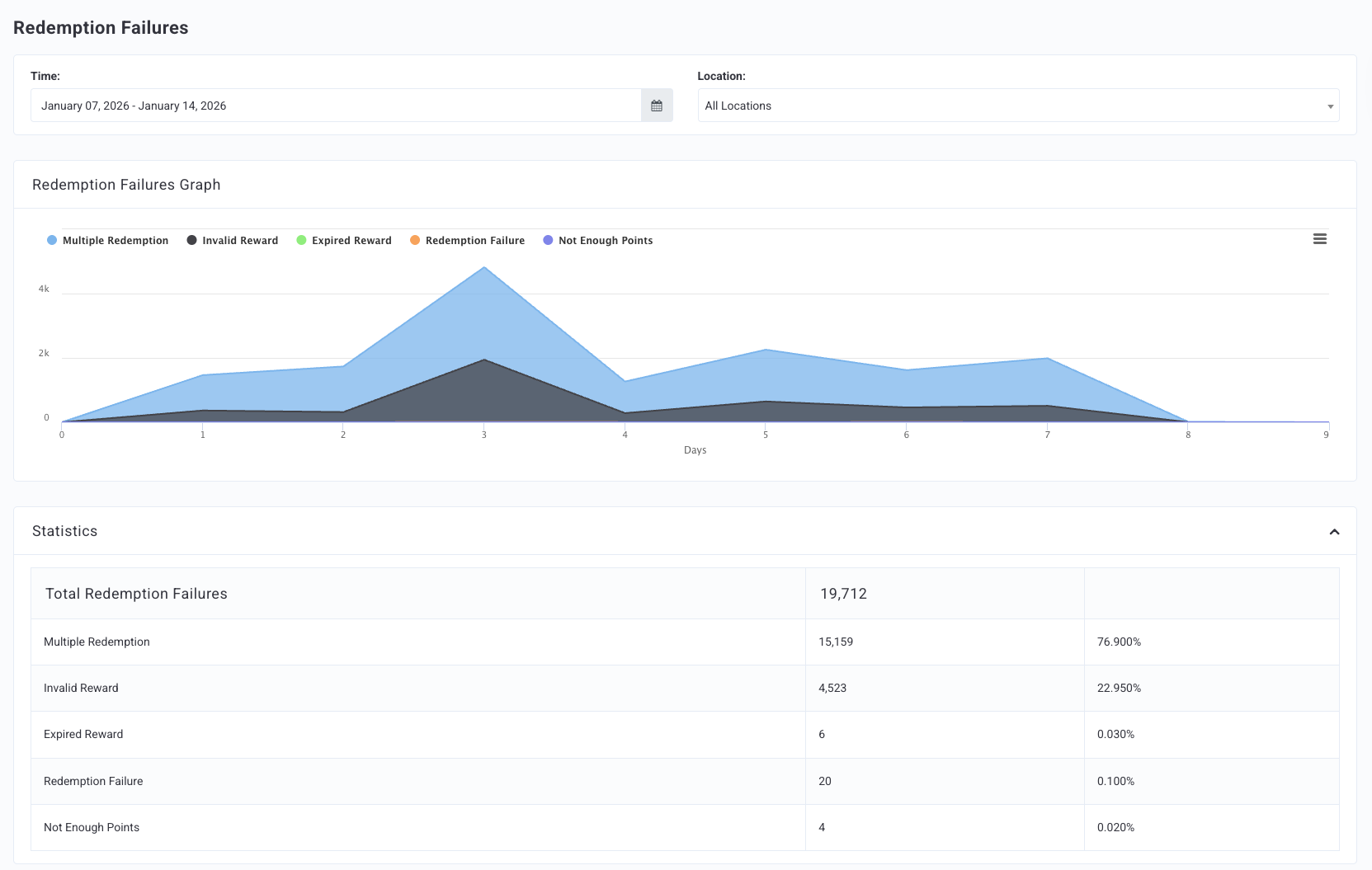
The graph and the statistics table can be filtered by Time (date range) and Location.
Redemption Failures Graph
The Redemption Failures Graph shows a visual representation of failure trends over the chosen date range. The failure types are color-coded within the graph, and a key is located at the top.
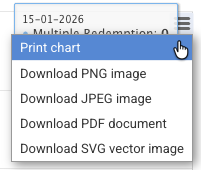
Click the menu icon
 on the right of the graph for various print/download options.
Statistics
The Statistics tables show the types of failures that have occurred for your brand. Some of these failures share similar definitions because they come from different APIs but are caused by the same underlying issue.
Note: You may not see all the listed failures below due to your brand's loyalty program type and configurations.
| Failure Type | Error Code | Definition | Display Message Example* |
|---|---|---|---|
| Total Redemptions Failures | The total amount of redemption failures for your brand in the chosen date range. | ||
| Redemption Failure / Unknown | Null | Failure caused by various issues, such as timing out at the POS or voided redemptions for unknown reasons. Any failure not logged by a Punchh API error would be logged here. | Unknown |
| Distance | 101 | Failure caused by a guest attempting to generate a redemption code from a distance outside a specified range from one of your store locations. Determined by geofencing and location settings on the guest's device. | Guest not within range of a {{{business_name}}} location |
| Multiple Redemption | 121 | Failure caused by a business setting that does not allow more than a certain number of redemptions per transaction (online or POS). | You're unable to redeem multiple times in one visit |
| Too Many Existing Redemptions | 122 | Failure caused by the guest reaching the maximum number of allotted redemptions in a specific time period. | Please use your existing redemption codes or wait for them to expire. |
| Business Sunset | 151 | In the event that a business is winding down their loyalty program, this error is displayed if a guest attempts a checkin when checkins have already been disabled. | {{{business_name}}} is not accepting redemptions anymore |
| Unverified Checkins | 216 | When a guest attempts to redeem but has pending checkins, the result is the "Unverified Checkins" error. | Some of your {{{plural_reward_currency}}} are currently pending approval. Please redeem after some time once they are approved. |
| Invalid Redeemed Points | 217 | Failure caused by a guest attempting to use a reward without the required number of points in their account to validate the reward. | Not enough reward balance available to redeem. Current Balance of {{{current_balance}}} is less than {{{requested_redemption}}} requested |
| Banned User | 291 | Failure caused by a guest currently banned for fraudulent actions, who then tries to redeem a reward. | Insufficient privileges to allow redeeming |
| Invalid Redeemable Item | 301 | Failure caused by transaction details not meeting the requirements of the qualification criteria (QC). | Redeemable Item is not valid |
| Missing Redeemable Item | 303 | Failure caused by transaction details not meeting the requirements of the qualification criteria (QC). | Redeemable Item is missing |
| Invalid Location | 305 | Failure caused by a location-specific redeemable that the guest attempts to redeem at a different location. | This reward can not be redeemed at {{{location}}}. |
| Same Visit | 311 | Failure caused by a business setting that does not allow more than a certain number of redemptions per visit (online or POS). | You cannot redeem in the same visit as your last checkin |
| Not Enough Points | 321 | Failure caused by a guest attempting to use a reward without the required number of points in their account to validate the reward. | Not enough points to redeem |
| Not Enough Checkins | 331 | Failure caused by a guest attempting to use a reward without the required number of checkins in their account to validate the reward. | Not enough {{{plural_reward_currency}}} to redeem |
| Expired Reward | 401 | Failure caused by a guest attempting to use a reward that has expired. | The reward you wish to redeem has now expired. |
| Future Reward Redemption | 402 | Failure caused by a guest attempting to use a reward that is not active. | The reward you wish to redeem will be available on {{{date}}}. |
| Invalid Reward | 421 | Failure caused by transaction details not meeting the requirements of the qualification criteria (QC). | Reward is not valid |
*This table shows example display messages only. Some display messages can be customized for your brand. Contact your Punchh representative with questions.
