POS Stats
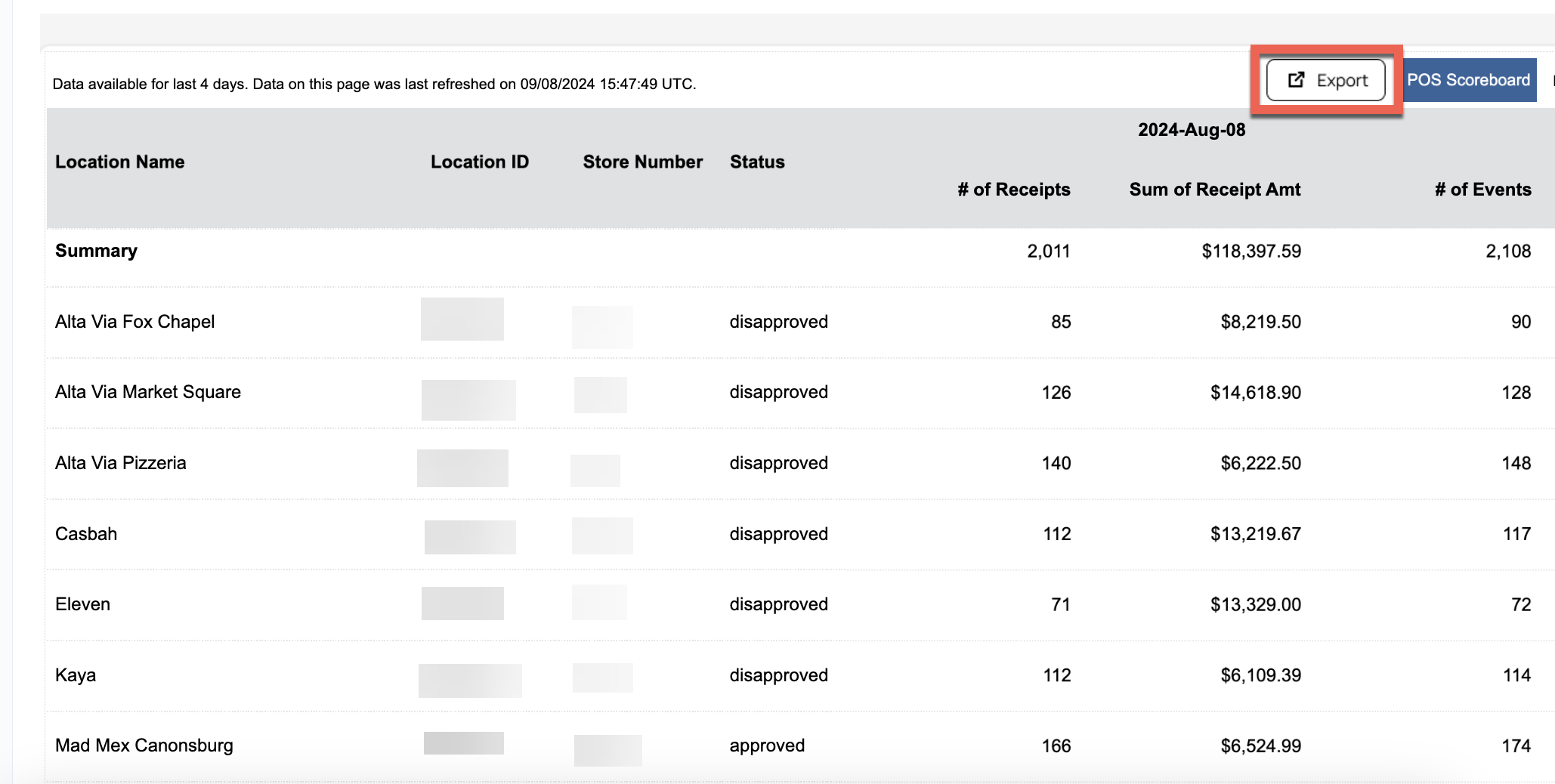
The POS Stats report displays daily receipt and revenue totals for each of your POS locations over the past four days (not including today).
You can check out the POS Stats under Diagnostic > POS Stats.
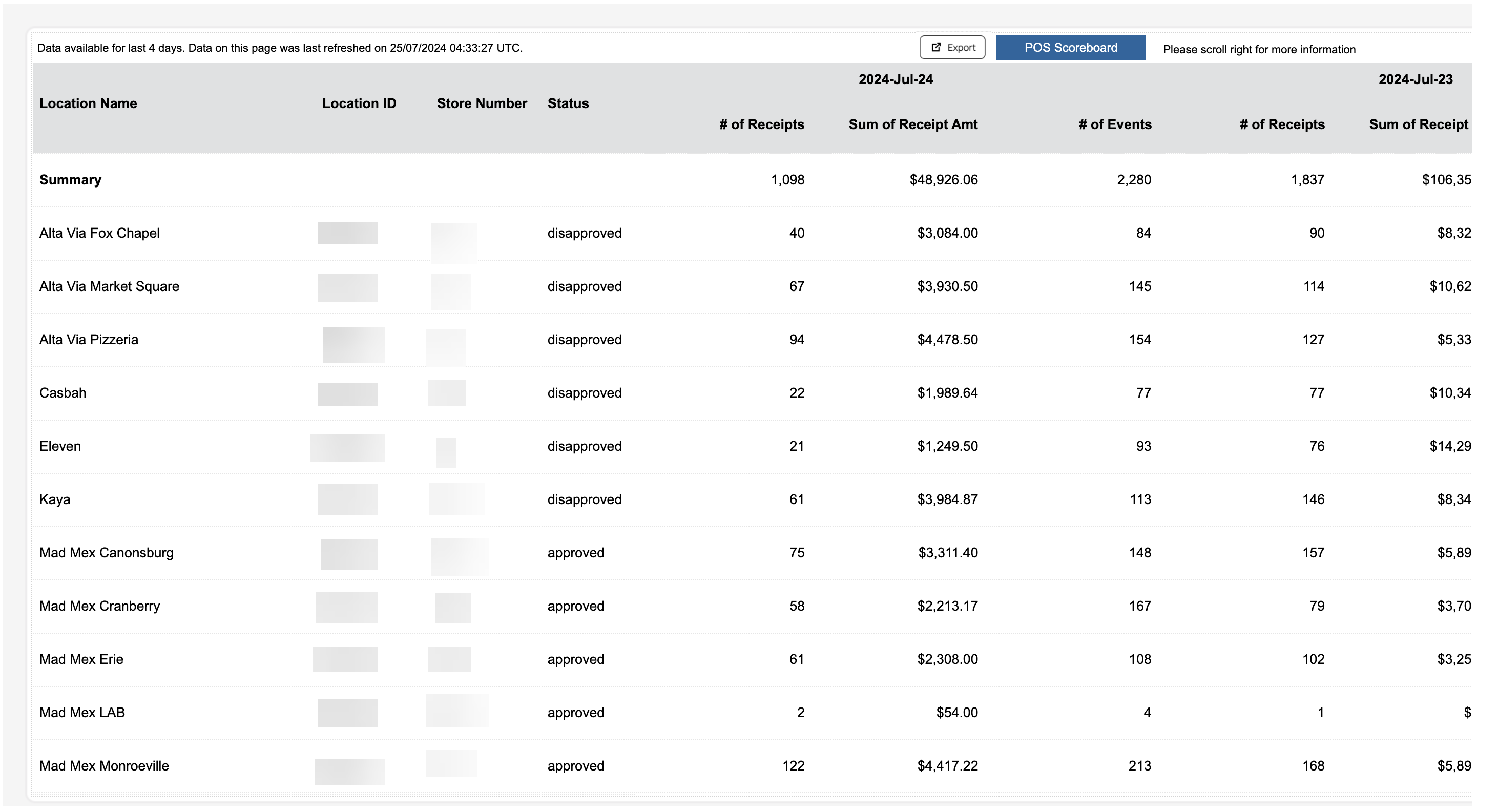
Note: Brands with over 200 locations will have their data displayed in pages as opposed a single list.
POS Stats report includes all revenue (loyalty and non-loyalty combined).
POS Scoreboard
The POS Scoreboard displays information tied to the POS locations showing data for Today, Yesterday, and the Last 30 Days. Click the blue POS Scoreboard button on the top right to view.

The following data is displayed:
- ID
- Store Number/ Name
- Last Receipt Received
- Receipts
- Amounts
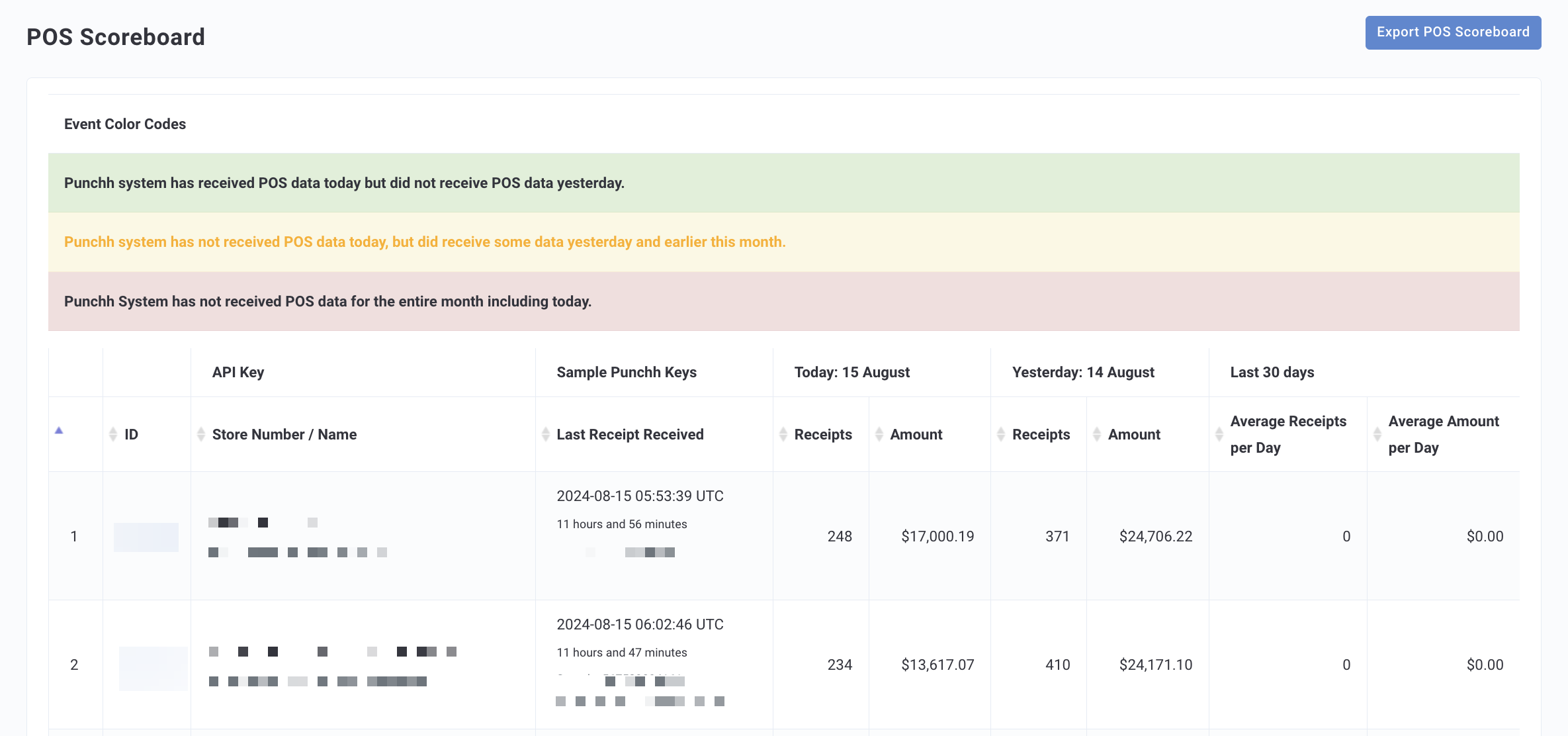
Click the Export POS Scoreboard button at the top right. A CSV file containing all your lift report information will be downloaded immediately to your local machine.
Metrics
For each day, three metrics are shown:
| Report Metric | Definition |
|---|---|
| # of Receipts | Count of receipts received at POS for a given location for a given day, based on business time zone. |
| Sum of Receipt Amt | Sum of net receipt amount associated with receipts received at POS for a given location for a given day, based on business time zone. Note that the receipt amount is a net amount post discounts and includes items loyalty users are not eligible to earn points on (for example, alcohol). |
| # of Events | Count of events registered at POS (including successful receipts, adjustments such as voids, returns, comps, no sales, etc) for a given location for a given day, based on business time zone. The number of events value is always greater than or equal to the count of receipts. |
Date Range Available
Data is made available for the last four days, not including today.
Data Refresh Frequency
Data is reported from an aggregated source and refreshed daily once at 7 AM EST.
Exporting
Click the Export button at the top right. A CSV file containing all your lift report information will be downloaded immediately to your local machine.