Gifting Metrics
The Gifting Metrics pagehelps understand the summary and details of the admin gifting activity, such as gifting rewards, points, etc. This allows brand marketers to take further action on specific admins if needed.
Viewing Gifting Metrics
You can check out the Gifting Metrics page in Loyalty Program > Gifting Metrics.
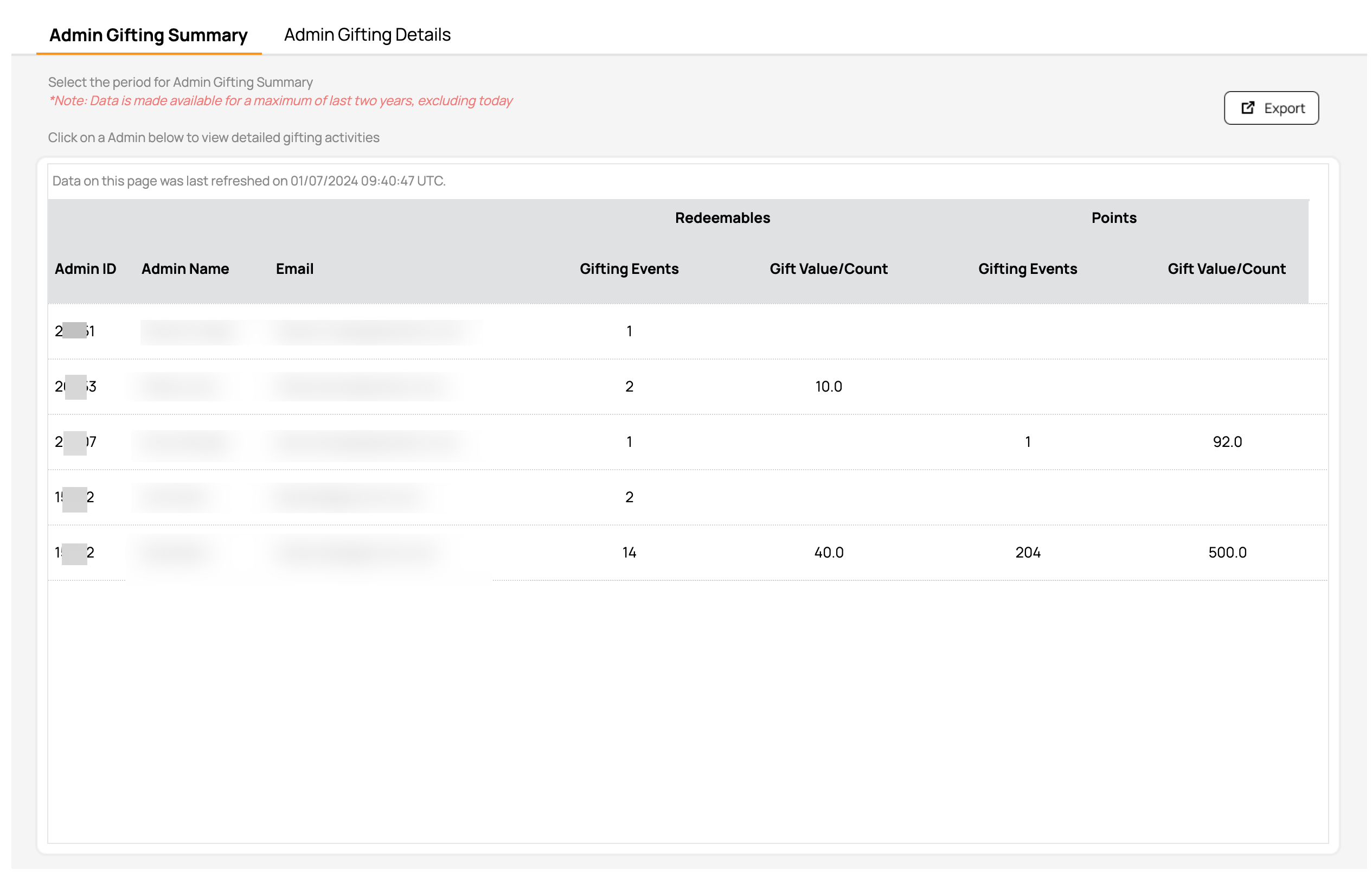
Gifting Metrics has two sections:
- Admin Gifting Summary: This is the section that shows up by default. It shows a summary of all Admin users, with one admin per row. The types of gifting include Redeemables, Points, Challenges, Currency Rewards, and Membership Rewards, depending on the features enabled by the brand.
- Admin Gifting Details: When you click on an Admin in the Admin Gifting Summary, the view navigates to Admin Gifting Details, shown below, and shows all the granular data of the activities of the admin. To navigate back, simply click again on the Admin Gifting Summary tab.
You can also view a specific admin's gifting details through Administration > All Users, Roles and Permissions > Admin's Name > Gifting. The Admin Gifting Details tab for that user is displayed. See Admin Users and Roles for more details.
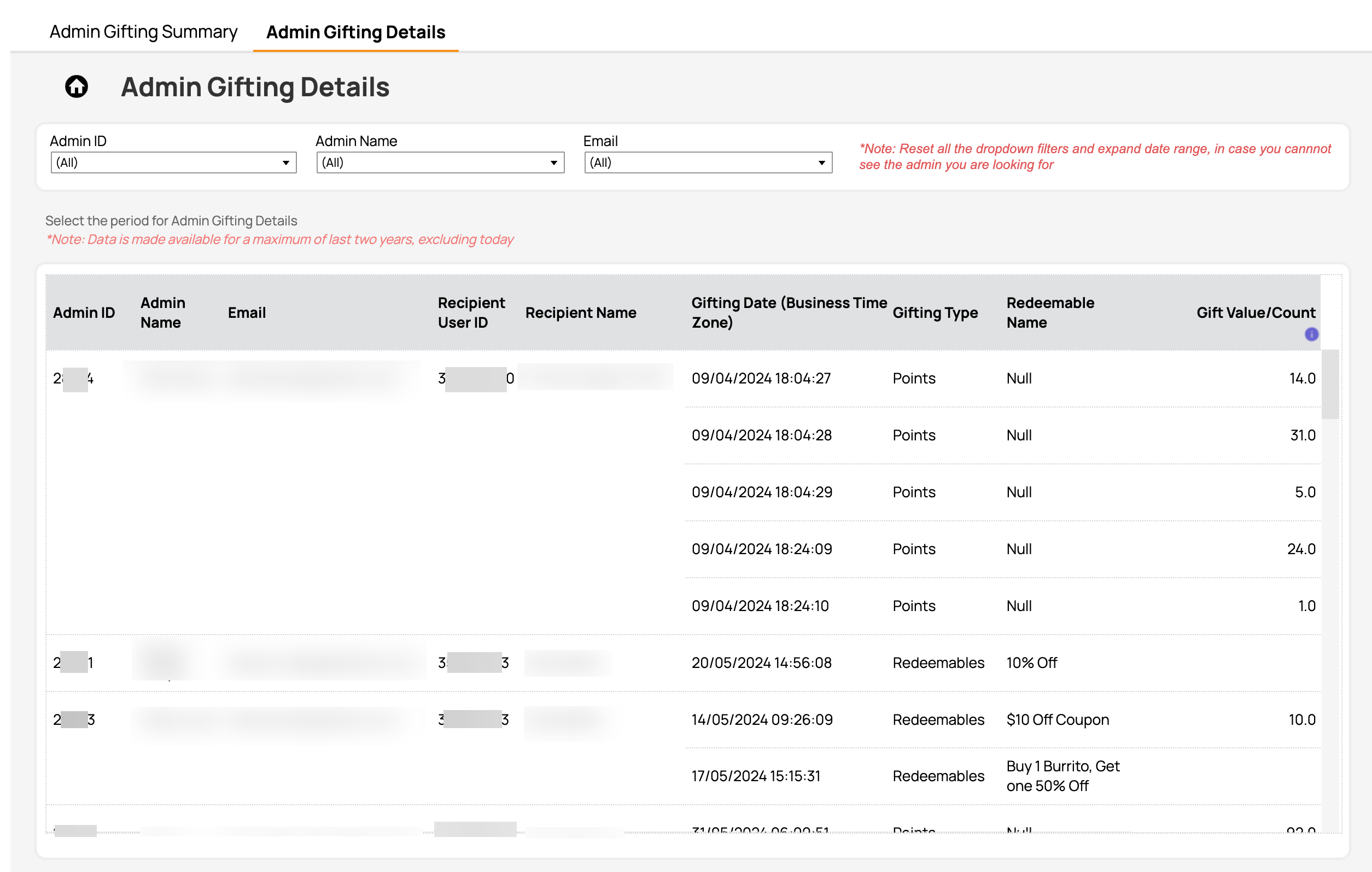
It's important to note that:
- The values under Gift Value/Count are usually reward amounts that need to be interpreted with a currency in front of them, except for Points and Challenges. This is highlighted in the info (i) button next to the metric name.
Date Range Available
Data is made available for the last year two years not counting today. For example, if today is 2024-Jul-24, the data from 2022-Jul-24 to 2024-Jul-23 is made available on the page. The reporting time zone is UTC.
Data Refresh Frequency
Data is reported from an aggregated source and refreshed daily at 7 AM EST.
Metrics, Defined
| Metric | Definition |
|---|---|
| Gifting Events | The number of events through which an admin disbursed a gift to a user. For Challenges, this is the number of challenge milestone Gifting instances. |
| Gift Value/Count |
|
Exporting
From the Loyalty Program > Gifting Metrics page, click the Export button at the top right. A CSV file containing all your Gifting Metrics information will be downloaded immediately to your computer.

